
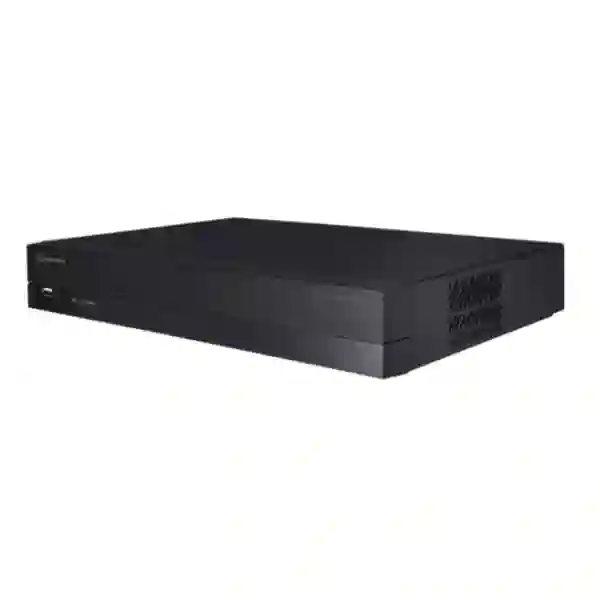
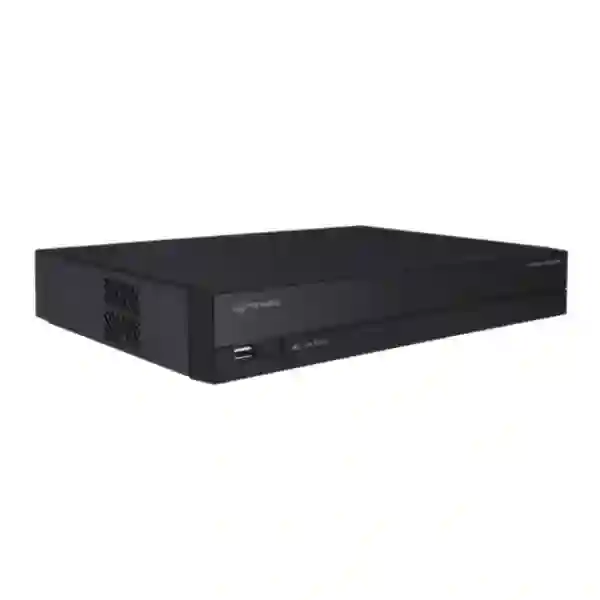
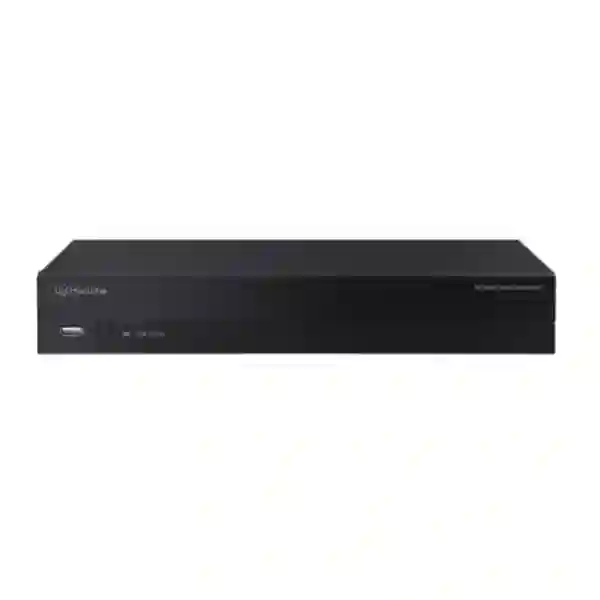
Four-channel IP surveillance recorder
Hanwha XRN-420S-4T 4TB PoE Network Video Recorder
Plan a dependable four-camera recording system around a compact 4TB NVR with integrated PoE ports, up to 8MP camera support, H.265 recording, HDMI/VGA viewing and AI-assisted searching when paired with compatible Wisenet AI cameras. Designed for clearly scoped small installations, the XRN-420S-4T is best assessed against your camera models, recording bitrate, power demand and footage-retention needs before you request a Tanzania quotation.
Important fit and purchase notes
This is a four-channel recorder with a single drive position, not a multi-drive redundant storage server. Its 4TB variant does not guarantee a fixed retention period. AI search depends on compatible Wisenet AI cameras. Price, local stock, shipping, warranty and installation availability in Tanzania must be confirmed separately through a current quotation.
Verified specifications at a glance
The 4TB model designation comes from Hanwha Vision’s model-specific catalogue. Other hardware limits are taken from its XRN-420S product documentation. Functional compatibility can depend on the selected cameras and firmware.
| Brand | Hanwha Vision |
|---|---|
| Manufacturer model | XRN-420S-4T (XRN-420S family, 4TB variant) |
| Product class | 4-channel network video recorder |
| IP camera channels | Up to 4 |
| Supported camera resolution | Up to 8MP |
| Recording bandwidth | Up to 50 Mbps aggregate |
| Recording compression | H.265, H.264, MJPEG |
| Camera network protocols | SUNAPI, ONVIF |
| Camera-facing Ethernet | 4 × 10/100 PoE ports |
| Network uplink | 1 × gigabit Ethernet uplink |
| PoE budget | 50 W total |
| Storage variant | 4TB |
| Drive capacity supported | 1 SATA HDD slot, up to 6TB |
| Local display | HDMI and VGA |
| Intelligent search | Object-attribute search with compatible Wisenet AI cameras |
| Remote connection aid | P2P / QR-code setup supported |
| Power input | 100–240 VAC, 50/60 Hz |
| Maximum consumption | 67 W with one HDD and PoE on |
| Operating temperature | 0°C to 40°C |
| Operating humidity | 20%–85% RH |
| Dimensions | 300 × 47.1 × 208.4 mm |
Who this four-channel recorder is designed for
The Hanwha Vision XRN-420S-4T is a compact network video recorder for a surveillance design that requires up to four IP camera feeds, local recording and practical day-to-day playback. It is a useful shortlist candidate when the camera count is well defined and there is no immediate need to support more than four channels. A small retail outlet might cover an entrance, a sales area, a counter and a storeroom. A reception office might prefer a front door, waiting area, corridor and service entrance. These are planning examples, not promises that any particular layout can be covered with four cameras.
The central buying decision is whether the proposed camera system fits all three limits: four channels, a maximum aggregate recording bandwidth of 50 Mbps and the shared 50 W PoE power budget. The model designation is the 4TB storage variant, while the recorder hardware has one SATA drive position supporting up to 6TB according to the manufacturer. Buyers should examine the resolution, frame rate and bitrate of each proposed camera instead of selecting a recorder solely because the number of sockets looks sufficient.
Choose a camera placement plan before choosing the recorder. Entrances with strong backlight, low-light areas, moving vehicles, wide rooms and narrow corridors have different lens and image-quality requirements. A high-resolution camera may be appropriate at one critical point while another position may be served by a lower bitrate stream. The recorder captures what compatible cameras provide; it does not replace the need for correct camera selection, positioning, cabling, lighting and a defined evidence-retention policy.
Four PoE camera connections and a separate network uplink
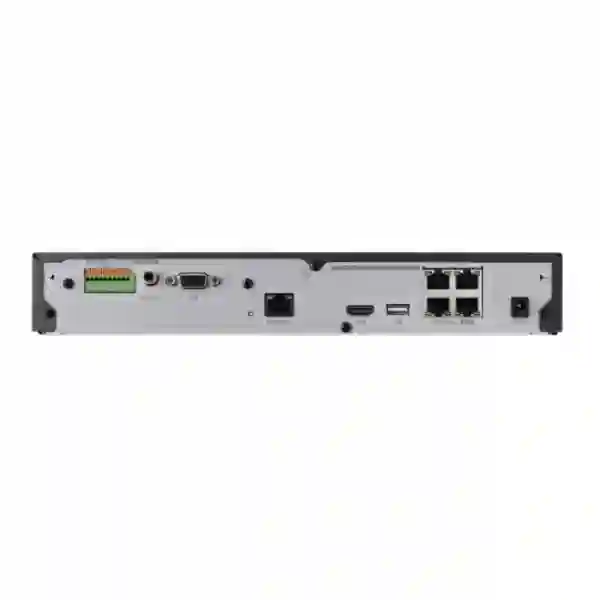
Four integrated PoE camera-facing Ethernet ports help simplify a small wired installation. With a compatible camera, a single suitable network cable can carry video data and power from the recorder, reducing the need for an individual power adapter at every camera. The manufacturer identifies four 10/100 camera-side PoE ports and a separate gigabit uplink interface. This arrangement makes a compact installation possible, although physical cable routing, outdoor protection, safe mounting and camera commissioning still require deliberate planning.
PoE capability does not mean unlimited available electrical power. The total camera power consumption must remain within the unit’s 50 W PoE budget, and installers must verify each camera’s actual operating consumption and its PoE requirements. Night-time infrared illumination, motorized lenses, heaters or other camera features can increase power needs compared with an idle daytime reading. A camera that can be detected on the network is not necessarily a camera whose full feature set can be reliably powered from this recorder.
Before procurement, create a four-row camera schedule showing location, intended model, maximum power requirement, resolution, encoding, expected bitrate and connection length. Identify any camera that requires a different power method or an external network switch. Where a camera is distant, consider cable quality, testing and appropriate network design rather than assuming that an unspecified cable run will work. The advantage of integrated PoE is convenience for a correctly matched small system, not a substitute for checking the electrical and network design.
The meaning of the 4TB storage variant
The -4T suffix identifies the manufacturer’s 4TB configuration of the XRN-420S family. This gives buyers a clear capacity variant to specify on a quotation, but physical configuration should still be confirmed against the exact supplied unit and order documents before deployment. Manufacturer information describes one SATA HDD position and a maximum supported HDD capacity of 6TB for this recorder family. It is not a multi-bay storage server, and the single-drive design should inform decisions about resilience and evidence management.
Four terabytes is a capacity figure, not a guaranteed number of recording days. Retention is affected by the sum of the actual video bitrates, how many cameras record, hours of operation, the chosen compression method, scene complexity, frame rate and whether schedules or event recording are used. Video with intense movement, night noise or detailed scenes may consume storage at a different rate from a quiet daytime environment. Audio, system overhead and the effective usable drive capacity also matter when creating a realistic retention calculation.
State the required retention period before accepting a storage specification. Ask whether footage must be held continuously or only on selected events, whether a business policy sets minimum evidence availability and whether important events need separate exported copies. If the estimate exceeds the available space, first review encoding and recording requirements; then investigate supported capacity and the wider NVR range. Do not reduce recording quality below what an incident investigation needs simply to claim a longer storage period.
Recording bandwidth and camera stream planning
The XRN-420S hardware supports a maximum aggregate camera recording bandwidth of 50 Mbps. This figure is important because four compatible cameras do not necessarily use the same amount of bandwidth. A deployment using modestly configured cameras can have different recording demands from a design using four detailed 8MP streams at high frame rates. Assess the expected encoded bitrate under realistic conditions and leave practical headroom for bursts and changing scene complexity.
Recording bandwidth must be distinguished from the bitrate of one stream, the bandwidth available to a remote viewer and the speed of the network uplink. The manufacturer separately specifies a 32 Mbps playback bandwidth and a 64 Mbps transmission bandwidth for the platform. These values describe different activities and should not be added together or treated as one universal performance guarantee. Concurrent live viewing, playback and recording should be validated against the actual camera configuration.
An integrator can test the intended scene at daytime and after dark, observe stream statistics and confirm that recording stays stable. If users want both high-quality evidence and responsive remote viewing, investigate appropriate main-stream and secondary-stream settings, subject to camera support. A lower-resolution viewing stream may help network use, but the recording stream should remain appropriate for the investigative purpose. Document the final settings so a future camera replacement does not silently exceed the designed capacity.
Compression choices: H.265, H.264 and MJPEG
The recorder accepts H.265, H.264 and MJPEG encoding, which allows the installer to match recording settings to compatible cameras and playback needs. H.265 can often reduce storage or transport requirements compared with H.264 for comparable image quality, but the actual result depends on scene, encoder settings and camera implementation. A codec option is not a guarantee of a fixed percentage of savings. Compatibility with client applications and exported footage formats must also be checked.
H.264 remains relevant where older systems or specific viewing tools require it. MJPEG may be encountered in particular integrations, though it can use more bandwidth in many continuous-video scenarios. Choose the codec according to verified camera capabilities, evidence needs, available storage and software support. Do not automatically select the most compressed mode without checking fine detail, motion rendition and playback performance in the areas that matter.
A useful commissioning exercise records a short representative sample in the selected configuration and reviews faces, objects, entry movements and low-light scenes. Compare the evidence quality with the intended task rather than relying only on megapixel figures. Keep a record of the codec, frame rate, bitrate limits and image settings approved for each camera. This makes later troubleshooting easier and avoids changes that undermine a previously agreed retention or image-quality requirement.
Camera resolution and interoperability
The manufacturer rates the XRN-420S for up to four network cameras with image resolution up to 8MP. The network camera protocols identified are Hanwha SUNAPI and ONVIF. These facts provide a starting point for selecting cameras, but they do not prove that every camera using ONVIF will expose every control, alarm or analytics feature. Confirm the exact camera firmware, supported profile, recording streams and expected functions with a current compatibility check.
An installation may involve fixed-lens dome cameras, bullet cameras or selected specialist devices, depending on deployment requirements. The recorder’s own compatibility and performance boundaries remain the controlling factors. If a camera needs multiple streams, a special event trigger, PTZ control or audio, ask for confirmation that the relevant function is supported end to end. Camera discovery alone is too shallow a test for a professional handover.
Where an existing CCTV system is being upgraded, list each current camera model and firmware version before assuming reuse is possible. Test live video, continuous recording, event recording, time synchronization, playback and export. If a mixed-brand camera connects but certain advanced features are missing, describe those limitations plainly in the system design. A reliable recording system is one whose critical functions are verified, not merely one whose camera tiles appear on the screen.
AI-assisted search: important conditions
The XRN-420S supports AI object-attribute search when integrated with compatible Wisenet AI cameras. This is a conditional function: the recorder does not turn an ordinary camera into an AI camera simply because the feature appears in the specifications. Useful search criteria depend on the metadata produced by the camera, the supported integration and the events actually recorded. Buyers considering this feature should identify the exact compatible AI camera models and the search questions they need to answer.
AI-assisted searching may help an operator narrow a review by an available object attribute instead of scanning an entire recording interval. However, search output still needs human verification. Lighting, obstruction, distance, camera angle and other scene factors can affect what the camera detects or classifies. The recorder should not be marketed as a guaranteed person-identification or forensic recognition system. Its search capability is better understood as an aid to navigating eligible camera-generated information.
Make an acceptance test around realistic events: a person entering a doorway, a vehicle passing a monitored point or an object moving across a defined area. Confirm which search filters are actually exposed in the installed combination and whether users can retrieve the related footage promptly. If no compatible AI cameras are included, specify the NVR primarily for its recording and playback functions rather than presenting AI search as an unconditional purchasing benefit.
Local monitoring with HDMI and VGA
The recorder provides HDMI and VGA monitor connections for local viewing. This can be practical when a receptionist, guard or site manager needs quick access to live footage without opening a remote workstation. The manufacturer identifies HDMI capability for a high-resolution local output and a separate VGA output. Display format, layout and decoding limitations should still be checked for the selected cameras and monitor arrangement; a capable monitor cannot remove limits elsewhere in the system.
Decide whether the monitor will be used for occasional review, a fixed multi-camera display or a staffed monitoring position. A compact monitor near the recorder may be convenient for setup, while a securely positioned viewing screen can be better for operational use. Select a display size that suits the distance at which users will inspect the image. Four small camera views on one screen may be acceptable for presence monitoring but insufficient to judge small details at a glance.
Local playback and camera display should be tested during handover. Verify that users can locate a time period, switch between camera views, check the event list and recover footage as intended. If the site requires an operations room, several simultaneous review stations or complex display walls, the four-channel desktop recorder may not be the right overall platform. Those needs should be documented before selecting a model intended for a modest deployment.
Event recording, searches and exporting evidence
The platform supports recording modes including normal recording, scheduled continuous or event recording, pre-event and post-event options, and bookmarks. It also provides timeline and event-based search functions described in the manufacturer specifications. The value is not merely storing video: staff need to find the right sequence later, understand what happened before and after an incident and preserve an appropriate copy without disrupting ongoing operation.
A practical event policy should distinguish activities worth flagging from ordinary movement. A doorway may need continuous recording because incidents are not always accompanied by an accurate trigger. Another position might use scheduled recording if the risk assessment allows it. Where event triggers are used, validate sensitivity, camera analytics and pre/post-event intervals. Poorly configured triggers can create excessive notifications or gaps that are only discovered when footage is needed.
Create a documented export procedure and test it before the system is handed over. The recorder supports local and network-oriented backup formats identified in its technical specification, but the exact export and player workflow can depend on the chosen method. Set clear rules for who may retrieve footage, where copies are stored, how they are named and who may access them. Restrict unnecessary sharing, retain relevant timestamps and ensure that an exported file can be opened and reviewed by the intended recipient.
Remote access and operating from another location
The XRN-420S includes a P2P connection capability associated with QR-code setup, together with web and supported viewing applications in the Hanwha ecosystem. This can make remote access planning more straightforward, but it does not guarantee connectivity from every network or smartphone. The site must have suitable networking and internet service, approved application versions and a security policy that allows the chosen access method. Remote features should be validated on the commissioned device and firmware.
Think about who actually needs remote visibility. An owner may require occasional live viewing; a facility supervisor may need alarm review; a technician may need authorized maintenance access. These roles should not automatically share one administrator login. The manufacturer’s listed user limits and concurrent activity constraints should be checked when planning simultaneous access. If a site needs many remote viewers, a centralized video platform or different recorder class may be more suitable.
Do not assume that remote operation eliminates local requirements. The recorder still depends on power, functioning storage, cameras and a working local network. Internet outages may interrupt off-site viewing without necessarily stopping local recording, depending on the fault. Document which functions require an active internet connection and test recovery after a router restart or brief disconnection. A good handover separates local recording continuity from the convenience of remote access.
Power continuity and reliability planning
The manufacturer specifies an AC input range of 100 to 240 VAC, 50/60 Hz, and a maximum power consumption of 67 W with one HDD and PoE enabled. These are useful design figures, not a complete uninterruptible power supply specification. Choose any UPS after accounting for the recorder, camera load, associated router or switch, expected backup duration, battery condition and local power conditions. A backup device must support the intended equipment rather than just match a number printed on one label.
In Tanzania, as with other markets, the design should consider what happens if utility power or internet connectivity is interrupted. Identify whether continuous video evidence is important during an outage and assess the site-specific need for protection, battery backup and controlled shutdown procedures. Do not promise a particular outage runtime without a verified equipment list and measured load. Use suitable protected distribution and have qualified personnel handle electrical work.
Reliability also depends on storage health, camera connections and routine operational checks. A recorder hidden in a locked cupboard may seem tidy but become a problem if nobody notices a failed camera or recording fault. Assign responsibility for checking system status, clock accuracy, disk alerts and footage playback. A small system can be well managed, provided the maintenance plan is proportionate to the operational importance of its four camera feeds.
Temperature, ventilation and physical protection
The published operating environment for the XRN-420S is 0°C to 40°C and 20% to 85% relative humidity. That specification matters in warm indoor spaces, especially where a recorder may be installed above a ceiling, inside an unventilated cabinet or near equipment that produces heat. Evaluate the actual installation location rather than relying on the average outdoor temperature. Allow safe clearance around ventilation openings and keep the unit away from condensation and moisture exposure.
The recorder is a compact metal desktop-type unit, with manufacturer dimensions of approximately 300 by 47.1 by 208.4 millimetres, although surrounding cabling and ventilation need additional space. Provide secure placement where accidental unplugging, liquid spills and tampering are less likely. Plan the routing of camera cables, power and monitor connections so service work does not strain connectors. An equipment enclosure may be appropriate where it provides both controlled access and adequate airflow.
Physical security is part of evidence security. If anyone can remove the recorder or the installed disk, access-control procedures for the premises may be undermined. Keep unauthorized persons away from equipment while ensuring legitimate technicians can inspect and maintain it safely. Record the equipment location, responsible contact and basic recovery instructions. A sensible physical layout helps reduce avoidable faults and improves the ability to investigate an incident promptly.
Network design and information security
A video recorder is a network-connected device and should be treated as part of the site’s information-security environment. Plan sensible addressing, authorized access, time synchronization and device management before enabling remote monitoring. Change default or initial credentials as directed by current manufacturer setup guidance, assign distinct accounts where practical and limit administrator rights. Do not expose management services unnecessarily to the public internet merely to make remote access convenient.
The manufacturer lists security functions including access logs, IP filtering, encryption-related features, signed firmware and network authentication support. The value and availability of individual controls depend on configuration, firmware and the wider network. Ask the installer to confirm which features are enabled and which remain unsuitable or unavailable in the deployment. Network segmentation may help limit interactions between security cameras and ordinary business devices, but the actual design should be tailored to local infrastructure.
Keep a controlled process for firmware updates, configuration backup and change management. An update can resolve security issues or change functionality, but should be obtained through an authentic manufacturer channel and evaluated for compatibility before installation. Do not assume the newest update will always be automatically applied or that a feature exists on old firmware. Record the running version, update date, person approving the change and a rollback or recovery plan where supported.
Remote users should understand their responsibilities too. Limit credentials to the necessary people, revoke access promptly when roles change and avoid forwarding sensitive clips through casual personal channels. Maintain appropriate evidence handling and privacy practices for the site and applicable rules. Product capabilities assist implementation, but legal compliance depends on the whole surveillance operation, including camera placement, notices, access, retention and organizational procedures.
Designing a practical small surveillance layout
Begin with a short site assessment, not a shopping list. Walk the area, identify valuable assets, common entry routes, blind spots, lighting conditions and realistic points where someone might need to review an event. Decide which views require recognition-level detail and which require a wider overview. Four cameras are a finite resource, so prioritization matters. A recorder with four channels cannot magically cover every doorway, corridor, perimeter and work area in a complex property.
Create a coverage plan showing each camera’s purpose, field of view, mounting height, cable route, local environmental exposure and anticipated storage demands. Document whether the cameras require infrared illumination, backlight handling, motorized zoom or audio, and confirm whether these functions affect recorder compatibility or power. If important zones remain uncovered, revisit the architecture rather than assuming later software analysis will recover video that was never captured.
At the same time, map the supporting infrastructure: recorder position, monitor, cable paths, surge and power protection, router location, internet access and any backup-power equipment. Confirm who will watch live video, who will retrieve incidents and whether those people need local or remote access. A design with clear responsibilities and consistent settings is often more useful than a feature-rich device deployed without training or a documented purpose.
Deployment checklist before installation
Step one is to verify the item being purchased. Confirm the exact XRN-420S-4T model and the 4TB configuration on the quotation and delivery documents. Clarify the included accessories, drive status, regional supply terms and any site services separately; none should be assumed from a model code alone. Check that the recorder’s four-channel limit, one-drive design and available PoE power align with the approved camera schedule.
Step two is to assess the camera and network fit. Gather model numbers, firmware versions, output resolution, supported codec, expected bitrate, maximum electrical load and required analytics or alarm functions. Verify the relevant SUNAPI or ONVIF integration and any special functionality through a live compatibility test where possible. Record which features are mandatory and which are merely desirable so an apparently acceptable connection does not hide a critical missing function.
Step three is to check infrastructure readiness. Determine safe mounting positions, structured-cabling quality, cable length, indoor temperature, humidity, protected power and network access. Decide whether the local display and export workflow require additional peripherals. Confirm who has authority to configure remote access, manage passwords and approve firmware updates. If installation services are being quoted, identify the exact work included so procurement and installation expectations remain aligned.
Step four is acceptance testing. Confirm all intended camera feeds record at the agreed settings, verify timestamps, review representative day and night footage, simulate a network interruption where appropriate and test retrieval of an incident. Check storage and system alerts and confirm that authorized users can access the intended controls. Finish with a settings record, asset register, administrator handover procedure and agreed maintenance responsibilities.
Managing retention and storage over time
Surveillance requirements can change after installation. A new camera profile, a higher frame rate, a switch from scheduled to continuous recording or longer business hours can alter disk consumption. Make the storage estimate a living configuration record. If available retention becomes shorter than required, investigate the changed recording profile, scene activity and disk status before blaming the recorder or assuming a drive failure.
A single SATA drive position is convenient for a compact system, but it does not provide a multi-disk redundant array. For critical footage, consider the organization’s backup, incident-export and business-continuity procedures. The recorder’s support for ARB is a platform capability to examine with compatible camera configurations, not a blanket promise that footage can always be recovered after storage interruption. Specific behavior must be tested for the chosen equipment and settings.
Make periodic review practical: select a sample camera, find footage from a recent date and perform a controlled playback and export. Confirm that the recorded timestamp agrees with the actual event time and that the evidence is sufficiently clear for its stated purpose. Archive or dispose of footage according to approved policy rather than improvising when disk space becomes scarce. Retention quality depends on governance as well as terabytes.
When to choose a larger recorder instead
The XRN-420S-4T is not an unlimited-growth platform. A site expecting five or more cameras should plan for a recorder with additional channels from the outset. Similarly, a design requiring higher aggregate bitrates, greater storage expansion, more simultaneous users or complex multi-site management deserves a separate evaluation. Purchasing a four-channel unit now because it is compact can create an avoidable replacement project if the camera plan is already known to be expanding.
Consider the life of the proposed surveillance system. A business may open another entrance, extend the shop floor, add a loading point or introduce high-power cameras with features that exceed the built-in PoE budget. These are not reasons to reject the product outright; they are reasons to make the decision against a realistic two- or three-year operating plan. The correct recorder is the one that can support the approved requirements with suitable technical margin.
Compare alternatives on verified channel count, bandwidth, camera interoperability, number of drive bays, supported capacity, power budget and operational workflow. Do not compare only hard-drive size or the number of cameras shown in product photography. If a large campus, many buildings or a staffed control room is involved, the appropriate answer may be a different recorder, a video management system or a network architecture designed for multiple recording locations.
What to include when requesting a Tanzania quotation
Provide the exact model Hanwha XRN-420S-4T and state that you are evaluating the 4TB version. Include the number and models of intended cameras, site type, whether cameras are already installed, required image detail, hours of recording and target retention period. Mention any desired AI-assisted search, local monitor, off-site viewing or incident-export workflow. These details make it easier to identify mismatches before equipment is ordered.
Ask for the proposed supply scope to be written down: the exact recorder configuration, any cameras, mounting hardware, cabling, power protection, network components, storage configuration, commissioning and training. Price, taxes, stock, delivery terms, warranty coverage and installation service must be established by an actual current quotation for the intended Tanzania transaction. The specifications alone cannot establish those local commercial terms.
A clear quotation request can also cover responsibility after installation. Identify the person who will hold administrator credentials, the expected response to recorder faults and whether periodic health checks or remote support are included. Ask how camera compatibility, storage-retention assumptions and acceptance testing will be documented. The best next step is to share a camera schedule and site requirements so the proposed package can be checked against the recorder’s real technical limits.
Frequently asked questions
1. Does the XRN-420S-4T support four IP cameras?
Yes. Hanwha Vision describes the XRN-420S family as a four-channel network video recorder. It can be designed around up to four compatible IP camera connections. Confirm total recording bandwidth and PoE consumption rather than assuming any four camera models will be an appropriate combination.
2. Is 4TB the same as a guaranteed number of recording days?
No. The -4T version is identified by Hanwha as a 4TB configuration. The number of usable recording days varies with camera bitrate, resolution, frame rate, codec, recording schedule and scene movement. Calculate retention using the intended streams and check the result after commissioning.
3. Can a 6TB hard drive be used?
The manufacturer’s family specification lists one SATA HDD slot and a maximum supported HDD capacity of 6TB. Before replacing a drive, check the current manufacturer compatibility guidance and service procedure. A supported maximum does not mean additional physical drive positions are available.
4. Are there four built-in PoE ports?
Yes. Manufacturer information identifies four camera-facing 10/100 PoE Ethernet ports and an uplink interface. The combined PoE budget is 50 W, so camera power demand and individual compatibility must be assessed carefully, especially for models with infrared illumination or motorized accessories.
5. Can I connect any ONVIF camera?
Not necessarily. The platform lists ONVIF and SUNAPI support, but integration success varies by camera model, firmware and required feature. Test live viewing, recording, events, audio, PTZ and other functions that matter before making a compatibility guarantee.
6. What is the maximum supported camera resolution?
The manufacturer specifies camera support up to 8MP, subject to the recorder’s four-channel and recording-performance limits. Resolution alone does not determine required bandwidth or image usefulness. The camera profile and relevant scenes should be tested together.
7. Does AI search work with ordinary IP cameras?
AI object-attribute search is described as available when the recorder is integrated with compatible Wisenet AI cameras. Without the necessary camera-generated metadata and supported integration, it should not be presented as an unconditional feature of any attached IP camera.
8. Can I monitor the cameras on a local screen?
The recorder includes HDMI and VGA monitor interfaces for local display. Choose a monitor and layout suitable for the intended operator and validate the selected decoding and display modes. Local screen resolution does not automatically indicate the resolution at which every camera can be recorded simultaneously.
9. Can I view footage remotely?
The platform supports remote viewing methods and P2P QR-code setup. The actual experience depends on network configuration, internet service, authorized accounts, viewer compatibility and the software environment. Confirm remote live view, playback and account permissions during handover rather than assuming access will work without setup.
10. What happens when the internet connection fails?
A loss of internet access can interrupt remote viewing, but a functioning local recorder may continue recording connected cameras if its local network, storage and power remain available. The actual outcome depends on the failure and installed design. Test recovery procedures and document the role of the router and uplink.
11. Does it support H.265 recording?
Yes. Hanwha lists H.265, H.264 and MJPEG. H.265 can be valuable for managing bandwidth and storage, but real savings and client compatibility depend on the camera implementation, selected settings and viewed scenes. Evaluate both image quality and storage performance.
12. What does 50 Mbps recording bandwidth mean?
It is the manufacturer’s maximum aggregate network camera recording bandwidth for this platform. The total of the chosen recording streams should remain within that design limit. Live viewing and playback also have their own capacity considerations, so plan the full expected workload rather than treating 50 Mbps as a per-camera allowance.
13. Can I save or export video for an incident?
The platform supports playback, searching and backup/export workflows. Test the relevant export format and method, verify that a recipient can view the file and establish controls for copies. Evidence handling should preserve the relevant timeline and limit unnecessary access to sensitive recordings.
14. Will it automatically keep all footage forever?
No. A recorder has finite disk capacity. Depending on configuration and operational policy, old footage can be overwritten as the storage fills. Establish the intended retention period, verify actual available footage regularly and export important incidents promptly under the approved procedure.
15. Is it suited to a shop, office or small property?
It can be a reasonable fit where four appropriately placed compatible cameras meet the security goal and their combined bandwidth and power requirements stay within specifications. A site survey is important: the number of entrances, blind spots and future expansion needs may point to a larger system.
16. Can it use a wired internet connection?
The hardware has a separate gigabit network uplink identified in the manufacturer specification. Wired network connectivity is the usual basis for integration with the local site network. Whether that network provides internet access is a separate deployment choice and should be configured securely.
17. Does the recorder itself supply all the AI analytics?
No. The stated AI object-attribute search capability depends on compatible AI camera integration. Do not confuse the ability to search camera-provided metadata with on-board processing that adds every advanced detection function to a standard video stream. Verify the precise camera-recorder feature combination.
18. Do I need an external PoE switch?
Not always. For four compatible cameras within the built-in 50 W budget, integrated PoE may simplify wiring. An external appropriately specified switch or separate power solution may be considered when camera demand, distance or topology requires it, but the recording-channel limit remains four.
19. What if the equipment room is very hot?
The manufacturer lists a recorder operating temperature range of 0°C to 40°C. Check the real indoor temperature and airflow at the chosen mounting position. Avoid sealed or poorly ventilated spaces and evaluate dust, moisture and physical security. A suitable installation location is a reliability requirement, not merely an aesthetic detail.
20. Can I add more than four cameras later?
The recorder is rated for a maximum of four recording channels. If expansion beyond four is a realistic requirement, select a larger recorder or different system architecture during the initial planning phase. Additional network ports or external switches do not increase the recorder’s licensed hardware channel count.
21. Is a UPS recommended?
A UPS may be appropriate when the surveillance risk assessment requires recording through short power interruptions. Size it for the real connected load, including cameras and necessary networking equipment, and the desired backup duration. A specific runtime cannot be promised from the recorder’s power specification alone.
22. Can several staff members use the recorder?
The platform supports multiple authorized users, subject to published local and remote connection limits. Define roles and passwords before deployment and verify concurrent usage for the chosen access method. A business needing many simultaneous operators should evaluate a larger or centrally managed video platform.
23. Is a mobile app included with the hardware?
Hanwha documents viewer software and mobile viewing support for this platform, including QR-code-based connection capability. Application availability, platform versions and setup conditions can change, so confirm the current supported viewer and operating-system requirements during commissioning.
24. How do I avoid poor image quality despite using 8MP cameras?
Image results depend on the lens, field of view, placement, lighting, exposure, compression, motion and recorded bitrate. Select camera positions based on the details investigators actually need. Review sample day and night footage before approving the system rather than judging by the 8MP ceiling alone.
25. What should I confirm before asking for a price in Tanzania?
Share the exact model, camera list, planned location and required retention. Request confirmation of the specific 4TB configuration, included accessories, local supply terms, price, tax treatment, warranty, installation scope and any support service. These commercial details are not established by the manufacturer’s global technical specification.
Request a configuration check and quotation
Ask for the Hanwha XRN-420S-4T 4TB recorder and share the intended camera models, site layout, required recording period and any remote-viewing or AI-search requirements. Request confirmation of current Tanzania pricing, availability, warranty, installation scope and accessories through FourTeck’s verified sales channels. Include the agreed technical schedule so the recorder can be checked against its four-channel, 50 Mbps and 50 W PoE limits before purchase.
Next step: request an itemized product and system-fit quotation from FourTeck Tanzania.




Reviews
There are no reviews yet.