
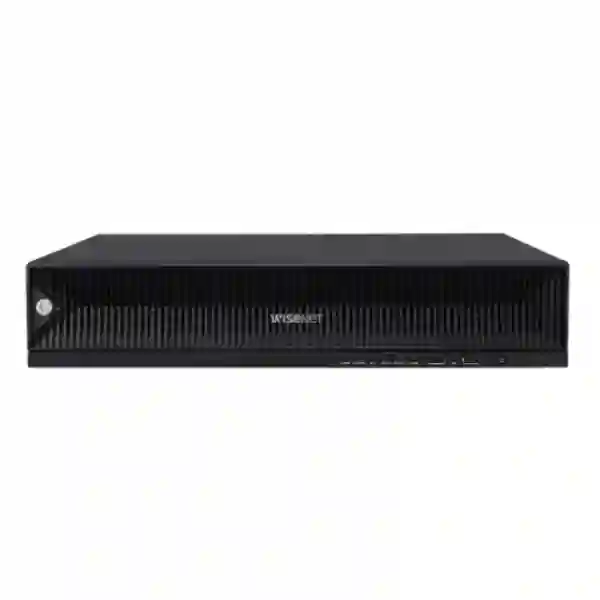
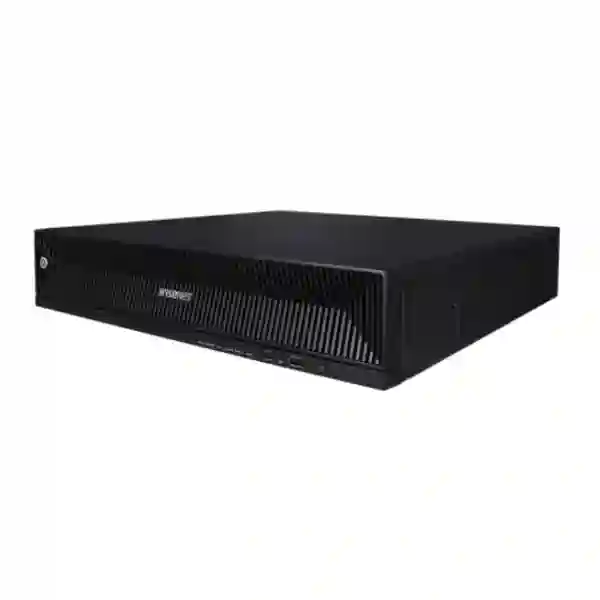
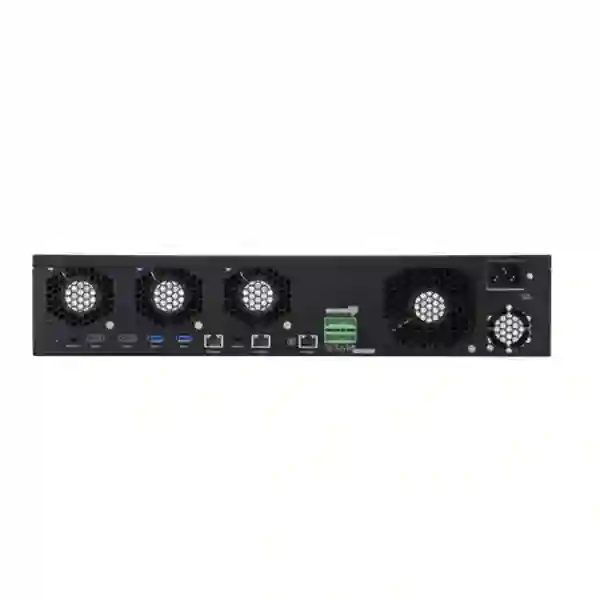
Hanwha XRN-6410RB2 64-Channel Network Video Recorder
Centralise recording for up to 64 network cameras, plan RAID-protected storage and simplify incident review with an NVR designed for substantial security systems. Check the operating-mode bandwidth, disk requirements, compatible cameras and regional product lifecycle before selecting the unit for a new deployment.
Verified technical snapshot
| Camera inputs | Up to 64 channels |
|---|---|
| Camera resolution | Up to 32 MP (supported configuration dependent) |
| Video codecs | H.265, H.264, MJPEG |
| Recording bandwidth | Distributed mode: up to 400 Mbps; normal mode: up to 150 Mbps; RAID-mode conditions vary |
| RAID degraded / rebuilding | Up to 320 Mbps listed under RAID mode |
| Storage | 8 SATA bays; up to 10 TB per supported disk; 80 TB maximum raw non-RAID |
| RAID options | RAID 5 and RAID 6 |
| Monitor outputs | HDMI 1 up to 3840 × 2160 / 30 Hz; HDMI 2 up to 1920 × 1080 / 60 Hz |
| Networking | 3 × RJ-45 Gigabit Ethernet |
| Alarm interfaces | 8 inputs, 4 outputs |
| Power input | 100–240 VAC, 50/60 Hz |
| Power consumption | Up to 160 W with eight 10 TB drives |
| Environment | 0°C to 40°C; 20%–85% RH |
| Dimensions | 438 × 86 × 434.9 mm |
| Lifecycle note | Discontinued in Hanwha’s US and Canadian listings; confirm Tanzania availability |
Specifications are drawn from Hanwha Vision’s XRN-6410RB2 regional product information. Storage, bandwidth and compatibility require validation for the actual configuration. No price, stock or regional warranty is implied.
Who this recorder is designed for
The Hanwha XRN-6410RB2 64-channel NVR is intended for organisations that need a central point for capturing, viewing, searching and exporting video from a substantial network camera installation. Instead of managing footage separately on dozens of cameras, an administrator can organise recording schedules, review events and manage storage in a dedicated recorder. A project may include entrances, loading areas, production floors, corridors and shared spaces, provided the combined camera configuration remains inside the recorder’s documented limits. The camera count is a maximum, not a promise that every possible 64-camera combination will work at its highest resolution, frame rate and bitrate.
It is especially relevant when a buyer already has compatible IP cameras or is planning a structured surveillance network with a clear retention policy. The decision should start with the number of cameras, their codecs, expected video bitrates, recording hours, incident-review requirements and the resilience the site needs. For a Tanzanian facility, power continuity, room temperature and reliable networking also deserve attention at the design stage. Request a configuration review before treating the model number as a complete system specification. This protects the budget from surprises involving disks, switching, UPS capacity, monitors and long-term support.
The central capabilities at a glance
Hanwha Vision specifies support for up to 64 network camera inputs and camera resolutions up to 32 megapixels. H.265, H.264 and MJPEG video compression are supported, while the recorder provides dual HDMI outputs for a local monitoring position. Its eight SATA drive bays have a stated maximum of 80 TB raw capacity in non-RAID operation, using supported drives of up to 10 TB per bay. RAID 5 and RAID 6 options, event-driven recording, alarms, bookmarking and search features make it suitable for more structured surveillance duties than basic video capture alone.
The quoted maximum 400 Mbps camera recording figure requires an important qualification: manufacturer documentation distinguishes distributed recording, normal recording and RAID operating conditions. Actual capacity depends on the selected mode, camera streams and device state, including a degraded or rebuilding array. This distinction matters when a specification is written for a large site. It is more useful to document an engineering calculation for the proposed camera load than to assume that all 64 channels can continuously contribute the same high bitrate. Playback and remote viewing have their own separate limits.
Why camera count is only the starting point
A channel is a place for a camera stream in the recorder configuration. It does not describe image quality, network traffic or how much footage will fit on the disks. Sixty-four cameras recording relatively modest streams can present a very different workload from sixty-four high-resolution cameras using faster frame rates and complex scenes. A project team should prepare a camera schedule showing model, lens position, resolution, codec, frames per second, expected primary-stream bitrate and intended recording schedule. Sum the primary recording bitrates and reserve headroom for changes, event peaks and maintenance states.
The site should also identify cameras that are business critical. A security control room may need live viewing for access points while less urgent areas are recorded primarily for investigation. Separating the recording requirement from the live-display requirement improves system design because display decoding and video storage are not interchangeable resources. If the summed camera traffic or display requirement exceeds the appropriate operating-mode limit, reduce stream load carefully, distribute cameras across recording resources or assess a newer recorder. A competent design is based on the full workload, not a headline channel count.
Understand the 400 Mbps specification correctly
Hanwha’s product specifications identify distributed recording at up to 400 Mbps and a normal recording mode figure of up to 150 Mbps. Under the stated RAID mode, the manufacturer lists up to 400 Mbps in normal array operation and up to 320 Mbps during degradation or rebuilding. These are conditional performance specifications, not a universal guaranteed ingest rate. A buyer evaluating many high-bitrate cameras must know which configuration the installer intends to implement. The planned operating mode should be written into the bill of materials and commissioning checklist, alongside a calculated recording-bandwidth budget.
For example, a low frame rate in a quiet storeroom may be sensible where movement is rare, while a vehicle entrance may require a more demanding profile to record critical activity. Such choices change storage consumption and total network load. Compression efficiency also changes with camera scene, lighting and movement, so an indicative bitrate setting should be validated with representative footage where possible. Leave room for future camera additions rather than designing exactly at a listed ceiling. Confirm current firmware, recommended settings and expected RAID behaviour through Hanwha documentation before accepting a maximum-load design.
Resolution, frame rate and evidence quality
The NVR accepts network camera streams across a broad supported range, with a published upper camera resolution of 32 MP. That does not mean the attached monitor will display every megapixel of every camera simultaneously. The local HDMI output and decoding capabilities have separate limits, and a multi-camera grid commonly prioritises overview rather than full-resolution inspection. Choose the camera resolution for the scene: identifying a person across a doorway, checking a cash-handling counter and observing a wide vehicle yard are different tasks that may require different optics and settings.
During commissioning, test recorded footage at relevant times of day rather than judging quality only from a bright daytime live view. Check night lighting, moving objects, reflective surfaces, identification distances and the clarity of exported evidence. Retaining a higher-quality primary recording stream can be appropriate even if the operator uses a lower-bandwidth viewing stream. Where legally and operationally appropriate, document who approved the scene coverage and how long recordings must be retained. The recorder stores what the camera provides; it cannot recover detail that was never captured.
H.265, H.264 and MJPEG in practice
Support for H.265, H.264 and MJPEG gives integrators flexibility when selecting camera streams and planning storage. H.265 can reduce bitrate for comparable perceived video quality in many scenes, but there is no universal compression saving that should be promised in a quotation. Performance depends on camera implementation, image noise, frame rate, activity, encoding profile and whether advanced stream optimisation features are supported. Some legacy devices or downstream viewing workflows may require a different codec. Verify the complete path from camera to recorder to export viewer before standardising on one option.
Camera encoding settings should be recorded in the handover file so maintenance teams can reproduce expected results after a replacement. For a large deployment, changes to a group of camera profiles can materially alter total bandwidth and retention. WiseStream support is listed by Hanwha, but the benefit depends on compatible camera capabilities and operating settings. If a mixed-brand installation is proposed, test the actual camera and firmware combinations, especially motion events, audio, time synchronisation and playback. Basic stream compatibility alone is not proof of full feature compatibility.
Eight SATA bays and the meaning of 80 TB
The XRN-6410RB2 offers eight internal SATA hard-drive bays. Hanwha lists up to 10 TB per supported drive and up to 80 TB of raw disk capacity without RAID. Raw capacity is not the same as the capacity available for recordings. Formatting, filesystem overhead, reserved space and any selected RAID protection reduce or otherwise change usable storage. A quotation should state whether the unit includes drives, which drive models are supplied, how much raw and expected usable capacity will be configured and whether spare drives form part of the maintenance plan.
Do not assume that any drive with the correct physical connector is suitable. The manufacturer refers customers to an HDD compatibility list, and surveillance recording produces a sustained workload quite different from ordinary desktop storage. Select verified supported drives for the intended firmware and retention duty. If a client needs a specific number of days of recorded footage, produce a calculation from each stream’s expected bitrate, continuous or event recording schedule, audio usage, usable disk capacity and operational margin. A storage promise without these assumptions is not a dependable engineering commitment.
RAID 5 and RAID 6: what they protect
RAID 5 and RAID 6 provide disk-array fault tolerance when correctly configured with an appropriate number of drives. The purpose is to reduce the risk that failure of an individual drive, or the failure pattern supported by the selected RAID level, immediately makes the recorded dataset unavailable. RAID does not increase the amount of raw physical storage and it is not a substitute for a separate evidence backup. A RAID rebuild also consumes resources and can change the recorder’s performance envelope. The vendor’s published degraded and rebuild bandwidth limits should be considered before deploying a heavily loaded array.
The right choice depends on retention, disk count, the value of the recordings and the organisation’s tolerance for service disruption. A buyer should ask about drive-failure notification, the method of replacing supported drives, access control for maintenance and how system health will be reviewed. Run an agreed fault-recovery procedure in commissioning or maintenance planning without jeopardising live evidence. Even a healthy array can be affected by deletion, theft, ransomware exposure, major power events or a site incident. Important exported recordings require a separate controlled preservation process.
Hot-swap and disk maintenance expectations
Hanwha lists hot-swap storage support for this RAID-capable model, but servicing a recorder is not simply a matter of pulling an arbitrary disk. The active storage mode, the identity of the failed drive, current array health and manufacturer instructions determine whether a replacement can be performed safely. Operators should have a documented process for verifying drive location, reviewing alarms, selecting compatible replacement hardware and confirming successful rebuild. Unplanned changes can create avoidable data loss, particularly when more than one disk is affected or an array is already degraded.
Before installation, make sure the recorder is accessible for authorised service without placing storage in an exposed public area. Keep the physical drive slots, system records and asset labels consistent so technicians do not confuse disks during an incident. Plan a retention and export policy before maintenance begins. In a facility with extended operating hours, arrange an intervention window that considers the consequences of reduced recording performance while rebuilding. These are operational design choices; do not interpret the product’s hot-swap feature as a guarantee of uninterrupted service in every failure scenario.
ARB, N+1 failover and recording continuity
The product documentation lists Automatic Recovery Backup, commonly called ARB, and N+1 failover support. These functions can form part of a broader resilience strategy when supported devices are configured correctly. Their names should not be mistaken for an out-of-the-box promise that every disconnected camera clip will be restored or that any spare recorder can immediately take over. Network topology, compatible cameras, storage resources, recorder configuration and the exact failover design determine what can be achieved. Verify the applicable manual and current firmware requirements for the proposed system.
A sensible resilience review asks what should happen if a camera link fails, a disk becomes unavailable, a recorder loses power or a network switch stops forwarding traffic. Each failure demands a different response. A backup recorder does not replace reliable site power or a monitored switch, and RAID does not replace a spare recorder. Define recovery objectives in plain language, test the actual recovery path and make someone responsible for acting on alerts. When writing the purchase specification, list required supported recovery functions separately from optional future enhancements.
AI-assisted search needs compatible cameras
The XRN-6410RB2 supports AI metadata search with compatible Hanwha AI cameras. This is a useful distinction for buyers comparing ordinary date-and-time playback with searches informed by camera-generated object attributes. The recorder should not be described as independently turning every standard camera feed into advanced AI analytics. Whether a specific attribute, event type or search criterion is available depends on the camera’s supported analytics, firmware, settings and the metadata that reaches the recorder. Confirm compatibility for each camera family and demonstrate the desired search before project sign-off.
For an investigation involving a vehicle arrival or movement in a controlled zone, useful metadata may reduce time spent reviewing unrelated footage when the camera and system support the required event. It still requires human review of the actual video. False positives, missed detections, lighting and scene geometry affect analytics. Buyers should identify the questions investigators will ask and test them against sample recordings. AI search is best treated as an aid to locating evidence rather than proof that a person, object or event has been conclusively identified.
Events, bookmarks and practical investigations
In addition to continuous and scheduled recording, the recorder supports event-oriented modes and multiple event triggers, including camera events and alarm inputs. Hanwha also documents bookmark management with up to 100 sets. These tools can help an operator mark relevant periods, return to an incident and export the material required for internal review. Event workflows should be based on clear responsibilities: who responds to an alert, which views are inspected, how important footage is preserved and when an event should be escalated to management or appropriate authorities.
Avoid creating an alert for every minor movement in every scene. Poorly tuned notifications become noise and can distract control-room staff from genuinely important events. Start with a small number of operationally significant scenarios such as an unexpected after-hours entry or a camera losing video. Test the configured trigger and resulting action under realistic conditions, including a period of network disruption. For each scenario, document the video that should be retained and the evidence export process. The value of an NVR depends as much on workable procedures as on its menu of features.
Dual HDMI outputs for local monitoring
Two HDMI outputs allow a local operator to view the surveillance system on supported monitors. The published maximum output formats are HDMI 1 at 3840 by 2160 pixels at 30 Hz and HDMI 2 at 1920 by 1080 pixels at 60 Hz. Hanwha describes clone and expanded display modes, with defined grid limits. A control-room specification should identify the intended monitor sizes, viewing distances, critical camera positions and whether the operator needs a focused incident display alongside a wider multi-camera overview.
Do not confuse an HDMI output’s pixel dimensions with simultaneous full-resolution decoding of all recorded streams. A 64-camera view is useful for awareness, but each thumbnail may be small. During acceptance testing, check how readily operators can locate the requested camera, enlarge its view, search recordings and export footage without losing essential situational awareness. Consider desk ergonomics, reliable monitor power, secure local access and how personnel will work if a display or cable fails. An effective local monitoring layout should serve the staff’s task rather than merely demonstrate the maximum available grid.
Playback performance and remote review
The published specifications differentiate recording bandwidth from playback bandwidth. Hanwha lists playback bandwidth up to 64 Mbps in RAID mode and up to 32 Mbps in non-RAID mode for this model, under the stated conditions. The equipment also has limits on local and remote users and available viewing resources. This matters when managers expect several people to investigate incidents at once while a control-room operator monitors live footage. The integrator should map simultaneous use cases rather than relying on a single overall recorder speed figure.
An operator may need to review the time of an incident, export a short clip, compare adjacent cameras and verify that the file opens on the receiving system. Remote users additionally depend on the local network, internet path, security policy and software client. These factors should be tested before handover. Where a police report, insurance claim or internal investigation requires evidence, establish consistent date and time settings and a custody record for exports. Recorded-video performance should be evaluated as an operational workflow, not just a number on a technical sheet.
Network interfaces and IP-camera integration
Manufacturer documentation specifies three RJ-45 Gigabit Ethernet interfaces and support for protocols including SUNAPI and ONVIF. These interfaces help connect the recorder to a managed network, but the NVR is not described as a built-in 64-port camera power switch. Cameras need appropriate network connectivity and a separate suitable power arrangement, often through correctly sized PoE switching where cameras support it. Design the network with reliable uplinks, IP addressing, camera isolation, monitoring and adequate switching throughput for both recording traffic and authorised viewing.
ONVIF can simplify multi-vendor interoperability, but it does not make every model’s functions identical. Test stream registration, time setting, event handling, recording recovery, PTZ where relevant and the specific audio or analytics capabilities that matter to the customer. SUNAPI can support richer Hanwha-oriented integration where compatible. The network plan should identify which switch ports connect cameras, where uplinks converge, how traffic reaches the recorder and what happens during a single device failure. Documenting this topology is essential for troubleshooting and for controlled future expansion.
Security, user access and firmware governance
The recorder’s documented security capabilities include user access logs, IP address filtering, 802.1X support, device-certificate features and signed firmware. These features are useful tools, not proof that a deployment is secure regardless of configuration. Administrators should change default credentials where applicable, assign individual accounts, grant the least privilege required and restrict remote exposure. Avoid putting recorder management interfaces directly on the public internet. Secure remote access should follow an approved organisational architecture such as a properly managed VPN or another verified secure access method.
Establish who owns firmware management and how compatibility will be tested before an update is applied. Record device model, running version, network details, administrative ownership and configuration backup arrangements in an inventory accessible to authorised personnel. Review logs when investigating unusual activity, and remove access promptly when staff responsibilities change. The buyer should also ask for a written handover of security settings and a process for responding to vulnerabilities. A recorder can only support responsible video-data handling when the surrounding network and operating practices are equally disciplined.
Remote access, browsers and management software
Hanwha’s specifications describe web viewing and compatibility with several of its viewer and management tools, including Wisenet WAVE and SSM. Exact version support, licensing, client operating systems and feature availability should be checked against the current software documentation. Do not assume that a brand name in a compatibility list guarantees a no-cost licence or a specific deployment topology. A small operation may need straightforward authorised playback, while a larger security team could require role-based workflows and integration into a more comprehensive management environment.
Before purchasing, define who needs access from inside the site, across a corporate network and from approved mobile devices. Check internet reliability for remote functions, but remember that local recording should be engineered for the facility’s network and power requirements. A secure deployment avoids sharing administrator credentials and uncontrolled forwarding of management ports. During commissioning, test the intended browser or application, user permissions, playback search and evidence export. Keep an agreed supported-version matrix so routine operating-system updates do not unexpectedly disrupt an essential viewing workstation.
Alarm input, output and response design
The specification lists eight alarm inputs and four alarm outputs, which can help integrate external signals into a broader incident-response design. It also identifies potential event actions such as notifications, PTZ presets, buzzer activation, monitor output and other supported controls. These features require compatible connected equipment and deliberate configuration. They should not be advertised as a substitute for an independently designed fire alarm, life-safety or access-control system. An installer must confirm signal characteristics, relevant interface requirements and the appropriate response for each proposed integration.
A useful design begins with an event-response matrix: event source, expected recorder action, notification recipient, desired recording window and procedure if the first action fails. For example, a door-related event could prompt a guard to review a nearby camera where permitted, but the actual integration needs compatible hardware and commissioned rules. Test nuisance conditions as well as true triggers. Keep safety-critical processes independent as required by their own engineering obligations. This ensures surveillance events contribute information without implying guarantees that the recorder itself cannot provide.
Power planning and equipment-room conditions
Hanwha lists a 100 to 240 VAC, 50/60 Hz power input and maximum consumption of 160 W with eight 10 TB drives installed. This figure should inform an equipment-power schedule, but the UPS design must account for all connected equipment, including switches, camera power supplies, monitors and relevant communications hardware. Battery runtime depends on the actual load, UPS condition and required operating window. A power plan should also specify safe shutdown and restart behaviour, surge protection appropriate to the installation and who will respond to a prolonged outage.
The recorder’s operating temperature range is published as 0°C to 40°C, with relative humidity limits of 20 to 85 percent. In Tanzania, a warm equipment room or dust-prone enclosure can be a more immediate operational issue than the brand of a monitor. Place the recorder in a secure, ventilated, clean environment, check airflow around it and avoid assuming that a closed cabinet will remain within limits. Plan rack space and service access using the published dimensions and weight. Environmental monitoring can support maintenance decisions but does not replace adequate ventilation and cooling.
Physical fit and rack planning
The manufacturer lists dimensions of approximately 438 by 86 by 434.9 millimetres and a weight of about 9.1 kilograms without disks. These measurements are useful when planning cabinet depth and safe support. However, they should not be used alone to assume that a specific rack kit or shelf is included. Confirm mounting accessories, load rating, cable clearance, access to the drive area and the ventilation arrangement with the hardware supplier. Leave enough room to replace a drive without unnecessary disturbance to neighbouring equipment.
The front of the recorder provides status indicators for operational functions including recording, network, storage and RAID. Place the chassis where authorised maintenance staff can inspect alarms or identify a fault without exposing it to routine public handling. Cable labels, a simple asset plan and photographs of the completed installation can save valuable diagnostic time. A secure server-room installation also needs controlled keys and a sensible cleaning schedule. The physical layout should support the system throughout its service life, not only on the day it is first commissioned.
Retention planning: decide days before buying drives
A retention target such as a set number of days is not automatically guaranteed by an 80 TB headline specification. Storage demand is driven by the number of recorded streams, each stream’s average bitrate, recording hours, codec behaviour, audio and the usable capacity after the chosen storage arrangement. A continuous-recording installation can have very different requirements from one that records selected events. Ask the customer to state the retention objective, and document whether that objective is an operational preference, contractual obligation or a policy established through legal advice.
An engineering worksheet should list each camera group and use conservative, representative bitrate assumptions. Estimate daily data for each group, add the groups, and calculate the number of days supported by realistic usable capacity with a safety margin. Revisit the calculation if cameras are moved, analytics become more active, resolution changes or the site adds new views. Where retention is mandatory, implement periodic verification using actual system consumption and recorded footage. A prediction that is never checked cannot reliably protect an organisation’s evidence availability.
Sizing a new project for future growth
A business buying a 64-channel recorder may begin with fewer cameras. That can provide room for growth, but the headroom needs to be assessed in channels, recording bandwidth, storage, network switching and display or client demand. Adding ten cameras can increase load very differently depending on their resolution and operating schedule. Create a staged design that shows the current installation and plausible additional coverage, with the expected bitrate and retention impact of each stage. If future high-resolution cameras would push the system beyond comfortable limits, compare a more capable platform early.
Future planning also involves the equipment’s lifecycle. Hanwha Vision’s United States and Canadian pages identify the XRN-6410RB2 as discontinued and name XRN-6420RB2 as the replacement; the regional Middle East and Africa page still provides an XRN-6410RB2 specification. This does not establish current stock or a formal end-of-sale date for Tanzania. Before selecting this model for a new long-life installation, request written confirmation of regional supply, warranty terms, support availability, firmware path and suitability of the newer alternative. Do not presume that two models are interchangeable without reviewing their specifications.
When to compare the newer XRN-6420RB2
The XRN-6420RB2 merits assessment when the purchase involves a brand-new large surveillance installation, an expansion approaching the older model’s operating limits or a support-life concern. The manufacturer identifies the newer unit as the replacement in certain regional product listings. This is a product-lifecycle signal, not proof that it is available for immediate delivery in Tanzania or that an existing system can be migrated without reconfiguration. Compare supported camera types, recording and playback performance, storage arrangement, redundancy features, network interfaces and current software compatibility.
For an existing estate with the XRN-6410RB2 already deployed, retaining consistent equipment may simplify operations if qualified support and parts remain available. For a new deployment, a current-generation unit may offer a different upgrade path. Neither choice should be based solely on the lowest initial hardware quote. Ask for a documented side-by-side design covering licensing, disk investment, monitoring integration, migration of saved footage, staff training and maintenance procedures. Confirm the replacement’s exact specifications from the manufacturer and avoid transferring the older model’s figures to it without validation.
Camera compatibility and mixed-brand migration
A site upgrading its recorder may already operate cameras from several generations or vendors. Compatibility requires more than a network link and a video image. Prepare an inventory with exact model numbers, firmware, supported codecs, ONVIF profiles, recording stream settings and any special functions the site currently relies on. Identify cameras that require PTZ, alarm input, audio, analytics, fisheye viewing or edge-storage recovery. These features may depend on vendor-specific integration even when basic streaming works. Test a representative device from each camera family before completing a large migration.
During cutover, preserve the original recorder and recordings in line with the site’s evidence-handling requirements. Schedule configuration changes so staff know which system currently holds the authoritative footage. Where an old camera cannot provide required events or a suitable stream, identify whether an alternate recording mode, firmware change or camera replacement is appropriate. Do not make speculative promises that all third-party cameras will work with full analytics. A successful migration leaves operators able to locate, review and export incidents reliably, not merely a dashboard showing connected cameras.
Use cases: logistics, operations and commercial sites
The recorder can be considered for a logistics yard with numerous loading viewpoints, a manufacturing property with production-area coverage, a commercial complex with several entrances or a multi-building organisation whose cameras feed an appropriate central network. These are example deployment types, not claims about particular customer installations. Each environment has its own priorities. A vehicle yard needs careful nighttime camera design, a production area may need controlled observation of machinery interfaces and a commercial building may require incident review across entrance and circulation cameras.
For each proposed site, ask what questions the video system must help answer. Is the goal to establish the time a shipment arrived, review an unauthorised after-hours entry, verify a specific process step or reconstruct the movement between controlled zones? That question guides camera placement, timestamps, retention and search requirements. The XRN-6410RB2 supplies central recording functions; it does not replace a thoughtful camera-placement survey. A well-scoped project aligns the recorder specification with operational responsibilities and realistic evidence needs, including privacy expectations and secure access to footage.
The Tanzania deployment checklist
A Tanzania-facing quotation should account for the customer’s actual installation environment without assuming a supplier office, delivery coverage or available stock. Ask for the site type, number of indoor and outdoor cameras, room conditions, mains power quality, UPS provision, existing switches and whether the recorder needs to be monitored remotely. Confirm that the camera network is designed to work reliably even when an internet connection is temporarily unavailable. Any external connectivity should be justified by a genuine operational need and the organisation’s security policy.
Because electricity interruptions, heat and physical access conditions differ by building, avoid promising uninterrupted surveillance without examining the facility. A qualified installer should validate electrical protection, cooling and network pathways. If several buildings are connected, review the bandwidth and reliability of the links between them. Specify who is responsible for maintenance, where incident clips will be exported and how authorised users will receive them. Price, import arrangements, tax treatment, warranty, installation coverage and lead time must be confirmed for the exact quotation; none should be assumed from a product catalogue.
From design brief to a defensible quotation
To prepare a useful request for quotation, provide the exact recorder model, existing and planned camera list, stream settings where known, recording schedule, required retention, RAID preference, workstation requirements and any needed event integration. State whether disks, UPS, monitors, PoE switches, accessories, installation labour and commissioning are expected in the scope. A line that says only 64-channel NVR leaves too much uncertainty for fair comparison. Clarify whether the buyer needs supply only, a configured system or a complete validated installation.
Ask the responding supplier to identify assumptions and exclusions explicitly. The response should clarify usable storage rather than quote raw terabytes alone, confirm firmware and camera compatibility, explain the selected recording mode and state how the solution will be tested. If a newer model is proposed, ask for its exact identifier and relevant comparison rather than treating replacement language as a blanket approval. A transparent quotation supports a more useful buying decision than a feature list that hides disks, switching, support or service costs outside the advertised hardware price.
Commissioning and acceptance tests that matter
Before handover, verify that every intended camera appears with the required view and recording profile. Check date and time synchronisation, day and night recording quality, stream stability, storage health, chosen RAID status and the retention estimate against observed data consumption. Test planned event triggers, alarm notifications and bookmarks where they form part of the scope. Confirm local monitor layouts and authorised remote-viewing workflows. Perform controlled evidence exports and check that the resulting files can be reopened with the intended tools and accurately interpreted timestamps.
A useful handover also includes an agreed procedure for a camera disconnect, full or nearly full storage, failed drive, power interruption and loss of management access. Determine who receives alerts and how promptly they must act, without promising a response service that has not been contracted. Record all passwords through a secure transfer process rather than in public installation notes. Give the site administrator a concise asset register, network diagram and configuration summary. Formal acceptance should focus on the intended surveillance outcomes and documented operating conditions, not simply whether live video appears on the screen.
Operations, training and evidence handling
Security teams should be able to find video by camera and time, review related scenes, distinguish a live image from playback, export an incident and report a suspected system fault. Train more than one authorised person in these essential actions. A complicated investigation procedure can undermine an otherwise capable NVR if the relevant staff are unavailable when an incident occurs. Define user roles so day-to-day viewing is separated from administrative actions such as changing storage, network settings or camera configuration. Review access permissions periodically.
Treat recorded footage as potentially sensitive information. Establish why cameras are positioned where they are, who may access recordings, which requests require approval and how exported evidence is stored or shared. Applicable legal requirements should be assessed by an appropriately qualified adviser rather than assumed from a recorder’s product features. Logs and access controls can support accountability, but procedures remain necessary. Routine health checks should include storage status, camera connectivity, firmware review, system time and whether footage can actually be retrieved from representative cameras.
Troubleshooting common project problems
If a camera disconnects repeatedly, inspect its power, Ethernet cabling, switch status, IP addressing and network path before assuming that the recorder is defective. If the footage is intermittent, compare expected camera bitrate, packet behaviour and the recorder’s active operating-mode capacity. If retention is shorter than planned, examine stream changes, recording hours, actual disk capacity and RAID usage. If remote playback is slow, separate recorder playback constraints from the client computer and network connection. These checks help avoid replacing the wrong component.
For recurring faults, keep a timeline of configuration changes, firmware versions and observed symptoms. Save relevant diagnostic logs through approved procedures and protect any recordings needed for an active investigation. Disk alarms should be assessed promptly by someone familiar with the array configuration. A poor-quality night image calls for a review of lighting and camera settings, not more recorder capacity. Organising troubleshooting by symptom and layer makes maintenance more efficient, whether the deployment is a single building or a larger networked facility.
What the recorder does not include by implication
The XRN-6410RB2 is a recorder, not a complete surveillance installation by itself. The published features do not establish that cameras, installed disks, PoE switches, monitor screens, UPS units, rack accessories, remote software licences or professional installation are bundled with a particular offer. They also do not prove that a chosen camera will provide its full analytics, audio or alarm functions. Any equipment or service not explicitly confirmed by a seller should be treated as a separate design or purchasing consideration. This is particularly important when comparing apparently similar quotations.
Likewise, the available model specification does not provide a verified Tanzania selling price, local warranty commitment, lead time or current stock status. Avoid relying on foreign-currency prices converted into shillings or on claims about certification in another market. For procurement, request a dated quotation stating the model, condition, contents, relevant service commitments and all local commercial terms. The safest next step is to match the verified technical capabilities to the proposed system and obtain regional availability confirmation before issuing a purchase order.
Decision framework for choosing the right NVR
Choose this recorder only after satisfying five practical tests. First, the camera count and recording bitrates must fit the documented operating mode with headroom. Second, the disk arrangement must support the required retention with a realistic usable-capacity calculation. Third, the proposed cameras must deliver the specific recording, analytics and event functions the organisation expects. Fourth, power, cooling, networking, remote access and operator workflows must be practical for the physical site. Fifth, the buyer needs confidence in regional support and the product’s lifecycle for the planned years of use.
If one of these tests is uncertain, resolve it before ordering. A lower-cost recorder that lacks comfortable ingest capacity can create expensive compromises later. Overspecifying hardware can also divert budget from cameras, lighting or evidence procedures that might matter more. The goal is a balanced system in which video quality, recording availability, incident review and maintainability work together. Comparing the XRN-6410RB2 with its manufacturer-named successor is sensible when starting a new deployment, but the final choice should be documented against the exact customer requirements.
How to request a configuration review
For a model-specific discussion, share the number of cameras, preferred recording resolution, desired days of retention, whether recording is continuous or event-based, and any required RAID protection. If the cameras are already installed, provide their exact manufacturer and model identifiers and available bitrate information. Include details of the site’s network links, monitoring screens, room conditions and power backup. For new designs, a simple list of surveillance zones and operational priorities gives the reviewer a useful starting point without exposing unnecessary sensitive site information.
The next step is to ask FourTeck Tanzania for a technical and commercial assessment of the Hanwha XRN-6410RB2 64-channel NVR and, where appropriate, a comparison with the manufacturer-identified newer model. Request confirmation of supply status, supported HDD choices, compatibility and a quotation reflecting the actual scope. No online stock, delivery estimate or local price is implied by this description. A verified response should separate confirmed product specifications from proposed integration work and local commercial terms.
Buyer questions answered
These answers focus on the practical differences between published capability and a working surveillance design.
Is the XRN-6410RB2 a 64-camera recorder?
Yes. Hanwha lists up to 64 network camera inputs. That is the maximum channel count, not permission to ignore bitrate, recording mode, camera compatibility or storage. A project using 64 cameras still needs a total stream-budget calculation. The number of cameras that can be operated satisfactorily depends on each camera’s resolution, frame rate, compression settings and the work expected from the system. Plan for live viewing and investigation separately from recording ingest.
Can it record 32 MP cameras?
The manufacturer’s specifications state support for camera resolutions up to 32 MP. Supported input resolution should not be confused with the number of full-resolution streams a monitor can decode simultaneously. Check the exact camera codec, frame rate and operating mode, and ensure that the combined bandwidth remains within the stated recorder limits. Test the intended recorded image and playback experience with the camera types that will actually be supplied.
Does the recorder always accept 400 Mbps?
No. Hanwha distinguishes several performance conditions. Its specification lists distributed recording up to 400 Mbps, normal recording up to 150 Mbps and RAID-specific operating figures, including a lower ceiling in degraded or rebuilding states. A statement of 400 Mbps without the mode can be misleading. Ask the designer to show the configuration, the expected per-camera bitrates and the additional capacity reserved for normal operating variation.
How much footage does an 80 TB recorder store?
The stated 80 TB maximum is raw non-RAID disk capacity with eight supported drives of up to 10 TB each. It is not a guarantee of usable video capacity or days of retention. The result depends on codec, average bitrate, frame rate, camera count, audio, recording schedule, storage overhead and the selected RAID level. Request a storage worksheet that identifies assumptions and the effective space available for recordings.
Does the XRN-6410RB2 include hard drives?
The product specifications describe eight SATA bays and supported drive capacities, but do not establish the disk configuration included in any particular Tanzania offer. Different commercial bundles may exist in different markets. Confirm in writing whether the quoted unit is supplied without disks or with a named number and type of compatible surveillance drives. Do not assume that a maximum supported capacity means that storage ships preinstalled.
What is the advantage of RAID 5 or RAID 6?
RAID can make a disk-based recording array more tolerant of defined drive failures, depending on its configuration. RAID 5 and RAID 6 offer different redundancy and usable-capacity tradeoffs and require appropriate drive counts. A rebuild can affect performance. Neither arrangement is a complete backup strategy against deletion, theft, site damage or other failures. Agree on monitoring, replacement procedures and independent evidence preservation before deciding which array mode fits the risk.
Does this NVR perform AI analytics on ordinary cameras?
AI metadata search is documented when the recorder is used with compatible Hanwha AI cameras. It should not be described as automatically providing AI analysis for every generic camera stream. The available search functions depend on supported camera analytics, metadata and the integrated configuration. If AI object searches are important, specify the exact camera models and test representative scenes. Human review of footage remains necessary before relying on an investigative conclusion.
Will ONVIF guarantee full compatibility with third-party cameras?
No. ONVIF support is a useful integration starting point, not an unlimited compatibility guarantee. A third-party camera may provide video while lacking certain recorder-controlled events, analytics, audio or PTZ behaviour. Check the exact model, firmware, protocol profile and required functions. A pilot test with representative cameras is advisable when upgrading a mixed-vendor estate or when specialised alarm functions are essential to the design.
Does the recorder provide PoE power to 64 cameras?
The product’s published network interfaces are Ethernet connections for the recorder; the specification does not describe an integrated 64-port PoE camera switch. Camera power and switching should therefore be separately designed. Where PoE cameras are selected, verify switch port count, per-port power, total PoE budget, uplink bandwidth and the UPS provision for those switches. The NVR’s own AC power requirement is separate from camera power consumption.
Can we connect two monitoring screens?
Yes. The recorder has two HDMI outputs, with the published maximum modes of 4K at 30 Hz on HDMI 1 and Full HD at 60 Hz on HDMI 2. The manufacturer also describes multi-screen viewing layouts. That does not guarantee that all cameras can be shown at maximum recorded quality simultaneously. Commission the actual display arrangement and make sure operators can enlarge, search and export important views when required.
What happens if a hard drive fails?
The answer depends on the active disk configuration and remaining array health. RAID can provide redundancy for specified drive failures, while the system’s status indicators and relevant alarms support fault awareness. However, do not remove a drive at random or assume every RAID state is recoverable. Use the manufacturer-approved replacement and rebuild process, qualified staff and compatible drives. Exported evidence requiring long-term preservation should not depend solely on the live recording array.
Is this model discontinued?
Hanwha Vision’s US and Canadian product listings identify the XRN-6410RB2 as discontinued and specify the XRN-6420RB2 as a replacement. The Middle East and Africa listing still presents the XRN-6410RB2 specifications. Those pages alone do not prove current Tanzania stock, end-of-support dates or replacement availability. Buyers should obtain a current local supply and support confirmation and compare the newer model before making a long-life procurement decision.
Is it suitable for a hot or dusty equipment room?
The manufacturer lists an operating temperature range of 0°C to 40°C and relative humidity of 20 to 85 percent. A room exceeding these limits is not an appropriate operating assumption. Plan ventilation or cooling, dust management and secure cabinet placement to keep the actual equipment environment within specification. Include switches and UPS equipment in the heat and maintenance plan. Do not infer outdoor suitability from a recorder’s role in an outdoor camera system.
Can we access recordings from another office?
Remote search and viewing are supported in documented configurations, but a successful deployment depends on authorised client access, compatible software, network connectivity and security controls. Check user and bandwidth limits and avoid exposing management services directly to the public internet. Decide whether staff need live monitoring, recording search or evidence export; those activities impose different demands. Test the intended experience on the real connection before approving a site-wide rollout.
What information is needed for a quotation in Tanzania?
Provide camera count and models, expected bitrates or resolution settings, recording hours, retention target, RAID preference, network arrangement and any requirements for alarms, AI search or remote viewing. Specify whether compatible drives, PoE switches, UPS, monitors, installation and commissioning belong in the quote. Ask for the exact model, supply status, applicable local price and warranty terms in writing. This page makes no claim about stock, delivery times or installation availability.
Should a new project consider XRN-6420RB2 instead?
It should at least be compared when lifecycle, growth or performance are important. Hanwha identifies the XRN-6420RB2 as the successor in some regions. The newer recorder has its own technical and commercial specifications, so do not assume that storage, migration, integration or pricing will be identical. Compare validated recording modes, playback capacity, supported software and regional service arrangements against the requirements before selecting either model.
Request a product and system configuration review
For a Tanzania-focused quotation, share your camera count, exact camera models, desired retention, storage protection preference, installation conditions and required operator access. Ask for confirmation of the XRN-6410RB2 lifecycle and local availability, and request a comparison with the XRN-6420RB2 where suitable. FourTeck Tanzania can review the information supplied for the proposed product scope; no unverified price, delivery promise or service coverage is stated here.




Reviews
There are no reviews yet.