
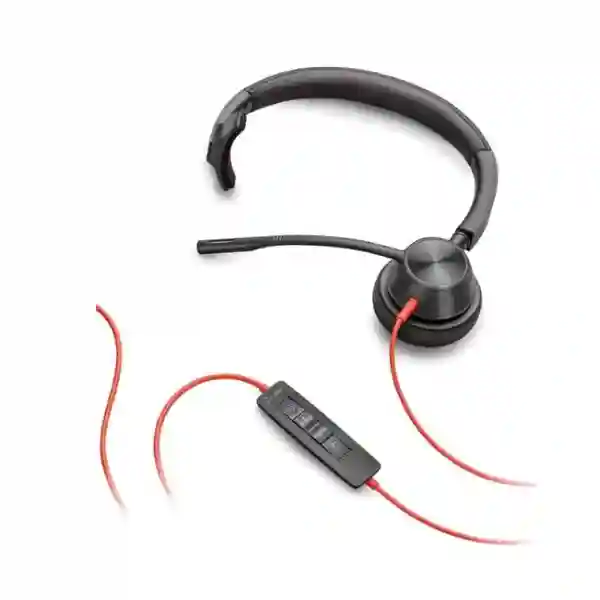
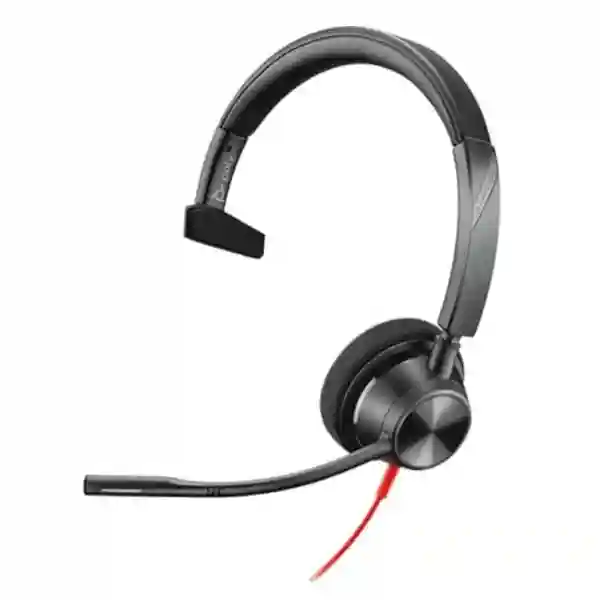
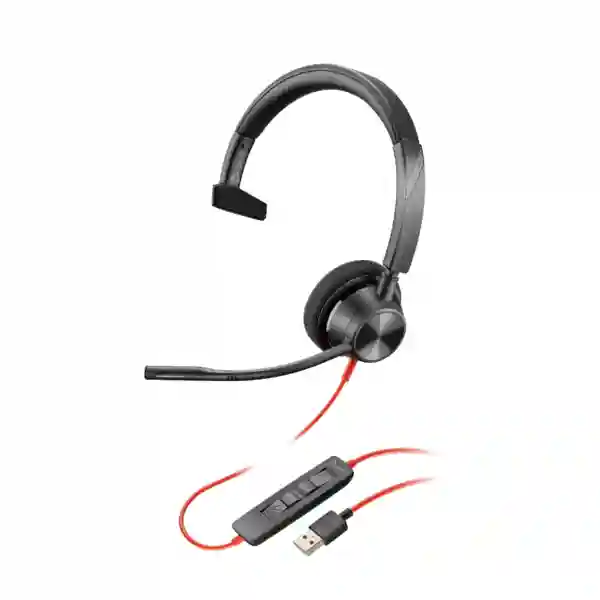
HP Poly Blackwire 3310 Mono USB-A Headset
Make computer calls with a dedicated noise-cancelling boom microphone while keeping one ear open to the room. The HP Poly Blackwire 3310 Mono USB-A Headset is a wired, on-ear solution for voice-focused work at compatible USB-A PCs in Tanzania.
Designed for the realities of a desk-based calling day, it combines a mono earpiece, inline call controls and a cable that does not require charging or pairing. Check the connector on your computer and confirm your preferred collaboration application before ordering.
Verified specifications at a glance
The following figures are drawn from HP’s Blackwire 3310 USB-A product specifications. A quoted unit should be checked against the exact connector and configuration supplied.
| Product type | Corded computer headset |
|---|---|
| Brand and series | HP Poly, Blackwire 3300 |
| Wearing style | Over-the-head, on-ear, monaural (single ear) |
| Connection | Wired USB Type-A for compatible PCs |
| Microphone | Noise cancelling, 100 Hz–10 kHz bandwidth |
| Speaker | 32 mm driver; 32 ohms impedance |
| Speaker bandwidth | 200 Hz–6.8 kHz in speech mode; 20 Hz–20 kHz in media mode |
| Call controls | Answer/end, mute, volume up and down |
| Acoustic protection | SoundGuard Digital |
| Cable length | 218 cm |
| Dimensions (W × D × H) | 166 × 39.5 × 199 mm |
| Manufacturer-listed contents | Headset, user guide |
| Manufacturer warranty statement | Poly standard two-year limited warranty; confirm local quote terms |
HP also lists Windows and macOS among supported operating systems. Do not read its broader platform list as a guarantee that a USB-A plug will connect physically to every tablet or phone. Confirm the host connection and audio support for each device.
A single-ear headset designed around conversations
The Blackwire 3310 is a monaural headset, which means it places one speaker against one ear while the other ear remains uncovered. This is useful when someone needs to listen carefully to a call but still notice a nearby colleague, a reception visitor or an office announcement. For a help-desk employee or customer-service representative, that balance can be more practical than wearing two speakers for every interaction.
An open ear is also a trade-off. If the main difficulty is loud sound around the wearer, a single-ear headset may not provide the isolation needed for comfortable listening. Its noise-cancelling microphone is designed to help the person at the other end hear speech more clearly, but that is not the same as removing noise from the wearer’s surroundings. Buyers should distinguish these two functions before deciding.
The design makes sense for desk-based voice calls, online meetings and occasional multimedia listening rather than immersive entertainment. A wired connection means there is no battery level to monitor, no Bluetooth pairing process and no charging stand to manage. It does, however, keep the wearer connected physically to the computer, which matters when a job requires moving far from the desk.
Who should consider the 3310
This model is a strong category fit for people whose main communications device is a desktop computer or laptop with an available USB Type-A port. Typical candidates include reception teams, internal support desks, administrative staff, online service representatives and individual professionals who regularly switch between a call and conversations in the room. The most important requirement is reliable computer-based voice communication with one ear left available.
It may also suit organizations standardizing a simple wired headset across many workstations. A straightforward interface can reduce the variety of accessories that staff need to manage. Before a bulk purchase, however, the IT team should check the operating systems, the computer ports, the softphone application and each user’s preference for a mono or stereo wearing style. A fit-for-purpose pilot is better than assuming all staff work alike.
People who need to walk around during calls should compare wireless alternatives. People working beside persistent machinery or very noisy conversations may prefer a two-ear design or a headset with additional listening-side noise isolation. People recording professional audio should evaluate specialist microphones. The Blackwire 3310 should be chosen because its particular combination of computer connection, speech focus and mono comfort matches the job.
USB-A connectivity: check the actual port
The specified variant uses a wired USB Type-A connection for a PC. USB-A is the familiar rectangular connector found on many desktop computers, older laptops, docking stations and office USB hubs. Connect the plug to a suitable host port, select the headset as the computer’s audio input and output where necessary, then test it in the preferred calling application. There is no wireless radio or battery involved in the basic connection.
Do not confuse this direct USB-A product with Blackwire 3310 versions sold with a USB-C lead and a USB-C-to-A adapter. Those are separate configurations. A laptop with only USB-C sockets does not natively accept the USB-A plug on this listing; an appropriate adapter or a different headset variant must be evaluated. Do not assume an adapter is included in the package because the USB-A support specification lists only the headset and user guide.
The connector also does not turn the headset into a conventional analogue telephone accessory. A desk phone with a proprietary headset jack, a 3.5 mm socket or a handset port cannot automatically accept a computer USB headset. If connecting to a desk phone is essential, verify that device’s explicit USB-audio compatibility before purchasing, or select a headset specifically intended for that phone system.
Microphone clarity and the limits of noise cancelling
HP describes the Blackwire 3310 USB-A microphone as noise cancelling and publishes a microphone bandwidth of 100 Hz to 10 kHz. In practice, a boom microphone helps place voice pickup close to the mouth rather than relying on a laptop microphone across the desk. This can be useful for customer calls, online training, spoken instructions and quick conversations where understandable speech is more important than studio-grade sound reproduction.
Noise-cancelling microphone technology can reduce the impact of some surrounding sounds on what remote listeners hear, but performance depends on positioning, background noise, conferencing software and the work environment. It does not guarantee that a caller will hear no office noise. It also should not be described as active noise cancellation for the ear: this mono headset leaves one ear uncovered, so nearby sounds remain noticeable to the wearer.
For best results, position the boom near the mouth without rubbing it against skin or clothing. Make a brief test recording, listen for keyboard sounds and room echo, and check the input level in the calling application. If the remote person hears distortion, moving the microphone slightly or reducing input gain may help. A headset is one part of intelligible communication; network quality and the application also influence the experience.
Call audio and multimedia playback
According to HP’s product specification for the USB-A model, the headset has a 32 mm speaker and a 32-ohm impedance. The published speaker bandwidth is 200 Hz to 6.8 kHz in speech mode and 20 Hz to 20 kHz in media mode. These figures describe the headset’s intended operating ranges; they are not promises of how every recording, meeting or individual listener will sound in practice.
Speech-oriented audio is valuable when the user spends the day understanding names, instructions, account details or short customer questions. For occasional training videos or computer notifications, the media range offers broader playback capability. Because only one earpiece is present, however, the product is not designed to create a fully immersive two-ear stereo listening experience. Buyers who prioritize music and video editing should evaluate a stereo headset instead.
Users can improve practical results by checking the computer’s audio output selection and setting a reasonable listening volume before the first call. Some conferencing systems automatically switch between speech and media profiles. Avoid judging audio quality solely from a test video if the main task is live voice calls; try a normal meeting using the application’s microphone and speaker test. Clarity, comfort and task fit matter together.
Inline controls for calls and volume
The Blackwire 3310 USB-A product specification lists call answer/end, microphone mute and volume up/down controls. These buttons provide convenient adjustments while the headset is in use, reducing the need to find a setting inside a meeting window for every small change. Their position along the cord makes them accessible at a desk, although the exact response to call-control commands can depend on the application and the device configuration.
Mute is particularly important during busy customer conversations. It provides a quick way to stop transmitting the user’s microphone while discussing an issue with a colleague or waiting through an interruption. Staff should still confirm that the conferencing application reflects the intended microphone state; a physical button and a software meeting control can behave differently across platforms. A test call is the most reliable way to learn the expected behavior.
Volume controls affect listening comfort, not the sound pressure that the remote person receives from the user’s microphone. If colleagues report that a voice is faint, adjust input settings or microphone placement rather than increasing headphone volume. During onboarding, explain the difference between mute, listening volume and call acceptance so users can handle routine calls confidently without changing unrelated computer audio settings.
Comfort for repeated desk conversations
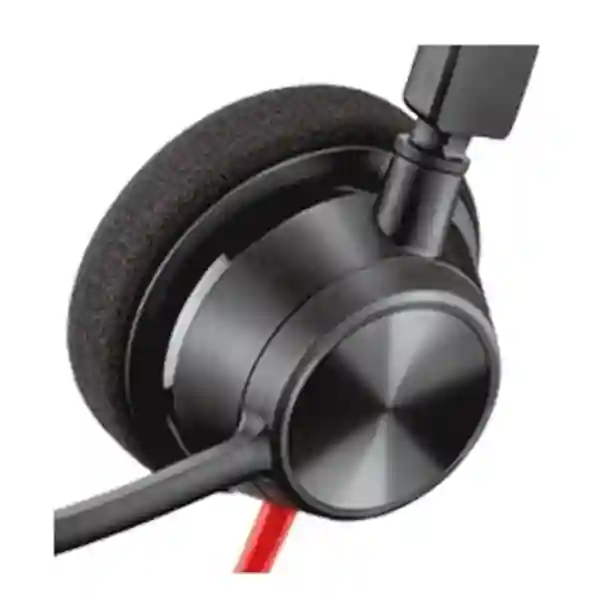
The Blackwire 3300 family is positioned by HP around everyday wearing comfort, with a padded headband and cushioned ear contact. Its over-the-head, on-ear design distributes the headset across the head while leaving one ear free. Actual comfort varies with head shape, eyeglasses, hairstyles and individual sensitivity, so a brief physical trial is worthwhile for people who wear a headset for most of their working day.
The wearer should adjust the headband until the earpiece rests securely without excessive pressure. The microphone boom should sit near the speaking position without obscuring vision. A headset that feels comfortable for five minutes may behave differently across a series of long calls. Encourage users to note pressure at the ear, movement when turning the head and whether the cord catches on the desk or chair.
A single-ear arrangement can be helpful for reception and collaborative environments, but it does not suit everyone. Some users prefer balanced sound from two ears, and others need stronger separation from office distractions. A purchasing decision should consider how staff spend a typical shift, not just a product photo or a specification sheet. Where practical, compare mono and stereo fit before assigning a standard model.
Understanding SoundGuard Digital
HP lists SoundGuard Digital as the acoustic protection technology for this USB-A model. Acoustic protection is intended to help manage potentially uncomfortable sound exposure through the headset. It is a useful consideration in voice-intensive work, but it should not be described as an absolute safety guarantee or a replacement for sensible listening levels, organizational hearing policies or an appropriate working environment.
Users should still start at a comfortable volume and avoid turning it up unnecessarily to overcome office noise. If speech becomes hard to understand, first investigate microphone quality, connection problems or nearby distractions. Simply raising the headset volume for every call can create a poor listening habit. Managers may also consider scheduled breaks from continuous listening where the working pattern requires long, repeated conversations.
When comparing acoustic features among products, separate hearing-protection technology from active noise cancellation and microphone noise reduction. They solve different problems. SoundGuard Digital relates to the listening experience and acoustic protection, while the noise-cancelling microphone relates to voice transmission. The Blackwire 3310 has a specific mix of these functions, and it is important not to infer premium isolation or environmental performance features that are not listed for this model.
Working with meeting and softphone applications
The Blackwire 3300 family is marketed for computer-based collaboration and unified communications. HP lists Windows and macOS among operating systems compatible with the Blackwire 3310 USB-A, while the exact USB-audio experience depends on the host computer and application. Popular meeting software can generally use a headset that appears as a standard computer audio device, but call-control integration, certification and available shortcuts should be verified for each application.
A common misunderstanding concerns Microsoft Teams. The Blackwire 3310 family has standard and Microsoft Teams-oriented versions, and the product name in this request does not confirm that the supplied unit is a Teams-certified variant. Do not assume a dedicated Teams button, certification or specialized call-control experience merely because the headset is used with Teams. Confirm the variant if that designation matters to procurement or support policy.
Before a team-wide deployment, test the specific conferencing platform used by the organization. Check incoming calls, outgoing calls, microphone mute, volume buttons, headset selection after restart and behavior when more than one audio device is attached. The most useful compatibility question is not simply whether sound is heard once, but whether the complete calling workflow remains clear and predictable through an ordinary working day.
Tanzania office scenarios
An office administrator who receives computer calls while speaking with colleagues may appreciate the ability to keep one ear available. A customer-service operator working with a browser-based CRM and a PC softphone may value a predictable wired USB connection and a boom microphone. A training coordinator may need the same headset for online workshops, voice calls and listening to instructional videos. These are examples of suitable usage patterns, not claims about local deployment sites.
For a distributed team in Tanzania, focus the equipment checklist on the actual computers in use. Desktop machines often offer USB-A ports, but some thin laptops and modern docks provide only USB-C. Users may also move between desks, and a fixed wired connection can be less convenient in that situation. Confirm the desk arrangement, device connections and cable routing before selecting quantities for several staff members.
Call quality in a remote or hybrid meeting is affected by factors beyond the headset. Internet stability, application configuration, operating-system updates, background activity and power reliability can all influence whether a meeting feels smooth. A good microphone cannot repair a failing network connection, and a well-configured network cannot make an incorrectly selected audio input work. Treat the headset as one part of the workstation communication setup.
Mono, stereo, USB-A and USB-C: choose deliberately
A mono headset is usually chosen when speech is the primary task and situational awareness matters. Stereo models place speakers over both ears and may be preferable when concentration or multimedia immersion is the priority. Neither design is universally better. Ask whether the user must hear colleagues in the same room, whether ambient noise is a major distraction, and how many hours are spent on voice calls versus other audio tasks.
The direct USB-A model is a clear choice for computers equipped with a compatible Type-A socket. A USB-C variant can be more convenient for newer devices that do not have that port. Do not select a product solely from the Blackwire 3310 family name, because connector and collaboration configurations vary. Likewise, do not assume a headset with a 3.5 mm analogue connection is included; HP associates that extra option with other Blackwire models.
Within the Blackwire 3300 family, the 3310 is the mono option, while the 3320 is a stereo option. That distinction gives buyers a practical alternative without confusing them with unrelated capabilities. Compare the intended environment and the workstation connection first, then check any edition-specific requirements such as Microsoft Teams certification. The purchase order should state the expected connector and variant clearly enough that receiving staff can inspect the delivered packaging.
How to connect and test the headset
Begin with the computer powered on and a suitable USB-A port available. Connect the headset cable directly to the computer for the initial test. Allow the operating system to recognize the audio device, then open its sound settings and confirm that the Blackwire headset is available for both playback and microphone input. The precise menu labels vary between operating systems and software releases; use the device list rather than relying on a screenshot from an older version.
Next, make a short test recording or use the microphone test in the conferencing application. Speak normally, confirm that the input meter moves and listen to the playback. Test the speaker at a comfortable level. If other microphones or speakers are attached, set the headset as the selected device for the specific calling application too. Some apps retain their own choices independently from the operating system’s default.
Finally, place a genuine test call. Check both directions of speech, try mute and volume adjustment, and verify that the person on the other end can understand a normal speaking voice. Move the cable so it does not tug against the desk edge or keyboard. For a shared workstation, document a simple routine for selecting the correct audio device each time a new staff member signs in.
Troubleshooting when sound does not work
If the headset is silent, start with the simplest checks: confirm the USB-A plug is seated, try an appropriate computer port, check whether the headset is selected as the playback device and make sure application volume is not muted. If a dock or hub is involved, testing directly on the computer can help isolate a port or dock issue. Avoid assuming the headset has failed before verifying the selected device.
If the microphone is not transmitting, confirm the in-line mute state and the application’s microphone selection. Check the operating system’s microphone permissions, especially when a browser-based service or newly installed calling app is involved. Try an operating-system recording test separately from the meeting app to identify whether the fault affects the entire computer or only one application. Restarting the affected app after changing audio settings can also help.
For distorted, intermittent or unusually quiet audio, examine the cable routing and connector, lower excessive levels and test another call. Note whether the issue appears only with one contact or only on a particular network. If a company deploys device-management software, its IT administrator can consult current HP Poly guidance for supported update and troubleshooting processes. Do not install unrelated drivers or firmware files from unverified sources.
Managing the 2.18-metre cable
HP specifies a 218 cm cable for the Blackwire 3310 USB-A. That length can be useful for placing a desktop computer beneath a desk or reaching an accessible workstation port, but it is still a physical connection. Measure the actual route from the computer to the user’s normal seated position, including any cable management path, instead of assuming the straight-line distance is sufficient.
Avoid creating a taut run between the headset and the computer. Staff may turn in their chairs, stand briefly or move toward a desk drawer without remembering the cable. Provide enough slack for comfortable movement and guide excess length away from chair wheels, walkways and sharp edges. A small, deliberate cable-routing step can improve the usability of an otherwise suitable headset.
If a workplace repeatedly requires staff to leave the desk while continuing a call, a wireless headset may be a better operational fit. Adding a longer extension lead can introduce compatibility or signal issues if it is poorly chosen, and it does not turn the wired headset into a mobile communication device. The best configuration is the simplest one that reaches the working position safely and maintains a stable connection.
IT purchasing and multi-user rollout
When buying for several employees, standardization should begin with a small equipment and application checklist. Record the number of intended users, whether desks have available USB-A ports, what operating systems are installed and which calling software is used. Include the location of PCs and docking stations, expected headset wearing time and whether staff require one or two covered ears. These details make a product quotation more accurate.
Carry out a pilot with users who represent the actual jobs: someone on frequent calls, someone who wears glasses, a staff member working from a compact laptop and a user who alternates between meetings and office conversations. Ask them to assess fit, speech clarity, mute convenience and cable handling. A short trial often reveals issues that a manufacturer specification cannot predict, such as a crowded desk or a software setting that does not follow the user.
For procurement records, keep the exact product title and connector type clear. If the organization needs a Microsoft Teams-certified edition, confirm that requirement separately rather than substituting any Blackwire 3310 labelled unit. Confirm the exact manufacturer identifier against the selected quotation when supplied. A local listing SKU was not provided here, so it should not be invented, inferred from an overseas retailer or used to identify the required product.
What is supplied and what to confirm
HP’s USB-A specification lists a headset and a user guide in the box. It does not establish that a USB-A-to-USB-C adapter, travel case, spare ear cushion, desk stand or separate software license will be supplied with this specific listing. When any of those extras matter, ask for a packing-list confirmation before committing to a purchase rather than relying on images of other Blackwire 3310 packages.
The published manufacturer specification identifies a Poly standard two-year limited warranty. That statement describes the manufacturer’s published policy for the model, not a promise about a particular Tanzania seller’s claim procedure, local service route or stock replacement availability. Buyers should request the exact warranty terms applicable to their quote, including documentation needs and the process for obtaining support where they will use the equipment.
Commercial details such as a Tanzania selling price, taxes, stock level, delivery date and installation service have not been verified for this listing. These should be established in a current quotation, not filled in from a foreign product page. For an organization purchasing multiple units, request a clear statement of quantity, exact configuration, included accessories and applicable support conditions before approving the order.
Care and everyday handling
A wired office headset benefits from simple care routines. When not in use, place it on a clean, stable surface where the microphone boom and cable will not be crushed by books or equipment. Avoid lifting the headset by the cable or pulling the USB connector sideways from a computer port. Those habits can stress the connection points over time even if the headset appears undamaged.
Keep the earpiece and headband reasonably clean according to the manufacturer’s care guidance. Shared headsets require particular attention to personal hygiene and consistent workplace cleaning procedures. Do not soak electrical parts, apply harsh chemicals without verification or assume every cleaning product is suitable for the cushion material. If the headset is shared across shifts, establish who checks it and where it should be stored.
Users should also inspect the cable for visible wear, especially near the in-line controller, plug and points where it crosses a desk edge. If the device is damaged or behaves unpredictably, stop relying on it for important calls and seek appropriate technical support. Good storage and sensible volume habits are straightforward ways to make daily operation more consistent without making unsupported claims about product lifetime.
A practical buying checklist
Start by confirming that the user’s main activity is computer-based voice communication and that a mono earpiece is preferred. Check for an accessible USB-A host port and decide whether the ability to hear the surrounding room is helpful or distracting. Review the availability of an adjustable boom microphone, inline mute and volume controls, and acoustic-protection technology as part of the intended use rather than treating every listed feature as equally important.
Next, check the software environment. Identify the main calling application and whether a particular certified variant is compulsory. Confirm that audio input and output appear correctly on the target computer. If the work includes long meetings, ask a real user to assess headband and ear comfort. If the workplace is loud, compare listening-side isolation options instead of assuming the noise-cancelling microphone solves every noise problem.
Before placing an order, confirm quantity, exact USB-A configuration, packaging contents, local quote terms and any support expectations. Arrange for a test call on the relevant software, especially for shared PCs or a large deployment. This sequence turns a simple headset purchase into a better-informed workstation decision and helps prevent buying a connector variant that does not match the computers already in service.
What the specifications mean in daily use
The product’s numerical specifications are useful when interpreted in context. A microphone bandwidth of 100 Hz to 10 kHz describes the capture range stated by HP, while the separate speaker ranges describe output modes. The figures do not mean that an internet meeting will reproduce every frequency with identical quality, because conferencing codecs, settings and bandwidth can constrain the audio that actually reaches a participant.
A 32 mm speaker indicates the published driver size, but diameter alone does not determine comfort, loudness or voice intelligibility. Similarly, a 32-ohm impedance should not be used as a substitute for checking the USB device’s actual compatibility. This headset contains its own USB-audio interface for a suitable host connection, so ordinary desk-phone analogue headset specifications do not automatically apply.
The published dimensions of 166 by 39.5 by 199 mm and 218 cm cable length may help office managers plan storage and cable routes. They are not a substitute for a trial on a user’s head or the physical desk. Use the numbers to shortlist and verify a product, then decide based on the call environment, plug type, fit and real workflow rather than selecting by the largest specification.
What a pilot deployment should measure
A small rollout can establish whether the Blackwire 3310 is suitable before an organization commits to many units. Observe the time it takes a user to connect it and select it in the relevant application. Test both inbound and outbound calls, check whether mute behaves as expected and record any instances when the application chooses a laptop microphone instead of the headset after a restart.
Ask remote participants about speech clarity during normal work rather than an ideal quiet-room demonstration. Test with a typical amount of nearby conversation, and separately ask the headset wearer whether hearing the room with the free ear is an advantage. Note any fatigue or fit complaints at the end of several normal calls, not only during initial fitting. Different users can reasonably reach different conclusions about mono comfort.
Once the pilot is complete, decide whether to use one standard headset or offer a mono and stereo choice. Record a short setup guide specific to the organization’s software and devices. If the unit is needed at multiple desks, assess cable routing and storage at each position. A successful pilot measures the work process, not merely whether the USB device appears in a computer settings menu.
Frequently asked questions
Is the Blackwire 3310 USB-A wireless? No. This listing is for a corded headset that connects to a suitable computer through USB Type-A. The cable provides a direct audio connection, so users do not pair Bluetooth devices or recharge a headset battery. The practical limitation is that the user remains connected to the workstation while speaking.
Can I use it on a USB-C-only laptop? Not directly through its native USB-A plug. You would need to evaluate a compatible adapter or select an appropriate USB-C variant. Do not assume an adapter comes inside the USB-A package. A pilot on the intended laptop is recommended where adapters, docks or restrictive IT configurations are involved.
Does the noise-cancelling microphone silence the office for me? No. Microphone noise reduction aims to improve transmitted speech for people listening remotely. This is a single-ear headset, so the user still hears surrounding sounds with the uncovered ear. If the main requirement is reducing what the wearer hears from the office, compare other listening designs.
Will the headset work with Microsoft Teams or another meeting app? It is designed for computer communication, and an application may use it as a selected USB audio input and output device. Exact call-button behavior and certifications depend on the application and the headset variant. The supplied product title does not verify a dedicated Microsoft Teams-certified edition.
Is this the same as the Blackwire 3320? No. Within the Blackwire 3300 family, the 3310 is the mono model and the 3320 is a stereo alternative. A mono headset keeps one ear open; a stereo headset provides speakers for both ears. Choose based on listening needs, surrounding noise and comfort rather than assuming they are interchangeable.
Can I plug it into a normal phone headset jack? A traditional analogue telephone headset jack is not the same connection as USB Type-A. The product is specified for a PC USB-A connection. A telephone or communication appliance would need explicitly verified support for a compatible USB audio headset; do not assume it works because the phone has a headset symbol.
What controls are built into the cable? HP specifies answer/end, mute and volume up/down functions. These are intended to make common call adjustments easy, although integration with software call handling can vary. Before using the headset for important conversations, test mute and call acceptance with the actual platform employed by the team.
How long is the cord? HP’s USB-A specification gives a cable length of 218 cm. That is approximately 2.18 metres, but usable reach depends on how the wire is routed around the desk and computer. Check that there is enough slack for comfortable movement and keep the wire away from chair wheels and traffic areas.
Does the product include an adapter or extra accessories? HP’s published box contents for the USB-A support model are the headset and user guide. Do not infer an included USB-C adapter, spare cushions or a case from promotional images of related variants. Ask the seller to confirm the precise accessories associated with the quoted configuration.
Does the headset need special configuration software? Its basic purpose is wired computer audio, so the first step is selecting it in the operating system and calling app. HP Poly provides device-related software resources, but whether management features are needed depends on the organization’s devices and deployment policy. Consult current HP guidance and your administrator before installing optional software.
Is a standard two-year warranty included in Tanzania? HP publishes a Poly standard two-year limited manufacturer warranty for the model. The applicability, claim process and local seller obligations must be confirmed in the actual quotation and warranty documents. This content does not verify a seller-specific support commitment or establish a local service location.
What information should I send when asking for a quote? State the product name, the required USB-A connection, quantity, intended computer type and whether a specifically certified collaboration variant is required. Also ask about local availability, supplied items and applicable warranty terms. Those details allow a supplier to identify the appropriate configuration without relying on an unverified local SKU.
Request the correct Blackwire 3310 configuration
Ask FourTeck Tanzania for a current quote for the HP Poly Blackwire 3310 Mono USB-A Headset. Provide the number of units, the computer ports available to your team, the application used for calls and any requirement for a specific certified edition. Request confirmation of the exact supplied variant, box contents, price, availability and local support terms before purchase.
Next step: Request a Tanzania product quotation and verify the USB-A variant.




Reviews
There are no reviews yet.