
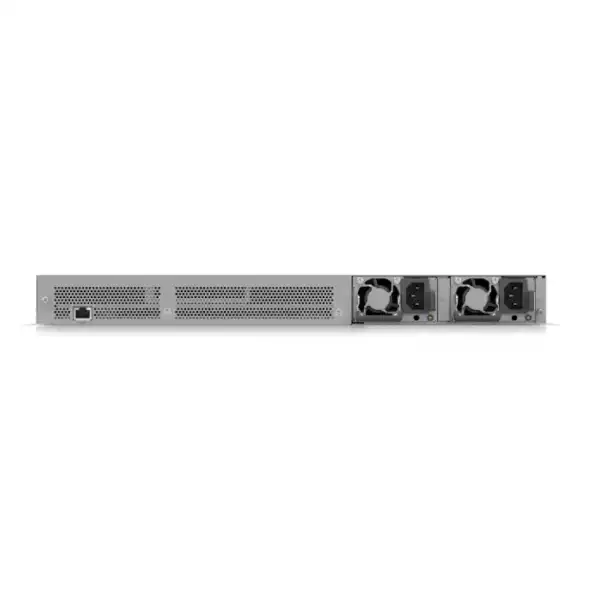
Enterprise UniFi network management
Ubiquiti CloudKey Enterprise CK-Enterprise
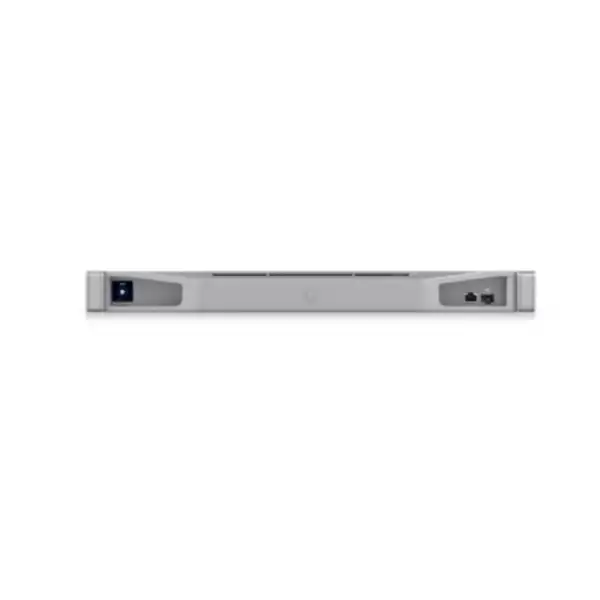
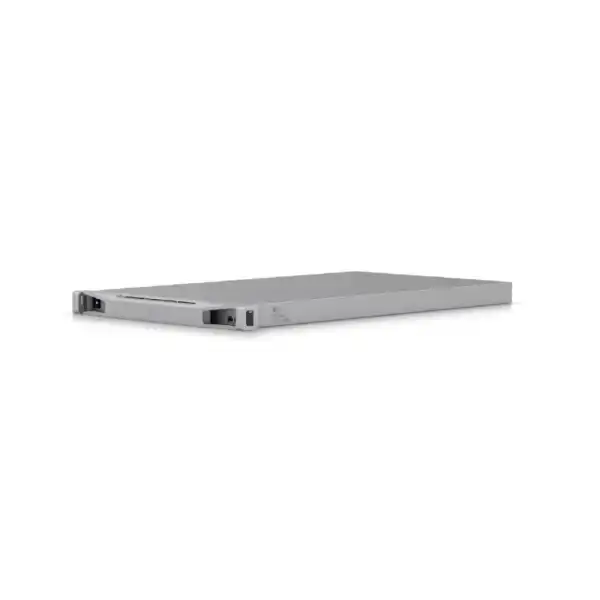
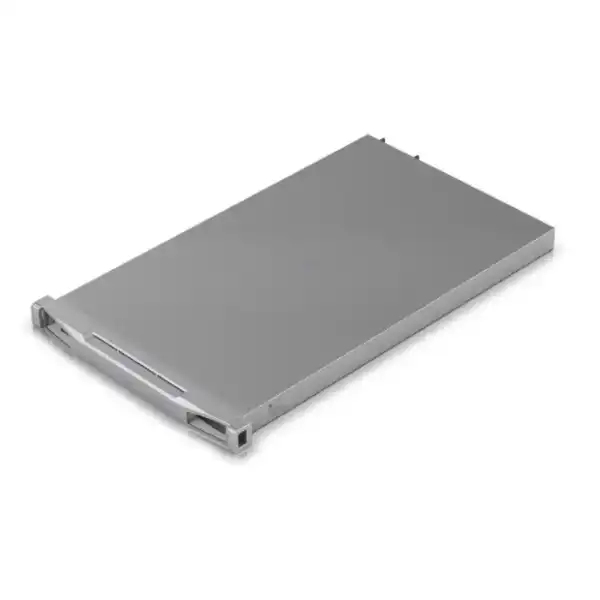
Built for organizations planning a large UniFi Network estate, this dedicated 1U console brings high-density management, 10G SFP+ connectivity, and redundant power modules into the rack. It is a management platform—not a gateway or camera recorder. Review technical fit and request an accurately scoped Tanzania quotation.
Verified technical specification snapshot
Manufacturer specifications for model CK-Enterprise. Use this table for initial assessment and check the latest vendor documentation before final procurement or installation.
| Model | CK-Enterprise |
|---|---|
| Product role | Dedicated UniFi Network console |
| Published scale | 1,000 managed UniFi devices; 10,000 simultaneous clients |
| CPU | 16-core Intel Xeon-SP Gold 5218 at 2.3 GHz |
| System memory | 2 × 16 GB (32 GB total) |
| Onboard storage | 256 GB M.2 2280 SATA |
| LAN connectivity | 1 × GbE RJ45; 1 × 10G/1G SFP+ |
| Separate diagnostic interface | 1 × GbE MGMT port; not routine UniFi OS access |
| Enclosure | 1U rackmount; 787 × 43.7 × 481.4 mm |
| Weight | 13.1 kg |
| Power | 2 × hot-swappable 550 W AC/DC PSUs |
| Maximum consumption | 190 W |
| Power input | 100–240 V AC, 50/60 Hz |
| Operating conditions | 0–35°C; 8–90% noncondensing humidity |
| Display | 1.3-inch touchscreen |
| Management methods | Ethernet and Bluetooth |
| Published software minimum | UniFi Network 7.3.83 or later |
PSU ratings describe the individual modules; maximum appliance consumption is listed separately. The diagnostic MGMT interface is not the standard Network application port.
A management platform for enterprise-size UniFi networks
Ubiquiti CloudKey Enterprise is designed for organizations that have outgrown a small network controller and need a dedicated hardware platform to operate a substantial estate of UniFi access points and switches. Model CK-Enterprise brings the UniFi Network application into a rackmount appliance with substantial processing resources, high-speed network connectivity, and redundant power supply modules. Its job is to centralize network configuration and visibility while the actual WiFi radios, switching equipment, and routing hardware continue to do their own operational work. That separation matters to an IT team responsible for many buildings or a complex network: management can be planned as infrastructure in its own right, rather than treated as a small extra service on an office computer.
The important purchase decision is whether the network is large enough, and the operational model demanding enough, to justify a dedicated on-premises controller. CK-Enterprise is not a shortcut to better wireless coverage or greater internet bandwidth by itself. Results depend on the access points, upstream gateways, switches, cabling, internet services, radio design, security rules, and administrator practices around it. A buyer in Tanzania should begin with a count of current UniFi devices, forecast growth, identify which sites must be supervised, and define the desired management location before requesting a quotation.
What the CK-Enterprise manages—and what it does not
The supported UniFi application on this appliance is UniFi Network. This is the management layer used to configure and observe supported UniFi networking equipment, including access points and switches. Teams can work with device adoption, network settings, WiFi configuration, connected-client information, and the diagnostics supplied by the current application and associated devices. Ubiquiti positions the hardware for approximately 1,000 managed UniFi devices and 10,000 simultaneous clients. Those are important planning figures, not a promise that every feature will perform identically at maximum scale or that the appliance can replace thoughtful network engineering.
A CloudKey Enterprise is not a Cloud Gateway. It is not intended to be your main firewall, DHCP router, WAN security gateway, or internet access termination device simply because it offers Ethernet and a 10G SFP+ connection. It is also not a UniFi Protect video recorder, an Access door-controller host, or a general replacement for other application-specific consoles. Organizations planning cameras, doors, telephony, or advanced gateway functions should include separate compatible systems in the design. Clarifying these boundaries before purchase prevents a management appliance from being ordered to solve a routing, storage, or surveillance requirement that belongs elsewhere.
Where this type of console makes commercial sense
Large education campuses, institutions with several blocks, complex hospitality properties, commercial estates, healthcare facilities, and multi-department organizations may benefit from dedicated network administration. A network with hundreds of managed components becomes more difficult to troubleshoot through separate local interfaces and ad hoc spreadsheets. A centralized UniFi management plane can provide a consistent place to organize device information, review network changes, and coordinate supported configuration. The benefit is operational consistency: technical staff can work from a common model of sites, network segments, access points, switches, and administrator permissions where supported by their deployed software.
Size alone should not determine the purchase. A single small office with a few access points may be better served by a smaller CloudKey or Cloud Gateway. A business that prefers not to maintain on-premises control hardware may evaluate supported hosting options. A distributed group with independent site gateways might find a separate console at each location simpler than bringing every device into one central management instance. Before specifying CK-Enterprise, discuss organizational ownership, physical access to the data room, IT skills, backup policy, resilience targets, and the realistic rate of network expansion. These factors often have more bearing on value than the headline device count.
Understand the 1,000-device and 10,000-client figures
Ubiquiti lists a managed UniFi device scale of 1,000 and a simultaneous client figure of 10,000 for the CloudKey Enterprise. In buying discussions, keep these two measurements separate. Managed devices refer to the infrastructure under the Network application, while connected clients are endpoints using the networks. One access point can serve multiple endpoints, and a switch may provide connectivity to many more. A proposal should therefore record access point quantity, switch quantity, any supported gateway relationship, and the expected endpoint population rather than compare a total user headcount against a single capacity number.
Production suitability also depends on the type of network traffic, number of sites, telemetry retention, desired reporting, adoption methods, and administrator activities. The figures do not mean that the CloudKey itself carries 10,000 users’ internet traffic or that radio coverage for those clients is included. For growth planning, document a current baseline, a near-term expansion target, and a peak-load assumption. Validate the exact supported application version and device compatibility before signing off a major deployment. Where requirements sit close to the published scale, assess the complete architecture and operational workload with a qualified network designer rather than relying exclusively on specification-sheet arithmetic.
Processor, memory, and onboard storage
Inside the unit is a 16-core Intel Xeon-SP Gold 5218 processor operating at 2.3 GHz, accompanied by two 16 GB memory modules for a total of 32 GB of system memory. The manufacturer lists a 256 GB M.2 2280 SATA onboard storage device. These resources are provided to run the appliance’s management workload, not to transform it into a general-purpose hypervisor or a central video archive. Avoid evaluating the processor against an unrelated server workload; compare the platform against the UniFi deployment it is intended to administer.
For procurement, this distinction is especially useful when an existing self-hosted controller is being replaced. The migration work includes exporting appropriate configuration, ensuring software compatibility, changing the management endpoint as required, and confirming devices reconnect. It is not simply a matter of installing arbitrary services on the new hardware. Likewise, the existence of local storage should not be interpreted as a substitute for external backups. Agree which configuration data is important, how frequently it must be protected, who can restore it, and what should happen if the appliance becomes unavailable during a maintenance window or equipment incident.
10G SFP+ and Gigabit network connections
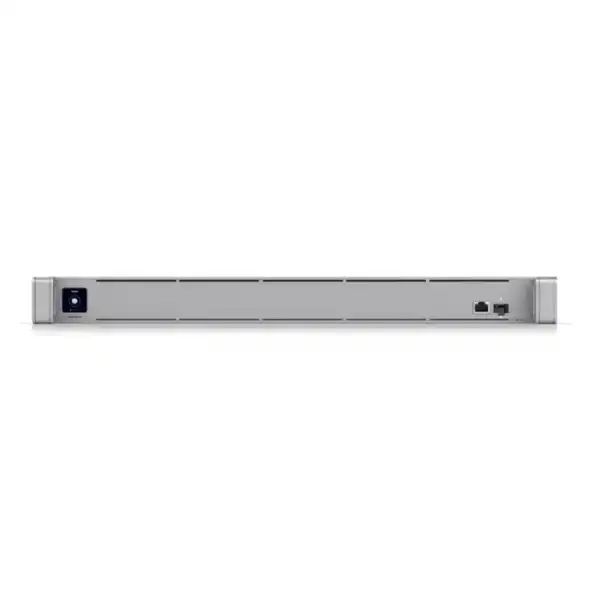
The CK-Enterprise includes one network-facing Gigabit RJ45 LAN connection and one network-facing SFP+ interface supporting 10G and 1G modes according to Ubiquiti’s specification. This provides more than one physical option for integrating the appliance with a management network. It does not automatically make the device a 10Gbps switch, router, or firewall. The SFP+ port is a connection for the console; the traffic handling capabilities of an upstream switch, gateway, or fiber network are separate procurement questions. When planning optical or direct-attach cabling, check the exact module or cable selection and the compatibility of the connecting switch.
A separate Gigabit MGMT connection also appears on the specification. Crucially, Ubiquiti describes the CloudKey Enterprise’s rear management interface as a separate onboard diagnostic interface, rather than a normal port to open UniFi OS applications. UniFi Support may request that interface for advanced diagnostics. Therefore do not design routine operator access to UniFi Network around that port or present it as a general out-of-band control-plane login. Document which interface will carry regular application communication, which switch port it will use, how addressing is assigned, and how administrators will reach the approved management service.
Network diagrams before cable orders
A useful deployment drawing shows the CloudKey Enterprise, connected management switch, any routed VLANs, the campus or branch links, and the separate gateway responsible for internet access and security. Map management traffic independently from client traffic. This makes it easier to decide whether a Gigabit connection is sufficient, where a 10G uplink offers a practical advantage, and which upstream devices provide redundancy. It also helps teams recognize that a fiber uplink on the controller cannot compensate for a bottleneck somewhere else in the network or overcome unreliable power or internet service.
Before ordering modules or assigning switch ports, verify addressing, VLAN membership, reachability, link medium, and the desired physical security boundary. For larger organizations, capture how administrators reach the console from trusted devices, how remote locations communicate with the host, and who is allowed to modify the core network. A diagram is particularly valuable when several contractors are installing cabinets, wireless infrastructure, security systems, and fiber links at different times. It gives all parties a shared basis for testing and reduces the likelihood of an otherwise capable controller being connected to the wrong segment.
Rack dimensions and site-readiness checks
Although the product is a 1U rackmount unit, the published external dimensions are 787 × 43.7 × 481.4 mm and its weight is 13.1 kg. Buyers should obtain the intended cabinet’s usable dimensions and assess physical fit using the manufacturer’s latest drawing and installation instructions. One rack unit describes equipment height, not every possible clearance requirement. Inspect door closure, support rails, internal obstructions, rear cabling, bend radius, ventilation space, and access for replacing serviceable parts. A deep or crowded cabinet may need additional consideration before an order is approved.
Do not overlook how the appliance will be handled during installation. The team needs adequate rack support, a safe lifting plan, room to route power cords, and access to the front touchscreen and status indicators. A device that technically fits between rack rails may still be impractical if the rear service area is blocked or if the ventilation path is compromised by bundles of cable. For retrofits, request actual measurements rather than relying on an older cabinet catalogue. For new data rooms, include the appliance in the rack elevation and electrical load schedule at the design stage.
Dual hot-swappable power supplies and continuity planning
Two hot-swappable AC/DC power supply units, each rated at 550 W, are listed for the CK-Enterprise. This is a meaningful hardware redundancy feature: a faulty supply module can be addressed using the intended service procedure without treating the entire system as a single fixed power component. However, a pair of supply modules does not create redundant electricity by itself. Proper resilience requires attention to suitable input feeds, power distribution, protection, monitoring, and the operational procedure for replacing a failed module. The specification also identifies a maximum appliance power consumption of 190 W; this is not the same measurement as the sum of the installed PSU ratings.
For a critical network management platform, consider separate power distribution paths where the electrical design allows them, and a UPS system sized against the complete rack load and desired backup duration. Check that both feeds and the UPS arrangement are maintained and tested. Power resilience should extend to the upstream management switch, gateway, and any equipment needed to reach the console; keeping the controller energized is of limited use when the rest of its management path has shut down. No quoted runtime, protection level, or uptime percentage should be assumed from the product alone.
Temperature, humidity, and cooling
The published ambient operating range is 0°C to 35°C, with 8% to 90% noncondensing relative humidity. Ubiquiti gives heat dissipation as 648 BTU per hour. Those numbers matter when a network room is warm, heavily populated, or dependent on building cooling that is not continuously monitored. A buyer should assess the actual intake temperature at the cabinet under realistic load, rather than relying on a room thermostat at the opposite wall. Environmental planning is a condition of dependable operation, not merely an installation formality.
In Tanzania, a deployment may face varying building conditions, and the appropriate response is to measure the specific site instead of assuming every location has the same climate or power quality. Provide a practical airflow path, monitor heat, avoid moisture and condensation, and verify the cabinet’s cooling strategy before go-live. Include the console’s load when estimating cooling needs alongside switches, security hardware, servers, and UPS systems. The equipment’s stated upper operating limit should not become a normal design target; sensible headroom allows for seasonal peaks, dust accumulation, other rack loads, and temporary cooling disruptions.
A controller is not the campus network gateway
UniFi Network can work within an environment that uses separate switching and gateway equipment. The CK-Enterprise hosts management; it does not replace a device whose primary job is to route data between networks, provide an internet edge, enforce firewall policy, or terminate a WAN circuit. An architecture might place a compatible gateway upstream of UniFi switching and wireless, with the CloudKey attached to the appropriate management network. The exact feature set depends on the gateway and software versions deployed. A procurement schedule should list the management console separately from gateways, access points, PoE switches, optics, cabling, and protective equipment.
This separation can be desirable. Organizations may have existing routing infrastructure they intend to retain while improving UniFi administration. Others may want integrated gateway and application hardware rather than a standalone controller. Neither architecture is inherently the best fit for every buyer. Evaluate the number of sites, WAN design, failover expectations, security controls, responsibility for updates, and long-term expansion. Ask which functions are missing from the existing network and price those functions explicitly. Buying a more capable controller will not independently deliver advanced routing throughput, internet redundancy, WiFi capacity, or a security policy.
Initial setup and same-network device adoption
A well-controlled installation starts by recording the appliance’s serial and model details, checking the physical installation, confirming cabling and power, and reviewing the supported setup flow supplied by Ubiquiti. Plan how the console will receive its network address, which trusted staff will administer it, and how the Network application will be maintained. For devices on the same VLAN as a compatible CloudKey host, Ubiquiti describes a straightforward adoption process: power the UniFi device, ensure connectivity to the management network, and bring it into UniFi Network when it appears ready for adoption.
If a switch or access point does not appear, check its power, IP address, VLAN, cabling, and reachability before resetting hardware. Device discovery and adoption may require specific management communications; for conventional same-VLAN adoption Ubiquiti identifies TCP 8080 and UDP 10001 as relevant connectivity checks. Avoid opening unrestricted firewall rules merely to make first-time adoption work. Confirm the latest vendor guidance and apply only the paths required by the actual topology. Keep a deployment log showing which devices were adopted, their locations, firmware status, and test results so that future changes do not depend on one engineer’s recollection.
Remote sites, different VLANs, and Layer 3 adoption
A large deployment may connect buildings or branches that do not share a local broadcast domain with the controller. In those cases, discovery and adoption deserve specific attention. Ubiquiti documents Layer 3 adoption approaches for supported UniFi networking devices, including situations where a Network host and device communicate across VLANs or remote networks. The relevant path must be routable, protected by appropriately limited firewall rules, and resilient enough for the intended management arrangement. The design may use a trusted routed private network or another supported approach selected by the network team.
Do not assume that because remote administration is possible, every remote site must connect to a single centralized CloudKey. Ubiquiti also supports architectures using local Cloud Gateways and centralized access through Site Manager. These arrangements can simplify local discovery and reduce dependencies on an inter-site path. Compare them with the cost and operational consequences of a central appliance. If an organization elects remote adoption, document public-addressing or VPN considerations, DNS, gateway policies, change control, and the recovery procedure after a WAN interruption. Ports and adoption procedures can vary by device class and software version, so verify the exact current UniFi Network requirements before implementing rules.
Network segmentation and administrator access
The most useful management architecture is one that staff can operate securely. Restrict access to the controller using the organization’s network policy, trusted administrator endpoints, and supported account controls. Separate normal guest or employee traffic from sensitive administration where the design calls for it. Maintain a record of who administers which networks and review access when personnel change roles. A controller’s visibility into network infrastructure can be valuable, but that also makes account security, credentials, and approved remote access essential procurement and operations subjects.
VLAN design needs an end-to-end view. An access point’s management network, an employee SSID, a guest SSID, a voice VLAN, and an equipment-management segment may have different security and routing requirements. CK-Enterprise does not enforce every one of those requirements merely by managing the configuration. The switches and gateways need compatible features and correctly applied policies, while the physical links must carry the intended VLANs. Test reachability and isolation rather than assume the configuration screen tells the full story. For high-consequence environments, involve the security and infrastructure teams before centralizing management across administrative boundaries.
Backups, recovery, and controlled migration
An organization moving from an earlier CloudKey or self-hosted Network instance should treat migration as a managed change. Ubiquiti documents system configuration backups for transfers between supported consoles and Network-only backup methods for certain older or self-hosted installations. Start by identifying the present controller type, the exact version of the source application, the destination’s supported software, and whether sites or devices require special handling. Capture a tested backup, store it in an approved secure location, and schedule the change so that teams can observe device reconnection and restore service if the transfer does not behave as expected.
Do not run competing management instances for the same devices without an appropriate migration plan. Once devices move, retire or reconfigure the old control plane as directed by the supported procedure; otherwise equipment may reconnect to the wrong host or show as managed elsewhere. Include Layer 3 inform-host or DNS changes where relevant. Have a rollback decision point, a record of device configuration, and named approvers for the maintenance window. A backup file is valuable only when staff understand how to restore it and have appropriate access. Protect admin credentials, test the resulting visibility, and document exceptions before declaring the migration complete.
Daily operations and troubleshooting workflow
After commissioning, a CloudKey Enterprise is most valuable when it becomes part of a disciplined network operations routine. Establish a naming convention for sites, racks, switches, access points, and uplinks. Maintain location information that can be matched to cabinet labels and floor plans. Review the alerts and diagnostics available in the installed UniFi Network version and respond to recurring issues with defined ownership. Do not rely solely on a green dashboard: network health also requires physical checks, user feedback, gateway monitoring, and an understanding of the business services running over the infrastructure.
Administrators should know how to distinguish an internet outage, a failed gateway, an unreachable switch, an overloaded wireless cell, and a temporarily inaccessible control plane. Those events can appear related to a user but have different causes and different remedies. Keep a recent configuration backup, a topology diagram, a record of circuit providers, and a list of critical network dependencies. Use maintenance windows for planned changes, record firmware updates, and verify the outcome after each change. A premium management appliance can support orderly operations, but it does not replace trained staff, escalation procedures, or the availability of replacement network components.
Application versions, firmware, and compatibility
Ubiquiti lists UniFi Network version 7.3.83 and later in the product’s application requirements. That published minimum is not a recommendation to install an old release; the active, supported version should be selected based on the current appliance and device fleet. Compatibility can change as access points, switches, gateways, and software generations evolve. Before purchase, inventory the exact device models and identify any hardware that may need an upgrade or that may no longer be supported by a desired software release.
Plan ongoing updates as controlled changes. Take suitable backups, review the vendor’s release guidance, schedule a maintenance window, and test critical functions after an update. Where an enterprise includes many sites, consider a staged process so problems are detected before they affect the full estate. The presence of 32 GB memory and a server-grade processor does not guarantee support for every future product or every optional feature. Buy on the basis of documented current requirements, verify the upgrade pathway, and keep a realistic lifecycle budget for maintenance, administrative time, spares, and replacement planning.
Deployment planning for organizations in Tanzania
For a Tanzania procurement, the first practical questions are where the equipment will be installed, who will own the physical rack and power system, and what the organization expects from central management. A head-office campus, an institutional network, and a geographically dispersed group of branches may need different control-plane designs. Assess the quality of local inter-building links and the availability of usable cabinet space before assuming that one centrally located appliance is the best approach. If several sites depend on remote adoption, consider the consequence of management-path interruptions and how engineers will gain authorized access during a fault.
Also prepare a detailed quotation request rather than asking only for the controller’s model name. State the number of devices, site topology, intended gateway infrastructure, available rack depth, power inputs, network modules, any migration requirement, and whether commissioning support is needed. Ask for any applicable Tanzania quotation terms, delivery details, and product support conditions to be confirmed separately in writing. This product description does not assert a current local selling price, stock level, installation coverage, import status, or warranty term. Those are specific commercial matters that require confirmation for the actual order.
Comparing the available control-plane approaches
The CloudKey Enterprise is one option in a broader UniFi management family. A compact CloudKey+ may be appropriate for a much smaller installation or for organizations that need the specific applications supported by that model. A compatible UniFi Cloud Gateway combines certain management and routing functions in one appliance, which is attractive when an all-in-one topology suits the site. Official UniFi Hosting provides a managed hosting option without installing this rackmount console. Self-hosted UniFi control-plane software may suit teams with existing compute infrastructure and the skills to maintain it under the vendor’s current requirements.
The correct comparison is not simply hardware purchase price. Consider recurring hosting costs where relevant, local electricity and cooling, backups, technician time, remote site connectivity, integration with existing gateways, security policy, application requirements, and the organization’s tolerance for dependence on one location. If the fleet is modest and does not require this scale, a simpler option may avoid unnecessary operational overhead. If the estate is large and a dedicated physical controller aligns with policy, CK-Enterprise deserves consideration. Document the reasons for selecting or rejecting each architecture so the investment can be explained later.
Scope a complete purchase—not only the controller
A network management design may involve much more than a boxed appliance. Prepare a bill of materials that separates CK-Enterprise from the required rack and rails, power distribution, UPS capacity, an appropriate Ethernet or SFP+ network connection, supported switch modules, gateway appliances, and any physical-security provisions. Do not presume that a transceiver, direct-attach cable, UPS, or additional accessories are included in the manufacturer’s box without checking the exact package contents for the quoted supply. Likewise, check which work is part of the supplier’s offer: unpacking, racking, configuration, migration, testing, documentation, and staff handover are distinct deliverables.
Specify acceptance criteria in advance. Examples include successful console administration, expected device adoption, restoration of key Network settings, secure access for authorized administrators, reliable backup creation, and a signed-off cabinet and power arrangement. For major estates, add proof that representative remote sites remain visible and that the operations team can follow a recovery procedure. These are project requirements, not product features guaranteed by a single purchase. The clearer the scope, the easier it is to compare quotations, uncover omitted components, and avoid downstream installation delays.
What to verify before installation day
Before the equipment arrives, assign responsibility for networking, server-room access, security approvals, and change management. Verify the physical cabinet and mounting support, confirm the intended switch port and cabling, check power connector locations, and reserve the chosen management addressing. Identify the people who will initialize the appliance and the staff who must receive administrator access after testing. Ensure that source-controller backups and recovery information are available if the project includes a migration. Make sure documentation can be securely retained by the organization rather than disappearing into a contractor’s private notes.
At commissioning, check the model and supply contents against the purchase order; observe hardware status; confirm that application access is through the intended network-facing interface; and validate communications to representative UniFi devices. Test the incident contact process and document any temporary network exceptions made during installation. Record the installed software version and approved backup location. Review any unfinished work before final acceptance. A controlled handover reduces risk when staff change and makes the difference between a product that is merely powered on and an enterprise network component the organization can maintain.
Evaluate continuity realistically
Redundant PSUs are valuable, but they cover only one part of a larger availability chain. A resilient design also considers upstream switching, physical connections, rack cooling, UPS batteries, administrative credentials, backup accessibility, service documentation, and escalation support. If all connected management switches lose power or a critical inter-site connection fails, the CloudKey may remain powered but some managed devices may be temporarily unreachable. Understand how the network devices themselves operate during loss of controller connectivity and test key functions as part of the overall system design rather than making assumptions.
Separate monitoring continuity from application and traffic continuity. The absence of a management dashboard does not automatically mean every user connection has stopped, while an active dashboard does not establish that each business service is working. A realistic plan identifies which functions depend on the controller being available, which are handled by switches and gateways, and which require independent resilience. Define how operators will investigate a control-plane fault, where configuration backups reside, and when an equipment replacement or restore should be initiated. These decisions make the investment more dependable than unspecified promises of uninterrupted service.
Questions that make an enterprise quote more useful
When requesting CK-Enterprise pricing, tell the supplier what problem the investment is meant to solve. Is the present controller overloaded? Are administrators consolidating several sites? Is the organization standardizing on a dedicated physical management platform? Has the current network already been designed, or is the controller part of a new campus build? Include the number of access points, switches, expected users, types of uplink, and management connectivity between locations. Share the actual rack constraints and any existing UniFi control-plane information relevant to migration.
Ask the quoting team to separate confirmed product specifications from optional project services. A meaningful response should clarify which accessories are included, which are additional, what installation or migration activities are proposed, and what commercial conditions apply. For the Tanzania market, local price, taxes, delivery, availability, and warranty should appear only in a verified quotation or listing, not in assumptions copied from another country. If there is a support requirement, define it by response scope and responsibilities rather than vague words such as ‘enterprise support.’ This improves budget clarity and reduces the risk of buying a sophisticated controller without the surrounding infrastructure and operational planning it needs.
Example environments and decision points
These are examples of environments where dedicated UniFi Network management may be evaluated; they are not claims of specific installed customers or guaranteed suitability. Each site still needs appropriate engineering and product compatibility checks.
Campus or education estate
A central infrastructure team can use a dedicated control plane when access points and switches are spread among lecture spaces, administrative buildings, shared facilities, and outdoor areas. The detailed wireless survey and access network design remain separate tasks. Record the security and management boundaries between departments.
Hospitality or conference property
Many access points, guest-network needs, meeting spaces, and operational staff require consistent configuration. The controller helps administer the UniFi estate, while guest access policy, external internet capacity, power resilience, and radio planning require appropriately designed supporting equipment.
Multi-building commercial facility
A physically centralized management appliance may be useful where nearby buildings connect over a trusted campus backbone. Engineers should map fiber paths, switches, VLANs, cabinet power, and any different administrative areas before relying on one control plane.
Large institutional IT department
An organization with many devices and formal change-management procedures may prefer a dedicated rackmount controller rather than an incidental service on an office PC. Set standards for backups, staff permissions, software upgrades, documentation, and handover.
Branch network consolidation
A central console can be evaluated for remote-site management when links and adoption paths support it. Compare this with independent Cloud Gateways at each location; avoid introducing unnecessary inter-site dependencies merely to reduce the number of management appliances.
Expansion or controller migration
A growing network can be assessed for transition from a smaller controller to CK-Enterprise. Inventory supported device models, take appropriate source backups, identify any L3 adoption exceptions, and plan a tested maintenance window with a recovery path.
Pre-quotation checklist
Use the following questions with the network owner and purchasing team. Their answers help turn an impressive specification into a workable equipment choice.
- How many UniFi access points and switches are deployed today, and how many are planned?
- What is the expected peak connected-client population?
- Which device models and UniFi Network versions must be supported?
- Where will the management console operate, and how will branches reach it?
- Which gateway, firewall, and internet services will remain separate?
- Does the rack provide adequate usable dimensions, airflow, and service space?
- Are suitable dual power feeds, UPS coverage, and management switching available?
- Is this a new installation or a backup-and-migration project?
- Are optics, cabling, accessories, commissioning, and handover included in the quote?
- Who owns backup policy, updates, credentials, and post-install support?
Frequently asked questions
Is CloudKey Enterprise a router or firewall?
No. CK-Enterprise is a dedicated UniFi Network management console. A suitable gateway or firewall and the rest of the network hardware remain necessary for routing, internet access, and policy enforcement. Its RJ45 and SFP+ connections provide management-network connectivity, not the capabilities of a stand-alone enterprise router.
Does the CK-Enterprise run UniFi Protect cameras?
The manufacturer’s application listing for this model identifies UniFi Network. Do not purchase it as a Protect recorder or assume it provides the functions of other application-specific UniFi consoles. If cameras are in the proposed estate, specify a separately compatible Protect host, its storage requirements, and the intended management design.
Can this controller manage 1,000 devices?
Ubiquiti publishes a 1,000 managed-device figure, while its marketing description also refers to deployments of 1,000 or more devices. Treat the stated specification as a scale-planning guide, not an unconditional guarantee for every mix of features. Check application versions, current devices, topology, and expected telemetry before approving a network close to the published size.
Are 10,000 connected clients the same as 10,000 controllers?
No. Connected clients are the phones, laptops, terminals, and other endpoints using the managed network. Managed devices are infrastructure elements such as UniFi access points and switches. The CloudKey is not providing wireless radio capacity for those clients. Coverage, capacity, and throughput depend on the network equipment and site design.
What is the use of the rear MGMT port?
Ubiquiti describes the separate Gigabit management port as an interface to an onboard diagnostic system separate from UniFi OS. It does not provide normal access to UniFi OS applications. The vendor’s support team may request access to it during advanced troubleshooting. Plan routine Network administration over the appropriate network-facing console connection.
Does the dual power supply eliminate the need for a UPS?
No. Two hot-swappable PSUs help address power-module failure, but not a building or rack power interruption. An appropriate UPS, distribution layout, earthing and electrical protection, and resilient upstream networking still need to be evaluated. The appliance’s stated maximum consumption is 190 W, distinct from the ratings of its individual supply modules.
Can it be used to manage devices in other buildings?
Potentially, yes, when the remote devices and Network host are connected using a supported, securely designed adoption path. Different subnets and remote sites require proper routing, firewall policy, and an adoption plan. A central CloudKey is not the only architecture; local Cloud Gateways and hosted alternatives may sometimes be simpler.
How much rack space does it require?
It occupies 1U in height, but that does not resolve the depth or service-clearance question. Ubiquiti lists dimensions of 787 × 43.7 × 481.4 mm and a weight of 13.1 kg. Validate the cabinet dimensions, mounting arrangement, door clearance, cabling, airflow, and support access against the latest installation documentation.
Can an existing UniFi Network setup be migrated?
Ubiquiti provides backup and migration procedures for supported UniFi consoles and self-hosted installations. The right method depends on the old host, the software versions, and the site’s adoption configuration. Secure a current backup, plan the management endpoint change, and verify device reconnection before retiring the old controller.
Does an SFP+ port guarantee a faster internet connection?
No. The SFP+ interface is for network connectivity of the console and supports 10G or 1G link modes according to its specification. The internet bandwidth delivered to users, and the routing speed of the WAN edge, depend on separate equipment and the subscribed connectivity. Confirm optics or cables for the intended link.
Is the CK-Enterprise suitable for a small office?
It can be considered, but its high-density design and rackmount footprint may be unnecessary when the site has relatively few managed devices. Compare a compatible compact CloudKey, a UniFi Cloud Gateway, and relevant hosting options. Select based on expected growth, required applications, local maintenance skills, and lifetime operating cost.
How do software updates affect compatibility?
The published model specification lists UniFi Network 7.3.83 and later. An actual deployment should use a supported current release compatible with its UniFi devices and any migration source. Follow release guidance, take suitable backups, and test important functions after an upgrade instead of assuming that every device generation supports every new feature.
Can we host other business applications on the appliance?
Do not treat the CloudKey Enterprise as a general-purpose application server. It is sold as a dedicated UniFi Console for the Network application. If the project needs surveillance recording, line-of-business software, file hosting, or general virtual machines, specify systems expressly supported for those tasks rather than relying on the CK-Enterprise’s processor and memory.
Will it keep the network working when the internet is unavailable?
A local management console is a different component from the gateway and the underlying switching and wireless infrastructure. Some functions may continue locally, but behavior depends on the complete topology, service dependencies, and feature configuration. Test the actual site’s critical workflows and document what can and cannot be administered during WAN loss.
What is the price in Tanzanian shillings?
A verified Tanzania listing price has not been provided for this content. Request a current quotation for the exact CK-Enterprise model and ask that any taxes, delivery, accessories, installation work, and support terms be itemized. Prices shown by vendors in other countries should not be treated as Tanzania selling prices.
What information should accompany the quotation request?
Provide the model name, current and planned UniFi device quantities, number of sites, expected client count, network topology, switch connectivity, rack dimensions, power and cooling details, migration needs, and required commissioning scope. This helps distinguish a hardware-only quote from a complete design and deployment proposal and improves the accuracy of accessory selection.
Request a CK-Enterprise quotation for Tanzania
Ask FourTeck Tanzania for a quotation for the exact Ubiquiti CloudKey Enterprise CK-Enterprise model. Include your device count, site architecture, rack and power details, and any request for migration or commissioning so the scope can be checked. Confirm local price, product availability, delivery, accessories, and commercial conditions as part of the quote.
No product price, stock status, warranty, delivery commitment, or local certification is asserted on this page without verified listing information.




Reviews
There are no reviews yet.