
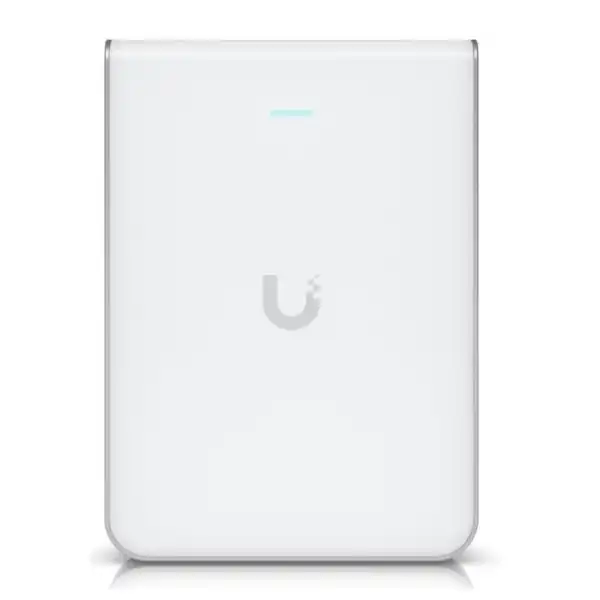
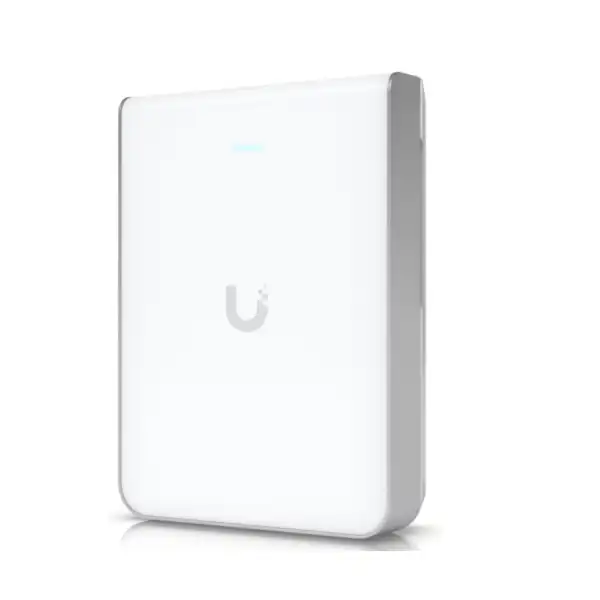
Ubiquiti U7 Pro Wall: WiFi 7 Wall-Mounted Access Point
Six spatial streams across three radios, a 2.5 GbE uplink and PoE+ power—designed for well-planned indoor wall installations.
Is this the right access point for your site?
The Ubiquiti U7 Pro Wall (U7-Pro-Wall) is a wall-mounted WiFi 7 access point for buyers who want modern wireless capacity without putting a large access point on the ceiling. Its six spatial streams are distributed as 2×2 MIMO on each of the 2.4 GHz, 5 GHz and 6 GHz radios. A single 1/2.5 GbE Ethernet interface provides the wired uplink and accepts PoE+ power. These specifications make it particularly interesting for a carefully planned office floor, hotel common area, meeting suite or new-build home.
The important purchase decision is not simply whether WiFi 7 sounds faster. It is whether the wall location, PoE budget, existing cabling, number of rooms and client devices suit this precise model. Ubiquiti quotes a nominal 140 m² coverage figure and support for 300+ clients, but those are product-level ratings rather than a guarantee of usable signal or capacity at every desk. Ask for a site-specific design before deciding how many access points to install.
For a Tanzania deployment, 6 GHz deserves an explicit compatibility check. The U7 Pro Wall has a 6 GHz radio, but the channels that a particular installation may use depend on the applicable regulatory framework, regional device configuration and UniFi software support. The product should not be purchased on the assumption that every advertised band or the broadest possible channel width will automatically be usable in Tanzania.
Verified technical specifications
Use these manufacturer specifications to compare the exact device. Values such as nominal coverage and client capacity are not site performance guarantees.
| Model | U7-Pro-Wall |
|---|---|
| Brand | Ubiquiti / UniFi |
| Wireless generation | WiFi 7 (802.11be) |
| Radios | 2.4 GHz, 5 GHz, 6 GHz hardware; use subject to regional support |
| Spatial streams | 6 total (2×2 per band) |
| Maximum rated coverage | 140 m² (1,500 ft²), site conditions vary |
| Manufacturer max. client count | 300+ |
| Ethernet | One 1/2.5 GbE RJ45 uplink |
| Power | PoE+; maximum 22 W |
| Dimensions | 150 × 103 × 36 mm |
| Mounting | Wall mount included; optional accessories offered separately |
| Management | UniFi Network 8.1.113 or later |
Quick fit check
Consider this model when
- A useful wall-mounted Ethernet location exists
- You can provide suitable PoE+ power
- You use or plan a UniFi-managed network
- You value modern radios with a 2.5 GbE uplink
Review alternatives when
- You need a weather-rated outdoor AP
- Every room needs several built-in Ethernet ports
- A ceiling location would cover the space better
- 6 GHz availability is a strict purchase requirement
A wall-mounted access point for a specific layout
Most businesses first notice the placement advantage. A wall may already contain a network cable where a meeting area, reception zone or open office needs wireless access, while a finished ceiling may be inaccessible or expensive to alter. The U7 Pro Wall allows an access point to sit close to that cable route. That can keep the installation tidy, make future service straightforward and reduce the temptation to hide networking hardware inside cupboards or behind metal fixtures.
Wall mounting is not a universal substitute for ceiling mounting. A side wall at one end of a long corridor may produce a very different signal pattern from a central ceiling unit. Concrete partitions, metal shelving, glass with coatings, lift cores and densely furnished rooms can divide the practical coverage into smaller zones. Before ordering units, map where people work, where high-demand devices gather and which wall surfaces have feasible wired connectivity.
The most useful planning question is where the radio should serve people, not where the installer can reach a power socket. If a convenient wall location places the access point behind a conference-room display or directly beside electrical equipment, consider moving it. Good placement often delivers more benefit than maximizing a marketing speed figure. A sensible quotation should describe the intended room coverage and likely cabling needs for each proposed mounting position.
Identify the exact U7-Pro-Wall model
Ubiquiti sells several devices with similar names, and an incorrect substitution can change the entire installation plan. U7 Pro Wall refers to the six-stream, tri-band wall-mounted access point with one 1/2.5 GbE RJ45 interface and PoE+ input. It is not automatically interchangeable with the ceiling-oriented U7 Pro or with an in-wall model intended to provide extra wired ports in a guest room. Buyers should compare the precise manufacturer model string on the quotation and packaging.
Do not interpret six spatial streams as six streams on a single band. This device provides a 2×2 radio for each of three bands. That distinction matters when discussing a laptop’s possible connection rate, particularly if the client itself supports only one or two streams. The combined specification represents radio capability across bands, while a single client experiences the limits of its own adapter, selected band, channel width and signal conditions.
The U7 Pro Wall also should not be mistaken for a multiport desktop Ethernet switch. Its single RJ45 connection is used as the network uplink and power input. If room phones, televisions or workstations need separate cabled connections, plan an appropriate switch or consider a purpose-built in-wall networking solution. This prevents the common mistake of buying the correct wireless generation but the wrong physical connectivity arrangement.
What the three wireless bands actually do
The 2.4 GHz band remains useful for devices that prioritize broad compatibility and modest bandwidth, including some printers, sensors and older handsets. Its popularity can also make it crowded, particularly in apartment buildings, retail areas and shared offices. Treat it as a compatibility layer rather than the default choice for every video conference or large file transfer. Client steering and sensible SSID design can help distribute compatible devices without locking out equipment.
The 5 GHz band is often the everyday workhorse for modern office laptops, tablets and phones. It generally offers more room for useful channel planning than 2.4 GHz, but nearby networks, wall material and device capabilities still influence performance. For many sites the biggest visible improvement comes from sufficient AP placement, clean channel selection and a healthy wired uplink, not from using the maximum theoretical bandwidth stated on a datasheet.
The 6 GHz hardware adds another potential wireless resource for compatible devices where local rules and software permit operation. It can be valuable when many newer clients share an area, but it will not make an older 2.4 GHz-only device faster. Higher-frequency coverage can also fall away sharply through solid obstacles. Design around the devices actually used by staff and visitors, rather than assuming the newest band should serve every corner of the building.
Understand headline data rates before comparing offers
Ubiquiti’s technical specification lists maximum PHY rates of approximately 688 Mbps on 2.4 GHz at 40 MHz, 4.3 Gbps on 5 GHz at 240 MHz and 5.8 Gbps on 6 GHz at 320 MHz. These are theoretical per-radio wireless link rates under defined channel and client conditions. They are not a promise that an internet speed test will produce those values. WLAN overhead, distance, interference, client limitations and the upstream network all reduce useful application throughput.
A client normally connects over a negotiated band and channel width, not by adding every band’s peak rate together as a single download speed. Even under favorable conditions, a 2.5 GbE uplink places a practical ceiling on traffic that crosses that wired connection. Local wireless interactions can behave differently, but purchasing decisions should be anchored to actual application requirements such as stable meetings, cloud documents, guest access and transfers to local servers.
When comparing quotations, ask vendors to separate advertised WiFi capability from measurable acceptance criteria. A useful handover test might assess signal quality at representative desks, consistent roaming between rooms and the throughput required by a business application. This creates a practical basis for deciding whether the network meets expectations. Avoid basing the entire project on a single speed-test result taken close to the access point.
Important Tanzania 6 GHz planning note
The product contains 6 GHz radio hardware, but that statement alone does not establish authorization for every 6 GHz channel in Tanzania. The Tanzania Communications Regulatory Authority publishes technical and spectrum documents, and Ubiquiti documents region-dependent 6 GHz support. Before depending on this band, a responsible installer should establish the current applicable rules, confirm the supplied unit’s regional behavior and verify what UniFi actually makes available under the correct country configuration.
A conservative design remains useful even if 6 GHz is restricted or unavailable for the selected installation. Plan adequate 5 GHz capacity for modern business users and retain 2.4 GHz service where device compatibility requires it. This protects the project from depending on a feature that has not yet been confirmed. It also creates a clear procurement question for the supplier instead of leaving an important limitation undisclosed until installation.
Regulatory verification is different from a general claim that a WiFi generation is supported. A standard can describe radios and channel widths that are not enabled in every jurisdiction. Do not change the configured country merely to reveal channels or power levels. The buyer should receive an explanation of usable bands for the specific installation and any remaining assumptions before signing off on a quote.
Coverage planning: use 140 m² as a starting point
The manufacturer’s stated coverage area is 140 m², or approximately 1,500 square feet. This is a useful comparison figure, not a measured floor-plan guarantee. A rectangular open room, a series of enclosed offices and a hotel floor with thick corridor walls all have different propagation characteristics. One access point may cover a surprisingly open space, while several may be needed to provide dependable service across an apparently similar total area.
Ask for a survey that identifies high-priority devices and possible dead spots. The survey should consider wall construction, floor separation, interference from neighboring WiFi, mounting height and the orientation of the wall location. For a new building, prediction software can guide initial placement; for an occupied site, measurements at representative working locations give stronger evidence. Either way, the plan should be revised when real measurements disagree with assumptions.
The right target is usable connectivity where customers and staff need it. A weak signal in a storeroom may be acceptable, while the same weakness at a point-of-sale terminal or conference table is not. Define those priorities before installation. If multiple floors or dense partitions are involved, a single nominal coverage figure is not an appropriate method for calculating access point quantity.
Client counts and shared airtime
Ubiquiti lists a maximum client count of 300+ for the U7 Pro Wall. This specification describes connection-scale capability, not a guarantee that hundreds of people can simultaneously stream high-definition video or upload large files with identical results. WiFi capacity depends on airtime, device capabilities, channel utilization, frame retries and the traffic each client generates. A large number of idle or lightly active devices is very different from a smaller group using heavy real-time applications.
A good design starts with a device inventory. Count phones, laptops, meeting-room equipment, printers, handheld scanners and guest devices expected during the busiest period. Then estimate what they will be doing. A small professional office with regular video meetings needs different performance priorities from a waiting area where most users check messages. Multiple well-positioned APs may improve experience more than concentrating all devices on one powerful unit.
When quoting for a high-density area, ask how users will be distributed across APs, what channel plan will be used and whether the wired network can carry the expected load. Monitoring after commissioning should reveal utilization, retries and clients that repeatedly attach to a distant AP. Those measurements help refine the installation and prevent a theoretical client count from being mistaken for an operational service-level commitment.
PoE+ power: one cable, several checks
The device uses PoE+ power with a manufacturer-listed maximum consumption of 22 W and a supported voltage range of 44 to 57 V DC. Power over Ethernet can simplify wall deployment because the same network cable carries data and electrical power. It does not remove the need to budget the supplying equipment correctly. The relevant switch port or compatible injector must support the required PoE+ standard and have sufficient available power.
Check the complete switch power budget, not just whether an individual port is labeled PoE. A switch feeding several access points, cameras and telephones may reach its total budget even when every port nominally supports the right standard. Ask for the number of powered devices, each device’s load and a practical allowance for additions. This is especially important if the project includes future network expansion across multiple floors.
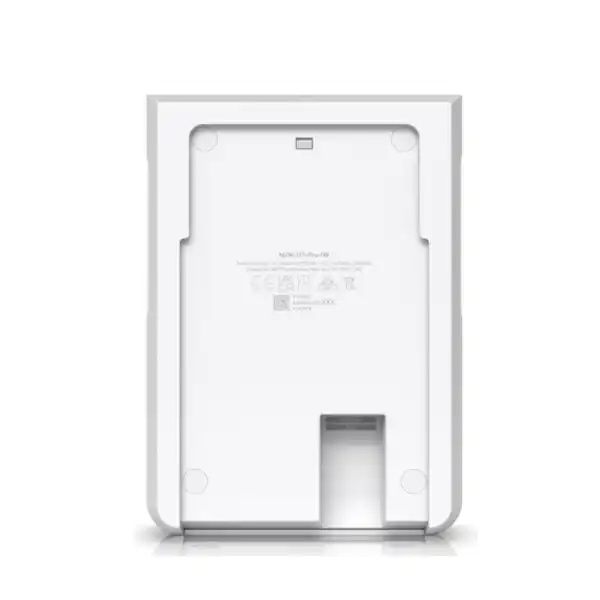
The wall-mount hardware is included, but a separate PoE power source may be needed depending on the rest of the purchase. Do not assume a power injector is bundled with every regional package. Before installation, establish whether power will come from a UniFi PoE switch or a suitable PoE+ adapter and confirm the exact accessories on the supplier’s quotation. That avoids a finished wall installation with no usable power feed.
Why the 2.5 GbE uplink matters
The U7 Pro Wall has one RJ45 interface capable of 1 or 2.5 GbE connectivity. A multigigabit uplink gives the wireless access point more wired headroom than a traditional 1 GbE-only connection when several clients are active. It is most relevant where the switch, cabling and applications can make use of the additional capacity. The uplink specification alone does not change an organization’s internet subscription or guarantee a particular user download speed.
If connected to a compatible 1 GbE switch port, the access point can operate at the available link speed, but the wired connection becomes a shared bottleneck sooner under heavy loads. For a new installation, evaluate a 2.5 GbE-capable switch port along with PoE+ power in the same budget. This avoids purchasing a multigigabit access point while overlooking the supporting wired equipment that makes its capability useful.
Confirm negotiated port speed during commissioning. A cable defect, unsuitable termination or incompatible switch configuration can result in an unexpected downshift or intermittent link. Label the cable route and switch port so future troubleshooting is straightforward. Include wired uplink capacity in the acceptance tests, especially where video meetings, file synchronization or high guest usage could create concurrent load.
Ethernet cabling and physical installation
An effective wall-mounted deployment begins before the AP is unpacked. Inspect the pathway from the wall outlet or concealed cable to the network cabinet, paying attention to termination quality, bend radius and whether the route is shared with sources of electrical interference. A solid wired backhaul is usually the most predictable design for an office or hotel fit-out. Running a reliable cable during renovation is often easier than correcting poor wireless backhaul later.
Network cabling should be tested and documented by the installer for the intended link speed and length. Suitable cable selection depends on the building and installation requirements, rather than a generic claim that one cable type is always mandatory. Where PoE and multigigabit networking are planned, consider professional installation practices, appropriate fire safety rules and room for maintenance access. Keep cable joints and connectors protected from strain.
Plan for access to the mounting hardware and reset control without making the device intrusive in the room. Avoid placing the unit in a location subject to frequent knocks, water exposure or unnecessary tampering. The enclosure is a neat indoor wall solution, not a reason to assume outdoor weatherproofing. If outdoor or wash-down areas require coverage, a product rated for those conditions should be assessed separately.
Appearance and mounting accessories
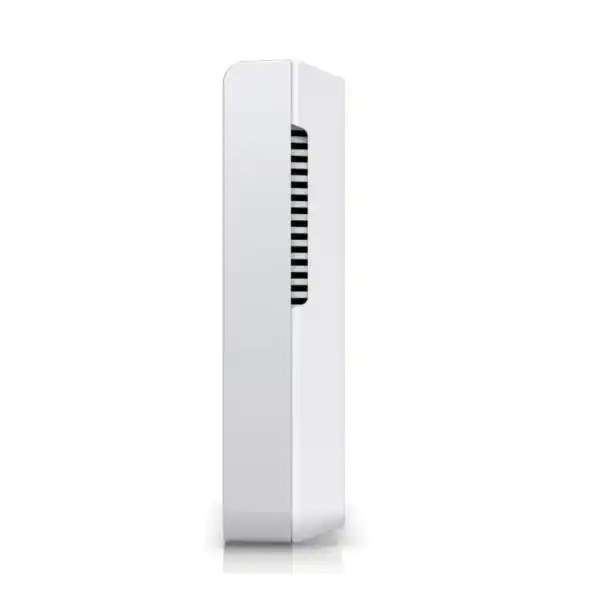
With dimensions of 150 × 103 × 36 mm, the U7 Pro Wall has a compact rectangular form for a modern interior. Its wall orientation can be practical where a ceiling fixture would disrupt lighting, architectural finishes or other services. The supplied wall mount supports a straightforward visible installation, while Ubiquiti also offers optional accessories intended for different presentation requirements, including a paintable flush mount, cover and table stand.
Optional mounting accessories should be specified by their correct part compatibility and budgeted separately. A visually subtle recessed installation can require extra preparation of the wall and attention to cable routing. A table stand may suit a different temporary or design-led layout, but it does not eliminate the need for appropriate power and data connectivity. Do not describe optional accessories as included unless the exact package contents confirm them.
In a hospitality setting, appearance matters alongside radio performance. Guests should not need to navigate exposed cable loops or equipment positioned at head height. In an office, the AP should be easy for authorized technicians to identify and service. Agree on mounting height, finish and access before decorators close wall cavities, so cosmetic choices do not later interfere with wireless coverage or repair work.
How UniFi Network management fits
The manufacturer’s requirements identify UniFi Network version 8.1.113 or later for this access point. UniFi Network provides a common place to adopt devices, configure wireless networks and review their operational state. That can be helpful when a business has multiple access points or wishes to manage its switches and gateways within one environment. Confirm the management arrangement before ordering rather than assuming any existing router dashboard will configure all UniFi-specific features.
An organization may use an appropriate UniFi console or another supported deployment of UniFi Network, depending on its overall design. The important decision is who will maintain software, settings, credentials and backups after installation. A small site can still benefit from documented administration; a large site needs clearly defined operational ownership. Device access, network documentation and upgrade procedures should belong to the customer or an explicitly authorized support provider.
Ask the installer to demonstrate adoption, WiFi configuration, client visibility and a basic fault investigation at handover. A working network is more than a green status icon. Staff should know how to recognize an upstream internet outage, a PoE power problem and a local WiFi issue. Management tools are valuable when they support a clear process for resolving these different causes rather than simply presenting a dashboard.
Separate employee, visitor and device traffic
Many buyers need secure staff access and convenient guest WiFi in the same building. The U7 Pro Wall supports UniFi capabilities such as guest isolation, client isolation, private pre-shared keys and VLAN-related network design. The exact end-to-end result depends on the rest of the network, including switches, gateways, authentication services and the policy configured by the administrator. An AP alone cannot enforce every upstream firewall or routing rule.
Start with a simple segmentation policy. Staff devices may need approved business resources; visitors usually need only internet access; and operational devices may require narrowly scoped connectivity. Separate SSIDs or suitable identity-based controls can make those differences easier to implement. Too many SSIDs, however, add management overhead and wireless beacon traffic. Choose segmentation based on actual access requirements rather than publishing a separate name for every department.
During commissioning, test the policy with real device types. A guest should not reach private business systems, while an authorized employee should be able to use the applications required for work. If payment terminals, IP phones or specialized equipment are involved, involve their support teams early. A secure design is confirmed by functional testing and documented permissions, not by the presence of a feature name in the product specification.
Guest access in hotels, clinics and shared spaces
A welcoming guest network should be simple to join while keeping business devices protected. UniFi lists captive portal and guest network features that can support different visitor experiences, but the exact login and access journey depends on the controller configuration and any additional services used. Decide whether the site actually needs a branded portal, time-limited access or a straightforward guest password. More complicated sign-in is not automatically better for every venue.
For hotels and serviced accommodation, consider how the signal reaches rooms, corridors and shared lounges. A wall-mounted unit in a lobby may not reliably cover rooms behind several partitions. Guests moving between areas should retain usable service, and a busy dining area may need different capacity from a quiet hallway. Coverage planning should follow actual guest movement and building materials, rather than a uniform count of devices per floor.
In a clinic or customer waiting room, network stability and sensible separation matter more than headline radio speed. Staff systems may have strict access requirements while guests only need lightweight browsing. Plan with the organization’s data and privacy responsibilities in mind. The AP can contribute to a properly designed network, but it is not by itself a complete security, clinical or data-protection solution.
WiFi 7 benefits and older-device compatibility
WiFi 7 introduces capabilities designed to improve wireless efficiency and peak performance for supported clients, but those advantages depend on compatible hardware, appropriate channel availability and software behavior. An older WiFi 5 laptop will not turn into a WiFi 7 client because it connects to a new AP. It may still receive a more dependable connection if the site replaces a poorly placed or overloaded access point with a properly designed network.
Before buying, identify the WiFi generations used by major devices. A company with predominantly older phones and laptops may benefit most from better placement, additional APs and improved switching, while a new building with modern devices has stronger reasons to plan for WiFi 7. Both approaches can be reasonable. Matching the network to the device mix avoids spending heavily on an advanced feature with little immediate operational value.
The transition can be gradual. Existing compatible clients may continue using supported older standards, while newer clients use the capabilities negotiated with the AP. Security requirements, driver quality and specific client behavior can sometimes require configuration adjustments. Conduct a small pilot with key workstations and application types before rolling the design across an entire site.
Roaming between multiple access points
Large or divided buildings often need several APs, and the user experience depends on how those devices work together. Ubiquiti documents roaming-related capabilities including 802.11k, 802.11v and 802.11r. These can help supported client devices make informed transitions, but the client ultimately plays a major role in when it leaves one AP for another. A feature being supported does not guarantee zero interruption in every application.
Consistent SSID settings, suitable security choices and sensible overlap are important. Too little overlap creates gaps; too much power or poor placement can leave devices attached to a distant AP even after moving into another area. Use observed client behavior and signal measurements to refine the design. Do not simply increase transmission power on every access point, because that can increase interference without improving the quality of the client’s return signal.
For phone calls over WiFi, portable scanners or applications sensitive to interruption, evaluate roaming with actual devices while people walk typical routes. Include corridors, stairways and entrances where users cross coverage boundaries. Record any failure points and adjust placement or configuration before handover. This is more useful than assuming that matching access point models will automatically deliver seamless mobility.
Wireless interference and channel planning
Every indoor WiFi network shares an environment with neighboring networks and other sources of radio activity. Apartment blocks, commercial centers and multi-tenant offices may have particularly busy 2.4 GHz channels. Modern access points offer useful management features, but an installer still needs to choose an appropriate channel and power strategy. Copying the same settings to every AP without considering neighboring coverage can lead to unnecessary self-interference.
Channel width should reflect the usable spectrum and the site’s priorities. Wider channels can offer higher link rates under favorable conditions, but they use more spectrum and are not always the best choice in a dense installation. A narrower, cleaner channel may deliver more consistent real-world application performance. Regional restrictions and client support also limit which widths can be used, especially for the device’s 6 GHz hardware.
Revisit the channel plan after the site is occupied. New businesses nearby, furniture changes or added access points can alter radio conditions. UniFi monitoring data, targeted surveys and support tickets can reveal where users experience failures. Maintaining wireless service means measuring the environment periodically, not leaving the network untouched after the initial installation.
Business security and maintenance
Wireless access points are one layer in a network security design. Use strong administrative authentication, keep UniFi software under an approved update policy and limit configuration access to responsible personnel. Select wireless authentication modes based on the devices and organization policies. Where visitor networks are provided, confirm isolation and upstream firewall rules. The device’s support for modern security features is valuable only when those features are configured correctly.
An update plan should include backups and a simple rollback or recovery procedure appropriate to the site. For a small office, a scheduled maintenance window may be adequate. A venue with critical operations needs an assessment of when interruptions are acceptable and how connectivity will be restored if an upgrade introduces an unexpected problem. Document who approves changes, who has administrative credentials and who is contacted when the network behaves abnormally.
Keep an inventory of installed units, switch ports, locations and firmware. A labeled wall AP and mapped cable path reduce troubleshooting time when staff change or premises expand. Review user access and guest passwords regularly in line with business policy. None of these measures require extravagant infrastructure, but together they turn a capable wireless product into a manageable service.
A practical office deployment scenario
Consider a professional office with a reception area, meeting room and several enclosed workspaces. The goal may be reliable cloud calling, video meetings and guest access rather than the highest possible benchmark. The first task is to map user density and wall materials, then determine whether one or multiple APs are required. The U7 Pro Wall can be a good fit where suitable wall cabling and mounting positions support the predicted coverage.
Next, review the wired network. A compatible PoE+ switch and correctly terminated Ethernet link are required; a 2.5 GbE-capable port is worth considering where aggregate demand justifies it. Create staff and guest networks according to the organization’s access rules. Define which desks, meeting-room seats and reception positions must pass acceptance checks. This keeps the project connected to business needs instead of relying on an abstract specification sheet.
After installation, test with the actual laptops and phones used in daily work. Measure call quality, roaming and consistent connectivity during a representative busy period. Verify that the guest network cannot reach sensitive company systems. A well-run deployment should finish with documented settings, assigned management ownership and a clear route for support. Those details are often more valuable to the business than an unverified claim of unlimited coverage.
A practical accommodation and hospitality scenario
A hotel or serviced-apartment project has a different challenge: many separate rooms, changing occupants and varied client devices. A wall-mounted AP may suit particular rooms or shared spaces, but the full floor plan determines the right architecture. Concrete partitions, bathrooms, service shafts and corridor geometry can restrict signal. Avoid relying on a single access point at one end of a long floor to serve every guest room.
The design should address guest traffic separation, the likely busy hours and whether room devices require wired connections. Remember that the U7 Pro Wall itself provides only one RJ45 uplink and is not a substitute for a multiport in-room switch. If televisions or fixed equipment need individual Ethernet outlets, specify that requirement separately. Plan PoE switch capacity in the equipment room and ensure cable routes remain serviceable after furnishings are installed.
Test from guest seating positions and behind closed doors rather than only in the corridor. Confirm that common applications work and that roaming between shared spaces behaves acceptably. An attractive access point can improve the appearance of a fit-out, but signal quality and maintenance access must remain priorities. A good handover records where every device is installed and how operations staff can escalate connection problems.
A home renovation or new-build scenario
A home builder may prefer the U7 Pro Wall where ceiling installation would interfere with lighting or where a network cable is already planned in a central wall. The compact form can sit within a carefully finished interior, and optional accessories can be considered for a different appearance. The main advantage is the freedom to plan a wired access point at a useful wall location rather than relying solely on the router supplied with an internet service.
In multi-storey homes, do not assume one AP will penetrate every floor reliably. Reinforced slabs, tiled surfaces and room layout can create significant variation. A wired AP on each level or in priority areas may be a stronger choice, subject to survey results. Also consider smart-home devices that may be 2.4 GHz-only and newer computers that can benefit from better higher-band capacity under suitable conditions.
Future maintenance matters in a residential installation as much as in an office. Put the PoE switch or injector where it can be accessed safely, label cables and keep UniFi administration details under the homeowner’s control. Before closing walls, document the cable routes and mounting position. If an optional flush mount is desired, confirm its fit and installation implications early rather than modifying a finished wall later.
Buying checklist and quotation questions
Request the exact model U7-Pro-Wall in the quotation and ask whether the item is supplied as an access point alone or with any additional accessories. Confirm wall-mount hardware, PoE+ power provision, compatible switching, cabling and the management solution. Separately verify current local price, tax treatment, warranty, stock, delivery and any installation service directly with the seller. None of these commercial items should be assumed from a generic international product page.
Ask how many access points the proposed design requires and how that number was determined. A useful quotation identifies the main coverage targets, high-demand areas and likely physical constraints. It should also say what is excluded, such as new cabling, network cabinet work, electrical work, a site survey or a controller appliance. Clear boundaries help buyers compare offers that may otherwise look similar but cover different scopes.
Finally, request written confirmation of the regional radio configuration relevant to Tanzania, particularly any planned use of 6 GHz. Have the supplier explain the difference between the product’s capabilities and the frequencies actually available for a compliant installation. A sound buying decision balances verified product specifications, legal operating requirements, wired infrastructure and measurable site outcomes.
Step-by-step commissioning and handover
Begin by reviewing the building plan, connected-device inventory and existing network. Inspect mounting locations for obstruction, cable access and physical safety. Confirm a working PoE+ supply and suitable Ethernet path before fixing the AP in place. Adopt the device into a supported UniFi Network environment, then configure the approved country, WLAN settings and administrative permissions. Record the serial identifier and installed location in the customer’s equipment register.
Next, configure the intended staff, guest and operational networks. Test device authentication, permitted access and isolation where required. Verify the negotiated Ethernet speed and check that every AP receives adequate power. Walk through the critical coverage areas using representative phones and laptops. Where more than one AP is deployed, check transitions between rooms and identify clients that remain associated with distant equipment.
Finish by handing over an accessible configuration record, a coverage and functional test summary, and the identity of the person responsible for maintenance. Document firmware version, switch port allocation and unresolved assumptions, including any band-specific regulatory verification. A project is easier to maintain when the customer knows how the network was built and what was actually tested, rather than receiving only a password and an installation invoice.
Troubleshooting expectations and limitations
If a user reports slow WiFi, start by locating the problem. Test whether it affects one client, one room, one SSID or the entire site. Check the device’s connection band, signal quality, channel utilization and recent disconnect history. Then verify that the Ethernet uplink is stable and that the upstream internet or business application is functioning. Replacing the AP is rarely the right first step when the underlying issue is an overloaded connection or incorrect configuration.
If the AP disappears from management, check PoE+ delivery, the switch port and cabling before assuming a radio fault. If newer clients cannot see 6 GHz service, confirm the permitted regional settings, software versions, client capability and relevant security settings. Do not force a regulatory region that does not match the deployment. Where guest clients cannot reach the internet, check DHCP, DNS, VLAN and firewall paths as well as the wireless association.
No wall access point can override building physics. Thick walls, obstructive surfaces, weak client radios and shared-spectrum interference still matter. Likewise, software features cannot replace network design or ongoing administration. The U7 Pro Wall is best regarded as a capable building block within a planned UniFi network, not as a guarantee of fault-free service irrespective of placement and infrastructure.
Decide whether WiFi 7 is the right investment
The strongest case for the U7 Pro Wall is a site that values tidy wall installation, modern client compatibility, central UniFi management and room for future wireless upgrades. It can also make sense when a building already has structured cabling on suitable walls and the owner wants to avoid disruptive ceiling work. That value remains meaningful even before every client device uses the latest WiFi features.
An alternative may be better when the priority is outdoor coverage, multiple Ethernet ports inside each room, a different mounting orientation or a particularly difficult radio environment. A buyer with only older clients and light usage might also find that basic coverage improvements solve the problem more economically. Compare the intended application and total installed cost, not just the generation printed in the product name.
Before purchase, ask what successful operation would look like six months after installation. Stable meetings, consistent guest connectivity, predictable support and straightforward future expansion are all measurable outcomes. The U7 Pro Wall offers useful specifications, but a satisfactory network comes from fitting those specifications to the actual building, approved radio settings and maintained wired infrastructure.
Frequently asked questions about the U7 Pro Wall
Is the U7 Pro Wall really a WiFi 7 access point?
Yes. The exact manufacturer model U7-Pro-Wall supports IEEE 802.11be WiFi 7 and has 2.4 GHz, 5 GHz and 6 GHz radio hardware. The availability of individual radio bands and channel widths for a specific installation depends on regional rules, controller settings and client compatibility. Ask for a regulatory check before assuming that 6 GHz can be enabled in Tanzania.
How many streams does it have?
The manufacturer specifies six spatial streams across three radios: 2×2 on 2.4 GHz, 2×2 on 5 GHz and 2×2 on 6 GHz. It is incorrect to describe this as six streams available to a single device on any one band. A connected phone or laptop also needs compatible wireless hardware to use the AP’s capabilities.
Does it cover 140 square metres in every building?
No. Ubiquiti states 140 m² as a coverage specification, but actual useful coverage depends on layout, walls, mounting location, interference, connected clients and the required signal quality. A concrete hotel floor will behave differently from an open room. Treat the figure as an initial comparison point and confirm actual coverage by survey or measurement.
Can it connect more than 300 devices?
The manufacturer lists a maximum client count of 300+, which is a device-capability figure and not a promise that 300 active users can run demanding applications at once. Heavy traffic consumes shared airtime, and client experience also depends on the wired network. A density assessment should consider the busiest expected period and the nature of client activity.
Do I need a PoE switch?
The U7 Pro Wall requires PoE+ power. This can be supplied by a compatible PoE+ switch or an appropriate injector, depending on the designed installation. The stated maximum power consumption is 22 W. Verify the selected power source, total switch power budget, cabling and accessories included on the quotation before purchase.
Does the U7 Pro Wall include an Ethernet switch for room devices?
No. The U7 Pro Wall has a single 1/2.5 GbE RJ45 port for its network uplink and PoE+ power. It does not provide several LAN ports for a desk phone, smart TV and workstation. If that is a requirement, add a suitable switch or evaluate a device specifically designed for in-wall wired connectivity.
What Ethernet speed should the switch support?
The AP can use a 1 GbE or 2.5 GbE uplink according to its specification and the connected equipment. A 2.5 GbE switch port offers additional headroom when many wireless clients generate traffic, but the wider network must support it. PoE+ capability is a separate requirement; verify both the negotiated link speed and the available power.
Can older phones and laptops still connect?
Many older WiFi devices can use compatible legacy wireless standards supported by the AP, subject to the configured security and SSID settings. However, they will not receive WiFi 7 capabilities simply by connecting. Check special-purpose devices such as printers, scanners and older handsets during a pilot so that the upgrade does not interrupt business operations.
Can it be installed on a desk?
The included mounting arrangement is for a wall. Ubiquiti offers an optional table stand accessory for the U7 Pro Wall, subject to availability and exact package compatibility. If desk placement is needed, include that accessory on the quotation and plan an unobtrusive PoE+ Ethernet cable. A wall location may still offer more suitable coverage depending on the room.
Is the 6 GHz band available in Tanzania?
The hardware supports 6 GHz, but this does not by itself confirm that the band is enabled for every Tanzania installation or that all advertised 6 GHz channel widths are permitted. The project should verify current Tanzania Communications Regulatory Authority requirements, the supplied device’s region settings and Ubiquiti’s corresponding software support. Do not assume unrestricted 6 GHz operation from a foreign-market datasheet.
Do I need a separate WiFi controller?
The device is managed using UniFi Network; Ubiquiti specifies Network version 8.1.113 or later. The right management hosting arrangement depends on the organization’s network design. Confirm that an existing UniFi environment is compatible or include an appropriate supported management solution. Installation and ongoing administration should be assigned to someone who can maintain the configuration.
Does it work in hotels and office buildings?
It can suit selected hotel, office and residential deployment areas, especially where wall mounting and wired Ethernet are practical. Its suitability for a whole building depends on how many rooms, floors and users require service. Guest isolation, roaming and coverage should be designed as an end-to-end network and then tested at real client locations rather than assumed from a single AP specification.
Can it replace the internet router?
No. It is a wireless access point. A complete installation still needs an appropriate upstream network, which normally includes routing, internet connectivity and any required firewall, DHCP and VLAN services. UniFi management can coordinate devices, but the AP does not independently replace all gateway functions. Identify the customer’s existing router and switch before planning the upgrade.
What should I request before buying in Tanzania?
Ask for the exact model, current quotation, verified package contents, PoE+ and switch requirements, installation scope and a coverage proposal. Confirm regional radio support and any relevant approval or compliance requirements without assuming approval has been granted for the exact product. Request written details of warranty, availability and after-sales arrangements directly from the supplier, since these are specific to the sale.
What should be tested after installation?
At minimum, check actual coverage where people work, stable connection of older and newer devices, correct staff and guest permissions, negotiated Ethernet speed and suitable PoE+ power. For multiple APs, test roaming paths with real devices. Save the tested configuration, record firmware versions and document who will monitor and maintain the network. These checks provide evidence that the installation meets the buyer’s defined needs.
Request a U7 Pro Wall quotation for Tanzania
Ask FourTeck Tanzania about the exact U7-Pro-Wall model and a suitable project configuration. Share your floor plan or room count, number and type of client devices, existing PoE switch and any requirements for guest separation or multi-AP roaming. Confirm local commercial terms and regional radio configuration before placing an order.




Reviews
There are no reviews yet.