
FourTeck Tanzania | High-speed managed switching
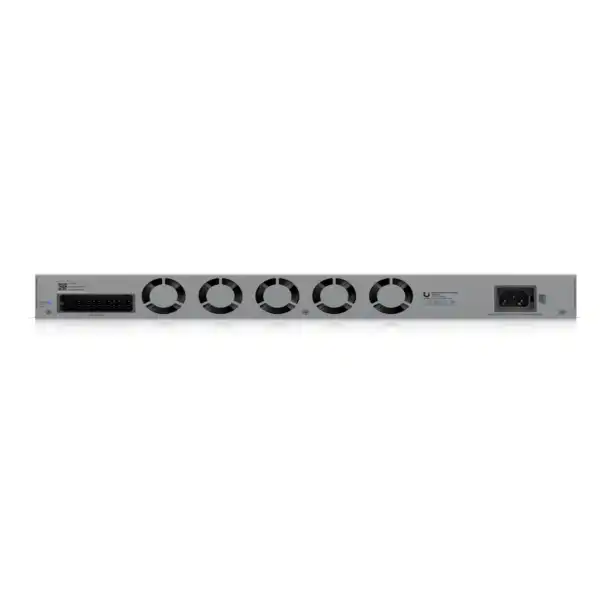
Ubiquiti Pro XG 48 USW-Pro-XG-48
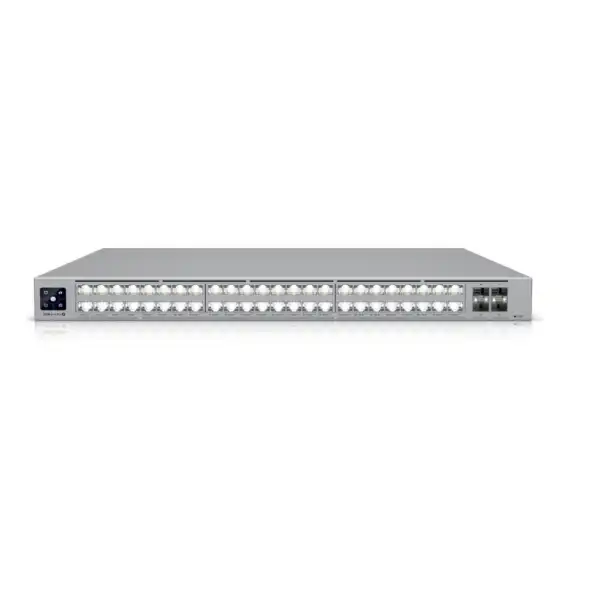
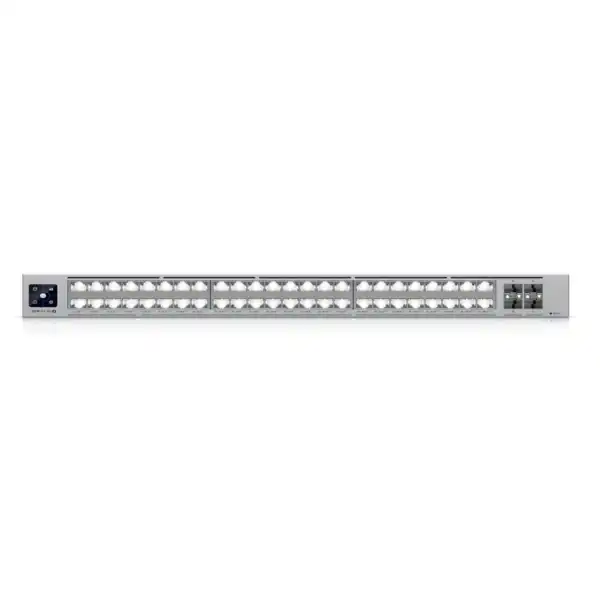
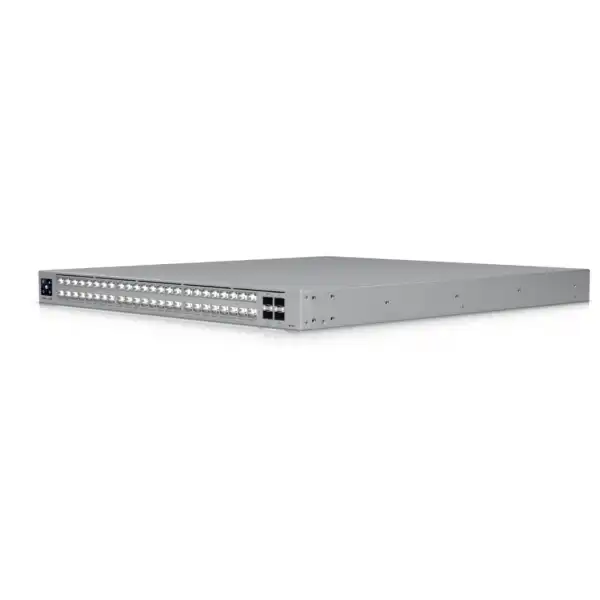
Get 32 ten-gigabit copper ports, 16 additional 2.5-gigabit copper ports, and four 25G-capable SFP28 uplinks in a single 1U UniFi-managed switching platform. Built for high-demand wired networks, servers, shared storage and business distribution. Request a configuration-led quotation for the exact non-PoE model.
Is this the right switch for you?
The Ubiquiti Pro XG 48 is best considered when numerous endpoints require 10G and 2.5G connectivity and the wider network can support high-speed aggregation. Before ordering, verify physical rack depth, cabling, management software, uplinks and power arrangements. This is not a PoE switch: a powered access layer requires separate planning.
Manufacturer-verified technical details
| Exact model | Ubiquiti USW-Pro-XG-48; non-PoE |
|---|---|
| 10 GbE RJ45 interfaces | 32; 10G/5G/2.5G/1G/100M/10M |
| 2.5 GbE RJ45 interfaces | 16; 2.5G/1G/100M/10M |
| SFP28 uplink interfaces | 4; 25G/10G/1G |
| Switching capacity | 920 Gbps |
| Non-blocking throughput | 460 Gbps |
| Forwarding rate | 684 Mpps |
| Maximum VLANs | 1,000 |
| MAC address table | 32,000 entries |
| IPv4 static routes | 512 |
| Packet buffer | 8 MB |
| Layer 3 features | Local inter-VLAN and static routing; DHCP server and relay |
| Layer 2 functions | LACP; STP/RSTP; IGMP; 802.1X; ACLs; port isolation |
| Form factor | 1U rack-mounted |
| Dimensions | 442 × 480 × 44 mm |
| Maximum power | 250 W; internal 300 W PSU |
| Power input | 100–240 V AC, 50/60 Hz; USP RPS DC backup input |
| Temperature | −5 to 40 °C |
| Humidity | 10–90% non-condensing |
| Software requirement | UniFi Network version 9.0.114 or later |
| PoE output | Not supported |
Specifications are for the exact non-PoE USW-Pro-XG-48 model and require compatible equipment and supported configuration.
Designed for dense multi-gigabit connectivity
The Ubiquiti Pro XG 48 is intended for networks that need considerably more bandwidth than a conventional one-gigabit access layer offers. Its copper interface allocation is unusually useful for mixed high-speed environments: 32 RJ45 ports support 10 GbE, while 16 additional RJ45 ports support 2.5 GbE. Four SFP28 interfaces can be used for suitable uplinks or interconnections at supported speeds up to 25G. This is a strong starting point for workstations, shared storage, servers, and distribution networks where many simultaneous connections matter.
Before selecting the switch, identify where traffic actually travels. An office with a few heavy workloads may need less high-speed capacity than one with many editing suites or servers. Conversely, a busy environment can waste the switch’s capabilities if upstream connectivity or shared storage remains undersized. A good choice should match device speeds, aggregate traffic, expansion needs, and the site’s operating conditions rather than a single advertised headline number.
Know which ports offer 10G
The 32 high-speed copper ports support 10G, 5G, 2.5G, 1G, 100M, and 10M operation, subject to the connected endpoint and link. The other 16 RJ45 ports support 2.5G, 1G, 100M, and 10M, but are not specified as 10G interfaces. All 48 RJ45 ports are useful, yet they are not interchangeable when an endpoint genuinely requires a ten-gigabit connection. This distinction should be explicit in a procurement document.
Create a port schedule before purchasing. Put servers, storage devices, and power users needing ten-gigabit Ethernet in the 10G bank. Assign appropriate multi-gigabit and legacy equipment to the 2.5G bank. Leave realistic spares within each group, rather than merely counting vacant sockets across the entire chassis. The four SFP28 interfaces are additional physical connections, not RJ45 outlets for ordinary desktop patch leads.
Using the 25G SFP28 uplinks
Four SFP28 ports provide flexible high-capacity connections. Ubiquiti publishes support for 25G, 10G, and 1G on these interfaces. They can form part of an aggregation or upstream design when compatible equipment is present at the other end. The port name alone does not establish that any chosen optic, direct-attach cable, or remote network device will operate at 25G. Media selection and compatibility checks remain essential.
A practical uplink plan should document endpoints, distance, expected traffic, supported line rates, connector types, and the exact cables or transceivers needed. Short in-rack links and longer routed fibre links may call for very different materials. Review both ends of each proposed connection and confirm the ability to negotiate the intended rate. Verify vendor-supported accessories before ordering rather than assuming that any SFP28-labelled component will work.
What 920 Gbps switching capacity means
Ubiquiti lists 920 Gbps switching capacity, 460 Gbps total non-blocking throughput, and a forwarding rate of 684 Mpps. These are hardware performance characteristics, not promises that a single client will copy files at the maximum port speed. Application performance is shaped by the complete network path, endpoint processors, storage systems, protocol overhead, and traffic from other users. A high switching-capacity figure is useful, but it must be interpreted correctly.
Separate traffic within the same switch from traffic that must travel to another switch, storage system, or gateway. An overloaded upstream link can become the constraint even when the local switching fabric has plenty of room. For busy networks, estimate peak flows and concurrency instead of multiplying port count by maximum link rate and treating the total as a guaranteed application service level.
Selecting a suitable network role
The Pro XG 48 can serve as a dense high-speed access switch, a distribution switch, or a specialised server and storage connectivity layer. Its most useful role depends on whether the primary requirement is connecting many 10G computers, collecting links from other switches, or supporting intensive local data movement. In a small environment, roles may overlap; in a larger deployment, boundaries between access, aggregation, and routing should be planned clearly.
Do not treat a fast managed switch as a complete replacement for a gateway or firewall. The model includes local Layer 3 features, but an internet edge may require additional routing, security inspection, WAN, and resilience capabilities. Draw the intended topology and identify which device is responsible for each function before ordering. That design review often reveals complementary products and avoids expensive surprises during commissioning.
Workstations and specialist users
Users handling large media files, engineering datasets, shared project assets, or frequent transfers to central storage may have a genuine need for 10 GbE. Thirty-two compatible RJ45 ports allow several demanding endpoints to connect without consuming the uplink interfaces. The business value is strongest when the applications and central resources can make use of that bandwidth, and when network congestion is a confirmed part of the existing problem.
A conventional desktop running email and browser-based applications might gain little from ten-gigabit Ethernet. Group users by workload and review transfer sizes, concurrency, and observed delays. The 2.5G ports may be sufficient for many other devices, while premium 10G ports can be reserved for systems with meaningful demand. This targeted allocation generally produces a more coherent deployment than assigning fast ports indiscriminately.
Storage and network-attached storage planning
A shared NAS or storage server equipped with a suitable 10 GbE interface may connect through one of the switch’s 10G copper ports. Other servers and workstations can then access it using connections appropriate to their workload. For a high-demand storage network, consider both the capacity of each host interface and the traffic crossing shared paths. Heavy backups, file synchronisation, and interactive access should be included in the planning exercise.
Storage performance depends on much more than link speed. Disk configuration, cache, processor capacity, file protocols, and concurrent read or write operations can become limiting factors. Validate the storage system’s capabilities and test the expected workflow before attributing slow transfers to Ethernet alone. Where multiple storage nodes or backup servers are involved, a traffic diagram helps reveal potential bottlenecks and whether additional aggregation capacity is required.
Virtualisation and server clusters
Virtualisation environments may generate substantial east-west traffic between hosts, storage, backup services, and management systems. The Pro XG 48 offers a substantial collection of copper high-speed connections that can be allocated to these roles. Supported switching and VLAN features can contribute to a structured architecture, but the exact traffic separation and routing arrangements must be verified against the broader network design and the software configuration.
Begin with host adapter speeds, virtual machine workloads, storage access patterns, and recovery requirements. Confirm whether the hypervisor environment expects interface teaming, link aggregation, or separate logical networks. These are design decisions rather than automatic features of any one switch. Document failure scenarios and maintenance operations, especially for production clusters. A successful configuration is one that protects application availability as well as offering adequate bandwidth.
The value of 2.5G alongside 10G
Sixteen 2.5 GbE-capable ports provide an important middle tier. They can connect suitable multi-gigabit devices without consuming the 10G sockets. This is helpful where workstation upgrades happen gradually, where some network equipment has 2.5G rather than 10G interfaces, or where the business wishes to preserve the faster ports for storage and specialist users. The same port group supports lower speeds for compatible legacy equipment.
A port allocation plan should identify both the present and expected future speed of each client. If an endpoint is unlikely to exceed 2.5G, the intermediate port bank may be the sensible choice. If a critical system will soon require 10G, reserving the correct interface in advance can avoid rewiring later. Consider the number of endpoints in each tier separately when assessing future capacity.
Layer 3 features and limitations
Ubiquiti specifies DHCP server and DHCP relay functions for local networks, local inter-VLAN routing, and local static routing. It also lists a capacity of 512 IPv4 static routes. These capabilities can help organise traffic between selected network segments when configured in a supported UniFi deployment. They do not establish support for every routing protocol, enterprise firewall feature, or wide-area networking function that a separate gateway might provide.
Decide where local network gateways should reside and which inter-segment flows require security controls. If traffic must be inspected by a dedicated firewall, ensure the proposed routing arrangement preserves that policy. Always confirm the precise behaviour of the current UniFi Network release. The phrase Layer 3 should be treated as a description of documented functions, not a guarantee of unrestricted enterprise router capabilities.
Planning VLAN segmentation
The manufacturer lists support for 1,000 VLANs, making structured segmentation possible within the supported feature set. A business may wish to distinguish administrative systems, operational equipment, infrastructure management, guests, voice, and storage traffic. Actual segmentation should follow business requirements and security policy rather than using the maximum number of VLANs merely because the hardware supports it.
For each network, specify its address plan, permitted destinations, uplink handling, and administrative owner. A VLAN is not automatically secure if devices are allowed to route freely to other segments. Define where access lists or firewall rules should apply and test those controls with representative users. A documented, consistently named set of networks is easier to support than a complex configuration with little operational explanation.
Access policies and endpoint protection
Published switch features include 802.1X control, DHCP snooping and guarding, MAC and IP access controls, device isolation, and port restrictions. These can support practical network security when combined with appropriate identity systems, management processes, and upstream controls. Their effectiveness depends on the configuration, and incorrect settings can interrupt legitimate traffic or create unintended exceptions.
Make a policy matrix before enabling restrictions. Identify which devices authenticate dynamically, which have special infrastructure requirements, and who may change configuration. Test with real endpoints and have a recovery procedure for management access. Do not substitute switch policies for complete endpoint security, logging, firewall inspection, or disciplined patching. A well-managed network uses several complementary protection layers and reviews their interactions during upgrades.
LACP, spanning tree and link resilience
The Layer 2 feature set includes LACP port aggregation, STP and RSTP, and loop protection. These functions can be relevant when creating redundant paths or aggregated links between supported devices. They must be configured consistently across the participating endpoints. Additional cables do not automatically provide a safer topology, and a badly designed loop can interrupt service across an otherwise capable switching environment.
Document which ports belong to a bundle, what should happen when one link fails, and how the spanning-tree design will behave. Distinguish higher aggregate capacity from the speed of an individual data flow. A single file transfer does not necessarily become twice as fast simply because two interfaces are aggregated. Verify the outcome under realistic traffic and failure tests before claiming resilience.
Multicast and voice-related controls
Ubiquiti documents IGMP snooping, advanced IGMP configuration, voice VLAN support, LLDP-MED, flow control, storm control, and multicast or broadcast limiting. These can assist networks carrying voice systems, multicast media, or applications that need careful traffic handling. Their presence does not eliminate the need to understand the requirements of the connected equipment and any upstream service.
For multicast deployments, determine whether a querier is required, which receivers must join groups, and how traffic crosses network boundaries. For voice services, confirm the endpoint and call-platform requirements before changing VLAN assignments or traffic controls. Test application behaviour as well as link state. A network that is technically connected may still deliver poor service if its protocol-specific configuration is wrong.
UniFi Network management readiness
The manufacturer states a UniFi Network application requirement of version 9.0.114 or later. This is a concrete procurement dependency for organisations operating older UniFi controllers or tightly controlled software environments. A switch that cannot be adopted into the planned management platform creates a deployment problem even if its ports and power requirements are otherwise suitable.
Check the existing release, update policy, administrative permissions, and intended management host or gateway. Record how the new switch will be adopted, monitored, backed up, and maintained. Review firmware and application compatibility through official support guidance before a production cutover. Teams with mixed-vendor operations should also consider how UniFi-specific workflows will fit existing monitoring and support procedures.
Etherlighting and easier rack operations
Etherlighting is a visual port-identification system that can indicate port location, link or speed state, and native VLAN or network information. On a densely patched 48-port switch, this may simplify the task of finding the right connection while diagnosing or modifying infrastructure. The feature is most useful when administrators have already established consistent names and documented the physical network.
It is not a substitute for durable cable labels, patch-panel records, or a port schedule. A technician should be able to identify a cable even if the switch is not running normally or the relevant lighting mode is unavailable. Review recommended accessories in current Ubiquiti documentation before relying on a particular lighting effect. Treat Etherlighting as one practical aid within a structured operations process.
Measure the rack before buying
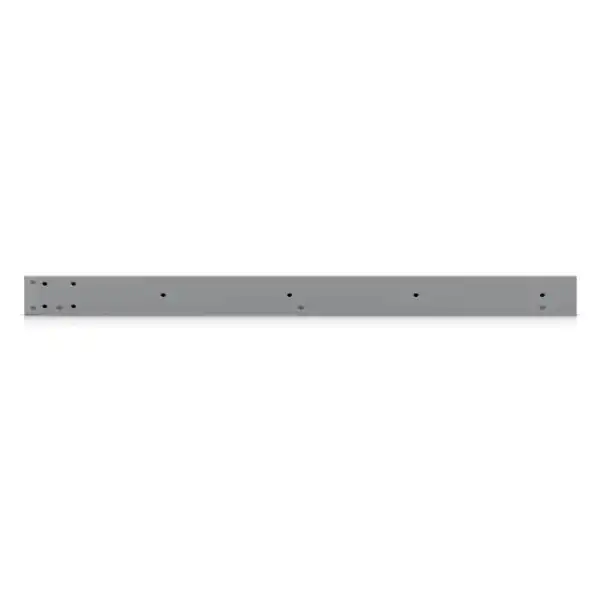
The 1U chassis measures 442 × 480 × 44 mm. Its depth is a significant buying consideration that can be overlooked when attention is focused on the one-rack-unit height. Ubiquiti specifies use in compatible 19-inch four-post racks with post depths of 600 to 1,066 mm. A shallow wall cabinet may not be suitable even when its horizontal mounting width appears standard.
Check the internal rack dimensions, usable mounting depth, cable bend space, rear power connections, patch-panel position, and service clearances. The selected mounting equipment also needs to match the installation. For a crowded cabinet, consider cable management and access for later replacement. Obtain a site measurement and verify compatibility instead of relying on a generic cabinet description.
Electrical input and backup power
The switch’s specified maximum power consumption is 250 W, with an internal 300 W power supply and 100–240 V AC, 50/60 Hz input. The model also supports a USP RPS DC backup input for a compatible separate backup arrangement. These published values help inform rack power distribution, UPS selection, and operating-budget estimates. They should not be read as confirmation that any optional backup unit is supplied.
Plan continuity for the whole system. Keeping a switch energised may not preserve essential connectivity if the upstream gateway, storage appliance, controller, or server loses power. Check the supported backup arrangement and assess how all dependent components behave during a power event. Written power and recovery requirements help the purchasing team identify the correct accessories and avoid incomplete quotations.
Environmental planning for Tanzania sites
Ubiquiti specifies an operating ambient range of −5 to 40 degrees Celsius and 10 to 90 percent non-condensing humidity. These limits are relevant when installing networking equipment in a rack room, office, workshop, or other site in Tanzania. They are technical operating conditions, not a claim that equipment will remain within specification in every local room without ventilation or cooling.
Survey the actual environment, including heat from adjacent equipment, dust, humidity, enclosure ventilation, and reliable electrical supply. A switch operating inside a crowded closed cabinet may experience conditions different from the room temperature measured nearby. Plan appropriate monitoring and maintenance. Local environmental conditions vary between buildings, so a site-specific assessment is more useful than broad assumptions about a city or region.
Cable quality and negotiated speed
The switch offers multiple supported Ethernet speeds, but the actual negotiated rate is determined by the full physical link. Inspect the structured cabling, connector quality, patch leads, endpoint interfaces, and installed cable distances before relying on ten-gigabit operation. An old or untested copper plant may not perform consistently just because the switch is new. An endpoint limited to 1G will also not become a 10G device when connected to a faster socket.
Specify and test cabling suitable for the intended speeds and installation distances. Include patch cords and patch panels in the acceptance process. Record expected link speed against each port in the commissioning schedule and investigate deviations. A cable assessment should be part of the upgrade budget, not an afterthought discovered during the final installation window.
Select optical and direct-attach accessories carefully
SFP28 interfaces can accommodate certain high-speed connectivity scenarios, but accessories must be chosen for the precise topology. Decide which ports connect to other switches or servers, what distance is involved, and whether copper direct-attach or an optical path is appropriate. Also confirm the remote device’s interface type, supported speeds, and compatibility with the proposed modules or cables.
Avoid ordering optics based only on the connector shape or a generic 25G label. Transceiver compatibility, fibre specification, connector type, cable length, and vendor support all matter. Record the required part numbers in the project’s bill of materials after verification. This prevents a deployment from reaching site with a capable switch and unusable uplink components. For physically separate buildings, obtain specialist cabling and electrical safety advice where necessary.
The non-PoE distinction
The USW-Pro-XG-48 does not provide PoE power output on its Ethernet ports. This must be made clear in projects with wireless access points, IP cameras, IP phones, or other devices that expect power over their network cable. A non-PoE interface can carry data to a suitably powered device, but the switch will not itself energise that device. High data rate and PoE support are separate specifications.
If PoE is required, review the distinct Pro XG 48 PoE product or an appropriate architecture using separate PoE switching or correctly rated injectors. The decision should reflect per-device power demand, total power budget, port speeds, and the physical placement of powered endpoints. Confirm the full model name on every quotation to avoid confusing two similarly named products.
Compare network architectures rather than labels
A 48-port high-speed non-PoE switch can make sense when most connections go to computers, servers, and equipment with independent power supplies. A design dominated by access points or surveillance devices may favour PoE access switches with an aggregation layer. A network with only a small number of ten-gigabit clients may instead benefit from a lower-density model. These are different architectures with distinct costs and maintenance requirements.
Evaluate the number of active ports, speed requirements, necessary uplink interfaces, rack capacity, management preferences, and future additions. Consider the installed cost of cables, modules, power equipment, and configuration as well as the chassis. The aim is not to buy the model with the most impressive name, but to choose a system that supports the intended applications efficiently and can be maintained over time.
Avoid unplanned uplink oversubscription
Many users can share an upstream link successfully because their traffic peaks at different times. But heavily used storage or backup networks may have concentrated demand. The Pro XG 48’s copper port mix makes it possible to connect numerous fast endpoints, while four SFP28 interfaces provide supported high-speed paths elsewhere. Whether the arrangement is sufficient depends on traffic patterns and the capacity of the network beyond this switch.
Identify which clients communicate locally and which cross an uplink. Calculate or estimate the busiest simultaneous flows and distinguish ordinary daytime traffic from scheduled backup windows. Do not assume every connected device can achieve its maximum speed through a single upstream link at once. A traffic matrix and realistic headroom assumptions make the required uplink design easier to justify.
Migration from legacy switching
Replacing an older one-gigabit switch should be treated as a managed migration. Catalogue the existing port assignments, VLAN settings, upstream connections, management addressing, and systems with special requirements. Identify which clients can move immediately and which need network adapters or cable work before they can operate at higher speeds. A staged deployment can reduce disruption and make it easier to confirm that each upgrade delivers the expected benefit.
Prepare the new UniFi management environment before changing critical cables. Test representative connections, including ordinary clients, servers, storage, and any voice or multicast applications. Record the original configuration and plan how to restore service if a change does not work as intended. Clear labels and a formal cutover checklist reduce avoidable mistakes when many cables must be moved.
Commissioning and acceptance tests
Commissioning should confirm more than basic power-on. Verify the exact switch model, rack fit, network management version, expected port negotiations, VLAN assignments, and connectivity through every planned uplink. Test link aggregation and failover behaviour when included in the design. Check the handling of special workloads such as large storage transfers, authentication, and multicast traffic if the organisation depends on them.
After initial configuration, review operational status during representative traffic and document the final settings. Record which ports are reserved and which are in service. The handover should include a physical network diagram, cable schedule, administrator procedures, and a list of any separate modules or backup devices. These records improve day-to-day troubleshooting and protect against accidental changes during future expansion.
Monitoring and troubleshooting strategy
Monitoring is most valuable when it distinguishes link health from application performance. A port may negotiate successfully at 10G yet serve a storage system that cannot deliver the required throughput. Conversely, an application can appear slow because an uplink is saturated or a cable is generating errors. Track metrics that answer actionable operational questions and establish normal baselines after deployment.
Use the management environment and complementary monitoring tools as appropriate for the business. Record service-impacting events, interface utilisation, link-state changes, and recurring faults. Define who investigates alarms and what information support staff need. A measured troubleshooting process will usually identify the limiting component faster than assuming the switch itself is responsible whenever a large transfer becomes slow.
Plan expansion before ports fill
A dense switch can reduce immediate port pressure, but capacity still needs careful allocation. Keep some 10G and 2.5G sockets free for planned equipment and temporary service work. Preserve suitable uplink interfaces for future aggregation needs rather than assigning every available slot during initial deployment. When a new server or workstation arrives, its expected speed should determine its port choice.
Review anticipated device replacement cycles, storage projects, application growth, and network changes. If future requirements exceed the available mix of interfaces, design the next switching tier rather than relying on improvised adapters or unstable changes. A simple forecast by port group helps procurement decide when additional hardware is justified and prevents the most capable interfaces from being exhausted prematurely.
Procurement checklist for Tanzania
For a quotation, provide the number of 10G clients, 2.5G devices, expected uplink endpoints, and any PoE-powered equipment. Include rack depth, cabling condition, current UniFi Network version, power-backup objectives, and the network’s intended role. A high-level topology drawing is particularly helpful for an upgrade that must reuse existing hardware or pass traffic through a dedicated security gateway.
Request explicit confirmation of the USW-Pro-XG-48 model, relevant transceivers and cables, required rack accessories, and any optional backup components. Ask for written local pricing, inventory, delivery, tax treatment, warranty scope, and installation conditions applicable to the actual purchase. None of those commercial details should be inferred from an overseas product listing. A complete, itemised quotation is the safest basis for comparing proposals.
Documentation for long-term support
A modern switch remains manageable only when its configuration and physical connections can be understood later. Assign descriptive port names, record VLAN or network mappings, identify uplinks, and maintain accurate rack and cable diagrams. Keep the equipment’s serial number and other asset information in internal records when supplied by the actual hardware; do not invent identifiers for marketing content.
Document firmware updates, changes to access rules, interface replacements, and the intended troubleshooting process. Store backups and credentials using the organisation’s approved security procedures. The aim is to make future work safe for support staff who did not participate in the installation. A well-documented high-speed LAN usually provides more dependable business value than one that merely performs well on installation day.
When a different product is better
The Pro XG 48 may not be a sensible choice if most users require only ordinary 1G Ethernet, if high-speed port requirements are modest, or if the rack cannot accommodate its depth. It is also not suitable as the sole power source for devices requiring PoE. Networks needing gateway or security features outside its documented local Layer 3 capabilities will require other appropriate infrastructure.
An alternative could be a smaller high-speed switch, a different distribution arrangement, or a PoE-enabled access solution. The right decision depends on traffic demand, endpoint interface speeds, cabling, uplink availability, electrical conditions, and budget. Identifying a mismatch early is preferable to purchasing expensive hardware and discovering missing capabilities during commissioning.
How to request a configuration-matched offer
For the Ubiquiti UniFi Pro XG 48 USW-Pro-XG-48, send FourTeck Tanzania a summary of endpoint quantities by speed, uplink plans, rack measurements, and any requirements for optics, backup power, or migration assistance. State the exact model to avoid confusion with the PoE variant. Do not send login credentials or private security configurations in an ordinary quotation enquiry.
Ask FourTeck Tanzania to confirm the equipment and services currently available for the intended project, together with a current written quotation. Local pricing, stock, delivery commitments, and warranty terms must be verified for the exact offer. This page describes manufacturer-supported technical characteristics and practical purchasing considerations, not a guarantee of local commercial conditions.
Frequently asked questions
Is this a 48-port 10G switch?
It has 48 copper ports, but only 32 of them support speeds up to 10 GbE. The other 16 RJ45 ports support speeds up to 2.5 GbE. Four additional SFP28 ports support 25G, 10G, or 1G. Count each port group separately before assigning devices.
Does it provide PoE?
No. USW-Pro-XG-48 is the non-PoE model. It does not directly power cameras, phones, or wireless access points over Ethernet. If such devices are part of the deployment, include a suitable separate power source, PoE-capable switch, or the distinct PoE model in the evaluation.
How many SFP28 interfaces are included?
There are four, and the manufacturer lists 25G, 10G and 1G operating speeds. Confirm transceiver or cable compatibility, the other endpoint’s capabilities, and the intended distance. Do not assume that every module or adapter with a similar connector is suitable.
Can the switch connect 1G equipment?
Yes. Both RJ45 port groups include 1G among their advertised operating speeds. Compatible legacy equipment can coexist with faster clients. Actual link negotiation still depends on cabling and endpoint interfaces, so confirm every critical link during commissioning.
What is the required UniFi Network version?
Ubiquiti specifies UniFi Network 9.0.114 or later. Include this requirement in purchasing and deployment plans, especially when the existing environment runs an older controller release. Check current management compatibility before a production migration.
What is the physical rack size?
The unit is 1U and measures 442 × 480 × 44 mm. Ubiquiti specifies compatible 19-inch four-post racks with post depths of 600 to 1,066 mm. Measure the actual usable cabinet depth and cable clearance rather than relying only on the 1U description.
What does 460 Gbps non-blocking throughput mean?
It is a published performance characteristic of the switch, not a guarantee that an individual workstation will transfer files at that speed. End-to-end results also depend on links, servers, storage, applications, and protocol overhead. The separate switching-capacity specification is 920 Gbps.
Can it route between VLANs?
Ubiquiti lists local inter-VLAN routing, static routing, local DHCP server, and DHCP relay. These support defined local Layer 3 functions. A dedicated router or firewall may still be needed for internet, security policy, and more advanced requirements.
Can ports be aggregated?
The feature list includes LACP aggregation. A compatible configuration is required on both endpoints. Additional member links may improve total capacity or resilience under suitable conditions, but they do not necessarily multiply the speed of one individual data flow.
Is Etherlighting supported?
Yes. The switch includes Ubiquiti Etherlighting port identification. It can assist technicians in identifying links and relevant port information in a dense rack. Use physical labels, port descriptions, and cable documentation alongside any visual indicators.
What is the maximum specified power consumption?
The official specification lists 250 W maximum consumption, an internal 300 W supply, and 100–240 V AC input. A USP RPS DC backup input is also present. A compatible external backup unit is a separate planning item and should not be assumed to be included.
What operating conditions are supported?
The manufacturer states an ambient operating temperature of −5 to 40 degrees Celsius and humidity of 10 to 90 percent non-condensing. Assess the conditions inside the intended rack, including equipment heat and ventilation, before installation.
Is it suitable for storage servers?
It can be a useful part of a storage network when servers and storage systems have appropriate fast network interfaces. Actual performance depends on disks, hosts, application protocols, and the wider topology. Evaluate the complete workload rather than assuming 10G ports alone guarantee faster storage.
Does the switch replace a firewall?
No. Its documented local Layer 3 functions should not be confused with the broad feature set of a dedicated security gateway. If the network needs advanced firewall inspection, VPN services, or other WAN functions, specify suitable complementary equipment.
How should I choose between this and the PoE model?
List all endpoints needing Ethernet power, then calculate the required per-port and aggregate PoE power. Compare that requirement with high-speed port needs, installation layout, and total system cost. The non-PoE USW-Pro-XG-48 and the Pro XG 48 PoE are distinct products.
Can I get a Tanzania price here?
No verified Tanzanian shilling price or confirmed stock quantity has been provided for this listing. Ask for a current exact-model quotation, including necessary accessories and clear local commercial terms. Overseas retail prices are not a substitute for a Tanzania offer.
What details should be in a quote request?
State the required model, the number of 10G and 2.5G endpoints, uplink distances and destinations, PoE needs, current management software, rack depth, and any cabling or installation work. Request written confirmation of warranty, availability, and delivery conditions.
Request a tailored Tanzania quotation
Tell FourTeck Tanzania how many 10G and 2.5G connections you need, how the SFP28 uplinks will be used, and what rack, cabling, power and installation constraints apply. Ask for confirmation of exact-model availability, accessory compatibility and applicable local commercial terms.
Next step: Request a USW-Pro-XG-48 configuration and quotation review.




Reviews
There are no reviews yet.