
Managed Gigabit access switching · Tanzania product guide
Ubiquiti UniFi Standard 48 (USW-48)
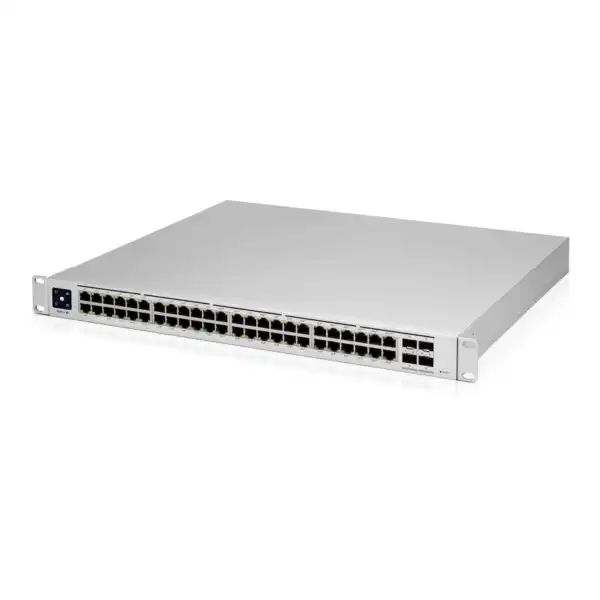
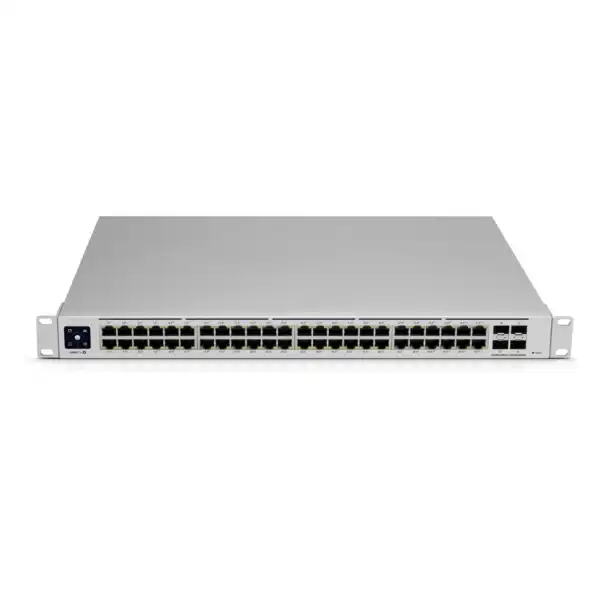
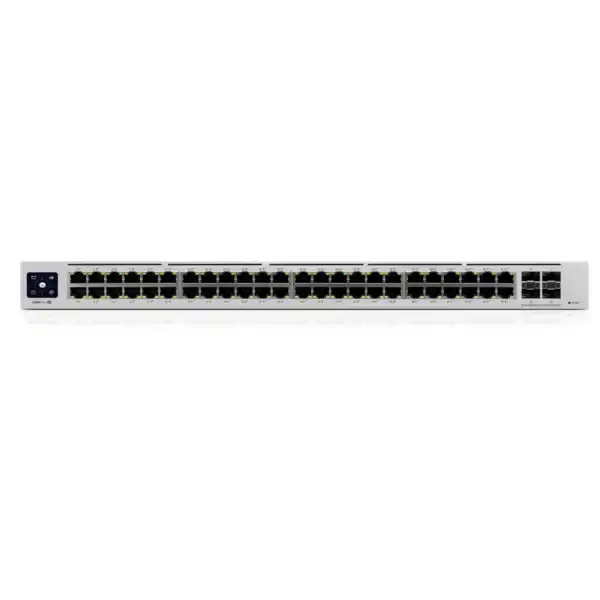
Connect and organise up to 48 wired Gigabit Ethernet endpoints, with four 1G SFP ports for compatible uplinks. This quiet, fanless Layer 2 switch fits structured business networks that need managed access ports rather than built-in PoE power.
Buying decision: choose the USW-48 for high-density managed data ports; assess a PoE or 10G-capable model if your deployment requires those functions. Request a model-specific quotation from FourTeck Tanzania.
The short answer for buyers
The Standard 48 is a sensible candidate when the requirement is forty-eight managed Gigabit copper ports, several 1G SFP uplink choices and a quiet rack-mounted design. It is not the model to choose when Ethernet ports must supply PoE power or the uplinks must operate natively at 10G. Consider that distinction before requesting a price.
Relevant buyer checks include device count, existing UniFi management, gateway and VLAN design, compatible fibre modules, power arrangements and future uplink demand.
Verified technical specifications
The figures below identify the exact Standard 48 USW-48 model. Check current manufacturer documentation when planning a specialised deployment, as software support and features can evolve.
| Model | Ubiquiti UniFi Standard 48 (USW-48) |
|---|---|
| Switch type | Managed Layer 2, non-PoE |
| Copper network interfaces | 48 × 10/100/1000 Mbps RJ45 |
| SFP interfaces | 4 × 1G SFP |
| Switching capacity | 104 Gbps |
| Non-blocking throughput | 52 Gbps |
| Forwarding rate | 77 Mpps (manufacturer rounded figure) |
| VLAN support | Up to 1,000 VLANs |
| MAC address table | 16,000 entries |
| Packet buffer | 1.5 MB |
| Examples of Layer 2 features | LACP, STP/RSTP, IGMP snooping, 802.1X, port mirroring, ACLs |
| PoE output | None |
| Cooling | Fanless |
| Rack form factor | 1U rack mount |
| Dimensions | 442 × 285 × 44 mm |
| Max power consumption | 40W |
| Power input | 100–240V AC, 50/60Hz |
| Internal power supply | 60W |
| Local interface | 1.3-inch touchscreen |
| Operating temperature | −15 to 40°C |
| Management software | UniFi Network 7.2.94 or later |
What the Standard 48 is designed to do
The Ubiquiti USW-48 is a high-density access switch for the part of a network where desktops, printers, meeting-room equipment and other wired endpoints connect. Its principal advantage is straightforward: many Gigabit connections in a single managed rack-mounted device, with separate SFP interfaces available for uplinks. That makes it useful when a small number of unmanaged switches have become difficult to monitor, cable and organise. Instead of treating every socket as an isolated connection, an administrator can apply consistent UniFi Network policies and understand how devices are connected.
This model is intentionally a Layer 2 switch, not a full replacement for a router, firewall or specialist high-speed aggregation switch. A gateway or another suitable Layer 3 device remains responsible for functions such as routing between IP subnets, internet access and firewall policy. That distinction matters during procurement: a business seeking 48 copper ports and common managed switching controls may have a strong fit, while one demanding native 10 Gigabit SFP+ uplinks or power delivery on access ports should consider a different model. The aim is to buy for the actual traffic and device requirements rather than the port count alone.
At-a-glance suitability
The strongest fit is a wired office, classroom block, administrative department or branch network with many standard Ethernet devices and an existing gateway. Staff can connect laptops through docks, desktop PCs, printers, recorders, building-management terminals and other equipment that has its own power source. The USW-48 can sit at the access layer with VLANs defining different groups of users or applications. Four dedicated 1G SFP ports provide uplink choices without consuming the 48 copper access sockets, subject to the design and the appropriate compatible modules.
Less suitable deployments have different priorities. A building filled with PoE-powered wireless access points or IP cameras should budget for power at every required endpoint. An environment with storage workloads, a large virtualisation cluster or very heavy east-west traffic may need uplinks faster than 1G. A site requiring direct advanced Layer 3 services should identify those functions explicitly and assess the gateway and switch range together. These are not defects in the Standard 48; they are useful boundaries that help prevent an expensive mismatch between a switch and a network design.
Understanding the 48 Gigabit RJ45 ports
The 48 copper interfaces support 10, 100 and 1000 Mbps Ethernet operation, allowing common business endpoints to connect according to their own capabilities and the cabling in use. A 1G port does not force every attached device to operate at 1G: negotiated speed can be lower on older devices, on equipment with limited interfaces or where a cable has a problem. Proper cabling, termination and testing remain essential. During an upgrade, a port schedule documenting patch-panel numbers, room locations and assigned VLANs will save more troubleshooting time than an unlabelled rack with spare ports.
Port density also needs planning. All 48 RJ45 connections are available for devices, but a particular design may use one or more as uplinks or connection points for other equipment. Count the actual installed endpoints, the expected additions and the reserved ports before choosing a switch size. A plan that currently uses 46 sockets may leave too little space for growth, particularly if printers, meeting-room systems or additional departments are due to be connected. For resilience and maintenance, document which services are business-critical and which can be temporarily disconnected when moving cables.
What the four SFP uplink ports really provide
Four 1G SFP interfaces allow the Standard 48 to connect using compatible transceiver modules and suitable cabling. In a building with fibre between rooms, these ports can help place the switch near users while connecting back to the distribution layer. They may also support compatible copper SFP arrangements, but module choice must be verified against the equipment at both ends. SFP is a slot format and ecosystem; the correct speed, optic type, fibre type, wavelength and connector matter. A port count alone does not guarantee an existing optical module or cable will work.
The most important limitation is speed. These are 1 Gigabit SFP ports, not 10 Gigabit SFP+ interfaces. In practical terms, an organisation can attach many 1G clients, but a single 1G uplink may be the bottleneck when numerous clients communicate with servers, cloud gateways or other network segments simultaneously. Check traffic direction, peak demand and the ability of the upstream switch to accept the selected transceivers. If high-capacity uplinks are fundamental to the design, compare the relevant UniFi Pro or other suitable switching options before settling on the USW-48.
Non-PoE: the distinction to check before buying
The Standard 48 does not deliver Power over Ethernet from its RJ45 ports. A wireless access point, IP camera or telephone may still use the switch for network data, but that does not mean it will receive the electrical power it needs. Some devices have dedicated power adapters, while others can be supplied by suitable external PoE injectors or a separate PoE access switch. Each powered endpoint needs an arrangement consistent with its required PoE standard, wattage and installation environment. Assuming a data-only port supplies power can halt an otherwise well-planned installation.
For a mostly wired office with computers and printers, avoiding unnecessary PoE capability can be a sensible design choice. In a camera or Wi-Fi-heavy deployment, however, multiple external injectors add extra devices, power sockets, patch leads and troubleshooting points. It is often cleaner to compare a PoE model instead. The USW-48-POE is a different product and should not be confused with USW-48 when requesting a quotation. Ask the project team to prepare a list of powered devices and their maximum input needs before choosing between the two.
Layer 2 management without confusing it with routing
Managed Layer 2 switching gives administrators tools for deciding how Ethernet frames move between ports, how VLANs are assigned and how loops are controlled. The USW-48 supports features such as link aggregation, spanning tree protocols, IGMP snooping, port mirroring and various access controls. These capabilities help establish a deliberate access network rather than a collection of unmanaged connections. The UniFi Network interface provides an operational view and helps keep port configurations consistent, particularly as an organisation adds equipment or changes rooms.
A VLAN is not automatically a complete security boundary. Routing and firewall controls for communication between VLANs must be considered at the gateway or appropriate routing device. A switch access control list may help limit selected traffic, but it should not be substituted for a full enterprise security policy without checking the exact capability and intended traffic path. Design the segmentation plan around users and applications first, then select the VLANs, switch ports, DHCP services and gateway policies necessary to make that plan work. This avoids the frequent error of creating VLAN names without enforcing the intended separation.
UniFi Network adoption and ongoing administration
The switch is intended to be adopted and managed through a compatible UniFi Network environment. Ubiquiti’s current technical specification identifies UniFi Network version 7.2.94 or later for the USW-48. An appropriate UniFi console or supported deployment of the application provides a place to discover the device, apply settings and review its status. Organisations with an existing UniFi installation should check their application version and configuration before connecting new hardware. Those new to UniFi should include the management platform and administrative access in the original deployment plan.
Adoption is not the same as simply plugging in a network cable. The management device and switch must be able to reach each other under the chosen network design, and restrictions involving VLANs, routing or firewalls can interfere with discovery and configuration. Plan a management network, define who can administer it and document how the organisation will handle firmware maintenance. Remote management can be useful when configured securely, but it should not be treated as permission to expose management interfaces directly to the public internet. Keep credentials, recovery access and site documentation under appropriate control.
Designing access VLANs for departments and services
A useful starting point for a multi-department office is to separate employee workstations, guest access, voice equipment and building systems where the actual policy requires it. Each group can receive a logical network, and ports can be assigned to that network through UniFi Network. An access-style port is normally appropriate for a standard wired client that should belong to one untagged network. A trunk-style connection is used where multiple tagged VLANs must cross the same link, such as from the access switch to an upstream switch or a suitably configured access point.
The details matter more than the terminology. Confirm the native or untagged network on both ends of an uplink, identify which tagged VLANs must be allowed and verify that the upstream gateway has the correct network interfaces and services. A wrong native VLAN or an omitted tag can make an otherwise healthy connection appear broken. For installations with third-party gateways, plan VLAN definitions and routing compatibility before switching ports over. Use a simple written matrix that lists port number, device, VLAN, link speed and required access so the intended design can be checked and maintained.
Keeping the network stable with loop protection
Ethernet loops can produce repeated broadcast or unknown traffic and degrade service across an access network. The USW-48 lists spanning tree and rapid spanning tree support, along with loop protection and storm-control capabilities. These controls are helpful when multiple switches, patch panels and spare cables create opportunities for an accidental loop. In a growing office, a well-intentioned person might connect two live wall ports together or patch two switch sockets without understanding the topology. A managed switch gives the network team more options for limiting the consequences.
Protection features still require a proper topology. Decide where the spanning tree root should sit, maintain a predictable upstream arrangement and document any redundant links. Do not assume that two cables between switches automatically double available bandwidth; without a correct aggregation configuration or spanning tree behaviour they can introduce confusion or blocking. Test changes during an agreed maintenance window if users rely on the connections. The combination of a neat cabinet, labelled patching, clear ownership and tested switch policies generally produces better results than relying on default settings alone.
Link aggregation and bandwidth expectations
Link aggregation allows multiple suitable physical links to be treated as a logical connection when both ends support and are configured for compatible aggregation. The USW-48 supports LACP, which can assist in providing additional aggregate capacity or link-level resilience within a properly designed arrangement. It can be relevant when linking to another managed switch or a compatible server interface. Before configuring it, confirm the supported ports, link speeds, partner-device capabilities and settings within the version of UniFi Network being used.
Aggregation is not a magic way to turn a single connection into one faster session. Traffic distribution commonly depends on a hashing method and the number of flows, so an individual transfer may remain limited by one member link. More links also consume physical interfaces and can complicate cabling and troubleshooting. For heavy server traffic, compare the simplicity of a faster uplink on another switch model against the cabling and management effort of multiple 1G links. Choose based on measured or sensibly estimated traffic, not just the theoretical sum of port rates.
Performance figures explained in business terms
Ubiquiti specifies 104 Gbps switching capacity, 52 Gbps total non-blocking throughput and approximately 77 million packets per second forwarding rate for the USW-48. These are switch-fabric and packet-processing figures, not a promise that one connected computer will achieve a 52 Gbps internet or file-transfer speed. Individual copper access ports are Gigabit interfaces, and the SFP ports are also 1G. Real-world application performance depends on the entire path, including endpoint interfaces, server performance, storage, cables, gateways and links between network segments.
The non-blocking figure is useful because a switch with 48 copper and four SFP Gigabit interfaces has 52 Gbps of possible one-direction port line rate in aggregate. That does not remove network-design constraints. Many simultaneous workstation connections may be carried locally, while traffic needing to cross one uplink remains limited by that uplink. Before upgrading a busy office, determine whether the slow point is an overloaded access switch, an uplink, Wi-Fi, a router, a WAN service or the application itself. This assessment often prevents paying for hardware that will not address the actual bottleneck.
When a 1G uplink is enough and when it is not
A 1G uplink may be perfectly adequate for an access switch whose clients primarily use ordinary business applications, email, modest cloud services and local services with limited concurrent traffic. The decision becomes more complex where many users regularly retrieve large design files, run backups, stream high-rate video or access a central server at once. In those cases, the aggregate traffic crossing the uplink can matter more than the speed of each workstation’s local Ethernet connection. Estimate busy-hour demand and identify large recurring transfers rather than assuming the total number of staff determines bandwidth.
If a business expects a significant rise in inter-switch or server traffic, it should evaluate options with 10G uplinks before fixing rack cabling and optics. The Standard 48 remains an appropriate access device in networks that deliberately use 1G distribution links, but it does not become a 10G switch through a different transceiver. Agree an uplink plan for the initial phase and the next growth phase. A small amount of forecasting at the buying stage can spare disruptive replacement work when users or applications expand.
Practical fibre planning for the four SFP slots
Fibre can be helpful when linking cabinets across a building or between suitable locations, particularly where copper distance or electrical conditions make an optical path preferable. The correct installation involves more than choosing an SFP module labelled 1G. Confirm whether the deployed fibre is single-mode or multimode, verify its termination and patching, and select matched optics that support the designed distance and wavelength arrangement. Compatibility with the switch at the other end must also be checked. A technician should inspect the existing fibre path instead of relying solely on the cable colour or a past purchase record.
Keep a simple fibre schedule that records the cable route, patch-panel reference, strand numbers, optic type and both connected interfaces. This improves fault isolation if an uplink drops after other maintenance work. Allow for proper cable handling and bend radius, keep connectors clean and avoid unsupported assumptions about transceiver interoperability. Where two independent paths are intended for resilience, discuss their physical separation and how the topology will handle failover. Two connections sharing the same vulnerable cable route do not necessarily create meaningful path redundancy.
Choosing the right location in a switching topology
The Standard 48 is naturally positioned as an access switch serving endpoints. A typical layout has a router or firewall providing internet connectivity and subnet routing, an upstream distribution or core switch when necessary, and the USW-48 providing the local port capacity. Smaller sites may connect it directly to a suitable gateway, provided port speeds, VLANs and expected traffic are compatible. The design goal is to keep routing responsibility clear and avoid accidental bottlenecks. Label the switch, upstream ports and management network before the cabinet fills up.
In a larger deployment, several access switches can serve different floors or departments. Their uplinks lead to a deliberate aggregation point, rather than a casual chain of switches assembled whenever new ports are needed. Chains can work in some settings, but they make faults and shared bandwidth constraints harder to understand. Decide how many devices are expected in each area, where fibre is practical and where PoE switches are necessary. A written diagram with port numbers and uplink speeds is one of the highest-value deliverables for the installation team.
Office and professional-services example
Consider a professional office with desktops, network printers, shared meeting-room systems and a central firewall. A managed 48-port Gigabit access switch can consolidate these wired endpoints into a single equipment cabinet. Staff machines might belong to one or more corporate VLANs, while guest wired connections or a separate administration system use different assignments. Where the office already has a suitable management platform, IT staff can observe which ports are active and make port changes with a more consistent process than they could with unmanaged switches.
Before buying, the office should count all active sockets, identify any devices expecting PoE and estimate whether its link to the gateway will remain adequate during simultaneous cloud access and file transfers. The rack should have suitable power and ventilation, and the patch panel should make it easy to locate rooms. If the organisation depends heavily on a network-attached storage system or frequent large media transfers, that requirement may change the uplink recommendation. The correct switch choice is the one that suits the measured workflow, not the one with the most impressive headline number.
Education and training facilities example
A classroom or training environment can require many Ethernet sockets for desktop workstations, examination equipment, printers and administrative machines. A USW-48 can help organise those connections where they need ordinary Gigabit data links. Managed ports allow an administrator to create appropriate separations between student and staff environments, with routing policy handled elsewhere in the network. Because the switch uses fanless cooling, it can also be useful where minimising equipment noise matters, provided the rack and ambient conditions are suitable.
Classroom requirements change between terms, so planning spare ports and a documented cable map is worthwhile. Different rooms may be connected by fibre, using the four SFP slots with compatible hardware. Devices such as wireless access points may require PoE supplied by other equipment, and a large computing lab can generate more simultaneous traffic than expected during software updates or file distribution. Schedule an appropriate test of both local workstation access and uplink traffic before a new class begins. This example describes a deployment pattern, not a claim of an existing school installation or supplied local service.
Hotels, service counters and mixed-use buildings
A property with front-desk computers, payment terminals, back-office workstations and other wired systems may benefit from organised access switching. The Standard 48 can provide data connectivity for separately powered devices while management policies distinguish operational networks where required. In a mixed-use building, it may sit in a floor cabinet with an uplink to a central gateway or distribution switch. As always, the traffic and security design should reflect the organisation’s actual systems and contractual requirements rather than a one-size-fits-all VLAN arrangement.
These environments also illustrate when the non-PoE design deserves extra attention. Wireless coverage, network cameras, door devices and certain telephones often rely on PoE, so a property with many such endpoints may need dedicated PoE hardware. Ask which devices require network data only and which require both data and power. Make sure any payment or sensitive operational network receives its required security controls beyond simple port grouping. Critical equipment may require additional resilience and monitoring that must be designed at the network level rather than assumed from a single switch.
Using USW-48 alongside Wi-Fi and cameras
The USW-48 can participate in a network that contains wireless access points and IP cameras, but its role should be clear: it transports Ethernet data and does not supply PoE. An access point powered through a compatible injector or separate PoE switch may connect downstream in a correctly designed network. The same principle applies to IP cameras and other powered devices. When drawing a diagram, mark both the data path and the power source, because a connection that looks correct in software can still fail if the endpoint has no suitable power.
Wireless VLAN requirements need attention as well. An access point may carry multiple SSIDs mapped to different VLANs, so the connected switch path must permit the necessary tags in accordance with the gateway and Wi-Fi design. Camera systems can generate sustained upstream traffic, especially when many streams converge on one recorder. Estimate that traffic separately from ordinary office usage and confirm recorder, uplink and storage capacity. If most of the switch’s connected devices would require PoE, compare the project-wide installation cost of a PoE-capable model rather than just the switch’s unit cost.
Supporting voice and communication endpoints
Business telephones are another example where data connectivity and electrical power should not be confused. The USW-48 supports relevant Layer 2 features including voice VLAN and LLDP-MED, but an IP phone still requires a suitable power arrangement if it depends on PoE. Some phones use separate adapters, and others can be connected through appropriately specified power equipment. Check the exact handset and network requirements before assigning ports. The presence of a voice VLAN feature does not guarantee compatibility with every PBX or quality-of-service design.
For voice deployments, it is useful to plan how phones receive their network settings, how traffic is tagged, which devices share the connection and how the upstream network handles voice flows. Power continuity may be especially important for phones relied on during building incidents or internet disruptions. If the organisation is replacing an existing phone system, test a representative endpoint before migrating every desk. Keep a record of the VLAN assignment, DHCP details and network path so troubleshooting is possible even when the person who installed the system is not available.
Security controls and realistic expectations
Ubiquiti lists features such as 802.1X control, DHCP snooping and guarding, MAC-based and IP-based access controls, port isolation and storm control on this model. Each can contribute to a more orderly access environment when designed and configured correctly. For example, a port configured for one department need not always provide the same broad access as a server or management port. Port mirroring can also help an administrator observe traffic during appropriate authorised troubleshooting. These options provide useful tools, but their presence alone is not a security assessment.
Security outcomes depend on the complete architecture, including authentication services, gateway policies, endpoint management and the process for approving network changes. An administrator should check which features are available in the installed UniFi Network version and test policies against legitimate business workflows. Restrictive settings applied hastily can block essential printers, phones or management communications. Conversely, permissive VLAN and trunk policies can undermine intended separation. Begin with documented access requirements, test a small group, monitor results and extend the configuration in controlled stages.
Multicast, monitoring and troubleshooting
Some networks use multicast traffic for discovery, media or other applications. The USW-48 includes IGMP snooping and advanced IGMP configuration options listed by Ubiquiti. These can help manage where relevant multicast traffic is forwarded, but only if the wider network design and involved services are understood. Improper multicast settings may disrupt legitimate applications, so it is sensible to identify which systems depend on multicast before making sweeping changes. For ordinary offices, the priority is often to ensure sensible defaults and preserve documentation of any exceptions.
Day-to-day troubleshooting benefits from consistent labels and meaningful monitoring. UniFi Network can provide visibility into managed equipment, while the switch offers a 1.3-inch touchscreen for local status information. When a user reports poor connectivity, check the link state, negotiated port speed, VLAN assignment, cable path, upstream condition and endpoint health in that order. An orange or lower-speed link deserves investigation rather than an immediate assumption that the switch is faulty. If a port is mirrored for diagnostics, handle captured traffic carefully and follow the organisation’s privacy and security procedures.
Rack-mounting, size and physical installation
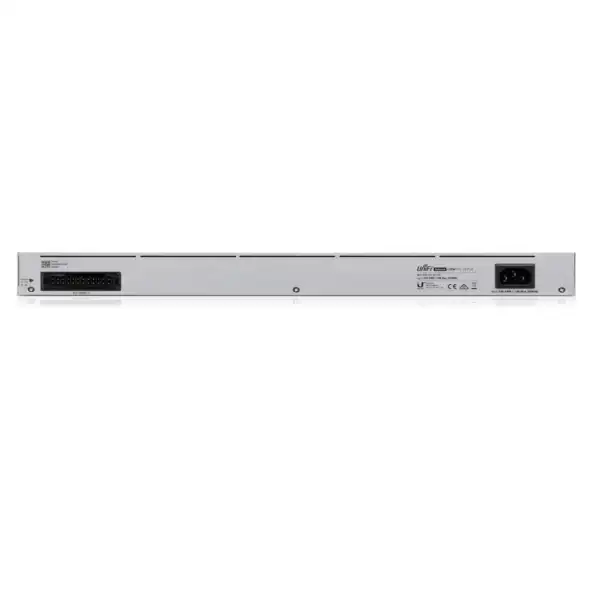
The unit is designed for 1U rack mounting and has manufacturer-listed dimensions of approximately 442 by 285 by 44 millimetres. Ubiquiti specifies a steel enclosure and a weight of around 3.9 kilograms without mounting brackets. Confirm the usable cabinet depth, rack rail arrangement, patch lead clearance and power-cable routing before installation. A shallow wall cabinet may have enough nominal width but insufficient space for the body, rear power lead and cable management. Proper support and tidy patching reduce mechanical strain on sockets.
Fanless operation eliminates fan noise from this model, but it does not mean the device can be enclosed in a hot, unventilated cabinet. The manufacturer lists an operating temperature range of minus 15 to 40 degrees Celsius and 10 to 90 percent noncondensing operating humidity. Those are equipment limits, not an instruction to install the switch in rain, direct sunlight or an uncontrolled outdoor enclosure. In warm rooms, assess rack ventilation and nearby equipment heat. Avoid blocking openings and follow the installation instructions when selecting the final position.
Power planning for Tanzania sites
The USW-48 uses a universal 100 to 240V AC, 50/60 Hz input and an internal 60W power supply. Ubiquiti states a maximum device power consumption of 40W. The supply rating and the power-consumption figure describe different things; neither makes the ports PoE capable. In a rack with a router, wireless controller, storage system and other switches, total power demand must be calculated for the entire installation. Use suitable electrical protection and a properly rated distribution arrangement rather than assuming that one socket is sufficient for every device in the cabinet.
Organisations planning a Tanzania installation should consider how the network will operate during supply interruptions or maintenance. Where continuity is business-critical, size any UPS from the actual connected loads and required runtime, not merely from the switch specification. Check electrical installation practices and site conditions with qualified personnel. The non-PoE switch may use less power than a switch also powering many endpoints, but other equipment will still require electricity. Confirm power connectors and supplied accessories with the quotation rather than assuming the contents of an overseas listing apply to the exact local order.
Managing change, firmware and configuration records
A managed switch becomes easier to support when its configuration is treated as part of the organisation’s infrastructure documentation. Record the device name, rack position, management network, adopted site, installed application and firmware versions, key VLAN assignments, uplink mapping and administrator ownership. Maintain this information in an appropriately controlled system. Before major changes, review what the modification will affect and establish a recovery plan. This is particularly important when a remote site has one uplink that also carries the management connection.
Firmware should be reviewed according to the organisation’s maintenance policy and current vendor guidance. Updates can provide fixes and changes, but they can also involve downtime or alter behaviour. Confirm compatibility with the management application, maintain administrative access and choose an appropriate maintenance window. A spare configuration record can help a replacement device be prepared correctly if hardware is damaged. These practices are not special promises about the USW-48; they are practical ways to keep any managed business network serviceable after the initial installation team has left.
Migration from unmanaged switches
Replacing several unmanaged switches with one managed 48-port unit is a good opportunity to simplify a network, but the cutover requires more than moving every patch lead. Begin with an inventory of the existing ports and their users. Identify uplinks, printers, servers, guest devices and anything connected through a secondary switch. Confirm the gateway’s current DHCP and VLAN arrangements so a device does not unexpectedly move to a different network. Create the switch configuration and test a small number of ports before scheduling the complete migration.
During the move, preserve clear rollback steps and avoid connecting the old and new switches in a way that creates a network loop. Move critical connections in a known order, checking both local access and upstream reachability. Test printing, DNS, authentication, internal applications and any voice or camera functions that share the network. Keep a short record of errors or negotiated lower-speed links that should be corrected after the cutover. A managed switch offers new visibility, but thoughtful commissioning is what turns that capability into a reliable result for the business.
Planning for growth without buying the wrong tier
Forty-eight access ports may look generous at the purchasing stage, yet network requirements often grow unevenly. A new department may add many desks, while a single new server or wireless project may substantially change bandwidth or PoE requirements. Separate those questions in the planning process. One is about the number of physical Ethernet terminations. Another concerns how fast their traffic must reach other networks. A third concerns electrical power delivery. The Standard 48 addresses the first need especially well and provides managed 1G access plus 1G SFP uplinks.
If additional port density is the main requirement and the existing uplink is sufficient, a standard access switch may be appropriate. If the bottleneck is a 1G uplink, a model with faster uplink capability could be a better long-term choice. If most new devices depend on PoE, compare the PoE-capable range and its available power budget instead. Make these choices based on expected device counts and application demand over the planning horizon. Buying a higher tier without a clear reason can waste money, but selecting too little uplink or power capability can generate costly rework.
Comparison with nearby UniFi switch choices
The USW-48, USW-48-POE and USW-Pro-48 should not be treated as interchangeable simply because their names contain 48. The Standard 48 reviewed here offers 48 Gigabit RJ45 access ports, four 1G SFP interfaces and no PoE output. The Standard 48 PoE is designed for installations that also need powered endpoints; its exact active PoE port count and power budget should be reviewed separately. The Pro 48 family is worth examining when a project requires 10G SFP+ uplink capability or other higher-tier functions. Always compare current manufacturer specifications for the exact model.
An existing Gen1 US-48 installation also deserves careful identification. Model names can look similar even when uplink arrangements and other capabilities differ. When replacing older equipment, capture the exact label and current port usage rather than ordering solely from a shorthand such as ‘UniFi 48 switch’. Consider whether the destination rack needs PoE, whether the fibre modules can be reused and whether the management software supports the new device. This model-by-model comparison helps prevent practical deployment problems that an ordinary headline feature table might not reveal.
Pre-purchase checklist for an accurate quotation
Before requesting a quote, prepare five pieces of information. Count required copper ports including expansion allowance; list every device that needs PoE and its power requirements; identify the upstream switch or router and the uplink speed required; state the intended fibre type and the SFP modules if fibre links will be used; and confirm the UniFi Network management arrangement. These answers allow a supplier or network engineer to recognise a mismatch early. A product that is technically good may still be wrong for a specific cabinet or application.
Also confirm the physical installation needs: rack depth, mounting hardware, power connection, cooling conditions and any UPS requirements. Ask about the precise quoted model and included accessories rather than assuming that promotional images define the bundle. Where the purchase is for Tanzania, request the current local quotation, lead time, supply terms and applicable warranty details from the seller; these commercial facts should not be inferred from overseas prices. A clear purchase request reduces ambiguous substitutions and makes it easier to compare alternatives on a like-for-like basis.
Commissioning checklist before users go live
At installation, confirm that the chassis is securely mounted, the power arrangement is appropriate and cables are labelled. Connect the switch to the intended management network, adopt it into the compatible UniFi Network environment and confirm its device identity. Apply the approved port profiles and VLAN configuration, then check each uplink. If an SFP connection is used, verify both optic compatibility and the actual negotiated link state. Keep a simple record of which ports are meant to be disabled, which connect to other switches and which serve ordinary endpoints.
Test sample endpoints in each VLAN, not just one convenient office computer. Confirm that internet access, internal resources and any required isolated networks behave according to policy. Review spanning tree and aggregation arrangements before introducing redundant cables. Verify that devices needing PoE have the correct separate power source. Monitor the network for unexpected port flapping, low negotiated speeds and congestion during representative activity. Finally, hand over access, diagrams and maintenance instructions to the responsible administrator so that the new switch remains understandable after deployment.
Questions to ask when a link behaves unexpectedly
If a workstation connects at 100 Mbps instead of 1G, investigate the endpoint interface, patch lead, installed cable and termination before changing switch settings. If a device cannot reach a server on another VLAN, inspect the port assignment, tagged network path, gateway interface and inter-VLAN policy. If a fibre uplink stays down, validate both SFP modules, supported speed, optical path and connectors. Many apparent switch faults actually arise elsewhere in the path, so testing one layer at a time is both faster and safer than random configuration changes.
If the switch is not visible for adoption, confirm its power and network access first. Then check management reachability, the chosen UniFi Network version and whether the design blocks necessary communication. A local display can help identify status, but remote monitoring and proper logging may still be needed. Avoid factory-resetting an operating device solely because one client has a problem; resets can remove useful configuration and increase downtime. Document the symptoms, recent changes and tests already performed before escalating the issue to an administrator or support team.
Why documentation matters after purchase
The value of managed switching continues after installation. A network diagram lets a new technician identify the firewall, upstream link, patch panels and access switch without guessing. A port map reduces the risk of disconnecting the wrong service. A register of VLANs, IP subnets and special access rules helps administrators understand why two devices cannot communicate. An optics list helps the team order a suitable replacement rather than purchasing an SFP module that fits mechanically but cannot establish a compatible link.
Documentation also improves procurement. When a department needs six more Ethernet sockets or wants to add cameras, the network team can quickly see remaining port capacity, whether those devices need PoE and whether the uplink has headroom. Monitoring history helps distinguish a sudden issue from a predictable increase in traffic. These operational practices are inexpensive compared with unplanned downtime. Buyers evaluating the USW-48 should consider the switch as a managed component of the whole network, not as an isolated box whose usefulness ends when all the cables are connected.
Choosing a supportable network for the next stage
A useful specification should reflect how the organisation will support the installation, not only how it will be installed on day one. Decide who owns UniFi Network administration, who approves port changes and who maintains credentials. Clarify whether the gateway is UniFi or third-party equipment, because that affects configuration workflows and troubleshooting responsibilities. If there are multiple sites, determine how changes and configuration records are managed consistently. The USW-48 can be one element of that plan, but it does not provide every management or security function by itself.
During product evaluation, ask the implementing team to describe the intended switch role in one sentence. If the answer is ‘managed Gigabit connections for many wired devices with 1G uplinks’, this model is worth close consideration. If the answer is ‘power dozens of cameras’, ‘connect 10G servers’ or ‘route all VLANs without an appropriate gateway’, the requirement is pointing elsewhere. Distinguishing these outcomes early is more useful than a lengthy feature comparison that hides the core network need. Confirm the final choice with a complete port, power and uplink schedule.
Which 48-port UniFi switch should you compare?
These related models solve different problems. Check the exact current manufacturer specifications and power requirements for the final model, rather than assuming every 48-port switch includes the same uplink type or power features.
| Model | Copper ports | Uplink class | PoE output | Consider when |
|---|---|---|---|---|
| USW-48 Standard 48 | 48 × 1G RJ45 | 4 × 1G SFP | No | Wired access networks without PoE requirements |
| USW-48-POE Standard 48 PoE | 48 × 1G RJ45 | 4 × 1G SFP | Yes; confirm port budget | Networks with PoE-powered endpoints |
| USW-Pro-48 Pro 48 | 48 × 1G RJ45 | 10G SFP+ uplinks | No; confirm exact model | Networks needing faster uplink options |
Frequently asked questions about the USW-48
Does the Ubiquiti USW-48 support Power over Ethernet?
No. The USW-48 is a non-PoE switch, so its 48 RJ45 connections provide Ethernet data but not endpoint power. If an access point, camera or telephone requires PoE, provide a compatible injector or separate PoE switch, or select an appropriate PoE-enabled model. Count the powered devices before deciding what to buy.
How many ports are available on the Standard 48?
The switch has 48 10/100/1000 Mbps RJ45 Ethernet ports plus four 1G SFP ports. That is a total of 52 network interfaces, but the four SFP ports are not additional RJ45 sockets. The available physical ports should be mapped against connected devices and any uplink requirements in the proposed network.
Are the four SFP uplinks 10 Gigabit?
No. The manufacturer specifies four 1G SFP interfaces, not 10G SFP+ interfaces. They can be valuable for compatible fibre uplinks, but a design requiring native 10G links should consider a different switch tier. Check the speed and compatibility of both the SFP module and the equipment at the far end.
Is the USW-48 a Layer 3 routing switch?
Ubiquiti classifies the Standard 48 as a Layer 2 switch. It provides managed Layer 2 features including VLAN support, but the wider network still needs appropriate routing and firewall services for communication between networks and access to the internet. Do not assume that configuring a VLAN on a switch creates complete inter-VLAN routing.
Does it work with a third-party router or firewall?
It can be part of a network with a suitable third-party gateway, provided the Ethernet connections, VLAN tagging, routing and management reachability are planned correctly. The gateway must provide any required services such as DHCP, inter-VLAN routing and firewall policy. Verify the whole topology, particularly if UniFi management runs on a separate device.
What software manages the USW-48?
The manufacturer identifies UniFi Network as the management application and currently specifies version 7.2.94 or later. Before adoption, confirm the deployment’s application version, management connectivity and administrative access. Do not rely on older reseller software-version statements when preparing a new installation; refer to current manufacturer compatibility information.
Can several departments use separate VLANs?
Yes. The USW-48 supports managed VLAN configurations. An administrator can assign suitable ports and tagged uplinks to different logical networks. However, VLAN separation must be matched with appropriate upstream routing, gateway rules and device settings. Test access to required printers, services and administrative systems before rolling a new policy across the site.
Can the switch be placed near office staff?
Its fanless construction is designed for silent operation, making it potentially suitable for noise-sensitive locations. It still needs correct power, rack support, cable clearance and ventilation. Check ambient temperatures and cabinet conditions instead of assuming that a fanless device can safely operate inside an enclosed, poorly ventilated cupboard.
Is a 1U rack suitable for this switch?
The Standard 48 is a 1U rack-mount device with dimensions of approximately 442 x 285 x 44 mm. Confirm cabinet depth, mounting arrangement and clearance for the rear power connection and front patch leads. Physical fit should be checked before ordering, especially with compact wall-mounted cabinets.
What is the power consumption?
Ubiquiti lists a maximum switch power consumption of 40W, with an internal 60W power supply and a 100–240V AC input range. The power supply rating is not a PoE budget. When planning an UPS or power distribution in the cabinet, include the router, other switches, storage and every additional device.
Can I use this switch for IP cameras?
Yes, for Ethernet data connectivity when the overall system is designed correctly, but the switch does not power the cameras. Arrange suitable power separately and assess the aggregate video traffic to the recorder or other destination. A project with many PoE cameras may be better served by an appropriately sized PoE switch.
What if my network needs more than 1G uplinks?
If traffic analysis shows that 1G distribution capacity is too limited, review switches with faster uplinks, such as a suitable Pro-tier model. Multiple 1G links may be useful for certain aggregation scenarios but should not be presented as equivalent to a single 10G interface. Match the choice to application traffic and upstream hardware.
Will the switch improve my internet speed?
Not by itself. A managed Gigabit access switch can improve port organisation and replace an inadequate existing access layer, but internet performance also depends on the WAN connection, gateway, endpoints and congestion elsewhere. Identify the actual bottleneck before attributing slow browsing or file transfers to a switch.
What should be checked before buying SFP modules?
Confirm the intended link speed, the module’s compatibility with both devices, fibre type, connector, optical characteristics and distance. An SFP port does not make every optic interchangeable. Keep a record of the fibre route and patch-panel assignments; those details can prevent expensive trial-and-error during commissioning or repairs.
Is the USW-48 suitable for a school or office in Tanzania?
It can be suitable where the site needs many managed Gigabit data ports and 1G uplinks without PoE delivery. The exact fit depends on user counts, equipment, cabling, power quality, environmental conditions and network topology. Tanzania-specific stock, pricing, installation support and warranty terms should be confirmed through the current quotation process.
How do I request a quotation?
Provide the exact requested model, USW-48, the number of units, intended use, uplink requirements and any accessories or power needs. Ask FourTeck Tanzania to confirm current availability, commercial terms and a model-appropriate quotation. If you are undecided between non-PoE and PoE models, include your endpoint list so the distinction can be addressed before ordering.
Request a USW-48 quotation for your Tanzania network
Tell FourTeck Tanzania how many switches you need, the devices you will connect, your uplink plan and whether any endpoints require PoE. Ask for confirmation of the exact USW-48 model, current commercial terms, appropriate accessories and suitability for the proposed installation. Stock, prices, delivery and warranty terms should be checked at quotation.
Next step: request a tailored quote and compatibility review from FourTeck Tanzania.




Reviews
There are no reviews yet.