
Yealink EHS60 Headset Adapter Tanzania
The Yealink EHS60 Headset Adapter is designed for organizations that want compatible Yealink DECT wireless headsets to control calls on selected third-party desk phones without returning to the handset for every answer or hang-up action. It creates the interface between supported Yealink WH62 or WH63 headset hardware and compatible desk phones from brands including Cisco, Avaya, Poly, Grandstream and Fanvil. For reception desks, call-handling teams, service counters and other users who move around while remaining responsible for incoming calls, the practical value is freedom of movement combined with remote call control.
Compatibility should always be verified by exact headset hardware version, desk-phone model and firmware before ordering. The EHS60 is not a universal headset adapter for every Yealink headset or every desk phone. A correct quote therefore begins with the phone make and model, the Yealink headset model and the required quantity.
Verified Purpose
Technical interface between compatible Yealink DECT headsets and supported third-party desk phones for remote call handling.
Supported Headset Family
Yealink documents EHS60 for compatible WH62 and WH63 hardware. The physical base should be checked for EHS60 support marking where applicable.
Phone Brands
Yealink documents compatibility paths for selected Cisco, Avaya, Poly, Grandstream and Fanvil desk phones; exact models must be checked.
What the Yealink EHS60 does
The EHS60 sits between the supported Yealink headset base and the compatible desk phone. When the phone-side EHS function is correctly enabled and the required cable is used, the headset can receive call alerts and perform remote call-control actions supported by that phone combination. This allows a user to answer or end calls away from the desk and, depending on the phone integration, use additional controls such as volume adjustment. Yealink notes that mute support can vary by phone platform, so feature expectations should be checked against the specific deployment rather than assumed from the adapter name alone.
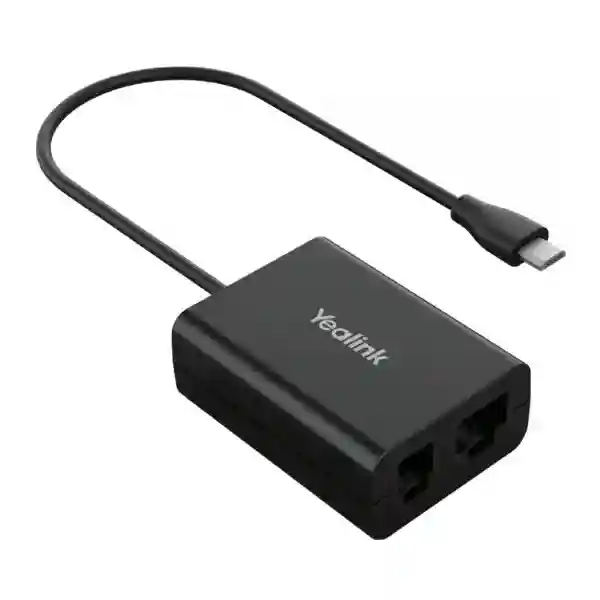
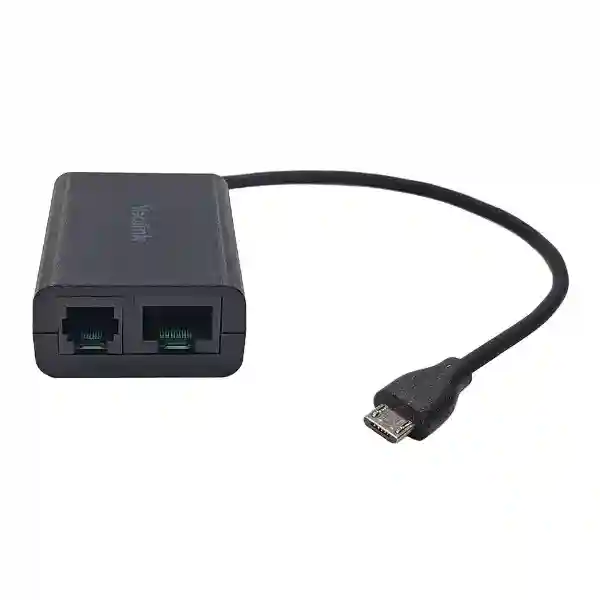
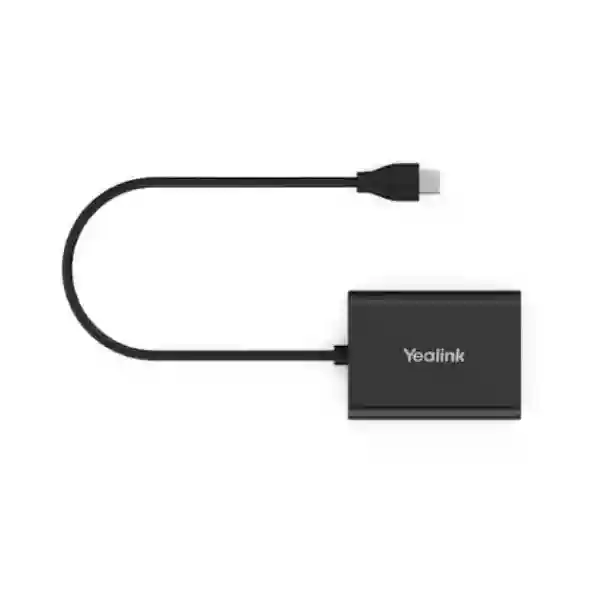
The package is documented with the EHS60 adapter, Cable A for Avaya/Grandstream-type connections, Cable B for Cisco connections, Cable C for Poly connections and a user guide. The adapter includes a Micro-USB connection for the supported WH62/WH63 headset base along with RJ45 and RJ9 headset-side interfaces for the desk-phone connection path. These physical details make it useful for mixed phone estates, but they do not remove the need to verify the exact desk-phone model.
For business procurement, the simplest decision rule is to treat the EHS60 as a compatibility accessory, not a standalone headset. If your organization already uses or plans to use WH62/WH63 hardware with third-party phones, EHS60 can be part of that workstation design. If you use a newer Yealink headset family, another adapter may be appropriate and should be checked before purchase.
Key verified features and buying considerations
Remote answer and end
Designed to let supported Yealink wireless-headset users answer and end compatible desk-phone calls remotely.
Incoming call indication
Incoming calls can be signaled through the headset when the configured phone and headset combination supports the feature.
Multi-brand phone support
Yealink provides compatibility guidance for selected Cisco, Avaya, Poly, Grandstream and Fanvil phones.
Plug-and-play hardware
The hardware connection is straightforward, although several phone families require their EHS or hookswitch settings to be enabled first.
Compatibility checklist before quotation
Send the exact desk-phone brand and model, the Yealink headset model, a photo or confirmation of the WH62/WH63 base hardware marking where available, current firmware information if known and the total quantity required. For multi-site projects, separate the phone models by location because one office may have multiple handset generations that need different connection methods.
Cisco deployments may require Wireless Headset Hookswitch Control to be enabled. Avaya deployments can require headset signaling or switch-hook settings. Grandstream and Poly platforms also have specific configuration requirements. These are configuration tasks rather than proof that every model within the brand is compatible, so the exact device should always be checked against current Yealink guidance.
Useful FourTeck resources
For broader endpoint planning, visit the FourTeck Tanzania technology shop to review product categories that can sit alongside business telephony. Organizations planning installation, configuration or integration can also review FourTeck Tanzania services, which helps connect endpoint purchases to wider IT and telecom requirements. The FourTeck Tanzania home page explains the broader business technology portfolio.
For organizations buying across East Africa, the FourTeck Uganda technology site and FourTeck Kenya technology site provide regional context for multi-country projects. These links are useful when a telephony rollout spans several offices and procurement teams want a consistent compatibility-verification process.
Yealink EHS60 Headset Adapter Tanzania
For Tanzanian businesses, the Yealink EHS60 is most relevant where users already depend on desk phones but want the mobility and call-handling convenience of a compatible Yealink WH62 or WH63 DECT headset. Receptionists, customer-service staff, operations teams, administrative desks and call-heavy departments can benefit when they need to move around a work area yet remain able to react to incoming calls. The adapter can reduce the need to return to the handset simply to answer or end a call, provided the exact phone model is supported and its EHS settings are configured correctly.
A Tanzania quotation should start with compatibility evidence. Record the desk-phone manufacturer and full model number, not just the brand. Then identify the headset model and whether the headset base is the WH62/WH63 hardware version that supports EHS60. If the estate contains multiple handset types, list the quantity of each. This matters because Cisco, Avaya, Poly and Grandstream phones use different included cable paths and may require different configuration steps. A mixed office can therefore need one procurement list but several setup procedures.
The EHS60 does not replace the telephone system, PBX, SIP service or headset itself. It is an interface accessory inside the complete voice workstation. Buyers should therefore consider the broader environment: whether the desk phone is registered and stable, whether headset use is permitted by the organization, whether staff need remote call control, and whether existing firmware should be updated before deployment. Where dozens of desks are involved, it is useful to test one complete phone-headset-adapter combination before rolling out the same configuration across the site.
For procurement in Tanzania, ask for the adapter together with a compatibility check rather than selecting on price alone. Include quantities, locations, current phone models and headset details in the request. That approach is especially important when equipment has been purchased in different phases and looks similar but has different hardware revisions. A properly verified EHS60 deployment can be a small but meaningful upgrade to user ergonomics and response speed without requiring a complete replacement of otherwise suitable desk phones.
Yealink EHS60 Headset Adapter Dar es Salaam
Dar es Salaam organizations often operate busy front desks, service counters, contact points and administrative teams where a missed call can interrupt customer handling. In these environments, the Yealink EHS60 can support a more mobile working pattern for compatible WH62/WH63 headset users who are paired with supported third-party desk phones. A receptionist may need to step away to collect documents, greet a visitor or coordinate with another department while still remaining aware of incoming calls. Remote call answer and end capability can make that workflow more practical without changing the desk-phone platform.
Compatibility planning is particularly important for offices that have grown over time. A company may have one Cisco series at reception, Grandstream phones in general offices and a different platform at another floor or branch. EHS60 should not be assumed to work identically across all of them. A pre-purchase inventory should note each phone model and quantity, identify the WH62/WH63 headset hardware and map the required cable and phone configuration. This simple worksheet prevents a project from being treated as a generic accessory order when it is actually a model-specific integration task.
For larger Dar es Salaam deployments, pilot testing is sensible. Select a representative phone model, connect the EHS60 using the correct supplied cable, enable the phone-side EHS settings where required, update supported firmware if necessary and test ringing, answer, end-call and any other required controls. Once the pilot is accepted, document the settings so remaining desks can be configured consistently. This is more efficient than troubleshooting every workstation independently after distribution.
When requesting a Dar es Salaam quote, include the number of adapters, exact desk-phone models, headset models and whether the requirement is for new headset workstations or an upgrade to existing WH62/WH63 users. Also explain the user role: reception, support, finance, sales or shared desk. That context helps distinguish a simple accessory requirement from a broader telephony or headset standardization project and supports a cleaner procurement decision.
Yealink EHS60 Headset Adapter Mwanza
Businesses in Mwanza evaluating the Yealink EHS60 should focus first on the workflow they want to improve. The adapter is useful when a compatible Yealink WH62/WH63 headset needs to control a supported third-party desk phone remotely. That can suit office users who frequently alternate between phone conversations and nearby operational tasks, such as customer reception, dispatch coordination, sales administration or service management. The benefit comes from reducing unnecessary movement back to the handset, not from adding new PBX features.
A practical Mwanza procurement process starts by identifying installed phone hardware before ordering accessories. Read the model label or device information screen and record the full product number. Do the same for the Yealink headset base. If the headset is older, check whether its hardware is specifically marked as supporting EHS60. Yealink has published this distinction because not every WH62/WH63 hardware revision should be treated the same. That one check can prevent purchasing an adapter for a base that cannot use it.
Deployment teams should also consider configuration ownership. Some phone settings may be controlled locally, while others can be pushed from a PBX or provisioning server. For example, certain Cisco and Grandstream deployments may require EHS-related controls on the phone or server side. If a managed service provider controls the handset configuration, coordinate the change before installation day. The adapter may be physically plug-and-play, but a disabled hookswitch setting can make a correct hardware connection appear faulty.
For a Mwanza quotation, share a model list rather than a generic request for “headset adapters.” State whether each workstation already has a WH62 or WH63, whether the desk phone is Cisco, Avaya, Poly, Grandstream or another supported model, and what remote actions users expect. A clear requirement allows the supplier to identify compatibility questions early and gives the buyer a more dependable basis for comparing quotations.
Yealink EHS60 Headset Adapter Arusha
Arusha offices, hospitality operations, travel businesses, service organizations and professional teams may have staff who spend significant time on desk-phone calls while also moving between nearby work areas. For those users, the Yealink EHS60 can connect a compatible WH62/WH63 DECT headset to selected third-party desk phones so calls can be handled from the headset. This can be useful at a reservation desk, front office, administrative station or support position where staying physically attached to the handset is inconvenient.
The important selection question is not simply whether the phone carries a supported brand. Exact model compatibility matters. Yealink documents EHS60 use with selected Cisco, Avaya, Poly, Grandstream and Fanvil phones, but different models and firmware can have different requirements. A buyer should provide the full phone model and the headset version before pricing is finalized. If the office operates several phone families, each should be evaluated separately rather than assuming one setup applies everywhere.
Arusha deployments can also benefit from a short user-acceptance test. The technician should confirm that incoming calls are signaled as expected, that answer and hang-up controls work reliably, and that the phone returns to the correct audio state after the call. If volume, mute or other functions are business-critical, test them explicitly because available controls can vary by phone platform. Document the successful phone settings so staff changes or future replacements do not require rediscovering the configuration.
When preparing a quote request in Arusha, include quantity, phone model, headset model, user role and whether the requirement is new installation, replacement or expansion. For hospitality or customer-facing teams, note whether the adapter is intended for a single busy station or a standardized group. That information makes it easier to plan a pilot, determine whether spare units are appropriate and avoid mixing EHS60 with newer headset models that use a different adapter family.
Yealink EHS60 Headset Adapter Dodoma
For organizations in Dodoma, the Yealink EHS60 is relevant to structured office telephony environments where compatible Yealink WH62/WH63 wireless headsets must work with supported third-party desk phones. Administrative departments, reception points, customer-care teams and professional offices can use remote headset control to answer and end calls without reaching the handset each time. The accessory is small, but its value is operational: it helps the headset and desk phone behave as one call-handling workstation.
Public-sector offices, institutions and larger organizations often purchase equipment in phases, which can lead to mixed phone generations. That makes model-level verification especially important. Two phones with similar names or appearances may have different headset interfaces or provisioning behavior. Before ordering EHS60 units, create an inventory showing phone brand, exact model, headset base model, hardware support marking and quantity. Where the information is uncertain, verify one physical workstation rather than relying only on old asset lists.
Deployment should include configuration, testing and handover. If the phone requires EHS or hookswitch control to be enabled, make the change under normal change-management procedures. Connect the relevant cable from the supplied set and verify ring indication, answer and end-call operation. If firmware updates are required for the headset base or phone, schedule them before the full rollout. A tested configuration can then be replicated across desks that share the same hardware combination.
A Dodoma buyer requesting pricing should state whether the requirement is a one-off replacement, a departmental rollout or part of a broader telephony refresh. Include the current PBX or hosted voice environment where known, not because EHS60 changes the PBX, but because configuration ownership may sit with the voice administrator. This helps the project team coordinate the physical adapter with the necessary phone settings and deliver a predictable user experience.
Yealink EHS60 Headset Adapter UAE
UAE businesses commonly operate high-call-volume environments such as reception desks, customer-contact teams, logistics offices, property management, hospitality and professional services. Where these teams use compatible Yealink WH62/WH63 headsets with supported third-party desk phones, the EHS60 can provide the interface needed for remote call control. The most useful procurement approach is to treat each workstation as a combination of headset hardware, phone model and configuration rather than buying adapters only by quantity.
Multi-office UAE projects may include equipment inherited from different fit-outs. A Dubai office may have one Cisco generation, while an Abu Dhabi branch uses Grandstream or Poly. The EHS60 package includes different cables for the supported connection families, but the phone-side configuration can also vary. An inventory that groups desks by exact phone model simplifies quotation, staging and rollout. It also makes it clear where an alternative adapter or newer headset solution may be needed.
For contact-centre or reception use, perform a functional test that matches real work: receive an external call, answer from the headset while away from the desk, end the call, confirm the next incoming alert and test the expected audio controls. If mute is part of the user workflow, verify that feature on the actual phone platform rather than assuming uniform support. The goal is a repeatable configuration that users can understand without unnecessary technical steps.
UAE procurement teams should request compatibility confirmation with the quotation. Include phone model lists, headset hardware, quantities by site and preferred deployment timing. If units are intended for export to other countries, separate the destination quantities and confirm that the receiving sites use the same phone models. This prevents a successful configuration in one office from being incorrectly copied to a different handset environment.
Yealink EHS60 Headset Adapter Uganda
Ugandan businesses that use third-party IP desk phones can consider the Yealink EHS60 when they want compatible WH62/WH63 wireless headset users to gain remote call control. The adapter is particularly relevant to reception, customer service, sales administration and operational roles where staff benefit from stepping away from the desk while remaining able to answer incoming calls. It does not add lines or PBX functions; its role is to connect supported headset hardware with a compatible desk-phone EHS interface.
For Uganda-wide procurement, standardization matters. If branches have different phone models, document them before ordering. One location might use Cisco, another Grandstream, and another Poly. The included EHS60 cables cover several of these connection types, but supported models and phone configuration requirements still need validation. Headset bases should also be checked because Yealink specifies EHS60-compatible WH62/WH63 hardware rather than every unit ever sold under those family names.
A good rollout sequence is inventory, compatibility review, pilot, documentation and then quantity deployment. During the pilot, verify the phone’s EHS or hookswitch setting, connect the correct cable and test call alerts, answer and hang-up control. Where centralized provisioning manages the phone, coordinate changes with the PBX or IT administrator so local settings are not overwritten. Keep the successful configuration record with the asset list for future troubleshooting.
When requesting a Uganda quote, include city or branch, quantity, phone model and headset model. If the requirement spans several locations, send a simple table with one row per hardware combination. That helps avoid unnecessary adapters, highlights unsupported combinations early and gives procurement teams a clearer total-cost picture than buying accessories first and validating compatibility after delivery.
Yealink EHS60 Headset Adapter Kampala
In Kampala, the EHS60 can suit busy business-phone environments where staff already use or are standardizing on Yealink WH62/WH63 wireless headsets. Typical use cases include reception, account management, support desks, sales teams and other positions where users must handle calls while accessing files, walking to a nearby colleague or moving around a service area. The adapter’s purpose is to extend compatible desk-phone call control to the headset, reducing dependence on the handset for routine call answer and termination.
Before a Kampala order is approved, confirm the handset model at each intended desk. A broad description such as “Cisco phone” or “Grandstream phone” is not enough because support is model-specific. Capture a photo of the device label if necessary, then match it to current Yealink compatibility information. For WH62/WH63, verify that the base hardware supports EHS60. This step is particularly important when headsets were purchased at different times and hardware revisions may differ.
Installation teams should plan the software-side settings as carefully as the cable. Cisco, Avaya, Grandstream and Poly platforms can require different EHS or headset signaling settings. A failed call-control test may therefore be configuration-related even when the cable is correct. Use a known working external or internal call to validate ringing, remote answer and hang-up, then document the settings for every matching workstation.
For a Kampala quotation, specify whether users already own the WH62/WH63 headsets or whether the adapter is part of a complete headset rollout. Include the exact desk-phone models, quantities and whether multiple branches share the same hardware. This information supports a compatibility-checked proposal and makes it easier to separate EHS60 requirements from desks that may need a newer or different Yealink EHS adapter.
Yealink EHS60 Headset Adapter Arua
Arua businesses planning headset mobility can use the Yealink EHS60 where the existing environment combines supported WH62/WH63 headset hardware with compatible third-party desk phones. The accessory is most valuable when a user needs to remain reachable while moving within a practical headset range around the desk or work area. Instead of lifting the handset, the user can rely on supported headset controls for call handling, improving convenience in small teams where one person may perform several nearby tasks.
For smaller branch deployments, careful verification can be more economical than over-ordering. Check each phone’s exact model, identify the headset base and confirm the EHS60 support marking where applicable. If there are only a few desks, one pilot unit can validate the intended combination before the full quantity is purchased. This is especially useful when equipment history is uncertain or the phone system has been expanded through several procurement cycles.
The deployment checklist should include the correct supplied cable, any phone-side EHS setting, headset firmware condition and a simple call test. Users should know which headset button answers and ends calls and what to do if ring indication or call control stops after a phone configuration change. Recording the working settings reduces support time later and helps a branch communicate clearly with a central IT team.
When asking for an Arua quote, send the model details instead of requesting only “Yealink EHS cables.” The EHS60 is specifically associated with supported WH62/WH63 use cases, while newer Yealink headset generations may require another adapter. A model-specific request protects the budget from avoidable compatibility mistakes and gives the supplier enough information to recommend a fit-for-purpose connection approach.
Yealink EHS60 Headset Adapter Mbarara
In Mbarara, the Yealink EHS60 can support organizations that want to combine compatible Yealink wireless headsets with existing desk-phone investments. This can be attractive where the phone platform remains satisfactory but selected users need greater movement and easier call handling. Reception, finance, customer assistance, education administration and service teams can all have roles where remote answer and end-call capability improves day-to-day convenience without replacing the entire telephone endpoint.
The buying process should separate the headset requirement from the adapter requirement. Confirm that the user has a supported WH62 or WH63 base first. Then check the exact desk-phone model against current Yealink compatibility information. If the phone estate uses several manufacturers, group the desks by brand and model because the EHS60 includes different cables and the setup procedure varies. A compatibility matrix is more useful than a single total quantity.
Mbarara organizations with limited onsite technical resources should also document the final configuration. A simple handover note can list the adapter cable used, the phone menu setting that was enabled and the basic call test results. If a phone is factory-reset or replaced later, that note helps restore functionality quickly. Where phones are centrally provisioned, the voice administrator should ensure the required settings survive configuration updates.
A quote request should include the number of users, exact phone models, headset models and whether the devices are already deployed. For expansion projects, note if new desks must match an existing successful setup. This gives the supplier a clear baseline and reduces the chance that a newer headset or different phone revision is assumed to use the same EHS60 connection without verification.
Yealink EHS60 Headset Adapter Gulu
Gulu organizations that rely on desk telephony can consider the EHS60 for selected staff who need hands-free mobility with compatible Yealink WH62/WH63 headsets. The adapter is intended to bridge supported Yealink DECT headset hardware and compatible third-party phones, enabling remote handling of calls when the phone’s EHS functionality is correctly configured. This can help front-office and coordination roles where users frequently move between a desk, nearby records, colleagues or service areas.
Because accessories can look interchangeable, model verification is critical. Do not buy based only on the term “Yealink headset adapter.” Record the exact headset family and hardware support, then capture the full desk-phone model. If the phone is from Cisco, Avaya, Poly, Grandstream or Fanvil, check the supported model list rather than assuming all devices from that brand work. This process takes little time compared with troubleshooting an incompatible shipment.
For deployment, confirm which administrator controls the phone settings. Some EHS features may need to be enabled on the phone or through the voice system. Connect the appropriate cable only after the configuration is ready, then test with real calls. Verify that the user hears or sees the expected incoming-call alert, can answer from the headset and can end the call cleanly. If additional controls matter, test them too because available functions can differ by platform.
For Gulu procurement, state whether the requirement is replacement, expansion or a new standard for several users. Send quantities by phone model and identify any older WH62/WH63 units whose hardware status is uncertain. This allows a compatibility-first quotation and can highlight where a small pilot is advisable before a wider rollout.
Yealink EHS60 Headset Adapter Kenya
Kenyan businesses with established Cisco, Avaya, Poly, Grandstream or other supported desk-phone environments may use the Yealink EHS60 to add remote call control for compatible WH62/WH63 wireless headset users. This is useful when the organization wants to preserve its desk-phone investment but improve headset ergonomics for reception, sales, support or administrative roles. The adapter sits between the headset base and phone; it is not a replacement for the PBX, handset or headset itself.
Multi-site organizations should treat compatibility as an asset-management task. A Nairobi headquarters and regional branch may use phones that appear similar but differ by generation. List each exact model and quantity, identify the headset base hardware and record whether the unit is marked for EHS60 support. Where a branch uses a newer Yealink headset generation, separate it from the EHS60 scope because another accessory may be required.
Before mass deployment, validate one representative workstation from each phone family. Configure the required EHS or hookswitch setting, connect the correct supplied cable and test the controls that matter to users. A successful pilot should be documented with screenshots or written settings so the same configuration can be reproduced. This is particularly useful for organizations with outsourced IT support or distributed branches where different technicians may perform the installation.
For a Kenya quotation, include quantities by site, phone model, headset model and expected use. Procurement teams can also state whether they need only adapters or a complete headset-plus-adapter package. A compatibility-checked request helps avoid incorrect assumptions, simplifies comparison between suppliers and provides a clearer foundation for rollout planning across multiple offices.
Yealink EHS60 Headset Adapter Kuwait
Kuwait offices often have formal reception, customer service, finance and operations functions where staff handle frequent desk-phone calls. For users equipped with compatible Yealink WH62/WH63 headsets, the EHS60 can provide the connection to selected third-party phones needed for remote call handling. It can support a more comfortable workflow by allowing the user to answer and end supported calls from the headset rather than repeatedly interacting with the handset.
The best procurement process starts with the installed environment. Record the exact Cisco, Avaya, Poly, Grandstream, Fanvil or other phone model at each target desk and confirm the headset hardware. Do not assume a single brand means a single configuration, because phone generations can use different menus, firmware and compatibility conditions. If an office has both legacy and current endpoints, separate them into groups for validation.
Kuwait projects that require consistent user experience should pilot the EHS60 with the actual production phone configuration. Test remote answer and hang-up, call indication and any additional controls required by policy. Confirm whether the phone’s EHS setting is locally configured or centrally provisioned. If a central template controls the device, update that template so the headset integration survives future reboots or provisioning events.
When requesting pricing, provide quantities, phone models, headset models and whether the units are for a new office, an upgrade or replacements. If the project includes several departments, identify critical call-handling positions first so testing can focus on the users who depend most heavily on headset controls. This produces a better deployment plan than treating EHS60 as a generic cable accessory.
Yealink EHS60 Headset Adapter Ghana
Ghanaian businesses planning wireless-headset upgrades can use the Yealink EHS60 where supported WH62/WH63 hardware needs to interface with compatible third-party desk phones. The accessory is especially relevant to call-intensive desks where users need to stay connected while reaching files, moving within an office area or coordinating with colleagues. Remote answer and hang-up can reduce interruptions to workflow, but the feature set depends on the phone platform and should be tested before broad rollout.
Procurement teams should request model-level compatibility confirmation. A phone inventory should include manufacturer, exact model and quantity, while the headset inventory should identify WH62/WH63 and the EHS60-supporting hardware status. This is valuable for organizations that have sourced devices at different times or inherited equipment after office moves. A current physical check can be more reliable than an old spreadsheet when hardware revisions matter.
During installation, use the appropriate included cable and enable the relevant phone-side EHS or hookswitch setting. The technician should make test calls and confirm the controls required by the user. If the deployment uses centralized phone provisioning, document the setting in the management platform. That prevents a later configuration refresh from undoing the headset integration and creating an avoidable support issue.
For a Ghana quotation, state whether the requirement is adapter-only or part of a headset project, and list quantities by phone model. For multiple sites, provide a separate line for each office. This structure allows incompatibilities to be identified before shipment and helps procurement understand which desks can use EHS60 and which may require a different Yealink accessory.
Yealink EHS60 Headset Adapter Nigeria
Nigerian organizations with large or distributed telephony estates can benefit from treating EHS60 deployment as a controlled compatibility project. The adapter supports compatible Yealink WH62/WH63 wireless headsets on selected third-party desk phones, enabling remote call handling where the correct phone settings and cables are used. For reception, customer service, logistics, finance and sales teams, that can improve mobility without requiring a complete change to the existing desk-phone environment.
In a large estate, the main risk is variation. One site may use a supported Cisco model while another has a different generation or a Grandstream series. Create a hardware matrix before ordering: site, phone brand, phone model, headset model, hardware support marking and quantity. This allows the procurement team to identify common configurations and exceptions. It also prevents the assumption that every desk under one corporate phone standard is identical.
A phased pilot is useful for Nigerian multi-branch projects. Test one unit per major phone model, enable the required EHS setting, update relevant firmware if needed and confirm call behavior. Record the result and only then assign the bulk quantity. Where a model is uncertain, hold it for separate verification rather than forcing it into the same rollout. This disciplined approach reduces wasted accessories and post-deployment support calls.
A quote request should include quantities by site and model, whether the users already have WH62/WH63 headsets, and the expected remote controls. If the project is exported from another region, make sure the hardware list reflects the actual Nigerian endpoints rather than a reference configuration from headquarters. The EHS60 is most effective when procurement and technical validation happen together.
Yealink EHS60 Headset Adapter Seychelles
Seychelles businesses in hospitality, tourism, administration and professional services may use desk phones at reception, reservations and coordination points where wireless-headset mobility is valuable. The Yealink EHS60 can provide remote call-control integration for compatible WH62/WH63 headset hardware and selected third-party desk phones. This can help users answer calls while moving around a nearby work area, but the exact phone and headset combination must be confirmed before ordering.
For island or multi-property deployments, avoiding compatibility errors before shipment is particularly important. Document the precise phone model at each location and identify the headset base hardware. If multiple hotels, offices or service points use different phone systems, separate them in the procurement list. The supplied EHS60 cables cover several supported brand families, yet configuration and model support can differ, so one successful site should not automatically be used as proof for another.
A pre-deployment test should verify incoming-call signaling, remote answer, call termination and any other user-critical control. Confirm that the phone’s EHS setting is enabled and that firmware conditions are appropriate. Once a combination is validated, keep a simple record of cable type, settings and test result. That reference can help local staff restore the connection after a phone replacement or configuration reset without repeating the entire troubleshooting process.
For a Seychelles quotation, provide quantity, site, exact desk-phone model and headset model. If the project includes spare units, explain whether the spare must work across several phone types or only one standard workstation. Compatibility-first planning is especially useful when freight and lead times make returns inconvenient, because it reduces the chance of ordering an adapter that does not match the installed headset or phone generation.
Technical specification summary
| Item | Verified information |
|---|---|
| Product | Yealink EHS60 Wireless Headset Adapter |
| Headset compatibility | Compatible Yealink WH62/WH63 hardware; verify EHS60 support marking and current compatibility guidance. |
| Desk-phone families | Selected Cisco, Avaya, Poly, Grandstream and Fanvil models, subject to exact-model verification. |
| Interfaces | Micro-USB connection for supported headset base, plus RJ45 and RJ9 headset connection interfaces as documented by Yealink. |
| Included cables | Cable A, Cable B and Cable C for documented third-party phone connection paths. |
| Core call control | Remote answer/end and incoming call signaling on supported combinations; additional controls vary by platform. |
Frequently asked questions
Does EHS60 work with every Yealink headset?
No. Yealink documents EHS60 for compatible WH62 and WH63 hardware. Newer Yealink headset families may use other adapter models, so the headset model and hardware revision should be checked before purchase.
Does it work with every Cisco, Avaya, Poly or Grandstream phone?
No. Brand support does not mean every phone model is compatible. Verify the exact desk-phone model against current Yealink compatibility guidance.
Is installation really plug-and-play?
The physical connection is designed to be straightforward, but several phone platforms require an EHS, hookswitch or headset signaling feature to be enabled. Configuration should therefore be part of installation.
What should I send for a compatibility check?
Send the desk-phone brand and exact model, Yealink headset model, the headset-base hardware marking if available, quantity and location. For mixed estates, list each phone model separately.
What is included with the EHS60?
Yealink documents the EHS60 adapter, Cable A, Cable B, Cable C and user guide in the package.
Quotation checklist
To prepare a clean quote, provide:
• Exact desk-phone brand and model
• Yealink headset model
• WH62/WH63 EHS60 support marking where available
• Quantity by phone model and location
• Whether the adapter is for new deployment, expansion or replacement
• Required remote call-control functions
Decision recap
Choose EHS60 when you have compatible Yealink WH62/WH63 headset hardware and a supported third-party desk phone that needs remote headset call control. Do not assume compatibility from brand names alone. Validate the exact phone model, headset hardware and configuration requirements before ordering multiple units.
Consultation and compatibility review
For a Yealink EHS60 project, send FourTeck the equipment list rather than only the adapter quantity. A model-by-model review is the fastest way to identify supported workstations, configuration requirements and any desks that should use a different headset adapter. This is particularly helpful for multi-site deployments and mixed Cisco, Avaya, Poly, Grandstream or Fanvil estates.




Reviews
There are no reviews yet.