
Focus-room video collaboration • Tanzania
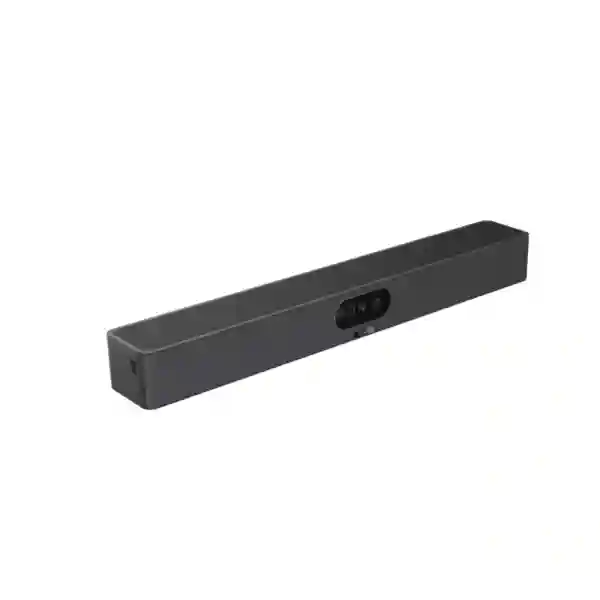
Yealink MeetingBar A25-BYOM
A compact all-in-one video bar for businesses that want to bring their own laptop and meeting platform into a focus room without building the space from separate camera, microphone and speaker components. The A25-BYOM combines a triple-camera imaging system, a precisely engineered 151° horizontal field of view, an eight-microphone array, a built-in 10W loudspeaker and wired USB-C BYOM/content sharing in one room device.
Fast buyer answer
Choose the A25-BYOM when the room is compact, users prefer to run meetings from their own laptop, and the deployment needs wide camera coverage plus integrated audio. For a quotation, share room dimensions, seating count, display details, preferred meeting applications and the laptop connection method.
What is the Yealink MeetingBar A25-BYOM?
The Yealink MeetingBar A25-BYOM is an all-in-one collaboration bar developed for focus rooms and other compact meeting spaces. Its purpose is straightforward: a user enters the room with a laptop, connects to the room system through USB-C, launches the meeting application they already use and gains access to a purpose-built room camera, microphone and speaker. This is different from a dedicated appliance-only meeting workflow because BYOM places the meeting application and user account on the participant’s computer while the room bar becomes the professional audio/video peripheral.
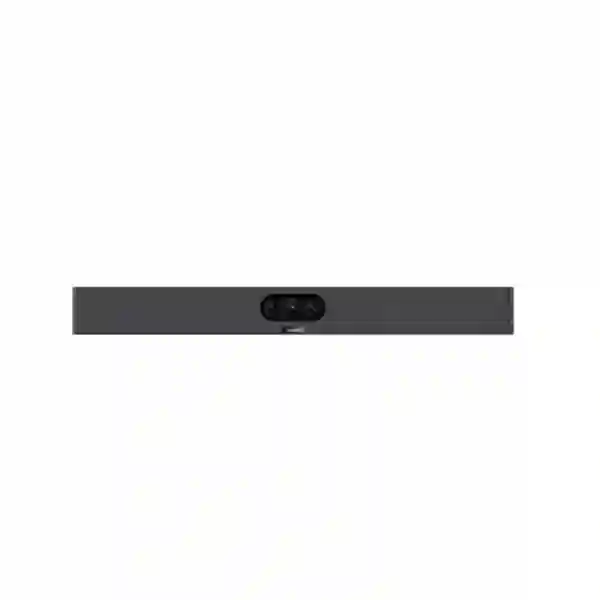
Yealink specifies three cameras with 8MP image sensors, including one ultra-wide camera and two tele cameras. The ultra-wide lens provides a 151° horizontal field of view, which is especially relevant where a small table is close to the wall and participants sit near the camera. Maximum camera resolution is 3840 × 2160, and the system supports intelligent functions including Auto Framing, Speaker Tracking, IntelliFocus, Picture in Picture and Video Fence. For privacy, the unit includes an electric lens cap rather than relying only on a software indicator.
Audio is integrated into the same chassis. Yealink lists an eight-element MEMS microphone array with a five-metre pickup distance and a 3.5-metre high-quality pickup distance, supported by full-duplex processing, acoustic echo cancellation, automatic gain control and AI-enhanced noise suppression. The built-in speaker is rated at 10W. For a focus room, this reduces the number of table devices and cables that users need to understand before joining a call.
Wide room coverage
A 151° horizontal field of view helps capture participants seated close to the bar in compact rooms where a narrower camera can crop people near the edges.
One-bar simplicity
Camera, microphones and speaker are integrated in one device, reducing the number of visible components that must be mounted, powered and selected during a meeting.
Laptop-led meetings
Wired USB-C BYOM makes the room suitable for teams that use different meeting services and want the familiar interface, account and applications on their own computer.
Managed business endpoint
The bar can be networked for configuration, firmware updates and remote device management through supported Yealink management methods.
Verified Yealink MeetingBar A25-BYOM specifications
| Area | Verified specification | Buyer meaning |
|---|---|---|
| Camera system | Three cameras; 3 × 4K, 8MP sensors | Designed to combine ultra-wide coverage with clearer participant imaging. |
| Ultra-wide field of view | 151° HFOV; 182° DFOV; 81° VFOV | Useful for compact rooms where seats can be close to the display wall. |
| Video | Maximum camera resolution 3840 × 2160; up to 30 fps | Provides 4K-capable imaging within the supported meeting and connection path. |
| Intelligent camera functions | IntelliFocus, Auto Framing, Speaker Tracking, PIP and Video Fence | Reduces the need for constant manual camera adjustment in a small room. |
| Microphones | Built-in 8 MEMS microphone array; 5m pickup, 3.5m high-quality pickup | Room dimensions and seating distance should stay aligned with the intended focus-room use. |
| Speaker | Built-in 10W speaker | No separate tabletop speakerphone is required for the basic room design. |
| BYOM/content sharing | Direct USB-C connection supported | Users can bring a compatible computer and use the room AV hardware with their preferred meeting application. |
| Network | Gigabit Ethernet; Wi-Fi 6 dual-band 2.4/5GHz, 2 × 2 MIMO; Bluetooth 5.1 | Supports connection to a managed business network for administration and supported features. |
| Display output | 1 × HDMI-out, up to 4K30 including 1080p60; HDMI CEC | Can feed the room display while supporting CEC-capable control scenarios. |
| Operating environment | 0–40°C operating temperature; 10–95% operating humidity | The room should be kept within Yealink’s specified environmental limits. |
A25-BYOM versus the standard MeetingBar A25
The model name matters. The A25-BYOM and the standard MeetingBar A25 share core room-bar hardware and several camera and audio functions, but their supported workflows and accessories are not identical. Yealink’s own A25 series compatibility table shows that the A25-BYOM does not support the CTP25 touch console, WPP30 or PA20 in the same way the standard A25 does. The BYOM model supports direct USB-C wired content sharing/BYOM and YeaCast, while the standard A25 supports additional room-appliance and wireless-sharing functions.
This distinction is important for procurement. If your goal is a simple laptop-led room, the A25-BYOM may fit very well. If you specifically require a CTP25 controller, native Teams Rooms or Zoom Rooms appliance workflow, WPP30/PA20 wireless BYOD, or other standard-A25 functions, request a compatibility review before ordering. A quotation should use the exact product code and room workflow rather than the generic phrase “MeetingBar A25.”
Connectivity, installation and room-planning checklist
Display and mounting
Confirm display size, mounting height, camera eye line and whether the included wall mount suits the wall construction. Yealink also lists optional TV-mount and tabletop-mount accessories. Cable routing should keep the USB-C connection practical for the person bringing the laptop.
Room size
Match the room to the focus-room design intent. The stated microphone pickup range is not a reason to stretch the product into a large boardroom. Seating geometry, echo, glass surfaces and background noise can change the real experience.
Laptop path
Check that user laptops can connect through the required USB-C path and that corporate endpoint policies allow the relevant camera, microphone and speaker peripherals. Standardize adapters if the fleet contains devices with different physical ports.
Network management
Plan Ethernet or Wi-Fi connectivity for device administration, firmware and management requirements. Keep the collaboration endpoint on an appropriate business network segment and coordinate any firewall, DNS, DHCP and proxy requirements with IT.
Related Fourteck Tanzania planning resources
A room system works best when the surrounding infrastructure is planned with it. Fourteck Tanzania’s business technology solutions overview explains how collaboration, networking, security and workplace infrastructure fit together. For a broader procurement route, the Tanzania business technology shop guide highlights compatibility, capacity, infrastructure, management and lifecycle checks that are relevant before ordering a conferencing endpoint.
Organizations planning deployment can also review Fourteck Tanzania services for installation, networking and support context. If your meeting-room requirement spans more than one country, Fourteck’s Uganda technology site and Kenya technology site provide regional paths for related enquiries. These links are intended to help procurement teams keep room devices, network readiness and deployment scope in one project view.
Yealink MeetingBar A25-BYOM Tanzania
For Tanzanian organizations, the Yealink MeetingBar A25-BYOM is best evaluated as a practical focus-room endpoint rather than simply as a camera. The value comes from combining wide camera coverage, integrated microphone pickup, room playback and a straightforward BYOM connection in one unit. Many offices now contain small spaces that were not originally designed as formal video rooms: manager offices, two-to-six-person discussion rooms, project rooms and converted meeting corners. These spaces can be difficult for conventional narrow-field webcams because participants sit close to the display wall or at the edges of a short table. The A25-BYOM’s 151° horizontal field of view directly addresses that geometry.
When requesting a Yealink MeetingBar A25-BYOM quotation in Tanzania, start with room dimensions and seating layout. A floor plan is useful, but even a simple description of table width, distance from camera to the farthest chair, display size and wall construction can improve the recommendation. Because the product is designed for focus rooms, oversized rooms should be identified early. A five-metre microphone pickup specification does not automatically mean every seat in a large reflective boardroom will sound equally clear. HVAC noise, tiled floors, bare walls and glass partitions can influence intelligibility and echo.
The laptop workflow should also be documented. Some businesses standardize on Microsoft Teams, others use Zoom, Google Meet, Webex or a combination. BYOM is attractive because the participant can use the meeting application installed on the laptop rather than relying on a single room-platform account. However, IT should confirm endpoint permissions, USB-C capability, cable accessibility and any adapter policy before rollout. In environments where users bring mixed Windows and macOS devices, a short pilot can confirm the intended user experience.
For multi-branch Tanzania deployments, standardization can simplify support. Use the same mounting height, cable presentation, display naming, network policy and user instructions wherever possible. Document serial numbers, firmware baselines and room names, and decide who owns device updates. Fourteck Tanzania can use the room, network and platform details supplied through the quotation process to discuss fit, accessories and deployment requirements without assuming stock, lead time or local compatibility that has not been verified for the project.
Yealink MeetingBar A25-BYOM Dar es Salaam
In Dar es Salaam, the A25-BYOM can suit compact executive rooms, project rooms and small collaboration spaces where staff regularly join calls with regional offices, customers, suppliers or international teams. The most useful starting point is not the city name but the actual room. A small office in a commercial tower can have different acoustic and connectivity conditions from a converted room in a warehouse or operational site. Before buying, check where participants sit in relation to the display and whether the ultra-wide camera will be mounted at a comfortable eye line. The 151° horizontal field of view is valuable in shallow rooms, but camera height and lighting still affect how natural people look on screen.
Dar es Salaam buyers should define whether the room will be used by a fixed team or by many visitors. In a shared room, the physical connection must be obvious. The USB-C cable should reach the normal laptop position without crossing a walkway, and a simple desk label can tell users which device to select for camera, microphone and speaker if their meeting application does not switch automatically. If staff use thin laptops with limited ports, standardizing an approved adapter or dock prevents the room from becoming dependent on whatever accessory someone happens to bring.
Network readiness also deserves attention even though the meeting application runs on the laptop. The A25-BYOM itself supports Ethernet and Wi-Fi 6 for networking and management, while the laptop still needs stable access to the conferencing service. If a room suffers from inconsistent wireless coverage, moving to a professional video bar will not correct a weak network path by itself. Check access-point placement, internet capacity, VLAN policy, firewall rules and congestion at busy periods. Where possible, test the room during real business hours rather than only during installation.
For a Dar es Salaam quotation, include the preferred meeting applications, display information, wall type, room dimensions, seat count and whether installation is required. Also mention whether existing USB cameras, speakerphones or displays should be reused. That allows the project to focus on compatibility and practical deployment instead of treating the A25-BYOM as an isolated box purchase.
Yealink MeetingBar A25-BYOM Mwanza
Organizations evaluating the Yealink MeetingBar A25-BYOM in Mwanza may be looking for a repeatable way to connect local teams with headquarters, partners or technical specialists without dedicating a large boardroom to every call. The product’s strongest use case remains the compact focus room. In that environment, the camera’s ultra-wide view can keep people visible even when the table is close to the wall, while the built-in microphones and speaker reduce table clutter. This is particularly useful when the meeting space is also used for day-to-day discussions and should not be dominated by conferencing equipment.
A Mwanza deployment should consider connectivity and power as part of the room design. Video meetings are sensitive to packet loss, latency and unstable internet, so the laptop’s network path should be tested at the same time as the room bar. If Wi-Fi is used, check signal strength and congestion in the actual room with the door closed and with normal staff activity. If wired connectivity is available at the table, decide whether users will connect through a dock or directly. The A25-BYOM’s network interface can support device management, but that should be placed within the organization’s security and administration policy.
Physical installation matters as well. The supplied wall mount may be suitable for many rooms, while Yealink also lists optional TV-mount and tabletop-mount choices. The right option depends on the display, furniture and wall construction. Keep the camera at a natural viewing height and avoid placing it where sunlight or strong backlighting dominates the image. The bar’s electric privacy cover adds a visible privacy control, but meeting-room policies should still tell users when the room camera is active.
When asking for pricing in Mwanza, share whether the requirement is one room or a branch standard that could later expand. For repeat deployments, naming conventions, mounting templates, cable lengths, user instructions and firmware management can be standardized. That reduces variation between rooms and makes support easier when staff rotate across sites.
Yealink MeetingBar A25-BYOM Arusha
The Yealink MeetingBar A25-BYOM can be a practical fit for Arusha organizations that host frequent hybrid discussions in smaller rooms, including professional offices, hospitality management teams, NGOs, project organizations and operations groups. BYOM can be especially helpful where external participants use different conferencing platforms because the laptop remains the meeting host. Rather than asking users to learn several room-specific interfaces, the room provides professional camera and audio peripherals while the familiar meeting application stays on the participant’s computer.
Room acoustics should be assessed before deployment. Focus rooms often contain glass, hard floors or minimal soft furnishings. Those surfaces can make voices more reverberant even when the microphone itself is capable. The A25-BYOM includes AI-enhanced noise suppression and full-duplex audio processing, but good room behavior still improves outcomes. If the room contains loud air conditioning, open-plan spill noise or constant movement outside a glass wall, consider simple acoustic improvements alongside the video-bar installation.
Camera coverage should be checked using the actual seating arrangement. The ultra-wide 151° HFOV is a major advantage where people sit close to the bar, yet the goal is not merely to fit everyone into the image. Participants should appear at a useful size, lighting should be reasonably even and the display should remain visible without forcing people to look far away from the camera. Yealink’s Auto Framing, Speaker Tracking and IntelliFocus features can reduce manual intervention, but installation geometry remains the foundation.
For an Arusha procurement request, provide the number of rooms, each room’s approximate dimensions, seats, displays and laptop types. Mention whether the system must be moved or permanently installed. If the room is part of a broader office project, include switch, Wi-Fi, firewall and display requirements so the collaboration endpoint can be planned together with the infrastructure that supports it.
Yealink MeetingBar A25-BYOM Dodoma
For Dodoma offices, the Yealink MeetingBar A25-BYOM is relevant where compact rooms must support clear, professional calls without requiring a dedicated in-room PC or complex control environment. A policy team, administrative unit, project office or branch management group can connect a laptop by USB-C and use the room’s integrated camera, microphone array and loudspeaker. This creates a predictable physical room setup while preserving flexibility in the software platform used for each meeting.
Procurement should distinguish convenience from compatibility. The BYOM workflow depends on the user’s laptop, so confirm operating-system support, USB permissions, available ports and whether security controls allow external audio/video peripherals. In tightly managed environments, IT may restrict device installation or USB behavior. Testing the exact corporate laptop image before a larger order helps avoid a situation where the hardware is suitable but endpoint policy blocks the intended workflow.
The room network should be reviewed alongside the product. The A25-BYOM can connect by Gigabit Ethernet or Wi-Fi 6 for supported management functions, while the meeting traffic generated by the user’s laptop still relies on the organization’s network and internet connectivity. Consistent video requires adequate bandwidth and stable latency, so busy office periods should be part of testing. If the site uses content filtering, SSL inspection or restrictive firewall policies, ensure the selected meeting platforms are already operating reliably before blaming the room endpoint for call problems.
For a Dodoma quotation, specify whether installation, cabling, display mounting or network readiness should be included. State the preferred conferencing services and any requirement to reuse existing screens or furniture. The more accurately the room and workflow are described, the easier it is to determine whether A25-BYOM is the correct variant or whether a standard MeetingBar A25 appliance configuration would better fit the project’s expectations.
Yealink MeetingBar A25-BYOM UAE
UAE buyers often compare multiple room-system approaches across offices in Dubai, Abu Dhabi and other emirates, and the Yealink MeetingBar A25-BYOM should be positioned according to workflow rather than only specifications. Its strongest case is a compact space where users bring laptops and need one cable to access room-grade camera and audio. Organizations that standardize on different conferencing services for different clients can benefit from this flexibility because the room is not limited to a single meeting application account.
For multi-office UAE deployments, room standardization is valuable. Define a focus-room template with a permitted room-size range, display size, mounting height, approved USB-C cable route, network port location and user instruction card. Then test that template with the laptops typically used by employees and visitors. The A25-BYOM supports intelligent framing features and a very wide camera view, but the room template should ensure participants are not placed unnecessarily far from the bar and that lighting does not create strong silhouettes.
Buyers should pay attention to the model suffix when comparing quotations. The standard MeetingBar A25 and A25-BYOM do not share every supported accessory or wireless workflow. If a requirement includes CTP25 touch control or WPP30/PA20 wireless BYOD, the standard A25 family may be the more relevant comparison. Conversely, a direct USB-C BYOM focus room can avoid purchasing functions that are not needed. Clarifying this early makes bids easier to compare on equivalent scope.
A UAE project brief should state room quantity, required meeting platforms, display count, installation method, laptop standards, network security requirements and support expectations. Cross-border organizations with Tanzania operations can also use the same documentation approach in both markets, making room behavior more consistent for travelling staff and centralized IT teams.
Yealink MeetingBar A25-BYOM Uganda
Ugandan organizations considering the A25-BYOM can use it to create compact hybrid meeting rooms without installing a dedicated conferencing computer in every space. This can simplify projects where employees already have managed laptops and frequently use more than one collaboration platform. The room gains a consistent camera, microphone and speaker experience, while authentication and meeting scheduling remain on the user’s endpoint.
The main planning question is whether the room genuinely matches a focus-room profile. A25-BYOM provides broad visual coverage and a five-metre stated microphone pickup distance, but room acoustics and participant distance still determine perceived quality. Long rectangular rooms, high ceilings or noisy open-plan spill may be better served by a different room design. Before ordering, measure the camera-to-farthest-participant distance and note where people actually sit, not only the room’s total dimensions.
For branch rollouts, consider how the bar will be administered. Yealink supports web and cloud/device-management methods for configuration and updates. Decide whether local teams or a central IT function will own firmware, naming and troubleshooting. Document network addressing and ensure the device is placed on an appropriate managed segment. Meeting problems should be triaged methodically by separating room-hardware issues from laptop, meeting-platform, Wi-Fi and internet issues.
Procurement teams can prepare a clearer Uganda quotation by listing the number of rooms, approximate seats per room, display model or size, laptop port standards, meeting services and mounting preference. If the same company also operates in Tanzania, a common room template can reduce training and simplify support across the two countries.
Yealink MeetingBar A25-BYOM Kampala
In Kampala, the Yealink MeetingBar A25-BYOM can support smaller meeting rooms used for sales calls, management reviews, interviews, customer discussions and cross-branch collaboration. The ultra-wide camera helps in shallow rooms where a standard webcam would struggle to frame participants near the edge of the table. Intelligent framing can then improve the composition as people join or leave, reducing the need for a remote control during normal meetings.
A practical Kampala installation should make the BYOM process obvious. Position the USB-C cable where the meeting host normally sits, label it clearly and test it with the organization’s standard laptops. If visitors will regularly present from their own devices, define which adapters are kept in the room and who supports them. This simple operational step often matters more than adding extra hardware because user confusion at the beginning of a call can undermine an otherwise capable room system.
Acoustic and network checks should be completed before sign-off. The integrated microphone array can cover a focus room, but hard reflective surfaces and nearby conversation may still affect intelligibility. On the network side, confirm that the user’s laptop has stable access to the meeting platform and that the A25-BYOM can reach any required Yealink management services under the organization’s policy. Keep firmware and room configuration documented so a later reset or replacement does not require rebuilding knowledge from memory.
A Kampala quote request should mention display type, room size, seat count, preferred meeting platforms, installation requirement and any standardized corporate accessories. If multiple rooms differ significantly, group them into room types rather than forcing one product into every space. That helps preserve the A25-BYOM for the compact rooms where its wide view and integrated design provide the most value.
Yealink MeetingBar A25-BYOM Arua
For an Arua site, the Yealink MeetingBar A25-BYOM can help create a reliable small meeting space for coordination with remote offices, suppliers and specialist teams. The integrated design is useful where the organization wants fewer components to mount and manage. Instead of separate camera, table speakerphone and audio peripherals, the room uses one bar connected to the display and to the user’s laptop for BYOM operation.
Connectivity planning is important because the meeting still depends on the user’s laptop and internet path. Before procurement, test the selected conferencing application from the proposed room at several times of day. Record typical call behavior, not only speed-test results. Stable latency and low packet loss can matter as much as headline bandwidth. If the room relies on Wi-Fi, confirm that the access point is appropriately placed and that other users do not saturate the same wireless channel during busy periods.
Power and physical installation should be documented too. The room needs dependable power for the bar and display, sensible cable management and a mount suited to the wall or screen arrangement. If the site experiences interruptions, discuss UPS requirements for supporting network equipment and displays according to the broader office design. Do not assume a UPS rating without calculating the attached load and desired runtime.
For an Arua requirement, provide room measurements, seating arrangement, display specification, laptop connection type and preferred conferencing services. If local staff will perform first-line troubleshooting, include a simple checklist covering cable connection, meeting-app device selection, display input, network status and restart procedure. A repeatable checklist helps distinguish user setup issues from hardware faults and reduces unnecessary support escalation.
Yealink MeetingBar A25-BYOM Mbarara
Mbarara organizations that need a compact hybrid meeting room can consider the Yealink MeetingBar A25-BYOM when laptop-led meetings are preferred. The system’s wide camera view is particularly useful for rooms where participants sit close to the display wall, and the built-in microphone array and speaker reduce tabletop equipment. This can make a small room feel less cluttered while still giving remote participants a more intentional meeting experience than a laptop webcam alone.
The buying process should include a real-room assessment. Measure the distance from the proposed camera position to each seat and note any glass wall, hard ceiling, noisy air conditioner or open doorway that may influence audio. Check whether the display is mounted at a sensible height and whether the bar can sit close to eye level. A wide field of view is not a substitute for good placement; poor camera height can still make participants appear to look away from remote attendees.
BYOM also introduces an endpoint-management question. The user laptop becomes part of the meeting-room chain, so corporate policies, USB-C port availability and drivers should be tested. For mixed-device environments, maintain a documented set of supported adapters and avoid unverified low-quality cables that may fail to carry the expected data path. If visitors routinely host meetings, a simple instruction card can explain how to connect and how to choose Yealink camera, microphone and speaker devices in the meeting application.
A complete Mbarara quotation request should identify quantity, room size, display arrangement, installation needs and whether the purchase is part of a larger network or office project. This enables the conferencing requirement to be matched with switching, Wi-Fi, internet and support planning rather than being quoted in isolation.
Yealink MeetingBar A25-BYOM Gulu
In Gulu, the A25-BYOM can be suitable for offices that need straightforward video collaboration in a small room without a dedicated conferencing PC. A user connects a laptop, starts the preferred meeting application and uses the room’s wide-angle camera and integrated audio. This is particularly useful for teams that join calls hosted by different organizations, because the application choice follows the laptop rather than requiring every call to fit one room-service configuration.
The product should be sized by room behavior. If most meetings involve two to six people around a compact table, the A25-BYOM’s focus-room design is aligned with the use case. If the room hosts larger groups, training sessions or long-distance seating, consider whether a different Yealink system with external microphone or camera options would be more appropriate. Yealink’s A25-BYOM does not support expansion microphones, so that limitation should be treated as a design boundary rather than discovered after installation.
Deployment should include network and firmware ownership. Even a simple room needs someone responsible for device updates, configuration backups and reset procedures. If the site has remote IT administration, keep the A25-BYOM reachable through the organization’s approved management method and document firewall requirements. Avoid exposing management interfaces directly to the public internet. Use controlled access and strong administrative credentials consistent with the site’s security policy.
For a Gulu quotation, provide the room’s dimensions, table orientation, seat count, display size, meeting applications and laptop fleet details. State whether mounting and cable concealment are part of scope. These details allow the product to be evaluated against the real environment and make the final proposal easier to compare with alternatives.
Yealink MeetingBar A25-BYOM Kenya
Kenyan enterprises with distributed teams can use the Yealink MeetingBar A25-BYOM as a standardized small-room endpoint where employees already work from managed laptops. The direct USB-C BYOM model can simplify cross-platform collaboration because Teams, Zoom, Meet, Webex or other supported desktop applications remain on the user’s device. The room hardware provides a broader, more consistent audiovisual experience than relying on each laptop’s built-in camera and microphones.
For offices in Nairobi or other Kenyan locations, the best procurement approach is to define room classes. A focus room with a short table and a handful of seats can be assigned the A25-BYOM template. A larger conference room may need a different camera and microphone architecture. This avoids the common mistake of choosing one conferencing product for every room regardless of size. The A25-BYOM’s lack of expansion-microphone support is especially important when comparing it with systems intended for larger spaces.
Large deployments should include a device-management plan. Assign each unit a room name, record firmware, maintain installation diagrams and define who can make configuration changes. Where the organization has regional offices, the same naming and support practices can be used in Kenya, Tanzania and Uganda. Consistent documentation reduces troubleshooting time and helps central IT distinguish hardware issues from local internet, Wi-Fi or laptop configuration problems.
When requesting a Kenya quotation, include room quantities and dimensions, standard laptop models, preferred meeting platforms, display sizes and whether users require permanent cable connections or visitor flexibility. Procurement can then compare the A25-BYOM against alternative room endpoints on total deployment fit rather than headline camera resolution alone.
Yealink MeetingBar A25-BYOM Kuwait
Kuwait businesses evaluating the A25-BYOM should focus on its compact-room, laptop-led operating model. The device combines three cameras, built-in microphone array and speaker in one bar, reducing the number of visible devices in a small executive or project room. A user can connect a compatible computer through USB-C and bring the meeting service, account and content from the laptop into the room.
Room cooling and environmental conditions should remain within Yealink’s published operating range. The unit is specified for 0–40°C operation and 10–95% humidity. That does not remove the need for appropriate indoor climate control; electronics and displays should not be installed where direct heat, dust or ventilation restrictions exceed the intended office environment. Cable channels and mounts should also be chosen so service access remains possible after installation.
If the project includes many rooms, create a standard commissioning checklist: display output, USB-C BYOM, microphone capture, speaker playback, camera framing, privacy shutter, network reachability, firmware level and user instructions. Run at least one real external meeting before acceptance. This verifies the whole chain from room hardware through the laptop, corporate network and collaboration service.
For procurement, state whether the requirement is specifically A25-BYOM or whether the standard MeetingBar A25 should also be considered. If touch console or advanced native-room workflows are required, the product comparison changes. Clear scope prevents two suppliers from quoting different A25 variants under similar descriptions.
Yealink MeetingBar A25-BYOM Ghana
Ghanaian organizations can consider the A25-BYOM for compact meeting spaces where simplicity and platform flexibility are more important than a permanently logged-in room appliance. The user keeps control of the meeting from the laptop, while the room gains a wide-view camera and integrated audio. This model can be useful when staff work with different partners whose meeting invitations arrive from multiple collaboration platforms.
Before ordering, confirm room geometry and acoustic conditions. The 151° horizontal field of view supports close seating, but the image still benefits from balanced front lighting and sensible camera height. For audio, the integrated eight-MEMS array and noise processing are designed for the focus-room category. If participants sit beyond the intended range or the room is unusually reverberant, select a system designed for a larger audio footprint rather than expecting software processing to overcome every environmental limitation.
Corporate laptop readiness should be tested with the exact USB-C connection. Some laptops use USB-C ports for charging only or have security policies that affect peripheral behavior. A pilot room provides a low-risk way to validate endpoint compatibility and user workflow before expanding to more rooms. Keep any required adapters with the room and label them so users do not substitute random cables.
For a Ghana quotation, include seating count, dimensions, display information, network environment and preferred meeting services. If a regional organization also has Tanzania operations, align room naming, firmware management and user guidance so travelling staff encounter the same experience in both countries.
Yealink MeetingBar A25-BYOM Nigeria
Nigeria’s large multi-site businesses often need video rooms that can be deployed consistently across headquarters, branches and project offices. The Yealink MeetingBar A25-BYOM can fill the focus-room tier of such a standard. Its combined camera, microphone and speaker simplify hardware selection for small spaces, while USB-C BYOM lets each user run the meeting from a managed laptop. This reduces dependence on a specific room account when the organization frequently joins external meetings hosted on different platforms.
A nationwide deployment should avoid treating all meeting rooms as identical. Define room profiles based on seating distance and use. A25-BYOM is appropriate for compact focus rooms, while larger rooms may need external microphones, more directional cameras or a different platform architecture. Because the A25-BYOM does not support expansion microphones, this boundary should be written into the standard so a branch does not deploy the model into a room that exceeds its intended audio coverage.
Network resilience should be checked site by site. Video calls depend on the laptop’s network path, and a high-quality room bar cannot correct congested internet or unstable Wi-Fi. Measure real meeting performance, review branch internet contention and ensure any SD-WAN, firewall or QoS design supports collaboration traffic appropriately. The A25-BYOM itself should also be integrated into a controlled management process for updates and configuration.
A Nigerian procurement brief should include room inventory, user laptop standards, conferencing services, display requirements, installation scope and expected support model. For cross-border organizations, coordinate the same documentation with Tanzania, Ghana, Kenya and Uganda teams so the room experience and support procedures remain consistent across the region.
Yealink MeetingBar A25-BYOM Seychelles
Seychelles organizations with smaller executive offices, hospitality management rooms, professional-services spaces or distributed project teams may find the A25-BYOM useful when they want a neat, integrated conferencing setup without a dedicated room PC. The product’s wide field of view can help where floor space is limited and people sit close to the display. The one-bar format also reduces visible tabletop devices, which can suit rooms that serve both video meetings and normal face-to-face discussions.
Because remote collaboration may connect island offices with international partners, internet stability should be treated as part of the room requirement. Test the preferred meeting platform from the proposed room, including camera on and content sharing, and observe behavior during normal business periods. If a call degrades, diagnose the full path: laptop resources, Wi-Fi or Ethernet, local switching, firewall behavior, internet capacity and remote-service status. Replacing the camera will not solve a network bottleneck.
Installation should also account for humidity-controlled indoor conditions, sensible ventilation around displays and a serviceable mounting arrangement. The A25-BYOM can be wall mounted with the supplied mounting hardware, and Yealink lists optional TV-mount and tabletop-mount accessories. Choose the option that keeps the camera near eye level and provides a tidy cable route to the host laptop.
For a Seychelles quotation, include room dimensions, number of seats, display specification, meeting services and whether the requirement covers installation or supply only. State whether visitors commonly host meetings because that can influence adapter, cable and user-guidance requirements. A well-defined workflow helps determine whether the BYOM variant is the best fit or whether a dedicated room-appliance model should also be evaluated.
Quotation checklist for Yealink MeetingBar A25-BYOM
To receive a useful quotation, provide enough information to validate the room instead of requesting only a unit price. This helps determine whether the A25-BYOM is the correct variant and whether mounting, display, network or adapter requirements need to be included.
Frequently asked questions
Is the Yealink MeetingBar A25-BYOM designed for large boardrooms?
No. Yealink positions the A25-BYOM for focus rooms and compact spaces. Its wide camera coverage and integrated microphones work best when the room matches that intended use. Larger rooms should be evaluated for a system with appropriate camera reach and audio expansion.
Can I use my own laptop for Microsoft Teams, Zoom or other meeting apps?
The core BYOM workflow is designed around connecting a compatible laptop through USB-C and using the room’s camera and audio with the meeting software on that computer. Confirm the exact laptop, operating-system and corporate USB policies before deployment.
Does A25-BYOM support the CTP25 touch panel?
No. Yealink’s A25 series compatibility documentation shows CTP25 support on the standard MeetingBar A25, not on A25-BYOM. This is one reason buyers should specify the exact variant in quotations.
Does the A25-BYOM support expansion microphones?
No expansion microphone support is listed for A25-BYOM. If the room requires additional microphone coverage, evaluate a different room-system architecture rather than assuming an external Yealink expansion microphone can be added.
What should I check before ordering in Tanzania?
Check room dimensions, seating arrangement, display, laptop ports, preferred meeting apps, mounting method, network quality and installation scope. These details help determine product fit and reduce surprises during commissioning.
Can the A25-BYOM be managed remotely?
Yealink states that the device can be networked and managed through supported Yealink web and management platforms for configuration and firmware functions. Organizations should place those functions within their own security and administration policies.
Decision recap
The Yealink MeetingBar A25-BYOM is a strong candidate when you need an all-in-one video bar for a compact focus room, want very wide camera coverage, prefer users to bring their own laptop and do not require the accessory and native-room options of the standard MeetingBar A25. Its verified core strengths are triple 4K cameras, 151° HFOV, intelligent framing, an 8-MEMS microphone array, integrated 10W speaker, wired USB-C BYOM/content sharing and business-oriented network management.
Do not select it only from specifications. Confirm the real room size, acoustic behavior, display, mounting location, laptop fleet and network conditions. If the room needs expansion microphones, CTP25 touch control or standard-A25 wireless accessory workflows, compare the correct alternative before purchase.
Plan the room before the purchase
Fourteck Tanzania’s consultation approach is most useful when you provide the actual meeting-room context. Share room dimensions, seat count, display details, meeting platforms, laptop standards and installation expectations. That information makes it possible to discuss whether the A25-BYOM fits the room, what accessories are relevant and which surrounding network or display dependencies should be addressed in the project.




Reviews
There are no reviews yet.