
Yealink MeetingBoard C Tanzania
Yealink MeetingBoard C is an all-in-one interactive collaboration board built for organisations that want a simpler way to run hybrid meetings, share content and work together at a large touch display. The current MeetingBoard C family is based on Google EDLA and Android 15, giving teams access to the Google ecosystem while retaining a flexible Bring Your Own Meeting, or BYOM, workflow. Rather than assembling a separate camera, microphone array, speakers, room computer and display, the MeetingBoard C combines the core meeting-room functions in one integrated platform. For Tanzania businesses planning a new boardroom, huddle space, project room, training room or executive collaboration area, that consolidated design can reduce the number of devices that must be mounted, powered and managed.
The family includes MeetingBoard 65C for compact rooms and MeetingBoard 75C for medium rooms or more open collaboration spaces. Yealink positions the 65C for roughly one to six people and the 75C for approximately six to twelve people in typical meeting scenarios, although actual room suitability should always be checked against seating layout, viewing distance, camera sight lines and acoustic conditions. Both models use a 4K display and a built-in 50MP wide-angle camera with AI-driven framing features. The platform also integrates an eight-microphone beamforming array, full-duplex audio coverage up to eight metres, digital whiteboarding, wired and wireless content sharing, and access to familiar Google applications through Google Play.
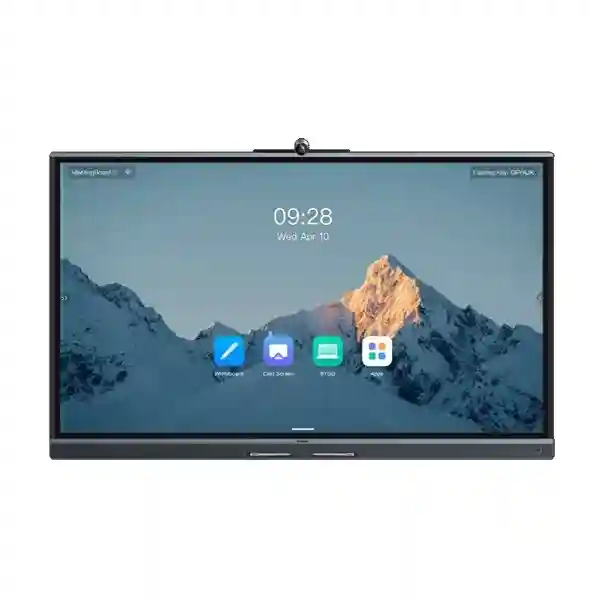
A large interactive panel for video meetings, presentations, whiteboarding and local content display.
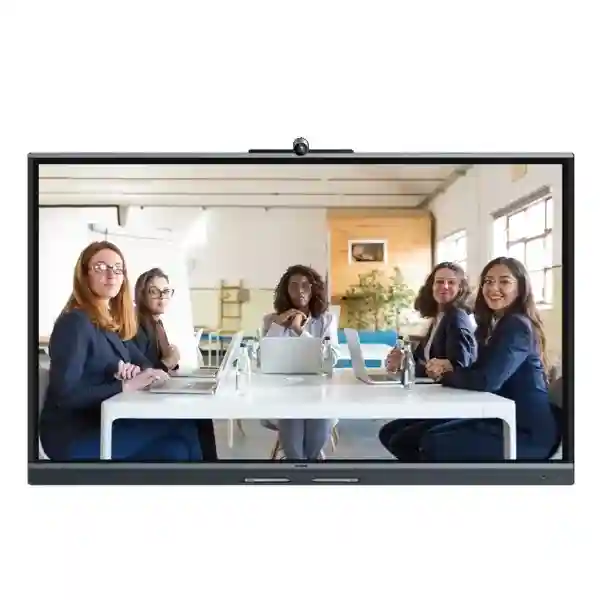
The integrated camera provides a wide 98.2-degree horizontal field of view with AI-supported participant framing.
Google Play integration supports a familiar app ecosystem and an enterprise-oriented Android experience.
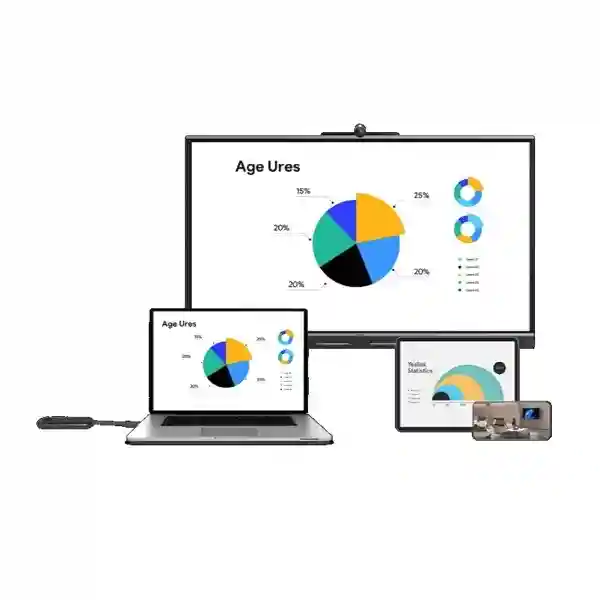
Users can bring a laptop and use the board as the room audio, video and display system through supported wired workflows.
What the Yealink MeetingBoard C solves
Many meeting rooms become difficult to operate because they grow as a collection of independent devices. A television is added first, then a USB camera, then a speakerphone, then a wireless presentation product, and eventually several remotes, adapters and cables become necessary before a user can start a call. MeetingBoard C takes a different approach. The touch display, camera, microphones, speakers and collaboration software are integrated, giving the room one primary user interface and one visual focal point. This is particularly useful for organisations that want staff to walk into a space and begin sharing or meeting without understanding the underlying AV architecture.
The BYOM model is also valuable for companies that use more than one conferencing platform. Instead of dedicating the room to a single application, a user can bring a laptop with the meeting application already configured and connect the room equipment to that workflow. The Google EDLA layer adds another operating mode because supported applications and content can be accessed from the board itself through Google Play. This combination gives IT teams more flexibility when departments, customers and partners do not all use the same meeting service.
For whiteboarding, the MeetingBoard C supports low-latency writing and collaborative annotation. Yealink specifies 21 ms touch writing latency in its whiteboard environment, helping writing feel direct and responsive. Content can be developed visually during project reviews, lessons, workshops and planning sessions rather than forcing every discussion into a slide deck. The board can also export whiteboard work through QR-code based sharing, helping participants take the outcome away from the room.
Verified MeetingBoard C technical highlights
| Area | MeetingBoard C capability |
|---|---|
| Models | MeetingBoard 65C and MeetingBoard 75C |
| Operating system | Android 15 with Google EDLA / Google Play ecosystem support |
| Display | 4K interactive display, 3840 × 2160 resolution |
| Camera | Built-in 50MP 4K camera, 98.2° HFOV and 4× digital zoom |
| AI views | Auto Framing, Speaker Tracking, Multi-Focus, Picture-in-Picture and Video Fence |
| Audio | 8 MEMS beamforming microphone array, up to 8 m full-duplex pickup, 2 × 20 W speakers |
| Sharing | HDMI input, AirPlay, Miracast and supported Yealink presentation accessories |
| Whiteboard | Multi-user whiteboarding, 21 ms writing latency and QR-code export |
| Network | Gigabit Ethernet, Wi-Fi 6 and Bluetooth 5.1 |
Specifications should be checked against the exact regional package and firmware level at the time of ordering. Accessories such as wall mounts, floor stands and Yealink presentation devices may be optional rather than included in the base package.
MeetingBoard 65C vs MeetingBoard 75C
MeetingBoard 65C
The 65-inch model is the natural starting point for huddle rooms, executive offices and smaller meeting spaces where participants sit relatively close to the display. Yealink presents it for rooms of approximately one to six people. Buyers should still measure the wall, viewing distance and table position because a large touch display needs comfortable reach and enough clearance around the mounting area. In a compact space, the 98.2-degree camera view helps include people seated relatively close to the screen.
MeetingBoard 75C
The 75-inch model adds more screen area for medium meeting rooms, training spaces and open collaboration zones. Yealink positions it for roughly six to twelve participants in typical medium-room scenarios. The additional display area can make shared spreadsheets, diagrams and whiteboard content easier to read from farther away. The final choice should consider room width, seating depth, mounting height, sight lines and whether people will frequently stand at the board to annotate content.
Compatibility, connectivity and deployment planning
MeetingBoard C is designed to support several content-sharing methods. HDMI input can be used for wired presentation. AirPlay and Miracast provide wireless casting options for compatible devices. Yealink also supports presentation accessories, while VCH51 Pro is used for the vendor’s one-cable BYOM approach. Before purchase, an IT team should decide which connection method will be the standard for employees because consistent room instructions reduce support calls. A room that supports every possible method but has no documented user workflow can still feel confusing.
Network design deserves equal attention. Video collaboration is sensitive to packet loss, latency and inconsistent internet performance. A premium room system cannot compensate for an overloaded wireless network or unstable WAN circuit. Where practical, Gigabit Ethernet is generally the most predictable connection for a fixed meeting-room device. Wi-Fi 6 can be useful where cabling is difficult or where a mobile floor stand is required, but signal quality and capacity should be validated at the final position. If the board will move between spaces, the organisation should test each intended location rather than assuming wireless performance is uniform throughout the building.
Physical installation should account for user eye line and camera height. Mounting a collaboration display excessively high can make remote participants see the room from an unnatural angle and can make the upper whiteboard area hard to reach. A mobile floor stand can be useful where teams need to reconfigure spaces, but cable management and safe movement routes remain important. Wall mounting reduces floor clutter but requires suitable wall structure and a planned cable route. Power, Ethernet, HDMI paths and any BYOM connection should be considered before the final mounting position is approved.
For broader meeting-room planning, see FourTeck Tanzania’s technology services, which includes video conferencing design alongside networking and workplace infrastructure. Buyers can also review the FourTeck Tanzania technology shop to understand related display, networking and collaboration categories that may be required around the board.
Who should consider MeetingBoard C?
MeetingBoard C is a strong fit where a business wants the room to support conversation, visual work and laptop-based conferencing without a rack full of AV equipment. Typical applications include management meeting rooms, project collaboration rooms, consulting spaces, training rooms, hybrid classrooms, design reviews, sales presentation rooms and executive offices. The whiteboard capability makes the product particularly relevant when teams need to build ideas together rather than only watch presentations.
It may be less appropriate where a very large boardroom requires long optical camera reach, multiple installed microphones or complex room automation. Those spaces should be designed as full AV systems and may require separate cameras, DSP, ceiling microphones or room-control components. The correct product is determined by room behaviour, not merely by screen size.
Yealink MeetingBoard C Tanzania
For organisations evaluating Yealink MeetingBoard C in Tanzania, the most useful procurement process begins with the room rather than the product code. Measure the room, count the normal and maximum participants, define whether users sit around a table or move around a workshop space, identify the meeting platforms in everyday use and confirm the network connection available at the display position. These details determine whether the 65C or 75C is more comfortable and whether the integrated camera and audio coverage align with the room. A compact management room in Dar es Salaam may favour the 65C, while a wider training or project room may make better use of the 75C.
Tanzania deployments should also consider internet resilience and power continuity. Video meetings rely on stable upstream and downstream bandwidth, but the quality experienced in the room can be affected by many internal factors: congested Wi-Fi, unmanaged switching, background cloud backups, poorly configured firewalls or competing guest traffic. Where the meeting room is business-critical, an organisation should review the wider network and, if necessary, segment collaboration traffic or improve connectivity before blaming the room device. Power protection is another practical consideration. A UPS strategy for network equipment and internet termination devices can help protect meeting continuity during short disturbances, although the exact load and runtime must be calculated for the site.
Procurement teams should request a quotation that distinguishes the board from optional items. The selected mounting method, mobile stand, VCH51 Pro, presentation pod, additional cabling and installation labour can all affect the complete project. It is also sensible to document who will manage Google accounts or application access on the board, how firmware updates will be handled, which wireless sharing methods are permitted and whether guest users may connect personal laptops. These policies turn a capable device into a repeatable business meeting experience.
FourTeck Tanzania positions collaboration as part of a connected business environment rather than an isolated screen purchase. The FourTeck Tanzania solutions overview explains how video conferencing, Wi-Fi, switching, firewalls, displays and workplace systems interact. For a project-specific quotation, use the verified FourTeck Tanzania contact page and include room size, preferred model, quantity and intended meeting platforms.
Yealink MeetingBoard C Dar es Salaam
Businesses searching for Yealink MeetingBoard C in Dar es Salaam often need a collaboration system for headquarters, branch offices, professional-service firms, hotels, training facilities or project teams that communicate with colleagues outside Tanzania. The key advantage of the MeetingBoard C approach is operational simplicity. A single interactive board can cover local presentation, digital whiteboarding and BYOM video meetings, reducing the number of separate devices visible in the room. That can be valuable in executive spaces where clean installation and fast user adoption matter as much as raw specifications.
In Dar es Salaam, a room survey should check display visibility against daylight, glass partitions and lighting. Camera framing can also be affected by bright windows behind participants, while hard floors and glass walls can create audible reverberation. The integrated microphone system provides substantial room coverage, but room acoustics still influence intelligibility. Curtains, acoustic materials, furniture and sensible speaker volume may improve the experience in reflective rooms. A live-room test is useful where the space is unusually wide, long or noisy.
Network readiness is important for city offices with many cloud users. A fast internet package does not automatically guarantee smooth conferencing if the access network is saturated. Organisations should verify LAN speed, DNS reliability, firewall rules and wireless contention. If staff use laptop-based BYOM, the path between laptop, board and conferencing service should be documented so users know whether they connect by cable, presentation accessory or wireless casting. Standard instructions posted near the board can dramatically reduce meeting-start delays.
For quotation preparation, share the room dimensions, participant count, desired 65C or 75C size, mounting preference, laptop operating systems and expected applications. That allows the complete requirement to include the board, installation accessories and any network changes instead of producing a price for the display alone.
Yealink MeetingBoard C Mwanza
A Yealink MeetingBoard C deployment in Mwanza can support organisations that need reliable communication between local teams and remote offices, suppliers, consultants or customers. Rather than designing a meeting space from separate AV components, the integrated board creates one collaboration surface for calls, presentations and shared working sessions. The 65C can be appropriate for smaller management rooms, while the 75C provides more visual area for larger groups and training-oriented use. The decision should follow viewing distance and seating arrangement rather than simply selecting the larger model.
For branch offices, maintainability is often as important as initial capability. IT teams should record network settings, device ownership, administrator accounts, approved apps and the normal BYOM connection method. A documented configuration makes remote support easier because staff can describe the expected state of the room. It also reduces accidental changes caused by users experimenting with settings during a meeting. Where Google Play access is enabled, application governance should follow the organisation’s security policy instead of leaving the board as an unrestricted shared Android device.
Connectivity should be assessed realistically. If the office relies heavily on shared internet bandwidth, conferencing can compete with cloud backups, software downloads and other traffic. A managed network with sensible traffic policies can protect the meeting experience. The board itself supports Gigabit Ethernet and Wi-Fi 6, but the surrounding network must provide the required quality. For important customer or management calls, a wired Ethernet connection is often easier to troubleshoot because it removes radio interference as a variable.
A Mwanza quotation should therefore include more than model and quantity. Ask whether the room needs a wall mount or mobile stand, whether wired BYOM is required, whether users need wireless presentation accessories and whether there is a suitable power and data outlet at the final display position. Clarifying these points before shipment reduces installation-day surprises.
Yealink MeetingBoard C Arusha
Yealink MeetingBoard C can be a practical collaboration platform for Arusha organisations in hospitality, tourism, education, consulting, non-governmental work and regional administration where meetings frequently include remote participants. The board’s combined camera, audio and touch display can make a shared room easier to operate when users have different technical skill levels. Instead of teaching staff which remote control changes the display input and which USB cable belongs to the camera, the organisation can define one standard meeting process around the MeetingBoard C.
Spaces used by different groups benefit from clear sign-in and app policies. Because MeetingBoard C supports the Google ecosystem, administrators should decide whether the room uses a dedicated managed account, guest mode or laptop-driven BYOM as the primary method. Confidentiality matters in shared spaces: meeting histories, downloaded files and whiteboard exports should be handled according to the organisation’s policies. A board used in a public training venue may need a different operating model from one inside an executive office.
Room design can influence perceived quality more than many buyers expect. A camera mounted at natural eye level produces a more engaging view than one placed very high. Participants should not sit directly against bright windows, and microphones perform better when HVAC noise and excessive echo are controlled. If the board is moved between event or training rooms on a floor stand, test Wi-Fi coverage and power access in every planned position. A mobile device is only useful when connectivity follows it.
For Arusha procurement, provide the number of rooms, usual participant counts, preferred screen size, wall or floor mounting, conferencing platforms and any need for installation. The resulting quote can then address the real collaboration workflow rather than treating MeetingBoard C as a generic television replacement.
Yealink MeetingBoard C Dodoma
Organisations evaluating Yealink MeetingBoard C in Dodoma may be planning formal meeting rooms, administrative collaboration spaces, training facilities or distributed team communications. The platform is well suited to situations where people need to switch between discussion, document review and visual brainstorming within the same session. Because the camera, microphone array, loudspeakers and whiteboard are built into the display, there are fewer external devices for users to manage and fewer separate components for an IT team to inventory.
Meeting-room standardisation is particularly useful across organisations with several departments or locations. A repeatable 65C room profile might define a standard mounting height, Ethernet connection, BYOM cable and user guide, while a 75C profile can serve larger spaces. Standardisation simplifies training and allows support teams to recognize the room immediately. However, the same hardware should not be forced into rooms with very different dimensions. A long boardroom may require audio or camera expansion beyond what an integrated board is intended to provide.
Security planning should cover both the collaboration device and the network around it. EDLA certification provides a Google-managed enterprise device framework and Play Protect capabilities, but organisational controls still matter. Administrators should control accounts, application installation, screen sharing permissions, network access and firmware maintenance. Shared meeting devices should not become unmanaged endpoints simply because they are mounted on a wall.
A Dodoma quotation request should specify whether the requirement is a single board or a standard for multiple rooms. For multi-room projects, include floor plans, room names, seating counts and connection preferences. This helps develop a bill of materials that captures mounts, cables, network ports and accessories consistently and supports a cleaner rollout.
Yealink MeetingBoard C UAE
For customers comparing Yealink MeetingBoard C for the UAE, the same core buying questions apply: room size, meeting platform, screen size, installation method and BYOM workflow. The 65C is designed around smaller collaboration rooms and the 75C around medium rooms and open spaces. In fast-moving offices where employees and visitors use different conferencing platforms, BYOM flexibility can reduce the need to reserve a room for one ecosystem only. Users can bring their own laptop meeting environment while the board provides room-scale audio, video and display resources.
UAE projects frequently place emphasis on clean room aesthetics and integrated cable management. Wall mounting can create a polished finish when power and data points are prepared behind or near the display. Mobile stands support flexible office layouts but need safe routes, protected cables and stable wireless coverage. For premium executive rooms, check that the integrated 50MP camera view suits the table depth and seating positions. A very long boardroom may benefit from a different room architecture with separate optical cameras and microphones.
Regional IT teams managing both UAE and Tanzania locations can benefit from standardising the meeting experience. A consistent BYOM cable, app policy, naming convention and user guide reduces training requirements across branches. Procurement should still account for local power accessories, installation conditions, warranty terms and availability separately in each market. No assumption about stock or delivery should be made until the quotation is confirmed.
For broader UAE technology requirements, FourTeck’s regional network at FourTeck UAE can be used alongside the Tanzania project discussion. This is useful for organisations trying to maintain one collaboration standard across offices while keeping procurement and deployment details aligned with each country.
Yealink MeetingBoard C Uganda
Yealink MeetingBoard C can support Uganda businesses that want an integrated platform for hybrid meetings and collaborative work without building a complex AV system. The product’s value is strongest when the room is used by many employees and simplicity is important. Staff can present from compatible devices, use the touch whiteboard, access approved Google ecosystem applications or connect a laptop for BYOM meetings. That flexibility helps rooms serve multiple departments rather than being locked to one meeting workflow.
A Uganda deployment should start with network and room assessment. Confirm that internet performance is adequate during the busiest business hours, not only during a quiet test. Verify that the display location has dependable power and Ethernet or suitable Wi-Fi coverage. If a mobile stand will be used, map the intended movement area and check every location. The integrated microphone array is designed for up to eight-metre full-duplex pickup, but reflective surfaces and noise can still affect clarity, so room acoustics should be considered.
When several branches are involved, define one operating model. This might include 65C for smaller rooms, 75C for medium rooms, standard wall heights, wired Ethernet, a documented BYOM connection and centrally controlled app access. A clear standard can reduce the support burden and make replacement or expansion easier. Procurement teams should also confirm which accessories are included in each shipment because stands, mounts and presentation devices may be separate items.
Customers coordinating Uganda projects can also consult FourTeck Uganda for regional technology requirements. For cross-border organisations, aligning the room design between Uganda and Tanzania can create a more consistent experience for travelling staff and shared IT teams.
Yealink MeetingBoard C Kampala
Kampala organisations often operate meeting rooms with a mixture of internal staff, remote branches and external partners. Yealink MeetingBoard C is designed for this kind of mixed collaboration because it combines a large interactive display with room audio, camera and BYOM flexibility. In a compact meeting room the 65C can give participants enough screen space for shared documents without overwhelming the wall, while the 75C can support wider rooms and larger groups where readability at distance becomes more important.
The meeting platform strategy should be agreed before deployment. If most users join through their own managed laptops, BYOM can be the default. If teams rely on Google applications, the EDLA environment can become part of the room workflow. Whichever method is chosen, employees should receive a short, visible set of instructions. Room technology is most successful when a visitor can understand how to start a call within a minute, not when every capability must be explained by IT.
Kampala offices with dense Wi-Fi usage should consider Ethernet for the board where possible. Wireless casting can still be used by participants, but the room endpoint itself benefits from a stable network path. IT teams should monitor conference performance at peak times and confirm that firewalls and DNS services are not causing delays. If collaboration traffic crosses VPN links between offices, routing and bandwidth policies may also need review.
Before requesting a quote, record wall dimensions, table length, number of seats, operating systems used by presenters and the desired installation method. This information helps avoid under-sizing the screen, placing the camera too high or discovering that a required accessory was omitted from the budget.
Yealink MeetingBoard C Arua
For an Arua office, branch or institutional meeting room, Yealink MeetingBoard C can provide a self-contained collaboration surface that is easier to manage than a collection of separate USB devices. This can be particularly helpful when on-site technical support is limited and remote IT staff need a predictable configuration. The integrated components reduce cable complexity, while Google EDLA and BYOM options allow the room to support different meeting styles.
Remote-support planning should be part of the purchase. Administrators should document the device name, network connection, software policy, standard input method and reset/escalation procedure. Users should know which cable or casting method to use and when to contact support. This operational detail often has more impact on user satisfaction than adding another feature to the room.
Connectivity should be evaluated with realistic meeting traffic. A successful video call requires stable throughput and low packet loss, not simply a high advertised internet speed. If the site has a constrained WAN link, IT may need to manage competing traffic during important meetings. If the board uses Wi-Fi, signal strength and interference should be tested at the installed position. Wired Ethernet can provide a more predictable baseline where cabling is practical.
Arua buyers should also think about serviceability of the physical installation. Mounts must suit the wall or stand, power should be protected appropriately, and cables should be labelled so a local staff member can describe the setup to a remote technician. A well-documented room can remain easy to support even when expertise is not physically present every day.
Yealink MeetingBoard C Mbarara
Yealink MeetingBoard C is relevant to Mbarara organisations planning digital collaboration spaces for management, education, healthcare administration, sales or distributed operations. Its interactive display can serve both as the visual focus of a meeting and as a working canvas. Teams can annotate ideas, review content together and then move directly into a remote meeting without changing rooms or rebuilding the AV setup.
The screen-size decision should reflect how people use the room. A 65-inch board can work well where participants sit close and the room is compact. A 75-inch board provides improved readability where seats extend farther from the display or where whiteboard content is important to a larger group. Mounting height is crucial for touch use: the display must be visible to seated participants but also reachable when a presenter stands at the board.
For mixed guest and employee use, decide how personal devices connect. Wireless AirPlay and Miracast can be convenient, but organisations may prefer wired presentation for predictable security and performance. BYOM through supported Yealink accessories can provide a consistent way to use the room camera and audio from a laptop. The selected workflow should be tested with the Windows and macOS devices actually used by staff.
Mbarara procurement teams can make the quotation more accurate by including expected room use, participant count, network connection, mount or stand preference and whether installation is required. If the organisation has other branches, request a scalable standard rather than treating the first room as a one-off project. That makes future expansion easier to budget and support.
Yealink MeetingBoard C Gulu
In Gulu, MeetingBoard C can be used to connect local teams with national or international colleagues while also functioning as an everyday presentation and whiteboarding display. The all-in-one architecture is valuable where room simplicity is a priority. Users interact with one primary device instead of coordinating a display, webcam, USB audio unit and separate whiteboard, and IT has fewer independent components to troubleshoot.
For organisations conducting frequent training or project workshops, the 75C’s larger canvas can be useful, while the 65C is often more proportionate in a smaller meeting room. The decision should consider the farthest viewer and the person who will write on the board. If a screen is too large for the available wall or installed too high, touch collaboration becomes uncomfortable even though the display specification looks impressive on paper.
Gulu sites should also plan for network continuity and power quality according to local conditions. The board’s conferencing experience depends on both the local LAN and the internet service. UPS support for network devices can prevent a brief power disturbance from forcing the entire room to reconnect. Exact UPS sizing depends on the equipment and required runtime, so it should be calculated rather than guessed.
For a practical buying decision, request confirmation of the exact MeetingBoard C model, included mounting hardware, optional accessories, warranty terms and installation scope. Avoid assuming that accessories shown in vendor diagrams are included. A precise bill of materials creates a clearer comparison between quotations and helps the installation team arrive with everything needed.
Yealink MeetingBoard C Kenya
Kenya organisations considering MeetingBoard C may be looking for an integrated alternative to conventional meeting-room kits. The 65C and 75C allow businesses to match the interactive display to room size while maintaining a common user experience. Google EDLA access, BYOM, 4K presentation and built-in AV make the product suitable for companies that collaborate across multiple software platforms or want to combine meetings and interactive workshops in the same room.
A Nairobi headquarters, regional branch or training facility may have different priorities, so the board should be matched to the room rather than deployed uniformly without assessment. High-traffic headquarters rooms may benefit from fixed Ethernet, controlled Google app access and a clearly installed BYOM cable. A training space may prioritise the 75-inch canvas and mobile stand. An executive room may prioritise wall integration, camera eye line and discreet cable routing.
Cross-border groups operating in Kenya and Tanzania can standardise device naming, app policy, screen-sharing procedure and accessory selection. This creates a familiar experience for staff who move between offices. Standardisation should not override local site requirements: room dimensions, power, internet service and procurement conditions still need to be validated independently.
For Kenya-specific technology sourcing and related projects, organisations can reference FourTeck Kenya. A regional approach can be useful for IT managers who want the same collaboration standard across East African locations while maintaining accurate local quotations and deployment plans.
Yealink MeetingBoard C Kuwait
For Kuwait meeting spaces, Yealink MeetingBoard C provides an integrated option for organisations that want a large collaborative screen with built-in video, audio and whiteboarding. The choice between 65C and 75C should reflect room depth, number of seats and how frequently users annotate at the screen. In smaller executive rooms, the 65C can deliver a strong visual presence without dominating the wall. In medium conference and training rooms, the 75C can make shared documents easier to read.
The BYOM design suits businesses that join calls hosted by different customers and partners. Rather than relying on one permanently configured meeting service, users can bring a laptop and use the room peripherals through the supported Yealink connection method. Google Play access can extend the room workflow, but administrators should govern which apps are allowed and how shared accounts are handled.
Installation planning in polished meeting spaces should happen before furniture and wall finishes are finalised. Power, Ethernet and presentation cables can then be hidden or routed cleanly. Camera height and display centreline should be coordinated with table dimensions, not chosen only for visual symmetry. If a room is acoustically reflective, integrated microphones still benefit from appropriate acoustic treatment.
For Kuwait-specific procurement, customers can also review FourTeck Kuwait. This supports regional organisations that want consistent technology standards while keeping the commercial and installation details of each market separate.
Yealink MeetingBoard C Ghana
Ghana organisations can use Yealink MeetingBoard C to create meeting rooms that operate as both collaboration and presentation spaces. The integrated 4K display, camera, microphones and speakers reduce reliance on multiple peripherals. This is useful for shared rooms where different departments need a predictable way to join remote meetings without changing device settings each time.
The integrated camera provides a wide view suited to small and medium rooms, while AI functions such as Auto Framing, Speaker Tracking, Multi-Focus and Picture-in-Picture can reduce the need for manual camera control. These features are most effective when the room layout stays within the camera’s intended coverage. Very deep rooms or highly irregular seating plans should be assessed carefully before assuming an integrated camera is sufficient.
For IT management, treat the board as a managed endpoint. Define network placement, update procedures, account ownership, permitted apps and screen-sharing policy. Where staff rely on BYOM, standardise the cable or presentation accessory and test common laptops. The combination of good room instructions and predictable network configuration often matters more than exposing every available setting to end users.
Ghana customers with wider infrastructure needs can use FourTeck Ghana for regional project context. Cross-country companies can align collaboration standards between Ghana and Tanzania, but should obtain separate confirmation of product availability, pricing, warranty and installation scope for each location.
Yealink MeetingBoard C Nigeria
Nigeria businesses evaluating MeetingBoard C may value its ability to simplify hybrid meeting rooms in headquarters, branch offices, training centres and project environments. The board consolidates common collaboration tools into one device, which can reduce setup time for users and make room standards easier to repeat across multiple locations. The 65C is intended for smaller groups, while the 75C provides additional screen area for medium rooms and open collaboration areas.
Network planning is important in any site where meeting traffic shares internet capacity with cloud applications, backups and general browsing. Conferencing quality depends on stability, not simply headline bandwidth. Where meetings are critical, the board should have a well-managed network path and the organisation should understand how failover internet, firewall inspection and Wi-Fi congestion affect calls. A wired connection can reduce uncertainty at fixed installations.
Large organisations should think about governance before rolling out many boards. A standard naming convention, app list, firmware process, admin account model and BYOM method allows IT teams to support multiple rooms consistently. Physical room standards can define the normal mounting height and cable presentation, while still allowing screen size and accessories to vary according to room geometry.
Nigeria-specific project discussions can also use FourTeck Nigeria. This is useful for regional IT departments seeking one collaboration concept across several countries without making unsupported assumptions about local stock, delivery or service conditions.
Yealink MeetingBoard C Seychelles
Yealink MeetingBoard C can suit Seychelles organisations that need a compact, high-function collaboration room for management, hospitality, professional services, education or distributed teams. An all-in-one board reduces the number of separate devices that must be sourced and maintained, which can be valuable where a simple, well-documented room is preferable to a complex custom AV installation.
For smaller meeting rooms, MeetingBoard 65C is likely to be the natural starting point. Medium rooms or training spaces may benefit from 75C. The chosen display should be checked against room dimensions and viewing distance, and the integrated microphone coverage should be considered alongside room acoustics. Where air-conditioning noise or reflective surfaces are significant, acoustic treatment can improve the experience for remote listeners even when the microphone specification is strong.
Island procurement also makes it important to define the full bill of materials before ordering. Missing a specific mounting accessory or presentation device can delay installation more than the main board itself. Buyers should confirm the exact model, mount or stand, cable requirements, BYOM accessory, network connection and installation scope in writing. Packaging, shipping and warranty arrangements should be confirmed in the quotation rather than assumed from another market.
If the room is expected to support visitors with many laptop types, test the intended BYOM and wireless sharing methods before formal handover. A short user guide beside the display can help guests connect without needing an IT technician. The objective is a room that feels simple to use despite the range of technology integrated into the board.
Buying and quotation checklist
Provide room length, width, seating layout, normal participant count and maximum participant count.
Indicate whether 65C or 75C is preferred, or request a recommendation based on viewing distance and room size.
Confirm wall mounting or mobile floor-stand use and identify wall construction if installation is required.
List Google Meet, Microsoft Teams, Zoom or other applications normally used and whether laptop BYOM is expected.
Confirm Ethernet availability, Wi-Fi quality, internet bandwidth and whether wireless presentation is required.
Request an itemised list for VCH51 Pro, presentation devices, mounts, stands and any cables that are not included.
Frequently asked questions
What is Yealink MeetingBoard C?
MeetingBoard C is an all-in-one interactive BYOM collaboration board with a 4K touch display, built-in camera, microphone array, speakers, whiteboarding and Google EDLA support. It is designed for small and medium meeting spaces and comes in 65-inch and 75-inch versions.
What is the difference between MeetingBoard 65C and 75C?
The principal difference is display size and the room profile Yealink targets. The 65C is positioned for small rooms of roughly one to six people, while the 75C is positioned for medium rooms around six to twelve people and open collaboration spaces. Room dimensions and viewing distance should decide the final choice.
Does MeetingBoard C support Google Play?
Yes. MeetingBoard C is Google EDLA based and includes access to the Google ecosystem, including Google Play and familiar applications such as Chrome, Google Meet and Google Drive, subject to account and organisational management policies.
Can I use my own laptop for Teams or Zoom?
Yes. BYOM is a core MeetingBoard C use case. With supported connection methods, a laptop can use the board’s room camera, audio and display resources while the meeting application runs on the laptop.
Does MeetingBoard C support wireless screen sharing?
Yes. Yealink lists AirPlay and Miracast among its supported sharing methods, alongside HDMI input and supported Yealink presentation accessories.
Is MeetingBoard C suitable for a large boardroom?
It is primarily positioned for small and medium rooms and open spaces. Large, deep boardrooms may need a more modular AV design with optical cameras, external microphones or DSP. A room assessment is recommended before purchase.
What should I include in a Tanzania quotation request?
Include room dimensions, participant count, preferred screen size, quantity, mounting preference, meeting platforms, BYOM requirements, network connection and whether installation or related network work is required. This makes the quotation more complete and easier to compare.
Decision recap
Choose MeetingBoard C when the priority is an integrated, touch-enabled collaboration board with Google ecosystem access and flexible BYOM. Choose the 65C for compact rooms where one to six people typically meet close to the display. Consider the 75C for medium rooms, workshops or open collaboration areas where a larger visual canvas improves readability. Validate the decision against room depth, acoustic conditions, camera coverage, network quality and the exact accessories required. The best result comes from treating the board as part of the meeting-room system rather than as a standalone display.
Plan your Yealink MeetingBoard C deployment
Share your room dimensions, number of participants, preferred 65C or 75C model, meeting platforms and installation preference. FourTeck Tanzania can use those details to prepare a more accurate product and deployment discussion, including related network, display and collaboration requirements where relevant.




Reviews
There are no reviews yet.