
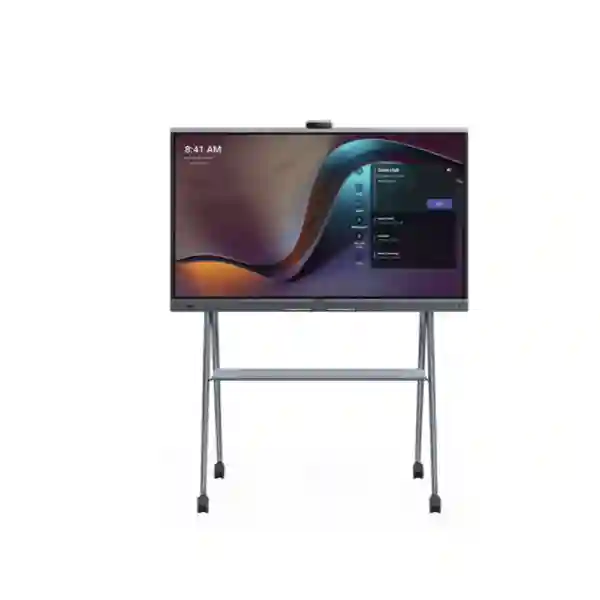
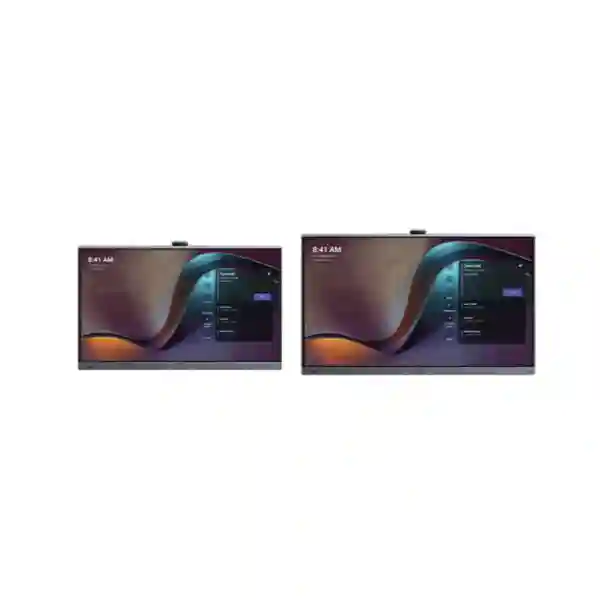
Yealink MeetingBoard Pro 65 Teams Rooms System
The Yealink MeetingBoard Pro 65 is designed for organisations that want video conferencing, interactive whiteboarding, room audio, camera intelligence and content sharing brought together in one purpose-built collaboration endpoint. The 65-inch model uses a 3840 × 2160 anti-glare display, infrared multi-touch, a built-in triple 50 MP camera system, a 16-element MEMS microphone array and integrated stereo audio. For Microsoft Teams Rooms deployments, it provides a streamlined front-of-room experience that can reduce the number of separate devices normally required in a hybrid meeting space.
Direct answer
Choose the MeetingBoard Pro 65 when the room needs a professional Microsoft Teams Rooms experience, high-resolution video, touch collaboration and integrated room audio in a compact 65-inch format. Before procurement, confirm room size, mounting method, Teams licensing, network readiness, acoustics and whether expansion accessories are required.
What the Yealink MeetingBoard Pro 65 combines
Yealink positions MeetingBoard Pro as an all-in-one interactive meeting device for small to large rooms, with the 65-inch version forming the compact end of the range. The integrated approach matters because hybrid meeting rooms often become unnecessarily complex: a commercial display is purchased from one vendor, a USB camera from another, a microphone system is added later, and digital whiteboarding is treated as a separate workflow. MeetingBoard Pro reduces that fragmentation by bringing the core room functions into one platform. Microsoft also lists the Yealink MeetingBoard 65-inch Pro among certified Teams Rooms on Android devices, which gives procurement teams an important compatibility reference when planning a Microsoft-standardised environment.
4K interactive display
A 65-inch anti-glare panel with 3840 × 2160 resolution, 20-point touch support and low-latency whiteboard interaction for presentation and collaborative work.
Triple-camera intelligence
The integrated triple 50 MP camera architecture supports smart framing functions including auto framing, speaker tracking, IntelliFocus and video fence.
Room-grade audio
A built-in 16 MEMS microphone array, 12-metre full-duplex pickup specification and integrated stereo speakers support clearer hybrid conversations without a separate basic USB speakerphone.
Flexible collaboration
Teams, Zoom and general/BYOD usage modes, plus wired and wireless sharing options, allow the room to support different meeting workflows where the selected configuration permits.
Verified Yealink MeetingBoard Pro 65 technical highlights
| Display | 65-inch anti-glare, 3840 × 2160, 400 cd/m², 60 Hz, 178° viewing angle |
| Touch | Infrared touch, 20 touch points, ±1 mm accuracy, four-level stylus |
| Camera | Built-in triple 50 MP camera system, Sony sensors, wide-angle HFOV 98.2°, electronic pan/tilt, digital zoom, autofocus and electric privacy shutter |
| Microphones | 16 MEMS microphone array with Yealink-specified 12 m full-duplex pickup |
| Connectivity | Wi-Fi 6, Bluetooth 5.1, dual Gigabit Ethernet, HDMI input/output, USB and VCH interfaces |
| Management | Web/device/touch configuration, Microsoft Teams Admin Center support and Yealink management options |
| Installation | Wall-mounted, wall-stand and floor-stand options; compatible mounting accessories are selected separately |
Specifications should be checked against the current Yealink datasheet and the exact ordered configuration before final procurement, especially where accessories, platform mode, firmware or Teams licensing influence the deployment.
Planning a complete meeting room around MeetingBoard Pro 65
A high-quality collaboration board still depends on the room around it. Camera performance is affected by seating layout, light, glass walls and the distance between participants and the display. Audio quality can be influenced by hard reflective surfaces, air-conditioning noise and room geometry. Network quality affects Teams call stability, content sharing and device management. The best procurement process therefore starts with the space, the meeting platform and the user workflow, rather than treating the board as an isolated screen.
FourTeck Tanzania already groups video conferencing, audio conferencing, business displays, networking, Wi-Fi and integrated IT infrastructure within the same business technology scope. Buyers can also review the FourTeck Tanzania technology shop for related products, the IT and collaboration services page for deployment context, the Tanzania contact page for project discussions, and the site’s internal guidance on video conferencing, meeting-room audio, Wi-Fi, business displays and structured infrastructure from the main Tanzania solutions page. These related areas matter because a Teams Room is only as dependable as its mounting, power, LAN, internet path, acoustic environment and operating model.
Yealink MeetingBoard Pro 65 Teams Rooms System Tanzania
For organisations evaluating the Yealink MeetingBoard Pro 65 Teams Rooms System in Tanzania, the strongest use case is a meeting space that needs to behave like a complete collaboration room without becoming a collection of loosely connected components. The 65-inch 4K touch display supports presentations and whiteboarding, while the integrated triple-camera architecture and built-in microphone array address the core requirements of hybrid meetings. This is particularly useful for executive rooms, departmental meeting rooms, project spaces, training areas and compact boardrooms where teams want a consistent Microsoft Teams Rooms experience and an uncluttered front wall. The product should be sized against the actual viewing distance and seating plan rather than by screen diagonal alone. A 65-inch board can be appropriate where participants sit relatively close to the front display, but larger spaces should be evaluated against Yealink’s 75-inch and 86-inch alternatives or additional camera and audio accessories.
Tanzania procurement planning should include the complete room bill of materials. Confirm whether the installation needs a Yealink wall mount, wall stand or mobile floor stand; whether a secondary control surface is desired; whether additional microphones are required for the seating geometry; and whether the built-in camera coverage is sufficient. The MeetingBoard Pro platform supports expansion options such as the MB-12X Pro optical camera module, VCM35 or VCM36-W microphones, CTP25 controller and other compatible accessories, but those should only be specified where the room design justifies them. Buyers should also confirm the intended operating mode—Teams Rooms on Android, an OPS-based Windows approach where applicable, Zoom Rooms, or BYOD—and ensure required licences are purchased separately where necessary.
Network readiness is equally important. A professional Teams Room needs dependable DNS, internet access, wired or wireless connectivity, suitable firewall policies and sufficient bandwidth for concurrent meetings and content sharing. Wi-Fi 6 is integrated, but a fixed Ethernet connection can still be preferred in many permanent rooms for predictable performance and easier troubleshooting. Power quality, UPS planning and safe cable routing should be reviewed in the same project. For organisations with branches, standards for naming, Teams resource accounts, firmware management and support escalation can make room operations easier. Buyers can use the FourTeck Tanzania enquiry page to share room dimensions, participant count, photos or drawings, meeting platform, network details and accessory requirements so the quotation can reflect a realistic deployment instead of a standalone hardware price.
Yealink MeetingBoard Pro 65 Teams Rooms System Dar es Salaam
In Dar es Salaam, the Yealink MeetingBoard Pro 65 can fit organisations modernising executive meeting rooms, regional offices, professional-service firms, hospitality administration, financial operations, education spaces and project teams that depend on Microsoft Teams for daily collaboration. The buying decision should begin with the room’s working pattern. A room used mainly for short operational meetings may value quick join, reliable camera framing and content sharing. An executive room may put greater emphasis on clean cable management, viewing angle, camera eye line and furniture alignment. A training or design room may make greater use of touch interaction and whiteboarding. Because the MeetingBoard Pro combines display, camera, microphone array, speakers and collaboration software in the same front-of-room platform, it can simplify these environments compared with separate AV components, while still allowing compatible expansion when a room becomes more demanding.
Dar es Salaam installations often benefit from checking the physical site before specifying mounts and accessories. Glass partitions can create reflections; broad windows can put faces against strong backlight; hard floors and ceilings can increase reverberation; and room depth determines whether the built-in audio pickup remains appropriate. The 65-inch panel should be positioned so both local participants and remote attendees are represented naturally, without forcing people to turn away from the camera to view shared content. Where the board is wall mounted, the wall structure and cable route should be assessed. Where flexibility is required, a compatible floor stand may be more practical. Any optional accessory should solve a documented problem rather than simply increasing the component count.
IT teams should also confirm Teams resource-account provisioning, licensing, network authentication, VLAN policy, internet resilience and firmware-management procedures before go-live. Microsoft Teams Rooms certification addresses platform compatibility, but it does not replace good local network design. In multi-floor offices, collaboration traffic may share switching and internet capacity with cloud applications, backups, voice and guest Wi-Fi, so Quality of Service and capacity planning can be relevant. FourTeck Tanzania’s broader coverage of video conferencing, network switches, Wi-Fi and structured infrastructure provides useful project context for organisations that want the room considered as part of the overall IT environment. When requesting a quote for Dar es Salaam, provide room size, seating count, mounting preference, meeting platform, desired peripherals, network availability and any requirements for installation, configuration or handover documentation.
Yealink MeetingBoard Pro 65 Teams Rooms System Mwanza
For Mwanza businesses and institutions, the Yealink MeetingBoard Pro 65 is relevant where teams need to connect branch staff, headquarters, customers, vendors or remote specialists through a consistent Microsoft Teams meeting room. Instead of treating video meetings as a laptop-and-webcam activity, the board creates a dedicated shared endpoint with an interactive 4K display, integrated camera intelligence, microphone array and room speakers. This can be valuable for management reviews, procurement meetings, technical coordination, training and cross-site project work. The right design starts by confirming how many people normally sit in the room, where they sit and whether the board will be used mostly for video meetings, presentations, collaborative drawing or a mixture of all three.
A Mwanza deployment should be planned around predictable operation and maintainability. The meeting system needs reliable power and internet access, but it also needs a clear support path. Wired Ethernet can simplify permanent installations where cabling is available, while integrated Wi-Fi 6 provides an alternative where the wireless design is strong and centrally managed. The organisation should decide who administers Teams Rooms, who receives device alerts, how firmware updates are reviewed and how room accounts are documented. For locations that regularly collaborate with Dar es Salaam or overseas offices, a consistent room standard can reduce user confusion: people should know how to join, share, mute, whiteboard and end a meeting without learning a different interface at every site.
Physical planning remains important. A 65-inch board must be visible from the rear seats, the camera should have a clear view of participants, and microphones should not be blocked by furniture or placed in an acoustically difficult environment. If the room is deeper than the integrated camera or pickup arrangement comfortably serves, Yealink’s compatible expansion options can be assessed rather than forcing the base configuration beyond its intended use. Buyers should also confirm whether mobility is useful; a floor stand can support flexible spaces, while a wall installation may give a cleaner permanent finish. A quotation request should therefore include room photos, approximate dimensions, typical and maximum participant count, preferred Teams workflow and any requirement for additional microphones, optical camera expansion, controller, floor stand or wired sharing.
Yealink MeetingBoard Pro 65 Teams Rooms System Arusha
Arusha organisations considering the Yealink MeetingBoard Pro 65 can use it as a focused hybrid-collaboration platform for management rooms, tourism and hospitality administration, NGOs, education, professional services and multi-site business operations. The value proposition is not simply the 65-inch screen. The product brings a high-resolution touch display together with the camera, audio and conferencing stack required for modern Microsoft Teams Rooms workflows. That integrated architecture can make meetings easier for users who should not have to connect a separate webcam, select a different speaker, move a USB microphone or photograph a physical whiteboard every time remote colleagues join.
Room conditions should guide the exact design. Hospitality and executive spaces may prioritise appearance, hidden cabling and minimal table hardware. Training spaces may prioritise whiteboarding and easy content sharing. Project rooms may need a mobile stand so the board can move between collaborative zones. In each case, the installation should consider screen height, camera sightline, ambient light and acoustics. If the front wall receives direct sunlight or reflections, the anti-glare panel helps but room lighting should still be managed. If the space has high ceilings, hard floors or extensive glass, additional acoustic treatment or microphone planning may be more useful than simply increasing speaker volume.
For Teams Rooms operation, plan both the device and the Microsoft environment. Confirm the resource account, Teams Rooms licence, authentication method, network access and support ownership. Where the room serves external guests, determine how BYOD or alternate-platform scenarios will be handled and whether wired HDMI, wireless presentation or USB peripheral modes are part of the intended workflow. Yealink documents native Teams, Zoom and general/BYOD use across the MeetingBoard Pro platform, giving organisations options, but the chosen workflow should be standardised to reduce user uncertainty. When sourcing the system for Arusha, request a complete bill of materials and deployment scope that separates the base board, mount or floor stand, optional microphones or camera accessories, installation, configuration and any ongoing support expectations.
Yealink MeetingBoard Pro 65 Teams Rooms System Dodoma
In Dodoma, the Yealink MeetingBoard Pro 65 can support public-sector offices, enterprises, educational institutions, project teams and organisations coordinating with distributed stakeholders through Microsoft Teams. The all-in-one form factor is useful where meeting-room simplicity is a priority: participants see one front-of-room system rather than a chain of separate camera, display and audio devices. Touch whiteboarding enables local participants to work directly on the screen while remote attendees remain part of the meeting, and the integrated camera intelligence can reduce the need for manual camera operation in routine sessions.
Procurement teams should avoid evaluating the system as a generic interactive display. MeetingBoard Pro is a dedicated collaboration device, so the supporting requirements include Teams licensing, network connectivity, device administration and room readiness. The 65-inch model has a 4K anti-glare panel and supports 20-point touch. Its triple 50 MP built-in camera system supports framing functions intended to improve participant visibility, while the 16 MEMS microphone array is specified for far-field full-duplex pickup. Those capabilities need to be matched to the actual room size. Long boardrooms, U-shaped tables or highly reflective rooms may need optional microphone or camera expansion. A room survey can therefore prevent underspecification and reduce the risk of buying unnecessary accessories.
Dodoma projects should also define operational ownership. Someone should manage the Teams resource account, device updates, room calendar, network access and incident escalation. If several meeting rooms are deployed, consistent naming, mounting heights, cable standards and user instructions make support easier. The board includes multiple network and AV interfaces, but each cable or accessory should have a documented purpose. Where power stability is a concern, the surrounding network and room system can be considered within a suitable UPS and electrical-protection plan. FourTeck Tanzania’s contact page specifically invites buyers to provide quantities, use location and technology requirements; for a meaningful Dodoma quote, include room dimensions, seating layout, Teams platform details, network information, desired mount and any requirement for expansion microphones, optical camera, room controller or mobile stand.
Yealink MeetingBoard Pro 65 Teams Rooms System UAE
For UAE organisations, the Yealink MeetingBoard Pro 65 suits meeting rooms where Microsoft Teams has become a standard collaboration platform and the business wants a cleaner alternative to combining a display, external webcam, speakerphone and separate whiteboard. The 65-inch size can work well in executive rooms, smaller boardrooms, consulting spaces and project rooms where participants sit within practical viewing distance of a single front display. Yealink’s integrated cameras, microphones and speakers are designed around room collaboration rather than desktop use, and the touch panel adds whiteboarding and annotation without requiring a second interactive system.
UAE office environments often place strong emphasis on interior finish and cable discipline, making mount selection and pre-installation planning important. Glass walls, bright natural light, ceiling services and existing AV furniture can affect the final result. A wall-mounted design can look highly integrated where the wall has been prepared for power and data, while a mobile floor stand can suit multi-purpose collaboration areas. For deeper rooms, the optional MB-12X Pro optical camera module and compatible expansion microphones can be evaluated. These additions should be chosen from room geometry and use case rather than by default. The MeetingBoard Pro also offers HDMI, USB, Ethernet and Yealink VCH interfaces that can support different sharing and expansion scenarios.
Teams deployment planning should address resource accounts, Microsoft licensing, device enrolment and network security. UAE enterprises with standardised Microsoft 365 environments may want repeatable room templates so that meeting controls, naming and support practices remain consistent across offices. Organisations operating in both the UAE and East Africa can also benefit from a shared collaboration-room standard, with the same core product family and user workflow adapted to each site. For related regional requirements, buyers can review FourTeck UAE business technology solutions and FourTeck UAE IT services. A complete quotation should identify the exact MeetingBoard Pro configuration, mount, optional accessories, licences and installation scope rather than presenting only a headline board price.
Yealink MeetingBoard Pro 65 Teams Rooms System Uganda
The Yealink MeetingBoard Pro 65 can support Ugandan organisations that need dependable hybrid collaboration between head offices, branches, regional teams and external partners. The system is especially relevant where Microsoft Teams is already part of everyday work and the organisation wants a shared-room endpoint rather than relying on individual laptops. Its integrated display, touch whiteboard, camera, microphones and speakers create a repeatable user experience that can be easier to operate and document across multiple sites.
Uganda deployments should assess connectivity as part of the meeting-room design. Video meetings depend on stable internet as well as a reliable LAN, and a strong room system cannot compensate for a congested WAN link or weak internal wireless network. The MeetingBoard Pro supports both Gigabit Ethernet and Wi-Fi 6, but a permanent boardroom may favour wired connectivity where practical. IT teams should evaluate firewall rules, DNS reachability, Microsoft service access and any Quality of Service policies needed for the wider environment. If the organisation operates several rooms, remote-management methods and update ownership should be agreed before handover.
The physical room also determines whether the 65-inch model is the right size. A small executive room may use the integrated camera and audio effectively, while a longer room may justify a larger MeetingBoard Pro model or compatible expansion accessories. Furniture shape, participant distance and background lighting all affect how remote participants perceive the room. Buyers can review FourTeck Uganda communication and networking solutions for regional context while using the Tanzania site for a Tanzania-led project. Procurement requests should specify city, room dimensions, expected seats, Microsoft Teams use, mounting preference, network readiness and whether deployment, configuration or accessory integration is required. That information allows a more accurate solution discussion than asking only for “Yealink MeetingBoard Pro 65 price Uganda.”
Yealink MeetingBoard Pro 65 Teams Rooms System Kampala
Kampala offices evaluating the MeetingBoard Pro 65 often need a room that can handle daily internal meetings, client calls, management reviews and cross-border collaboration without demanding an AV technician at every session. The all-in-one architecture supports that goal by combining the major meeting-room components in one coordinated device. Users can view shared material on the 4K panel, interact with content through touch, speak through the integrated microphone array and use the built-in camera system for intelligent framing. For organisations standardising around Microsoft Teams Rooms, certification provides an additional procurement checkpoint.
The most successful Kampala installations will still be designed rather than simply mounted. Screen height should suit seated participants, camera framing should cover the usable seating area, and the room should avoid extreme backlighting. Where the office has a glass-walled meeting room, reflections and echo can affect the user experience, so furniture, blinds and acoustic surfaces can be part of practical planning. If the board is used for workshops, allow enough standing space for touch interaction. If the room is mainly executive video conferencing, keep the table and seating aligned toward the camera so eye contact appears natural to remote participants.
IT planning should define how the device is connected, authenticated and managed. Teams Rooms depends on its Microsoft account and licence, while the endpoint also needs controlled network access and a documented update process. A mobile stand can be appropriate for flexible offices, but a permanent boardroom may benefit from fixed mounting and concealed network/power routes. Optional accessories such as the Yealink CTP25, VCM36-W or MB-12X Pro should be selected only after identifying a control, audio or camera-coverage requirement. Organisations coordinating Kampala and Tanzania deployments may prefer the same room standard across both sites, simplifying user training and support. The quotation should therefore include exact hardware, accessories, installation assumptions and any ongoing support requirement.
Yealink MeetingBoard Pro 65 Teams Rooms System Arua
For organisations in Arua, the Yealink MeetingBoard Pro 65 offers a way to create a dedicated professional collaboration room without assembling many unrelated components. This is useful for branch management, healthcare administration, education, development projects, logistics and distributed organisations that need regular Microsoft Teams communication with Kampala, neighbouring markets or international partners. The integrated 65-inch display makes shared documents and presentations visible to the room, while the camera and microphone system helps remote participants engage with the people physically present.
Connectivity planning is especially important for any site where WAN performance can vary during the day. The room should be connected to the most stable network path available, and network administrators should understand which other applications share the same internet service. Large backups, cloud synchronisation and guest traffic can all compete with real-time voice and video. The MeetingBoard Pro supports Ethernet and Wi-Fi 6, but wired Ethernet is often easier to predict in a fixed room. Where a secondary connection or WAN failover exists at the site, the organisation should test how Teams sessions behave during a failover event rather than assuming uninterrupted calls.
Room selection should also be practical. The 65-inch format is best considered alongside participant count and viewing distance. If the board must serve a long training room or a large audience, a larger display or a different room design may provide a better result. For ordinary meeting rooms, the integrated 16-microphone array and camera features can reduce the amount of table hardware, but reflective surfaces and unusual layouts may still justify audio expansion. Procurement should include mounting choice, power protection, cabling and any accessories. For multi-site organisations, documenting the final configuration is valuable: record the device name, network connection, Teams resource account, licence, firmware, mount type and accessories so future support teams can troubleshoot the room efficiently.
Yealink MeetingBoard Pro 65 Teams Rooms System Mbarara
Mbarara organisations can use the Yealink MeetingBoard Pro 65 to support structured hybrid meetings across branches, head offices and remote teams. The integrated design is particularly valuable where local users need a room appliance that is ready for routine business collaboration rather than an improvised combination of laptop, webcam and television. A dedicated Teams Rooms endpoint can improve consistency because the meeting calendar, camera, microphones, loudspeakers and shared display are designed to operate as part of the same room workflow.
The room should be evaluated before final hardware selection. Measure the distance between the display and the furthest participant, note the table shape, assess whether participants sit outside the central camera view and check whether natural light enters behind the seats. The built-in triple camera and smart framing features are intended to improve participant presentation, but no camera can correct a poorly chosen room with severe glare or obstructed sightlines. Likewise, the specified far-field audio pickup should not be treated as permission to ignore acoustics. Rooms with hard walls, bare floors and high ceilings may benefit from acoustic treatment or compatible microphone expansion.
For procurement, define how Microsoft Teams will be administered, whether guests need alternative-platform access, and how content sharing should work. HDMI input, wireless sharing and BYOD scenarios can all influence user instructions. IT teams should document the network path, assign a clear device name and decide whether the room is managed through Microsoft Teams Admin Center, Yealink management tooling or the organisation’s broader support process. If the board is part of a wider office modernisation, switching, Wi-Fi, firewall policies and UPS protection should be checked at the same time. A well-structured Mbarara quotation should separate hardware from accessories and services so the buyer can clearly see what is included and what is optional.
Yealink MeetingBoard Pro 65 Teams Rooms System Gulu
In Gulu, the MeetingBoard Pro 65 can help organisations establish a consistent Microsoft Teams collaboration point for managers, project teams, training sessions and external stakeholder calls. Its strongest advantage is consolidation: the display, touch surface, cameras, microphones and speakers are integrated instead of requiring users to manually connect a different set of devices each time. That makes it easier to create a room standard and can reduce the number of visible cables and tabletop peripherals in a compact meeting space.
Before ordering, determine whether the 65-inch display is large enough for the room. Text in presentations and spreadsheets must remain readable from the back seats. Where the room is deeper, consider whether the 75-inch or 86-inch product family would be more appropriate rather than stretching a 65-inch screen beyond comfortable viewing distance. Camera coverage matters too. The integrated triple-camera system has a wide-angle field of view and smart framing features, but specialised spaces may need the optional optical camera module. Similarly, the integrated microphone array can serve many normal meeting layouts, yet rooms with dispersed seating can justify compatible microphones after a coverage assessment.
Operational resilience should be part of the Gulu design. Check power availability, network switching, internet quality and whether the room needs UPS protection. Teams Rooms should have a dedicated, documented resource account and the appropriate Microsoft licence. Support teams should know how to restart, update and re-authenticate the system if required, and users should receive a short room guide covering join, share, mute and whiteboard functions. If an organisation has sites in Gulu and Tanzania, standardising on the same meeting-room family can simplify training while still allowing each room to use different mounts or expansion accessories. The best quotation therefore begins with requirements rather than just product quantity.
Yealink MeetingBoard Pro 65 Teams Rooms System Kenya
For Kenyan enterprises, the Yealink MeetingBoard Pro 65 provides a compact all-in-one approach to Microsoft Teams Rooms for executive offices, departmental meeting rooms, project spaces and customer-facing collaboration areas. Organisations with distributed operations can use a dedicated room system to create a more consistent experience than asking every participant to bring a laptop and manage their own camera and speaker setup. The 4K touch display also supports interactive sessions where teams annotate, whiteboard or present content to both in-room and remote participants.
The 65-inch size should be selected according to the space. An urban office with a compact six- to eight-seat room may have very different needs from a training space or large boardroom. Camera framing, microphone pickup and display visibility should be assessed together. Where a room is too large for the base integrated experience, the buyer can consider larger MeetingBoard Pro screen sizes or compatible expansion components. This is preferable to adding unrelated consumer accessories that may undermine management consistency or complicate support. Mounting also changes the room experience: a fixed wall mount gives a permanent finished installation, while a mobile floor stand can support flexible spaces.
Network and Microsoft 365 preparation are equally important. Teams Rooms requires a dedicated account and suitable licence, stable access to Microsoft cloud services and a network that can handle real-time media. IT departments should test wired connectivity, Wi-Fi, VLAN design, firewall rules and internet capacity before handover. Businesses coordinating deployments across Kenya and Tanzania can standardise room naming, user guides, support procedures and accessory choices to simplify operations. For regional context, FourTeck Kenya lists video conferencing and unified communication solutions. When requesting pricing, ask for a configuration-specific quotation that names the exact board, mount, optional accessories and installation scope rather than relying on a generic “MeetingBoard 65” description that could be confused with the earlier non-Pro generation.
Yealink MeetingBoard Pro 65 Teams Rooms System Kuwait
Kuwait organisations standardising on Microsoft Teams can use the Yealink MeetingBoard Pro 65 as a dedicated collaboration endpoint for conference rooms, management offices and project spaces. The integrated architecture is useful where interior simplicity and user consistency are priorities. Instead of separate cameras, microphones and touch displays, the system brings core collaboration functions together and supports central device management approaches that enterprise IT teams can incorporate into their wider Microsoft environment.
The room design should account for lighting, acoustics and mounting. Bright offices with reflective surfaces can challenge cameras and microphones even when the hardware is capable, so positioning remains important. The anti-glare display improves usability, but it should not be placed directly opposite uncontrolled bright light. For executive rooms, camera eye line should be close to the natural direction in which users look at remote participants. For workshop rooms, allow enough clearance around the screen for touch use. The choice between wall mounting and a floor stand should reflect whether the room is permanent or multi-purpose.
Kuwait procurement teams should also confirm the intended Teams Rooms configuration and any accessory requirements. The MeetingBoard Pro family supports expansion microphones, the MB-12X Pro optical camera module, controllers and stand options. Those accessories can be useful in larger or specialised spaces, but they should be specified from room needs. The Microsoft account, Teams Rooms licence and network access should be prepared before commissioning. Organisations can review FourTeck Kuwait business IT and communication solutions for local-market context. A professional quotation should list the exact 65-inch Pro model, mount, optional peripherals, installation, configuration and any requested support separately, helping procurement compare complete solutions rather than only device prices.
Yealink MeetingBoard Pro 65 Teams Rooms System Ghana
For Ghanaian organisations, the MeetingBoard Pro 65 is relevant to hybrid meeting environments that need a dedicated Microsoft Teams room rather than a general-purpose television with added peripherals. Its 65-inch touch display can support normal meeting-room viewing and interactive collaboration, while the integrated camera and audio system gives remote participants a more purposeful experience. This makes the product suitable for regional headquarters, consulting rooms, educational collaboration, project teams and organisations coordinating staff across cities or countries.
Sizing and deployment should be deliberate. The furthest seat needs to see shared text clearly, and the integrated camera should cover the intended participant area. A long boardroom may require a larger display or optical camera expansion, while a wider collaborative room may benefit from repositioning furniture rather than adding unnecessary hardware. Audio quality should be assessed in the actual room because reverberation, HVAC noise and participant distance can influence results. The built-in microphone array is technically capable, but room acoustics remain part of the system design.
Teams operation also requires planning beyond the physical board. Set up the appropriate Microsoft Teams Rooms resource account and licence, ensure internet and DNS access are stable and decide how device updates and incidents will be handled. Where a company has offices in Ghana and East Africa, consistent room standards can simplify user training and support. The same core MeetingBoard Pro platform can be deployed with different mounts or accessories depending on each room. Buyers may review FourTeck Ghana business communication and IT infrastructure coverage when coordinating regional requirements. For accurate procurement, request a complete bill of materials with the board, mounting hardware, optional microphones or camera module, any room controller, installation assumptions and licence responsibilities clearly identified.
Yealink MeetingBoard Pro 65 Teams Rooms System Nigeria
In Nigeria, the Yealink MeetingBoard Pro 65 can be used by enterprises that need professional hybrid collaboration between offices, customers, partners and remote specialists. The product is especially relevant to organisations already operating Microsoft Teams at scale because it creates a dedicated room endpoint with an integrated 4K touch display, camera, microphones and speakers. A standard room appliance can reduce the variability created when each meeting depends on a different laptop, USB camera or speakerphone.
Large organisations should consider whether MeetingBoard Pro 65 will be deployed as a one-off executive room or as part of a wider room standard. In a multi-room rollout, consistency becomes a major benefit: standardised resource-account naming, mounting, cabling, user guides and support procedures can reduce administration. The room sizes may still differ, so the 65-inch model should not be forced into large boardrooms where the 75-inch or 86-inch versions, or added camera/audio coverage, may be more appropriate. The base device includes strong collaboration capabilities, but selection should follow viewing distance, seating pattern and acoustics.
Power and network resilience deserve attention in any critical meeting environment. A stable Ethernet connection, suitable firewall access and sufficient internet bandwidth help Teams media perform predictably. Where businesses use multiple WAN links, failover behaviour should be tested with live Teams calls. UPS protection may also be considered for the board and supporting network equipment according to the site’s power design. Buyers can reference FourTeck Nigeria IT services and networking coverage for regional project context. A complete quote should identify the exact MeetingBoard Pro 65 configuration, compatible mount, optional accessories and requested deployment services, avoiding unsupported assumptions about stock, delivery or warranty until those details are confirmed for the specific order.
Yealink MeetingBoard Pro 65 Teams Rooms System Seychelles
For Seychelles organisations, the Yealink MeetingBoard Pro 65 can provide a professional room-based collaboration platform for hospitality groups, financial services, government offices, education, professional services and distributed organisations that frequently connect to overseas teams. The all-in-one design is useful where technical simplicity and space efficiency matter. Instead of installing separate display, camera and audio systems, the board combines these functions with interactive touch and Microsoft Teams Rooms support in one coordinated product family.
Island and multi-site operations often benefit from standardisation because remote support becomes easier when rooms use predictable hardware and documented configuration. A MeetingBoard Pro deployment should therefore record the Teams room account, licence, network address or connectivity method, firmware version, mount, accessories and local support contacts. If the organisation operates more than one property or island site, repeating the same core room workflow can reduce user training even if individual rooms require different stands or microphone expansion. Remote management can also become more structured when device naming and update responsibilities are defined from the beginning.
Physical and logistical planning should be completed before procurement. Confirm access routes for the 65-inch board, wall suitability, floor-stand requirements, power and data points, and the final screen height. Verify the room’s internet path and Wi-Fi or Ethernet availability. If the space has strong daylight, choose positioning that avoids direct glare and difficult camera exposure. If the room is long or acoustically lively, assess Yealink-compatible camera and microphone accessories. A quotation should distinguish the base board from mounting and optional expansion so procurement teams can understand the complete delivered design. For cross-border organisations using the same system in Tanzania, Kenya, the UAE or other markets, consistent product families can simplify collaboration while each site retains locally appropriate installation planning.
Related FourTeck regional resources
Regional buyers managing collaboration projects across multiple markets can use FourTeck’s main technology site for wider business IT context, FourTeck Kenya for Kenya requirements, FourTeck Uganda for Uganda requirements, FourTeck Kuwait for Kuwait projects and FourTeck Ghana for Ghana technology planning. These links are useful when a shared Yealink or Microsoft Teams Rooms standard must be discussed across more than one country.
Buying and deployment checklist
Provide dimensions, seating capacity, table shape, lighting conditions and photos of the front wall.
Confirm Microsoft Teams Rooms, Zoom Rooms, BYOD or mixed-use requirements and clarify who owns licences.
Choose compatible wall mounting, wall stand or floor stand based on wall structure and room flexibility.
Verify Ethernet or Wi-Fi, internet capacity, DNS, firewall rules, VLAN policy and management access.
Assess microphones, optical camera module, touch controller and sharing accessories only where the room needs them.
Document device naming, account ownership, firmware management, escalation path and user handover.
Frequently asked questions
Is Yealink MeetingBoard Pro 65 certified for Microsoft Teams Rooms?
Yes. Microsoft lists the Yealink MeetingBoard 65-inch Pro among certified Teams Rooms on Android devices. Always verify current Microsoft certification and software requirements during procurement because certification lists and approved software versions can change.
Does it include a camera and microphones?
Yes. The MeetingBoard Pro 65 integrates a triple 50 MP camera system and a built-in 16 MEMS microphone array, along with integrated speakers. Optional microphones and optical camera accessories are available for rooms that need additional coverage.
Can MeetingBoard Pro 65 be wall mounted?
Yes. Yealink supports wall-mounted, wall-stand and floor-stand installation methods. The appropriate compatible mounting accessory should be included in the project bill of materials rather than assumed to be standard in every package.
Does it support wireless content sharing?
The MeetingBoard Pro platform supports wireless and wired content-sharing methods including AirPlay, Miracast and compatible Yealink presentation accessories, subject to the deployment mode and regional accessory availability.
What should I provide for a quotation?
Provide the city, quantity, room dimensions, typical participant count, Microsoft Teams requirement, mounting preference, network availability, desired accessories and whether installation or configuration is required. This allows the quotation to reflect a complete solution instead of an isolated hardware price.
Decision recap
The Yealink MeetingBoard Pro 65 is a strong fit when a business wants a certified Microsoft Teams Rooms collaboration system with a 65-inch 4K interactive display, integrated AI camera system, built-in room audio and digital whiteboarding. The final decision should be based on room size, acoustics, mounting, network readiness, Microsoft licensing and any required expansion accessories.
For Tanzania projects, FourTeck can use the room requirement to prepare a configuration discussion covering the board, compatible mount, accessory needs, network dependencies and deployment scope. No stock, price, delivery time or warranty promise should be assumed until confirmed for the requested configuration.
Talk to FourTeck Tanzania about your meeting room
Share the room size, seating layout, city, Microsoft Teams requirement and quantity. Add photos or drawings if available, and identify whether you need wall mounting, a mobile stand, additional microphones, optical camera expansion, controller, installation or configuration.




Reviews
There are no reviews yet.