
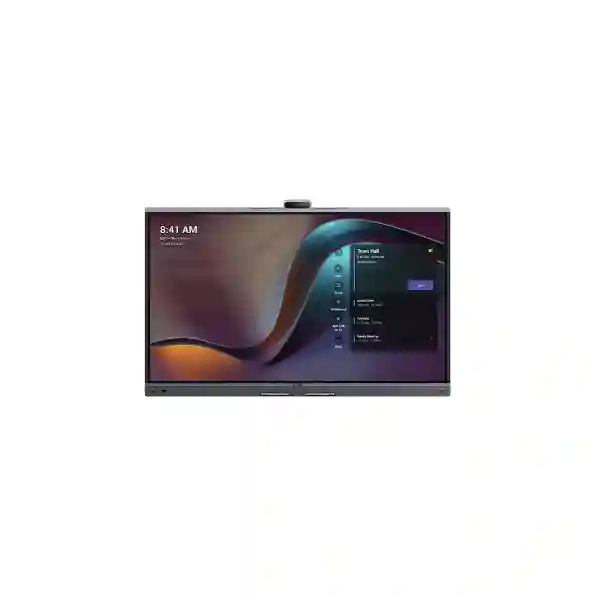
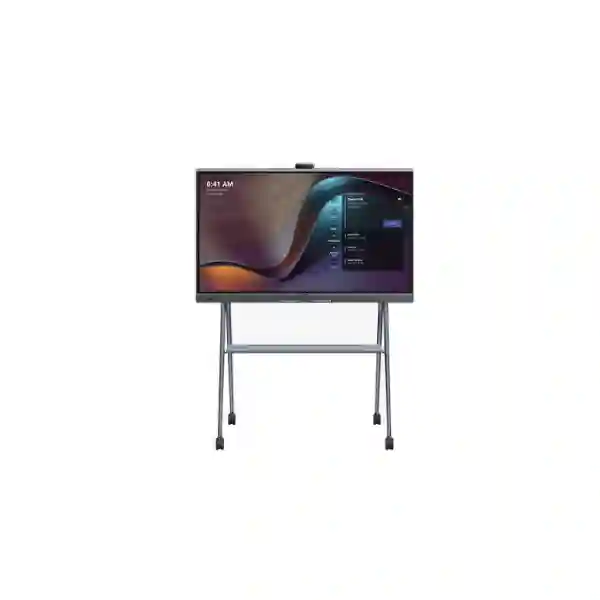
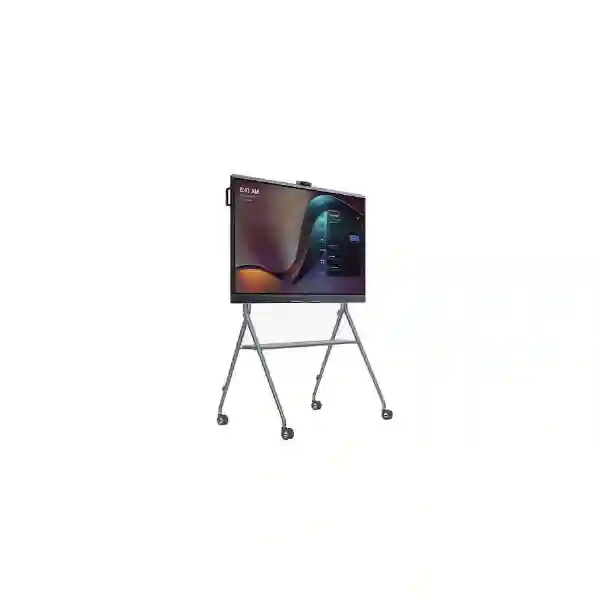
Yealink MeetingBoard Pro 86 Teams Rooms System
The Yealink MeetingBoard Pro 86 Teams Rooms System is designed for organisations that want one integrated collaboration surface instead of a meeting room assembled from multiple disconnected devices. The 86-inch model combines a 4K interactive display, a built-in triple-camera architecture using three 50MP sensors, a 16-element MEMS microphone array, integrated stereo audio, intelligent framing functions, digital whiteboarding, wired and wireless presentation options, and native Microsoft Teams Rooms capability. For boardrooms, executive meeting rooms, training spaces, project rooms and larger collaboration areas, the platform creates a cleaner path from room design to daily use while preserving flexibility for future expansion.
Why choose the Yealink MeetingBoard Pro 86?
Meeting rooms often become difficult to support when displays, cameras, microphones, speakers, room PCs, touch controllers and sharing devices are sourced separately. The MeetingBoard Pro 86 reduces that complexity by concentrating the essential collaboration functions into one large-format platform. Yealink positions the MeetingBoard Pro family for small through large rooms, with the 86-inch size being especially relevant where participants need a larger visual surface for remote meetings, shared documents, whiteboarding and in-room presentations. Its Android 13 platform, 8 GB memory and 64 GB flash support the integrated room experience, while the device can also participate in broader room designs through accessory and connectivity options.
The panel resolution is 3840 × 2160, with a 60 Hz refresh rate, anti-glare treatment and a 178-degree viewing angle. Twenty-point infrared touch, approximately 21 ms touch latency under Yealink whiteboard testing, palm rejection and a four-level stylus support collaborative annotation and ideation. For organisations moving from a conventional meeting-room television to a true interactive collaboration environment, this changes the room from a passive screen into a shared working surface.
Triple-eye camera system
The built-in camera system uses three 50MP Sony sensors and supports up to 4K output, electronic pan-tilt and 8× digital zoom. AI-assisted functions include Auto Framing, Speaker Tracking, Picture-in-Picture, IntelliFocus and Video Fence.
Room-scale audio
A built-in 16 MEMS microphone array supports up to 12 metres of full-duplex pickup. Yealink also specifies noise suppression, reverberation cancellation, echo cancellation, beamforming and automatic gain control for clearer participation.
Interactive collaboration
The 86-inch 4K touch surface supports whiteboard collaboration, multi-touch interaction, stylus input, gesture functions and responsive content review for workshops, project sessions and hybrid meetings.
Flexible meeting modes
The platform supports native Teams and Zoom experiences together with General Mode/BYOM scenarios. Organisations can standardise on Microsoft Teams while retaining flexibility for selected cross-platform or user-device workflows.
Verified technical highlights
| Display | 86-inch anti-glare panel, 3840 × 2160 resolution, 60 Hz, 178° viewing angle |
| Touch | Infrared touch, 20 points, ±1 mm accuracy, four-level stylus |
| Camera | Triple 50MP Sony sensors, up to 4K, 98.2° wide-angle HFOV, 8× digital zoom |
| AI video | Auto Framing, Speaker Tracking, PIP, IntelliFocus, Video Fence |
| Microphones | 16 MEMS microphone array, up to 12 m full-duplex pickup |
| Networking | Wi-Fi 6 dual band, Bluetooth 5.1, dual Gigabit Ethernet |
| Sharing | HDMI input, VCH51 wired sharing, AirPlay, Miracast and supported wireless presentation pod workflows |
| Management | Web/device/touchscreen configuration, Yealink Management Cloud Service, Microsoft Teams Admin Center and related management platforms |
Microsoft Teams Rooms experience
For organisations standardising on Microsoft Teams, the MeetingBoard Pro can provide a native room experience rather than requiring users to plug in a laptop for every meeting. Scheduled meetings can appear on the room interface, users can join with a meeting ID, and supported proximity workflows can transfer or add a nearby Teams room to a meeting. This is particularly useful for executive rooms and shared meeting spaces where the objective is to reduce start-up friction. A room that launches reliably with a familiar Teams workflow usually requires less user intervention than a room assembled around ad-hoc cables and individual laptops.
Third-party meeting participation can also be enabled within Microsoft Teams Rooms workflows for supported providers such as Zoom and Cisco Webex, subject to the platform features and policies in use. Buyers should confirm their Microsoft licensing, tenant configuration, room account design and cross-platform meeting requirements during planning. Hardware capability is only one part of the user experience; successful deployment also depends on network readiness, account provisioning, firmware management, room naming and administrator ownership.
Planning the room around an 86-inch collaboration board
An 86-inch meeting board changes the physical planning requirements compared with a smaller display. Before ordering, confirm wall construction, mounting method, viewing distance, room depth, table position, camera sightlines, cable routing and access to power and data. Yealink supports wall-mounted and floor-stand deployment methods for the MeetingBoard Pro family. A floor stand can be useful where the wall is unsuitable or where the organisation wants a degree of room flexibility, while a fixed wall installation can produce a cleaner permanent boardroom layout.
Audio coverage should be considered alongside the built-in 12-metre pickup capability. Pickup distance does not automatically guarantee equivalent results in every room because acoustics, reverberation, glass walls, ceiling height, HVAC noise, seating geometry and participant behaviour all affect perceived quality. Larger or acoustically difficult rooms may benefit from compatible expansion options. The same principle applies to cameras: the built-in wide-angle triple-camera architecture is designed to cover a broad room view, but specialist room geometry or distant presentation positions may justify an optional optical-zoom camera module such as the MB-12X Pro after requirements are assessed.
Related FourTeck collaboration and infrastructure resources
Explore integrated IT, telecom, networking and collaboration planning for Tanzanian organisations.Tanzania IT and collaboration services
Review supporting services for room deployment, network readiness and wider workplace technology projects.FourTeck Tanzania product catalogue
Browse related business technology products when a meeting-room project also needs network, endpoint or infrastructure components.FourTeck Kenya video conferencing solutions
Useful for organisations coordinating collaboration projects across Tanzania and Kenya.FourTeck Uganda communication solutions
Supports regional procurement conversations for organisations operating across Tanzania and Uganda.
Yealink MeetingBoard Pro 86 Teams Rooms System Tanzania
For organisations in Tanzania, the Yealink MeetingBoard Pro 86 is especially relevant where a conference room must support both day-to-day Microsoft Teams meetings and higher-value collaborative sessions involving presentations, whiteboarding, design review or multi-site decision making. The 86-inch 4K canvas gives participants substantially more working area than a conventional desktop-class display, helping teams review dashboards, documents and visual material without crowding around a small screen. The integrated camera, microphones, speakers and touch experience also reduce the number of independent room components that IT staff must cable, configure and explain to users.
Procurement planning in Tanzania should begin with room size, wall or floor mounting constraints, participant count, network availability and Microsoft Teams Rooms licensing. Organisations should also identify whether the room will be permanently dedicated to Teams, whether external guests frequently invite staff to Zoom or Webex meetings, and whether users need laptop-based BYOM sessions. Those requirements influence how the MeetingBoard Pro is configured and whether accessories are needed. A reliable wired Ethernet connection is commonly preferred for fixed room systems, even though the device also supports Wi-Fi 6, because meeting quality depends on stable upstream and downstream connectivity as well as internal LAN performance.
For companies with multiple Tanzanian sites, standardisation is another important factor. Using the same room platform across headquarters, branch offices and project locations can simplify user training, room naming, management policy and support procedures. IT teams can establish a repeatable checklist for accounts, firmware, camera behaviour, audio tests, sharing methods and escalation. When requesting a quotation, provide the room dimensions, expected seating capacity, preferred mounting style, Microsoft tenant information, required content-sharing methods and any need for expansion microphones, external cameras or touch-control accessories. This produces a more useful bill of materials than simply asking for one 86-inch screen.
Yealink MeetingBoard Pro 86 Teams Rooms System Dar es Salaam
Dar es Salaam businesses often operate in environments where meeting rooms serve several roles: executive management calls, customer presentations, project reviews, regional coordination and supplier meetings. The MeetingBoard Pro 86 suits this type of multipurpose room because its large interactive display, native Teams experience and integrated AV functions reduce dependence on a separate laptop, USB camera and table speakerphone. For headquarters and larger offices, this can create a more consistent room experience for both regular staff and visiting participants.
Room preparation deserves particular attention. An 86-inch interactive board is a substantial physical device, so the installation plan should confirm wall strength or floor-stand suitability, access path into the room, final screen height, table-to-screen distance and camera field of view. Power and network points should be positioned to keep cabling controlled. If a room uses glass partitions or hard reflective surfaces, acoustic testing is worthwhile because reverberation can affect speech quality even when the microphone system itself supports advanced noise and de-reverberation processing. The built-in 16 MEMS array provides strong coverage, while expansion options can be considered if room geometry requires them.
Dar es Salaam buyers should also decide how users will share content. HDMI input supports wired presentation, while AirPlay and Miracast can support compatible wireless workflows. If the organisation has strict network or security policies, IT should test the preferred sharing method before rollout. For Microsoft Teams Rooms, confirm room-resource account creation, licence assignment, administrator roles and device-management ownership. A well-planned deployment treats the board as an enterprise endpoint rather than a consumer display. Include room dimensions, user count, mounting preference, required accessories and support expectations in the quotation request so the proposed configuration matches the actual meeting environment.
Yealink MeetingBoard Pro 86 Teams Rooms System Mwanza
In Mwanza, organisations coordinating distributed teams, field operations, branch functions or customer engagements can use the MeetingBoard Pro 86 to make a large meeting room more effective for hybrid collaboration. The value is not simply the 86-inch size; it is the combination of visual workspace, camera intelligence, room audio and integrated meeting software. A single board can support routine Teams calls in the morning, an interactive planning workshop later in the day and a management presentation without changing the room hardware.
For sites where remote support is important, management capability should be part of the buying decision. Yealink lists web, device and touchscreen configuration methods along with Yealink Management Cloud Service and Microsoft Teams Admin Center support. These tools can help IT administrators maintain visibility over configuration and room status, depending on the management services adopted by the organisation. Standardising device names, room accounts, update policies and test procedures can reduce avoidable support calls. Network quality is equally important: even premium cameras and microphones cannot compensate for unstable WAN service, packet loss or poorly engineered Wi-Fi.
Mwanza procurement teams should evaluate the complete room rather than only the core board. Confirm whether the built-in triple 50MP camera view captures all seats effectively, whether the 12-metre pickup specification aligns with room dimensions, and whether the mounting position gives every participant a comfortable view. If there is a long boardroom table, a specialist optical-zoom option or microphone expansion may be appropriate after assessment. Request pricing with explicit accessory line items so stakeholders can compare a base installation against an enhanced room configuration. This approach makes budgeting clearer and helps avoid buying accessories that the room does not actually require.
Yealink MeetingBoard Pro 86 Teams Rooms System Arusha
Arusha organisations in hospitality, tourism, professional services, development programmes, education and regional administration may need meeting spaces that host both internal teams and external guests. The MeetingBoard Pro 86 can support this mixed-use pattern because it combines a large interactive display with native conferencing and flexible presentation methods. Whiteboarding is valuable for workshops and training sessions, while intelligent camera modes such as Auto Framing, Speaker Tracking and IntelliFocus help remote participants follow the in-room discussion more naturally.
For guest-heavy rooms, workflow simplicity matters. A room should be designed so a visitor can present without IT staff rebuilding the setup for every meeting. Teams-native sessions can use the room interface, while supported general-mode and BYOM workflows provide additional flexibility. Buyers should still define security boundaries: determine whether guest devices may join the corporate wireless network, whether wired HDMI is preferred for external presenters, and which wireless-sharing functions are permitted. These policy decisions should be documented before deployment so users receive a clear and consistent experience.
Physical design is equally important in Arusha facilities where rooms may have strong daylight, reflective glazing or flexible furniture. The MeetingBoard Pro uses an anti-glare panel, but installers should still avoid positioning the display where direct reflections undermine visibility. Camera height, participant seating and background composition affect how professional the remote view appears. If the room is used for training, check whether participants at the rear can read detailed content comfortably on an 86-inch screen. A quotation request should therefore include room photos or measurements where available, intended meeting types, expected participant count, mounting preference and any need for mobile positioning. This information supports a room-specific recommendation rather than a generic hardware quote.
Yealink MeetingBoard Pro 86 Teams Rooms System Dodoma
Dodoma organisations requiring structured communication between departments, regional offices or external stakeholders can use the MeetingBoard Pro 86 as a central collaboration endpoint for formal meeting rooms. The combination of Microsoft Teams Rooms, a 4K touch display and integrated audio/video can be particularly effective where users need a predictable room system that is easier to operate than a temporary laptop-and-cable arrangement. With a single interactive surface, participants can move from a video call to document review or whiteboarding without changing devices.
For administrative and institutional environments, planning should include governance as well as physical installation. Decide who owns the Teams room account, who can modify device settings, how firmware updates are approved, what meeting data policies apply and how incidents are reported. Yealink supports enterprise management methods, but organisations still need internal responsibility for account security and operational support. Network segmentation, 802.1X requirements, VLAN design and QoS policies should be reviewed with the network team where such controls are in use.
A Dodoma deployment should also account for meeting-room continuity. If the room is used for important governance or decision meetings, test the device after installation using actual Teams calls, screen sharing, microphone pickup from every seat and camera framing under normal lighting. Confirm the electric privacy shutter behaviour and user expectations around room privacy. If the organisation expects frequent third-party meetings, validate the supported Teams Rooms guest-join workflow before relying on it for critical sessions. When seeking a quotation, provide room dimensions, user numbers, Microsoft environment details, network constraints and any accessory requirements. This ensures the proposal reflects the operational importance of the room rather than treating the board as a standalone display purchase.
Yealink MeetingBoard Pro 86 Teams Rooms System UAE
For UAE organisations operating regional headquarters, multi-country teams and high-frequency customer meetings, the MeetingBoard Pro 86 provides a large-format collaboration platform that can fit executive rooms, project rooms and premium client-facing spaces. The all-in-one design reduces the visual and technical clutter associated with separate cameras, microphones and display systems. Native Teams capability is particularly relevant for businesses already centred on Microsoft 365, while supported Zoom and General Mode options help organisations accommodate varied conferencing requirements.
UAE deployments often involve sophisticated room standards, so buyers should evaluate how the MeetingBoard Pro integrates with structured cabling, enterprise switching, wireless policy, room booking and device management. Two Gigabit Ethernet ports, Wi-Fi 6 and Bluetooth 5.1 provide connectivity options, but fixed meeting rooms should be engineered around consistent network performance. Where the room is large or the seating geometry is complex, compatible expansion microphones, touch controllers or the MB-12X Pro optical-zoom camera can be evaluated. The objective should be to build the smallest complete system that satisfies the room rather than adding accessories by default.
For companies with offices in both the UAE and Tanzania, standardising meeting-room technology can simplify cross-border collaboration. Users encounter the same joining workflow, IT administrators can document a common support process, and procurement can establish repeatable room profiles. Regional buyers can also review broader FourTeck solutions through the main FourTeck platform when network, firewall, switching or wider workplace infrastructure must be coordinated with the conferencing project. A quotation should identify the number of rooms, room sizes, mounting preference, Teams licensing, accessory needs and desired deployment timeline so the system design can be matched to the organisation’s regional collaboration strategy.
Yealink MeetingBoard Pro 86 Teams Rooms System Uganda
Ugandan organisations with distributed offices, project teams or regional operations can use the MeetingBoard Pro 86 as a standard collaboration endpoint for larger rooms. Its integrated 4K display, cameras, microphones and speakers reduce dependency on multiple vendor devices, which can be helpful for IT teams trying to support meeting rooms across several locations. The native Teams experience also supports a consistent calendar-driven workflow where room accounts and licensing are properly configured.
Before deployment in Uganda, assess network reliability at each site rather than assuming every branch can use the same connectivity design. Teams meeting quality depends heavily on WAN capacity, latency, packet loss and network contention. Ethernet is generally the preferred foundation for a fixed room endpoint, with Wi-Fi 6 available where the environment requires wireless connectivity. Organisations with centralised IT should also define remote-management procedures and escalation paths so basic room issues can be diagnosed without unnecessary travel.
The 86-inch format is most useful when the physical room can take advantage of it. Measure viewing distance, seating width and wall area. Confirm that the camera view includes participants without excessive empty space and that microphones cover the actual seating plan. In long rooms, test speech pickup from the farthest seat and consider expansion where required. For organisations coordinating Uganda and Tanzania operations, common room standards can reduce training effort and make inter-office meetings more predictable. Buyers can review FourTeck Uganda communication solutions for regional context while using the Tanzania project requirements to define the exact system. Include room measurements, participant count, meeting platforms, preferred mounting method and accessory expectations in the request for quotation.
Yealink MeetingBoard Pro 86 Teams Rooms System Kampala
Kampala headquarters and professional offices frequently need meeting rooms that can handle executive calls, customer presentations, branch coordination and collaborative workshops. The MeetingBoard Pro 86 addresses this mix by combining the meeting interface and content canvas in one device. Its large 4K panel makes shared documents and presentations easier to review across a boardroom table, while the touch layer supports annotation and whiteboarding during active working sessions.
For a Kampala installation, room acoustics should be treated as seriously as camera specifications. The MeetingBoard Pro includes a 16 MEMS array and Yealink audio processing such as echo cancellation, noise suppression and reverberation cancellation, but glass walls, hard floors and open ceilings can still shape the acoustic result. A pre-installation room review can identify whether soft furnishings, microphone expansion or seating changes would improve the user experience. Likewise, camera framing should be tested from realistic participant positions, not only from the centre seat.
IT teams should define a simple user journey: enter the room, see the scheduled meeting, join, share content and leave the room in a known state. That workflow depends on Microsoft Teams Rooms account provisioning, calendar integration and device policy as much as it depends on the hardware. For organisations that host many outside participants, confirm third-party meeting expectations and BYOM policy. The procurement package should identify whether the organisation wants wall mounting or a movable stand, whether a touch controller is required, and whether the standard integrated camera is sufficient. This structured approach allows procurement to compare solutions on the basis of complete room readiness rather than headline display size alone.
Yealink MeetingBoard Pro 86 Teams Rooms System Arua
For organisations in Arua that need to connect local teams with national or international colleagues, an integrated room system can reduce the operational burden of setting up every call from scratch. The MeetingBoard Pro 86 provides the visual workspace, camera, audio and meeting interface in one platform, giving staff a more consistent experience than improvised conferencing built around individual laptops. This can be useful for management meetings, programme coordination, remote training and specialist consultations where clear visual communication matters.
Connectivity planning is central to a successful Arua deployment. The board supports wired Gigabit Ethernet and Wi-Fi 6, but the final network path must be evaluated for actual service quality. If internet performance varies, IT teams should review bandwidth allocation, QoS policies and competing traffic during business hours. Local LAN stability is also important; a premium room endpoint should not be connected through unreliable switching or poorly terminated cabling. Where central IT staff are located elsewhere, remote management and a documented support checklist can make troubleshooting more efficient.
Room suitability should also be confirmed before purchase. The 86-inch screen requires an appropriate wall or stand and enough viewing distance for comfortable use. Check door and corridor access for delivery and installation, plus power and data availability at the final position. For smaller teams in a large room, the default camera and microphone system may be more than sufficient; for long tables or unusual seating layouts, test actual pickup and framing before deciding on expansion accessories. A quotation request should therefore describe the room, participant profile, Teams environment, network conditions and intended uses. This helps create a right-sized proposal rather than an equipment list based only on model name.
Yealink MeetingBoard Pro 86 Teams Rooms System Mbarara
Mbarara businesses, institutions and distributed organisations can use the MeetingBoard Pro 86 where a room needs to support both formal video meetings and interactive teamwork. The large touch surface is useful for planning sessions, document review and visual collaboration, while the built-in Teams Rooms experience helps regular users join scheduled meetings without connecting a laptop. This combination can improve room consistency, especially when several departments share the same space.
A good Mbarara deployment starts with a room profile. Record the room dimensions, number of seats, typical meeting length, main applications, wall type, ambient noise and network connection. These details determine whether wall mounting or a floor stand is more practical and whether the integrated audio/camera coverage is sufficient. Yealink lists a 12-metre full-duplex microphone pickup capability, but every room should still be tested after installation because physical acoustics affect real-world performance. The built-in camera’s broad field of view can suit many boardrooms, while optional optical zoom may be considered where presenters or participants are positioned farther away.
For IT operations, standard procedures should cover room-account credentials, admin access, firmware updates, network settings and user support. Staff should know how to join a Teams meeting, share a screen and return the room to its standard state. If wireless sharing is enabled, test compatibility with the laptops and mobile devices actually used by the organisation. For a meaningful quotation, include expected room usage, mounting requirements, desired sharing methods, any central device-management requirements and the number of planned rooms. This allows the project to be evaluated as a collaboration solution instead of a display-only purchase.
Yealink MeetingBoard Pro 86 Teams Rooms System Gulu
In Gulu, organisations coordinating regional programmes, branch teams or remote specialists can benefit from a meeting room that starts quickly and presents both local and remote participants clearly. The MeetingBoard Pro 86 combines a high-resolution collaboration surface with intelligent video and a room-scale microphone system, which can reduce the need for users to assemble temporary equipment for every call. This is useful where the room is shared by many teams and where operational simplicity is important.
When evaluating the 86-inch model, buyers should match the device to the room rather than assuming larger is always better. The screen should be large enough for distant participants to read content but not so dominant that near seats are uncomfortable. The camera should be mounted at a height and angle that creates a natural remote view. Lighting should illuminate faces without creating strong backlight. The electric privacy shutter can support room privacy expectations when the camera is not in use. Audio testing should include speakers seated at different distances and orientations.
Network and support planning are also significant for Gulu sites. A fixed room endpoint should have a stable network connection and a clearly assigned administrator. If support is centralised elsewhere, document restart procedures, account details, network configuration and basic troubleshooting steps. Yealink management tools and Teams Admin Center can support ongoing administration according to the organisation’s chosen management model. If the room will frequently join non-Teams meetings, validate those workflows before launch. The quotation should specify room size, user capacity, internet/network environment, Teams licensing and accessory requirements so the proposed solution reflects the full deployment context.
Yealink MeetingBoard Pro 86 Teams Rooms System Kenya
Kenyan organisations with regional offices, customer-facing boardrooms or hybrid teams can use the MeetingBoard Pro 86 to standardise a large-room collaboration experience around Microsoft Teams. The device’s integrated design helps simplify rooms that might otherwise require a separate display, USB camera, microphone array, speakers and room computer. The 86-inch interactive panel also makes the room useful for physical collaboration even when no video meeting is running, supporting workshops, planning and whiteboard-led sessions.
For multi-site companies operating in Kenya and Tanzania, a common room standard can produce operational benefits. Users need to learn one interface, IT can maintain common deployment documentation and management can compare room performance more consistently across branches. The network design still needs to reflect each site. Confirm available WAN capacity, firewall policies, DNS, VLAN configuration and any identity or certificate requirements. Meeting devices should be included in the organisation’s wider network-management and security process rather than treated as isolated AV equipment.
Kenya buyers can review the FourTeck Kenya video conferencing context alongside the Tanzania configuration when coordinating cross-border projects. During quotation, list the number of rooms and classify them by size and purpose. An executive boardroom may justify camera or microphone expansion, while a standard large meeting room may work effectively with the integrated system. Confirm wall or floor mounting, content-sharing needs and whether external touch control is required. This room-by-room method prevents over-specification and makes it easier to create a consistent bill of materials for multiple locations.
Yealink MeetingBoard Pro 86 Teams Rooms System Kuwait
Kuwait organisations modernising executive meeting spaces, training rooms or cross-border collaboration environments can consider the MeetingBoard Pro 86 as a unified Microsoft Teams Rooms platform. Its 86-inch interactive 4K display provides generous space for presentations, spreadsheets, dashboards and whiteboarding, while the built-in camera and microphone architecture reduce visual clutter around the room. This is especially useful where presentation quality and a clean professional appearance are important.
Corporate deployments in Kuwait should integrate the board into existing IT controls. Confirm network segmentation, authentication requirements, update management, Microsoft room-account policies and remote administration. The device supports enterprise networking features including 802.1X, VLAN-related mechanisms and secure web management, but the final design must match the customer’s network policies. Fixed Ethernet is typically a strong choice for a room endpoint, with Wi-Fi 6 available where appropriate. If the organisation operates several rooms, create a naming convention and standard configuration baseline.
The 86-inch format also requires physical preparation. Check installation access, wall structure, power placement and HVAC or environmental considerations around the display. Where a room is exceptionally long, the optional MB-12X Pro optical zoom camera may be evaluated for improved distant framing. Expansion microphones and other room accessories should be selected only after the room has been assessed. Buyers can review FourTeck Kuwait for complementary regional IT, networking and communication planning. A quotation request should include room dimensions, required meeting platforms, Microsoft licensing status, mounting choice, network constraints and accessory preferences to support an accurate configuration.
Yealink MeetingBoard Pro 86 Teams Rooms System Ghana
Ghanaian organisations using Microsoft 365 can deploy the MeetingBoard Pro 86 as a dedicated room endpoint for larger collaboration spaces. The system combines visual, audio and conferencing functions in one platform and can help reduce the everyday friction associated with laptop-based meeting setups. Its large interactive screen is useful for management reviews, remote training, sales presentations and project collaboration where participants need to work with shared content rather than simply watch a video feed.
A Ghana deployment should be planned around the entire room. Ensure that the 86-inch display is appropriate for the seating distance and that the camera can see participants clearly. Test lighting and avoid strong backlighting from windows. The integrated microphones support up to 12 metres of full-duplex pickup according to Yealink specifications, but room acoustics must still be validated. Where needed, compatible audio or camera expansion can be considered. Content sharing should also be tested using the organisation’s standard laptops, especially if wireless presentation is expected to be a primary workflow.
For organisations operating across Ghana, Tanzania and other African markets, standardisation can simplify support. Common room accounts, configuration templates, signage and quick-start instructions make it easier for travelling staff to use different offices. FourTeck’s Ghana technology resources can also support broader projects involving network, security and workplace infrastructure. A quotation for the MeetingBoard Pro 86 should include the room role, user count, meeting-platform requirements, mounting method, network details and any expected peripherals. This creates a complete procurement conversation and avoids comparing quotations that include different assumptions about installation or accessories.
Yealink MeetingBoard Pro 86 Teams Rooms System Nigeria
Nigerian enterprises, professional firms and distributed organisations can use the MeetingBoard Pro 86 to create a dedicated collaboration room around Microsoft Teams. The integrated approach can be valuable where IT teams want fewer independent AV components and a more repeatable user experience. The board’s 4K interactive surface supports content-heavy meetings, while intelligent camera functions and the 16-microphone array support natural communication between people in the room and remote participants.
Large organisations should assess how the room system fits into identity, network and support processes. Teams Rooms requires appropriate room accounts and licensing, and the device should be governed through documented admin roles. Network quality needs to be predictable during peak business hours. IT should review firewall rules, QoS, DNS and any proxy or authentication requirements. Where backup connectivity exists, determine whether the meeting room is included in failover design and test how it behaves during a network transition if continuity is important.
Physical room engineering matters just as much. The 86-inch screen needs suitable installation access and mounting, while camera framing should be evaluated using the actual seating layout. In very deep rooms, optional optical zoom can be considered. If the room frequently hosts training or all-hands sessions, test presentation legibility from the farthest seat. Organisations with multiple African offices can use a standard specification to simplify cross-site support, but each room should still be validated individually. When requesting pricing, identify number of rooms, size, participant capacity, mounting preference, Microsoft environment and required accessories. This gives procurement a defensible basis for comparing configurations rather than focusing on device price alone.
Yealink MeetingBoard Pro 86 Teams Rooms System Seychelles
Seychelles organisations that rely on communication with regional headquarters, international partners, remote specialists or distributed teams can use the MeetingBoard Pro 86 to make hybrid meetings more structured. The large interactive display supports detailed presentations and collaborative review, while the integrated camera, microphones and speakers help reduce the number of separate devices in the room. For hotels, professional offices, government environments and larger corporate meeting spaces, a clean all-in-one installation can also support a more professional room appearance.
Island operations often make remote manageability and dependable design especially valuable. A meeting room should be built around stable networking, clear administrator ownership and well-documented recovery procedures. The MeetingBoard Pro supports several management methods, including Microsoft Teams Admin Center and Yealink management platforms, depending on the organisation’s chosen architecture. IT should maintain records for firmware, network settings, room accounts and accessory configuration so issues can be diagnosed efficiently.
Before procurement, verify room access and installation logistics for an 86-inch unit, including door widths, lifts or stairways, wall suitability and available power/network points. Consider whether a floor stand offers practical flexibility or whether wall mounting gives the best permanent result. Test camera view and microphone pickup using real room conditions, and check whether cross-platform meeting requirements should be handled through supported Teams guest-join or BYOM workflows. A quotation should therefore include location, room dimensions, participant count, installation method, Teams licensing status, network environment and accessory requirements. Detailed planning is particularly useful when equipment movement or later reconfiguration may be more difficult than in a conventional office environment.
Selection, accessories and quotation checklist
Room information
Provide room length, width, seating capacity, table shape, wall type and typical meeting purpose. This determines whether the 86-inch format is appropriate and whether optional camera or microphone expansion should be reviewed.
Microsoft environment
Confirm Microsoft 365 tenant details relevant to the room, Teams Rooms licensing status, room-resource account ownership, security policy and administrator responsibilities.
Mounting and accessories
Specify wall mounting or floor stand, and identify requirements for external camera, expansion microphones, touch controller, sharing pod or related room accessories only where the room needs them.
Network and sharing
State whether the room will use Ethernet or Wi-Fi, which content-sharing methods are permitted, and whether VLAN, 802.1X, QoS or other enterprise network controls must be accommodated.
Frequently asked questions
Is the Yealink MeetingBoard Pro 86 a Microsoft Teams Rooms system?
Yes. Yealink offers the MeetingBoard Pro as a native Microsoft Teams Rooms solution. The platform also supports Zoom and General Mode/BYOM scenarios, giving organisations additional flexibility depending on configuration and meeting requirements.
What camera system is built into the MeetingBoard Pro 86?
The MeetingBoard Pro uses a triple-eye camera design with three 50MP Sony sensors. Yealink lists AI viewing functions including Auto Framing, Speaker Tracking, Picture-in-Picture, IntelliFocus and Video Fence.
How far can the built-in microphones pick up voices?
Yealink specifies a built-in 16 MEMS microphone array with up to 12 metres of full-duplex pickup. Actual room results depend on acoustics, seating geometry and ambient noise, so larger or difficult rooms should be assessed before deciding whether expansion audio is needed.
Can users share content wirelessly?
Yes. Yealink lists AirPlay, Miracast and supported wireless presentation pod options, alongside wired HDMI input and VCH51 sharing. Organisations should select sharing methods that align with their endpoint mix and security policy.
Does the MeetingBoard Pro 86 support whiteboarding?
Yes. The device is designed for interactive whiteboard collaboration and supports 20-point infrared touch, stylus input, palm rejection and collaborative annotation features.
What should be included in a quotation request?
Include room dimensions, seating capacity, mounting preference, Microsoft Teams Rooms licensing status, network environment, required sharing methods, any third-party meeting requirements and whether you expect camera, microphone or control accessories. This helps create a room-ready proposal rather than a hardware-only quote.
Decision recap
Choose the Yealink MeetingBoard Pro 86 when your room needs a large 4K interactive display, native Teams Rooms workflow, integrated AI camera capability, room-scale audio and collaborative whiteboarding in one platform. The strongest buying decision comes from matching the device to the room: confirm physical dimensions, participant count, network readiness, Microsoft licensing and accessory needs before purchase. For multi-site organisations, standardising the MeetingBoard Pro can also create a repeatable support and user experience across offices.
Plan your Yealink MeetingBoard Pro 86 deployment
Share your room dimensions, expected number of participants, meeting platforms, mounting preference and network details with FourTeck Tanzania. A requirement-led discussion helps determine whether the integrated MeetingBoard Pro 86 configuration is sufficient on its own or whether the room benefits from compatible camera, microphone, control or presentation accessories.




Reviews
There are no reviews yet.