
Yealink MTouch Plus-MB Touch Console Tanzania
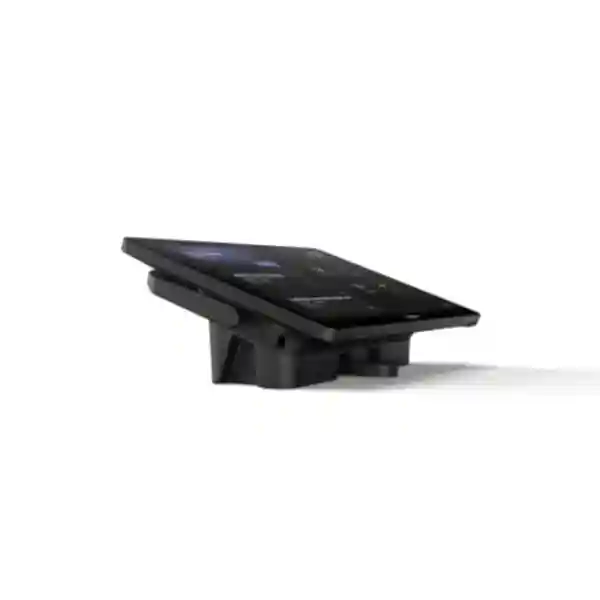
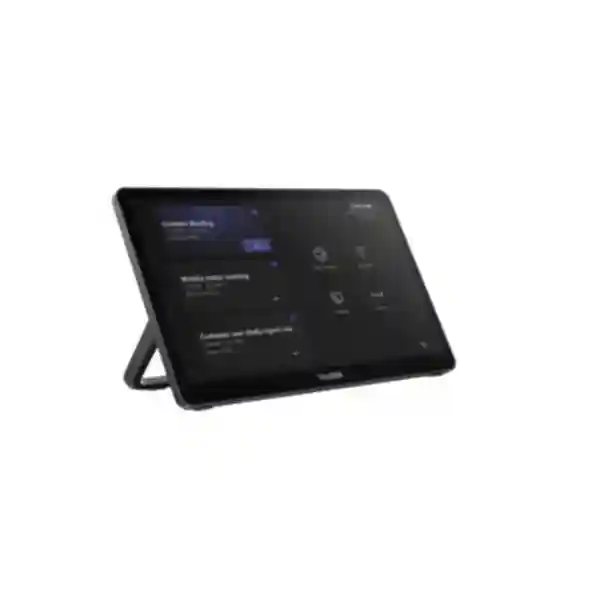
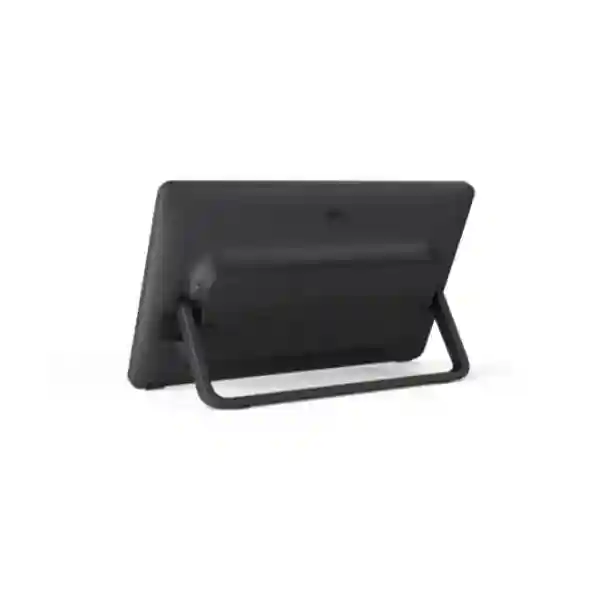
The Yealink MTouch Plus-MB is a dedicated meeting-room touch console for compatible Yealink MeetingBoard and MeetingBoard Pro Microsoft Teams Rooms on Windows environments. It provides an 11.6-inch IPS Full HD control surface with 10-point multi-touch, anti-glare and anti-fingerprint treatment, plus wall, fixed-desktop and flat placement options. Manufacturer part number: 1306072.
Product overview
A professional Teams room should give every user a predictable way to join meetings and manage supported room functions. The MTouch Plus-MB provides a permanent control point for compatible MeetingBoard deployments rather than relying on loose tablets or personal laptops. Buyers should verify the exact MeetingBoard or MeetingBoard Pro model, supported OPS module, software version, content-sharing workflow and mounting requirements before ordering because MTouch Plus-MB is not interchangeable with every Yealink MTouch product.
11.6-inch Full HD IPS
1920 × 1080 resolution with anti-glare and anti-fingerprint treatment.
10-point multi-touch
A large touch surface designed for dedicated meeting-room control.
Flexible deployment
Wall mounting, fixed desktop installation and flat placement support different room layouts.
Sharing workflows
Supports documented AirPlay and Miracast workflows and USB-C connectivity within compatible deployments.
Compatibility and procurement
Yealink documents MCore-OPS-T and MCore-OPS-G2T support for MTouch Plus-MB. Procurement teams should include part number 1306072, exact board model, OPS module, quantity, mounting preference and room requirements when requesting a quotation. Existing installations should also provide current software information and controller connection details.
FourTeck Tanzania can support broader collaboration-room planning through the FourTeck Tanzania technology platform, Tanzania technology shop, FourTeck Tanzania services and Tanzania contact page. Regional organisations can also coordinate requirements through FourTeck Uganda, FourTeck Kenya, FourTeck Ghana, FourTeck Nigeria, FourTeck Kuwait and FourTeck UAE.
Yealink MTouch Plus-MB Tanzania
Tanzania organisations evaluating this controller should treat it as part of a complete Microsoft Teams room rather than an isolated accessory. The correct buying conversation includes the MeetingBoard model, OPS platform, number of rooms, content-sharing method, controller placement, network readiness, power protection and installation scope. Corporate offices, banks, government departments, universities, professional firms and distributed businesses may all benefit from a permanent control interface where multiple employees share the same room.
For new rooms, review table layout, cable routes and the preferred wall, desktop or flat placement before furniture is completed. For replacement projects, capture the existing device label, connections and software environment. Multi-site organisations should standardise room documentation so support teams can quickly identify the board, OPS module, software baseline and controller position. Availability, warranty, delivery and installation conditions should be confirmed on the specific quotation rather than assumed.
Yealink MTouch Plus-MB Dar es Salaam
Dar es Salaam headquarters, boardrooms and customer-facing offices often require collaboration rooms that are easy for different departments to operate. MTouch Plus-MB can provide a fixed interface in compatible MeetingBoard MTRoW systems, reducing dependence on personal devices. Placement should be planned around seating, visibility, cable management and service access. Network quality also matters: stable LAN, internet capacity and sensible traffic management contribute directly to the meeting experience.
A useful quotation request should state whether the room is new or existing, the exact MeetingBoard and OPS details, quantity, mounting preference and whether users need USB-C or wireless content sharing. Organisations deploying several rooms should create a repeatable room standard and separate hardware supply from cabling, installation, configuration and commissioning in the commercial scope.
Yealink MTouch Plus-MB Mwanza
Mwanza organisations connecting regional offices with headquarters can benefit from a dedicated controller that remains in the room and supports a consistent workflow. When technical support may be remote, documented configuration and standardised cable labelling become especially useful. Record the board, OPS module, controller part number and software level for every room.
Power continuity and internet stability should be considered alongside the console. Collaboration equipment should use appropriate protected power and business-grade network infrastructure. Buyers should submit full system context when requesting pricing so compatibility can be reviewed before shipment and project-specific delivery and warranty terms can be documented.
Yealink MTouch Plus-MB Arusha
Arusha’s hospitality, NGO, professional-services, government and education environments often host visitors and mixed user groups. A fixed room controller can simplify the experience for users who are unfamiliar with the underlying system. The anti-glare 11.6-inch display and three mounting modes give designers useful flexibility, but mounting should be chosen for reach, visibility and cable management rather than appearance alone.
Guest presentation requirements should be tested during commissioning. AirPlay, Miracast and USB-C capabilities depend on the complete room, software and network policy. Procurement documents should identify part number 1306072 and the intended OPS environment to avoid confusion with other MTouch models.
Yealink MTouch Plus-MB Dodoma
Dodoma government offices, institutions and private-sector organisations can use standardised Teams rooms to support inter-city coordination and reduce unnecessary travel. MTouch Plus-MB is relevant where a compatible MeetingBoard or MeetingBoard Pro operates as a Microsoft Teams Rooms on Windows system. Institutional procurement benefits from precise bill-of-material documentation, including the exact model and part number.
A room should be commissioned as a complete environment with suitable network connectivity, protected power, tested audio, camera framing and presentation workflows. Quotations should distinguish between new deployment, upgrade and replacement scenarios and should explicitly state installation, delivery and warranty responsibilities.
Yealink MTouch Plus-MB UAE
UAE organisations with regional headquarters and formal AV standards can integrate MTouch Plus-MB into compatible MeetingBoard MTRoW room designs. The three mounting options support boardrooms, lecterns, tables and wall-control positions, while standardised room templates can simplify support across multiple offices.
Enterprises operating between the UAE and Africa should maintain a common technical standard while confirming commercial conditions separately by country. The FourTeck UAE platform supports UAE-focused requirements. Include the exact board, OPS module, room count and installation scope when requesting pricing.
Yealink MTouch Plus-MB Uganda
Ugandan organisations should verify the MeetingBoard MTRoW architecture before ordering because this console is not a universal Yealink touch-panel replacement. Multi-site deployments benefit from consistent controller placement, software baselines and documentation. Network, power, audio and presentation workflows should be tested as part of the complete room.
For Uganda-focused requirements, FourTeck Uganda provides a regional procurement route. Quotations should include exact quantities, destinations, board models and OPS details, with delivery and warranty conditions confirmed in writing.
Yealink MTouch Plus-MB Kampala
Kampala headquarters and shared corporate meeting rooms often contain a mixture of collaboration technologies, making compatibility review important during upgrades. Record the existing hardware, operating mode and software level before replacing a controller. A permanent touch panel can improve consistency where many employees use the same room.
Network administrators should also check Teams connectivity, Wi-Fi segmentation and guest presentation requirements. Large deployments should maintain a room schedule showing board size, controller position and any variations so the bill of materials remains accurate.
Yealink MTouch Plus-MB Arua
For Arua sites, dependable collaboration can connect local staff with headquarters and specialist teams elsewhere. Remote-support readiness is particularly important: label cables, record software versions and keep a clear equipment list so support teams can distinguish console issues from network, display or Teams-service issues.
Procurement requests should include consignee details, quantity, schedule, MeetingBoard model and OPS environment. Power resilience and internet continuity should also be evaluated for rooms used for operationally important meetings.
Yealink MTouch Plus-MB Mbarara
Mbarara businesses and institutions can use a dedicated room controller to establish a repeatable Teams Rooms experience. MTouch Plus-MB should be considered separately from the MeetingBoard, OPS computer, network and licensing; new projects need a complete bill of materials while replacement projects need compatibility verification.
Physical installation should protect cables and keep the controller serviceable. Organisations planning future rooms should document photographs, mounting measurements and tested sharing processes during the first deployment so later rollouts can reproduce the same standard.
Yealink MTouch Plus-MB Gulu
Gulu organisations collaborating with Kampala, East Africa and international partners can benefit from a stable meeting-room interface that remains in the room. The console’s Full HD, multi-touch, anti-glare display supports frequent shared use in compatible MeetingBoard MTRoW environments.
Sites with distributed support resources should document the entire room and test the complete experience under normal operating conditions. Quotations should specify whether the project is a single-site requirement or part of a multi-city Uganda rollout and should clearly identify hardware, services and delivery scope.
Yealink MTouch Plus-MB Kenya
Kenyan enterprises can include MTouch Plus-MB in standardised Teams Rooms designs for compatible MeetingBoard deployments. A documented room template covering board model, OPS module, controller location, network requirements and commissioning can reduce support variation across Nairobi and branch sites.
Kenya-focused sourcing can use FourTeck Kenya. Regional IT managers can maintain one technical standard across Kenya and Tanzania while requesting separate local delivery, warranty and service terms.
Yealink MTouch Plus-MB Kuwait
Kuwait boardrooms and corporate spaces may use the MTouch Plus-MB as a dedicated control surface within supported MeetingBoard Microsoft Teams Rooms on Windows environments. Bright interiors make placement important even with anti-glare treatment, and installers should keep cabling accessible for future service.
Wireless sharing should be evaluated against corporate security and VLAN policy. Kuwait-focused enquiries can use FourTeck Kuwait for regional procurement discussions.
Yealink MTouch Plus-MB Ghana
Ghana businesses and institutions can use a permanent controller to standardise supported MeetingBoard Teams Rooms environments. Large sites should document board, OPS module, controller model and network requirements rather than ordering from a generic “Yealink touch panel” description.
The FourTeck Ghana site supports Ghana-focused requirements. Quotations should separate product supply from freight, installation and commissioning and confirm warranty terms for the chosen route.
Yealink MTouch Plus-MB Nigeria
Nigeria’s large enterprises and distributed organisations can benefit from controlled room standards that specify the MeetingBoard model, OPS platform, MTouch Plus-MB part number, mounting position and commissioning procedure. Standardisation can reduce user confusion and long-term support overhead.
Power protection, WAN resilience and network policy should be considered for important meeting rooms. Nigeria-focused procurement can use FourTeck Nigeria while multi-country organisations maintain a shared technical standard.
Yealink MTouch Plus-MB Seychelles
Seychelles hospitality, financial, government and professional organisations may use Teams rooms to connect island-based teams with regional and international partners. A dedicated controller can simplify the room experience, but buyers should verify exact compatibility because replacement logistics can be more significant for island destinations.
Delivery planning should identify consignee details, project schedule and whether the console ships with other meeting-room equipment. Current availability, freight, warranty and service terms should be confirmed in writing for the specific order.
Quotation checklist
Provide the exact MeetingBoard or MeetingBoard Pro model, installed MCore OPS module, quantity and destinations, required wall/desktop/flat placement, wired and wireless sharing needs, current software level, cabling requirements, installation and commissioning scope, and warranty or delivery requirements.
Frequently asked questions
What is the Yealink MTouch Plus-MB?
It is an 11.6-inch Full HD touch console designed for compatible Yealink MeetingBoard and MeetingBoard Pro Microsoft Teams Rooms on Windows deployments.
What is the manufacturer part number?
Yealink identifies MTouch Plus-MB with part number 1306072.
Which OPS modules are documented?
Yealink documents MCore-OPS-T and MCore-OPS-G2T support for this model. Final compatibility should still be checked against the specific MeetingBoard and software version.
Can it be wall mounted?
Yes. Yealink describes wall mounting, fixed desktop placement and flat placement options.
Is MTouch Plus-MB the same as MTouch Plus?
No. They are separate models and should not be treated as interchangeable without compatibility verification.
Decision recap
Choose MTouch Plus-MB when a compatible MeetingBoard or MeetingBoard Pro MTRoW environment requires a dedicated 11.6-inch controller. Validate the board, OPS and software before ordering, decide the physical mounting and sharing workflow during design, and treat networking, power, audio, display and cabling as part of the same meeting-room system.
Consult FourTeck
Send the MeetingBoard model, MCore OPS information, room quantity, site location and preferred installation method. FourTeck can review the requirement and help structure a compatible quotation. Availability, pricing, warranty route and delivery scope are confirmed per quotation.




Reviews
There are no reviews yet.