
Yealink MVC S80 Teams Rooms System
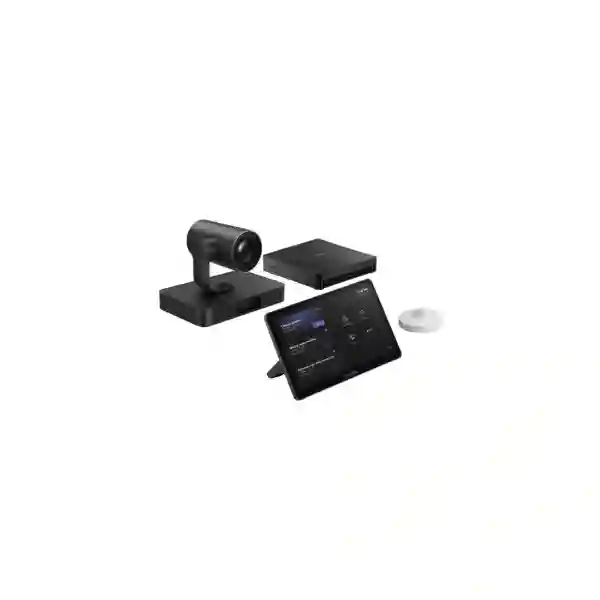
The Yealink MVC S80 is engineered for organizations that want a native Microsoft Teams Rooms experience in large boardrooms and conference spaces. The solution combines Yealink’s SmartVision 80 intelligent four-lens camera, MCore 4 room computer, MTouch Plus touch console and RoomSensor. Its architecture is especially suitable for rooms where remote participants need a clearer view of people seated across a long table and where IT teams want a consistent, dedicated room system instead of relying on a user’s laptop for every meeting.
Direct answer
MVC S80 is a large-room Teams Rooms bundle centered on video, compute, control and room sensing. The standard system should be planned with suitable room audio, displays, Microsoft Teams Rooms licensing, network connectivity and installation accessories as a complete solution.
What is included in the Yealink MVC S80?
The current MVC S80-C5U platform combines four core elements. SmartVision 80 provides the intelligent camera system. MCore 4 provides the Windows-based room computing platform. MTouch Plus gives users an 11.6-inch touch interface for meeting control and content-sharing workflows. RoomSensor adds occupancy and environmental sensing. Yealink’s large-room design materials place the MVC S80 in the large meeting-room category and show a typical 12–20-person scenario, although the final room design should always be based on room dimensions, seating positions, camera distance and acoustics rather than a headcount alone.
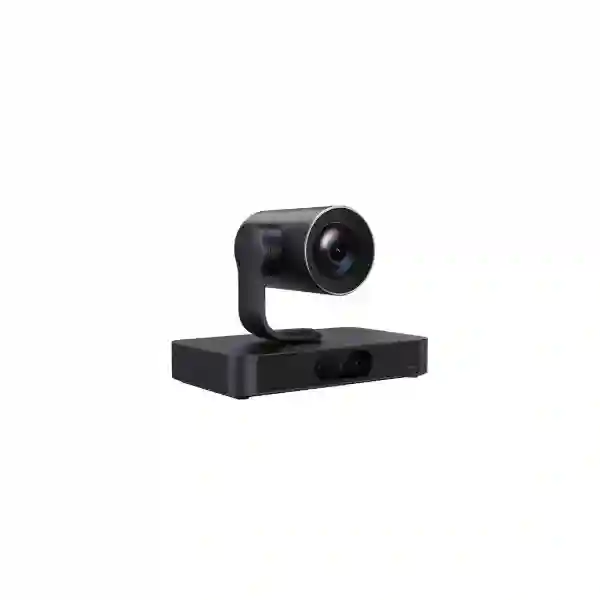
SmartVision 80
Four-lens intelligent camera architecture with a panoramic lens, dual telephoto lenses and PTZ lens. Yealink specifies 20× optical zoom on the PTZ camera and intelligent modes including IntelliFocus, Speaker Tracking, Presenter Tracking, Auto Framing, Video Fence, Picture in Picture and IntelliFrame.
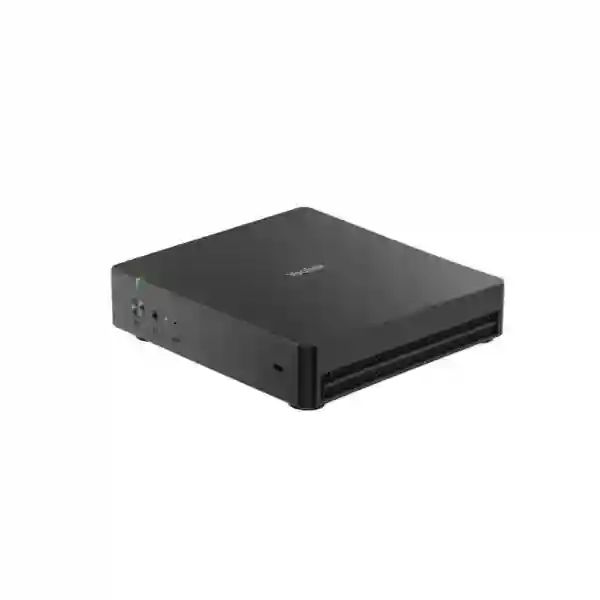
MCore 4
Intel Core Ultra 5-based AI PC with integrated NPU, 16 GB DDR5 memory and 256 GB SSD. Yealink lists three HDMI video outputs with CEC, HDMI input for 4K content sharing, four USB 3.0 ports, Wi-Fi, Bluetooth and an IP connection path for the touch console.
MTouch Plus
11.6-inch 1920 × 1080 IPS touch console that can be placed, fixed to a table or wall mounted. It supports wired presentation inputs and wireless sharing when paired with the appropriate Yealink sharing accessory.
RoomSensor
Bluetooth-based room sensor for occupancy, temperature, humidity and light information. It helps organizations build a smarter room experience and gives the Teams Rooms environment additional context about room use.
Important buying note: plan audio separately
Yealink’s published MVC S80-C5U-000 large-room design identifies the core MVC S80 kit as having no audio device. That matters when comparing quotations. A complete boardroom normally needs microphones and loudspeakers selected for the table shape, room dimensions, ceiling conditions and acoustic behaviour. Yealink lists compatible professional-audio options across its ecosystem, including tabletop and ceiling approaches. FourTeck can therefore treat the MVC S80 as the collaboration core and then size the audio layer rather than assuming one microphone configuration fits every large room.
Technical highlights for procurement and IT teams
| Room platform | Microsoft Teams Rooms on Windows |
| Camera | SmartVision 80 quad-lens intelligent camera with panoramic, dual telephoto and PTZ lenses |
| PTZ optical zoom | 20× optical zoom |
| Compute | MCore 4, Intel Core Ultra 5, integrated NPU, 16 GB DDR5, 256 GB SSD |
| Room control | MTouch Plus, 11.6-inch IPS, 1920 × 1080 |
| Sensor | Occupancy, temperature, humidity and light sensing via RoomSensor |
| Content sharing | Wired HDMI/USB-C workflows through the room system; wireless sharing supported with a compatible Yealink sharing accessory |
| Audio | Plan separately according to room requirements; compatible Yealink professional-audio options are available |
Why the MVC S80 fits demanding large-room collaboration
Large meeting rooms create a camera problem that small video bars do not have to solve. Participants may sit several metres from the display, the table can be long, presenters may move, and a single wide-angle view can make distant people appear too small. SmartVision 80 addresses this with multiple lenses rather than relying on a single viewpoint. Its panoramic lens can maintain context while telephoto and PTZ views can bring remote attendees closer to active speakers or presenters. For leadership meetings, hybrid project reviews and cross-office discussions, this can create a more useful remote experience than a static far-end view.
The dedicated MCore 4 computer also separates the room from the personal laptop of whoever happens to host the meeting. That makes the room easier to standardize, easier to document and more predictable for regular users. MTouch Plus presents a dedicated control surface so participants can join and manage room meetings without opening a laptop simply to control the room. In organizations with multiple collaboration spaces, repeatable room behaviour can reduce training demand and simplify support.
The MVC S80 is not a reason to ignore room design. Camera capability, audio coverage, screen size, lighting, cable routes, network quality, Teams Rooms resource-account configuration and mounting all affect the final result. A well-designed solution should treat the MVC S80 as one part of an engineered collaboration room rather than as a box that fixes every meeting-room problem automatically.
Related FourTeck Tanzania planning resources
For a complete room project, use the FourTeck Tanzania services page to understand how conferencing, networking, audio and lifecycle support can be coordinated. The Tanzania technology shop explains product-selection factors such as compatibility, capacity and infrastructure readiness. The FourTeck Tanzania approach describes the outcome-first planning method used for integrated projects. Buyers can also review the FourTeck Tanzania technology portfolio for networking, displays, security and related business systems, then use the Tanzania contact page to submit room dimensions, seating plans and quotation requirements.
Yealink MVC S80 Teams Rooms System Tanzania
For Tanzania organizations planning a large Microsoft Teams meeting room, the Yealink MVC S80 is most relevant when the room is used frequently enough to justify a dedicated collaboration system and when participants need to be represented clearly across a longer seating arrangement. Corporate headquarters, boardrooms, government meeting spaces, universities, financial institutions, professional-services firms and multi-branch organizations can all have this requirement. The practical starting point is not simply asking for an MVC S80 price in Tanzania. A better procurement brief records the room dimensions, seat count, table shape, preferred display arrangement, distance between camera and farthest participant, ceiling height, existing network connection, power points and whether microphones must be on the table or kept off the table.
Connectivity should be reviewed before installation. A Teams Rooms system depends on stable access to Microsoft cloud services, DNS and the organization’s network policies. Large-room meetings can be sensitive to congestion because video, voice and shared content run at the same time. The LAN port serving the room should therefore be documented and tested, and IT teams should confirm whether the room belongs on a dedicated collaboration VLAN or another controlled network segment. Wireless connectivity may be available for accessory workflows, but a predictable wired room network is normally a sensible foundation for a permanently installed room. Power protection is another important Tanzania project consideration. The display, MCore 4, network equipment and audio devices should be considered as one power path so a short interruption does not leave only part of the room operational.
Audio design deserves equal attention. The core MVC S80 system does not mean every seat will automatically have ideal microphone pickup because large rooms differ significantly. A long boardroom table may favour distributed tabletop microphones, while an executive room that must remain visually clean may favour ceiling microphones and installed speakers. Rooms with glass walls, hard floors or high ceilings can produce more reverberation and may need acoustic treatment or more careful audio processing. The right quotation should therefore separate the MVC S80 core system from the selected audio, displays, mounts, cabling, installation, Teams Rooms licence and optional content-sharing accessories so procurement teams can understand what each line item contributes.
FourTeck Tanzania can use this information to prepare a more meaningful solution discussion. Organizations with regional branches can also standardize room principles across countries while adjusting the physical design locally. The broader FourTeck Africa technology network can be useful for multi-country requirements, while the Tanzania project should still be validated against the actual local room, connectivity and procurement scope. The goal is a Teams Room that users can enter, join and operate predictably, with camera views that suit the room and audio designed around real seats rather than generic assumptions.
Yealink MVC S80 Teams Rooms System Dar es Salaam
In Dar es Salaam, buyers considering the Yealink MVC S80 are often planning headquarters boardrooms, client-facing conference rooms, project offices or collaboration spaces that connect local teams with colleagues, customers and partners outside Tanzania. The most important design variable is usually room geometry. A narrow room with a long table creates different camera and microphone requirements from a wider executive boardroom with side seating. Before requesting a quotation, measure the distance from the planned SmartVision 80 position to the nearest and farthest seats and record whether participants face one display wall or turn toward side displays. These details help determine whether the standard camera location will deliver the intended framing and whether a dual-display arrangement would make remote participants and shared content easier to view.
Dar es Salaam offices frequently combine meeting technology with existing switching, firewall and wireless infrastructure. The room should be treated as part of that network rather than as an isolated AV installation. IT teams should identify the switch port, VLAN, internet path, DNS policy and any security controls that could affect Microsoft Teams Rooms. If the room is in a high-use corporate environment, logging, device administration and firmware-management responsibilities should be agreed before handover. It is also useful to document who owns the Microsoft Teams Rooms resource account and licensing, because a technically complete hardware installation cannot deliver the native room experience without the appropriate Microsoft-side preparation.
For audio, the commercial question is whether the room needs a discreet installed design or a more straightforward tabletop solution. Ceiling microphones can reduce table clutter, while tabletop arrays can simplify some retrofit projects. Loudspeaker placement should keep remote voices intelligible without creating feedback or uneven volume. Existing air-conditioning noise and reflective surfaces should be considered because they influence perceived quality. If the room is being renovated, it is worth coordinating cable routes, display mounts, power and ceiling access before finishes are completed. Retrofitting all of those items after furniture and wall panels are installed is usually more disruptive.
FourTeck Tanzania’s video conferencing and integration services provide useful context for buyers who need more than a product-only quotation. A good Dar es Salaam MVC S80 proposal should clearly identify the core Yealink components, chosen audio system, screens, mounts, sharing accessories, network prerequisites, licensing responsibilities, installation scope, testing and handover. That makes it easier for facilities, procurement and IT teams to compare solutions on the same basis instead of comparing an incomplete hardware price with a fully engineered room.
Yealink MVC S80 Teams Rooms System Mwanza
Organizations in Mwanza evaluating the Yealink MVC S80 may be connecting regional management, operational teams, education environments, healthcare administration, financial services or distributed project groups with stakeholders elsewhere in Tanzania and abroad. In these cases, a dedicated Microsoft Teams Room can be valuable because it reduces dependence on one employee’s notebook, charger, adapter set and personal account. The room becomes a managed business resource with consistent controls, a fixed camera position and a defined audio design. This is particularly helpful when the same space is used by different departments or visiting executives who expect the room to work without a custom setup before every meeting.
For Mwanza projects, internet resilience deserves attention during planning. Teams performance depends on the quality of the path to Microsoft services, so the meeting-room project should not be separated from general WAN design. If a site has more than one internet service, IT teams can review how failover is handled and whether active meetings remain stable during a circuit change. If there is only one circuit, the organization can at least document the risk and decide whether business-critical executive meetings justify a secondary path. Internally, the switch port, cabling and firewall policies used by the MVC S80 should be checked before installation day. A premium camera cannot compensate for packet loss or unstable internal connectivity.
Physical room conditions should also guide the design. Strong daylight behind participants can create difficult camera exposure, while excessive distance between seats and microphones can make voices weak. The SmartVision 80 offers sophisticated intelligent video features, but lighting still matters. Window blinds, screen positioning and the direction of the table can improve the outcome without adding electronic complexity. For sound, installers should consider room size, ceiling height and reflective materials. If ceiling microphones are proposed, confirm mounting access and cable pathways. If tabletop microphones are preferred, confirm that cable routing will not create clutter or trip hazards.
A quotation request from Mwanza should ideally include photographs of the room, approximate dimensions, seating capacity, current display sizes, platform preference, existing network information and whether the room is new or already in use. This allows FourTeck Tanzania to distinguish between a straightforward hardware supply and a full design requirement. The MVC S80 can then be evaluated as part of a complete collaboration solution rather than purchased in isolation and forced into a room that has not been prepared for reliable Teams meetings.
Yealink MVC S80 Teams Rooms System Arusha
The Yealink MVC S80 can suit Arusha organizations that host executive reviews, international project meetings, hospitality-management sessions, NGO coordination, education collaboration or multi-site business discussions in a large meeting room. These environments often need a system that is formal enough for scheduled room meetings but simple enough for guests and staff to operate without AV specialists. The MTouch Plus controller supports that requirement by giving users a dedicated interface, while the SmartVision 80 handles complex visual coverage through its multi-lens architecture. The room still needs disciplined planning, especially where external guests, changing presenters or mixed content-sharing methods are common.
For hospitality and conference environments in Arusha, the room may be used in several layouts rather than one fixed boardroom arrangement. That changes the design question. A camera position ideal for a long executive table may not be ideal for classroom-style seating or a U-shaped configuration. Procurement teams should identify the dominant meeting layout and any secondary layouts that must also work. If furniture is regularly moved, microphone coverage and cable placement need to remain practical. Presenter Tracking can be useful where a speaker moves in front of the room, while intelligent framing can improve seated discussions. The final configuration should prioritize the actual meeting style instead of enabling every camera feature simply because it is available.
Arusha facilities may also need to coordinate room AV with power protection and structured cabling. A neat installation should avoid exposed temporary cables between the table, displays and room computer. Where the room is being refurbished, power outlets, conduits, network outlets and mounting points can be positioned before decorative work is completed. If the room already exists, a site survey can identify less disruptive cable routes. MCore 4 can be mounted in several ways, but its final location should remain serviceable so IT staff can reach it for diagnostics without dismantling finished joinery.
For organizations operating in both Tanzania and East Africa, FourTeck’s Kenya technology site and Uganda technology site provide regional paths for related requirements. A consistent room standard can define platform, camera family, naming, account ownership and testing procedures while leaving room-specific audio, displays and mounting flexible. This approach can make user experience and support more consistent across offices without pretending that every room has identical geometry or infrastructure.
Yealink MVC S80 Teams Rooms System Dodoma
In Dodoma, the Yealink MVC S80 is relevant for formal boardrooms, public-sector meeting spaces, institutions, corporate branches and project organizations that need a dedicated Microsoft Teams Rooms environment for large meetings. Formal procurement often requires a clear bill of materials and a distinction between included equipment and optional components. That is particularly important with MVC S80 because the camera, compute, control and room sensor form the core system while audio should be selected according to the room. A compliant quotation should therefore identify microphones, loudspeakers, display hardware, mounts, installation accessories and Microsoft licensing separately rather than leaving them implied.
Security and administration should also be part of the technical specification. The room PC and connected devices are managed IT assets, so they need an owner, update process and documented network placement. Microsoft Teams Rooms accounts should be created according to the organization’s Microsoft 365 administration practices, and access to local administrator functions should be controlled. The room should be tested for meeting join, camera operation, audio pickup, content sharing and display behaviour before acceptance. Recording of serial numbers, firmware levels, network information and mounting locations improves future support and helps procurement teams confirm what was actually delivered.
For large institutional rooms, sight lines matter. A display that is too small or mounted too high can reduce the value of a premium camera system because in-room participants still struggle to see remote faces and shared documents. The number and size of displays should be chosen from viewing distance, room width and whether remote participants and presentation content need to appear simultaneously. Camera placement should remain close enough to the primary display to preserve natural eye direction. If room furniture places the farthest participant many metres from the camera, SmartVision 80’s telephoto and PTZ capabilities become more valuable, but framing should still be tested from every priority seat.
A Dodoma quotation request should include the room’s intended capacity, table plan, primary meeting use, display preference, network connection and installation constraints. FourTeck Tanzania can then build the discussion around acceptance criteria rather than only around product specifications. A useful acceptance checklist may include successful Teams sign-in, scheduled meeting join, camera tracking modes, wired presentation, optional wireless sharing, microphone pickup from every seat, speaker intelligibility, room sensor operation and recovery after a controlled restart.
Yealink MVC S80 Teams Rooms System UAE
For UAE organizations evaluating the Yealink MVC S80, the product fits a market where large boardrooms frequently require a polished Microsoft Teams Rooms experience, strong visual coverage and integration with professional AV systems. Large offices in Dubai, Abu Dhabi and other business centres may already have structured meeting-room standards, room-booking policies and centralized Microsoft administration. The MVC S80 can fit that environment because it combines a dedicated Windows-based room platform with intelligent video and a separate control interface. The most important procurement step is to align the hardware with the organization’s global room standard rather than treating the purchase as an isolated local AV project.
UAE boardrooms often place a premium on clean finishes, concealed cabling and ceiling-based audio. This can make the professional-audio layer as important as the core MVC S80. Ceiling microphones and installed speakers can preserve table space, but they require proper ceiling access, cable routes and acoustic design. Rooms with marble, glass and hard architectural finishes can be visually impressive while producing significant reverberation, so audio testing should be part of commissioning. SmartVision 80 may provide excellent visual flexibility, but meeting quality still depends on voice intelligibility and how naturally remote sound is distributed across the room.
IT integration can also be more formal in enterprise UAE deployments. Teams Rooms resource accounts, conditional access rules, device administration, firewall policies and monitoring responsibilities may require coordination across security and Microsoft 365 teams. MCore 4 provides the room compute platform, but deployment should follow the customer’s security baseline. The network should be validated for Microsoft Teams traffic, and room devices should be placed in a manageable segment with clear ownership. If there are multiple offices, a standard naming convention for rooms, devices and support documentation can make operations much easier.
Customers can use FourTeck UAE for UAE-focused technology enquiries while maintaining the same design principles used in Tanzania. A cross-country organization can standardize the MVC S80 where large-room requirements are similar, but each room should still be surveyed independently. Display size, audio design, cable routes and furniture geometry remain local engineering decisions even when the collaboration platform and core hardware are globally standardized.
Yealink MVC S80 Teams Rooms System Uganda
For Uganda businesses and institutions, the Yealink MVC S80 is a strong candidate where large-room Teams collaboration is a recurring operational need rather than an occasional event. Organizations with branches, project teams, headquarters functions or regional leadership can benefit from a dedicated room system that behaves consistently for every scheduled meeting. The business case is strongest when the room is important enough that delays caused by adapters, laptop configuration or poor camera coverage have a measurable cost in executive time and meeting quality.
A Uganda deployment should begin with the same physical survey used in any professional boardroom: room dimensions, table shape, seat count, display wall, camera position, ceiling height, background noise and the distance to the farthest participant. The SmartVision 80’s 20× optical PTZ capability and additional lenses are valuable in long rooms, but they do not remove the need for correct mounting height and viewing angle. The camera should capture people naturally rather than looking sharply down from the ceiling or being hidden too low behind displays or furniture.
Network planning is equally important. The MVC S80 should have a predictable path to Microsoft cloud services, and the room’s switch connection should be tested for errors and instability. Where internet uptime is a concern, organizations can evaluate a resilient WAN design appropriate to their business. The meeting room should not be placed on an unmanaged extension switch simply because it is convenient. A managed network gives IT better visibility and makes it easier to isolate collaboration devices, troubleshoot performance and maintain a clean support record.
FourTeck’s Uganda IT solutions portal can support regional enquiry routing. For multi-country organizations operating in Uganda and Tanzania, a shared Teams Rooms standard can simplify training and administration. The room bill of materials can keep the same core platform while allowing the microphone and speaker design to vary with the physical room. That balance between standardization and room-specific engineering usually produces a better result than forcing one identical kit into every office regardless of size and acoustics.
Yealink MVC S80 Teams Rooms System Kampala
Kampala headquarters and professional offices often need boardrooms that connect leadership teams, clients and regional branches through Microsoft Teams. The Yealink MVC S80 addresses the large-room video problem with a four-lens camera architecture and a dedicated Teams Rooms computer, which makes it more appropriate than a small-room video bar when the farthest seat must still be represented clearly. Buyers should compare solutions by the full-room outcome: can every important participant be seen, can every seat be heard, can shared content be read, and can an ordinary user start the meeting without calling IT?
To answer those questions, the room must be measured. A 12-seat room with a compact table may need a different audio design from a 20-seat room with participants spread across a long boardroom layout. The camera may be the same while microphone count, speaker placement and display size change. SmartVision 80’s intelligent features can automate visual selection, but microphone coverage remains a physical acoustic challenge. Hard ceilings and glazed walls should be noted during survey because they may increase echo and reverberation. Where ceiling audio is preferred, the installation team should verify ceiling access, structural mounting and cable paths.
Kampala IT teams should also plan Microsoft-side administration. The room needs a Teams Rooms resource account and appropriate license, and the organization should define who manages credentials, policy and updates. The MCore 4 should be connected to the managed enterprise network with documented addressing and security controls. If the room will be used by external guests, the content-sharing process should be tested with the types of laptops visitors actually bring, including USB-C and HDMI workflows where applicable. Optional wireless sharing should be treated as an accessory decision rather than assumed to be present in every quote.
A good Kampala procurement request can therefore be concise but complete: room dimensions, seat count, photos, preferred display arrangement, Teams platform requirement, audio preference, existing LAN information and installation timing. With those inputs, the MVC S80 discussion becomes a room-engineering exercise instead of a catalogue purchase. That makes quotations easier to compare and gives the customer clearer acceptance criteria for commissioning.
Yealink MVC S80 Teams Rooms System Arua
For organizations in Arua, a large Microsoft Teams room may be valuable when local teams need to collaborate frequently with headquarters, partners or regional project stakeholders. The Yealink MVC S80 can turn a formal meeting room into a dedicated Teams Rooms endpoint, reducing reliance on users to bring the right personal computer, camera and adapters. This is particularly useful where meetings involve several departments or where external visitors need a predictable experience. The room can be treated as shared infrastructure with a defined owner, documented configuration and repeatable meeting workflow.
Connectivity planning can be a critical part of an Arua deployment. Video conferencing depends on stable latency, packet delivery and upstream capacity, so the project should begin by validating the site’s internet and LAN. If connectivity is constrained, that does not automatically rule out a professional Teams Room, but it does mean the network must be assessed honestly. Competing traffic, scheduled backups or congested wireless links can create meeting problems that appear to be camera or audio faults. A wired network connection from a managed switch is a practical foundation, with firewall rules and quality policies reviewed by the organization’s IT team.
Power continuity should also be considered as part of the room rather than as a separate facility question. MCore 4, displays, switches and any powered audio components need coordinated protection if the business expects the room to recover cleanly from short power interruptions. UPS sizing should be based on actual connected load and desired runtime. Where the network switch powering related devices is located in another rack, its power resilience matters as much as the equipment inside the room.
From a purchasing perspective, the quote should distinguish the Yealink core from the rest of the room. Include displays, audio, mounts, cabling, optional sharing devices, installation, testing and Microsoft licensing as separate understood elements. This prevents the common mistake of approving a system price that looks complete but does not include microphones or the required deployment accessories. The final goal is a room whose users can join meetings reliably and whose support team understands every dependency.
Yealink MVC S80 Teams Rooms System Mbarara
Mbarara organizations considering an MVC S80 can approach the project as a long-term collaboration-room standard rather than a one-time AV purchase. The core system is most valuable when the room regularly hosts multi-person Teams sessions and when remote participants need better visual access to people sitting throughout a large room. SmartVision 80 combines wide contextual coverage with telephoto and PTZ capability, giving the system more options for framing than a single-lens conference camera. That feature becomes more meaningful as room depth increases.
The camera, however, should be installed with the display and furniture in mind. Remote eye contact feels more natural when the camera is close to the primary screen showing remote participants. If the camera is mounted far above the display, people can appear to look downward throughout the meeting. If it is placed too low, the table or monitors may block the view. Before drilling or cabling, installers should check camera sight lines from every priority seat and confirm that the presenter area remains visible where presenter-tracking workflows are expected.
Audio should be selected from room behaviour. If meetings are conversational and everyone remains around the table, distributed tabletop microphones can provide straightforward seat coverage. If the room is used for presentations or must preserve a clean furniture surface, ceiling microphones and installed speakers may be more appropriate. Air-conditioning noise, floor finishes, wall treatment and ceiling height influence the decision. A short acoustic assessment before procurement can avoid the much more expensive problem of replacing microphones after installation because the original pickup pattern was unsuitable.
For lifecycle planning, keep a room document that records device models, serials, network settings, Teams resource account ownership, mounting positions, cable routes and support contacts. That information reduces troubleshooting time later and makes expansion easier. The MVC S80 is a sophisticated platform, but operational value comes from combining the hardware with a documented room design that can be maintained after handover.
Yealink MVC S80 Teams Rooms System Gulu
For Gulu businesses, institutions and project organizations, the Yealink MVC S80 can provide a dedicated collaboration environment for meetings with Kampala, Tanzania and international stakeholders. A managed Teams Room is particularly helpful when the room is shared by multiple teams because it removes many personal-device variables. Users interact with MTouch Plus while the MCore 4 runs the room system, and SmartVision 80 handles participant capture. This separation between room infrastructure and personal devices creates a more consistent operational model than starting every meeting from a different notebook.
The project should first verify that the room is genuinely large enough to benefit from MVC S80’s capabilities. Over-specifying a small space can add cost and complexity without improving the user experience. Conversely, under-specifying a long room can leave remote participants unable to see distant speakers clearly. Seat positions and camera-to-person distances should guide model selection. Where the MVC S80 is appropriate, its multi-lens architecture and 20× optical PTZ capability can support demanding visual coverage, but final framing should be demonstrated or tested against the actual room layout whenever possible.
Gulu deployments should also consider supportability. The MCore 4 should not be hidden in a location that requires removing furniture or ceiling panels for every diagnostic visit. Cabling should be labeled, the network connection documented and power supplies mounted safely. If the project includes a room sensor on the ceiling or wall, the location should be chosen according to the recommended sensing method and should remain accessible. A clean physical installation saves time during future maintenance and makes handover more professional.
When requesting pricing, include the full operational scope rather than only the phrase “Yealink MVC S80 Gulu.” Mention whether the quote must include displays, wall mounts, microphones, loudspeakers, wireless sharing, installation, configuration, training or onsite commissioning. Also state whether the customer already owns a Microsoft Teams Rooms license. Clear scope allows suppliers and project teams to compare the same solution and reduces the chance of unexpected additions after approval.
Yealink MVC S80 Teams Rooms System Kenya
In Kenya, the Yealink MVC S80 is relevant to enterprises, banks, professional firms, universities, government institutions and regional organizations that use Microsoft Teams as a primary collaboration platform. Nairobi headquarters and other major offices often need large-room systems that can support executive meetings without constant manual camera operation. The MVC S80’s intelligent camera modes and dedicated room control can make those meetings more natural, but the procurement decision should still be tied to physical room needs and enterprise IT policy.
A Kenya deployment can benefit from a standard room template covering the core Microsoft Teams configuration, network segmentation, device naming, update ownership and support procedures. This is especially valuable for organizations with multiple offices in East Africa. However, audio should remain flexible. A boardroom with a 14-seat table and acoustic wall treatment may need a different microphone design from a 20-seat training room with hard reflective finishes. The same MVC S80 core can therefore appear in two different bills of materials because the audio and display layers are engineered around each room.
Network teams should verify the room’s path through switches, firewalls and internet connections. Quality of Service can help prioritize real-time traffic in environments where multiple services share the WAN, but QoS cannot create bandwidth that does not exist. Capacity planning should consider concurrent meetings and other cloud traffic across the office. Where Teams Rooms is business-critical, organizations may also review internet redundancy and UPS design as part of the collaboration strategy rather than leaving those dependencies to separate projects.
The FourTeck Kenya site provides a regional path for video-conferencing and broader IT enquiries. Customers operating across Kenya and Tanzania can use a shared procurement checklist to keep room design consistent: exact MVC model, audio approach, display count, Teams Rooms licensing, room account, network readiness, installation scope and acceptance testing. Consistency at this level improves support while preserving flexibility for each physical room.
Yealink MVC S80 Teams Rooms System Kuwait
Kuwait organizations planning premium boardrooms can use the Yealink MVC S80 where Microsoft Teams is the standard collaboration platform and where a large room needs more sophisticated visual coverage than a compact video bar can provide. The system’s value lies in combining a dedicated Windows room computer, multi-lens intelligent camera, touch control and room sensing in a unified platform. Procurement teams should nevertheless evaluate the whole room, particularly audio, because the base MVC S80 core does not by itself define microphone and loudspeaker coverage.
High-end Kuwait boardrooms may use large displays, architectural ceilings and decorative finishes that influence AV installation. Cable routes, ventilation for hidden electronics and service access should be coordinated with interior contractors before final fit-out. If ceiling microphones are required, they need appropriate placement relative to HVAC diffusers and seating. If tabletop microphones are used, cable exits and table connectivity should be designed rather than added after furniture arrives. These practical details influence reliability and visual quality more than many buyers expect.
For Teams administration, the room needs an appropriate resource account and license. Enterprise IT should agree how MCore 4 is monitored, updated and integrated into security policy. The room’s displays can take advantage of the multiple video outputs available on the MCore 4, but the exact display configuration should be validated for the organization’s Teams Rooms design. Content sharing should also be tested with common employee and guest devices so meeting participants understand the expected workflow.
Customers can use FourTeck Kuwait for Kuwait-focused technology enquiries. A useful quotation brief includes room drawings, table size, seating count, display preference, preferred audio style and installation timeline. This gives the solution team enough information to decide whether a simple MVC S80 package is sufficient or whether the room requires additional audio processing, custom mounting or more detailed AV engineering.
Yealink MVC S80 Teams Rooms System Ghana
For Ghana enterprises and institutions, the Yealink MVC S80 can support executive boardrooms and large collaboration spaces where Microsoft Teams meetings connect local staff with regional or global participants. The four-lens SmartVision 80 is designed to maintain both room context and closer participant views, which can be useful in longer rooms where a conventional wide-angle image makes distant people appear small. The room computer and touch console also create a dedicated meeting endpoint that can be standardized across an organization.
Ghana buyers should evaluate the MVC S80 together with the network and power environment. A Teams Room needs dependable internet, but internal LAN quality is just as important. Damaged cabling, overloaded switches or restrictive firewall policies can create symptoms that users interpret as a conferencing-system failure. Before commissioning, the room port should be tested and documented. Critical rooms may also benefit from UPS-backed network and AV equipment so brief power events do not interrupt meetings or require a long restart sequence.
Room audio must be matched to geometry. The quotation should state whether it includes ceiling microphones, tabletop microphones, speakers and any processing hardware. A beautiful executive room with hard surfaces can sound poor if acoustics are ignored, so integrators should listen for reverberation and background noise before choosing microphone positions. Display visibility, camera mounting height and room lighting should be checked at the same time. These decisions are easier to make before installation than after a customer has already approved furniture and wall finishes.
The FourTeck Ghana technology site is available for Ghana project discussions. Organizations operating in both Ghana and Tanzania can standardize core Teams Rooms policies while using local room surveys for audio and display engineering. This balances procurement consistency with the reality that rooms differ in size, acoustics and cabling even when the same Yealink platform is selected.
Yealink MVC S80 Teams Rooms System Nigeria
Nigeria organizations with large Teams-enabled boardrooms can consider the Yealink MVC S80 when visual coverage, room standardization and simple user operation are important. In a headquarters environment, meetings may include people seated along a long table, a presenter at the front and participants joining from multiple branches. SmartVision 80’s multi-lens design gives the system different visual perspectives for these scenarios, while MTouch Plus provides a fixed room-control interface. The system is particularly valuable when the organization wants the meeting room to function as managed infrastructure rather than as an accessory to personal laptops.
Nigeria projects should give serious attention to power and internet resilience. A boardroom with premium collaboration hardware still depends on the local switch, firewall, WAN and electrical supply. The solution design should show which components remain powered during a short outage and whether network equipment shares the same backup strategy. Where multiple internet circuits exist, failover behaviour should be tested before important meetings. IT teams should also monitor capacity across the whole office because simultaneous cloud backups, large transfers or multiple video meetings can affect the available bandwidth.
For procurement, ask suppliers to identify exactly what is included. The MVC S80 core should not be confused with a full room bill of materials. The final room may need one or more displays, microphones, loudspeakers, mounts, cable infrastructure, optional wireless sharing, installation and a Microsoft Teams Rooms license. Comparing quotations is much easier when each proposal uses the same scope headings. It also helps decision-makers identify where a lower price reflects missing components rather than genuine savings.
Organizations can use FourTeck Nigeria for Nigeria-focused enquiries. For multi-country businesses, a standard MVC S80 room checklist can define core hardware, Teams policy, account naming and acceptance tests while leaving physical audio and display choices to each site. This creates operational consistency without ignoring local room conditions.
Yealink MVC S80 Teams Rooms System Seychelles
In Seychelles, a Yealink MVC S80 deployment may be most relevant to government, hospitality groups, financial organizations, corporate headquarters and regional management teams that rely on Microsoft Teams for high-value remote meetings. Because the market is geographically dispersed, a reliable meeting room can reduce the need for some travel and help local leaders stay connected with international stakeholders. A dedicated Teams Room is most useful when the room hosts frequent scheduled meetings and when users need a consistent, professional experience rather than a temporary setup assembled from personal devices.
Project logistics should be planned carefully. The full bill of materials should be confirmed before equipment is dispatched so installation is not delayed by a missing mount, cable or audio accessory. The core MVC S80 includes the major video, compute, control and sensing components, but room audio and displays still need to be specified. If ceiling microphones are selected, the project team should confirm ceiling construction and access. If tabletop microphones are preferred, cable routing should be planned with the furniture supplier. Spare consumables and any installation-specific accessories can be identified in advance when support access is more complex.
Environmental conditions also influence the room. Air-conditioning noise can affect microphones, while strong daylight from windows can challenge camera exposure. Camera location and blinds should therefore be considered together. Network reliability should be validated from the actual room port through to the organization’s internet edge. For critical executive spaces, IT can document a fallback meeting method and ensure support staff know how to verify the MCore 4, camera, touch console, audio and network independently if a problem occurs.
A Seychelles quotation request should include room photographs, dimensions, seat count, preferred display arrangement, Teams platform requirements, desired audio style and any installation constraints. This gives the supplier enough context to build a complete system rather than send only a product price. The MVC S80 can then be deployed as a maintainable collaboration room with documented components, tested workflows and a clear path for support.
Deployment, integration and licensing checklist
Room and AV
Confirm room dimensions, seat count, table geometry, camera sight lines, display size and quantity, microphone coverage, loudspeaker positions, ceiling access, lighting, background noise and acoustic treatment.
Network
Validate the wired room connection, switch port, addressing method, firewall path, internet capacity and any VLAN or security requirements. Confirm who monitors and supports the room network after handover.
Microsoft
Create the Teams Rooms resource account, assign the appropriate Teams Rooms license and confirm calendar, sign-in and administrative policies according to the organization’s Microsoft 365 environment.
Commissioning
Test scheduled and ad-hoc meeting workflows, all priority camera views, every microphone position, loudspeaker clarity, content sharing, room sensor behaviour, display wake/control and recovery after reboot.
Frequently asked questions
Is the Yealink MVC S80 designed for large meeting rooms?
Yes. Yealink positions MVC S80 as a Microsoft Teams Rooms system for large rooms. Its design uses SmartVision 80 with multiple lenses and long-range optical zoom, combined with MCore 4, MTouch Plus and RoomSensor.
Does MVC S80 include microphones and speakers?
The MVC S80-C5U-000 room design published by Yealink identifies the core kit as having no audio device. The room audio should therefore be designed separately using compatible microphones, speakers and processing appropriate to the space.
What camera is used with the MVC S80?
The system uses Yealink SmartVision 80, a four-lens intelligent camera design that combines panoramic, dual telephoto and PTZ lenses. Yealink specifies 20× optical zoom for the PTZ camera and intelligent modes such as IntelliFocus, Speaker Tracking, Presenter Tracking and Auto Framing.
Do we need a Microsoft Teams Rooms license?
Yes, the room needs an appropriate Microsoft Teams Rooms resource account and license configured in the organization’s Microsoft environment. Licensing should be planned as part of deployment rather than treated as an afterthought.
Can the MVC S80 share content?
Yes. The MCore 4 and MTouch Plus platform supports wired sharing workflows, including HDMI and USB-C paths depending on the deployment, while compatible Yealink wireless sharing accessories can add wireless presentation.
What information should we send for a quotation?
Send the room dimensions, seating capacity, table shape, photos or drawings, display requirement, preferred audio style, Microsoft Teams platform requirement, installation city, current network information and whether the project includes installation and commissioning. This produces a more accurate bill of materials.
Quotation checklist
For a complete MVC S80 quotation, specify: quantity of rooms; room dimensions; seat count; SmartVision 80 mounting location; display count and size; microphone preference; loudspeaker requirement; optional wireless sharing; network readiness; Teams Rooms licensing status; installation and cabling scope; UPS requirement; testing; user orientation; and documentation. Also state whether the project is product supply only or a complete design-and-deployment requirement.
Decision recap
Choose the Yealink MVC S80 when the room is genuinely large, Microsoft Teams is the primary collaboration platform, remote participants need clearer visual access to people across the room, and the organization wants a dedicated managed room system. Do not evaluate the core kit alone: room audio, displays, Microsoft licensing, network design, mounting, power and commissioning determine whether the finished experience matches the product’s capability.
For a complete project, FourTeck can review the room and prepare a bill of materials around the actual environment. Multi-country customers can also coordinate related requirements through FourTeck’s wider technology network while keeping Tanzania-specific enquiries with FourTeck Tanzania.
Consultation panel
Send FourTeck the room dimensions, seating plan, photos, Microsoft Teams requirement and expected installation location. The consultation can then focus on whether MVC S80 is the right large-room platform, which audio design fits the space, how displays should be arranged and what infrastructure must be ready before commissioning.




Reviews
There are no reviews yet.