
Smart meeting-room intelligence for Tanzania and regional workplaces
Yealink RoomSensor Pro Tanzania
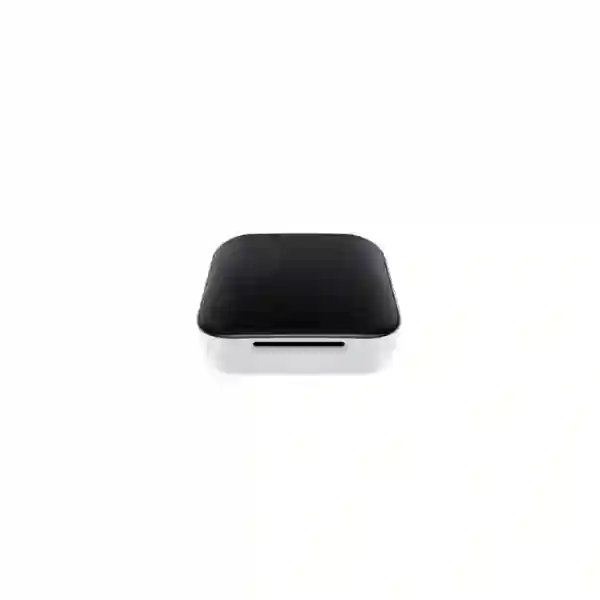
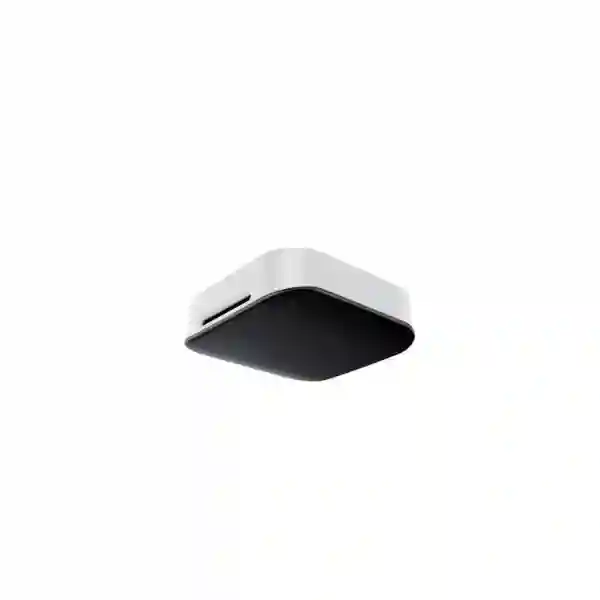
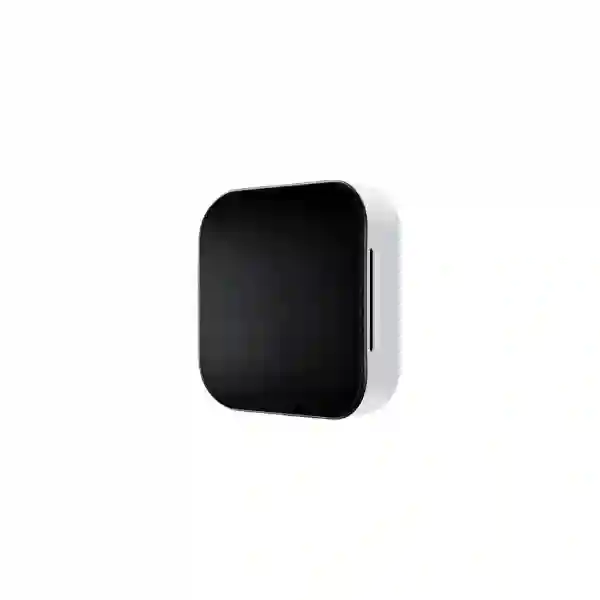
Yealink RoomSensor Pro is a multifunctional wireless conference-room sensor built to give organizations better visibility into room usage and environmental conditions. It combines AI-based people counting with temperature, humidity and illuminance sensing, helping workplace teams understand whether a room is being used, how many people are present within the covered area, and whether environmental conditions support a comfortable meeting experience.
For businesses in Tanzania planning modern meeting spaces, RoomSensor Pro can become an important part of a broader Yealink room-management design. It communicates with compatible Yealink gateway devices over Bluetooth, can report data for intelligent room strategies, and can participate in third-party IoT workflows through supported gateway integrations. FourTeck can help buyers assess room dimensions, mounting conditions, power options, gateway compatibility and the surrounding conferencing environment before procurement.
AI People Counting
Designed to recognize both dynamic and static individuals within its covered area, supporting more useful room-occupancy information than simple motion detection alone.
Environmental Sensing
Monitors temperature, relative humidity and illuminance so room conditions can be observed alongside occupancy information.
Flexible Power
Supports PoE using IEEE 802.3at and 5V DC power, giving deployment teams flexibility when planning ceiling locations and cabling.
Bluetooth Integration
Uses Bluetooth 5.2 to communicate with compatible Yealink gateway devices and support smart room-management workflows.
What Yealink RoomSensor Pro Solves
Meeting rooms are frequently managed with booking data alone, yet a reservation does not always mean that a room is actually occupied. Organizations can therefore face ghost bookings, underused spaces and poor visibility into whether small rooms are overcrowded or larger rooms are being reserved for only one or two participants. RoomSensor Pro adds physical sensing data to the workspace environment. By counting people within its defined coverage and reporting environmental information, it gives room-management systems a richer data set for operational decisions.
The sensor also supports more informed environmental automation. A connected room platform can use temperature, humidity and light readings as inputs for third-party IoT workflows where the gateway and external control system support such functions. This can contribute to smarter lighting, curtain or air-conditioning logic without presenting the sensor itself as a standalone building-management controller. The value comes from connecting accurate room data to a broader meeting-space strategy.
For procurement teams, the important question is not only whether the sensor has the required features, but whether the planned room, ceiling height, gateway device, power method and automation goals are compatible. FourTeck Tanzania can assist with that design conversation through its business technology services, helping customers connect sensors with conferencing, network and room-control requirements rather than treating the product as an isolated accessory.
Verified Yealink RoomSensor Pro Specifications
| Specification | Verified detail |
|---|---|
| Detection types | People counting, temperature, humidity, illuminance |
| People-counting range | 4 m radius circular area when installed at 3 m height |
| Detection distance | Up to 5 m |
| Recommended installation height | 2.7 m to 3 m; maximum stated installation height 3 m |
| Temperature | 0°C to 40°C range; 0.1°C resolution; -1°C to +3°C accuracy |
| Humidity | 10% to 95% RH range; 0.5% RH resolution; ±5% accuracy |
| Illuminance | Five measured bands from 0–300 lux through 20,000 lux and above; ±10% accuracy |
| Connectivity | Bluetooth 5.2, 10/100 Mbps Ethernet, USB-A |
| Power | PoE IEEE 802.3at or DC 5V/1.2A |
| Installation | Ceiling installation; 3M adhesive or drilled fixation supported by Yealink deployment guidance |
| Dimensions | 98 × 98 × 30.5 mm |
| Weight | 187.5 g |
Specification note: compatibility with a particular Yealink room controller, gateway, room panel or third-party IoT platform should be checked against current Yealink support documentation before ordering or deploying the sensor.
Coverage, Detection Zones and Large-Room Planning
Yealink describes a single RoomSensor Pro as covering approximately 50 square metres when installed within the recommended geometry, which makes it suitable for many small and medium meeting rooms. The key planning detail is the circular people-counting coverage: at a 3 m installation height, the stated radius is 4 m. That means room shape matters. A long rectangular boardroom, an L-shaped collaboration space or a room with seating distributed beyond the central table may require a different placement plan than a compact square room.
The RoomSensor Pro can define up to eight detection zones inside its overall detection area. This is useful where a business wants sensing logic to focus on the meaningful meeting area rather than adjacent circulation space. Yealink also states that one RoomSensor Pro can be paired with up to four RoomSensors for wider room coverage, while accurate people counting remains within the RoomSensor Pro’s own coverage. This distinction matters when a procurement team expects head-count accuracy across every part of a large training room or boardroom.
Before purchase, teams should mark the meeting table, seating positions, ceiling height, lighting fixtures, air-conditioning diffusers and possible mounting points. This simple site survey helps determine whether one RoomSensor Pro is sufficient or whether the room needs a wider design. Buyers can also review the broader FourTeck Tanzania collaboration and infrastructure portfolio when the sensor is part of a complete room upgrade involving displays, cameras, microphones, network switching and structured cabling.
Deployment and Integration Checklist
1. Confirm room geometry
Measure ceiling height and the occupied seating area. Place the sensor so its people-counting radius covers the intended meeting positions rather than nearby corridors or unrelated desks.
2. Choose power method
Decide between PoE and 5V DC based on available ceiling cabling, switch capacity, UPS strategy and maintenance preferences. PoE can simplify centralized powering where network infrastructure is prepared.
3. Validate gateway compatibility
Check the exact Yealink gateway or RoomPanel/RoomPanel Plus environment that will receive sensor data. Do not assume every room device provides identical integration functions.
4. Define automation goals
Separate people-counting, room-release, environmental reporting and IoT-control objectives. Each may depend on different software, gateway and third-party platform capabilities.
Yealink RoomSensor Pro Tanzania
Organizations in Tanzania increasingly use dedicated collaboration rooms for Microsoft Teams, Zoom and other hybrid-meeting workflows, but the management of those rooms can remain largely manual. Yealink RoomSensor Pro gives workplace and facilities teams an additional layer of physical room intelligence. Instead of relying only on booking calendars, the sensor can count people within its supported detection area and monitor temperature, humidity and ambient light conditions. This is especially relevant for businesses operating executive rooms, shared boardrooms, training spaces, customer presentation rooms or multi-room corporate facilities where room utilization needs to be understood more accurately.
For Tanzania deployments, planning should begin with the room itself. The sensor is intended for ceiling installation, with Yealink recommending a height between 2.7 m and 3 m. At 3 m, the people-counting area is a circular zone with a 4 m radius. A procurement team should therefore provide room dimensions and table layout when requesting a quotation. If the room is long, divided or unusually shaped, the sensor may need to be complemented by additional RoomSensors for occupancy coverage. Power is another practical question: RoomSensor Pro supports IEEE 802.3at PoE as well as 5V DC, so the existing switch, PoE budget, cabling route and power resilience should be assessed before the final bill of materials is approved.
The product is most valuable when it is treated as part of a complete smart-room architecture. Bluetooth 5.2 is used for communication with compatible Yealink gateway devices, and the resulting data can support intelligent room-management strategies. Where a third-party IoT platform is integrated through the gateway, room data can contribute to workflows involving lighting, curtains or air-conditioning, subject to the functions and configuration of that external platform. Buyers should verify their chosen RoomPanel, gateway and workspace-management stack rather than assuming universal compatibility.
FourTeck Tanzania can help businesses evaluate the RoomSensor Pro alongside conferencing systems, displays, switching, cabling and room-control requirements. The FourTeck Tanzania technology shop provides a broader procurement path for meeting-room and network equipment, while solution planning can focus on how every component works together. For quotation accuracy, include the number of rooms, room dimensions, ceiling heights, existing Yealink equipment, preferred power method and the automation goals you want to achieve.
Yealink RoomSensor Pro Dar es Salaam
Dar es Salaam businesses often operate fast-moving meeting environments where executive teams, sales departments, project groups and visiting partners share a limited number of collaboration rooms. In these settings, a booked room can remain unused because a meeting was cancelled informally, while another team may be searching for space. Yealink RoomSensor Pro can support a more data-driven room-management model by providing people-counting information and environmental readings to compatible Yealink room-management components. This makes it useful for corporate offices, professional-services firms, hotels with business facilities, education institutions and other organizations that want greater visibility into how conference rooms are actually used.
The strongest Dar es Salaam deployment starts with room-by-room assessment. A compact meeting room with a centrally located table may fit well within a single sensor’s approximate 50 m² coverage. A large boardroom, divisible training area or elongated conference space may require more careful zoning. RoomSensor Pro allows up to eight detection zones inside its coverage area, so the sensing logic can be aligned with the active meeting space. Ceiling height is critical because Yealink specifies installation at no more than 3 m, with 2.7–3 m recommended. Where decorative ceilings or unusually high ceilings are present, mounting suitability should be confirmed before hardware is ordered.
Power and network planning are equally important. PoE can be attractive where the meeting room already has managed switching and structured cabling, but the switch must provide suitable IEEE 802.3at power and enough overall PoE budget. DC power is another supported option where the ceiling installation can be supplied cleanly. Because Bluetooth connectivity links the sensor to supported Yealink gateway devices, the exact room-control platform should be listed in the quotation request. This prevents a sensor purchase from being separated from the integration function that gives it operational value.
For Dar es Salaam projects, FourTeck can combine RoomSensor Pro planning with video bars, cameras, microphones, room panels, displays, PoE switching and structured cabling. The goal is a meeting environment that is easy for staff to use and easier for administrators to measure. When requesting pricing, buyers should specify room quantity, seating capacity, ceiling type, current Yealink models and whether the intended outcome is people counting, automatic room release, environmental monitoring, IoT automation or a combination of these functions.
Yealink RoomSensor Pro Mwanza
Businesses and institutions in Mwanza may use meeting rooms across offices, branch facilities, training centres, hospitality sites and administrative buildings. For organizations that are modernizing these spaces, the Yealink RoomSensor Pro provides a practical way to add occupancy intelligence without making users interact with another screen or control panel. Installed on the ceiling, it counts people within its designed coverage and simultaneously measures temperature, relative humidity and illuminance. The resulting data can be shared with compatible Yealink gateway devices and used as part of room-management or IoT strategies.
Mwanza buyers should pay particular attention to infrastructure readiness. RoomSensor Pro can be powered through IEEE 802.3at PoE or a 5V DC supply. If PoE is selected, the network switch should be checked for both standard support and available power budget. A switch that already powers wireless access points, cameras or IP phones may not have enough headroom for additional devices without review. Structured cabling should also reach a suitable ceiling location, and the installation should avoid creating exposed cables or placing the sensor outside the required people-counting zone.
Room size must be mapped before procurement. Yealink’s people-counting coverage is a 4 m radius at a 3 m installation height, and the recommended installation height is 2.7–3 m. A room that appears to be within the approximate 50 m² headline coverage can still have seating outside the circular sensing pattern. For larger spaces, RoomSensor Pro can work with additional RoomSensors, but exact counting applies within the Pro unit’s coverage. This makes a simple floor plan or room sketch useful when requesting design guidance.
The environmental sensors can also support workplace conversations about comfort and meeting quality. Temperature, humidity and light data are useful as inputs, but RoomSensor Pro does not by itself replace a building-management system. Automation depends on compatible gateways and the third-party IoT platform. Mwanza organizations should therefore define what they want the room to do in response to sensor data. A quotation can then include the correct sensor quantity, gateway requirements, power method and supporting collaboration hardware rather than only the sensor as a standalone item.
Yealink RoomSensor Pro Arusha
Arusha has a diverse mix of corporate offices, tourism and hospitality operations, education facilities, NGOs, conference venues and professional organizations that depend on meeting spaces for internal coordination and external collaboration. Yealink RoomSensor Pro can support these environments by bringing people-counting and environmental sensing into a compatible Yealink room ecosystem. Rather than treating occupancy as a simple motion event, the Pro model is designed to identify both moving and static people within its sensing area, making the room data more useful for workplace-management decisions.
For hospitality or conference-oriented facilities in Arusha, room turnover and variable seating layouts create additional planning questions. A boardroom setup may place most participants directly under the sensor, while classroom or U-shaped layouts can extend participants toward the edges of the room. The sensor’s stated 4 m radius at 3 m height should therefore be checked against each common seating configuration. Up to eight detection zones can be defined within the sensing area, helping a deployment adapt to local room conditions. Large meeting rooms may require additional RoomSensors, but buyers should understand that people-count accuracy is associated with the RoomSensor Pro’s own coverage.
Environmental monitoring can add value where meeting-room comfort changes through the day. RoomSensor Pro measures temperature between 0°C and 40°C, humidity from 10% to 95% RH and illuminance across five bands. These readings can be reported to supported Yealink gateway devices and, through compatible third-party IoT integration, may contribute to intelligent control strategies. The exact automation outcome depends on the gateway, IoT platform and configured devices, so lighting or HVAC control should never be assumed without an integration review.
Arusha customers preparing a quotation should document existing conferencing equipment, room dimensions, ceiling height, preferred power source and desired workflows. When the sensor is part of a wider room modernization project, FourTeck can help coordinate displays, cameras, microphones, room controllers, PoE switching and cabling. This approach gives procurement teams a clearer bill of materials and helps avoid discovering after installation that a ceiling, switch or gateway was not prepared for the intended sensing design.
Yealink RoomSensor Pro Dodoma
In Dodoma, government-related offices, institutions, enterprises, education organizations and growing private-sector facilities can benefit from meeting spaces that are easier to monitor and manage. The Yealink RoomSensor Pro is designed for organizations that want more than basic occupancy detection. Its AI-based people-counting function is combined with temperature, humidity and illuminance sensing, creating a useful data source for compatible meeting-room platforms. This can support better visibility into whether rooms are genuinely occupied and how environmental conditions change while people are using them.
Procurement teams should first decide the business outcome they expect. If the priority is automatic release of unused booked rooms, the sensor must be integrated with a compatible Yealink room-management workflow. If the priority is facilities insight, teams may be more interested in people counts and environmental trends. If the goal is room automation, a supported gateway and third-party IoT platform are part of the design. Separating these use cases at the start helps prevent overpromising and makes the technical scope easier to price.
Physical deployment in Dodoma should follow Yealink’s installation guidance. Ceiling height should not exceed 3 m, with 2.7–3 m recommended. At 3 m, the sensor covers a 4 m radius for people counting. The mounting point should be selected to cover the meeting table and participant seats while avoiding unrelated traffic where possible. The ability to define up to eight zones can help tune the sensing area. Power can come from IEEE 802.3at PoE or 5V DC; the preferred method should be matched to the existing structured cabling, switch capacity and power-resilience plan.
Organizations buying for multiple offices or departments should consider standardizing the room design. A repeatable package can include the sensor, compatible room panel or gateway, conferencing endpoint, display, PoE switch port and documented mounting method. Standardization simplifies support, makes later expansion easier and allows facilities teams to compare room behaviour consistently. FourTeck can assist with scoping these components and preparing a quotation based on actual room dimensions and integration requirements rather than a generic one-room bundle.
Yealink RoomSensor Pro UAE
Organizations in the UAE frequently operate highly equipped meeting rooms across headquarters, branch offices, hospitality facilities, training centres and multi-tenant workplaces. In these environments, the Yealink RoomSensor Pro can add measurable occupancy and environmental data to a modern room-management strategy. Its AI people-counting capability is designed to recognize both moving and stationary individuals in the covered area, while integrated sensors report temperature, humidity and illuminance. This combination is useful when workplace teams want to understand actual room utilization rather than relying only on bookings or motion events.
UAE deployments often involve sophisticated building systems, so integration scope should be defined carefully. RoomSensor Pro communicates with supported Yealink gateway devices through Bluetooth 5.2 and can provide data for smart-room strategies. When a compatible third-party IoT platform is integrated through the gateway, environmental data may be used to influence lighting, curtain or air-conditioning workflows. The actual control behaviour depends on the third-party platform and its configuration. The sensor should therefore be included in a coordinated AV and IoT design rather than assumed to directly control building services.
Physical room geometry remains important even in premium meeting spaces. Yealink states a 4 m people-counting radius when the device is mounted at 3 m height, with a recommended installation height of 2.7–3 m. Decorative ceilings, suspended lighting, acoustic rafts and integrated HVAC elements can affect the best mounting location. PoE using IEEE 802.3at is supported, as is 5V DC power. In new fit-outs, the sensor location can be included in structured cabling drawings; in existing rooms, the least disruptive power route should be determined before installation.
Customers working across Tanzania and the UAE can also review the broader FourTeck UAE IT and collaboration portfolio for regional project coordination. A useful quotation request should list room quantities, gateway models, ceiling heights, room-control objectives and any third-party IoT systems already in use. That allows a solution to be designed around verified interoperability rather than assumptions.
Yealink RoomSensor Pro Uganda
For organizations in Uganda, the Yealink RoomSensor Pro can support smarter use of meeting rooms across offices, branch facilities, institutions, hotels and training environments. The product combines people counting with temperature, humidity and light sensing, providing a more complete picture of room conditions than a simple passive motion sensor. When connected to compatible Yealink gateway devices, this data can contribute to intelligent workspace-management strategies and, where supported, third-party IoT automation.
The practical buying decision should start with room size and infrastructure. Yealink specifies a 4 m radius people-counting area when RoomSensor Pro is installed at 3 m height. This corresponds to approximately 50 m² of circular coverage, but real rooms are rarely perfect circles. A narrow boardroom may place seats beyond the sensor’s ideal zone even when its floor area is below 50 m². Buyers should therefore provide a room sketch, ceiling height and expected seating layout. Up to eight detection zones can be configured to adapt the sensing area to local conditions.
Power planning is another important part of the quote. The sensor supports IEEE 802.3at PoE and 5V DC. PoE can be convenient for centralized power and structured installations, but the switch must have enough available PoE capacity. This is particularly important in facilities where the same switch is already powering access points, cameras and phones. Bluetooth 5.2 connects the sensor to supported Yealink gateway devices, so the exact gateway or RoomPanel environment should be identified before the purchase order is raised.
FourTeck’s regional resources can support cross-border standardization for organizations with offices in Tanzania and Uganda. Customers can review FourTeck Uganda’s communication and infrastructure solutions while coordinating RoomSensor Pro requirements with the Tanzania project. Standard room templates, documented power methods and verified gateway combinations make expansion easier and reduce the risk of inconsistent room behaviour between sites.
Yealink RoomSensor Pro Kampala
Kampala is a strong fit for smart meeting-room technology because many organizations operate busy headquarters, shared corporate facilities and customer-facing conference spaces where room availability can quickly become a daily operational issue. Yealink RoomSensor Pro can help workplace teams distinguish between a room that is merely booked and a room that is physically occupied. Its AI-based people-counting function detects both static and moving people within the sensor’s supported area, while temperature, humidity and illuminance sensing adds useful environmental context.
A Kampala deployment should be based on each room’s layout rather than selecting one sensor quantity for every room. The recommended installation height is 2.7–3 m, and the stated people-counting radius at 3 m is 4 m. In a standard rectangular boardroom, central placement may work well. In larger rooms, partitioned spaces or training rooms with dispersed seating, additional sensors or a different layout strategy may be needed. RoomSensor Pro also supports up to eight detection zones within the coverage area, which can help focus sensing on relevant parts of the room.
The product’s environmental sensing can support a more responsive meeting environment when integrated properly. Temperature, humidity and light readings can be reported through supported Yealink gateway devices, and an integrated third-party IoT platform may use the data in automation logic. This can be valuable for meeting rooms where lighting and cooling requirements change frequently, but the actual outcome depends on the third-party system. Buyers should identify their desired automation before requesting equipment so that gateway and platform compatibility can be verified.
Kampala procurement teams should include existing Yealink room-system models, room dimensions, ceiling type and network details in their request. PoE is supported through IEEE 802.3at, and a 5V DC option is also available. When PoE is preferred, the network design should confirm power budget and port availability. This approach enables the sensor to be delivered as part of a complete, supportable room solution rather than as a disconnected accessory with uncertain integration.
Yealink RoomSensor Pro Arua
Organizations in Arua looking to improve meeting-room utilization can use the Yealink RoomSensor Pro as part of a structured collaboration and workspace-management deployment. The sensor is not simply a presence detector. It is designed to count people within its coverage area and to measure temperature, humidity and illuminance. These capabilities can help administrative and facilities teams understand whether a room is being used, roughly how many people are present within the supported zone and whether environmental conditions are changing during meetings.
For Arua sites, deployment simplicity and infrastructure availability may be as important as feature depth. RoomSensor Pro supports PoE through IEEE 802.3at, which allows a single network cable to provide power where the switch and cabling are prepared. It also supports 5V DC power for installations where a suitable local power route is easier. The sensor uses Bluetooth 5.2 to communicate with compatible Yealink gateway devices, so buyers should confirm the intended gateway model and room-management platform before deciding that the product will support a particular booking or automation workflow.
A physical survey should verify ceiling height because Yealink recommends installation between 2.7 m and 3 m, with 3 m as the stated maximum. At a 3 m height, people-counting coverage forms a circular area with a 4 m radius. In small and medium rooms this may be sufficient, while larger or elongated rooms can require additional occupancy sensors. Up to eight zones can be configured inside the RoomSensor Pro sensing area, allowing the deployment to reduce attention to unrelated parts of the room.
For a useful Arua quotation, provide room quantity, approximate floor dimensions, ceiling height, seating arrangement and existing conferencing equipment. Also state whether the project is focused on room release, occupancy analytics, environmental monitoring or IoT automation. These details allow the hardware and integration scope to be matched to the actual operational need, reducing the chance of purchasing a sensor without the gateway, PoE capacity or room-management components required to achieve the intended result.
Yealink RoomSensor Pro Mbarara
Mbarara businesses, institutions and hospitality environments can use Yealink RoomSensor Pro to add measurable room occupancy and comfort data to shared meeting spaces. As organizations introduce more video conferencing and room scheduling, it becomes useful to know whether rooms are actually occupied and whether they are being used by a few people or a fuller group. RoomSensor Pro addresses this need through AI-based people counting, while its built-in environmental sensors monitor temperature, relative humidity and light levels.
A successful Mbarara deployment begins with a realistic view of coverage. Yealink states that the sensor’s people-counting range is a 4 m radius circular area when installed at 3 m, with 2.7–3 m recommended for installation. This can cover many small and medium rooms, but the actual seating layout determines whether every participant falls inside the sensing zone. A central boardroom table may fit comfortably, whereas a classroom layout or long conference table may require an adjusted design. The ability to configure up to eight detection zones gives additional flexibility for defining where sensing should be concentrated.
The sensor can be powered through IEEE 802.3at PoE or 5V DC. When PoE is chosen, the meeting-room network should be reviewed for switch capacity, cabling quality and power resilience. In organizations with many PoE endpoints, the overall switch power budget must be checked, not only the presence of an available Ethernet port. Bluetooth 5.2 provides communication with supported Yealink gateways, which means compatibility should be confirmed with the exact room panel or controller used in the project.
Mbarara customers can improve procurement accuracy by describing the full workflow they expect. If the objective is to release unused rooms automatically, provide details of the room-booking environment. If environmental automation is the goal, identify the third-party IoT platform and controlled devices. If the priority is utilization data, describe the rooms and reporting expectations. This information allows a quotation to focus on the correct combination of sensor, gateway, network preparation and conferencing equipment.
Yealink RoomSensor Pro Gulu
For offices, NGOs, institutions, education facilities and service organizations in Gulu, the Yealink RoomSensor Pro can bring modern room intelligence to conference and training spaces. Its value comes from combining occupancy information with environmental measurements. AI-based people counting helps identify how many people are within the supported detection area, while temperature, humidity and illuminance readings give workplace teams additional context about conditions in the room.
Gulu projects should be designed around practical infrastructure. The sensor supports ceiling installation and should be positioned at a recommended height of 2.7–3 m. At 3 m, the people-counting detection zone has a 4 m radius. Before ordering, teams should measure the room and identify the active seating area. A single unit can be suitable for many standard meeting rooms, while larger rooms may require additional sensors for broader occupancy coverage. RoomSensor Pro can define up to eight detection zones, which is useful for adjusting sensing around table positions or room boundaries.
Connectivity and power also influence the bill of materials. The sensor supports Bluetooth 5.2 for connection to compatible Yealink gateway devices, plus 10/100 Mbps Ethernet and IEEE 802.3at PoE. A 5V DC power option is available as well. If PoE is selected, the switch should have sufficient power budget and, where operational continuity matters, the network rack and switch may need UPS protection. These are small design details, but they determine whether the sensor can be deployed cleanly and reliably.
For Gulu organizations rolling out similar rooms at more than one site, standardization can reduce future support effort. Using consistent sensor placement, gateway models, room naming and network documentation makes troubleshooting easier and helps utilization data remain comparable. When asking for a quotation, include room dimensions, ceiling height, current Yealink equipment and desired outcomes. This lets the procurement scope address integration and deployment rather than focusing only on the price of the sensor itself.
Yealink RoomSensor Pro Kenya
Kenyan organizations with distributed offices, regional headquarters and shared collaboration facilities can use Yealink RoomSensor Pro to improve insight into meeting-room usage. The sensor’s AI people-counting capability is designed to detect both moving and stationary people within its coverage, supporting more meaningful room data than basic motion-only sensing. Temperature, humidity and illuminance monitoring add environmental context that can be reported to compatible Yealink gateway devices and incorporated into workspace or IoT workflows.
Room design is the first procurement variable. At a 3 m installation height, RoomSensor Pro provides a 4 m radius people-counting area, approximately 50 m² in overall circular coverage. Organizations should compare this geometry with the actual table and seating plan. A huddle room or medium meeting room may require only one unit, while a large boardroom or training space can require additional occupancy sensors. The Pro unit supports up to eight internal detection zones, allowing administrators to tailor sensing to different parts of the room.
Power and infrastructure should be included in the design. RoomSensor Pro supports IEEE 802.3at PoE and 5V DC. PoE can simplify a professional ceiling installation, especially when the network switch is centrally backed by UPS, but capacity must be checked. The sensor also provides 10/100 Mbps Ethernet and Bluetooth 5.2 connectivity. Because the room-management experience depends on the compatible Yealink gateway, the quotation should identify the exact RoomPanel or gateway model already installed or planned.
Businesses operating in both Tanzania and Kenya can coordinate regional designs through FourTeck Kenya’s video conferencing and IT solutions. A consistent room standard across borders can simplify procurement, support and user training. The recommended request should include room counts, dimensions, ceiling heights, existing collaboration devices and intended automation. This allows compatibility and quantity to be evaluated before pricing is finalized.
Yealink RoomSensor Pro Kuwait
In Kuwait, organizations investing in intelligent offices and high-quality conference facilities can use Yealink RoomSensor Pro as part of a room-management and environmental monitoring architecture. The product is designed to count people within its sensing area while also detecting temperature, humidity and illuminance. This helps facilities and IT teams connect physical room usage with booking and automation systems, provided the deployment uses compatible Yealink gateway devices and supported third-party platforms.
Environmental sensing can be particularly relevant in heavily air-conditioned office environments where comfort settings vary with room occupancy and time of day. RoomSensor Pro measures temperature across 0°C to 40°C, humidity from 10% to 95% RH and illuminance across five bands. These values can be made available to compatible Yealink systems, but the sensor itself should not be treated as an HVAC controller. Any automation involving air conditioning, lighting or curtains depends on the external IoT platform integrated through the Yealink gateway and the functionality configured in that platform.
For ceiling deployment, Yealink recommends a height of 2.7–3 m. At 3 m, the people-counting area extends to a 4 m radius. Modern office fit-outs may include suspended ceiling features, acoustic panels, decorative lighting or integrated air diffusers, so the mounting point should be coordinated with the interior and MEP design. Power can be delivered through IEEE 802.3at PoE or 5V DC. PoE is often practical in structured installations, but switch capacity and cabling routes should be confirmed during planning.
Kuwait customers should request a quotation with a room schedule rather than only a sensor quantity. The schedule can list room dimensions, ceiling height, expected capacity, current Yealink devices, preferred power method and desired functions. This allows the solution to distinguish between simple environmental monitoring, utilization analytics and more advanced room automation. For regional organizations, using the same documented design across multiple offices can reduce integration differences and simplify long-term support.
Yealink RoomSensor Pro Ghana
Ghanaian businesses, institutions and service organizations upgrading collaborative workspaces can use Yealink RoomSensor Pro to add people-counting and environmental intelligence to meeting rooms. The sensor combines occupancy data with temperature, humidity and light readings, making it useful for organizations that want to understand both room utilization and room conditions. This can support more informed workspace management when the sensor is integrated with compatible Yealink gateway devices and the relevant management platform.
A typical procurement project should begin by grouping rooms by size and layout. Small meeting rooms with one central table may fit easily within the RoomSensor Pro’s stated people-counting area. At a 3 m installation height, that area is a 4 m radius circle. Medium rooms with dispersed seating should be checked carefully, while larger boardrooms or training rooms may need additional RoomSensors for expanded occupancy coverage. Up to eight detection zones can be configured within the Pro sensor’s range, which can help align the sensing logic with specific meeting areas.
The physical installation should also consider power and cabling. RoomSensor Pro can use IEEE 802.3at PoE or 5V DC. PoE simplifies centralized power where structured cabling is already available, but procurement teams should verify switch capacity rather than assuming any PoE port is sufficient. The sensor uses Bluetooth 5.2 to communicate with supported Yealink gateway devices, and this gateway relationship is central to room automation and data reporting. The exact models should therefore be documented before hardware is purchased.
For Ghana deployments, a useful request for quotation should include the number of rooms, floor dimensions, ceiling heights, seating layouts and existing collaboration platforms. It should also state whether the business wants automatic room release, environmental monitoring, people-counting analytics or IoT integration. Defining these goals lets the project team select supporting room panels, network infrastructure and software components with fewer assumptions, producing a more dependable smart-room design.
Yealink RoomSensor Pro Nigeria
Nigeria’s large corporate, financial, professional-services, energy, education and public-sector environments often rely on numerous meeting spaces across the same building or multiple branches. Yealink RoomSensor Pro can help administrators gather more useful data about these spaces by combining AI-based people counting with temperature, humidity and illuminance sensing. When connected to compatible Yealink gateway devices, the sensor can contribute to intelligent room-management workflows and supported third-party IoT automation.
Multi-room deployments benefit from standardization. Rather than positioning sensors differently in every room, organizations can create approved room templates based on room size and seating type. The Pro sensor’s people-counting coverage is a 4 m radius at 3 m mounting height, with a recommended installation height of 2.7–3 m. Rooms that fall outside this geometry can be reviewed for additional occupancy sensors. Up to eight detection zones can be configured within the sensor range, which is useful for keeping sensing focused on the primary meeting area.
Power design can be standardized as well. IEEE 802.3at PoE allows the sensor to receive power through the structured network, while 5V DC is also supported. In large Nigerian office projects, PoE switch capacity should be planned across all endpoints, including access points, cameras, phones and room devices. The sensor has a 10/100 Mbps Ethernet interface and Bluetooth 5.2 for communication with compatible Yealink gateway devices. Network documentation should identify the switch port, room name and associated gateway to simplify future support.
Organizations should also separate sensing from automation. RoomSensor Pro provides the data; the configured gateway and third-party IoT platform determine what actions follow. If a project expects automatic lighting or HVAC adjustment, those systems must be included in the integration design. A strong quotation request therefore includes the existing meeting-room platform, desired workflows and details of any building-control system. This produces a clearer technical scope and reduces the risk of buying a capable sensor without the surrounding components needed to realize its value.
Yealink RoomSensor Pro Seychelles
In Seychelles, smart meeting-room technology can be relevant to hotels, resorts, corporate offices, public institutions, education environments and organizations that manage shared conference spaces. Yealink RoomSensor Pro adds people counting plus temperature, humidity and illuminance sensing to compatible Yealink room systems. The product can help teams understand actual space usage and room conditions without requiring participants to interact with the sensor during a meeting.
Room design is especially important when meeting spaces include decorative ceilings, varied layouts or multipurpose furniture. Yealink recommends mounting the RoomSensor Pro between 2.7 m and 3 m high. At 3 m, its people-counting range forms a 4 m radius circle. A small boardroom with fixed furniture may be straightforward, whereas a flexible hospitality conference room can change layout from boardroom to classroom to U-shape. In such spaces, the ability to define up to eight detection zones can help tune operation, but the sensing plan should still be checked against each common seating arrangement.
Power can be provided through IEEE 802.3at PoE or 5V DC. For professional installations, PoE may simplify ceiling cabling and centralized power, especially when the network switch is protected by UPS. The switch must still have enough remaining power budget. Bluetooth 5.2 provides communication with compatible Yealink gateway devices, making compatibility review a central part of procurement. If the room-management platform or gateway is not yet selected, both components should be scoped together.
Environmental sensing can support comfort-focused automation when a compatible third-party IoT platform is present. The sensor’s data may become an input for lighting or cooling logic, but the controlled equipment and automation rules come from the external system. Seychelles customers should therefore request a solution rather than only a device when automation is the objective. Providing room dimensions, ceiling type, current conferencing equipment and intended user experience makes the quotation more accurate and gives the project team a clearer path from sensing data to real operational improvement.
RoomSensor Pro vs Standard RoomSensor
The Yealink RoomSensor and RoomSensor Pro are designed for related workspace use cases but use different sensing approaches. The standard RoomSensor is a battery-powered PIR-based occupancy sensor with temperature, humidity and light detection. RoomSensor Pro is designed around AI-based people counting and is powered through PoE or DC rather than relying on a replaceable battery. The Pro model also provides the wider people-counting coverage and configurable detection-zone functionality described above.
Choose based on the workflow. If an organization primarily needs simple room occupancy detection with minimal cabling, the standard RoomSensor may be appropriate in supported Yealink environments. If accurate people counting, wider coverage, environmental measurement and fixed-powered operation are important, RoomSensor Pro is the stronger candidate. In larger rooms, Yealink supports using RoomSensor Pro with additional RoomSensors for expanded occupancy coverage, while people-count accuracy remains tied to the RoomSensor Pro’s own detection area.
Who Should Buy Yealink RoomSensor Pro?
Corporate Offices
For organizations managing multiple bookable rooms and wanting better utilization insight, people counting and room-release intelligence.
Hotels & Conference Venues
For meeting suites where room layouts, occupancy and comfort conditions need to be observed across different event formats.
Universities & Training Centres
For classrooms, training rooms and collaboration spaces where occupancy patterns can inform room scheduling and facilities planning.
Multi-Site Enterprises
For regional businesses standardizing Yealink room-management infrastructure across branches and countries.
Related FourTeck Solutions
RoomSensor Pro is most effective when the surrounding meeting-room environment is designed correctly. Customers can use the FourTeck Tanzania services portfolio to plan collaboration, networking and infrastructure together. For product procurement, the FourTeck Tanzania shop covers business technology categories that can support a complete room build, including conferencing devices, network switching, displays and related infrastructure.
Regional organizations can also coordinate similar solutions through FourTeck Kenya, FourTeck Uganda and FourTeck UAE. These links are useful for customers standardizing conferencing and IT environments across multiple countries while keeping room designs, network requirements and procurement documentation consistent.
Quotation Checklist for Yealink RoomSensor Pro
To receive a more accurate quotation, prepare the following information before contacting FourTeck:
- Number of meeting rooms and number of RoomSensor Pro units expected.
- Room dimensions, ceiling height and seating layout for each room type.
- Existing Yealink gateway, RoomPanel, RoomPanel Plus or room-system models.
- Preferred power method: IEEE 802.3at PoE or 5V DC.
- Available PoE switch model and remaining PoE power budget if known.
- Required outcome: people counting, room release, occupancy analytics, environmental monitoring or IoT automation.
- Third-party room-booking, workplace-management or building/IoT platforms that must integrate.
- Installation location and ceiling material where mounting method needs to be considered.
Frequently Asked Questions
What is Yealink RoomSensor Pro used for?
It is a multifunctional conference-room sensor used for AI-based people counting plus temperature, humidity and illuminance monitoring. With compatible Yealink gateway devices, the data can support room-management and IoT workflows.
How large an area can RoomSensor Pro cover?
Yealink states approximately 50 m² of coverage, with a people-counting radius of 4 m when the sensor is installed at 3 m height. Actual room layout should be checked because the sensing area is circular.
What is the recommended mounting height?
Yealink recommends a deployment height between 2.7 m and 3 m and states that installation should not exceed 3 m.
Does RoomSensor Pro use PoE?
Yes. It supports IEEE 802.3at PoE. It can also be powered by 5V DC at 1.2A.
Can it control lights or air conditioning directly?
RoomSensor Pro supplies occupancy and environmental data. Yealink states that a third-party IoT platform integrated through compatible gateway devices can use this data for intelligent control. The actual lighting, curtain or HVAC control depends on that platform and its configuration.
Can RoomSensor Pro be used in a large boardroom?
Yes, but the layout must be checked. Yealink allows RoomSensor Pro to be paired with up to four RoomSensors for wider occupancy coverage. Accurate people counting applies within the RoomSensor Pro’s own coverage, so large-room designs should be planned carefully.
How many detection zones can be configured?
Up to eight detection zones can be customized within the RoomSensor Pro’s overall detection range.
What information should I provide for a Tanzania quotation?
Provide room quantity, dimensions, ceiling height, seating layout, existing Yealink devices, preferred power method and the functions you want to achieve. This allows compatibility and sensor quantity to be assessed more accurately.
Decision Recap
Choose Yealink RoomSensor Pro when your meeting-room project needs more than simple motion detection. It is designed for AI people counting, environmental sensing, Bluetooth communication with compatible Yealink gateways and flexible PoE or DC powering. The strongest use cases include smart room release, occupancy analysis, environmental monitoring and IoT-enabled room strategies.
Before purchase, validate ceiling height, room geometry, gateway compatibility, PoE capacity and the third-party platform required for any building-control automation. A correctly scoped deployment is more valuable than simply adding a sensor to every room without a defined management objective.
Talk to FourTeck About Yealink RoomSensor Pro
If you are planning Yealink RoomSensor Pro for Tanzania or a regional multi-site rollout, share your room list and existing collaboration environment with FourTeck. We can help frame the quotation around room size, sensor coverage, PoE/DC power, compatible Yealink gateway devices and the surrounding conferencing infrastructure. This produces a clearer procurement scope and helps ensure the sensor is selected as part of a working room-management solution.




Reviews
There are no reviews yet.