
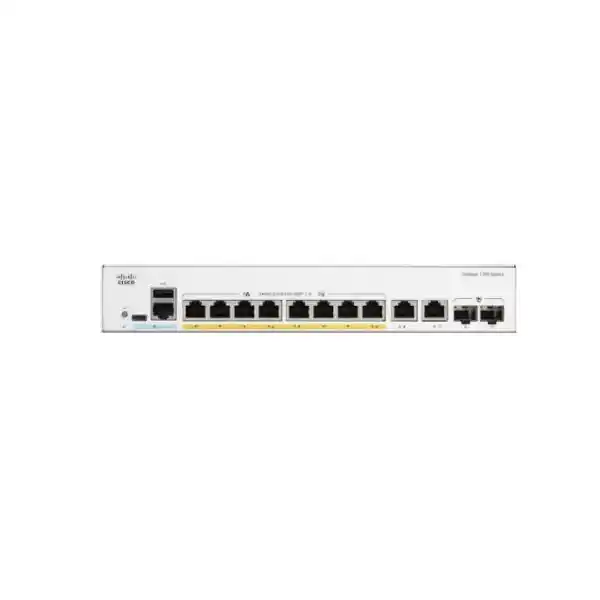
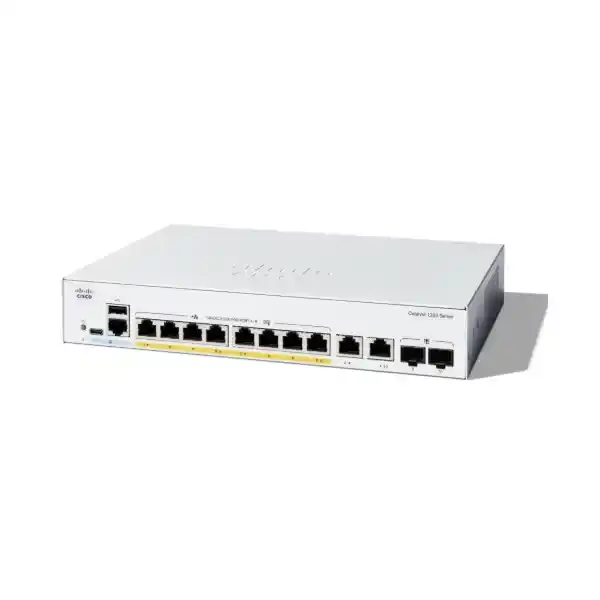
Cisco Catalyst C1200-8P-E-2G Network Switch
For a small office, branch, or compact equipment cabinet, this Cisco Catalyst smart switch brings wired connectivity and power for compatible endpoints into one managed access device. It suits buyers who need to connect a modest group of IP phones, wireless access points, cameras, and ordinary Ethernet devices while keeping network configuration under administrative control. The buying decision should start with the endpoint list, total power requirement, and uplink design. Request a FourTeck Tanzania quotation with those details so the proposed equipment can be checked against the actual installation.
Choose this model when a compact Gigabit access layer fits the project and endpoint power demand stays within the available allowance. A small port count does not automatically mean a simple network: one office may carry guest wireless, business applications, voice, and video over the same cables. Planning how those services connect is as important as choosing the switch itself. This page explains the hardware boundaries and the practical checks that help turn an equipment purchase into a supportable network.
The hardware at a glance
The specification below identifies the exact model requested. Cisco’s broader Catalyst family includes switches with different uplink speeds, power arrangements, and management features, so a quotation should preserve the full product identifier. Similar names can refer to materially different hardware. Use this summary to compare the required port and power arrangement with the devices already installed or planned.
An Ethernet connection and a powered connection are separate requirements. A desktop or printer can use a copper data port without drawing PoE, while a compatible phone or camera may use the same cable for data and electrical power. Count every wired connection, then mark which devices require switch-delivered power. This produces a clearer requirement than simply requesting an eight-port switch and assuming every attached device has the same needs.
| Item | C1200-8P-E-2G |
|---|---|
| Access interfaces | 8 × 10/100/1000 RJ-45 PoE+ ports |
| Uplink interfaces | 2 × Gigabit copper/SFP combo interfaces |
| Power standards | IEEE 802.3af PoE and IEEE 802.3at PoE+ |
| Shared PoE budget | 67 W total; up to 30 W per supported access port within that budget |
| Switching capacity | 20 Gbps |
| Forwarding rate | 14.88 million packets per second for 64-byte packets |
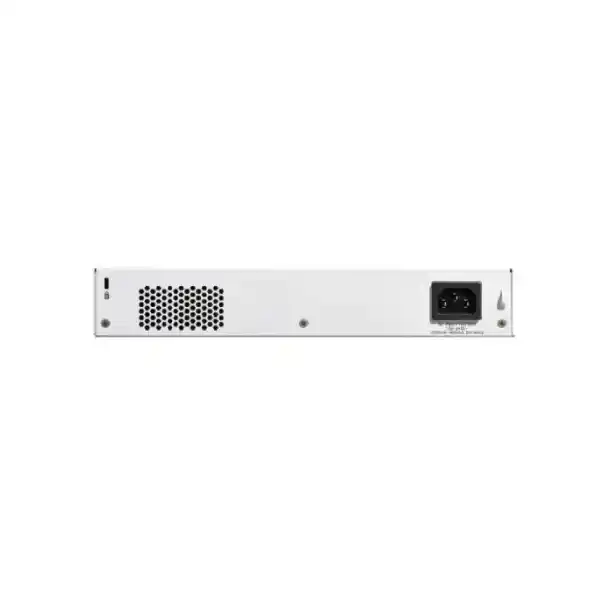
| Cooling and power | Fanless; external power supply |
| Management and network functions | Web interface, VLANs, QoS, ACLs, and static routing |
Understand the two combo uplinks
Each combo interface gives a choice of copper or SFP media for the same logical connection. Treat it as one usable uplink, with the media selected to suit the installation. Do not count the copper socket and matching SFP slot as two independent links that can both add capacity at once. This distinction matters when comparing photographs, port counts, or supplier descriptions.
Copper is convenient for a nearby router, firewall, or distribution switch where an appropriate Ethernet cable already exists. Fiber may suit an existing optical backbone or an installation where the link design calls for optical media. The correct choice depends on the equipment at the far end, cable infrastructure, distance, and required optical characteristics. An SFP slot alone does not confirm that an available transceiver will work with the intended connection.
Before ordering optics, record both ends of the link: switch model, supported transceiver type, fiber type, connector arrangement, and estimated cable distance. For paired optics, check the transmission and reception relationship as well. Ask for any transceivers and patch leads to be listed separately in the quotation so the proposed uplink can be assessed as a complete connection. An uplink operating at Gigabit speed remains a shared path for traffic leaving that part of the network.
Size PoE using the endpoint schedule
PoE budgeting is the most important selection check for this compact model. The total allowance is shared across the powered ports; a per-port capability does not mean every port can provide its maximum simultaneously. Evaluate the worst credible operating demand of the actual devices, together with how the switch allocates their requested power. Typical observed consumption on an idle endpoint is not a sufficient purchasing figure.
Build a short schedule containing the endpoint model, quantity, required PoE standard, maximum rated input, and installation location. Include camera illumination, phone expansion modules, and access-point operating modes where they affect consumption. Some devices use less power after startup than during particular features or operating conditions. Others reserve power through classification. Review those details before assuming that a collection of low current readings leaves enough usable capacity.
Leave practical headroom for the expected deployment rather than filling the budget to its last watt on paper. That headroom is a planning choice, not additional output supplied by the hardware. If the proposed load approaches the available limit, compare a larger power-budget switch or a different endpoint allocation. Do not rely on disabling useful endpoint features merely to make the purchase appear suitable unless the business explicitly accepts that compromise.
Illustrative power calculation
Suppose four endpoints each require an allocation of 10 W and one additional endpoint requires 20 W. The planning total is 60 W. Against this model’s 67 W PoE budget, that leaves 7 W before considering any differences between the hypothetical allocation and the actual equipment. These figures illustrate arithmetic only; they do not describe particular phones, cameras, or access points, and they are not an approved bill of materials.
Use device specifications and the switch’s allocation information to replace every assumed number. If those four endpoints instead require 12 W each, the same group totals 68 W and exceeds the allowance. This is why port availability alone cannot establish suitability. A switch may have an unused physical port while lacking enough remaining PoE capacity for another powered device. Check both constraints together whenever equipment is added or replaced.
IP phones and a small voice network
For a compact voice deployment, draw the connection path from each phone to the call-control platform and internet edge. Identify which phones use PoE, whether any desk computers connect through phone pass-through ports, and whether the existing configuration separates voice from general business traffic. A phone’s second Ethernet socket, where present, does not eliminate the need to understand how both types of traffic reach their destinations.
Voice VLAN and QoS capabilities provide tools for organizing this environment. Their value depends on an appropriate configuration and consistent treatment elsewhere in the network. Decide which devices may mark traffic, where those markings are trusted, and how upstream equipment handles them. Prioritization can help manage contention, but it does not create additional link capacity or repair a poor internet connection.
During acceptance, make calls while ordinary office activity is taking place. Check for interruptions, registration loss, unexpected phone reboots, and any difference between internal and external calls. Document the phone models, call platform, VLAN arrangement, and gateway details for future support. The switch provides network connectivity and power; the telephone system, service subscriptions, and provider configuration remain separate parts of the deployment.
Wireless access points and guest connectivity
A small office may need only a few access points, yet each one can carry traffic for many wireless clients. Confirm the wired speed and power requirement of the exact access-point model. Some modern units need more power or faster Ethernet than this switch can provide. A physically compatible plug is not enough to establish that all radios and features will operate as intended.
Where an access point carries several wireless networks, record how each SSID maps to the wired network. Staff, guest, and operational devices may need different VLANs and different access policies. Configure the access-point port and upstream link as part of the same design, with matching tagging expectations. A mismatch can leave the access point online while users receive the wrong network access or fail to obtain an address.
Assess wireless performance independently from the switch specification. Building layout, interference, radio placement, client capability, and internet capacity all influence the user experience. For the wired portion, check negotiated link speed and utilization during busy periods. If the project depends on multigigabit access-point uplinks or a larger PoE allocation, choose hardware around those requirements before committing to this compact Gigabit model.
Cameras and recording traffic
For a small camera installation, list where footage is recorded and which links carry it. Cameras writing to a local recorder on the same switch create a different traffic pattern from cameras sending video through an uplink to another cabinet or building. That placement affects how much capacity is needed on the shared upstream path, even when the number of cameras remains unchanged.
Use the intended recording settings when estimating traffic. Resolution alone does not establish bitrate: frame rate, compression, scene complexity, and recording configuration also matter. Keep a record of the design assumptions and confirm actual utilization after installation. The switch does not provide recording storage, video-management licensing, or camera analytics; those items should be scoped separately with the surveillance system.
Check powered camera demand across relevant operating conditions, including illumination or movement where applicable. Outdoor endpoint placement also calls for appropriate cabling, protection, and installation practices throughout the link. A camera’s outdoor rating does not make an indoor access switch suitable for outdoor exposure. If the environment or endpoint load requires industrial equipment, extended power delivery, or a larger backbone connection, select that architecture directly rather than forcing the requirement onto this device.
Plan VLANs around business access
VLANs provide a way to organize separate logical networks over a shared switching infrastructure. A useful design might distinguish staff devices, guest access, voice, cameras, and equipment management. Those are planning examples, not mandatory networks that every small organization needs. Keep the design as simple as the business requirements allow, and make each separation serve a clear operational or access-control purpose.
Define the addressing and gateway arrangement at the same time as VLAN membership. Determine where DHCP services run, which device routes between networks, and which system enforces the permitted communication. Creating a VLAN does not by itself establish the required security policy. If guests must be denied access to business systems, verify that the routing and filtering path enforces that outcome.
For each switch port, record whether it carries a single untagged endpoint network or several tagged networks. Pay particular attention to links connected to firewalls, other switches, and wireless access points. Match the native or untagged treatment on both ends where applicable. Good port documentation prevents later moves and additions from turning a deliberate segmented design into a confusing collection of exceptions.
QoS and uplink capacity serve different purposes
Quality of service determines how traffic is treated when resources are contested. It is useful to discuss the business application first: clear calls, responsive interactive sessions, or a controlled guest workload. Then decide which traffic should receive particular treatment and where that policy needs to apply. Merely enabling a feature called QoS does not establish the right policy for an office.
A shared uplink can become the limiting path when several endpoints simultaneously access systems elsewhere. Local switching specifications do not represent the internet speed available to each user. Consider file transfers, backups, camera streams, wireless users, and voice together when estimating busy-period demand. Measure the existing network where possible; a short period of representative utilization data can be more useful than assumptions based on device counts alone.
If two uplinks are used, define their purpose explicitly. A design may use separate network paths or an appropriately configured aggregation arrangement, depending on the equipment and topology. Do not connect redundant cables without a loop-control plan. Also avoid assuming that combining links automatically doubles the throughput of a single application session. Confirm how traffic is distributed and how the network behaves if a path fails.
Static routing and the internet edge
The Catalyst 1200 platform includes static routing features, which can be relevant when a small network needs defined paths between IP networks. Whether routing should happen on this switch or another device depends on the intended security boundaries and operational design. Start with the required traffic flows and decide where they should be controlled before assigning gateway responsibilities.
For many compact deployments, a firewall or router remains responsible for the internet connection, filtering policy, remote access, and related edge services. A switch purchase should not be treated as a replacement for that equipment simply because the switch supports routing. Review the existing gateway and make sure the new access layer presents the VLANs and links that gateway expects.
If an installation relies on specific routing functions, management integrations, or software behavior, verify those requirements against the applicable firmware before purchase. Avoid transferring assumptions from another Catalyst family or from an existing enterprise switch configuration. The brand family name does not establish that every command, automation workflow, or advanced networking feature will be interchangeable across products.
Management access should be deliberate
Cisco documents a web interface for initial setup and ongoing configuration. Before installation, decide which administrator will own the configuration, which address the device will use, and from which part of the network it may be managed. Record that information in the organization’s equipment inventory. A managed switch is easier to support when the team knows where its management interface belongs.
Use unique administrator credentials and restrict administrative access to the intended people and systems. Where secure management protocols are selected, confirm they work from the approved management path before removing older access methods. Make changes in a controlled order so a security improvement does not accidentally strand the administrator outside the device. Maintain an appropriate local recovery plan for the installation.
Cisco’s setup guidance distinguishes applying a change from saving configuration for a subsequent restart. Include persistence in the handover checks. Once the configuration is stable, retain a protected backup and record the installed firmware version. The aim is to make a future replacement or recovery understandable without depending on one person’s memory of how the switch was originally configured.
Use security controls as part of a policy
The platform provides access-control and port-security tools, but the useful question is what each port should be allowed to do. Identify sensitive management access, user-facing sockets, unattended equipment, and trusted infrastructure links. Apply controls around those roles and verify the effect on legitimate traffic. A long list of enabled features is less useful than a small, understood configuration that meets the organization’s access requirements.
Port security, authentication, and related controls can have feature interactions and operational consequences. Check Cisco’s documentation for the intended combination before deploying it. For example, a restriction that assumes one attached device may need review when a phone and computer share a physical connection. Device replacement procedures should also explain how a legitimate new endpoint becomes authorized.
Keep spare or unused sockets under administrative control and label the connections that are in service. Restrict access to the physical cabinet as well as the management interface. Logical controls do not replace sensible cable management and equipment-room practices. When the network carries regulated or sensitive information, determine the required policy with the responsible team and validate the whole communication path rather than assigning compliance to the switch alone.
Place the switch in a suitable environment
The fanless design makes this model attractive where fan noise would be distracting, such as a compact office equipment area. It still needs appropriate ventilation and an installation location that respects the manufacturer’s environmental requirements. Do not place it in a sealed box, on top of heat-producing equipment, or where loose materials can cover ventilation openings.
The external power supply is an installation consideration as well as a product characteristic. Reserve a secure, ventilated location for it, allow for cable routing, and make sure its connection cannot be easily disturbed during routine work. Confirm the supplied power arrangement and any mounting accessories in the quotation. Check the cabinet and mounting plan against the exact hardware documentation before installation.
Assess moisture, dust, temperature, access, and cable strain at the proposed site. If equipment is being fitted in an occupied office, keep connectors and power connections protected from accidental movement. Where rack mounting is planned, account for cable clearance and service access, not only the chassis footprint. A tidy installation gives technicians room to identify and replace a connection without disturbing unrelated business systems.
Power continuity for the complete service
PoE centralizes endpoint power, which can simplify a backup-power plan. It also means that the powered phones, cameras, or access points depend on the switch’s supply path. When assessing an uninterruptible power supply, include the switch’s own consumption, conversion losses, and the endpoint load. The PoE allowance is not a complete figure for UPS sizing.
Define the desired service during a power interruption. Keeping the switch alive will not preserve external calls if the router, internet termination, or telephone platform loses power elsewhere. Similarly, powered cameras may remain online while their recorder shuts down. Identify every required component in the service chain and decide what must remain operational for the intended duration.
After installation, verify the backup arrangement under an agreed test procedure. Record the connected load, equipment protected, and observed behavior so future additions can be assessed consistently. Battery condition and load changes affect runtime over time. Treat continuity as a system requirement with periodic review, rather than assuming a single UPS purchase guarantees a particular duration for every business application.
Choose the right size before ordering
This model is a sensible candidate when the access-port count, endpoint power schedule, and Gigabit uplink arrangement fit a compact network. It may be less suitable when the installation already has substantial expansion planned, several high-demand powered endpoints, or a requirement for faster aggregation. Evaluate those constraints before comparing supplier prices.
If the required powered load is higher, Cisco also lists the C1200-8FP-2G with a 120 W PoE budget. That is a specific alternative to assess when eight access ports still fit the network. If port count is the limiting factor, evaluate a larger switch instead. Compare the complete configuration and power arrangement rather than treating a similar model name as an automatic substitute.
Set aside realistic connection capacity for the next phase of the project. A planned addition of several desks, cameras, or wireless access points can change both the required port count and total power allocation. Buying the smallest device that meets today’s count may create another replacement project soon afterward. On the other hand, avoid paying for enterprise features that the organization has no requirement or operational capacity to use.
A practical installation and handover sequence
Begin with a documented network plan and a list of every proposed cable connection. Verify device identities and power requirements before moving live services. Configure the switch in a controlled setting, establish management access, and prepare the intended VLAN and uplink arrangement. Keep a record of the previous network state so the team can diagnose unexpected behavior during migration.
Move endpoints in an agreed sequence and test the service associated with each group. For phones, verify registration and calling. For access points, verify the required wireless networks and client access. For cameras, confirm live viewing and recording. For ordinary computers and printers, test the relevant business resources. A link light indicates a physical connection; it does not confirm that the complete service works.
Check that configuration survives an authorized restart, confirm the management path, and retain a final backup. Label active cables and record port assignments, uplink media, endpoint models, and any access restrictions. Give the responsible team a concise handover that explains normal operation, recovery contacts, and the first checks for a fault. Agree separately on any installation, monitoring, or ongoing support scope.
Information to include in a Tanzania quotation
Ask FourTeck Tanzania for the exact switch model and quantity, with the required accessories identified separately. Include a list of powered endpoints, their maximum requirements, the proposed uplink media, and the equipment at the other end of each uplink. Where fiber is involved, specify the existing cable and optical connection details instead of requesting generic SFP modules.
Provide the installation environment, mounting preference, available power arrangement, and any backup-power target. If replacing an existing switch, include its model and a connection map or sanitized configuration summary. State which services must keep working during the change and whether the installation requires a planned maintenance window. Those details help define a complete requirement without relying on assumptions about a typical small office.
Request current pricing, availability, supplied accessories, and applicable warranty or support terms in the written quotation. Confirm delivery requirements for the actual destination and define any installation work separately. This page does not establish stock, a local service entitlement, or a delivery commitment. The final commercial offer should identify what is supplied and which project activities are included.
Troubleshooting checks that make support easier
When an endpoint fails, first identify the scope of the fault. Is one device affected, every device on a particular network, or the entire office? Record when the issue began and what changed around that time. This basic description helps distinguish a local cable problem from a shared uplink, power, or gateway problem. Avoid changing several settings together before collecting the initial evidence.
For a single device, check its power state, physical connection, and expected network assignment. Compare the result with a known working endpoint only through an agreed troubleshooting process. A cable substitution or port move can help isolate a fault, but remember that the replacement port may have different VLAN or security settings. Document the move so the final connection map stays accurate.
If a powered endpoint repeatedly restarts, compare the symptom with its required power, the switch allocation, and the other devices connected at that time. A restart is not proof of an exhausted PoE budget: cabling, the endpoint itself, and the wider supply arrangement also deserve examination. Gather evidence before concluding that a larger switch will resolve the issue.
If several devices lose access together, check the shared path they depend on. Confirm whether the upstream router, firewall, or distribution connection is operational and whether the relevant networks remain reachable. Compare the affected service with another service on the same endpoint. A computer that reaches a local printer but cannot reach an external application points to a different investigation from a computer with no working local connection.
For an optical connection, inspect the documented media plan and the equipment installed at both ends. Check that the proposed modules and patching match the intended link rather than assuming every SFP is interchangeable. Keep a record of the transceiver model and fiber connection in the handover. This information allows a support technician to investigate the actual optical path without rebuilding the bill of materials from photographs.
When users describe a slow network, note the application, time, source device, and destination. Compare a local transfer with an internet-dependent task where appropriate, and collect representative link utilization and error information. A complaint that occurs only during scheduled backups may need a traffic or scheduling change; a persistent low negotiated speed may call for checking cabling and interface settings. These are diagnostic possibilities, not automatic conclusions.
Before applying a configuration change, retain the current settings and define the result that would demonstrate improvement. After the change, repeat the relevant service check and record the outcome. Keep credentials and configuration backups protected when sharing diagnostic information. A clear issue record, current connection map, and known working configuration usually make support more efficient than a series of undocumented resets.
Plan periodic reviews around actual changes in the office. Adding a camera, replacing an access point, moving a phone, or increasing a backup workload can alter the assumptions behind the original design. Update both the power schedule and traffic plan when those changes occur. This keeps the switch selection and configuration tied to the network’s current requirements throughout its service life.
Buyer questions
Can all powered ports deliver their maximum output at the same time? No. The total PoE allowance is shared, so the endpoint schedule must fit the switch-wide budget as well as the per-port capability. Use the actual devices’ power requirements and allocation behavior when checking the design.
Are the SFP and copper sides of a combo interface separate uplinks? They are alternative media for the same interface. Plan the chosen medium for each logical uplink and check its far-end connection. Do not count both physical options as additional simultaneous ports.
Will an ordinary non-PoE computer work on a PoE access port? A normal compatible Ethernet device can use the data connection without needing PoE power. PoE suitability becomes a separate check for endpoints that require electrical power over the network cable.
Is this suitable for every Wi-Fi access point? Suitability depends on the exact access point’s power and wired-interface requirements. Check both before purchase, particularly where the wireless design calls for higher-power devices or faster-than-Gigabit Ethernet.
Does it replace the office firewall or wireless router? The switch supplies the wired access layer. Determine internet-edge security, wireless coverage, routing responsibilities, and remote-access services separately within the overall design.
Should optics, UPS equipment, and installation be assumed to be included? Request those items explicitly in the quotation. List the required accessories and services so the buyer can review the complete proposed supply and implementation scope.
Request a configuration and quotation
Share your endpoint list, PoE requirements, uplink preference, switch quantity, and installation details with FourTeck Tanzania. Ask for a quotation for the Cisco Catalyst C1200-8P-E-2G and a check of any proposed accessories. Confirm the complete power and connection plan before placing the order so the selected equipment fits the network it will serve.




Reviews
There are no reviews yet.