
StackWise-1T
Modular uplinks
Cisco UADP 2.0sec
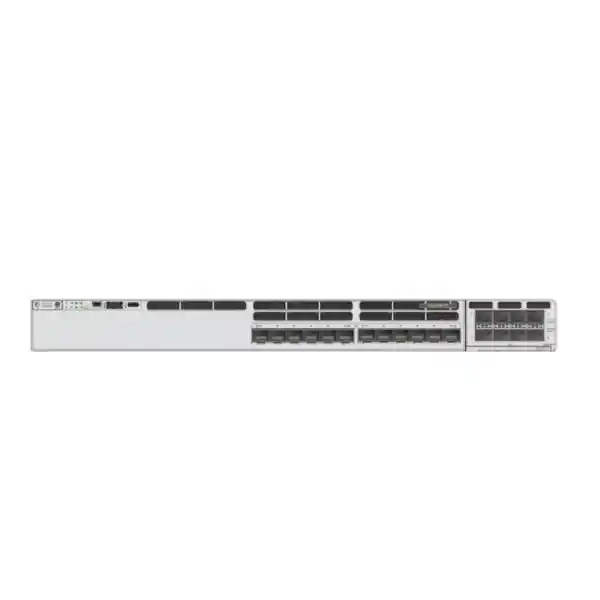
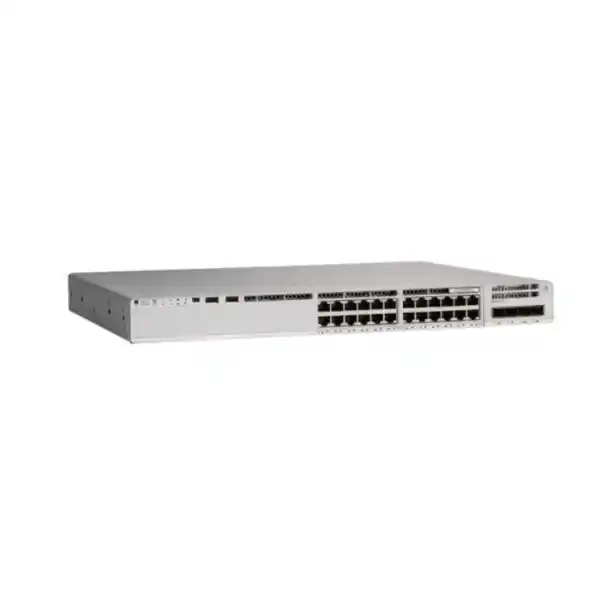
Cisco Catalyst C9300X-12Y: compact 25G fiber switching for enterprise access, aggregation, and branch networks
The Cisco Catalyst C9300X-12Y is designed for organisations that need more bandwidth than traditional 1G or 10G fiber access can comfortably provide, but do not want to overbuild with a larger 24-port fiber chassis. Its twelve SFP28 downlink ports can operate at 25G, 10G, or 1G, giving network teams a practical migration path for high-capacity campus links, server-facing connections, building aggregation, distribution, and lean branch deployments. The platform belongs to Cisco’s Catalyst 9300X family, which is positioned for secure high-speed access and aggregation and combines modular uplinks with high-bandwidth stacking.
For buyers in Tanzania, the important question is not simply whether the switch is “fast.” The better question is whether the C9300X-12Y matches the port count, fiber speeds, uplink strategy, resilience model, software features, optics, power design, and management approach of the intended network. This page therefore focuses on practical selection and deployment guidance as well as specifications. The model is especially relevant when a business is consolidating 10G links, introducing 25G on selected paths, preparing for higher-speed upstream connectivity, or standardising on a Cisco Catalyst 9000 operational model.
A purchase should be sized as a complete solution rather than a bare chassis. The C9300X-12Y platform is offered in software and management variants, and optics, stacking cables, uplink modules, secondary power, and licenses may need to be selected separately. Confirm the exact bill of materials before ordering so that the delivered system matches the topology and feature set required.
Quick specification overview
| Downlink interfaces | 12 × SFP28 fiber ports supporting 25G/10G/1G |
|---|---|
| Uplink architecture | Modular; compatible C9300X network modules provide 10G multigigabit copper, 25G/10G/1G SFP28, or 100G/40G QSFP28 options depending on module selection |
| Switching capacity | 1,000 Gbps; 2,000 Gbps with stacking |
| Forwarding rate | 744.04 Mpps; up to 1,488 Mpps with stacking |
| Stacking | StackWise-1T; Catalyst 9300X supports up to 1 Tbps local stacking bandwidth |
| Memory and flash | 16 GB DRAM and 16 GB flash for Catalyst 9300X modular uplink models |
| Default AC power supply | 715W AC; platform supports dual redundant power supplies |
| Form factor | 1RU class; approximately 4.4 × 44.5 × 48.8 cm with fan FRUs and default power supply installed |
| Software choices | Network Essentials (-E), Network Advantage (-A), and applicable Meraki software (-M) ordering variants |
Specifications are platform-level values published by Cisco. Final capabilities can depend on the chosen software license, Cisco IOS XE release, optics, uplink module, and network design. Always validate the complete configuration rather than selecting only by chassis model.
Who should consider the C9300X-12Y?
The C9300X-12Y makes the most sense where a network needs a relatively small number of high-bandwidth fiber interfaces rather than dozens of copper access ports. Twelve multi-rate SFP28 ports are useful for aggregating high-speed links from access switches, connecting selected servers or appliances, building a compact distribution layer, or supporting a branch or remote site where fiber is preferred for distance, electrical isolation, or bandwidth. Because each downlink can operate at 1G, 10G, or 25G with supported transceivers and software, the platform can support staged migrations instead of forcing every connected device to move to 25G at once.
This is also a strong fit when physical rack space and port efficiency matter. A larger 24-port 25G model may provide more density, but it can be unnecessary when only a handful of high-speed fibers are planned. The 12-port model offers a smaller port count while retaining the broader Catalyst 9300X architecture, including StackWise-1T, modular uplinks, the UADP 2.0sec ASIC, and the software ecosystem associated with the Catalyst 9000 family.
It is not the right choice for every access network. If the requirement is primarily RJ-45 copper, PoE for access points and phones, or very high 25G fiber density, another Catalyst 9300X model may be a better fit. The C9300X-12Y itself is a fiber data switch and should not be selected as though its SFP28 ports provide PoE. For projects with many powered endpoints, compare against copper UPOE/UPOE+ models and keep the fiber model for aggregation or specialized high-speed access roles.
Twelve multi-rate SFP28 ports: why 25G/10G/1G flexibility matters
The defining characteristic of the C9300X-12Y is its twelve fiber downlink ports. Cisco specifies these as 25G/10G/1G SFP28 interfaces. From a design perspective, that multi-rate capability lets one switch serve mixed generations of fiber connectivity, provided the selected optics and software release support the required combinations. A network can retain established 1G links, run mainstream 10G connections, and add 25G where bandwidth demand has increased. That reduces the pressure to replace every transceiver and connected device during a single upgrade window.
For aggregation, 25G is useful because it increases per-link bandwidth without immediately moving every connection to 40G or 100G. This can be valuable when multiple access switches, virtualization hosts, storage-facing systems, security appliances, or high-throughput services need more than 10G but do not require a 100G port each. The exact topology should still be designed around oversubscription, traffic patterns, failure domains, and upstream capacity. Twelve 25G-capable ports do not automatically mean all twelve will run at maximum load simultaneously in every real network; the surrounding switching, uplink, routing, and application design must be considered as one system.
Fiber also brings operational considerations that differ from copper. The transceiver type, wavelength, connector, fiber category, reach, and remote interface must match. Existing optical plant in an office, campus, warehouse, hotel, hospital, industrial facility, education environment, or multi-building site may include a mix of multimode and single-mode fiber, and not every installed cable path is suitable for every 25G optic. During procurement, identify each intended link by distance and medium, then select supported Cisco optics or validated compatible media accordingly.
For Tanzania deployments, this planning is especially important when equipment is distributed across buildings or sites and replacement access to optics or patching components may be less immediate than in a single data room. Standardising transceiver families, keeping documented spares, labelling fibers, and maintaining clean connector practices can reduce avoidable downtime. These are implementation recommendations rather than product entitlements, but they strongly influence whether a high-speed fiber deployment performs reliably after installation.
Performance headroom for demanding enterprise traffic
Cisco publishes a switching capacity of 1,000 Gbps and a forwarding rate of 744.04 Mpps for the C9300X-12Y. With stacking, Cisco lists 2,000 Gbps switching capacity and 1,488 Mpps forwarding rate. These figures position the model well above traditional access switches designed around 1G edge ports and 10G uplinks. The available headroom is useful when the switch is used in an aggregation role where many high-speed conversations can converge through a compact chassis.
The 9300X modular-uplink platform also provides 16 GB of DRAM and 16 GB of flash. Cisco lists 32,000 MAC addresses for the Catalyst 9300X modular uplink family, up to 39,000 IPv4 routes in the published platform scale, 19,500 IPv6 routing entries, and a 16 MB packet buffer for the 12-port fiber model. Those scale values are useful when evaluating the switch for routed access, segmentation, and larger enterprise environments, although actual designs should be validated against the selected features and Cisco’s current release documentation.
Performance specifications should not be treated as a substitute for a traffic study. A branch aggregation switch with predictable east-west flows has different needs from a campus distribution switch carrying voice, video, backups, application traffic, and internet-bound sessions. Network architects should examine peak throughput, multicast, routing protocol scale, quality-of-service requirements, access-control policies, telemetry, and expected growth before deciding whether the C9300X-12Y, the higher-density C9300X-24Y, or another platform is the better long-term fit.
Where traffic growth is uncertain, the C9300X-12Y provides a useful combination of multi-rate downlinks and modular uplinks. That design gives teams options to raise individual link speeds, change the upstream module, or expand through stacking instead of replacing the entire switching tier at the first increase in demand.
Modular uplinks: choose the right path to aggregation or core
The C9300X-12Y uses a modular uplink architecture, so the uplink interface set is not something to assume from the chassis name alone. Cisco’s current Catalyst 9300X module portfolio includes the C9300X-NM-8M with eight 10G/1G multigigabit copper interfaces, the C9300X-NM-8Y with eight 25G/10G/1G multi-rate SFP28 interfaces, and the C9300X-NM-2C with two 100G/40G dual-rate QSFP28 interfaces. Cisco also lists a C9300X-NM-4C four-port 100G/40G module, but that specific module is restricted to certain other C9300X models and is not the appropriate choice to assume for the C9300X-12Y.
C9300X-NM-8Y
A natural option when the uplink design also needs 25G/10G/1G SFP28 connectivity, for example toward distribution, core, or another high-speed fiber device.
C9300X-NM-2C
Provides two 100G/40G QSFP28 interfaces and is suited to designs that need higher-capacity upstream links or compact 100G connectivity.
C9300X-NM-8M
Provides multigigabit copper uplink flexibility where an RJ-45 high-speed handoff is required rather than an optical uplink.
The right uplink module depends on more than the headline speed. Confirm how many physical uplinks are needed, whether they will be bundled with EtherChannel, what redundancy exists upstream, which optic form factor is required, and whether the remote switch supports the selected speed and media. A pair of 100G uplinks can provide substantial headroom, but that does not automatically make it the most economical or operationally appropriate design. In many networks, dual 25G links may be sufficient; in others, 100G is justified by aggregated traffic or growth.
The architecture of the C9300X-12Y is particularly useful because its twelve downlink ports do not consume the modular uplink bay. The switch can therefore maintain a set of access or aggregation fibers while using a purpose-selected upstream module. Cisco’s architecture documentation describes the 12Y as a single-ASIC design with support for up to two 100G uplink capacity, which aligns with the C9300X-NM-2C choice for high-capacity upstream connections.
When building a quote, specify the exact uplink module rather than writing only “100G capable” or “25G uplink.” The module, optics, patch leads, and remote-port compatibility all need to be included in the bill of materials. This avoids a common procurement problem where a chassis arrives without the interfaces required to connect it into the live network.
StackWise-1T and resilience planning
Catalyst 9300X models support StackWise-1T, providing up to 1 Tbps of local stack bandwidth. Cisco’s Catalyst 9300 architecture allows multiple switches to operate as a single logical system when correctly stacked. For the C9300X-12Y, this can simplify operations while increasing port count and creating a resilient switching architecture. Instead of managing every member as an unrelated device, a stack can present a consolidated control and management model, subject to the design and software rules of the selected configuration.
Stacking is most valuable when it supports a deliberate failure-domain strategy. For example, critical downstream devices can be dual-connected to different stack members, upstream links can be distributed across members, and maintenance can be planned so that a single hardware event does not necessarily remove all connectivity. The topology, link aggregation, routing design, and application behavior still determine the actual level of continuity achieved. Stacking should therefore be treated as one component of resilience rather than a blanket guarantee of uninterrupted service.
Cisco also supports StackPower on the Catalyst 9300 family and lists StackPower+ support for C9300X-12Y in current software documentation. This can be relevant in designs where power resources and redundancy are planned across a stack. However, power-sharing behaviour, cable selection, power-supply sizing, and topology should be engineered against the exact hardware combination. The C9300X-12Y is a non-PoE fiber model, so the purpose of redundant or shared power is equipment resilience rather than delivering endpoint PoE budgets.
A single C9300X-12Y can also be deployed without stacking. That can be appropriate for a compact branch, lab, isolated aggregation point, or site where the upstream design already provides redundancy through a second independent switching path. The decision to stack should be based on availability objectives, operational practices, maintenance windows, spare strategy, and cost—not simply because the platform supports stacking.
For procurement, remember that the switch chassis and stacking accessories are separate considerations. Confirm the number of members, physical rack placement, required stack cable lengths, power topology, and software compatibility before deployment. A well-designed stack is predictable to install and support; an improvised stack assembled after delivery often creates avoidable cabling and downtime issues.
Security capabilities built into the Catalyst 9300X architecture
The Catalyst 9300X family is based on Cisco’s UADP 2.0sec ASIC. Compared with the standard UADP 2.0 architecture used by several other Catalyst 9300 models, Cisco positions UADP 2.0sec for additional high-speed cryptographic capabilities, including hardware-based IPsec on the 9300X platform. Cisco states support for line-rate IPsec up to 100 Gbps on Catalyst 9300X models, while also noting that the applicable high-security feature licensing or key must be ordered where required. This is important for buyers: hardware capability and entitlement are not the same thing.
Cisco also documents MACsec support on the Catalyst 9300 family, including AES-256 and AES-128 link encryption. MACsec can be valuable where Ethernet links between trusted network devices need protection against interception or manipulation on the physical path. Whether to deploy it depends on the connected devices, topology, license, software version, and operational policy. It should be designed end to end rather than enabled as an isolated checkbox.
The broader Catalyst 9000 security architecture includes hardware-anchored trust capabilities, signed software images, secure boot mechanisms, and device identity functions. These controls help establish confidence that the platform is running trusted software and has not been silently altered during boot. For enterprises with formal security governance, supply-chain controls, or audit requirements, these platform characteristics can be relevant when comparing enterprise switches against unmanaged or lower-tier alternatives.
Encrypted Traffic Analytics and telemetry-related capabilities can also support visibility and threat detection workflows in Cisco-oriented environments. Feature availability and the surrounding analytics platform depend on software and architecture choices, so the switch should not be presented as a standalone security appliance. Its role is to provide policy enforcement, segmentation, secure forwarding, telemetry, and cryptographic functions within a broader network security design.
Before specifying advanced security features in a tender or implementation plan, confirm the exact license level and Cisco IOS XE release. Network Essentials and Network Advantage do not expose every capability in the same way, and some functions have additional subscription or platform dependencies. A good quote separates what the hardware can support from what the selected software entitlement actually enables.
Choose the correct software and management variant
“C9300X-12Y” identifies the hardware platform family, but a production order normally needs a complete Cisco product identifier and software choice. Cisco currently lists C9300X-12Y-E for Network Essentials, C9300X-12Y-A for Network Advantage, and C9300X-12Y-M for a Meraki software option. These are not interchangeable labels. They represent different licensing and management paths, and the right selection depends on the functions and operating model required by the organisation.
Network Essentials is generally aimed at foundational enterprise switching and routing needs, while Network Advantage adds more advanced capabilities. Because Cisco feature packaging evolves with software releases and licensing programs, the safest buying approach is to start with the required feature list—routing, segmentation, automation, telemetry, policy, security, and management—and map those requirements to the current Cisco licensing documentation. Do not choose a license solely because one name sounds more powerful or because a previous-generation Catalyst switch used a similar bundle.
Cisco also supports cloud monitoring for Catalyst and offers Meraki software options on supported Catalyst 9300 models, including the C9300X-12Y family. This can appeal to organisations that prefer the Meraki dashboard operating experience while using Catalyst hardware. However, the choice between a traditional Catalyst management model and a Meraki software model is architectural. It affects operations, licensing, workflows, and sometimes feature expectations. Decide that path before placing the order, not after the hardware is installed.
For environments using Cisco Catalyst Center, the 9300 family can participate in broader intent-based networking, automation, assurance, and Software-Defined Access designs when the required software and architecture are in place. Cisco also states that simply using the underlying license packages does not require an organisation to deploy Catalyst Center. This matters for buyers who want the switch’s enterprise features but do not intend to introduce a new management platform immediately.
During solution design, document the desired management method, software entitlement, term or subscription requirements, support coverage, and upgrade policy. Those decisions should appear in the bill of materials alongside the hardware. A switch that is physically correct but licensed for the wrong operating model can create unnecessary rework and delay.
Common deployment scenarios in Tanzania
Campus building aggregation
Aggregate multiple fiber-connected access switches or building links at 10G or 25G, with modular uplinks toward a campus core.
Compact distribution layer
Use a 12-port high-speed fiber switch where 24 ports would be excessive but enterprise routing, stacking, and resiliency remain important.
Lean branch or regional site
Support a branch that needs high-speed fiber aggregation, strong enterprise controls, and the ability to scale upstream capacity without a large chassis.
Server and appliance aggregation
Connect selected systems that can use 10G or 25G fiber while retaining enterprise switching, segmentation, and uplink flexibility.
In Tanzanian enterprise networks, the physical environment and operational model should be evaluated alongside the logical topology. Where sites depend on long fiber runs, distributed communications rooms, or constrained maintenance access, standardising optics and documenting each link can be as important as the switch selection itself. Power continuity should also be planned at rack level. The switch supports redundant power-supply designs, but site availability still depends on upstream electrical supply, UPS capacity, generators where used, cooling, and the resilience of connected network paths.
For organisations linking offices, data rooms, production areas, warehouses, educational facilities, healthcare locations, hospitality properties, or large campuses, 25G can be introduced selectively. A common migration approach is to retain 10G for links that are not saturated, deploy 25G for high-growth segments, and reserve 40G or 100G uplinks for the points where aggregated traffic justifies them. The multi-rate nature of the C9300X-12Y supports this phased design more naturally than a fixed-speed switch.
No assumption should be made about local stock, delivery time, warranty, installation coverage, or local certification from the platform name alone. These commercial details should be confirmed in the current FourTeck Tanzania quotation together with the precise Cisco part numbers and accessories.
Optics, fiber, and cabling: plan before ordering
The C9300X-12Y’s SFP28 interfaces are only one part of an optical link. Each connection needs a compatible transceiver or cable assembly, the correct fiber medium, matching connectors, and a remote interface that supports the same Ethernet speed and optical specification. Cisco maintains an optics compatibility matrix for the C9300X platform and ties support for some transceivers to minimum Cisco IOS XE releases. This makes optics validation an essential procurement step, especially when integrating with an existing installed base.
Start by documenting every planned link. Record the source and destination device, target speed, approximate distance, fiber type, connector, available patch-panel path, and whether the link crosses buildings. Then select supported optics for each path. A short equipment-rack connection might use a direct-attach cable or active optical cable where supported, while a building or campus run may require an optical transceiver pair selected for the actual fiber plant and distance.
Do not assume that an existing 10G optic will automatically operate at 25G, or that a fiber path that carries 1G today will meet the optical budget and modal requirements of a faster transceiver. Conversely, there may be no need to replace a valid 10G link simply because the switch can run at 25G. Multi-rate ports are valuable precisely because migration can happen where it is technically and commercially justified.
Operationally, keep spare optics for the transceiver types that would create the greatest outage if they failed. Label both ends, record serial or asset information where appropriate, and maintain cleaning tools and procedures for fiber connectors. Many apparent “switch problems” on optical networks are actually dirty connectors, mismatched optics, damaged patch cords, polarity errors, or unsupported transceiver combinations.
If the design includes 100G uplinks, validate the chosen QSFP28 module and remote port, along with any breakout requirements. Cisco’s published module restrictions vary by C9300X chassis, so use the C9300X-12Y compatibility information specifically rather than assuming that every 9300X uplink module fits every 9300X switch.
Power, rack space, cooling, and physical installation
Cisco specifies a 715W AC default power supply for the C9300X-12Y and supports dual redundant power supplies on the Catalyst 9300 platform. Because this model has fiber data ports rather than PoE endpoint ports, its power design is focused on operating the switch and maintaining resilience rather than powering phones, cameras, or access points. A second power supply can be selected when redundancy objectives require it.
Cisco’s current hardware guide lists the C9300X-12Y at approximately 1.73 × 17.5 × 19.2 inches, or 4.4 × 44.5 × 48.8 cm, with fan FRUs and the default power supply installed, and a weight of about 15 lb or 6.8 kg. Confirm rack depth, rail or mounting requirements, front and rear service clearance, cable bend radius, and airflow before installation. High-density fiber patching can consume meaningful space, so allow room for cable management rather than planning only around the 1RU chassis height.
Cisco’s hardware documentation publishes environmental operating ranges for the platform and power supplies, including temperature and humidity limits. The network room should be engineered to stay within those limits even during local power or cooling disturbances. Dust control is also important because clogged airflow paths raise thermal stress and increase maintenance needs.
For critical sites, place redundant power supplies on appropriately separated power feeds where the facility design allows, and size UPS runtime around the actual network availability target. Redundant PSUs connected to the same failed upstream power source do not create true end-to-end power resilience. The same principle applies to network paths: resilient switch hardware should be paired with resilient uplinks and upstream devices where business continuity requires it.
How the C9300X-12Y compares with nearby choices
| Decision point | C9300X-12Y | C9300X-24Y | C9300X copper models |
|---|---|---|---|
| Primary port type | 12 × 25G/10G/1G fiber | 24 × 25G/10G/1G fiber | High-speed copper, with model-dependent PoE/UPOE options |
| Best fit | Compact fiber access, aggregation, distribution, lean branch | Higher-density 25G fiber requirements | RJ-45 access, multigigabit endpoints, powered devices on applicable models |
| PoE on access ports | No | No | Available on selected HX/HXN models |
| Why choose it? | Avoid paying for unused 25G fiber density while retaining 9300X stacking and modular uplinks | Need twice the 25G fiber-port density in one chassis | Need copper endpoint connectivity or PoE rather than fiber aggregation |
The closest decision for many buyers is between the C9300X-12Y and C9300X-24Y. Both are 25G fiber models, but the 24Y doubles the downlink port count. If the expected requirement is already close to twelve active links and growth is likely, the 24-port model may reduce future chassis count. If the design needs only a modest number of high-speed fiber links, the 12Y can be a more proportionate choice.
The second decision is fiber versus copper. If the switch will directly connect desk endpoints, phones, cameras, or wireless access points over copper, a fiber-only 12Y is usually not the correct access-layer choice. If it will aggregate other switches or connect high-speed fiber devices, the 12Y becomes much more compelling. The network role should drive the model selection.
Finally, consider whether the design needs local stacking. Catalyst 9300X is attractive when StackWise-1T and the wider Catalyst feature set are part of the architecture. A simpler standalone switch might cost less in another product family, but it may not offer the same operational, security, scale, or resiliency characteristics. Compare total design requirements rather than port count alone.
Pre-purchase checklist for a complete C9300X-12Y solution
- Confirm the exact software variant. Decide whether the required order should be Network Essentials, Network Advantage, or a supported Meraki software model based on the feature and management requirements.
- Map every fiber port. Document planned 1G, 10G, and 25G connections, including link distance, fiber type, and the device at the far end.
- Select supported optics. Validate transceiver support for the exact switch and intended Cisco IOS XE or software release; do not treat SFP, SFP+, and SFP28 modules as universally interchangeable.
- Choose the uplink module. Match the required upstream speed and media to a compatible C9300X network module such as 8Y, 2C, or 8M where appropriate.
- Plan stacking deliberately. If using StackWise-1T, specify member count, cable lengths, rack positions, redundancy, and software compatibility.
- Decide on power redundancy. Determine whether a second PSU is required and how power feeds, UPS systems, and rack distribution will support the availability target.
- Validate feature licensing. Confirm routing, segmentation, encryption, automation, telemetry, and management functions against the chosen software entitlement.
- Check rack and cooling conditions. Confirm rack depth, airflow, patching space, operating environment, and service access.
- Include accessories and spares. Add the required optics, DAC/AOC cables where applicable, patch cords, uplink module, stack cables, secondary power, and critical spares to the bill of materials.
- Request a configuration review before purchase. A final design check helps ensure the selected chassis, license, optics, uplink, power, and stacking components work together as intended.
Frequently asked questions
How many ports does the Cisco C9300X-12Y have?
The C9300X-12Y has twelve SFP28 downlink ports that Cisco specifies for 25G, 10G, or 1G operation. It also uses a modular uplink bay, so uplink interfaces depend on the selected C9300X network module. Do not count the uplink module as part of the twelve downlink ports.
Does the C9300X-12Y provide PoE?
No. The C9300X-12Y is a fiber data model and its SFP28 downlink ports do not provide PoE to endpoints. If the requirement is to power access points, IP phones, cameras, or other Ethernet devices, evaluate a Catalyst model with copper PoE, UPOE, or UPOE+ interfaces instead.
Can all twelve ports run at 25G?
The hardware provides twelve 25G/10G/1G SFP28 ports, but the usable configuration depends on supported optics, software, cabling, and the connected devices. Build the design around Cisco’s current compatibility guidance and verify the intended transceivers and software release before deployment.
What uplink speeds are available?
Cisco’s C9300X network modules provide several choices. Relevant options include the C9300X-NM-8Y for 25G/10G/1G SFP28, the C9300X-NM-2C for two 100G/40G QSFP28 interfaces, and the C9300X-NM-8M for multigigabit copper. The exact module should be selected to match the topology and remote device.
Does the C9300X-12Y support 100G uplinks?
Yes, the platform can support 100G uplink connectivity with an appropriate compatible C9300X module. Cisco’s architecture documentation describes the 12Y with support for up to two 100G uplink capacity. A complete 100G design also requires the correct QSFP28 optics or cables and compatible upstream ports.
What is StackWise-1T?
StackWise-1T is Cisco’s high-bandwidth stacking technology for Catalyst 9300X. It allows multiple compatible switches to be interconnected and operate as a logical stack, with up to 1 Tbps of local stack bandwidth on the 9300X family. The stack still needs the correct cables, topology, software alignment, and resiliency design.
What are the switching capacity and forwarding rate?
Cisco lists 1,000 Gbps switching capacity and 744.04 Mpps forwarding rate for the C9300X-12Y. With stacking, Cisco publishes 2,000 Gbps switching capacity and 1,488 Mpps forwarding rate. These are platform performance values and should be interpreted alongside the intended feature configuration and traffic design.
What is the difference between C9300X-12Y-E and C9300X-12Y-A?
The suffix identifies the software license level in Cisco’s ordering structure. The -E model is listed with Network Essentials and the -A model with Network Advantage. Because feature packaging can change over time, match the required routing, policy, automation, security, and management features to Cisco’s current licensing documentation before choosing between them.
Is there a Meraki-managed version?
Cisco lists a C9300X-12Y-M ordering option under its Meraki software model, and Cisco documentation includes the C9300X-12Y among Catalyst devices that support cloud-management or monitoring paths. The management choice should be made as part of the architecture because it affects software, licensing, and operating workflows.
Does the switch support MACsec and IPsec?
The Catalyst 9300 family supports MACsec, and the 9300X UADP 2.0sec architecture adds hardware-based IPsec capability. Cisco states that 9300X models can support line-rate IPsec up to 100 Gbps. Actual use depends on software, licensing, cryptographic entitlement, topology, and configuration, so confirm the exact requirement during solution design.
How much memory does the C9300X platform provide?
Cisco specifies 16 GB DRAM and 16 GB flash for Catalyst 9300X modular uplink models. The platform also supports external USB storage options for application-hosting use cases described in Cisco documentation. Storage accessories are separate considerations and should be included only when the intended application requires them.
Can I mix 1G, 10G, and 25G connections on the same switch?
The port hardware is designed for 25G/10G/1G operation, which supports mixed-speed migration strategies. Each physical link still needs a supported optic or cable and a compatible far-end device. Validate the exact transceiver matrix and software version rather than assuming every optical module will work in every speed mode.
Is the C9300X-12Y suitable for a core switch?
It can serve aggregation or distribution roles in many designs and may be suitable for a smaller core or branch core depending on scale, redundancy, routing, uplinks, and feature requirements. For larger enterprise cores, higher-density or purpose-built core platforms may be more appropriate. The correct role should be determined by architecture rather than the product label alone.
What should I provide when requesting a quote in Tanzania?
Provide the desired number of switches, preferred software or management model, planned port speeds, fiber types and link distances, uplink requirement, stacking requirement, redundancy objective, and any required advanced routing or security functions. If those details are not yet known, provide the topology and expected connected devices so the solution can be sized before the final bill of materials is prepared.
Request a C9300X-12Y configuration for your Tanzania network
Use the Cisco Catalyst C9300X-12Y when your design calls for compact, resilient, multi-rate 25G fiber switching with room for high-speed modular uplinks and enterprise operations. The most important procurement step is selecting the complete configuration—not only the chassis.
Request a FourTeck Tanzania quote with your target port speeds, fiber distances, software preference, uplink requirement, stacking plan, and power-resilience needs. The bill of materials can then be checked for the correct switch variant, compatible uplink module, optics, stacking accessories, power supplies, and software licensing before purchase.




Reviews
There are no reviews yet.