
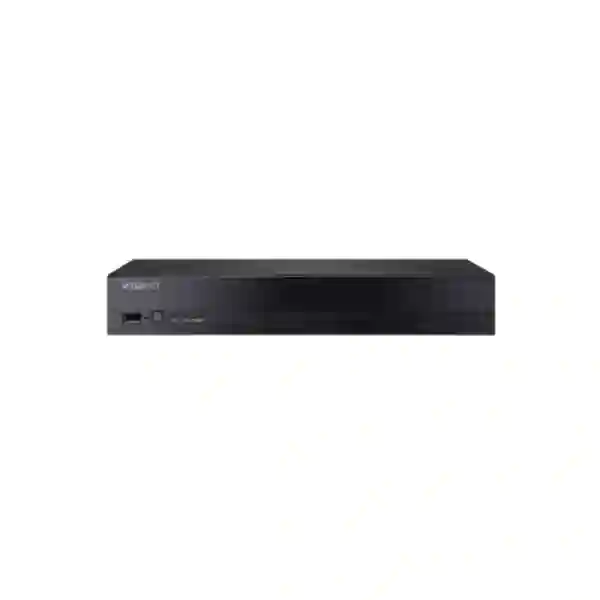
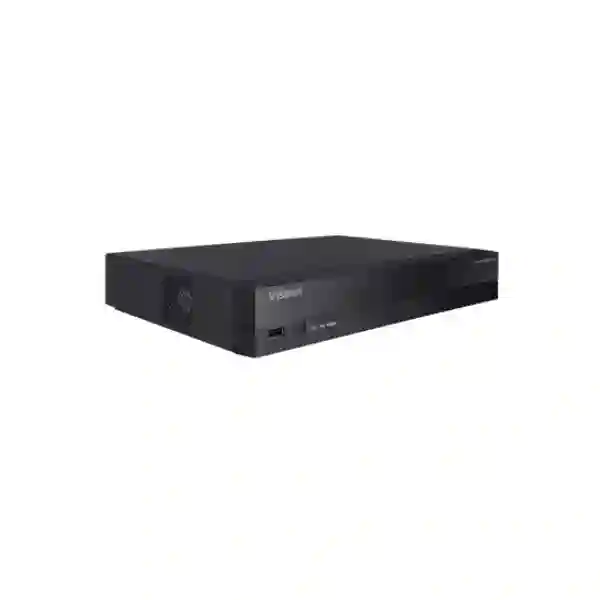
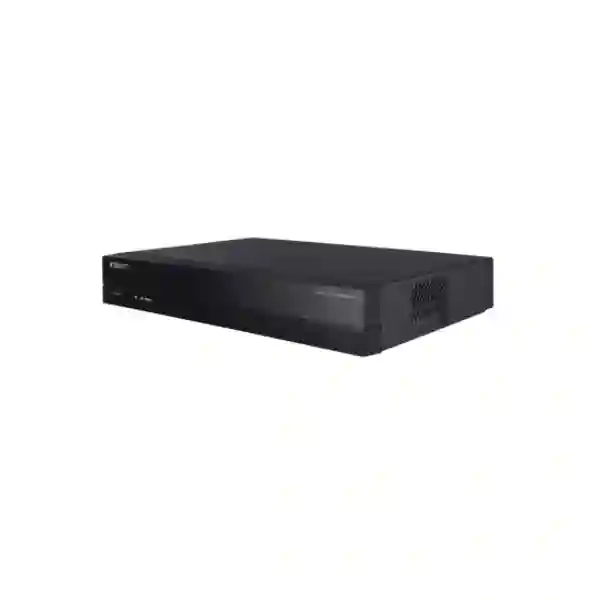
Hanwha HRX-420: Flexible 4-Channel CCTV Recording for Tanzania
Keep compatible coaxial CCTV cameras in service while planning a measured upgrade to IP video. This 4-channel Pentabrid recorder supports five video signal families, up to six total camera channels in the documented mixed layout, and a single internal SATA hard drive. Request an exact-model compatibility and quotation check before choosing cameras, storage or accessories.
Quick specification guide
These are model-level specifications and planning limits, not a declaration of local stock or a promise that all maximum features operate simultaneously. Confirm the firmware and intended camera combination before purchase.
| Requirement | HRX-420 published capability |
|---|---|
| Model | Hanwha Vision / Wisenet HRX-420 |
| Recorder class | 4-channel Pentabrid DVR |
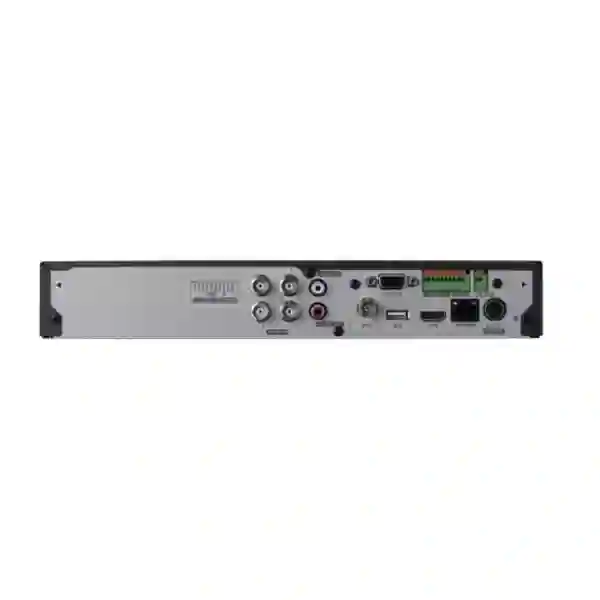
| Analogue inputs | 4 × BNC; AHD / HDTVI / HDCVI / CVBS |
| Network camera capacity | Up to 2 IP cameras alongside 4 analogue; 6 total in that configuration |
| Video codec | H.265 / H.264 / MJPEG |
| Published analogue recording rates | 8MP: 8fps; 5MP: 12fps; 4MP: 15fps; 2MP: 30fps (NTSC examples; conditions apply) |
| Storage | 1 × SATA HDD, up to 6TB |
| Display | HDMI up to 3840 × 2160; VGA up to 1920 × 1080 |
| Networking | RJ-45 gigabit Ethernet; supported Wisenet remote clients |
| Other interfaces | Alarm inputs/relay output, RS-485, audio I/O and USB as described in manufacturer documentation |
| Power and environment | 12V DC; published operating temperature 0°C–40°C |
| Purchase specifics | Drive inclusion, stock, price and warranty require quotation confirmation |
What this recorder is designed to do
The Hanwha HRX-420 is a compact Pentabrid digital video recorder for a modest security camera installation that needs more flexibility than a conventional analogue-only DVR. The term Pentabrid refers to support for five camera signal families: AHD, HDTVI, HDCVI, traditional composite video or CVBS, and compatible IP cameras. For a buyer with existing coaxial cable already installed, that combination matters. It can provide a route to improve selected camera views without assuming every cable, monitor, and endpoint must be replaced together. The recorder remains the place where supported feeds are displayed, stored, searched, and exported.
Its principal configuration is four physical BNC analogue camera inputs, with an overall recording arrangement of up to six channels when network cameras are added within the supported limits. The practical example is a premises retaining four suitable coaxial cameras and adding up to two compatible network cameras. A different analogue-to-IP mix may be possible when analogue channels are released, but the complete plan must be checked against the recorder configuration and current firmware. Ask for a camera-by-camera compatibility review before ordering rather than using the total channel number alone as a purchasing shortcut.
This is equipment for controlled indoor installation, not a weatherproof outdoor box or a guarantee that every camera with a matching connector will work. Successful deployment depends on video standard, resolution, frame-rate requirements, recording bandwidth, storage selection, network setup, suitable power, and ongoing maintenance. Those conditions are especially important when a recorder is chosen to extend the life of existing CCTV infrastructure.
Why a Pentabrid design can be useful
Many surveillance upgrades begin with an uneven estate of cameras. The front entrance may need greater image detail, while a storage corridor still has an adequate older camera. Replacing all cameras simultaneously can create avoidable disruption, particularly if cable routes pass through finished walls or working spaces. A Pentabrid recorder gives the design team a way to examine the retained cameras, select a video format for any replacements, and decide where an IP camera genuinely adds value. It does not eliminate compatibility testing, but it widens the range of camera technologies the project can consider.
AHD and HDTVI can support resolutions above conventional standard-definition analogue video, while HDCVI and CVBS provide further options for selected existing installations. The recorder’s published capabilities differ by signal format. In particular, the documentation lists AHD and HDTVI inputs at up to 8MP, HDCVI at up to 5MP, and older CVBS inputs in their conventional analogue formats. This distinction prevents a common buying mistake: assuming the highest resolution mentioned anywhere on the box applies identically to all camera connections.
The strongest reason to consider this unit is a verified fit between the old camera estate and a carefully planned small upgrade. If every camera will be IP, or expansion beyond the recorder’s supported channel limits is already expected, compare a dedicated network recorder or larger system before choosing this model.
Channel capacity: four analogue and up to six total
The four BNC inputs are physical connections for supported analogue cameras. With all four analogue inputs occupied, the manufacturer’s feature summary permits up to two network cameras at the same time, giving six total channels. This is a better description than calling it simply a six-channel IP recorder. The published design also refers to migration of analogue channels toward IP, so a proposed mix that uses fewer BNC inputs should be confirmed through current configuration information and a practical device test. Do not assume that every theoretical six-camera combination is supported at every resolution or bitrate.
Planning begins with an exact count of cameras to be recorded now and expected later. Note separately how many are coaxial and how many are network devices. Include cameras temporarily removed during refurbishment, a possible extra entrance view, and any future monitoring points. If the likely requirement exceeds the supported six-channel total, or includes multiple demanding high-resolution streams, a bigger recorder may be the more durable purchase even if the initial project uses only four cameras.
A channel describes a video source, not a simultaneous promise of maximum quality, maximum frame rate, or unlimited live viewers. Real performance is constrained by the camera formats, supported recording rates, network throughput, playback capability, and available storage. These checks should be treated as one connected design question, not as isolated numbers on a specification table.
Camera formats explained in plain language
AHD, HDTVI, and HDCVI are high-definition video technologies commonly used over coaxial security cabling. CVBS is the older composite analogue format, often associated with standard-definition CCTV. An IP camera instead sends digital video across a network connection. The Hanwha recorder can accept these categories in the combinations supported by the exact model, making it relevant when an existing business has several camera generations. The purpose is practical interoperability, not a claim that every proprietary feature or every camera from every manufacturer will be accessible.
Before reuse, identify the actual output standard of each existing camera. A camera that resembles a coaxial CCTV model may be set to a different signal mode from the one expected. Some cameras support selectable output formats, and some support only one. The camera’s model-specific output specification, firmware, power requirement, cabling, and any intermediate video converters must be checked. For IP cameras, the manufacturer’s documents list SUNAPI and ONVIF support, but an ONVIF label by itself does not guarantee the requested recording, events, PTZ functions, audio, or analytics.
A simple commissioning test should show live video, record a sample, search for that sample, export it, and verify time stamps. Repeat the test for different camera types rather than assuming one successful feed proves the whole mixed system.
Understanding the 8MP headline
Up to 8MP is an input and recording capability subject to model-specific constraints, not a statement that all connected channels can record 8MP at thirty frames per second. One published Hanwha Vision America datasheet for the HRX-420 specifically notes that 8MP is supported on one channel. The manufacturer also distinguishes camera live-display rates from recording rates, which are lower at high resolutions. If the project needs more than one 8MP camera, obtain confirmation of the precise firmware, video format, active channel arrangement, and desired frame rates before committing to the design.
The analogue main-stream recording figures in the published sheet are approximately 8 frames per second at 8MP, 12 at 5MP, 15 at 4MP, and 30 at 2MP for NTSC-format operation, with PAL-related frame-rate variations in other documents. These figures are not interchangeable. A slow entry gate may work acceptably with modest frame rates, while tracking fast movements at a till or vehicle access point may call for different settings and camera placement. An 8MP recording can provide useful detail, but that resolution alone does not determine whether a person, plate, or incident can be identified.
The correct assessment pairs pixels with field of view, lighting, lens selection, motion, exposure, compression, and the expected evidential task. Test actual footage in the intended scene, including the most difficult time of day.
Frame rates, scene motion and recording quality
Frame rate influences how motion appears on playback. Higher rates can better describe quick movements but use more recording data under otherwise comparable conditions. At 2MP, the recorder’s published analogue main-stream figures reach around 30 frames per second in NTSC operation; at 4MP and above, the specified rates reduce. A buyer should decide which scenes need smooth motion and which need more image detail, then ask the installer to document settings for each channel. Leaving every camera at a generic default is unlikely to produce an equally useful result throughout the building.
Think about what the camera must prove. A storeroom may need a clear sequence of door openings and entries. A busy counter may need enough frames to understand item handling. A loading area needs a view that remains readable when vehicles move. Those needs may point toward different recording profiles even when the connected camera models are identical. Check the recorder’s camera input format, allowable stream size, exposure settings, recording schedule, and actual encoded bitrate during the test.
Distinguish live HDMI resolution from recorded camera resolution. The local HDMI output can display up to 3840 by 2160, but an ultra-high-definition monitor does not increase detail in the original recording. The monitor, camera sensor, recorded stream, and exported file all have separate specifications.
Video compression and the role of H.265
The recorder lists H.265, H.264, and MJPEG among its supported compression technologies. Video compression reduces the amount of data that must be stored or transmitted in exchange for encoding decisions that can affect picture detail. H.265 can be more efficient than older codecs in suitable implementations, but the achieved storage saving varies with camera content, motion, lighting, encoder settings, and compatibility. Avoid treating a compression name as a fixed number of extra recording days.
The correct codec setting should be established for each compatible stream and any remote viewing workflow. Older client software or integrated monitoring systems may have different capabilities from a recorder’s local screen. Where evidence export is important, check that authorised viewers can play exported files without unexpected software restrictions. Test a night recording and a scene with fast movement because visual artefacts may be more apparent there than in a static daytime demonstration.
Storage planning should use measured or realistically estimated bitrates rather than an advertising statement about H.265. The codec is one variable alongside the number of channels, resolution, frame rate, quality settings, audio, continuous versus event recording, and retention expectations. A short commissioning sample is often the most useful starting point for a sound storage estimate.
Hard drive capacity and retention planning
The HRX-420 has one internal SATA hard-drive position and published support for a drive of up to 6TB. The slot count is important: this is not a multi-drive recorder with a built-in redundant array for surviving disk failure. It is also unsafe to assume a hard drive is included in a quotation, because package contents depend on the exact commercial offer. Ask whether the unit is supplied without a disk, with an installed disk, or as a separate hardware-and-storage bundle. Record the actual make, capacity, and compatibility of the proposed drive.
How many days of footage will fit is not a fixed property of the recorder. Six cameras running continuously can consume substantially more capacity than a smaller installation recording only selected events. Bitrate is affected by lighting changes, busy scenes, image resolution, camera codec, frame rate, and audio settings. Ask the installer for a retention calculation based on the chosen cameras and recording mode, then compare it with real usage after installation. Also confirm what happens when storage becomes full and which overwrite policy applies.
For important incidents, relying on the internal disk alone is risky. Set out who may export footage, when exports must be made, how evidence will be copied, and how backups will be protected. An overwritten recording cannot be recreated because the original capacity estimate was optimistic.
Choose a compatible surveillance hard drive
A mechanical hard drive intended for video recording may be more suitable than an arbitrary desktop drive, but its nominal capacity or marketing category is not sufficient to prove compatibility. Check the manufacturer’s supported HDD documents against the exact HRX-420 model and the intended drive identifier. Hanwha Vision has published model-specific compatibility information, including updated guidance for certain 2TB drives. That matters if an older recorder is being fitted with currently available storage hardware rather than a drive sold when the model was first introduced.
Ask the installer to mount and initialise the drive through the recorder’s supported procedure, verify detection and health reporting, and make a short test recording before handover. Confirm that a power interruption does not leave recording disabled and that the storage settings match the agreed retention plan. Periodic verification is sensible because a system that looks normal on its live screen may still have a recording problem that is discovered only after an incident.
The advertised 6TB maximum should not be extrapolated into support for newer, larger disks without official evidence. Nor should a buyer infer redundancy from a single-drive design. Where uninterrupted recording or long retention is critical, evaluate a different architecture, monitored storage health, and an appropriate backup process.
Live viewing and local display outputs
The published interface specification includes HDMI and VGA monitor outputs. HDMI supports a local display mode up to 3840 by 2160, while VGA supports up to 1920 by 1080 in the cited datasheet. This flexibility can be convenient during an upgrade: an existing compatible monitor may remain in service, while a newer screen can be considered later. Confirm connector availability, chosen display resolution, cable run length, and the actual screen layout before purchasing accessories. Physical video outputs do not automatically mean fully independent multi-monitor control or a separate view on every display.
A practical operator interface should show the entrances, transaction points, or other priority scenes at readable sizes. A six-way view on a small monitor may be useful for awareness but poor for recognising fine detail. Ask for a demonstration of single-channel zoom, multi-camera live display, date-and-time search, and playback. Include a test of the visible time zone because the usefulness of video evidence depends on accurate clock settings as much as image quality.
When using the recorder without a dedicated security operator, keep the display experience simple. Identify who has permission to change layout, recording configuration, or system time. Restrict routine access and provide an easy written procedure for authorised users who need to locate a specific incident.
Search, event detection and useful playback
The recorder supports manual and scheduled recording, including continuous and event-based approaches, with pre- and post-event options shown in the manufacturer’s specifications. It can respond to conditions such as analogue video loss, motion, and tampering, while some compatible network cameras may provide additional event information. However, the recorder is not a universal AI analytics system. Advanced event availability depends on the exact connected camera, the supported protocol, firmware, configuration, and whether the recorder can receive and act on the event.
For shops and offices, define the event that matters before enabling alerts. Motion across a busy public pavement may produce frequent recordings or notifications without helping the operator. A door opening after hours may be a more useful trigger. Review sample events under the real lighting and traffic conditions, check how long before and after the trigger recording should be retained, and establish who will respond. Event recording should not be the only method for a camera that must capture every second continuously.
The datasheet identifies smart search features for compatible network cameras. Do not assume that every smart search filter applies to analogue video or every IP camera. During acceptance testing, request a demonstration using the actual proposed camera and an event recorded on that installation.
PTZ, alarm connections and audio
Published interfaces for the HRX-420 include four alarm inputs, one alarm relay output, RS-485 for supported PTZ control, and a spot BNC output, in addition to its camera connectors. The recorder also lists line-level audio input and output in its model-specific documentation. These are integration possibilities, not evidence that the package contains alarm sensors, a siren, a microphone, speakers, or a PTZ camera. Every accessory must be evaluated separately for electrical, protocol, wiring, and control compatibility.
PTZ means pan, tilt, and zoom, and it is useful only when a connected camera and its control path support those commands. Coaxial control can help with supported analogue camera functions, while RS-485 or network mechanisms may apply to other designs. Specify the exact camera model and intended controller, then verify presets and movement during commissioning. Where a fixed camera is enough, it may be simpler and more dependable than adding movable mechanics that no one is assigned to operate.
Audio recording deserves an explicit privacy and legal review before activation. Determine whether it is necessary, who has authorised it, and what notice or access rules may apply to the premises. The presence of an audio connector should never be treated as permission to record conversations.
Remote viewing and mobile access
Hanwha Vision’s documentation lists Wisenet Mobile, web viewing, and supported desktop viewing arrangements. The manufacturer also documents a P2P connection workflow for HRX-420 and related Pentabrid models, with QR-code setup through the supported mobile application. This can be convenient for an owner who checks a site while away, but it still requires the recorder to have a functioning network connection, properly configured credentials, compatible application versions, and the necessary access privileges. Availability of particular client functions should be tested with the current software and firmware.
Remote access should not be deployed simply by opening arbitrary network ports. Start by deciding who needs access and what those users need to do: live viewing, incident playback, export, or system administration. Use distinct user accounts where supported, strong unique credentials, minimum necessary permissions, and a reviewed network design. If a remote service is unsuitable for the organisation’s security policy, ask the network administrator about a properly managed alternative. Avoid sharing administrator logins among several staff members.
An internet connection is not required to view a properly configured local monitor, but remote access depends on the relevant network path. If internet quality is variable, design the core local recording function to continue during outages, then verify later retrieval. Test mobile viewing on the actual external connection rather than only on the installation Wi-Fi.
Firmware, passwords and cybersecurity
The HRX-420 is an established recorder model, and a secure purchase decision should include software maintenance as well as hardware features. Hanwha Vision’s support guidance for Pentabrid recorders includes a security-enhanced firmware update process in which an intermediate bridge release may be required before a later security release. An installer should identify the currently installed firmware and follow the manufacturer’s applicable upgrade sequence. Applying an unsuitable file or skipping an instructed intermediate step can cause problems, so version verification belongs in the commissioning plan.
Set a unique administrative password at the start, keep it in an authorised record, and avoid passwords that are shared with other devices. Review remote access, unused accounts, date-and-time settings, and network services. The recorder’s documentation lists features such as user controls and network security mechanisms, but how they are implemented depends on configuration. A secure setup must be checked, not assumed from a datasheet entry.
Ask who will monitor firmware advisories and recording health after handover. For an older model, it is also reasonable to confirm the current manufacturer’s support status and the availability of a suitable update path before placing a new order. A distributor’s listing does not establish ongoing security support, current production, or a replacement-parts commitment.
Plan the network before adding IP cameras
A coaxial camera typically carries video through its BNC cabling to the recorder, whereas an IP camera needs a functioning network route and suitable power. The HRX-420 includes a network Ethernet interface, but the presence of that port is not the same as a built-in PoE switch for powering every camera. If an IP camera is selected, establish whether it will use an appropriate PoE switch, an injector, or a separate compliant power supply. Include cable quality, switching capacity, VLAN design if used, address management, and the route from camera to recorder.
The model’s published recording throughput should be treated as a design limit, not an instruction to set every IP camera to an arbitrary high bitrate. Camera profiles, concurrent streams, motion in the scene, and remote client demands all influence observed use. Obtain the relevant limits from the current model documentation, budget stream rates accordingly, and test the proposed mix at expected peak activity. If a camera is connected across sites, latency and outages introduce additional risk that should be addressed before relying on it for continuous evidence.
For a small premises, neat labelling can make a significant difference. Label camera cables and switch ports, retain a simple network diagram, identify the recorder’s allocated address, and document which team is responsible for internet and switching equipment. This reduces troubleshooting time when a network camera later stops appearing.
Power supply and electrical resilience
The manufacturer specifies a 12V DC supply for the recorder and a maximum consumption figure of approximately 14W in a stated configuration with a hard drive. That is a recorder figure, not the combined power requirement of connected cameras, monitors, switches, or backup equipment. A complete electrical plan must include every device in the CCTV system, the correct power adapter for each item, proper surge protection where appropriate, and a clearly identified shutdown or backup strategy.
For sites that experience short power interruptions, a correctly selected uninterruptible power supply can help maintain recording, but the required capacity depends on the actual load and desired run time. Do not choose a battery solely from the DVR’s published wattage. Calculate the consumption of the recorder, network infrastructure, supported cameras, and any essential viewing equipment. Commission the system by verifying what recovers automatically when mains power returns and whether timestamps, camera connections, and recording schedules remain correct.
A CCTV system is not operational just because the DVR’s power indicator illuminates. Review storage, every camera feed, event handling, live output, and network access after a planned power-cycle test. Where maintenance requires disconnection, record a process for safe shutdown rather than repeatedly cutting power without checking the manufacturer’s instructions.
Installation environment and Tanzania considerations
Hanwha’s published operating environment for this model is approximately 0°C to 40°C and 20% to 85% relative humidity. This makes installation location a real design decision in warm, humid, or dusty premises. Place the recorder in a secure indoor area with ventilation, controlled access, and adequate clearance for the manufacturer’s cooling requirements. Avoid enclosed spaces that collect heat, locations where rain or wash water may enter, and cabinets where the temperature may exceed the equipment rating.
Tanzania buyers should plan for the actual conditions at the site, not a generic national climate assumption. A well-ventilated office equipment room and a hot, poorly ventilated roadside storage cupboard create different risks. Review temperature, dust, power interruptions, available rack or shelf space, cable routes, and the ability to reach the unit for maintenance. If a cabinet is used, its cooling method and cable entry should not obstruct safe operation. The recorder itself is not an outdoor-rated enclosure.
Ask the installer to record where the unit will be mounted, where footage will be reviewed, and how authorised staff will access USB ports and the hard drive. The final layout should allow routine health checks without exposing the recorder to unnecessary tampering or making evidence export impractical.
Example use: a small retail store
A retail store with three existing coaxial cameras may want to improve coverage of an entrance or a stock-handling area without rebuilding the entire installation. The HRX-420 could be a candidate if the retained camera formats are supported and the new viewing positions remain within channel and performance limits. The design should begin by drawing the intended camera views rather than choosing resolution figures in isolation. A counter view, entrance view, and storage door often have different lighting and evidential needs.
An installer could evaluate whether the existing coaxial camera views are still useful, whether a modern compatible analogue camera would provide enough improvement, or whether an IP camera is justified at a specific point. The recording profile should be selected after testing the busiest expected scene. Add practical operating instructions for staff: how to confirm recording status, how to find a time range, and when to export an incident before it is overwritten.
Retail buyers should also check who is allowed to view CCTV, where displays face, and how recorded footage is handled. Do not buy additional cameras simply because spare capacity is advertised; add them only where a real safety, loss-prevention, or operational requirement exists.
Example use: office reception and access points
A small office may already have coaxial cameras directed at the reception entrance and a shared corridor. A Pentabrid recorder can be considered when those cameras are still serviceable and management wants to add a compatible network view for a particular access point. The final design should identify whether the camera’s field of view covers the event of interest, whether a face or carried object will be clear enough under actual lighting, and whether stored playback can answer the office’s incident questions.
Separate user roles matter in this setting. A receptionist might need a live display, while a facilities administrator might be permitted to search or export recordings. Establish these responsibilities before configuring accounts. Keep the recorder secure from casual visitors, check any workplace privacy requirements, and avoid unnecessarily placing sensitive work areas within camera views. A technically capable camera system is not a substitute for a proportionate surveillance policy.
If the office is expecting to grow into a substantially larger multi-floor environment, review a higher-channel recorder before installation. Choosing sufficient capacity early can be more sensible than rebuilding the recording platform after a few additional cameras are requested.
Example use: warehouse entrance or loading area
Warehouse and loading operations need a design that balances wide coverage with readable detail. A single camera aimed at a large gate may not reliably capture both vehicles and smaller activities near the doorway. For an existing installation, survey each analogue camera and identify the missing scenes. The HRX-420 can then be assessed for an appropriately sized mixed-camera layout, provided the desired resolution, frame rate, and total recorded bitrate remain within the supported envelope.
Night lighting, backlighting from an open gate, dusty conditions around outdoor cameras, and vehicle motion can all affect results. These are camera and placement issues as well as recording issues. A high-resolution sensor cannot compensate for an unsuitable lens, blocked view, or poor exposure. Make representative test recordings in daylight and after dark, then review the actual stored file rather than only the live screen. The recorder should remain indoors even if cameras are mounted in outdoor-rated housings.
Where a loading incident must be traced later, define useful retention and export procedures. Consider whether continuous recording at the gate is more appropriate than motion-only capture, and check that staff can search for the relevant time interval without specialist assistance.
Example use: small hospitality and service premises
Guest-facing or service premises often need a small number of carefully placed views rather than indiscriminate camera coverage. The HRX-420 may be considered for a reception entrance, controlled storage point, or common access route when a supported coaxial installation is already present. Camera positions should avoid unnecessarily intrusive areas and should be selected with an explicit purpose. The proposed system must respect applicable privacy and operational rules, which should be reviewed independently of the hardware purchase.
At reception, staff may need a clear live view but not administrative control of recordings. A supervisor may need incident search at a later time. Design permissions accordingly. Where remote viewing is requested, plan how accounts will be removed when employees leave, how mobile devices are protected, and whether remote viewing should be allowed from personally owned phones. These decisions can affect the overall security of the CCTV deployment far more than a minor difference in advertised image resolution.
In any small hospitality setting, make the monitoring station and DVR accessible to authorised personnel without turning customer-facing areas into equipment rooms. Confirm power stability, cooling, and safe cable management alongside the camera layout.
A disciplined installation and commissioning process
Begin with a physical survey. List each camera model, its current video standard, cable condition, power arrangement, target recording resolution, and intended view. Record the total number of analogue and IP cameras. Identify where the DVR, monitor, network equipment, and any backup power will sit. Ask whether existing cameras can produce recordings of acceptable quality; an old camera that technically connects may still fail the project’s purpose because of poor optics or unreliable cabling.
Next, check the model’s current specifications and the proposed firmware version. Match the desired camera mix to the recorder’s accepted formats, channel limits, recording throughput, frame rates, and supported storage. Confirm the hard drive is compatible and specify whether it is included in the offer. Plan accounts and remote access before enabling internet services. Note the applicable operating conditions at the selected equipment location.
During commissioning, connect and label every camera. Verify live video, recorded video, dates, playback, export, alerts, alarm connections if used, network viewing, and recovery after a controlled restart. Sample day and night scenes and capture representative moving objects. Finish with a short handover document listing camera names, recording schedules, access roles, maintenance responsibilities, disk capacity, and the procedure for extracting evidence.
Checklist for an existing camera upgrade
Before replacing an older DVR, collect the make and model of the current cameras and recorder, plus photographs of the cable connectors and the relevant camera labels where permitted. Record whether the cables are coaxial, twisted-pair with baluns, or network cables. Identify any cameras that rely on a proprietary analogue format or unusual control method. This basic inventory can prevent surprises at installation, especially where earlier maintenance was performed by different contractors.
For each camera, answer five questions: Does it produce a supported video signal? Is the intended resolution within the model’s supported mode? Can the required recording rate be maintained? Is any audio, PTZ, or event feature needed? And does a real test recording meet the purpose of the scene? These questions are more useful than asking only whether the BNC plug fits. For IP cameras, also check the ONVIF or manufacturer-specific integration, encoded stream profiles, credentials, network settings, and any camera-side power requirements.
If an existing camera fails these checks, identify whether the limitation is in the camera, wiring, recorder settings, or unsupported feature. Replace only the component necessary to meet the stated requirement when that approach remains sensible.
Routine recording checks after handover
CCTV reliability depends on someone noticing failures before the footage is needed. Assign a responsible person to review the camera list, current recording indicators, disk status, system time, and recent playback. A live image is useful but is not proof that the hard drive is healthy or the recording schedule is active. Open a recent recording for every important camera, verify it plays, and confirm that the correct time appears on the clip.
Keep a small log of firmware changes, storage alerts, camera replacements, network alterations, and power issues. If remote viewing stops working, investigate the network path separately from local recording so that unnecessary changes do not disrupt a working recorder. Periodically check whether the stored retention period still matches the organisation’s requirement; additional cameras or higher stream bitrates may shorten the number of days actually available.
For incidents, define how to preserve original footage, who may access it, how exports are labelled, and where authorised copies are stored. Restrict access to the evidence and record significant transfers. These operational steps are especially important because a single-disk recorder is not a substitute for a wider evidence-retention or backup policy.
Practical troubleshooting before assuming a fault
When a camera is missing, first identify whether it is an analogue or network feed. For analogue video, check its power, BNC connection, camera output format, and the selected recorder channel settings. For IP video, confirm the camera is powered, reachable on the intended network, using supported credentials, and sending a compatible stream. A camera may show a live picture but fail to supply the expected events or recording profile, so test those functions separately after connectivity is restored.
If no recordings are found, inspect the configured schedule, disk detection, overwrite behaviour, time settings, and any storage warnings. Do not format or replace a disk that may contain important evidence without an approved preservation decision. If only remote access fails, verify that local playback still works, then check internet connectivity, client compatibility, user permissions, and network policy. Avoid changing several settings at once because that makes the original problem harder to identify.
If footage looks poor, examine the saved recording rather than only the live screen. Evaluate focus, lens position, night illumination, exposure, compression, and bitrate. Increasing the nominal resolution may not solve blurring caused by motion or insufficient light.
Where this model is a strong fit—and where it is not
The HRX-420 makes the most sense when a small business has a known, supported analogue camera estate and needs a measured upgrade path. Four physical coaxial inputs, limited IP expansion, local monitor outputs, single-disk storage, and mixed signal support describe a fairly specific system scale. That can be an advantage when the requirement is straightforward and the owner wants to retain useful parts of an existing installation. It should not be sold as an unlimited growth platform or a fully redundant enterprise recorder.
This model is a weaker fit for a new all-IP installation requiring many cameras, for a site that needs extensive RAID-style storage redundancy, or for an operation that depends on complex analytics from every camera. It may also be unsuitable if multiple high-resolution channels must all record at demanding frame rates. Those applications call for a separate recorder comparison based on actual requirements, not a promise that one published headline specification can cover them.
For an older model, verify current supply, supported firmware, replacement path, and spare parts before treating it as the best long-term option. A buyer should welcome a recommendation to use a more suitable product when the required scope exceeds this recorder’s documented capabilities.
How to compare the HRX-420 with alternative recorders
Begin with the existing cable environment. If good coaxial infrastructure is already available, replacing the DVR with another compatible hybrid recorder may make sense. If nearly every camera is being replaced and new structured cabling is planned, compare a purpose-built NVR. For a larger analogue deployment, examine recorders with more physical BNC inputs. Keep the comparison anchored in camera count, required resolution and frame rate, recording throughput, supported integrations, storage architecture, cybersecurity maintenance, and total installation cost.
Do not compare only the label four-channel, six-channel, or eight-channel. Ask how many analogue and IP channels work concurrently, how bandwidth is allocated, what codecs are usable with actual cameras, and how playback is accessed. Examine whether the drive capacity is quoted per bay or across the whole device. Check remote viewing options and current software compatibility without assuming every recorder from the same brand behaves identically.
A fair quotation should show the recorder model, chosen camera models, storage drive, required networking or power equipment, setup work, and any separately charged services. Where product lifecycle or stock status cannot be confirmed, that uncertainty should be visible rather than hidden behind a vague promise of availability.
What to ask for in a quotation
A complete quotation should make the exact recorder model unambiguous and state whether the supplied package includes a hard drive, power adapter, mouse, cabling, or other accessories. It should list the HDD brand and capacity and indicate that compatibility has been checked. If cameras are included, name each model, required lens or focal length, video format, mounting accessories, and power method. For mixed systems, ask for an explicit diagram showing which cameras use coaxial inputs and which use the network.
Ask for confirmation of the total supported channel mix, planned recording profile for each camera, target retention period, playback/export workflow, network access method, and any physical or cybersecurity constraints discovered in the site survey. Include a commissioning checklist rather than treating first power-up as the end of the job. Clarify what training, documentation, and maintenance activities are part of the proposed service.
For Tanzania, request local commercial terms directly: current price in the seller’s chosen quotation currency, actual availability, applicable delivery arrangements, warranty terms for the offered item, and installation coverage if relevant. None should be assumed from a generic product description, and this page makes no unsupported claim about stock, price, authorised distribution, or service geography.
Evidence handling, privacy and responsible monitoring
A video surveillance system should record only what the organisation has a legitimate reason to monitor. Before installation, decide which areas are necessary, which are inappropriate, how long footage should be retained, and who may view or export it. Place cameras to cover stated entrances, assets, or safety concerns rather than maximising the number of people captured without purpose. Review any applicable workplace, customer, or other privacy obligations and obtain qualified local guidance if uncertain.
Limit recording access to relevant roles and keep administrator functions separate where the device permits. Do not share a single powerful login as a convenient shortcut. When an incident occurs, preserve the relevant file promptly, maintain clear time information, restrict copies, and document any transfer. If audio is under consideration, handle that decision separately because recording conversations can present more sensitive issues than ordinary video monitoring.
Security also includes physical control. Keep the recorder and its hard drive away from casual access and make sure a departing employee no longer has credentials or mobile viewing permission. A clearly written surveillance procedure is an important companion to hardware installation, not an optional addition for only large businesses.
A buying decision built around actual outcomes
The right question is not simply whether the Hanwha HRX-420 can accept a particular camera. It is whether the completed installation will reliably deliver the required footage, at the required time, with a manageable process for viewing, exporting, and protecting it. An acceptable answer should include a sample recording from each critical view, a realistic retention estimate, a compatibility record, and confirmation of the maintenance process. This makes the purchase more defensible than relying on a headline list of features.
If an installer proposes a mixed analogue and IP configuration, ask them to show the exact camera map and identify any assumptions. Where the 8MP capability is relevant, ask whether the chosen channel and firmware combination meets the job. Where power cuts are expected, ask for a complete backup-load calculation. Where staff want mobile access, ask about account security and the consequences of poor internet connectivity. Where long retention matters, ask what the single-disk design means for capacity and backups.
A successful result is a surveillance system that people can operate correctly and verify over time. The recorder is one component in that result; camera placement, networking, electrical design, and disciplined evidence handling are equally important.
Questions buyers ask about the HRX-420
The answers below distinguish the manufacturer’s technical limits from site-specific purchasing decisions. For a final camera and storage configuration, request verification against the exact equipment being offered.
Is the Hanwha HRX-420 a four-channel or six-channel recorder?
It has four physical analogue BNC inputs and can accommodate up to six total channels in supported mixed configurations. With four analogue cameras connected, up to two compatible network cameras may be added. Other combinations require confirmation against the exact firmware and configuration. It is not accurate to promise six simultaneous analogue BNC inputs.
Can I use old analogue cameras with this recorder?
Possibly. The model supports AHD, HDTVI, HDCVI and conventional CVBS as well as compatible IP sources. Confirm each camera’s video output standard, resolution, wiring, power and control needs. A working connector is not proof of compatibility, so request an actual live, recording and playback test before relying on retained cameras.
Does this DVR record every camera at 8MP and 30fps?
No. The published frame-rate limits are lower at higher resolutions, and one model-specific manufacturer sheet restricts 8MP to one channel. Verify the proposed recording mode, channel arrangement and firmware for the exact camera mix. An 8MP specification should not be interpreted as a universal multi-channel performance guarantee.
How much footage can a 6TB drive retain?
There is no reliable fixed number of days without knowing the number of cameras, scene complexity, frame rate, resolution, codec, stream bitrate and recording schedule. Request a calculation for the selected camera set and check actual retention after commissioning. Remember that the HRX-420 provides one internal SATA drive position, not redundant storage.
Is a hard drive included with the recorder?
That cannot be established from the model specification alone. The equipment supports one compatible SATA disk up to its published 6TB limit, but sellers may offer a bare unit or a bundle with a preinstalled drive. Require the quotation to specify the exact disk make, model and capacity and whether installation and formatting are included.
Can I view CCTV footage on my mobile phone?
Hanwha documents Wisenet Mobile support and a QR-code P2P setup method for this model. Successful remote viewing depends on a working internet connection, supported application and firmware, correct accounts and a secure configuration. Ask the installer to demonstrate external-network viewing, playback and permission handling with the devices you actually intend to use.
Does it work with any ONVIF IP camera?
The specification lists ONVIF and Hanwha SUNAPI protocols, but no generic compatibility label can guarantee all camera models or functions. Confirm live stream, bitrate, resolution, authentication, events, PTZ control and audio on the proposed camera. A successful network connection alone does not prove that every requested feature is available.
Can the recorder power IP cameras directly?
Do not assume it supplies PoE camera power. Plan the IP camera power arrangement separately using an appropriate switch, injector or compatible supply as required by each camera. Confirm the network topology and total power budget, especially if backup power is required for both the recorder and the cameras.
Is this DVR suitable for an outdoor installation?
The recorder itself is intended for an appropriately protected indoor operating environment. The published temperature range is approximately 0°C to 40°C, with specified humidity limits. Outdoor cameras may be installed in suitable housings, but the DVR should be secured and ventilated indoors. Assess the real equipment-room conditions before installation.
How do I check whether the recorder remains secure?
Identify its installed firmware and compare it with current manufacturer support instructions. Hanwha has published a bridge-update procedure for security-enhanced firmware on HRX Pentabrid models. Use unique credentials, remove unnecessary accounts, control remote access and check recording health routinely. Have an authorised technician follow the correct update path.
Can this model replace a large NVR?
Not where the project exceeds its channel, bandwidth, storage or integration limits. For a growing network-camera deployment, compare a dedicated NVR or a higher-capacity recorder. Evaluate the complete camera mix, playback workflow, retention target, redundancy requirements and product support status before selecting a platform.
How can I get a quote in Tanzania?
Ask FourTeck Tanzania to confirm the exact HRX-420 offer, current commercial availability, supported configuration and locally applicable terms. Provide the number and types of cameras, storage target and whether this is an upgrade of an existing coaxial installation. Price, stock, delivery, warranty and installation eligibility must be confirmed in the actual quotation rather than inferred from the specification page.
Request a configuration and product quotation
Contact FourTeck Tanzania with your existing camera models, intended number of analogue and IP feeds, target recording retention, network conditions, and whether a hard drive is needed. Request confirmation of the exact HRX-420 offer, current availability and commercial terms. If this established recorder cannot meet the requirement or is not available, ask for a suitable alternative rather than compromising channel capacity, security support or storage needs.
Next step: Request a tailored HRX-420 compatibility review and quotation from FourTeck Tanzania. No stock, price, installation coverage or warranty promise is implied by this page.




Reviews
There are no reviews yet.