
Hanwha Vision | Public view monitor | Tanzania buyer guide
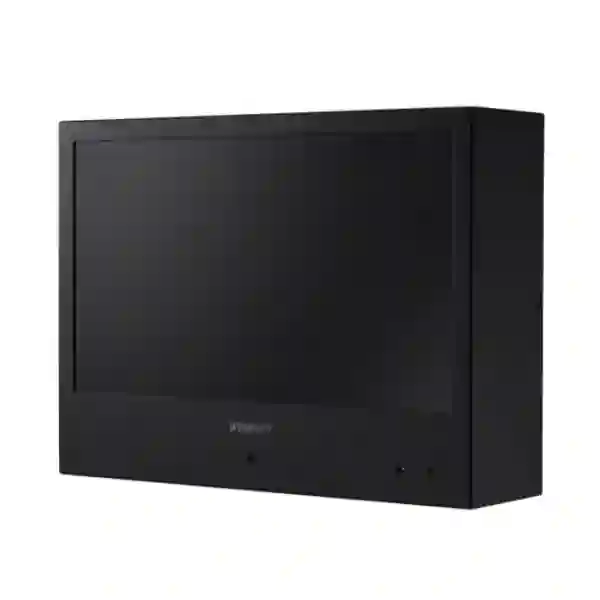
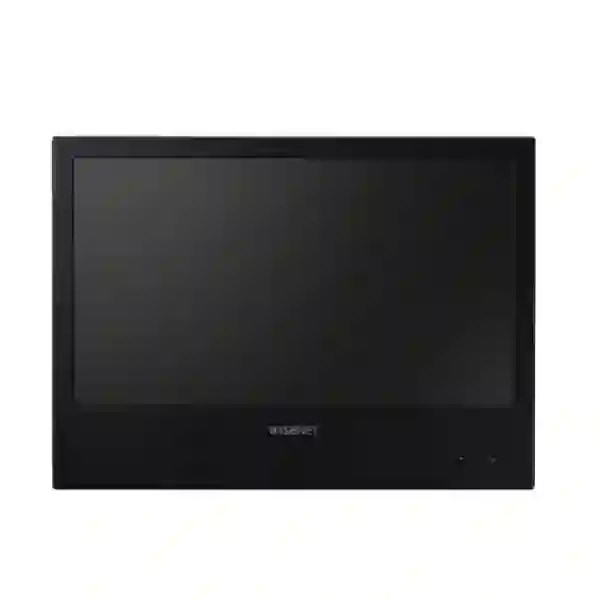
Hanwha SMT-1030PV 10.1-inch Public View Monitor with 2MP IP Camera
Combine a compact customer-visible security screen with an integrated network camera for retail entrances, checkout points and other carefully chosen indoor locations. Review the real specifications, fit and installation requirements before requesting a Tanzania quote.
Essential specifications at a glance
| Model | SMT-1030PV (Hanwha Vision / Wisenet) |
|---|---|
| Type | IP public view monitor with integrated camera |
| Screen | 10.1-inch LED backlight, 1024 × 600 native pixels |
| Camera | 2MP CMOS, fixed 4.6 mm lens |
| Wide dynamic range | 150 dB (manufacturer specification) |
| Video codecs | H.265, H.264, MJPEG |
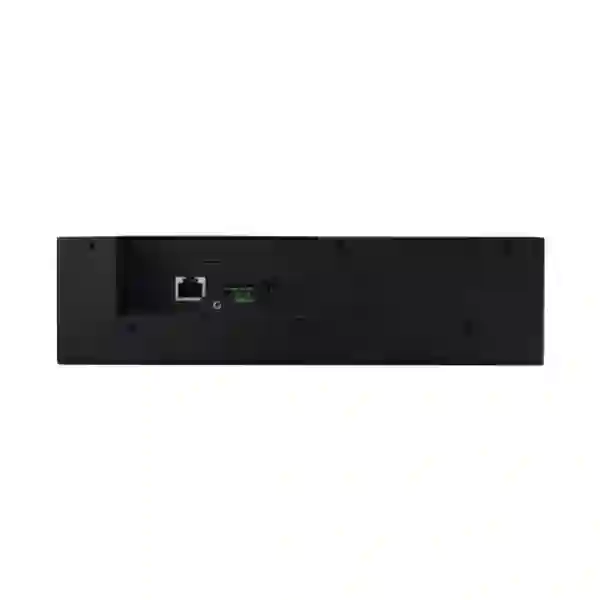
| Network | RJ-45 10/100BASE-T |
| Integration | ONVIF Profiles S and G; SUNAPI |
| Storage media | microSD / microSDHC / microSDXC, up to 256 GB listed |
| Power | IEEE 802.3at PoE+ or 12V DC |
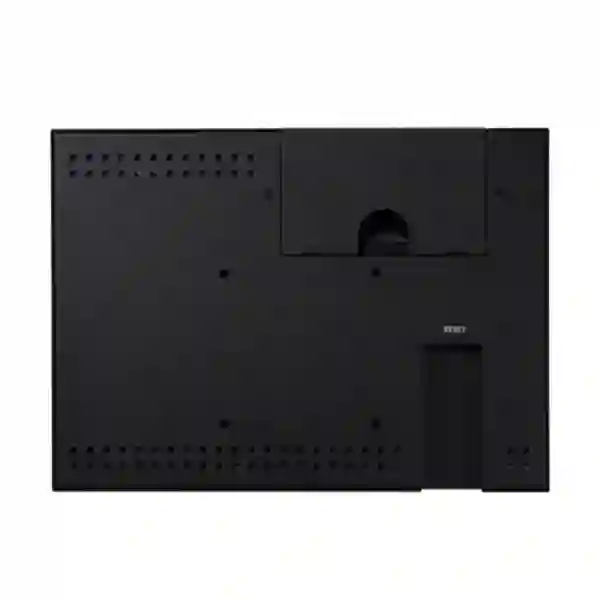
| Mounting | VESA 75 × 75 mm |
| Dimensions and weight | 246.2 × 180.4 × 64.8 mm; approximately 2 kg |
| Operating temperature | 0°C to 50°C, subject to specified humidity limits |
Specification note: the 1024 × 600 screen resolution and 2MP camera resolution describe different components. Confirm the latest delivered configuration and accessories for any regional quotation.
Choosing the Hanwha SMT-1030PV for a visible-security point
The Hanwha SMT-1030PV is a compact public view monitor that combines a customer-facing screen and an integrated two-megapixel IP camera in one enclosure. It is designed for a location where customers or visitors should notice that a live view is present, such as a retail entrance, counter, corridor or self-service checkout. Instead of hiding surveillance completely, the unit makes an appropriately placed view part of a broader security design. The customer-facing display is not a replacement for a complete CCTV system, however. Buyers should decide what the unit must show, where recorded video should be retained and who will be responsible for operating the connected network equipment.
For a Tanzania business assessing this model, the practical first question is not simply whether it has a camera. It is whether one visible screen with a built-in camera solves a specific problem at a specific point of interest. A shop entrance may need a clear self-view and a warning message; a till area may need a carefully framed view of the immediate transaction space; a showroom may prefer a slideshow that changes to live video on motion. Each is a different installation brief. The compact format helps in smaller areas, but does not guarantee a sufficient field of view across a large room.
Ask for confirmation of the exact SMT-1030PV model when requesting a quotation, and describe the installation rather than sending only a model number. State where the monitor will be placed, whether a recorder or video management system already exists, and whether Power over Ethernet is available. A useful quote should distinguish the display-camera unit from the mounting bracket, cabling, PoE+ equipment, local storage media and any integration work. Pricing, local stock, delivery, installation coverage and after-sales terms should be confirmed for the actual offer rather than assumed from an international specification sheet.
Where a public view monitor can help
A public view monitor works best where a person can readily see the screen and understand why it is present. Retail doorways, customer service points, product display sections and self-checkout positions are practical examples described in Hanwha’s materials. The objective is situational awareness and visible deterrence rather than a promise that theft will stop. To be useful, the picture should be large enough to notice, the screen should not obstruct safe movement, and the built-in lens should actually cover the behavior or movement the business is concerned about. Poor placement can reduce the value of even technically capable hardware.
At an entry point, the design question is whether visitors approaching the door will appear clearly without the screen being directly overwhelmed by daylight. At a counter, the installation must avoid distracting staff or filming unrelated private spaces. At a shelf or display area, buyers should consider whether a single compact camera can cover the required angle or whether another dedicated camera is necessary. A public view monitor is a visible touchpoint; conventional cameras, alarm procedures, staff practices and recording rules may still be required as part of the overall security plan.
Businesses operating several branches can use a consistent placement brief to make deployments easier to evaluate, but a standard mounting height or angle should not be copied blindly between sites. Store layouts, ceiling conditions, wall surfaces, sources of glare and cable routes are different. Start with a site sketch showing the desired scene and the direction in which people approach. Then evaluate whether a 10.1-inch screen will be noticeable at the expected viewing distance. This saves time compared with selecting hardware first and discovering after installation that the display is hidden or the camera view is poorly framed.
Understand the camera and screen as different components
One important specification needs to be read correctly: the monitor panel is 10.1 inches with a native display resolution of 1024 by 600 pixels, while the integrated camera is a two-megapixel network imaging device. A reference to Full HD or 2MP in product literature generally concerns the camera, not the native panel resolution. Treating this small panel as a 1920 by 1080 display would lead to an incorrect comparison. The SMT-1030PV is meant to show an obvious local view and messages at a point of contact, not to replace a large high-resolution operator workstation monitor.
The manufacturer’s published display data includes an LED backlit panel, 500 cd/m² brightness, 500:1 contrast ratio, 140-degree horizontal and 120-degree vertical viewing angles, and a 20-millisecond response time. These are component specifications, not guarantees that people standing anywhere in a shop will read every message. Actual readability depends on mounting position, reflections, text size and the environment around the screen. A short on-screen phrase with strong contrast is often more valuable than a long paragraph, especially when people are moving past the unit rather than stopping to inspect it.
The camera documentation identifies a 1/2.8-inch class two-megapixel CMOS sensor and a fixed 4.6 mm focal length. The lens is not a motorised zoom lens, so the intended field of view should be checked during planning. It is also important to separate local screen output from the network video stream sent toward an approved recorder or video management system. Test the image as it is received at the recording endpoint, not only as it looks on the unit itself. This distinction helps buyers identify framing, network and retention issues before relying on the system in daily operation.
Visible deterrence, face detection and sensible expectations
The SMT-1030PV can display a face-detection indicator around a recognised face as part of its visible deterrent presentation. It also supports motion-related display behavior and configurable text overlays. These features may make the public view more noticeable to someone entering or moving through a monitored area. Face detection here should not be described as facial recognition or personal identity verification; the published feature concerns detecting a face in an image. The unit must not be sold as automatically identifying named individuals, matching people to a database or making access-control decisions without separate verified capabilities.
Showing a visitor their own image can make the surveillance function apparent, but whether that changes behavior depends on many factors outside the equipment. Lighting, staff presence, clear sightlines and the wider security plan matter. A camera pointed at a busy passage with constant movement may produce a different experience from one aimed at a checkout. Buyers should decide whether the desired action is a continuous live picture, a motion-triggered return to live view, or a simple visible warning. The most appropriate choice is the one that serves the business without creating unnecessary noise or confusion for visitors.
Security teams should write down what the device is expected to achieve and how success will be reviewed. Useful observations include whether the screen is clearly visible, whether the recorded image captures the intended area and whether staff know how to respond to an incident. Avoid presenting projected reductions in theft or losses as a guaranteed result of installing one monitor. A practical rollout includes observation and adjustment after installation, with other cameras or operational controls added if the camera view is insufficient. This honest approach helps businesses buy the right solution rather than a feature list.
Image quality in difficult entrance lighting
Hanwha specifies 150 dB wide dynamic range for the integrated camera. Wide dynamic range is relevant when the scene contains bright and dark areas, such as a doorway opening onto a sunlit exterior while the shop interior remains shaded. It is intended to help reveal detail across contrasting parts of the image. It does not eliminate every lighting limitation. A person standing extremely close to a bright window, a direct light source aimed at the lens or glare from reflective surfaces can still make an installation difficult. A site-specific camera test remains the safest way to assess suitability.
The published camera information also includes a minimum colour illumination figure of 0.06 lux under stated test conditions. That number should not be translated into a promise of readable evidence in a dark room, because exposure settings, movement, lens conditions and the target distance matter. In a store that becomes much darker after closing, ask whether the intended monitoring period includes overnight operation. The datasheet should not be interpreted as proving that an infrared illuminator is built in. Where darkness is a concern, review the lighting plan or use an appropriately specified dedicated camera for the task.
When evaluating an entrance, view recorded samples from the actual approach direction. Observe faces and clothing while a person walks from outside into the interior, and compare the result at busy and quiet times. A static image of a well-lit room is less informative than a short test of real movement. Also verify whether signage or slideshow transitions interfere with the public-facing experience while the camera continues to deliver its stream. Display quality and evidence quality are different decisions. The former concerns what visitors notice; the latter concerns what an authorised operator can review later.
Using the screen for warnings and promotions
The monitor supports customisable on-screen messages, including a recording-in-progress style overlay described by Hanwha. Text can be adjusted for presentation, and the unit also supports slideshow material. This enables a store to use the screen for simple information when a live face view is not needed continuously. Possible business uses include a concise security notice, a welcome message or a promotional image created for the screen. Any wording about recording should match the actual operating practice. Do not claim that continuous storage or active recording is happening unless the connected system is configured to do so.
Manufacturer material describes a slideshow mode that can switch back to a live camera view following motion detection, with a memory card needed for the slideshow function. A buyer should confirm the exact configured behavior during commissioning: which media files are supported, where they are stored, when the live view appears and how long it remains. A long message, small type or cluttered promotional graphic is unlikely to be useful on a 10.1-inch panel. Keep on-screen text short enough to read in passing, with legible colours and enough margin around the content.
A mixed security-and-signage deployment also needs an owner for content changes. Decide who may update the message, how approved graphics will be supplied and how a replacement image will be tested. A small promotional slide can become outdated and misleading when a price or campaign changes; operationally neutral messaging is easier to maintain. Also determine whether displaying advertising is appropriate in the particular location. For example, the security objective at an exit might be better served by a live image and simple notice than by a rotating commercial message that draws attention away from the camera view.
Networking: what the RJ-45 connection means
The published specification identifies one 10/100BASE-T RJ-45 network connection. This is an IP public view monitor, so network planning is part of the installation rather than an optional afterthought. The installer should establish which network segment the camera will use, how it receives an address and how the authorised recording or monitoring system will reach it. A working local image alone does not prove that the recorder can access the stream. Testing should include network discovery, authentication, reliable video reception and the behavior of the system after a reboot or network interruption.
Treat the device as an IP camera endpoint with a visible screen attached. Use individual authorised credentials and a controlled management process instead of leaving shared default passwords in service. Where the business has a dedicated security network or VLAN, the installer can assess whether it is suitable for this endpoint and its recorder. Avoid broad internet exposure merely to make remote viewing convenient. Remote access decisions should be consistent with the site’s security policy, firewall rules and the video platform in use. If the site’s network administrator is separate from the CCTV installer, both should approve the final settings.
The Hanwha manual covers camera discovery, IP address configuration, access through a web viewer and the related connection steps. Those instructions depend on the actual network design. Before installation, document the intended address assignment, switch port, device name, responsible administrator and recorder destination. After installation, retain the configuration information in a controlled handover record. A business with intermittent connectivity should also decide what happens when the uplink is unavailable: whether the live public view remains useful, whether recording continues locally where configured and how staff will know that video has stopped reaching the recorder.
PoE+ and 12V DC powering options
The SMT-1030PV can be powered by IEEE 802.3at PoE+ or by a 12V DC supply according to Hanwha’s specifications. PoE+ is attractive when a suitable network switch or injector can deliver both network connectivity and power over one Ethernet run. It can simplify a visible installation by avoiding a separate socket near the display. However, the label PoE should not automatically be treated as sufficient: the unit is specified for PoE+, and the available power budget must be checked on the precise switch or injector that will feed it.
Manufacturer data states a 13.44 W consumption figure for the PoE+ configuration and a 12V DC, 1A supply specification. These figures help inform electrical and switch-port planning, but an installer should allow for all connected equipment, cable losses and the switch’s total power budget rather than simply adding advertised camera counts. A long cable route should be assessed against structured cabling guidance and the manufacturer’s stated maximum; Hanwha describes deployment using a single cable up to approximately 100 metres in appropriate conditions. Good terminations, routing and physical protection remain essential.
A Tanzania site may have different levels of power continuity and network infrastructure, but no claim should be made about a specific premises without inspection. Ask whether the PoE switch and network recorder are protected by a suitable backup supply, and decide how much downtime is acceptable for the business. A battery-backed switch does not help if the upstream recorder or required network equipment loses power. Conversely, a standalone DC adapter may keep the screen powered while the network recording path is down. Commissioning should therefore test the full chain, including the display, camera stream, switch and recording endpoint.
Mounting, dimensions and sightlines
The published enclosure dimensions are approximately 246.2 mm wide, 180.4 mm high and 64.8 mm deep, with a weight of about 2 kg. It supports a 75 x 75 mm VESA mounting pattern. Those facts make mounting hardware and wall strength important purchasing questions. A bracket should match the VESA pattern and the weight, provide the desired tilt and allow secure access for servicing. Do not assume a generic television mount will fit because it is described as universal. Verify screw type and length, and arrange cable access without putting pressure on the network or power connectors.
Choose a mounting position from the customer’s perspective rather than from the cable installer’s convenience alone. A screen mounted too high may be hard to notice, while a screen mounted too low can be touched, damaged or blocked by merchandise. A tight corner might hide the built-in lens from people approaching the area. Check both the viewing angle of the screen and the framing of the fixed camera at the same time, as adjusting one can change the other. Mocking up the position before drilling is a simple way to avoid expensive rework.
Indoor environmental conditions are another consideration. The published operating range is 0 to 50 degrees Celsius, with humidity limits that vary by temperature. The unit should not be treated as weatherproof or suitable for direct rain or exposed outdoor mounting without independent enclosure and installation validation. A doorway installation just inside a building may still face dust, heat or drafts. Keep ventilation openings unobstructed and plan a safe route for maintenance. For an exposed forecourt, an outdoor-rated camera and signage arrangement may be a more suitable design than putting this indoor monitor into an unsuitable environment.
Streaming, recording and what happens when the screen changes
Hanwha explains that the camera can continue sending video to a recorder or video management system even when the customer-facing screen is turned off using the remote or the device is presenting a slideshow. This distinction is central to the product’s role. The monitor is a visible element, but it also acts as a network video source. An operator should therefore verify the recorder configuration separately from the on-screen mode. A dark display does not necessarily mean that the camera has stopped streaming; similarly, a bright live display does not prove that a valid recording is being saved.
Before relying on the system, test the recording schedule, event settings, stream resolution, time synchronisation and playback permissions. The device’s motion and face-detection features may be useful for initiating responses or changing the display, but the recording platform must be configured according to the intended evidence policy. Do not promise a particular retention period without knowing the bitrate, scene activity, number of cameras and storage allocation. Retention is an end-to-end system decision involving the recorder, any local card and the organisation’s operating requirements.
An acceptance test can include the following sequence: confirm an authorised operator can see the live network stream; verify playback after a short recorded event; put the screen into slideshow mode and confirm the recorder still receives video; then turn the visible panel off using the normal control and check the stream again. Repeat after restarting the device and, where safe, after a controlled loss of connectivity. Document any exception rather than assuming every model version behaves identically. These tests turn a collection of advertised features into a predictable operating system that staff can support.
Local memory and realistic storage planning
The SMT-1030PV specification lists a microSD, microSDHC or microSDXC slot with a published maximum of 256 GB. The presence of this slot is helpful for supported media and storage functions, but a card’s capacity does not tell the buyer how many days of video will be retained. The slideshow feature has its own media requirements, and recording functions depend on configuration and firmware. Before buying cards in quantity, confirm the supported media type, the intended use of the card and any formatting requirements in the manual for the particular device.
For long-term security evidence, many businesses prefer an appropriately configured network recorder or video management platform, because retention, permissions and review can be administered centrally. The SMT-1030PV should not be presented as an entire standalone surveillance archive simply because a card slot is visible. Calculate storage based on the selected video codec, frame rate, recording schedule and actual scene complexity. A small retail entrance with constant movement may create different data patterns from a quiet after-hours corridor. Any calculation should be checked against test recordings from the intended configuration.
Plan for failures as well as normal operation. Ask what alerts or routine checks will reveal a failed memory card, a disconnected recorder or an incorrect device clock. Decide who may remove storage media and how it will be handled. If the monitor is installed within reach of customers, the physical security of its memory compartment and connectors may also matter. The goal is not to burden a small shop with unnecessary complexity, but to make sure the chosen recording process remains dependable when an incident needs to be reviewed.
Integrating with an existing CCTV environment
Manufacturer documentation lists H.265, H.264 and MJPEG compression, and ONVIF Profiles S and G together with Hanwha SUNAPI. It also identifies use with Wisenet video platforms and compatible third-party video management environments. These are useful integration indicators, not a guarantee that every recorder, VMS edition or firmware version will support every desired function. A basic live stream may work while event handling, alarm control or metadata use requires additional configuration. Buyers should identify their exact recorder or software version before treating integration as confirmed.
When replacing a conventional camera near an entrance, remember that this is more than a camera swap. The unit needs a suitable public-facing mounting position, a powered network connection and the correct video endpoint settings. When adding it to an established CCTV system, ensure the recorder can receive the camera stream and allocate the necessary storage. If the system uses licences per camera or endpoint, check the applicable licence conditions with the software provider. Do not infer that a particular licence is included with the monitor merely because the camera supports a video interface.
The specification also lists one alarm input and one alarm output. These interfaces may be relevant to a suitable external event system, but the electrical details, trigger logic and supported integrations must be verified before connecting equipment. Avoid describing the alarm terminal as directly compatible with every electronic article surveillance gate or access system. A safe design begins with the wiring and software requirements of both products. Commission the basic video and power functions first, then test any additional event integration in a controlled way with an agreed response procedure.
Installation checklist and handover responsibilities
A successful deployment starts with a written site brief. Identify the exact position, expected viewing distance, the area the camera should capture, available illumination and nearby network access. Confirm the display purpose: continuous self-view, recording notice, slideshow or a combination. Record the power method and mounting requirement, and check whether the necessary bracket and cable are in the procurement scope. An installer can then decide whether a short site survey is sufficient or whether a more detailed integration review is needed before providing a reliable quotation.
During commissioning, check the mechanical fixing, cable strain relief, image framing, visibility of messages, PoE+ or DC power stability, network access and recorder connection. Review live footage during realistic customer movement rather than only standing still in front of the monitor. If the screen switches between promotional media and live video, inspect the transition while the recorder continues running. Confirm that staff know how to distinguish a display issue from an actual camera or network issue. The installation should be easy to understand for someone who was not present when the system was originally configured.
Handover is more than delivering a working picture. Record which endpoint is installed, where it connects, who manages credentials, how time is synchronised, where video is stored and who to contact if it fails. Provide an authorised method for updating screen content without exposing the device to uncontrolled changes. Agree on basic periodic checks and a process for reviewing alarms or failed recordings. These details are often what determine whether an otherwise suitable piece of hardware remains useful after the installer has left the site.
Security, privacy and responsible operation
A camera displayed publicly should still be managed responsibly. The visible screen may help communicate that monitoring is present, but it is not a substitute for an appropriate notice, access controls or an internal policy governing recordings. Organisations should decide what areas may be filmed, why the footage is needed and how to handle requests relating to it. Site-specific legal obligations should be confirmed with suitable local advice instead of assuming that a generic overseas product datasheet settles them. This page does not claim that the model carries any particular Tanzanian regulatory approval.
Limit who can change camera settings and retrieve recordings. Maintain a documented process for replacing credentials when staff roles change. Where remote viewing is essential, assess an approved secure access method instead of exposing camera management interfaces directly to the public internet. Keep the device and connected recorder within a defined maintenance routine that includes appropriate software updates where supported. The exact update policy should depend on current manufacturer support information for the deployed firmware and the organisation’s change controls.
Visible surveillance is most effective when it is predictable and proportionate. Avoid pointing a public view monitor at areas where monitoring has no clear business purpose, and ensure that on-screen notices accurately describe the active service. If advertising and monitoring share the same panel, staff should understand which mode is running and whether the camera stream is still being recorded. These precautions protect the practical usefulness of the product as well as the experience of customers and employees.
Choosing between this device and other monitoring approaches
The SMT-1030PV is a sensible candidate when the requirement is a small visible screen combined with a built-in network camera. It can be less suitable when the customer needs a large monitor for an operator, a weather-resistant outdoor camera, a multi-camera video wall or a dedicated analytics platform with specific AI functions. The unit’s 10.1-inch panel and fixed camera lens are deliberate design characteristics. They make comparison with ordinary CCTV monitors or stand-alone dome cameras misleading unless the buyer first states the job to be done.
A larger public view monitor may be appropriate where the audience is farther from the screen, while a conventional network camera can be preferable where discretion or a different lens is needed. A separate digital-signage display offers other strengths when promotional content is the primary goal. These alternatives may require different cabling, recording equipment and mounting methods. Do not assume that combining features into one housing is always cheaper or simpler; labour, network ports, power, integration and maintenance all contribute to total ownership costs.
Use an evaluation sheet that weights the real priorities: screen visibility, image coverage, network compatibility, cable route, power budget, physical size, environmental suitability and content management. Include any requirements for after-hours recording, event integration and serviceability. This makes selection more transparent than comparing only camera megapixels or headline display size. A quotation can then specify not just the model but also the important conditions for a successful installation, reducing the chance of misunderstandings at delivery.
Requesting a Tanzania quotation with the right details
For a request concerning the Hanwha SMT-1030PV in Tanzania, supply a short description of the premises, the number of intended monitoring points and the existing CCTV equipment if any. Mention whether the unit will be used at an entrance, sales floor, reception desk, self-checkout or another location. If photographs or a simple floor plan are available, they can help a technical reviewer understand sightlines and mounting constraints. Avoid sending passwords or security-system credentials in an open enquiry. Those details should be exchanged only through a suitable secure process if they become necessary.
State whether PoE+ switching is already installed, whether an NVR or VMS should receive footage and whether slideshow messaging is wanted. Ask the supplier to specify what is included: the actual SMT-1030PV device, appropriate power equipment where needed, mounting arrangement, network cabling, setup, integration, and operator handover. A complete scope is easier to assess than a single unexplained hardware price. If alternatives are proposed, request a model-by-model explanation of screen size, camera capability and compatibility rather than assuming every public view monitor performs identically.
Before ordering, verify current regional availability, the exact supplied package contents, product condition, warranty terms, any service commitments and all applicable costs. No Tanzania price or stock position is asserted on this page. The correct next step is to request a model-specific quotation and technical fit review. That gives the buyer a grounded basis for deciding whether this compact public view monitor is appropriate, what other equipment the installation requires and how it should connect with the wider security plan.
Frequently asked questions
Is the Hanwha SMT-1030PV a camera or a monitor?
It is both: a 10.1-inch public view monitor with an integrated two-megapixel IP camera. The monitor makes the camera view or configured messages visible to customers, while the camera can provide a network video stream for approved recording equipment. It is not the same as a conventional display with no camera. Plan both the position of the screen and the area captured by the fixed lens.
Does this model have a Full HD display?
The manufacturer’s detailed panel specification states 1024 by 600 pixels, not a native 1920 by 1080 panel. The Full HD or 2MP terminology refers to the integrated network camera. Buyers should compare the correct component specifications, especially when the public-facing screen must show fine text or detailed imagery.
Can it be powered by an ordinary PoE switch?
Check the switch’s exact capability before installation. Hanwha specifies IEEE 802.3at PoE+ for this model, alongside an alternative 12V DC power input. The switch or injector must support the appropriate standard and have sufficient power budget. A network connection alone does not prove adequate power delivery.
Does the camera keep recording when the screen is off?
Hanwha documents that the camera can continue streaming to a recorder or VMS when the public-facing display is turned off by the remote or used for a slideshow. Actual recording depends on the connected system’s configuration and health. Commissioning should include playback tests during each intended display mode rather than relying on the feature description alone.
Can it connect to a third-party NVR?
The model supports network video technologies including ONVIF Profiles S and G, H.265, H.264 and MJPEG, as described in manufacturer information. These capabilities support integration planning, but they do not prove every NVR or VMS is compatible in every respect. Confirm the exact recorder model, firmware and required functions before purchasing.
Is the monitor suitable for outdoor placement?
Its published environmental information gives an operating temperature range but does not establish an outdoor weatherproof rating. Do not mount it where rain or other unsuitable exposure can reach the unit without an independently validated protective solution. For an exposed location, discuss an outdoor-rated camera and separate display or signage design.
Can the screen display marketing messages?
Yes. Manufacturer documentation describes slideshow and custom text-overlay capabilities, including a motion-related switch to a live view. A compatible memory card and correct setup may be required. Confirm the current configured media requirements and test the transitions so that promotional content does not create confusion about the security view.
Does face detection mean facial recognition?
No. The documented face-detection display is a visual deterrence feature, including an on-screen face indicator. It should not be described as identifying specific people or performing biometric matching without evidence of additional verified capabilities. If personal identification is part of the requirement, obtain a separate technical and policy review.
How much video can a 256 GB card store?
There is no dependable universal retention figure. The specification states microSD-family support up to 256 GB, but the outcome depends on intended card use, codec, bitrate, resolution, frame rate and scene activity. Ask the installer to calculate storage for the actual settings and test recording and retrieval rather than using capacity alone as a promise.
What should I include in a Tanzania quotation request?
Provide the exact model SMT-1030PV, quantity, intended installation position, existing network and recorder information, expected display mode, power availability and mounting conditions. Request confirmation of the delivered package, compatibility, local availability and current commercial terms. A clear brief helps separate the device cost from accessories and installation services.
Request a model-specific product quotation
Tell FourTeck Tanzania that you need the Hanwha SMT-1030PV and share your intended position, quantity, power method and recording-platform requirements. Request a written confirmation of suitability, accessories, current availability and commercial terms. The appropriate installation and price depend on the actual site and quote; neither is assumed here.
Next step: Request a Hanwha SMT-1030PV quote and compatibility review from FourTeck Tanzania.




Reviews
There are no reviews yet.