
FourTeck Tanzania | Professional surveillance displays
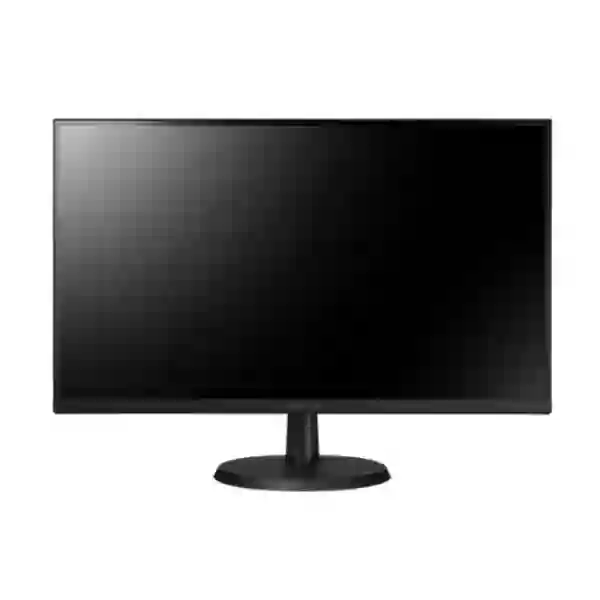
Hanwha SMT-2710 Monitor — 27-Inch Full HD CCTV Display
Looking for a dedicated screen for a CCTV recorder or surveillance workstation? The Hanwha Vision SMT-2710 combines a 27-inch Full HD panel, HDMI/DisplayPort/VGA connectivity and a design tested for 24/7 operation. Verify the source signal and installation conditions, then request a model-specific quotation for Tanzania.
At a glance
Is it the right monitor?
- Indoor CCTV viewing positions
- Compatible Full HD recorder output
- 24/7 monitoring requirements
- VESA-compatible mounting plans
- Native 4K picture resolution
- Built-in IP camera decoding
- Outdoor weatherproof operation
- A self-contained multi-input video matrix
Manufacturer technical specifications
These specifications are provided to support exact-model selection and connection planning. They do not establish current local stock, price, service coverage, certification for a particular jurisdiction or warranty terms.
| Feature | Published value |
|---|---|
| Product identity | Hanwha Vision SMT-2710 |
| Display | 27-inch LED monitor |
| Maximum resolution | 1920 × 1080, 60 Hz |
| Aspect ratio / colors | 16:9 / 16.7 million |
| Brightness | 250 cd/m² typical |
| Contrast | 3000:1 minimum, 4000:1 typical |
| Viewing angles | 178° H / 178° V |
| Response time | 6.5 ms typical |
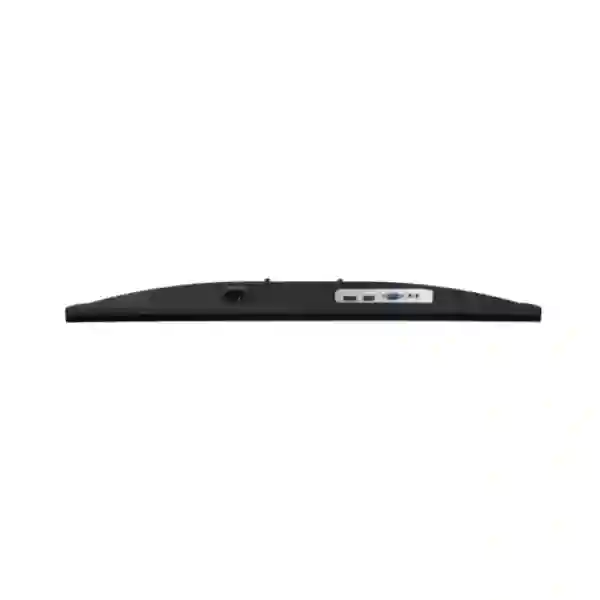
| Video inputs | HDMI × 1, DisplayPort × 1, VGA × 1 |
| Audio | Input × 1; output × 1; speakers 2 × 2.5 W |
| Panel life | 30,000 hours |
| Duty statement | Designed and tested for 24/7 use |
| Power | AC 100–240 V, 50/60 Hz; 45 W |
| Operating temperature | 0°C to +40°C |
| Operating humidity | 10%–80%, non-condensing |
| Size with stand | 614.7 × 452.5 × 224.1 mm |
| Size without stand | 614.7 × 336.4 × 50.8 mm |
| Weight | 4.54 kg with stand; 4.13 kg without |
| VESA mounting | 100 × 100 mm |
| Finish | Black |
Product overview and buyer fit
The Hanwha SMT-2710 monitor is a 27-inch Full HD LED display intended for viewing a compatible video signal from a recorder, computer or other upstream device. Hanwha Vision specifies a maximum resolution of 1920 × 1080 at 60 Hz and says this model was designed and tested for 24/7 operation. Those facts make it a relevant candidate for a CCTV desk that needs a dedicated, continuously active viewing screen. Before purchasing, confirm the exact recorder output, monitor position and intended camera layout; a professional label alone does not establish that every installation will be suitable.
For a project in Tanzania, the practical question is whether the display solves the viewing requirement without introducing unexpected cabling, mounting, power or maintenance issues. The Hanwha SMT-2710 monitor offers three familiar connector families, published environmental limits, and a standard VESA interface. It is not an IP camera, video recorder, network switch or software license. It does not independently store footage, decode camera streams or increase a recorder’s channel count. Its main job is displaying an already compatible signal accurately and consistently in the specified operating conditions.
Why a 27-inch viewing area can be useful
A 27-inch diagonal provides a reasonably substantial picture for an operator seated at a reception counter, small security desk or monitoring workstation. It can show a full-screen camera view, a recorder-generated multi-camera grid or a computer-based surveillance interface. The visual usefulness depends on how far the operator sits from the screen, the number of video tiles and the size of labels and controls. A larger physical picture does not automatically mean more available detail when the pixel resolution stays the same. Test real camera scenes and actual software layouts before deciding that one screen is enough.
For a single-entryway view, Full HD can be a practical choice. When an operator must examine many feeds simultaneously, each camera tile occupies only part of the 1920 × 1080 pixel area. Increasing grid density makes details smaller. If the project requires many detailed images at once, consider dividing the workload among more screens or evaluating a higher-resolution panel. Make this decision from a realistic operator workflow rather than the advertised diagonal size. Priority cameras, incident review tasks and alert displays deserve enough space to be read without prolonged squinting.
Full HD image format and its limits
The SMT-2710’s native maximum is 1920 × 1080 at 60 Hz, with a 16:9 aspect ratio. This corresponds to Full HD rather than Ultra HD or 4K. A connected recorder may support a different camera-recording resolution, but its monitor output must be set to a compatible signal format. Where a recorder captures 4K camera footage, the monitor still presents only the pixels available on its Full HD screen. Any suitable conversion or scaling must be performed in the source or intermediate signal equipment; the display cannot create missing pixels.
Check the picture in the intended mode. Camera labels, timestamps and playback controls can become hard to read if the recorder creates an overly dense layout. Poor alignment or an incorrect aspect-ratio setting may stretch a camera scene. A Full HD monitor can be the right tool for a straightforward security workstation, but a requirement for native UHD detail should be addressed through a different specified product. Buyers should distinguish between the resolution of the camera sensor, the stored recording, the recorder’s HDMI or VGA output and the display’s own pixel grid. These are connected but separate specifications.
Designed and tested for 24/7 operation
Hanwha Vision states that the SMT-2710 was designed and tested on 24/7 operation. For buyers running a security desk through day and night shifts, this is a more relevant statement than a marketing description aimed only at occasional computer use. It indicates the manufacturer’s stated duty intention. It is not a guarantee that every unit will operate indefinitely, and it cannot replace careful installation, adequate ventilation, appropriate power arrangements or maintenance. A mission-sensitive site should also plan a backup viewing method if the main screen is unavailable.
The manufacturer gives a panel-life figure of 30,000 hours. That number is not a warranty period, a guaranteed replacement interval or a promise of fault-free service. Panel life and warranty are different concepts. Operating temperatures, ventilation, settings and handling can affect practical performance. Request warranty terms for the particular unit being offered rather than inferring them from the panel figure. Operators should know whom to contact when the picture goes blank and how to determine whether the issue is the monitor, its cable, the recorder or the upstream camera network.
Brightness in a real working room
Hanwha specifies typical brightness of 250 cd/m². That figure helps a buyer assess suitability for indoor viewing, but the location’s lighting still matters. A screen positioned opposite a bright window or behind a reflective counter may be difficult to see even when its nominal brightness is adequate for many ordinary rooms. Plan the viewing position with direct light, reflections, glare and operator posture in mind. When possible, inspect footage in the actual room before choosing a permanent bracket position. The clearest position is not necessarily the most visually prominent one.
Brightness settings should make the live picture legible without causing discomfort during a long shift. A very bright panel in a dim monitoring room may tire an operator, while insufficient brightness near a sunny doorway can obscure interface details. The monitor cannot recover a scene that a camera captured with poor exposure. Compare a daylight image, a dark corridor and a mixed-light scene using the original source. If the underlying footage is too dark or washed out, camera placement, lens, illumination and recording settings may need attention rather than a new monitor.
Contrast and darker surveillance scenes
The manufacturer gives a contrast ratio of 3000:1 minimum and 4000:1 typical. Contrast helps distinguish brighter and darker portions of the displayed picture, which can matter when reviewing entrances, corridors and poorly lit areas. These are manufacturer specifications, not guarantees that an operator will identify an individual under any lighting conditions. The useful detail in a night image depends heavily on camera sensitivity, illumination, dynamic-range processing, compression and how the video was captured. A display can only present information received from its upstream device.
When assessing a proposed control station, review recordings from daytime and nighttime operating periods. Look for legible menu text, visible detail around shadowed doorways and practical readability at the intended chair position. Avoid comparing screen specifications as though contrast alone determines evidence quality. If a scene lacks usable detail on several properly configured viewing devices, investigate the camera and recording chain. If the scene is clear on another display, examine input mode, source settings, monitor adjustments and the condition of the connecting cable before replacing hardware.
Wide angles and operator positioning
A published horizontal and vertical viewing angle of 178° is helpful when more than one authorized colleague needs to review a screen or when an operator shifts position during a long shift. It gives flexibility compared with a narrow-angle display. However, viewing from the extreme side is not equivalent to viewing directly in front. Reflections, perceived contrast and readability still vary with the angle and the environment. Place important footage within the main operator’s normal field of view instead of relying on the edge of the published angle range.
Plan the monitor height and distance with the actual desk, chair and operator in mind. A security display mounted too high can be tiring to view continuously; a screen placed too far away can make camera labels and incident controls difficult to read. Shared desks benefit from a layout that works for different users without exposing footage to visitors. If a wall-mounted arrangement is proposed, test its tilt, clearance and accessibility before final fixing. The objective is reliable interpretation of security information, not simply a symmetrical wall of monitors.
Response time and refresh-rate expectations
The SMT-2710’s typical response time is 6.5 milliseconds, while its Full HD refresh-rate capability reaches 60 Hz. Those are display-side characteristics. They are not a measurement of overall CCTV latency from a camera to the viewer. Network transmission, encoder buffering, recorder processing, software decoding and the chosen camera stream can all affect how quickly movement appears on screen. A fast-looking monitor cannot eliminate delay that originates in the network or recorder. Evaluate the entire system if low latency is a critical operational requirement.
For routine live monitoring, source stability and readable video usually matter more than unusually high consumer-gaming refresh rates. Check actual movement in the chosen camera grid and determine whether any delay affects the task. If motion is irregular, confirm that the workstation can decode the feeds and that the camera/network configuration is appropriate. Do not infer that a 6.5 ms panel response means a 6.5 ms camera-to-monitor path. Specify the screen for its published Full HD performance, and validate the wider surveillance chain separately.
HDMI input and recorder connections
One HDMI video input is listed for the SMT-2710. HDMI is often the straightforward choice when an NVR or DVR has a matching output. Before connecting, check the source output mode and ensure a compatible Full HD signal reaches the monitor. A correctly connected cable does not help if the recorder is set to an unsupported resolution or an input other than HDMI is selected on the display. Check the recorder documentation for its supported output settings and any restrictions when multiple video outputs are used.
For a nearby desktop recorder, simple cable routing and connector clearance may be enough. For a longer route to a reception desk, cable distance, extension equipment and signal integrity require attention. Do not assume any arbitrary cable length will work reliably. If a video extender or switch is needed, check that it supports the chosen resolution, refresh rate and connection standard. Document the full path so maintenance staff can distinguish a display fault from an issue in an intermediate cable or distribution device.
DisplayPort and VGA input options
Alongside HDMI, the monitor provides one DisplayPort input and one VGA input. DisplayPort can be convenient for a compatible surveillance workstation, while VGA can help when integrating certain older PCs or recorders. Hanwha lists these interfaces as capable of Full HD at 60 Hz. The presence of several port types offers installation flexibility, but it does not automatically provide a built-in multi-source mosaic, matrix switch or simultaneous viewing of every connector. The upstream system must generate the picture the operator actually needs.
Analog VGA and digital DisplayPort/HDMI signals are not always interchangeable through a simple passive cable. If a source has a different port, verify the direction and capabilities of any required converter. On VGA, low-quality or long cable runs can contribute to visible softness or interference. On digital links, extenders and switches must support the appropriate signal format. A project schedule should name each source port, the display input, the connector at both ends and any active conversion device. This small amount of planning prevents many installation-day problems.
Audio input, output and speakers
The SMT-2710 includes one audio input, one audio output and two built-in speakers rated at 2.5 W each, according to Hanwha Vision. These facilities can support basic sound when the upstream system supplies compatible audio and is configured correctly. However, showing a camera’s video does not prove that audio is being captured or delivered. The camera, recorder, video software and physical connection must all support the intended audio path. The monitor’s speakers should not be treated as a substitute for a dedicated intercom or public-address system.
Decide whether audible playback or alerts are actually required before specifying the wiring. Many security positions monitor video without continuous sound. Where audio is relevant, the organization should consider permissions, privacy requirements and appropriate handling of recordings. Check the source’s output details and test the actual arrangement rather than assuming that any HDMI-connected recorder will automatically use the monitor speakers. As with video, the screen is one endpoint in a larger system and does not control what the cameras capture or what employees are authorized to hear.
Connecting a DVR or NVR step by step
Begin by identifying the full recorder model and its available output connectors. Select an appropriate monitor cable and configure a supported output mode, such as 1920 × 1080 at 60 Hz, if the recorder provides that option. Place the monitor on a stable stand or suitable mount, connect power in accordance with the installation instructions, and select the corresponding input. Once a picture appears, verify the menu, live views, timestamps and playback interface rather than stopping after the first successful image. The camera grid should be readable at the actual working distance.
If the recorder’s interface looks cropped or stretched, inspect source scaling and aspect-ratio settings. If the image is missing, verify the selected input and source output before assuming the monitor is faulty. When a recorder is in another room, the cable path and any extension system may be the most significant compatibility factors. Brand names alone do not establish that all devices interoperate in every output mode. An installer should confirm exact model compatibility and retain the final settings for maintenance. The monitor does not change the number of cameras the recorder can handle.
Use with video-management workstations
A computer running surveillance software may connect to the SMT-2710 through a compatible graphics port. The display can show live video, playback, event lists or administrative controls produced by the software. When two screens are used, an operator might keep a camera grid on one and an incident workflow on the other. This arrangement depends on the workstation’s graphics hardware and software capabilities. The monitor does not add processing capacity, software permissions, camera licenses or storage to the PC.
Check the operating-system display mode, resolution and scaling. Dense camera layouts can leave labels and buttons too small when shown on a Full HD panel. If the workstation struggles to decode multiple high-resolution streams, consider its processor, graphics acceleration, application configuration and network conditions rather than expecting the monitor to solve the performance issue. Test the operator’s normal workflow with representative footage. For an always-on security desk, display placement, cable protection and power continuity deserve attention alongside computer specifications.
Not a network camera decoder
An important distinction is that the SMT-2710 is a conventional display monitor, not a built-in network video decoder. The manufacturer lists HDMI, DisplayPort and VGA video inputs; it does not identify an Ethernet interface for direct IP-camera stream registration. An IP camera normally sends data over the network, whereas this screen expects an appropriate display signal from a recorder, decoder or workstation. Connecting a camera’s network cable directly to a display is therefore not the way to use this model.
If the intended viewing location has no nearby recorder or computer, the designer must establish how the camera feed will be converted to an appropriate monitor signal. A compatible network decoder, approved workstation or video distribution arrangement may be necessary. If the site needs independent camera selection, software user accounts or event overlays, those functions belong to the upstream equipment. Ask for a connection diagram showing cameras, network switches, recorders, computers, any converters and the monitor. The diagram should explain the entire path from image capture to the operator’s eyes.
Desk footprint and physical dimensions
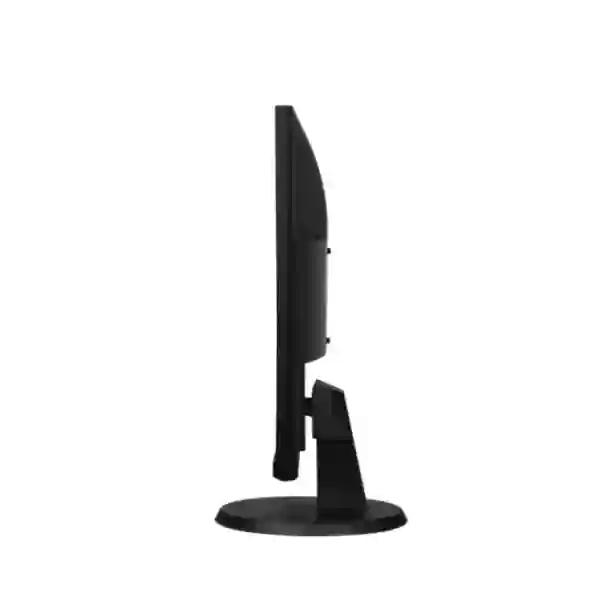
With the stand, Hanwha lists the monitor’s dimensions as 614.7 × 452.5 × 224.1 mm (width × height × depth). Without the stand, they are 614.7 × 336.4 × 50.8 mm. Those values let buyers assess a counter, desk or control-console location before equipment arrives. A 27-inch screen may be difficult to use on a narrow counter if the stand consumes valuable working depth or pushes the display too close to the operator. Sketch the proposed position with the keyboard, recorder and other equipment in place.
The published weight is 4.54 kg with the stand and 4.13 kg without it. These figures are useful for ordinary handling and a preliminary mounting review but do not replace the load-rating instructions of a bracket or furniture system. Leave room to access the input sockets and avoid sharply bending cables at the back. Keep the display protected from accidental bumps or visitors leaning against a counter. Think about the operator’s sightline and the confidentiality of the CCTV picture as well as physical fit.
VESA mounting and bracket selection
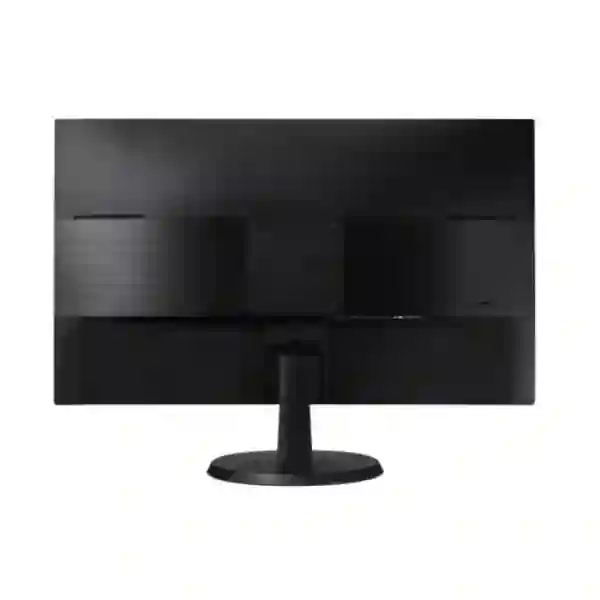
Hanwha specifies a VESA 100 × 100 mm mounting interface. This enables a buyer to search for a suitably designed wall mount or monitor arm, subject to verification of weight capacity and all other compatibility requirements. A matching hole pattern is only one part of a safe installation. The surface, fixings, arm reach and expected load must also be suitable. Where a display is mounted above a desk or walkway, professional installation and appropriate inspection are particularly important.
Allow enough clearance for cooling, connectors and future maintenance. Check whether the mounting arrangement permits the desired viewing angle without stretching cables. The specification does not mean a wall bracket is included in every package, so identify it separately in a quotation. For multi-monitor layouts, test how each screen can be viewed from normal work positions before drilling or fixing several brackets. Mounting decisions are expensive to reverse when a control room is already in service.
Power supply and operating demand
The published electrical input is AC 100–240 V at 50/60 Hz, with a listed power-consumption figure of 45 W. This information helps a project engineer plan sockets and power distribution. It does not mean electricity use is necessarily exactly 45 W every moment, and it says nothing about the consumption of the rest of the surveillance system. Verify the supplied cord arrangement and the site’s electrical safety requirements, rather than assuming an overseas package has every accessory needed for a particular installation.
If monitoring must continue during a mains interruption, plan power provision for the actual required system. A UPS that supplies only the screen will not keep video visible if the recorder, network switches or workstation shut down. Similarly, a recorder that remains online may be accessible by another approved screen if the local monitor is unavailable. Specify the operational objective first, then assess total electrical load, expected backup runtime and maintenance responsibilities. Never promise a UPS duration without calculating it from the complete equipment list and the selected battery system.
Heat and humidity operating limits
Hanwha specifies an operating temperature range of 0°C to +40°C and a relative humidity range of 10%–80% without condensation. These limits matter when placing a monitor in a warm office, workshop-adjacent security room or reception area. A screen rated for those indoor conditions should not be described as weatherproof or suitable for direct rainfall. It is also not established as resistant to dust ingress, high-pressure cleaning, physical impact or corrosive industrial environments. Choose the installation environment with the actual published limits in mind.
Avoid mounting a display in direct sunlight, in a sealed cabinet without ventilation or immediately beside a source of substantial heat. In humid locations, be alert to condensation caused by temperature changes. Keep water and cleaning liquid away from ventilation openings and connectors. If the room’s temperature may exceed the specified range, evaluate environmental control or a monitor specifically designed for that duty. A product’s professional-surveillance purpose does not remove its thermal and moisture limits.
Example: reception and entrance monitoring
A reception desk may benefit from a dedicated display showing an entrance or waiting-area camera while a computer handles visitors or routine office work. A 27-inch Full HD monitor can give an operator a clearer physical picture than a small secondary laptop display, provided the viewing distance and camera layout are appropriate. When a compatible recorder or PC generates the video output, the SMT-2710 can serve as the receiving screen. It does not independently identify visitors, control locks or enforce access rights.
Position the panel so authorized personnel can see the footage without inadvertently showing sensitive scenes to everyone passing the desk. Strong doorway light may create reflections, so assess the proposed angle in realistic daytime conditions. Decide which camera views genuinely need to be visible continuously and whether the operator must retrieve playback. Confirm that the upstream equipment can create the required arrangement and that the cable path does not obstruct the workspace. Privacy, access policies and incident-response duties should be defined separately from the display purchase.
Example: a small CCTV control position
At a security post, one monitor may be dedicated to a recorder’s live camera grid and playback controls. The SMT-2710’s 27-inch size and 1920 × 1080 resolution can be evaluated for that role by displaying the actual intended grid. If several feeds are shown at once, test whether important entrances, doors and movement areas remain visible. The number of recorder channels is not the same as the number of images that a human operator can interpret efficiently on one screen.
A continuously staffed post should also have a clear response to display failure or source loss. Operators need to know how to switch inputs, check the recorder’s output and escalate faults without inadvertently changing recording settings. Keep a spare suitable cable if the service warrants it and document the chosen resolution and port. The display’s 24/7 design statement supports the product’s use case but does not guarantee uninterrupted operation of the wider surveillance infrastructure. Continuity planning belongs to the complete site design.
Example: office, shop and storage oversight
Offices, shops and storage facilities may place a CCTV viewing station near an authorized supervisor. A full-screen entrance view can suit some activities, while a compact multi-camera grid may better support general awareness. The monitor shows whichever layout the upstream recorder or software produces. The required benefit should be agreed before the screen quantity and placement are set. A monitor with a larger diagonal cannot fix cameras aimed at the wrong locations or recordings captured at inadequate resolution.
For a retail counter, available depth and security of the display may be important. For a storeroom office, dust and ventilation may be more relevant. In any workplace, recording and viewing people should follow applicable policies and law. Consider who can see live or playback images, which devices provide authorization and how incident recordings are handled. The SMT-2710 is a visual endpoint, not the system that manages those responsibilities. Choose the viewing layout to support genuine operational tasks rather than to maximize the number of tiny camera windows.
Example: a protected operational monitoring room
A workshop or service facility may want to observe a gate, loading area or internal corridor from a protected office. The SMT-2710 could be considered for such an indoor viewing point if the room stays within the manufacturer’s operating conditions. This does not make the monitor a certified hazardous-location or outdoor display. If the actual site has vibration, water spray, heavy airborne dust or extreme temperatures, the installation needs a separate environmental assessment and potentially a different screen specification.
Place the monitor away from accidental impacts and keep power and signal cables protected from movement and equipment traffic. If the display is intended to inform a safety-related activity, establish the required independent alarms, safeguards and procedures; do not assume an ordinary CCTV picture is a certified safety system. Ask whether staff need a constant live view, occasional playback or a workstation with event management. The solution can then be specified around a practical task rather than a generic industrial label.
When one monitor is enough
One screen may be adequate where staff mainly watch a few priority cameras or review footage occasionally. A more complicated security room might benefit from separate screens for live overview, investigation and event management. The deciding factors are human workload, picture detail, software layout and the output capability of the upstream device. A recorder with numerous camera channels can still present an unreadably dense grid on one Full HD screen. An additional display is worthwhile only when the workstation or recorder can supply useful content to it.
Before buying several identical panels, draw the viewing arrangement and walk through an actual operator scenario. Can a user find the relevant camera quickly? Are alert text and timestamps visible? Can playback be viewed without losing oversight of critical live feeds? Does the proposed desk have adequate power, ventilation and cable routing? If not, revise the system design. Monitor count should serve the workflow rather than being used as a substitute for well-arranged camera information.
The monitor cannot repair poor camera footage
A new screen may improve comfort or presentation but cannot restore visual information that the camera never recorded. Image quality is influenced by camera focus, sensor performance, scene illumination, lens selection, video compression, recording settings and network conditions. A Full HD monitor can present a compatible signal clearly while the source remains blurry or overcompressed. The same is true for recordings that have already lost detail in dark scenes or at long distances. It is important not to confuse an attractive screen picture with proof of evidential quality.
When troubleshooting a disappointing image, compare the source output with an appropriate reference screen and examine the original recording where possible. Check the camera’s field of view, exposure and focus, then review recorder and stream settings. Confirm the display’s native resolution and scaling before buying replacement hardware. For incident handling, use authorized exports and preserve the original files where required rather than relying on a phone photograph of the monitor. A properly specified display is the final viewing component of a complete imaging chain.
Comparing with an ordinary office monitor
Some office monitors share similar physical dimensions and connector types, so a buyer should compare exact models instead of relying only on broad labels. The SMT-2710 has a documented Full HD specification and an explicit manufacturer statement about design and testing for 24/7 operation. Consider those details alongside the required duty cycle, room conditions, mounting system, audio facilities and source outputs. Do not assume that every office screen is unsuited to continuous use or that the SMT-2710 automatically satisfies every mission-critical application.
An alternative with more pixels may be attractive for dense camera grids, while a simple Full HD panel may be the most proportionate choice for a single 1080p recorder output. Compare the actual use case and the total installed cost. Check warranty conditions, operating limits, cable requirements and placement. A specification-based shortlist is more defensible than choosing by brand familiarity or the largest diagonal on a product listing. If possible, view a representative recorder menu and live video feed on each shortlisted model before committing.
Choosing between Full HD and UHD
The SMT-2710 is not a native 4K screen. If staff need to examine many detailed images simultaneously or use a large surveillance software desktop, a higher-resolution monitor may be a better match. But that benefit depends on source output support and practical scaling. A Full HD monitor can still be suitable for a focused CCTV position with a modest number of important camera views. Do not treat higher resolution as automatically better when users must sit far away or when the recorder only delivers a 1080p output.
Think about whether the real requirement is more physical area, more pixels or another independent viewing surface. These are different needs. Test the intended grid, labels and controls from the normal chair distance. If UHD is specified in the project tender, select an exact model with a verified UHD rating rather than relabeling the SMT-2710. Conversely, do not overspecify an expensive screen where a compatible Full HD viewing station solves the task. The procurement decision should be driven by verifiable operational requirements.
Quotation preparation for Tanzania
A helpful quotation request identifies the exact model Hanwha Vision SMT-2710, quantity, intended recorder or PC model, preferred connector and mounting method. Include the approximate viewing distance, indoor operating conditions and whether the screen must remain on continuously. If the installation needs a wall mount, special cable, video extender, electrical work or backup power, identify those items explicitly. A quote for a screen alone may not cover the other equipment required to create a working security station. The planned source-to-screen connection is one of the most valuable facts to supply.
No local selling price, stock position, delivery schedule, warranty period, certified installer relationship or service coverage has been independently established for this listing. These commercial details must be confirmed through a current written offer. Ask the supplier to identify the product, included accessories, taxes or delivery terms, warranty conditions and any installation responsibilities. Do not rely on an overseas retailer’s currency, shipping statement or return policy as proof of a Tanzania offer. If the final site has unusual heat or humidity, disclose that requirement before ordering so suitability can be reviewed.
Commissioning and acceptance checklist
At installation, inspect the chosen mounting position and confirm that the room falls within the specified temperature and humidity limits. Secure the monitor and route cables so connectors are not strained. Connect the intended video source and power appropriately, select the matching input, and configure a supported resolution. Verify that the recorder or workstation menu is visible and that image edges are not cropped. Test actual camera views, camera names and time stamps rather than relying on a generic desktop picture.
Review daylight and low-light video, inspect playback controls and test any required audio separately. Have an actual operator carry out a typical task while seated at the normal working distance. Confirm that the screen does not create uncomfortable glare, that required controls are accessible and that nearby equipment does not obstruct ventilation. Record the final cable path and source settings so another technician can restore service. If backup power is part of the project, test the recorder, network and monitor together. Acceptance should confirm usability of the whole viewing arrangement, not merely that the panel powers on.
Troubleshooting a blank or unstable picture
If the monitor reports no signal, begin with power and input selection. Confirm that the source device is turned on, that the correct port is being used and that the output resolution is supported. Check cable seating at both ends and, where practical, test a known-working compatible cable. A source set to an unsupported resolution can produce an empty screen even though its cameras are recording correctly. If a switch, extender or adapter sits between source and monitor, test the signal path in sections to isolate the fault.
For intermittent pictures, inspect connector movement, power stability and heat. For blurry VGA video, assess cable quality and analog interference. If a digital connection works at a short distance but fails through a long extension, check the extender specification and cable run rather than immediately replacing the panel. Keep track of whether recording continues upstream. A missing local picture does not necessarily mean the cameras stopped capturing footage. Report the exact display symptom, source model and settings when seeking technical assistance.
What to check when video appears distorted
An incorrect picture shape can originate in recorder output settings, display scaling, a video converter or the original camera format. The SMT-2710 has a 16:9 screen, so a source with a different aspect ratio may require appropriate presentation settings. If menus look cropped, review the source’s display configuration and any applicable monitor image controls. When footage appears pixelated, check the original recording and stream settings; a monitor cannot add detail that was discarded by compression.
If the picture seems delayed, assess the camera stream, network, recorder and computer performance in addition to the display. A 6.5 ms typical panel response time is not a measurement of end-to-end surveillance delay. When colors look incorrect, compare a reliable reference picture and review the source and monitor settings. Work through one variable at a time and document the effect. This avoids replacing working hardware while a configuration error or damaged cable remains in the signal path.
Cleaning and ongoing upkeep
A permanently installed CCTV display benefits from periodic visual inspection and careful cleaning under the manufacturer’s instructions. Keep the panel and ventilation areas free of excessive dust, do not apply harsh abrasive materials and avoid spraying liquids into the device. Look for frayed cables, loose brackets or strain on rear connectors. Check that nearby furniture has not been moved in a way that restricts airflow or makes the screen unstable. A simple inspection routine is more useful than assuming a continuous-duty product needs no attention.
Operators should note flickering, repeated source losses, unusual darkening or other behavior that affects their ability to monitor footage. Determine whether a problem follows the cable or the source before diagnosing the panel. The published 30,000-hour panel life does not establish a guaranteed failure date or replace warranty documentation. Keep the final quotation, exact model details and approved service contacts available so that a problem can be handled through the correct channel. Routine operation and maintenance should be designed around the importance of the surveillance task.
Replacing an older security display
When replacing an existing screen, note the old monitor’s size, cable, output setting, mounting method and available desk space. The SMT-2710’s HDMI, DisplayPort and VGA inputs may help with several conventional sources, but every connection still needs verification. The physical width and stand depth must fit the new location. If a bracket is reused, confirm the VESA pattern, load rating and safe fixings instead of assuming the old mount will work. Also confirm that the existing source can provide the Full HD format expected by the new display.
After installation, review live footage and playback to make sure the replacement actually meets the operational need. If the old display failed because of poor mains power or a damaged extension cable, those underlying problems need to be corrected. A new screen is not a cure for bad source signals. Obtain a quotation that separates the monitor from any replacement cables, adapters, mounts or labor. This gives a clear account of what is being bought and who is responsible for each part of commissioning.
Purchase decision: strengths and constraints
The SMT-2710’s verified strengths are its 27-inch Full HD screen, three video-input types, broad viewing-angle specification, built-in basic audio, standard VESA interface and explicit 24/7 design-and-test statement. These characteristics make it worth shortlisting for a suitable indoor CCTV workstation or monitoring desk. Its actual value depends on the source signal and operator layout. A buyer should verify camera-grid legibility, installation dimensions and local commercial conditions before committing.
Its constraints are equally clear. The screen is Full HD, not 4K. It is not a network decoder, recorder or camera. Its published environment is limited to 0°C to +40°C and non-condensing humidity, not exposed outdoor service. Three different input types do not mean three independent streams can be combined inside the monitor. Panel life is not a warranty promise. If those limits match the project, request a model-specific Tanzania quotation. If they do not, specify the missing capability and compare equipment designed expressly for that requirement.
Request a Hanwha SMT-2710 quotation in Tanzania
Tell FourTeck Tanzania the quantity, the exact NVR, DVR or PC model, chosen video connector, expected mounting method and installation environment. Ask for a written quotation covering applicable accessories, commercial terms, warranty, delivery and any installation requirements. Local price or inventory is not assumed.
Next step: Contact FourTeck Tanzania with your equipment list and request an exact-model quotation.




Reviews
There are no reviews yet.