
HANWHA VISION • PROFESSIONAL SECURITY DISPLAY
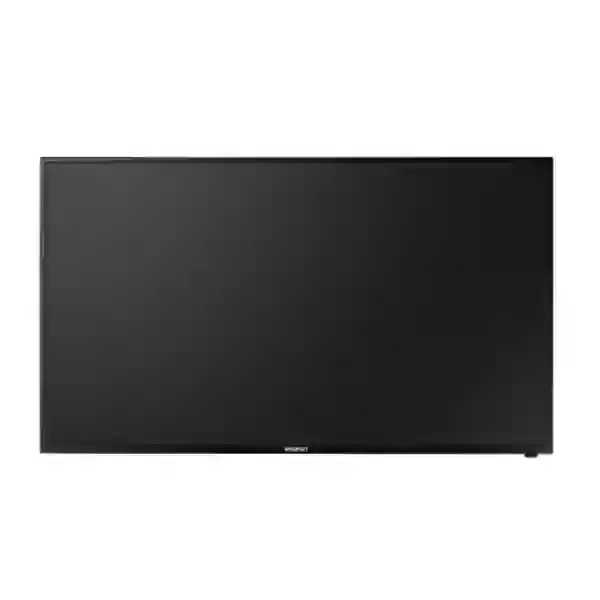
Hanwha SMT-4344 43-inch 4K UHD Security Monitor
A 43-inch UHD LED monitor built for security viewing environments that need detailed images, flexible HDMI and DisplayPort connections, two-source PIP/PBP display options and a design tested for continuous operation. For projects in Tanzania, confirm the recorder output, mounting plan and model availability before ordering.
At a glance: who should consider this monitor
Consider this model when a CCTV recorder, workstation or video decoder needs to send its images to a large, high-resolution indoor display. Security control rooms, warehouse guard offices, commercial premises and operations desks may benefit from its 43-inch screen and two-source display options. It is not an all-in-one CCTV system: camera feeds, recording, analytics and network functions must come from separate equipment. Confirm the complete signal path and exact product supply scope before purchase.
Verified SMT-4344 technical specifications
| Item | Manufacturer specification |
|---|---|
| Product type | 43-inch UHD LED monitor |
| Native maximum format | 3840 × 2160 at up to 60 Hz |
| Brightness | 300 cd/m² typical; 250 cd/m² minimum |
| Contrast ratio | 1200:1 typical; 1000:1 minimum |
| Aspect ratio | 16:9 |
| Viewing angles | 178° horizontal / 178° vertical |
| Display colour | 1.07 billion colours (8-bit + FRC) |
| Response time | 8 ms typical |
| Published panel life | 30,000 hours |
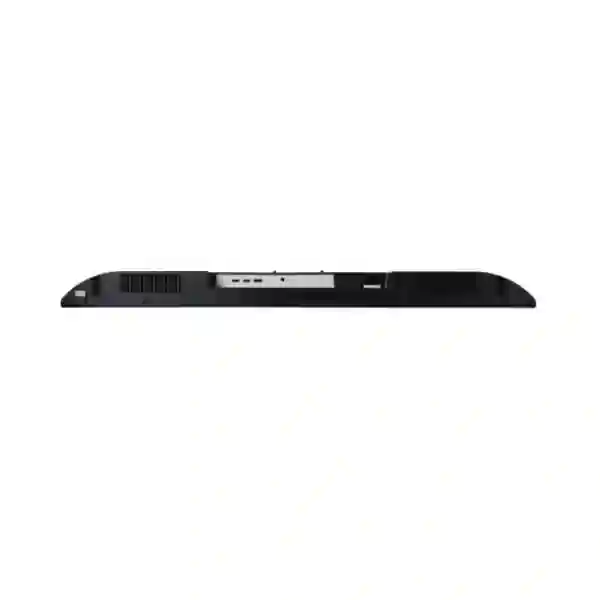
| Video inputs | 2 × HDMI 2.0; 1 × DisplayPort 1.4 |
| Multi-source viewing | Two-window PIP / PBP |
| Audio | Built-in 6 W × 2 speakers; audio output |
| Operating design | Designed and tested for 24/7 operation |
| Power supply | AC 100–240 V, 50/60 Hz |
| Power consumption | Below 80 W |
| Operating temperature | 0 to +40°C |
| Operating humidity | 10–80%, non-condensing |
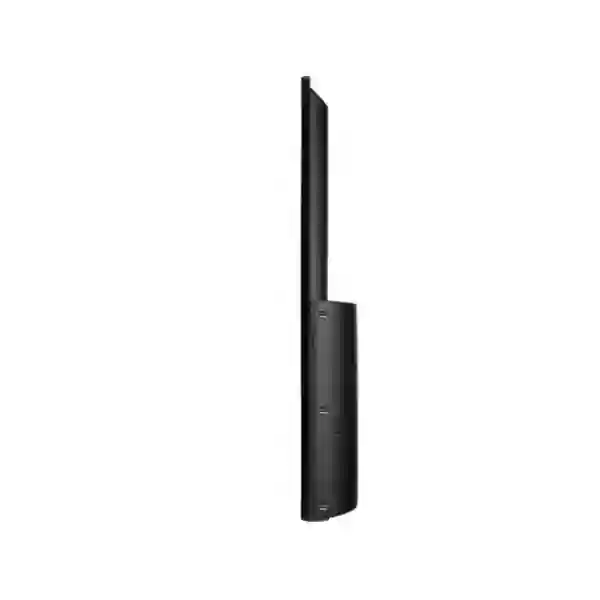
| Dimensions without stand | 967 × 560 × 73.5 mm |
| Weight | Approximately 8.2 kg |
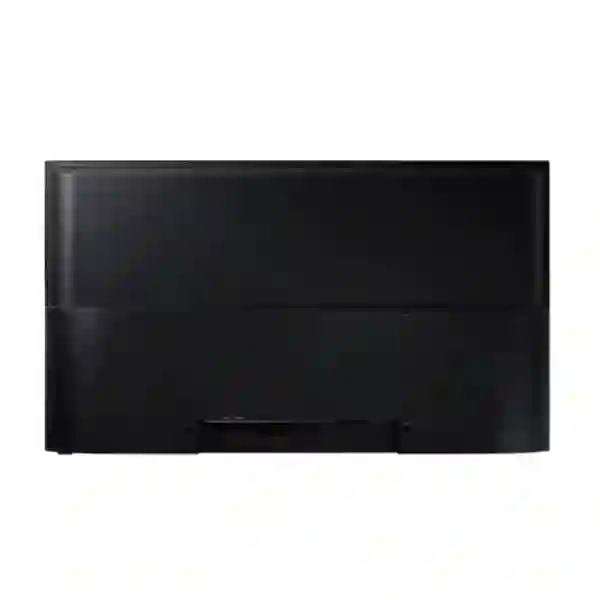
| VESA mounting | 100 × 100 mm / 400 × 200 mm |
| Optional accessory named in datasheet | SBM-4343 stand |
Figures are taken from Hanwha Vision’s published SMT-4344 specifications. Product revisions and regional supply may vary; confirm the current approved specification and the exact quotation.
What the SMT-4344 does for a monitoring team
The Hanwha SMT-4344 is a dedicated 43-inch UHD LED monitor for organisations that need a large, detailed viewing surface. It is particularly relevant where operators inspect recorded or live security footage, compare two sources, or supervise activity across several areas. It is a display device: recording, camera management, analytics and network connectivity must come from the attached equipment rather than the monitor itself. Start with the sources your team needs to see and the distance from which people will view them.
A 43-inch screen can sit within a single operator station or be mounted in a security room where several staff members can see the same information. Four times the pixel count of Full HD gives the operator more room for source content, but the actual picture detail depends on the output resolution and layouts supplied by the connected recorder or workstation. A lower-resolution feed will not gain missing detail simply because it appears on a UHD screen.
For Tanzania-based projects, confirm the intended room, power arrangements and video outputs before choosing the display. Ask for the exact connected device model, the intended live-view layout and whether a separate desktop stand or wall bracket is required. These practical details help prevent a technically capable screen from being delivered with missing cables, an unsuitable mount or a source that cannot supply the desired 4K signal.
Understanding 4K UHD in everyday CCTV use
The screen’s maximum specified resolution is 3840 × 2160 pixels, commonly described as 4K UHD. For a security desk, the benefit is more display pixels for camera tiles, image review or a high-resolution workstation desktop. This does not mean every camera stream automatically appears in native 4K. Cameras, recording systems, decoding settings, software windows and the video output must each support an appropriate resolution for the final picture to take advantage of the panel.
If the recorder renders sixteen small views, every view occupies only a fraction of the available panel. More pixels can improve the way interfaces and fine lines are drawn, but there is still a practical limit to the detail visible in each tile. Operators should test their actual viewing grid from the real seated or standing position. A single enlarged critical camera may be more useful than a crowded wall of very small images.
When specifying a new system, document whether the requirement is sharp playback review, continuous multi-camera awareness, a guard-desk desktop or a wall-mounted overview. Then confirm the source can deliver the selected resolution and refresh rate over its actual HDMI or DisplayPort output. This separates the monitor’s capability from the complete security system’s performance and makes acceptance testing much more meaningful.
Why screen size and viewing distance matter
A 43-inch diagonal offers substantially more visible area than a typical small desktop display. The larger surface is helpful when multiple operators need a shared view, when staff are positioned farther from the screen, or when a monitor must carry both a camera view and an operations dashboard. Screen size alone does not determine legibility; room layout, the size of user-interface labels, distance, viewing angle and the number of on-screen tiles matter as much.
In a compact control desk, a large panel placed too close may force frequent head movement. At a distant mounting point, text or tiny camera windows may still be difficult to read despite the 43-inch diagonal. Sketch the intended furniture and mounting position before purchase. A simple test with the planned viewing layout can reveal whether one larger monitor, two smaller monitors or a different arrangement is better.
Wall installers should also reserve space for ventilation, cable bends and a safe viewing height. The manufacturer lists dimensions without a stand of 967 × 560 × 73.5 mm, so the surrounding enclosure and mounting hardware must accommodate the physical unit. These published dimensions are a planning starting point, not a substitute for a final on-site measurement and the current model’s installation instructions.
Continuous-operation design and realistic expectations
Hanwha Vision describes the SMT-4344 as designed and tested for 24/7 operation. This is an important distinction for security environments in which displays remain active during night shifts, weekends and holidays. It supports considering the monitor for continuously staffed rooms rather than choosing a screen solely on consumer entertainment features. Continuous-duty design, however, is not a promise that no maintenance, signal interruption or component failure will ever occur.
The manufacturer lists panel life at 30,000 hours. This is a published panel-life specification, not a customer warranty period or a guaranteed replacement date. Actual operating conditions, on-screen content, brightness, temperature and maintenance can influence practical service experience. Buyers should ask how the display will be protected from excessive heat, blocked airflow and avoidable electrical disturbances in the intended location.
Plan routine operating checks even for a monitor intended to stay powered on. Staff can verify that the expected camera source is displayed, alert on lost-video conditions through the actual recorder or management platform, and inspect obvious visual changes. Maintain a procedure for switching to another display or workstation when a critical monitoring position is unavailable. System resilience depends on the overall design, not on a single monitor specification.
Brightness for indoor monitoring spaces
The SMT-4344 datasheet gives a typical brightness of 300 cd/m² and a minimum figure of 250 cd/m². These values describe the panel’s light output, not guaranteed visibility in every environment. They make the screen a candidate for appropriately designed indoor control rooms and offices. Bright sunlight falling directly on the panel, glare from windows or strong reflections may still make important details difficult to distinguish.
Before installation, check where daylight enters the room and where ceiling lights will reflect on the screen. If the monitor faces a window, consider changing its orientation or controlling the light instead of assuming that higher brightness will solve the issue. Test the darkest camera scenes, small timeline controls and fine interface text in normal daytime conditions, because those are often the areas where reflections become most disruptive.
Brightness should be evaluated together with contrast and the source material. A bright screen does not repair an underexposed camera, and a well-positioned monitor does not replace good camera lighting. The sensible approach is to review camera exposure, source-video settings and room lighting as separate parts of the same viewing experience. Document the accepted position and display settings so operators can return to them after maintenance.
Contrast, colour and interpretation of footage
The published typical contrast ratio is 1200:1, with a specified minimum of 1000:1. The screen also lists 1.07 billion display colours using 8-bit plus FRC technology. These are display specifications that describe how the panel reproduces incoming signals; they do not make the monitor a forensic reference instrument or establish exact colour accuracy under every condition.
Security operators may need to recognise clothing colours, vehicle appearances, reflections and boundaries within a scene. For that work, consistent source settings and suitable room lighting are essential. White balance and compression artifacts can already be present in the camera image before it reaches the monitor. A buyer should assess the entire chain and avoid assuming that a display’s colour specification alone determines how reliable an identification will be.
When testing acceptance, use representative footage from the actual system. Include a low-light corridor, daylight entrance, busy outdoor scene and high-contrast doorway if these reflect the deployment. Ask several intended users to confirm that relevant image regions are readable from their working positions. This produces a stronger buying decision than choosing from contrast and colour figures in isolation.
Wide viewing angles for shared rooms
The monitor specifies 178-degree horizontal and 178-degree vertical viewing angles. This is relevant to supervisors and colleagues who may look at the screen from beside an operator rather than directly in front of it. Wide published viewing angles can help shared visibility, although apparent colour, contrast and reflections may still change when people stand at the edges of the room.
A practical layout should identify primary and secondary viewing positions. The primary operator normally needs the best direct view, while a supervisor may view a summary from the side. Mark these positions on the room plan and compare them with possible wall or desk mounting heights. Screens placed very high can also cause discomfort during prolonged viewing even when the image remains technically visible.
For a reception desk or security office where people pass through, consider privacy as well as visibility. A wide-angle screen may make footage observable to visitors or unauthorised staff. Use the room arrangement, access control and workstation configuration to limit unnecessary exposure of sensitive video. The monitor’s viewing specification is useful for planning shared awareness, but it does not provide privacy protection by itself.
Response time and movement on the display
Hanwha Vision specifies a typical response time of 8 ms. This panel measure describes a display characteristic, not the complete delay from an event at a camera to its appearance on screen. The full path may include image capture, encoding, network transport, recorder or software processing and video output. Buyers should distinguish panel response from end-to-end live-view latency, especially when operators rely on moving targets.
For vehicle gates, loading bays and entrances, evaluate real footage that contains both slow and fast movement. A display can meet its published response specification while the connected system introduces noticeable delay through stream settings or buffering. Test whether movement is clear enough for the actual monitoring task, and verify that any synchronisation or frame-rate settings work properly with the source.
The SMT-4344 supports a maximum UHD format at 60 Hz through its stated video interfaces. A higher refresh setting may improve interface fluidity when the source provides a compatible signal, but it cannot convert a lower-frame-rate camera stream into new genuine frames. In a specification review, list the required source frame rate and output mode independently so that the completed system is assessed fairly.
HDMI and DisplayPort connection planning
The SMT-4344 has two HDMI 2.0 video inputs and one DisplayPort 1.4 input. These connections make it possible to choose among compatible source devices such as a recorder output, PC workstation or dedicated decoder, provided the source actually offers the appropriate connector and supported signal format. The monitor does not automatically convert Ethernet camera traffic into a picture merely because it is intended for CCTV use.
Inventory the video outputs before ordering. Write down which device uses HDMI, which uses DisplayPort, the cable route and the selected resolution. When cables run across a room or through conduit, confirm connector clearance, length and signal integrity with an installer. For more demanding distances, an engineered extender may be necessary, but an extender’s compatibility must be established separately rather than assumed.
A useful cable schedule labels both ends, documents the intended input selection and provides enough slack for servicing without creating a trip hazard. It should also prevent power and signal connectors from being pulled when the monitor is adjusted. Proper input selection and cable management are low-cost parts of a reliable control room and frequently matter more than selecting features that will never be used.
Checking 3840 × 2160 at 60 Hz
The manufacturer lists support for 3840 × 2160 at 60 Hz. To use this format, the entire signal path must support it: output hardware, software settings, cable and, where present, a matrix switch, converter or extender. HDMI 2.0 and DisplayPort 1.4 are specified inputs on this monitor, but a connected source may support only 1080p or 4K at a different refresh rate.
A common integration error is to purchase a 4K panel and then connect it to an older recorder with a Full HD output. The image can still be usable, but the source does not supply the same pixel detail as a UHD output. Another error is to specify a complex intermediary device without checking that it preserves the desired format. In both cases the solution is a documented end-to-end compatibility review.
During commissioning, record the actual output mode reported by the source and compare it with the display’s selected signal. Open representative footage and confirm that text, menus and all expected image areas remain visible. The same test should be repeated after any firmware, workstation graphics or video-routing change that could alter display settings. The manufacturer’s maximum capability is a useful target, not proof of the installed system’s current mode.
Picture-in-Picture for a priority view
The SMT-4344 supports a two-window Picture-in-Picture function, commonly shortened to PIP. PIP places one video source within the view of another, subject to the monitor’s supported configuration and input behavior. This can suit an operator who needs a large general surveillance display while retaining a smaller view of a separate source, such as an access-control workstation or another recorder’s output.
The central question is whether the two connected systems offer the necessary video signals. PIP is a display arrangement, not a camera-channel mixer. A single network cable from a camera is not a supported direct monitor input, and the monitor does not replace the recorder’s own multiview functionality. Treat two-window support as a way to compose externally generated pictures, not a substitute for security-management software.
Test the precise window arrangement with the intended devices before final acceptance. A small inset window can obscure an important camera tile, so operators should decide where it belongs and whether its content remains legible. Document a default configuration and a simple process for restoring it after input changes. The best PIP setup is the one that highlights the important information without blocking another critical area.
Picture-by-Picture for comparing two systems
Picture-by-Picture, or PBP, presents two source pictures in a shared screen layout. The SMT-4344 specifies two-window PIP/PBP support, giving system designers a useful option when two independent sources need to be compared in one operator position. For example, staff may want surveillance imagery beside a workstation overview, provided the video outputs and the selected arrangement are supported.
Think carefully about aspect ratio and readability. Two pictures sharing one panel may be reduced or reshaped compared with a full-screen view. A layout that works for a map or summary dashboard may be unsuitable for detailed face recognition or reading a vehicle number plate. The source resolution and the monitor’s displayed arrangement should be checked with real examples instead of assuming two complete 4K views remain available.
Some projects may be better served by keeping one source full-screen and using a second physical display. Others benefit from PBP because it reduces desk clutter and places related information together. Compare those options using operator tasks, working distance and total installation complexity. A product feature becomes valuable only when the chosen workflow genuinely benefits from it.
Connecting recorders, PCs and video decoders
Many monitoring projects use a recorder or VMS workstation to create the multi-camera grid that appears on a monitor. The SMT-4344 accepts conventional video outputs rather than performing its own IP camera discovery. That means a recorder with HDMI output, or a compatible workstation with HDMI or DisplayPort, is the likely source of the image. Specific model compatibility must still be confirmed.
An NVR may support high-resolution recording without offering an equally high-resolution local display output. Similarly, a computer may have a UHD-capable graphics port but struggle to render a large number of camera feeds smoothly because decoding and graphics resources are limited. These are source-system considerations. Request both output specifications and a realistic test of the intended live-view or playback application.
Document which component is responsible for each function: cameras capture footage, networks carry it, recorders or servers store it, management software organises it, decoders or graphics hardware produce the display signal, and the monitor presents that signal. This separation helps buyers assess integration claims and makes future troubleshooting much easier. It also avoids buying a monitor to solve a performance problem elsewhere.
Building a useful CCTV control room
A well-planned control room starts with the decisions operators must make rather than the number of screens on the wall. Identify the highest-priority cameras, required response actions, sources of alarms and staff positions. The 43-inch SMT-4344 can contribute a large viewing surface, but its usefulness depends on the screen layout and whether operators can interpret it quickly during ordinary and unusual events.
For a small team, one primary display may show an overview while a workstation handles playback and incident details. For a larger team, a wall display might communicate shared site status while individual desks handle interactions. Neither arrangement is automatically better. Consider sightlines, glare, cabling, acoustic distractions, source switching and maintenance access before committing to a mounting position.
Create a simple acceptance plan that asks operators to locate a specific camera, recognise an alarm source, retrieve a clip and return to normal view. The monitor should support those tasks without forcing complicated input switching. When designing continuous operations, also decide what should happen if the display, source recorder or power supply becomes unavailable. Operational continuity requires procedures and, where necessary, redundant equipment.
Warehouses, industrial sites and loading areas
Warehouse security teams often need to watch loading doors, perimeter cameras, vehicle routes and dispatch points. A larger UHD monitor can provide a central overview of these areas when the recorder or workstation supplies a suitable multiview layout. The value comes from being able to recognise where activity is occurring and then enlarge the relevant camera when more detail is needed.
Industrial locations create environmental challenges. A security office adjacent to a hot production floor may require better airflow or climate control. The SMT-4344 specifies operation from 0 to 40 degrees Celsius and 10 to 80 percent relative humidity without condensation. These limits should be evaluated at the monitor’s actual installation point, not against the general outdoor weather conditions of the wider site.
Plan cable routes away from equipment that could damage them and leave access for inspection and replacement. The monitor should be protected from direct water exposure, dust accumulation and accidental impacts according to the installation requirements. If the proposed position cannot maintain the specified conditions, redesign the installation rather than treating a continuous-duty security monitor as an outdoor or industrial-hardened enclosure.
Retail stores and shopping premises
Retail security teams may monitor entrances, tills, delivery doors and stock-room access. A 43-inch display is worth considering when a guard desk has enough space and needs several live camera views at once. The UHD panel can display the multiview output from a capable recorder, while the operator’s ability to interpret an incident still depends on camera placement, image quality and the number of on-screen tiles.
A retailer should decide which views need constant visibility and which can be opened only when an alarm or incident occurs. Trying to show every camera at equal size can make the overall system harder to use. A smaller number of carefully selected images may be operationally stronger than an overcrowded grid. If staff must compare two independent source outputs, the monitor’s PIP/PBP capability may be relevant after testing.
Retail layouts must also protect customer privacy. Avoid exposing security footage where passers-by can view it, and ensure the wider recording and access-control processes meet the organisation’s applicable obligations. The screen itself is not a privacy-management platform. Consider who can see it, who can operate the connected recorder and who is authorised to export images when evaluating the complete security workstation.
Offices, campuses and multi-tenant facilities
An office reception or campus control point may need a quick visual overview of vehicle entrances, corridors, common areas and service access. The SMT-4344 offers a single large panel for a connected recorder or workstation, potentially reducing the need to spread a common overview across several small screens. Its 178-degree viewing-angle specification is useful where more than one authorised operator may need to consult the image.
Choose the location carefully. In a public reception space, an outward-facing screen can unintentionally disclose sensitive footage. Mount it so security staff have a comfortable viewing position without placing private images in public sightlines. For shared buildings, clarify which operator or organisation is responsible for each camera group and which views are legitimately available at the workstation.
If the room serves multiple duties, the second video input or dual-window mode may help switch between or compare permitted applications. But routine operations should not depend on awkward menu navigation. Build a straightforward source-selection procedure and label the connected devices. A clear operating process is especially useful when relief staff cover shifts or when service technicians need to restore normal settings.
Hotels, healthcare facilities and sensitive environments
Hospitality and healthcare premises may have security teams who supervise access routes, car parks and restricted areas. A UHD surveillance monitor can be part of a control-room viewing station, but it does not determine which areas should be recorded or who may see the footage. The organisation’s security policy, privacy requirements and connected system permissions should govern what appears on screen.
Use cases in sensitive environments require careful consideration of the working space. A monitor behind a staffed desk may be appropriate for authorised staff, while the same screen turned toward a public waiting area may be unsuitable. At the design stage, identify normal viewing positions, visitors’ lines of sight and any need to blank or change displays during sensitive operations.
Where staff work around the clock, the 24/7 design specification is relevant, but training and maintenance arrangements remain essential. Include a clear way to report signal loss or abnormal images and identify an alternative viewing location for critical monitoring tasks. Do not assume the physical monitor automatically alerts staff when a camera or network service is unavailable; such functions belong to the connected system.
Transport hubs, gates and perimeter oversight
Security teams at vehicle entrances and transport-related facilities may need a continuous overview of several approach lanes, doors or perimeter areas. A 43-inch UHD panel can provide a common screen for the output of a suitably configured recorder, decoder or workstation. Its usefulness should be tested with the particular mix of fast-moving vehicles, distant scenes and low-light footage involved.
At a gate, the operator may need both a general traffic overview and a close-up of a barrier or checkpoint. The monitor’s two-window modes could help compare two connected video sources, but source resolution, picture sizing and the operator’s required decisions should determine the layout. Never assume that the display independently performs vehicle recognition, object analytics or access-control integration.
Security operations at a critical entrance also call for sensible fallback planning. Identify an alternate screen or workstation, an orderly way to switch sources and a power strategy appropriate to the wider system. These measures are separate from panel specifications. During testing, evaluate real incident scenarios such as a blocked lane or unexpected access attempt, then determine whether the selected monitor position supports rapid interpretation.
Wall mounting, VESA patterns and physical fit
The manufacturer specifies VESA mounting interfaces of 100 × 100 mm and 400 × 200 mm. This provides two published mounting patterns to check against a suitable bracket or support. The monitor weighs approximately 8.2 kg without any unstated packaging or accessory allowance. Hardware selection should take the actual load, bracket rating, wall construction, cable access and applicable installation practice into account.
The monitor’s stated dimensions without its stand are 967 × 560 × 73.5 mm. A wall design needs additional allowance for connectors, a suitable bracket and safe air circulation. Before drilling, check the physical location and the current manufacturer’s installation instructions. Do not assume that a mount is compatible merely because its packaging describes a broad screen-size range.
A professional installation plan should specify the mounting height, viewing distance, fixing method, electrical outlet position and cable route. If operators need to reach the panel’s controls or disconnect a cable, do not enclose those areas behind inaccessible surfaces. The success of a security display installation depends on safe physical support just as much as a sharp image.
Desk stand and accessory decisions
The manufacturer’s SMT-4344 datasheet identifies the SBM-4343 as an optional compatible accessory. This is a relevant option when the monitor will sit at a desk instead of being attached to a wall. Optional means it should not be assumed to be included with the display. Buyers should confirm the contents of the specific offer and request the stand separately if it is needed.
A desk installation must account for the width and depth of the screen, the stand’s footprint and the desk’s load capacity. The monitor itself is listed at 967 mm wide without a stand, so furniture measurements are essential. Avoid positioning the display where it obstructs emergency routes, interferes with the keyboard and recorder controls, or is easy to knock during routine work.
Confirm the exact accessory revision and compatibility when requesting a quotation. Sometimes a buyer has a bracket or stand from an earlier monitor and expects it to fit automatically. Matching a VESA hole pattern is necessary but not always sufficient to establish a safe installation. Check load capacity, fastener details, adjustment range and instructions for the intended mounting arrangement.
Electrical supply and consumption
The SMT-4344 datasheet specifies an AC input of 100–240 V at 50/60 Hz and power consumption below 80 W. These values help with electrical planning, although the complete security station may include a recorder, workstation, network switch and other powered equipment. A UPS or electrical design should consider the full system load instead of sizing protection from the monitor figure alone.
Ask the installer to provide a suitable protected outlet and a safe cable arrangement. Avoid relying on improvised adapters or overloaded extensions. Where the display is mission-critical, assess the consequences of a supply interruption and whether the broader installation needs surge protection, earthing or backup power arrangements. Any device selected for protection should be evaluated for the site’s actual electrical conditions.
The published consumption is not a promise that every installation will draw the same amount at all times. For planning, the monitor’s specified upper bound can inform an initial budget, but measured site conditions and the ratings of all attached equipment should guide the final design. If multiple displays are installed, include ventilation and electrical capacity for the combined equipment rather than a single panel in isolation.
Power continuity and UPS planning in Tanzania
Security sites may need to maintain viewing during power disturbances. The monitor’s broad AC input range does not make it a battery-backed display; it still requires a live supply. Where continuous coverage matters, the designer should decide which functions need backup power: cameras, switches, recorders, connectivity, decoders and displays. Protecting only the monitor will not keep camera images available if the rest of the system has stopped.
A UPS selection should be based on the actual electrical load and the required operating duration, with room for practical system behavior. Record every supported device and its demand, then check the UPS manufacturer’s specifications and installation requirements. Do not treat the monitor’s sub-80 W rating as the whole system load. A controlled shutdown plan can also matter for systems that store recorded evidence.
During commissioning, test an appropriately planned power-transfer scenario without risking active security operations. Confirm that the expected images return after an outage and that source devices reconnect as intended. Train operators on the correct reporting route if a picture does not reappear. These measures make a surveillance workstation more resilient without implying that the monitor itself provides power-failover management.
Temperature, humidity and ventilation
The documented operating range is 0 to 40 degrees Celsius, with 10 to 80 percent relative humidity in non-condensing conditions. Such limits matter for equipment installed in hot offices, poorly ventilated guard rooms or areas where cooled and humid air can meet. They apply to the monitor’s immediate environment, not to the advertised temperature of the wider city or region.
Plan airflow around the screen and avoid placing it beside heat sources, directly in strong sunlight or in tightly enclosed cabinetry without suitable ventilation. Do not block vents or place the monitor where dripping water, condensation or accumulated dust could create a hazard. If the intended room is regularly hotter than the rated range, an alternative placement or engineered environmental control may be necessary.
Operating conditions should be checked during the hottest normal periods of use, not only at the time of installation. A room that is comfortable during a morning survey may behave differently later. Keep a record of any environmental issues and maintain ventilation equipment as part of the site plan. These basic measures are important for reliable electronics and help avoid unsupported expectations about equipment endurance.
Built-in audio and on-screen control
The manufacturer datasheet lists integrated speakers rated at 6 W × 2 and identifies an audio output connection. These features may be useful where a connected source supplies appropriate audio, but the complete audio pathway must be checked. The monitor is not a microphone, intercom controller or security alarm processor merely because it contains speakers. Application suitability depends on source capabilities and operational requirements.
The product’s documentation identifies remote-control support and an on-screen display interface. These functions can make input selection and display adjustments more convenient in a control room, subject to the actual supplied accessories and installed configuration. Operators should know how to identify the active input and restore an approved setting rather than experimenting with controls during an incident.
If audio plays a role in the security workflow, test the source, volume, room acoustics and privacy implications separately. In a noisy space, small built-in speakers may not meet the actual listening requirement. Where discreet communication is needed, the system may require a dedicated audio solution. Purchase planning should focus on the intended audio task rather than treating the speaker rating as a complete communications design.
Source switching without confusion
Two HDMI inputs and one DisplayPort input provide useful physical connection choices, but additional inputs do not automatically simplify daily operations. Decide whether operators will normally use one source, occasionally switch between sources, or use a two-window arrangement. Label cables and create an input map so a relief operator knows which device should appear on each selection.
At a site with a recorder and a VMS workstation, for example, an input plan might assign the primary output to one HDMI connection and a workstation to DisplayPort, after compatibility is confirmed. The exact assignment should reflect the actual installation. The monitor does not know which source is more important to the business; the operating procedure establishes that priority.
Test failure situations as well as normal viewing. A source can go offline while the display remains powered, so staff should recognise the difference between a blank input, an inactive recorder and a monitor fault. Keep troubleshooting steps concise and limited to actions authorised operators may take. Complex configuration and electrical work should be handled by qualified personnel.
Multi-screen systems and video walls
Some control rooms use several monitors in a row or on a wall. The SMT-4344 can be considered as an individual display within an engineered multi-screen arrangement, but the manufacturer specification cited here does not establish built-in video-wall tiling, bezel compensation or network-based display management. Those functions should not be assumed. Confirm what video sources and external controllers would be needed before specifying a larger system.
Consistent layouts make multi-display rooms easier to operate. Decide which screen shows the site overview, which is used for incident review and how a source can be reassigned when necessary. Mixed mounting heights or inconsistent brightness settings can reduce operator comfort. Compare the entire room design rather than evaluating each monitor as an isolated purchase.
For larger installations, budget for support structures, power, ventilation, cable containment and access for servicing. Check whether separate control hardware or additional outputs are required. A purchase request should name the number of screens, intended picture arrangement and responsible video-processing device. This avoids mistaking a collection of capable monitors for a complete integrated video-wall solution.
When 4K is useful and when Full HD may be enough
A UHD monitor is attractive where operators need more display area for dense interfaces, higher-resolution camera playback or a large shared screen. Yet a Full HD output may already meet the needs of a simple guard station. The best choice depends on how many views appear at once, the source resolution, viewing distance and how often operators need to inspect fine detail.
For a small installation with one or two 1080p feeds and a short viewing distance, a smaller display may be practical. For a room that presents a complex dashboard or detailed footage from a compatible UHD source, the extra pixels of the SMT-4344 may be more valuable. Test actual camera streams instead of buying by pixel count alone, because image capture and encoding quality remain decisive.
Consider ongoing costs as well as the purchase price. More display area can require stronger mounting, different furniture, longer cables and additional electrical planning. Compare the total installation specification and staff workflow. Where requirements are uncertain, a short demonstration using realistic footage and software settings is a better basis for choosing between screen sizes and resolutions.
What the SMT-4344 does not include
The SMT-4344 is a monitor, not a network video recorder, camera, server or storage appliance. The published monitor specifications do not establish onboard video recording, PoE camera inputs, smart analytics, cloud access, a built-in IP decoder or direct camera connection over Ethernet. Buyers expecting any of those functions must verify them in separate components of the intended solution.
The presence of PIP/PBP also does not mean the monitor independently creates camera grids from many IP cameras. It composes available video inputs into supported on-screen arrangements. The number of camera tiles comes from the connected recorder or workstation. Likewise, a listed 4K maximum resolution is not an assurance of 4K camera capture or a guarantee of the clarity of a compressed playback clip.
A useful buying conversation lists desired functions first and assigns each to the right device. Ask who supplies recording, event search, user permissions, remote access, alarm handling and failover. Then use the monitor’s screen size, inputs and physical specifications to judge whether it is the right display. This prevents a mismatch between a security system requirement and the capabilities of a peripheral.
How to evaluate model availability and alternatives
Regional product catalogues can differ, and the model number matters. Hanwha Vision’s materials identify SMT-4344 as a 43-inch UHD monitor, while some current regional catalogues also present other 43-inch models. Do not assume that a nearby model number denotes the same screen, electrical specification, accessory set or commercial status. Any alternative should be checked against its own current datasheet.
Before a purchase order is raised, request confirmation that the exact SMT-4344 model is offered for the intended destination and that its condition, quantity and included accessories meet the project requirement. Ask separately about the current lead time, warranty terms and after-sales arrangements. None of those commercial details are established by the published monitor specifications alone.
If a different model is proposed, compare display resolution, input count, simultaneous source modes, mounting options, power requirements, environment limits and installation dimensions. Confirm any change with the integrator before approving substitutions. A replacement that appears similar in a catalogue may require new brackets, cables or operator training. Exact-model verification is especially important in projects with already approved drawings.
Procurement checklist for buyers in Tanzania
Begin with a concise requirement: intended use, number of monitors, display position, operating hours and connected source devices. Include the desired 3840 × 2160 at 60 Hz format only when the source path supports it. State whether PIP or PBP is essential and whether the optional compatible desk stand is required. Share the mounting method and a basic room plan where possible.
Next, ask for written confirmation of the exact model, supply scope, source compatibility and installation responsibilities. Determine who will provide video cables, the wall bracket or desk stand, electrical protection and commissioning. Discuss the room’s operating temperature, humidity and ventilation. Where the monitoring position is critical, define the separate continuity plan for power and video sources.
Finally, check the proposed commercial terms and documentation rather than assuming them. Request the price in the supplier’s confirmed quotation, the current availability for Tanzania, the warranty applicable to the actual sale and any relevant support process. Keep procurement records aligned to the approved bill of materials. These steps are more useful than a generic promise about local delivery or support that has not been verified.
Installation and commissioning sequence
Before mounting, inspect the unit and confirm the delivered model and accessory contents against the purchase order. Review the manufacturer’s safety and installation guidance. Check the wall or desk structure, electrical provisions and planned cable routes. A suitable installation should provide physical security, usable viewing angles, ventilation and access to connectors without forcing cables into tight bends.
Connect the chosen source using a verified HDMI or DisplayPort path. Select the correct monitor input, configure the source output and confirm a stable picture. If 4K at 60 Hz is a project requirement, verify that mode through the connected system rather than assuming it from the display label. For a dual-window installation, test both sources and the selected PIP or PBP arrangement.
Finish with operational tests: show normal live views, open playback, confirm text readability, verify any required audio and check how the screen responds when a source is disconnected. Document approved settings and train staff to restore the normal view. Record the installation’s physical position, cabling and relevant equipment identifiers for future maintenance. Any acceptance exception should be noted before handover.
Operating routines and maintenance checks
Continuous-operation environments benefit from simple repeatable checks. At the start of a shift, an operator can confirm that the intended recorder or workstation image is visible, source selection is correct and important camera tiles are present. If the image is blank, the investigation should distinguish a source outage from a cable, input or display issue. Not every missing picture is a monitor failure.
Facilities staff should maintain unobstructed ventilation and follow the manufacturer’s cleaning and safety instructions. Avoid unapproved chemicals, liquid ingress or opening the equipment housing. Keep an accurate record of the model, installation location, purchasing documentation and any service activity. If a unit is mounted high or within a cabinet, safe physical access is essential for inspection.
For longer-term planning, review whether the video source and software still supply the intended resolution as the security system changes. A recorder replacement or graphics-setting update can affect the display even if the monitor has not changed. Revalidate the preferred viewing layout after significant system work. Clear records and operator training make troubleshooting faster and reduce unnecessary equipment replacement.
Practical buying decision and next action
The SMT-4344 is a credible candidate where a project needs a 43-inch UHD security display, conventional HDMI or DisplayPort source connections, dual-window viewing options and a panel specified for 24/7 operation. The strongest fit is a planned indoor monitoring station with adequate environmental control and a video source capable of supplying the intended output. The monitor alone is not a complete surveillance system.
Before committing, confirm five essentials: the exact model and its availability, the source’s output resolution and connector, the desired viewing layout, mounting or stand accessories, and operating conditions at the installation point. Add any requirements for backup power, separate audio and ongoing support to the complete system plan. These checks help the buyer understand precisely what is included and what remains to be engineered.
Request a quotation or a product-compatibility review for the Hanwha SMT-4344, including the number of units, intended display sources and installation method. If the exact model is not available for the project, ask for a documented alternative comparison rather than silently accepting a substitution. A clear specification and tested installation plan are the most reliable path to a practical security-monitoring display.
Frequently asked questions about the Hanwha SMT-4344
Is the SMT-4344 a CCTV camera or an NVR?
No. It is a 43-inch UHD LED monitor. A compatible recorder, workstation or decoder must create the video output. The monitor does not itself record security footage or connect directly to IP cameras over Ethernet.
What is the maximum resolution?
Hanwha Vision specifies 3840 × 2160 at up to 60 Hz. The connected device and complete cable or conversion path must also support the selected signal for the screen to receive that format.
Can it show two video sources?
Yes. The official product specifications list two-window PIP and PBP functions. Confirm the supported configuration and test the actual source signals because the displayed window size and layout can affect readability.
How many HDMI ports are provided?
The manufacturer specifies two HDMI 2.0 inputs and one DisplayPort 1.4 input. These are video input connections, not a guarantee that every attached recorder can send a 4K 60 Hz signal.
Can it operate around the clock?
The SMT-4344 is described by Hanwha Vision as designed and tested for 24/7 operation. Maintain the specified operating environment and plan normal monitoring-system maintenance; continuous-duty design is not a guarantee of uninterrupted service.
Can I connect network cameras directly?
The specified inputs are HDMI and DisplayPort, not Ethernet camera ports. A compatible NVR, video decoder or PC-based surveillance system must first generate the display signal from camera footage.
Is it suitable for outdoor installation?
The published operating specification is 0–40°C and 10–80% non-condensing humidity. The available display data does not establish an outdoor-weatherproof rating. Plan an appropriately controlled indoor location unless an engineered enclosure and complete installation are separately assessed.
Is the desk stand included?
The datasheet identifies the SBM-4343 as an optional compatible accessory. Do not assume it is included. Ask the supplier to confirm the exact supplied contents and whether a stand must be ordered separately.
Can I mount it on a wall?
The stated VESA mounting patterns are 100 × 100 mm and 400 × 200 mm. Check bracket load rating, installation safety and physical fit against the manufacturer’s current instructions before mounting.
What are its dimensions and weight?
Without a stand, the published dimensions are 967 × 560 × 73.5 mm, and the specified weight is approximately 8.2 kg. Allow extra clearance for mounting hardware, power and video cables, and ventilation.
Does it have speakers?
The datasheet lists built-in 6 W × 2 speakers and an audio output connection. Actual audio use depends on the connected source and the operational requirements; the monitor does not replace an intercom system.
How bright is the display?
Typical brightness is specified at 300 cd/m², with a listed minimum of 250 cd/m². The suitability of that level depends on room lighting, glare, viewing position and the video content.
How much electricity does it use?
The manufacturer lists power consumption below 80 W and an AC 100–240 V, 50/60 Hz input. Any backup-power calculation must also include the recorder, cameras, network equipment and other connected devices.
Does 4K improve footage from an older camera?
A higher-resolution panel cannot recover detail that the camera or recorder did not capture. It can display compatible outputs with more screen pixels, but source resolution, compression and camera placement still determine usable image detail.
What should I confirm before requesting a Tanzania quote?
Provide the exact model, quantity, desired mounting method, recorder or workstation output details and whether two-source viewing is required. Ask for separate confirmation of current availability, price, included accessories, warranty and any installation services.
Is SMT-4344 the same as SMT-4345?
No assumption should be made that similarly numbered models have identical specifications. If a supplier proposes SMT-4345 or another alternative, compare its current official datasheet, mounting arrangements, connections and commercial details against the project requirement.
Request a project quotation or compatibility review
Share your required quantity, source equipment, target screen arrangement, installation environment and any mounting accessories needed. Ask for confirmation of the exact SMT-4344 model, current Tanzania availability, supplied accessories, commercial terms and supported source formats before committing to an order.
Next step: contact FourTeck Tanzania for a verified quotation and project specification review.




Reviews
There are no reviews yet.