
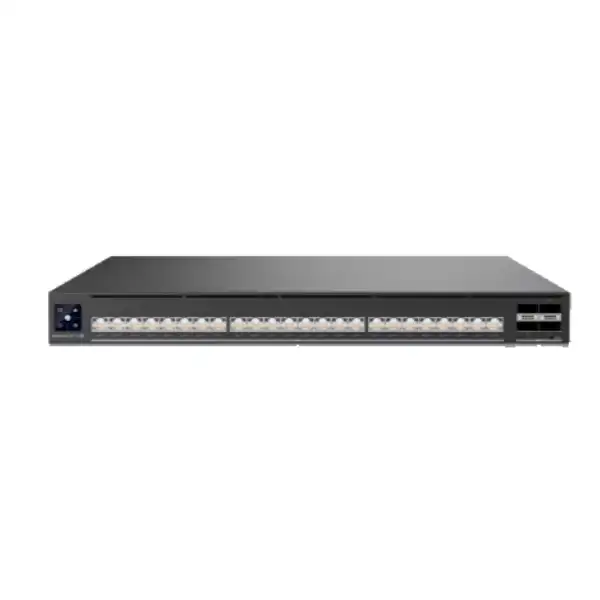
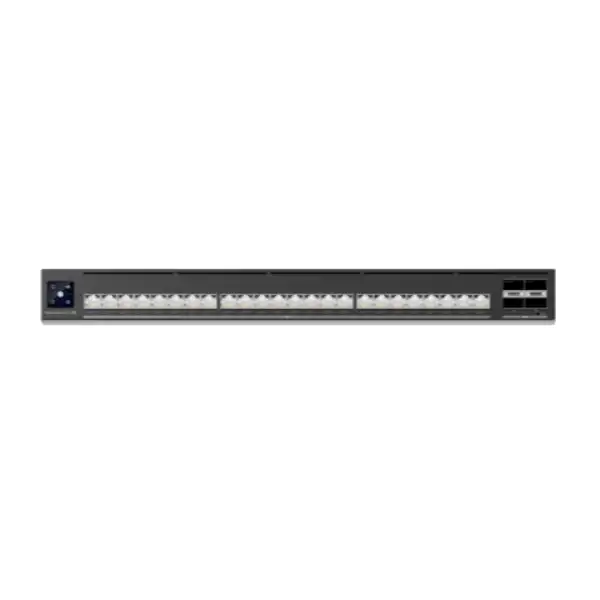
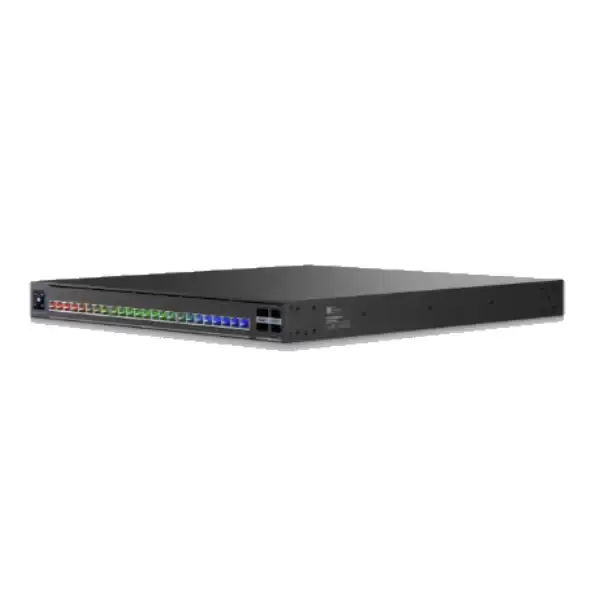
Ubiquiti Enterprise Audio/Video XG 24 PoE
The Ubiquiti EAV-XG-24-PoE brings 24 powered multi-gigabit 10G copper ports, four 100G-class uplinks and precision media timing to demanding AV-over-IP designs. It is for integrators who need to plan real stream capacity, multicast behaviour and powered device loads—not merely count Ethernet sockets.
Verified specifications at a glance
These are manufacturer-published device specifications. Application compatibility and local purchase terms require separate confirmation.
| Model | EAV-XG-24-PoE |
|---|---|
| Access ports | 24 × RJ45, 10G/5G/2.5G/1G/100M/10M, all PoE+++ |
| Uplinks | 4 × QSFP28, 100G/40G |
| Other connections | 1 × 1GbE RJ45, console and SMA |
| Maximum PoE per port | 90W |
| Total PoE at 200–240V AC | 2,150W shared; 1,050W redundant |
| Total PoE at 100–120V AC | 1,850W shared; 850W redundant |
| Power modules | 2 × 1,200W, hot-swappable |
| Fan modules | 4 × hot-swappable |
| Switching capacity | 1,280Gbps |
| Non-blocking throughput | 640Gbps |
| Forwarding rate | 810Mpps |
| Clocking | IEEE 1588-2008 PTPv2; multiple clock roles |
| Layer 3 | Local-network inter-VLAN and static routing |
| Rack format | 1U, full-depth; four-post rack recommended |
| Dimensions | 442.4 × 480 × 43.7mm |
| Operating conditions | -5°C to 40°C; 10–90% RH non-condensing |
Who this switch is for
Professional AV networks rarely fail because a single data sheet looks too small. They become difficult when video endpoints, audio interfaces, control systems and ordinary users compete for the same links, power and operational attention. The Ubiquiti EAV-XG-24-PoE addresses that design problem with twenty-four multi-gigabit copper access ports, dedicated high-capacity QSFP28 uplinks and timing features oriented towards production media. It is a candidate for an AV-over-IP aggregation or access role where dependable synchronization, multicast behaviour and organized cabling matter just as much as headline bandwidth. Before selecting it, identify every attached device, its actual link speed, its power needs and the protocols that must coexist.
This is a specialist switch rather than a default choice for a small office. It makes the most sense when the project genuinely requires several powered 10G endpoints, large east-west media flows, precise clock distribution or resilient hardware maintenance. A conventional 1G PoE switch may be more economical for low-bandwidth cameras, phones or wireless access points. Conversely, an AV production environment can benefit from the EAV model’s combination of PTP support, pro-AV network profiles and dense high-power Ethernet. The practical objective is not to purchase the largest number of capabilities; it is to select a platform whose verified capabilities match the installed endpoints and anticipated expansion.
Port layout and what each connection does
The front-panel access role is built around 24 RJ45 connections capable of negotiating 10G, 5G, 2.5G, 1G, 100M or 10M speeds, subject to the connected equipment and cabling. These are also the 24 PoE+++ ports. This matters when a facility has mixed generations of encoders, decoders, audio equipment and management devices: a fast switch port does not force a slower device to operate at 10G. Still, every link should be tested at the intended speed, because cable quality, distance, termination and endpoint capability determine whether a nominal high-speed connection can be used reliably.
Four QSFP28 ports support 100G or 40G connections and are intended for high-bandwidth aggregation to a suitable core, another compatible switch or a media distribution layer. The additional 1GbE RJ45 interface should not be counted as a twenty-fifth 10G powered access port. A console connection and SMA connector serve different operational purposes from media traffic. Draw a port map before ordering: assign each endpoint, any uplink redundancy, its VLAN, expected multicast groups, the PTP role and the exact optical module or direct-attach cable required. Never assume a transceiver, cable or peer switch is compatible simply because the connector fits.
Power over Ethernet: read the budget correctly
Each of the 24 Ethernet access ports supports the manufacturer’s PoE+++ designation with a maximum power output of 90W per port. Ubiquiti also publishes per-port limits of 15.4W for PoE, 30W for PoE+, 60W for PoE++ and 90W for PoE+++. These are maximum classifications, not a promise that all 24 ports can continuously supply 90W under every operating condition. At 90W each, twenty-four devices represent a theoretical 2,160W load, which already exceeds the switch’s stated 2,150W shared-mode PoE budget at 200–240V AC before considering design margin.
The power budget also depends on whether the two 1,200W modules operate for shared capacity or redundancy. At 200–240V AC, Ubiquiti specifies 2,150W available to PoE in shared mode, but only 1,050W in redundant mode. At 100–120V AC the respective figures are 1,850W and 850W. A buyer planning uninterrupted service after a power-module failure should calculate powered loads against the redundant figure, not the larger shared figure. Sum the maximum required power of attached devices, account for any starting or transient demands disclosed by their vendors, and allow an operating margin. Do not equate the switch’s 2,400W maximum system consumption with a 2,400W PoE budget.
How to size real powered endpoints
Build a PoE worksheet for the actual installation instead of multiplying the port count by a marketing headline. For every encoder, decoder, interface, powered loudspeaker, touch panel or control accessory, record the vendor-specified PoE standard, maximum draw, negotiated Ethernet rate and whether an injector is otherwise required. A 30W device consumes a different share of the total budget from a 90W device, and a 10G-capable endpoint does not necessarily demand the highest PoE tier. Also confirm the source and device agree on the applicable powered-pair and negotiation arrangements before treating electrical compatibility as established.
For an illustrative sizing exercise, ten devices specified at 60W and eight at 30W would represent 840W of potential powered load. That is an arithmetic planning example, not a promise of compatibility with any named product. Such a design may leave material headroom at 200–240V AC in redundant mode, whereas a different group of high-power devices could exceed that same mode’s budget quickly. Consider which endpoints are essential during a single-PSU event, and whether some less critical loads can be moved to another switch or independent power supply. Record these decisions in the handover documents so later additions do not silently undermine the plan.
Timing and PTP synchronization
Accurate shared time is a core requirement in many networked media systems. Ubiquiti specifies IEEE 1588-2008 PTPv2 with hardware timestamping on Ethernet and QSFP28 ports, and it lists grandmaster, boundary-clock and transparent-clock roles. Published profiles include IEEE 1588, SMPTE 2059-2, AES67 and AES-R16. This makes the switch relevant to networks where audio sampling, video timing and media endpoints need an agreed reference. It does not remove the need to configure the intended PTP domain, select a clock hierarchy and verify that every endpoint uses the compatible timing profile and transport.
The manufacturer describes a high-precision OCXO clock and an optional GPS grandmaster input via SMA. Treat the external timing source as a design decision and verify the exact antenna, cabling and installation requirements separately. For boundary-clock operation, Ubiquiti specifies two-step operation only. The published PTP feature set also includes end-to-end delay measurement, Layer 2 Ethernet and UDP/IPv4 transport, adjustable message intervals and BMCA priorities. These details matter when integrating with an existing broadcast timing architecture: a device saying ‘PTP supported’ is not enough to guarantee identical roles, message rates, profile settings or successful clock election.
Professional AV protocols and presets
The EAV family is positioned for media networks using workflows such as SMPTE ST 2110, AES67 and SDVoE. Ubiquiti lists pro-AV configuration profiles covering Play, Dante, Q-SYS, NDI, SDVoE, Shure, AES67 and Crestron. A profile can simplify some network configuration work, but it should not be mistaken for certification of a whole audio or video system or for universal interoperability between endpoints. The appropriate profile depends on the endpoints, control plane, multicast requirements, firmware versions and deployment design. Confirm the specific vendor guidance for each application before the change window.
Where multiple AV ecosystems share a network, map the differences instead of applying several presets blindly. One media family may prefer a particular DSCP policy, while another relies on specific IGMP behaviour or network segmentation. A preset that suits one isolated VLAN may conflict with a carefully engineered shared infrastructure if it alters priorities unexpectedly. Decide which settings are authoritative, document any deviations and test with actual content and traffic. If the installation is mission-critical, validate interoperation in a pilot rack before moving the production feeds. The switch supplies capable network infrastructure; successful end-to-end AV still requires system design.
Multicast architecture for video and audio
Many AV-over-IP solutions distribute media through multicast so one stream can reach several receivers without every receiver requiring a separate full-rate copy from the sender. This efficiency depends on competent group membership management, correct placement of the querier and sensible forwarding boundaries. Ubiquiti lists IGMP snooping plus advanced IGMP controls such as querier, fast leave and router-port configuration. The switch also supports multicast and broadcast rate limiting. These functions provide tools for managing group traffic, but careless settings can still cause missing pictures, interrupted audio or unintended flooding.
Start by distinguishing unicast control traffic from multicast media and identifying how receivers join or leave each stream. Set a clear IGMP querier strategy for each affected broadcast domain and confirm it remains stable when uplinks or other switches change state. Test real channel changes, not merely a static picture; rapid receiver movement can expose leave and membership problems that ordinary throughput tests miss. Pay special attention to paths crossing multiple switches, because a correct access-switch configuration cannot compensate for inconsistent upstream multicast policies. Keep a record of the querier location, multicast VLANs and expected stream groups for fault isolation.
QoS and traffic prioritization
Media networks often transport packets with different tolerances for delay. Time synchronization traffic, low-latency audio, high-rate video, device control and background administration should not automatically receive identical treatment during contention. The EAV-XG-24-PoE supports DSCP-based quality of service, as well as egress rate limiting and flow control. The first design task is to inventory the traffic classes used by the endpoints; the second is to make sure markings and queue policies remain consistent at every hop. A single correctly configured switch cannot preserve priority if an upstream device rewrites or ignores the relevant markings.
Do not use QoS as an excuse to undersize a physical link. When aggregate offered traffic exceeds available capacity for sustained periods, somebody’s packets will wait or be discarded. Choose uplinks using expected peak streams and concurrency, then use QoS to protect the traffic that is most sensitive to short bursts and contention. Test normal production, peak stream subscription, failover and administrative tasks together. Observe packet loss, interface utilization and endpoint error indicators, not just an average bandwidth number. Document who owns QoS policy so later general IT changes do not unintentionally disturb an AV network.
100G uplinks and aggregation design
Four 100G/40G QSFP28 ports give architects room to separate media distribution, core connectivity and expansion links. Their value depends on the switch at the other end and the actual topology. Some installations need one high-capacity connection to a media core, whereas others benefit from multiple physically separate paths or distinct network zones. Specify the QSFP28 optical modules or direct-attach assemblies as independent line items after checking supported link type, distance, fiber count and switch compatibility. A label saying ‘100G’ on two devices does not guarantee an appropriate optical path between them.
Ubiquiti lists LACP port aggregation, which may be useful where interoperable peer ports and the intended topology support it. Remember that an aggregated group is not the same as a single faster connection for every individual flow; traffic distribution depends on hashing and the number of conversations. Avoid promising that one media stream will exceed the capacity of its member link. For resilience, examine switch, power, path and upstream failure domains rather than relying only on multiple cables in one bundle. Define the expected behaviour during an uplink loss and test whether clock, multicast membership and receiver recovery behave acceptably.
What the performance figures mean
Ubiquiti rates the switch at 1,280 Gbps switching capacity, 640 Gbps total non-blocking throughput and 810 million packets per second forwarding rate. Those specifications speak to the internal switching platform; they do not establish the achievable application bitrate, latency or video format for a particular deployment. The actual path depends on endpoint interfaces, link negotiation, traffic patterns, protocol overhead, cabling and other connected devices. When sizing a production system, translate each planned media format into its vendor-published network requirement and then calculate concurrent peak flows through every link and switch boundary.
Large capacity figures also should not obscure management-plane requirements. A network can be comfortably below its nominal bandwidth limit yet perform poorly because multicast groups are mismanaged, timing domains are inconsistent or a receiver joins the wrong VLAN. Set acceptance criteria covering dropped packets, PTP status, stream startup and switching behaviour, recovery after faults and steady-state temperatures. For high-density deployments, maintain a port-level schedule showing expected input and output directions. This makes later expansion decisions much easier and helps operations staff distinguish a design issue from a defective cable or endpoint.
Audio-over-IP deployment considerations
For distributed sound systems and broadcast audio, the network must carry both the media payload and the timing or discovery traffic required by the chosen ecosystem. AES67 and Dante-related deployments often prompt questions about clocking, multicast, VLAN separation and switch QoS. The EAV switch offers relevant PTP functions and manufacturer-listed professional AV profiles, but project compatibility still belongs to the integrator and endpoint vendors. Confirm the audio equipment’s link speed, PoE requirement, PTP profile, domain, packet timing, discovery mechanism and any software controller behaviour before finalizing the topology.
Operational testing should include the real number of audio channels and destinations rather than only a simple two-device demonstration. Test source changes, group membership movement, a busy control network and the restoration of a disconnected endpoint. Listen for discontinuities while also recording objective network metrics. When running redundant audio networks, review whether the media vendor requires independent switches or isolated network fabrics; a single chassis with two power supplies may not satisfy a requirement for completely independent paths. Clear separation between switch resilience and audio-system resilience avoids false assumptions during purchasing.
Video-over-IP deployment considerations
High-resolution video transport can create substantial sustained traffic, especially when multiple sources are delivered to many destinations. The right capacity calculation depends on the encoding or uncompressed transport method and the particular endpoint, not merely on a phrase such as ‘4K-ready’. The switch’s 10G access ports and 100G-class uplinks provide a strong starting point for demanding media networks, but the installer must check the stream rate, burst behaviour, group count, discovery system and timing requirements of the selected video equipment. Different AV-over-IP ecosystems do not automatically communicate with each other.
Consider both ordinary viewing and challenging moments: switching many displays to a new source, starting an event with all receivers subscribing at once, or recovering from a failed uplink. These events reveal transient multicast and capacity issues that can stay hidden during a static demo. Video endpoints may also require separate low-bandwidth control links, central orchestration services or power injectors, depending on the model. Build an endpoint inventory that includes these dependencies. When a facility combines video distribution with conferencing, access control or general user data, plan segmentation deliberately rather than assuming all systems should share one flat broadcast domain.
VLANs, routing and network boundaries
The switch supports VLAN configuration, with Ubiquiti publishing a maximum of 1,000 supported VLANs, together with local-network Layer 3 functions including inter-VLAN routing, static routing, DHCP server and DHCP relay. These tools can separate media sources, destinations, management interfaces and other devices when the design calls for different logical networks. They do not by themselves decide where security boundaries or internet access should sit. Determine which endpoints truly need to communicate across VLANs, and place inter-VLAN policies where operations teams can maintain and audit them consistently.
For production AV, segmentation is often about predictable traffic as well as security. A management VLAN may need access to switch administration, while a media VLAN should have well-defined multicast and timing paths. Devices that require discovery across segments deserve special attention, because a working IP route does not necessarily pass every discovery protocol. Avoid proliferating VLANs without a documented reason; too many poorly designed boundaries can complicate troubleshooting. Name networks consistently, document their addressing and establish a tested maintenance route. The aim is isolation with clear operational intent, not segmentation for its own sake.
Access control and operational security
Ubiquiti lists 802.1X control, DHCP snooping and guarding, IP-based and MAC-based access control lists, device isolation, port isolation, MAC restrictions and storm control. These capabilities can help reduce accidental or unauthorized traffic where the network design uses them appropriately. Before enabling enforcement, identify endpoints that might not support the chosen authentication method. Legacy production equipment, temporary guest devices and service tools can behave differently from ordinary office clients. A staged rollout with known-good recovery access is safer than turning on strict controls throughout a live venue just before an event.
Keep administration separate from routine media traffic where practical, restrict management access to approved operators and preserve configuration backups. Define how devices are identified, who approves new ports and how failed units are replaced. Security settings are most useful when paired with procedures: a switch can block an unexpected device, but it cannot explain to an event technician why a newly connected decoder is not receiving a feed unless the port map and change log are available. Test DHCP, network isolation and discovery after every substantial change. Do not assume a profile or default configuration is a complete security policy.
Resilience and maintainability
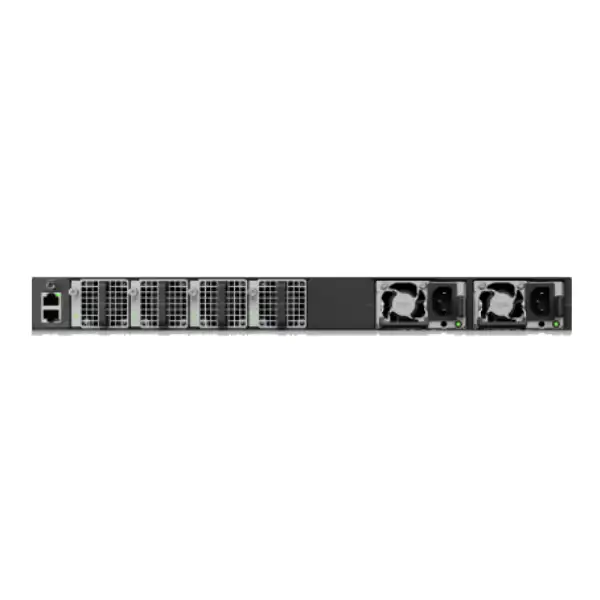
The EAV-XG-24-PoE includes two hot-swappable 1,200W power modules and four hot-swappable fan modules. This design supports planned maintenance and can reduce certain hardware failure risks, but redundancy has limits. In particular, the published PoE capacity in redundant-power mode is lower than in shared-power mode. If both modules are needed to sustain the normal powered load, removing one may leave insufficient capacity for all endpoints. A serious design therefore starts by choosing the desired failure behaviour and then calculating load and cabling to support it.
Hot-swappable hardware is not the same as guaranteed interruption-free media under every fault. Assess power source diversity, separate upstream power circuits where available, cooling, network path redundancy and the extent to which downstream devices remain dependent on one chassis. Document replacement procedures and verify the correct spare part identification before it is needed. The four fan modules deserve the same operational discipline as the PSUs: unexpected airflow restrictions or elevated room temperatures can reduce available reliability. Regularly review hardware alarms and the state of the power modules as part of the site’s maintenance routine.
Rack depth, ventilation and electrical planning
This is a full-depth 1U rack unit measuring 442.4 × 480 × 43.7mm, with the manufacturer’s four-post mounting guidance specifying post depths from 650 to 1,000mm. Ubiquiti recommends a four-post rack, or suitable center-mount support or a cantilever shelf for two-post racks. Check the actual cabinet depth and usable clearance before ordering; a nominally standard 19-inch rack may still be too shallow once cable bend radius and power connections are considered. Plan safe access for replacing fans and power modules without disturbing neighbouring equipment.
The published electrical input is 100–240V AC at 50/60Hz, with two hot-swappable power modules. Ubiquiti lists maximum consumption of 150W excluding PoE output and up to 2,400W including PoE output. That upper figure matters for upstream circuit, UPS and cooling design even though the available PoE budget is lower. Operating temperature is specified from -5 to 40°C and humidity from 10 to 90 percent non-condensing. For Tanzania projects, verify actual site voltage, earthing, surge protection, available circuit capacity and UPS autonomy with a qualified electrical professional rather than assuming every building provides identical electrical conditions.
Managing the switch day to day
The product has a 1.3-inch touchscreen and Etherlighting support on Ethernet and QSFP28 connections, useful for identification during commissioning and maintenance. Ubiquiti lists Ethernet, AR and serial-console management methods. A good operations plan still needs more than a front-panel display: document the responsible UniFi management environment, access controls, firmware review process and backup strategy. Confirm the current software and firmware requirements for the intended deployment at the time of installation, because supported settings and interface behaviour can evolve across releases.
Create an operations worksheet describing which team owns AV VLANs, clock domains, endpoint configurations and uplink changes. Record the expected state of every critical port, including its link speed, PoE class, network membership and physical cable identifier. Agree on baseline observations during a healthy production day, then use that baseline to investigate faults. Where Etherlighting is used to find a device, preserve the human-readable cable labels as well; software indications and physical labels complement one another. Ensure technicians know how to reach the switch if the normal management network becomes unavailable.
Procurement checks for Tanzania-based projects
Buyers planning a venue, campus, broadcast room, studio or digital signage installation in Tanzania should first define the complete system rather than treating the switch as a standalone shopping item. Share the endpoint list, required stream rates, PoE power schedule, PTP profile, proposed rack layout and uplink topology when requesting a project quotation. Ask the seller to clarify what hardware, transceivers, power cables and support arrangements are included in the exact offer. The model identifier is EAV-XG-24-PoE; Ubiquiti notes that the earlier EAV-24-PoE name was a naming change without a hardware change.
Local price, tax treatment, lead time, warranty route, delivery coverage and on-site services must be confirmed against an actual Tanzania quotation; they are not established by an overseas manufacturer listing. If this switch connects to other brands, ask the integrator to confirm supported optics and the endpoint vendors’ network guidance. For facilities with frequent events, include spares strategy and test time in the budget. A credible proposal should state the requested power redundancy mode, expected power headroom and the acceptance tests to be performed, not simply repeat the number of ports and a headline switching figure.
Commissioning and acceptance testing
Commission in controlled stages. First confirm physical mounting, correct power feeds, fan health and the negotiated link rate of each connected port. Next provision management access, VLANs, uplinks and access controls. Then apply the intended AV-specific settings, including the appropriate multicast and PTP parameters for the chosen media system. Test an individual media path before bringing up all channels. A careful sequence makes it easier to isolate errors and gives the project team a documented reference point at each stage.
For acceptance, use representative end-to-end production traffic and the real number of active receivers. Include high simultaneous PoE draw, PTP clock election, IGMP joins and leaves, source switching, a planned uplink outage and a power module removal test only where the site design and approved procedure permit it. Verify that measured behaviour matches contractual performance criteria set by the integrator and endpoint vendors. Retain configuration snapshots, port schedules, optical module details and a commissioning report. These records are especially valuable when a future upgrade adds new media encoders or changes how an existing room is routed.
Deciding between this and a simpler switch
The strongest reason to choose the EAV-XG-24-PoE is a combination of demanding characteristics: many powered multi-gigabit endpoints, professional timing features, a requirement for 100G-class aggregation and a maintainable rack platform. If the endpoints require only 1G and ordinary PoE+, a smaller access model may meet the need with less electrical and cooling overhead. If the system requires high-speed links but no powered endpoints, investigate whether a non-PoE platform is more efficient. The correct comparison should include the complete installed cost and operational complexity, not merely switch purchase price.
Likewise, a switch with large ports and advanced AV profiles cannot replace missing capabilities in the media endpoints or a poorly planned topology. Ask whether the design needs PTP grandmaster functionality, multicast across several VLANs, power-module serviceability or many 10G copper ports; each requirement adds a defensible reason for this model. If the project depends on a particular certification or manufacturer-specific interoperability test, request that evidence for the complete proposed equipment set. The next step is a bill-of-materials and design review tied to real stream counts, electrical measurements and support requirements.
Frequently asked questions
What is the Ubiquiti EAV-XG-24-PoE?
It is a rack-mounted Enterprise Audio/Video switch with 24 multi-gigabit 10G-capable PoE+++ RJ45 access ports and four 100G/40G QSFP28 uplinks. Ubiquiti positions it for high-bandwidth AV-over-IP systems needing features such as PTP synchronization and professional media-oriented network profiles. It is a network switch, not an encoder, decoder or media processor.
Can every port provide 90W at the same time?
Each powered access port is rated for up to 90W, but that is a per-port ceiling rather than an unconditional aggregate guarantee. The maximum available PoE budget is 2,150W in shared mode at 200–240V AC and 1,050W in redundant mode at that voltage. Check the total endpoint load and operating mode before purchasing.
Does it support 100G network connections?
Yes. The four QSFP28 ports support 100G/40G according to the manufacturer. Select optics and cables for the link distance, peer port type and approved connection method. Do not assume that every module, breakout cable or optical assembly is compatible solely because it has the right physical connector.
What does PTP support add to a media network?
PTPv2 allows compatible endpoints to share a precise timing reference. The switch provides hardware timestamping and multiple clock roles, with profiles relevant to broadcast and networked audio. Proper operation still depends on matching profile, domain and topology settings across the full system, plus a deliberate choice of primary timing source.
Will the switch work with Dante, AES67, NDI or Q-SYS?
Ubiquiti lists pro-AV configuration profiles for these ecosystems and other named platforms. That makes the switch a candidate for networks using them, but a profile is not proof that every endpoint or application version will interoperate. Confirm actual device requirements and test the intended flows before production use.
Is the PoE budget affected by redundant power mode?
Yes. With two 1,200W modules and a 200–240V input, the published PoE budget is 2,150W in shared mode or 1,050W in redundant mode. The mode changes how available capacity is allocated. A buyer requiring continued powered operation during a module failure should design around the lower figure and include sensible margin.
Does the unit need a deep rack?
Yes. It is a 1U full-depth unit, approximately 480mm deep, and the manufacturer specifies supported post depths of 650–1,000mm for a four-post rack. Check usable cabinet depth, rack support, cable space, thermal conditions and access for maintenance before installation.
Does this switch route between VLANs?
Ubiquiti lists local-network Layer 3 capabilities such as inter-VLAN routing, DHCP server and relay, and static routing. The correct role for those functions depends on the overall network. Some installations may retain routing and security policy at an upstream gateway or core switch for simpler management.
Can it simplify multicast management?
The switch includes IGMP snooping and advanced IGMP controls including querier, fast leave and router-port settings. These options help administrators design multicast forwarding, but success requires a consistent network-wide IGMP strategy. Verify behaviour with actual receivers joining and leaving streams, especially across multiple switches.
What does Etherlighting do?
Etherlighting provides visual identification on supported Ethernet and QSFP28 ports. It can help technicians locate connections and interpret operational state during maintenance. It is a convenience feature and does not replace physical cable labels, a port inventory or standard fault-diagnosis procedures.
Is a GPS antenna included or required?
Ubiquiti describes an optional GPS grandmaster input through the SMA connection. The existence of the port does not establish that an external antenna or timing accessory is included in a seller’s package. Confirm accessories and design requirements explicitly; many PTP systems can instead use a different planned clock hierarchy.
Where can I find a Tanzania price or delivery date?
Request a quotation for the exact EAV-XG-24-PoE model and the intended accessories. The published manufacturer specifications do not establish local Tanzania stock, pricing, import charges, delivery time or installation coverage. Ask for a written offer covering the switch, required optics, any timing accessories and applicable support arrangements.
Request a project-specific EAV-XG-24-PoE quotation
Share your endpoint schedule, port and PoE budget, required PTP profile, rack dimensions and high-speed uplink plan when asking FourTeck Tanzania for an offer. Request explicit confirmation of local availability, pricing, included hardware, optional optics, timing accessories and applicable support terms.
No local price, delivery timeframe, warranty promise or installer coverage is assumed on this page.




Reviews
There are no reviews yet.