
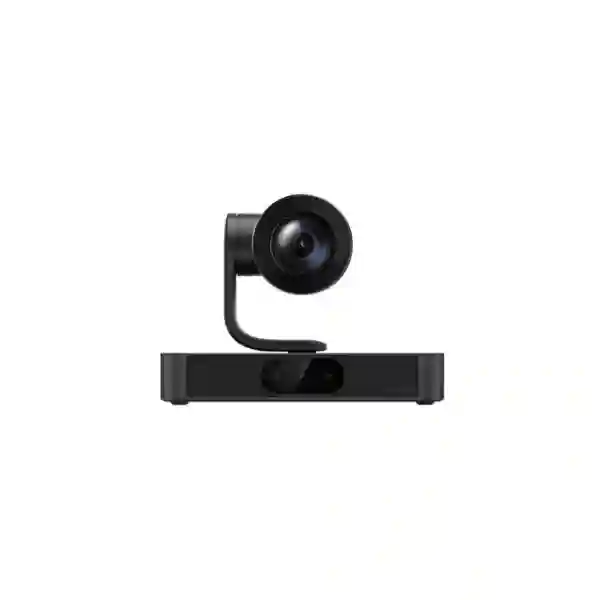
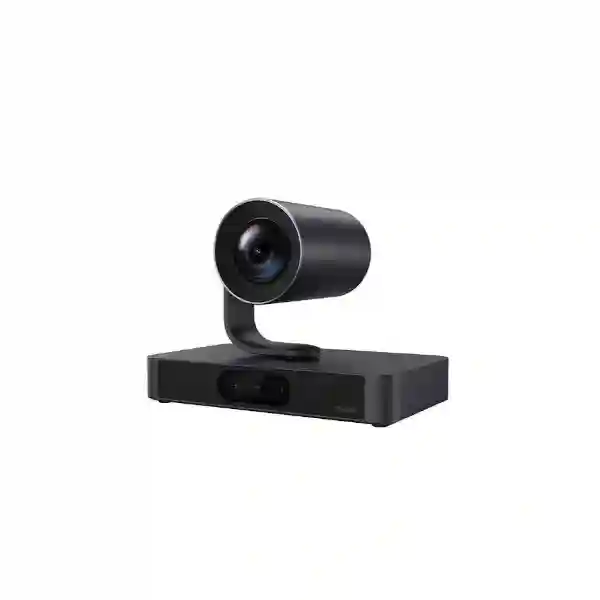
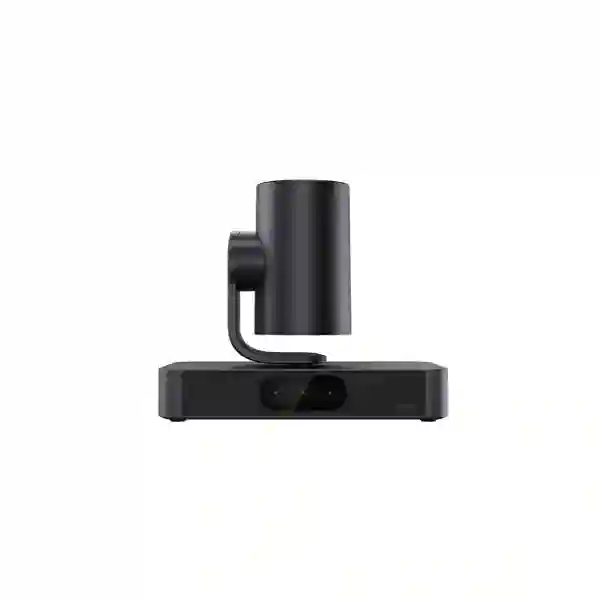
Premium intelligent camera for large collaboration spaces
Yealink SmartVision 80 PTZ Camera
The Yealink SmartVision 80 is designed for organizations that need more than a conventional single-lens meeting-room camera. Its four-lens architecture combines a motorized PTZ camera with a panoramic camera and two telephoto electronic cameras, helping the system cover a large room while preserving the ability to bring distant participants into a useful close-up. For boardrooms, executive spaces, classrooms, training rooms and other large collaborative environments, that combination can reduce the compromise between wide room context and detailed views of the active participant.
What the SmartVision 80 is built to solve
Large conference rooms create a camera-design problem that smaller rooms often avoid. A wide lens can show everyone but may leave people at the far end looking small, while a narrow telephoto view can show detail but lose room context. The SmartVision 80 addresses that challenge through coordinated lenses. Yealink specifies a panoramic camera, two telephoto cameras and a PTZ camera in one device. The PTZ camera provides 20x optical zoom, while the supporting electronic cameras help the system understand the wider meeting-room scene and select useful framing.
This matters when a room hosts mixed meeting styles. An executive board meeting may need close speaker views; a training session may need presenter tracking; a discussion involving many participants may benefit from automatic framing or speaker-focused layouts. The SmartVision 80 supports IntelliFocus, speaker tracking, presenter tracking, auto framing, video fence, picture-in-picture and participant-focused capabilities. Multi-Stream IntelliFrame is also available in supported Yealink Microsoft Teams Rooms on Windows solutions, so buyers should confirm the intended room-system architecture rather than assuming every feature is available in every deployment mode.
The camera should therefore be selected as part of the complete meeting-room design. Display position, table length, seating layout, acoustic treatment, microphone strategy, lighting, mounting height, network connectivity, room platform and cable routing all influence the final experience. FourTeck Tanzania can help procurement and IT teams evaluate those dependencies alongside the camera itself. For wider planning, see our Tanzania business technology solutions overview, where conferencing is considered together with networking, displays, structured cabling and supporting infrastructure.
Four-lens coverage
One PTZ lens works with one panoramic and two telephoto electronic cameras. This layout is intended to combine broad scene awareness with detailed participant views rather than relying on a single field of view.
20x optical zoom
The PTZ camera provides 20x optical zoom. Optical zoom is particularly useful in long boardrooms and presentation spaces because it can frame a distant participant without depending only on digital enlargement.
Intelligent tracking
Speaker tracking, presenter tracking, IntelliFocus and auto framing help reduce the need for constant manual camera operation and can make hybrid conversations feel more natural to remote participants.
Flexible deployment
Yealink documents wall, TV and table deployment options and includes an adjustable mounting kit, allowing designers to match camera position to the room rather than forcing one mounting style.
Verified technical highlights
| PTZ field of view | 69° diagonal, 61.5° horizontal, 36° vertical |
| PTZ movement | Pan ±96°; tilt -90° to +50° |
| PTZ zoom | 20x optical zoom |
| Panoramic camera | 110° diagonal, 98° horizontal, 82° vertical; automatic lens cover |
| Telephoto camera | 51° diagonal, 41.6° horizontal, 32° vertical; automatic lens cover |
| AI functions | IntelliFocus, speaker tracking, presenter tracking, auto framing, video fence, PIP, participant identification and supported Multi-Stream IntelliFrame |
| Interfaces | USB 3.0 Type-B, USB 2.0 Type-A, two VCH RJ45 ports, network RJ45, HDMI out, line in, line out, reset and DC power |
| Physical size | 230 × 135 × 171.5 mm |
| Package | SmartVision 80, power supply, mount kit, VCR20 remote controller and quick start guide |
Specification decisions should be checked against the current Yealink datasheet and firmware documentation during procurement because feature availability can depend on the room solution, firmware and integration architecture.
Compatibility, audio and room integration
Yealink positions the SmartVision 80 within an ecosystem of larger meeting-room components. The official datasheet lists compatibility with Yealink audio devices including VCM35/36, CM20 and MSpeaker Pro. That does not mean every room should use the same audio arrangement. A long boardroom with a hard table and glass walls may need a different microphone plan from a training room with soft finishes and distributed seating. Camera choice, microphone pickup and loudspeaker placement should be coordinated so remote participants can both see and hear the relevant person.
The device also includes built-in microphone support used for sound-source localization and camera tracking. Yealink documents AI noise suppression and dereverberation capabilities, but room acoustics still matter. Echo, HVAC noise, reflected sound and distant participants can reduce intelligibility even when the camera platform includes processing. Buyers planning a premium large-room deployment should treat acoustic conditions, microphone coverage and display loudness as part of the project brief.
For Microsoft Teams Rooms, Yealink highlights the SmartVision 80 in its MVC S80 and MVC S98 room solutions, with the latter supporting very large environments and multi-camera architectures. Yealink states that Multi-Stream IntelliFrame is supported when the SmartVision 80 is used as part of its Microsoft Teams Rooms on Windows solutions. If this feature is a procurement requirement, identify the exact MTR architecture, software version and licensing assumptions in the quotation. For room-wide planning, FourTeck Tanzania’s business technology shop provides a broader buying framework for conferencing, displays, networks and supporting hardware.
For advanced ProAV environments, the SmartVision 80 is listed as NDI Certified for NDI HX3. Yealink also presents the product as future-ready for NDI and Dante integration, while noting that Dante support is dependent on a future version. Procurement teams should therefore distinguish between features available today and roadmap capabilities. Do not base a project acceptance criterion on a future feature unless Yealink confirms the required firmware and release status for the proposed deployment.
Deployment and buying guidance
Room geometry
Measure the room length, table length, nearest and farthest participant positions, ceiling height and display location. A long narrow room has different framing needs from a wide classroom. Confirm the proposed mounting position before ordering.
Platform architecture
Document whether the room will use Microsoft Teams Rooms, Zoom Rooms, BYOD or another architecture. Feature availability and control workflows can change according to the platform and room-system components.
Audio design
Identify seat count, microphone distance, table layout, room reflections and loudspeaker placement. Use the camera together with a suitable room-audio design rather than assuming video capability alone determines meeting quality.
Network and cabling
Plan network connectivity, cable routes, switch ports, power, rack interfaces and any AV-over-IP requirements. For wider infrastructure planning, review FourTeck Tanzania’s technology services before finalizing the scope.
Yealink SmartVision 80 PTZ Camera Tanzania
Organizations evaluating the Yealink SmartVision 80 PTZ Camera in Tanzania are usually planning a room where ordinary webcam-style coverage is no longer adequate. Head offices, banks, government departments, universities, project offices, hotels, large private companies and regional operations may need meeting spaces capable of supporting hybrid discussions with participants seated at different distances from the display. In those environments, procurement should begin with room geometry and meeting behavior. The SmartVision 80’s combination of panoramic awareness, telephoto cameras and a 20x optical PTZ lens is particularly relevant where the far end of a room must remain visible without sacrificing wider context.
For Tanzania projects, network readiness deserves equal attention. A premium camera cannot compensate for unstable internet, congested Wi-Fi or poorly designed switching. The room should have dependable wired connectivity where possible, a suitable route to the selected conferencing platform, and predictable bandwidth during peak office hours. If the room is being built or refurbished, cable paths, display connections, power points and equipment locations should be agreed before finishes are complete. This avoids visible temporary cabling and reduces the need to relocate devices later. FourTeck Tanzania can help relate the camera requirement to switching, wireless, displays and structured cabling through its integrated Tanzania technology portfolio.
Procurement teams should also define what they mean by an intelligent meeting room. If the goal is simply better optical reach, the 20x PTZ capability may be the key requirement. If the goal includes automatic speaker views, presenter movement, participant framing or Microsoft Teams participant layouts, the design should document the exact AI features required and the broader Yealink room solution needed to deliver them. This prevents a mismatch between a feature seen in product marketing and the capability available in the final architecture.
When requesting a quotation in Tanzania, provide the room dimensions, approximate seating capacity, table configuration, preferred meeting platform, display count, existing microphones, network availability and whether wall, TV or table mounting is preferred. Also state whether the project is a new room or an upgrade. These details allow the SmartVision 80 to be evaluated as a complete collaboration component rather than as an isolated camera and help identify accessories, room audio, control devices or infrastructure that may be required.
Yealink SmartVision 80 PTZ Camera Dar es Salaam
Dar es Salaam businesses often operate in headquarters, commercial towers, hotels, financial offices, project spaces and multi-floor corporate environments where a large boardroom serves as a central point for meetings with branches, partners and international teams. In that setting, the Yealink SmartVision 80 PTZ Camera can be considered when the room is long enough that a conventional fixed camera makes distant participants look too small. Its four-lens design is relevant because it combines wide room awareness with telephoto and motorized PTZ capability, while intelligent framing options can reduce the need for someone to manually control camera presets throughout a meeting.
A Dar es Salaam boardroom project should include a physical room survey or an accurate drawing. Glass partitions, reflective tables, bright windows and mixed artificial lighting can affect both image and audio quality. Mounting the camera directly above or below the main display can support a natural eye line, but the final position should account for the room’s length and the expected presenter area. If the room is used for presentations, presenter tracking may be important; if it is used mainly for board discussions, speaker-focused views and reliable audio pickup may matter more. The purchase specification should distinguish those use cases.
Connectivity is another practical consideration. Hybrid meetings depend on the path from the room to cloud collaboration services. IT teams should verify wired LAN availability, VLAN policy, internet performance, DNS and firewall behavior, as well as any corporate controls on conferencing traffic. If new cabling is required, it is better to coordinate it with display mounting and room-control deployment before installation day. The FourTeck Tanzania services overview can help buyers frame these surrounding requirements as part of the room project.
For quotations in Dar es Salaam, include quantity, room size, meeting platform, required tracking features, existing room equipment and whether installation or configuration support is expected. Do not treat the camera price as the entire project cost: mounting, room audio, displays, controllers, room PC components, network work and commissioning can be equally important to a successful result. A well-defined scope makes vendor comparison easier because each quotation can be assessed against the same functional outcome.
Yealink SmartVision 80 PTZ Camera Mwanza
For organizations in Mwanza, the Yealink SmartVision 80 PTZ Camera can support large meeting spaces used to connect regional teams, operational sites, clients and central management. The most useful starting point is not the camera specification alone but the distance between participants and the display. If people seated at the rear of a long table regularly appear too small on remote calls, the SmartVision 80’s 20x optical zoom and supporting telephoto lenses may provide a more appropriate visual architecture than a standard wide-angle conferencing camera. Automatic framing and speaker-oriented features can also make multi-person discussions easier for remote viewers to follow.
Mwanza projects may include offices that are upgrading an existing room rather than building a new one. In an upgrade, IT teams should first document the current display inputs, room computer or codec, microphone system, cabling and LAN connection. Reusing equipment can reduce disruption, but compatibility should be confirmed instead of assumed. Yealink lists USB, network, HDMI output, VCH and line interfaces on the SmartVision 80, yet the correct connection method depends on the chosen room-system design. If advanced Teams features are expected, identify whether the project will use the appropriate Yealink Microsoft Teams Rooms architecture.
Power continuity and room infrastructure also deserve consideration. Camera, display, room PC, switch and audio equipment should be protected according to the site’s operational priorities. A meeting room that frequently supports senior management or external customers benefits from predictable startup and clear operating instructions. Documenting the room after commissioning—device names, network settings, cable routes, firmware versions and support contacts—can make future troubleshooting much faster.
A quotation request from Mwanza should therefore include more than a model name. Share the physical room dimensions, seating layout, platform, expected number of participants, audio arrangement and whether the room will host presentations. If the room needs wider infrastructure changes, buyers can review FourTeck Tanzania’s business technology purchasing guidance to consider networking, displays and other dependencies alongside the camera.
Yealink SmartVision 80 PTZ Camera Arusha
Arusha organizations may use large meeting rooms for corporate management, tourism and hospitality operations, NGOs, training, education, project coordination and international collaboration. Those meeting patterns often mix formal board discussions with presentations and remote participation. The Yealink SmartVision 80 PTZ Camera is relevant when the room requires both a broad understanding of who is present and close views of speakers positioned farther from the display. The device’s PTZ lens, panoramic lens and two telephoto electronic cameras give a room designer more flexibility than a single fixed camera can provide.
For training and presentation use, presenter tracking may be a priority. The presenter area should be defined so camera behavior remains predictable and the background does not introduce unnecessary movement. For boardroom use, intelligent speaker tracking and IntelliFocus may be more valuable. A room that switches frequently between these modes should be tested with the actual seating arrangement before handover. Lighting is equally important: avoid placing the principal camera view directly toward an excessively bright window without considering blinds, exposure and room lighting, because even an advanced camera works best when faces are reasonably illuminated.
Audio should be planned at the same time. Yealink documents compatibility with VCM35/36, CM20 and MSpeaker Pro devices, but the best option depends on room size and acoustics. A room with high ceilings and hard finishes may need more deliberate microphone placement than a carpeted executive room. For customers combining conferencing with new displays, structured cabling or switching, FourTeck Tanzania’s integrated IT and collaboration services provide a useful project framework.
When sourcing the SmartVision 80 in Arusha, ask for an itemized proposal that separates the camera from optional room-system components, mounting work, displays, audio, cabling and configuration. That approach allows procurement teams to compare like with like and identify which elements are essential for day-one operation. State any future requirement for multi-camera expansion or advanced AV-over-IP integration so the design can account for it without relying on unsupported assumptions.
Yealink SmartVision 80 PTZ Camera Dodoma
In Dodoma, large conferencing rooms can be important for government, institutional, education, professional-services and enterprise environments where teams need to coordinate with other regions without moving every participant to one location. The Yealink SmartVision 80 PTZ Camera is suitable for evaluation when meeting rooms are too large for simple single-view cameras. Its 20x optical zoom supports detailed framing at distance, while the panoramic and telephoto electronic cameras contribute room awareness and intelligent visual selection. This can improve the remote participant’s ability to understand who is speaking and where discussion is happening.
Public-sector and institutional procurement often benefits from a written functional specification. Instead of requesting only “a PTZ camera,” define the room size, required optical zoom, tracking modes, interfaces, mounting method and conferencing platform. Where Multi-Stream IntelliFrame is required, state that the feature depends on a supported Yealink Microsoft Teams Rooms on Windows solution. If NDI connectivity is part of an AV requirement, document the expected network architecture and confirm the exact certified workflow. Separating mandatory functions from optional future capabilities reduces ambiguity during technical evaluation.
Installation planning should include cable management and maintainability. The camera may be wall, TV or table mounted, but service access, display alignment and sightline all matter. If equipment is hidden behind a display or inside cabinetry, technicians still need practical access for power, USB, network and future maintenance. Room controls should be explained to administrators, and a simple user guide can reduce support calls after handover.
For Dodoma procurement, request a proposal that records the camera model exactly as Yealink SmartVision 80, lists included accessories and identifies any additional components needed for the intended platform. Include expected installation location and whether the customer will provide network, display and electrical infrastructure. FourTeck Tanzania’s contact page can be used to submit the room brief and request a quotation based on the actual deployment rather than a generic bundle.
Yealink SmartVision 80 PTZ Camera UAE
UAE businesses planning premium boardrooms, training facilities, command rooms and executive meeting spaces often require equipment that can integrate with broader AV and collaboration environments. The Yealink SmartVision 80 PTZ Camera fits that conversation because it combines multi-lens room coverage, 20x optical PTZ zoom and intelligent tracking. For long conference tables or large presentation spaces, the ability to move between broad context and a detailed speaker view can be more useful than simply increasing resolution on a fixed camera.
A UAE deployment should be specified around the entire room workflow. Determine whether the room will use Microsoft Teams Rooms, Zoom Rooms, BYOD or a dedicated enterprise AV architecture. If the design includes network video, the SmartVision 80’s NDI HX3 certification is relevant, but the LAN must be designed for the intended AV traffic and managed according to the organization’s policies. If Dante is part of the future roadmap, confirm current Yealink firmware support before making it a contractual requirement because Yealink has described Dante availability as version dependent.
For large Microsoft Teams Rooms, buyers may also evaluate the Yealink MVC S80 or MVC S98 families where SmartVision 80 cameras are used as part of the broader room system. This approach can simplify platform alignment when the requirement includes room control, computing, audio and multi-camera behavior. It also makes it important to specify the complete bill of materials rather than comparing a standalone camera price against a full room bundle.
Regional buyers can review FourTeck UAE technology solutions when coordinating UAE requirements, while Tanzania projects should continue through the Tanzania site. For quotations, share room drawings where available, display count, seat count, platform, microphone design, mounting preference and any integration requirement with control systems or AV-over-IP. These inputs make it easier to distinguish essential hardware from optional expansion items and reduce scope changes during installation.
Yealink SmartVision 80 PTZ Camera Uganda
Uganda organizations considering the Yealink SmartVision 80 PTZ Camera may be connecting headquarters, branches, project teams, campuses or partner organizations across distances where frequent travel is not always efficient. For a large meeting room, image composition becomes especially important. A conventional wide-angle camera may capture everyone but provide too little detail for a remote viewer. The SmartVision 80’s PTZ lens with 20x optical zoom, supported by panoramic and telephoto cameras, gives room designers a way to combine environmental awareness with closer views.
The camera should be selected according to actual meeting patterns. If senior management mainly conducts seated discussions, speaker tracking and focused participant views may be prioritized. If the room supports training and presentations, presenter tracking and the camera’s optical reach may matter more. If multiple SmartVision 80 units are being considered, the design should document how the devices will be coordinated and which Yealink room-system components are required. Advanced multi-camera capabilities should be validated against the current Yealink architecture and firmware.
Network and power conditions also affect usability. A reliable wired connection to the conferencing system is generally preferable for a permanent meeting room, and network administrators should confirm internet capacity, switch availability and firewall rules. The camera’s interfaces need appropriate cable routes and access for maintenance. Where a room is being renovated, integrating these requirements into the construction phase is more efficient than adding exposed cabling later.
For regional coordination, buyers can review FourTeck Uganda technology solutions. A useful quotation request should include room dimensions, seating capacity, platform, displays, audio devices, existing network equipment and desired tracking behavior. The objective is to procure a complete meeting-room outcome, not simply a camera whose headline specification looks suitable on paper.
Yealink SmartVision 80 PTZ Camera Kampala
Kampala offices and institutional facilities frequently host meetings that include participants in branch locations, neighboring countries and international offices. When the primary room is a long boardroom or a multi-purpose training space, camera reach and framing can become a practical limitation. The Yealink SmartVision 80 PTZ Camera is designed for large rooms and uses four coordinated lenses to address that challenge. Its 20x optical PTZ zoom supports detailed views of distant speakers, while panoramic and telephoto lenses assist with overall room coverage and intelligent camera behavior.
For Kampala boardroom projects, start with a room plan. Record the width and length, location of the main display, seating positions and any area where a presenter stands. Determine whether the camera will be above the display, below it, on a wall or on a suitable table position. Yealink supplies an adjustable mount kit, but the final orientation should be tested so faces remain naturally framed. Camera height that is too high can make the view feel like surveillance; camera height that is too low can produce awkward angles or foreground obstruction.
Audio planning should run in parallel. If the room uses Yealink microphones or speakers, confirm compatibility and the required connection path. If third-party audio is involved, document how it interfaces with the conferencing system. The SmartVision 80 includes sound-source localization support for intelligent tracking, but a large room still needs sufficient microphone coverage for intelligible conversation. Acoustic treatment may be needed when hard walls and glass create excessive reverberation.
A Kampala quotation should identify whether the buyer needs the standalone SmartVision 80 or a complete Microsoft Teams or Zoom room solution. It should also specify installation, cable routing, display integration, user training and commissioning expectations. Organizations operating in Uganda can use FourTeck Uganda for regional technology context while coordinating the exact conferencing requirement with the appropriate project team.
Yealink SmartVision 80 PTZ Camera Arua
In Arua, organizations that collaborate with national offices, field operations, NGOs, project partners or regional teams can use video conferencing to reduce the need for every coordination meeting to involve travel. When the main meeting space is large, the camera must deliver more than a wide room overview. The Yealink SmartVision 80 PTZ Camera is designed for this type of environment, combining a panoramic lens, two telephoto lenses and a 20x optical PTZ camera so the system can move between broad room context and closer participant views.
A practical Arua deployment should prioritize resilience and simplicity. Users should be able to enter the room, launch the meeting platform and obtain predictable camera behavior without manually rebuilding settings for every call. Speaker tracking, presenter tracking and auto framing can help, but the room should be commissioned using the actual seating arrangement and usual meeting styles. Any restricted zones or presenter areas should be configured carefully so the camera does not follow irrelevant movement outside the intended collaboration area.
Connectivity planning should include both the internal LAN and the internet link. A high-quality camera can expose weaknesses elsewhere in the chain because higher-quality video depends on stable end-to-end connectivity. IT teams should test real meeting traffic during normal business conditions, not only a simple speed test when the network is quiet. If the room shares connectivity with many users, Quality of Service and sensible network design can help maintain a consistent experience.
For procurement in Arua, describe the room and operating environment rather than requesting only a unit price. Include room dimensions, seating count, display setup, existing audio, network availability and the required conferencing platform. If the site expects future expansion to additional rooms, document that goal so management and support can be standardized. Regional project information is available through FourTeck Uganda, while the technical proposal should remain specific to the exact room.
Yealink SmartVision 80 PTZ Camera Mbarara
Mbarara businesses, institutions and multi-site organizations may need a capable boardroom system for communication with Kampala, other Ugandan regions and international teams. The Yealink SmartVision 80 PTZ Camera is suitable for consideration when the room requires clear framing across a greater distance than a compact video bar or basic USB camera can comfortably cover. The 20x optical zoom provides the PTZ camera with substantial reach, while the panoramic and dual telephoto electronic cameras give the system additional scene information for intelligent selection and framing.
One important procurement question is whether the room will remain a standalone conferencing space or become part of a standardized fleet. If several rooms will eventually use Yealink equipment, IT administrators may value consistent firmware, device management, naming, documentation and spare strategy. If the SmartVision 80 is used with a broader Yealink room system, the design should identify which components will be remotely managed and how updates will be governed. Standardization can reduce support complexity, but only when room types are grouped sensibly by size and function.
For the physical installation, consider display eye line, viewing angle and table obstruction. Participants should not have to look far away from the camera when speaking to remote colleagues. In presentation spaces, confirm that presenter movement remains inside the useful tracking area. Test lighting at the times when the room is normally used, especially if sunlight changes significantly during the day. These practical checks often have more influence on perceived meeting quality than small differences between paper specifications.
When requesting a SmartVision 80 quotation for Mbarara, provide a brief covering quantity, room measurements, conferencing platform, displays, microphone strategy, mounting preference and expected support scope. Buyers can also review FourTeck Uganda for broader regional IT and communication solutions. A clear brief helps ensure that the proposed camera, room system and infrastructure are evaluated as one operating environment.
Yealink SmartVision 80 PTZ Camera Gulu
For Gulu organizations working across branch offices, projects, education, health administration, NGOs and enterprise operations, a well-designed large-room conferencing system can make regular coordination more practical. The Yealink SmartVision 80 PTZ Camera is intended for large meeting spaces and combines four lenses so the room is not dependent on one fixed perspective. Its PTZ camera offers 20x optical zoom, while panoramic and telephoto electronic cameras support comprehensive coverage and intelligent framing behavior.
A Gulu deployment should be designed around the number of people who normally participate, not the theoretical maximum number of chairs. If most meetings involve six to ten people spread around a large table, the priority may be speaker visibility and reliable audio. If the room frequently hosts training sessions with twenty or more attendees, the camera must also manage wider group views and presentation activity. The SmartVision 80’s speaker tracking, presenter tracking, IntelliFocus and auto framing provide different tools for these scenarios, but the preferred modes should be tested before the room is accepted.
Supportability is particularly important for rooms outside the main IT office. The deployment should include clear documentation, remote-management planning where supported, labelled cables and simple user instructions. Administrators should know how to identify the camera on the network, check firmware status and restore the expected configuration if settings are changed. A robust handover reduces dependence on one individual who remembers how the room was originally assembled.
For procurement, include any requirement for remote support, multi-room standardization and spare components. Avoid assuming that every advertised AI capability will function in every connection mode; confirm the chosen Yealink room architecture and software versions. FourTeck Uganda can provide regional context for broader communication and IT solutions, while the exact camera proposal should be tied to the Gulu room’s dimensions, platform and operational needs.
Yealink SmartVision 80 PTZ Camera Kenya
Kenya enterprises often use large collaboration rooms for management meetings, professional services, education, regional operations and cross-border coordination. In a long boardroom, the challenge is not only capturing everyone but presenting each participant at a useful scale to remote viewers. The Yealink SmartVision 80 PTZ Camera addresses that need through a four-lens architecture and 20x optical zoom. The design can retain broad room awareness while enabling closer framing of distant speakers, making it suitable for buyers who have outgrown conventional fixed cameras.
For Nairobi and other Kenyan locations, the room solution should be specified alongside the organization’s chosen collaboration platform. If Microsoft Teams Rooms is standardized, buyers can evaluate how the SmartVision 80 fits Yealink MVC S80 or larger MVC S98 architectures and whether Multi-Stream IntelliFrame is required. If Zoom Rooms or BYOD is preferred, the control workflow and feature set should be documented separately. Platform consistency matters because user adoption depends on meetings starting predictably without complex manual input selection.
Network capacity, security policy and meeting-room LAN design also matter. A conferencing room should ideally use a predictable wired network path, with firewall and proxy settings verified for the relevant cloud platform. If NDI HX3 is being considered for ProAV integration, involve the network team early because AV-over-IP traffic and segmentation must be planned deliberately. Do not enable advanced network video simply because the device supports it; use it when the room architecture benefits from it and the network is designed accordingly.
Customers can review FourTeck Kenya IT and video conferencing solutions for regional context. For an accurate quotation, supply room dimensions, seat count, platform, display plan, audio equipment and mounting preference. If multiple sites are involved, include the number and type of rooms at each site so the project can balance standardization with the different needs of huddle, medium and large meeting spaces.
Yealink SmartVision 80 PTZ Camera Kuwait
Kuwait organizations planning executive boardrooms, training rooms and large hybrid collaboration spaces may consider the Yealink SmartVision 80 PTZ Camera where long viewing distances require more optical reach than a standard conferencing camera. The device combines one PTZ camera with three electronic cameras and provides 20x optical zoom on the PTZ lens. This architecture is useful when the room needs both a broad understanding of participant positions and the ability to produce a clear close-up of someone seated far from the main display.
Premium rooms should be designed as integrated AV environments. Screen size, camera height, table geometry, lighting, ceiling treatment, microphone coverage and control workflow should all be considered. A visually impressive boardroom can still deliver a poor remote experience if the camera points toward strong backlighting or microphones are too far from speakers. Likewise, an advanced camera can be underused if users do not understand the available tracking modes. Commissioning should therefore include preset and AI-feature testing, audio checks and a practical user handover.
For customers using Microsoft Teams, document whether the design is based on a complete Yealink Teams Rooms system. Features such as Multi-Stream IntelliFrame have specific solution dependencies. For ProAV integration, confirm NDI requirements and network design. If future Dante support is part of a roadmap, verify the current release status before including it as a mandatory project feature. Clear acceptance criteria protect both procurement and implementation teams from misunderstanding feature availability.
When preparing a Kuwait quotation, state room measurements, seating capacity, required platform, display count, audio components, rack or equipment locations and any integration with control systems. Regional procurement can be coordinated through the wider FourTeck network, while all model and feature claims should remain anchored to current Yealink documentation. The key buying decision is whether the SmartVision 80’s optical reach and intelligent multi-lens behavior solve a real room challenge, not simply whether it is the most advanced camera in the shortlist.
Yealink SmartVision 80 PTZ Camera Ghana
Businesses and institutions in Ghana can use the Yealink SmartVision 80 PTZ Camera to equip larger meeting rooms where participants sit at materially different distances from the display. The camera’s four-lens design helps address a common hybrid-meeting problem: a wide shot provides room context but can make individual speakers difficult to see. The 20x optical PTZ capability provides a way to bring distant participants closer visually, while panoramic and telephoto electronic cameras support wider coverage and intelligent tracking decisions.
For Accra headquarters and other Ghana locations, the buying process should start with a room assessment. Confirm table size, seat count, wall finishes, display size and presenter position. If the room doubles as a training room, decide whether presenter tracking is essential. If the room is primarily for executive discussions, prioritize speaker-focused framing and microphone coverage. The SmartVision 80 supports several AI modes, but the most valuable configuration is the one aligned with how the room is actually used.
IT teams should also plan the network and support model. Conferencing traffic needs consistent internet access, and permanent room devices should be documented so administrators can monitor and update them. Where the broader Yealink ecosystem is deployed, standardizing compatible microphones, room controllers and management processes can simplify operation. If the installation uses NDI for video transport, involve the switching and network-security teams before deployment to make sure the architecture supports the intended traffic.
Regional customers can visit FourTeck Ghana for related IT and communication solutions. For a SmartVision 80 quotation, share the room dimensions, platform, display and audio plan, mounting location and required AI features. Procurement teams should also ask which accessories are included, which components are separate and what installation assumptions apply so quotations can be compared on a consistent scope rather than on camera price alone.
Yealink SmartVision 80 PTZ Camera Nigeria
Nigeria enterprises with large boardrooms, regional headquarters, training rooms and distributed teams may need conferencing cameras that preserve participant detail across longer distances. The Yealink SmartVision 80 PTZ Camera is designed for large rooms and combines panoramic, telephoto and PTZ views within one four-lens system. Its 20x optical zoom allows the PTZ camera to frame participants seated far from the display without relying only on digital enlargement, which can be useful in long executive tables and large presentation spaces.
Before procurement, identify the room’s primary meeting platform and collaboration workflow. A Microsoft Teams Rooms project has different design considerations from a BYOD space where users connect laptops. If the room requires Yealink’s Multi-Stream IntelliFrame, confirm the supported Teams Rooms on Windows configuration. If the room requires integration with a production or AV network, the SmartVision 80’s NDI HX3 certification may be relevant. These requirements should be written into the technical schedule so vendors propose comparable architectures.
Power and network resilience are also important in business-critical meeting spaces. The room system, displays, network switch and associated equipment should be protected according to the site’s operational policy. A conferencing system that depends on several devices should have clearly labelled power and network connections, configuration backups where available and a documented restart procedure. Administrators should know which firmware versions are approved and who is responsible for updates.
For broader regional context, see FourTeck Nigeria IT solutions. When requesting the SmartVision 80, include room length and width, seat count, display placement, required platform, audio system, mounting preference and whether installation, configuration and user handover are part of the scope. This information helps separate a standalone product purchase from a complete room deployment and gives procurement teams a clearer basis for commercial comparison.
Yealink SmartVision 80 PTZ Camera Seychelles
Seychelles organizations in hospitality, government, professional services, education and multi-island operations may rely on video meetings to connect decision-makers without requiring every discussion to involve travel. For larger meeting rooms, the Yealink SmartVision 80 PTZ Camera provides a multi-lens architecture intended to combine broad coverage with high-detail views of distant participants. Its 20x optical PTZ zoom is especially relevant where the main conference table extends significantly away from the display or where presenters move through a training space.
A Seychelles meeting-room project should consider supportability as well as initial performance. Equipment should be mounted so technicians can access power and data connections, and the room should have documented settings and cable routes. If the organization operates several sites, using consistent room designs can simplify user training. However, consistency should not mean forcing the SmartVision 80 into small rooms where a simpler camera would be more appropriate. Match room class to device capability and reserve premium optical reach for spaces that genuinely need it.
The island context also makes remote administration valuable. Where Yealink device-management capabilities are part of the selected room solution, administrators can plan firmware and monitoring processes centrally. Network connectivity should be checked under normal office conditions and conferencing traffic should be treated as a business application, not as an afterthought. If the room uses cloud meeting services, confirm firewall, DNS and bandwidth requirements before commissioning.
When requesting a Seychelles quotation, provide room dimensions, seating layout, display count, platform, audio arrangement and preferred mounting position. If the room is in a hotel or hospitality environment, also describe whether it will be used by internal staff, external guests or both, because control simplicity and reset procedures may be especially important. The best deployment balances camera capability with an operating model that local users and administrators can support confidently.
Related room and infrastructure planning on FourTeck Tanzania
The SmartVision 80 is only one part of a large meeting-room environment. Buyers should also consider displays, room audio, network switching, Wi-Fi where relevant, structured cabling and ongoing support. FourTeck Tanzania’s shop page explains how conferencing equipment should be evaluated together with compatibility, capacity and infrastructure. The services page provides a route for organizations that need a coordinated design, installation or support discussion rather than a product-only purchase.
For organizations still defining the wider technology project, the FourTeck Tanzania about page provides company context, while the home solution portfolio covers video conferencing, audio conferencing, commercial displays, switching, wireless and cabling. These verified pages are useful because they help procurement teams think beyond the camera and identify the supporting systems that influence meeting quality.
For cross-border organizations, FourTeck network sites can provide regional context including FourTeck Kenya, FourTeck Uganda, FourTeck Ghana, FourTeck Nigeria and FourTeck UAE. Regional availability, logistics, installation scope and support should always be confirmed for the specific project rather than inferred from the presence of a regional site.
Quotation checklist for Yealink SmartVision 80
Room information: provide length, width, ceiling height, table dimensions, normal and maximum seat count, presenter area and the location of the main display.
Platform: specify Microsoft Teams Rooms, Zoom Rooms, BYOD or another room architecture, plus any required participant-layout or tracking feature.
Audio: list existing microphones, speakers, DSP equipment and whether a new Yealink audio design is required.
Displays and content sharing: state the number and size of screens, whether content sharing is wired or wireless, and any requirement for dual-display layouts.
Network and power: identify available LAN ports, internet connection, switching, firewall policies, cable routes and power points.
Mounting: state wall, TV or table preference and provide photographs or drawings where possible.
Scope: clarify whether the quotation should include product supply only, installation, configuration, commissioning, training, documentation and post-installation support.
Frequently asked questions
Is the Yealink SmartVision 80 suitable for large conference rooms?
Yes. Yealink specifically positions the SmartVision 80 for large conference rooms. Its four-lens architecture and 20x optical PTZ zoom are intended to provide both broad room coverage and clearer views of participants located farther from the camera.
How many cameras are inside the SmartVision 80?
Yealink describes four lenses: one PTZ camera plus three electronic cameras consisting of one panoramic camera and two telephoto cameras. They work together to support comprehensive room coverage and intelligent framing.
Does SmartVision 80 have optical zoom?
Yes. The PTZ camera provides 20x optical zoom. This is useful in long meeting rooms where distant participants need to be framed more closely without relying only on digital enlargement.
Which intelligent tracking features are available?
Yealink documents IntelliFocus, speaker tracking, presenter tracking, auto framing, video fence, PIP and participant identification. Multi-Stream IntelliFrame is also documented for supported Yealink Microsoft Teams Rooms on Windows solutions.
Can the SmartVision 80 work with Yealink microphones and speakers?
Yealink lists compatibility with audio devices including VCM35/36, CM20 and MSpeaker Pro. The appropriate audio configuration depends on room size, acoustics, seating layout and the selected room-system architecture.
Does it support NDI?
The SmartVision 80 is listed as NDI Certified for NDI HX3. Organizations using NDI should plan the LAN and AV architecture for the required network-video workflow rather than enabling it without network design.
Can SmartVision 80 be wall mounted?
Yes. Yealink documents wall, TV and table deployment options and supplies a mounting kit. Final position should be selected according to display eye line, participant distance and the desired field of view.
What information should I send for a Tanzania quotation?
Share the quantity, room dimensions, seat count, table layout, display arrangement, meeting platform, existing audio equipment, preferred mounting position, network availability and whether installation or configuration is required. This allows the quotation to account for the complete room rather than the camera alone.
Decision recap
Choose the Yealink SmartVision 80 when the room genuinely benefits from large-room optical reach, multi-lens scene awareness and intelligent camera behavior. Its strongest use case is not a small huddle space but a larger boardroom, training room or advanced collaboration environment where distant participants need clearer representation. The 20x optical zoom, panoramic and telephoto supporting cameras, intelligent tracking options and flexible mounting provide a capable foundation for that requirement.
Do not make the decision on the camera alone. Confirm the conferencing platform, room audio, display system, network, mounting, power and control workflow. If a specific advanced feature such as Multi-Stream IntelliFrame, NDI or future Dante integration matters to the project, record it explicitly and validate the required Yealink solution and firmware. That procurement discipline reduces the chance of buying a premium camera without the surrounding architecture needed to deliver the expected experience.
For Tanzania projects, FourTeck can help turn the room description into a practical equipment and deployment scope. Use the verified FourTeck Tanzania contact page to submit room dimensions, platform and project requirements for a tailored quotation.
Plan the room before you order the camera
A complete SmartVision 80 proposal should align camera position, platform, microphones, displays, network and installation scope. Send your room details to FourTeck Tanzania so the quotation can reflect the actual deployment instead of a generic product list.




Reviews
There are no reviews yet.