
FOURTECK TANZANIA · ENTERPRISE ACCESS SWITCHING
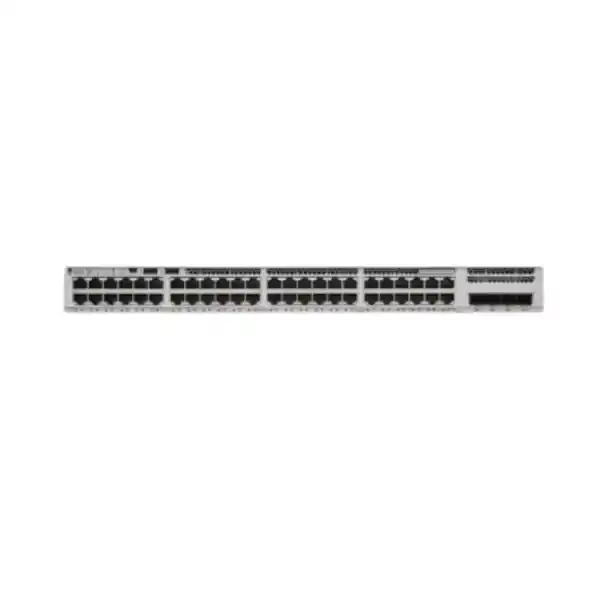
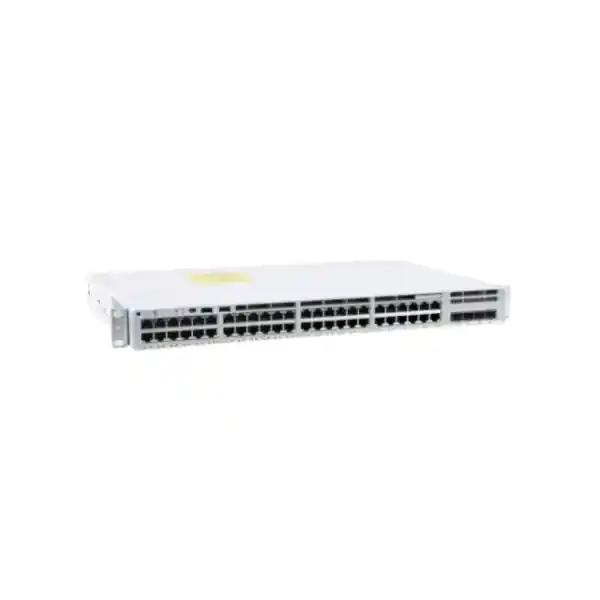
Cisco Catalyst C9200L-48P-4X Network Switch
Connect a busy office floor, branch or campus access cabinet with a managed switch designed for Gigabit endpoints and faster upstream links. This Catalyst 9200L model combines powered copper connections with fixed optical uplinks, making it a candidate for mixed networks of workstations, compatible IP phones, wireless access points and cameras. Its suitability depends on endpoint power, uplink media, software requirements and the configuration actually ordered.
Request a Tanzania quotation: share your endpoint list, power requirements, uplink distances and preferred license tier with FourTeck Tanzania. Ask for an itemized configuration covering hardware, software, optics, power supplies and any stacking accessories before placing an order.
At a glance: the hardware and the order
| Item | Specification / buying check |
|---|---|
| Access connections | 48 × 10/100/1000 copper Ethernet ports with PoE+ capability |
| Uplink connections | 4 × fixed 1G/10G SFP/SFP+ uplink interfaces; select supported transceivers separately |
| Switching capacity | 176 Gbps standalone; Cisco lists 256 Gbps with stacking |
| Forwarding performance | 130.95 Mpps standalone; 190 Mpps with stacking; specified using 64-byte packets |
| Stacking architecture | StackWise-80; optional C9200L stacking hardware required |
| AC power configuration | PWR-C5-1KWAC; 740W available PoE with one supply, up to 1440W with two |
| Cooling and power slots | Two fixed internal fans and two power supply slots |
| Network license choices | Network Essentials (-E) or Network Advantage (-A); confirm the complete order |
| Operating software | Cisco IOS XE; verify release and feature requirements for the deployment |
| Chassis dimensions | 4.4 × 44.5 × 28.8 cm (H × W × D), excluding extra clearance for installed components and cables |
Use the specifications as a starting point for design, then check the proposed bill of materials against your actual network. Hardware capability does not establish which accessories, licenses or services are included in a quotation. Keep those commercial details explicit so that installation does not depend on unplanned purchases.
Who should consider this access switch?
This model is worth evaluating when a cabinet needs many wired connections and some of those devices must receive electrical power over their network cables. A department moving desks, a branch standardizing its network, or an institution replacing an access switch can begin with the same question: what must each connection carry today, and what is likely to change during the equipment’s planned service period?
Prepare an endpoint inventory before selecting the switch. Record computers, phones, printers, access points, cameras and spare outlets separately. Some desk layouts connect a computer through an IP phone, while others use separate wall outlets. That distinction affects both the number of occupied switch ports and the troubleshooting responsibility when a desk loses connectivity. Count physical connections rather than assuming that employee numbers equal port requirements.
The strongest fit is an environment whose access links can remain at Gigabit speeds and whose powered devices fall within the supported PoE class and aggregate budget. If the project calls for faster copper access, higher-power endpoints or a different uplink architecture, make those requirements visible at the quotation stage. A familiar product name should never replace an explicit requirements review.
Understand the model before comparing prices
Small differences in Catalyst order codes can change an important part of the design. The 48P-4X model should be distinguished from data-only variants, partial-PoE variants and versions with different uplink speeds. Compare the complete manufacturer descriptions when reviewing competing proposals rather than comparing only the shared Catalyst 9200L family name.
Cisco lists C9200L-48P-4X-E with Network Essentials and C9200L-48P-4X-A with Network Advantage. The base designation supplied here does not select either suffix. The purchase specification should identify the full hardware order code, the selected software tier, applicable subscription term and any separate support arrangement. Do not assume that the lowest hardware line price represents an equivalent operational configuration.
For a procurement comparison, place each proposal into matching columns: chassis, software, subscriptions, power, optics, stack accessories and services. Ask suppliers to explain substitutions in writing. This helps purchasing teams compare equivalent scope while allowing the network team to confirm that a proposed alternative still meets the required port, power and management design. Resolve any unclear inclusion before approving the final configuration.
Plan ports around the actual workspace
Start with a port schedule that links the cabinet to patch panels and endpoint locations. Give every active outlet a purpose and retain a record of spare connections. Clear naming makes it easier to move a user, isolate a faulty cable or identify an unfamiliar device without disconnecting unrelated equipment. Include the patch panel reference and intended network segment in the schedule.
Reserve spare capacity according to the site’s growth plan rather than filling every connection on installation day. A department expansion, additional wireless coverage or new security cameras can consume ports quickly. Spares are useful only when the corresponding cabling, patch panel space and power budget are also available. Review those dependencies together so that an apparently unused port can actually support the next device.
Treat copper cabling as a separate acceptance item. A link light does not prove that a cable will perform reliably under normal traffic or while supplying power. Inspect termination quality, patch leads, labeling and cable test records. Where a recurring endpoint problem follows a wall outlet or cable run, investigate that path before concluding that the switch needs replacement.
PoE planning: calculate demand before deployment
PoE+ capability describes the power standard available at a port; the aggregate power budget describes how much the switch can allocate across connected devices. The two values answer different questions. Build the power worksheet from endpoint manufacturer requirements, including any operating modes that change consumption. A camera with additional functions or an access point with accessories may have different requirements from a simpler device.
Use allocated or required power values appropriate to the endpoint and negotiation method. Do not size a project only from a quiet-period consumption reading. Consider the conditions under which many devices start together after a power interruption, and document which connections have priority if available power becomes constrained. The objective is a predictable operating policy rather than an optimistic average.
As an illustrative calculation, 20 endpoints allocated 15W each require 300W, while another 12 allocated 25W each require 300W more. That example totals 600W before design headroom. These are planning assumptions, not specifications for a particular phone, camera or access point. Replace them with verified requirements from the exact devices in your project.
Repeat the worksheet for the intended failure condition. If a second supply is used to increase the total available power, losing one supply may leave insufficient capacity for the same endpoint population. Decide whether the design prioritizes continued power for every device or additional normal-operation capacity. Have the proposed allocation and fallback behavior reviewed before the equipment is accepted.
Power supply selection and electrical continuity
Cisco’s AC configuration information identifies the C5 1KW supply for this model, and its compatibility guidance warns that C6 variants are not supported in Catalyst 9200L switches. A similar wattage label is therefore insufficient evidence of compatibility. Require the exact power supply part numbers on the quotation and verify replacements against the hardware documentation.
Choose the number of supplies according to the required operating and failure budgets. Having two slots does not mean two supplies are included. Confirm the installed quantity, the input arrangement and the PoE capacity assumed in the design. A bill of materials should make it clear whether the second unit is required for redundancy, for additional power allocation, or for a combination subject to a reduced failure-state budget.
Assess the upstream electrical path as well. Two switch supplies connected to one unprotected source share that source’s outage risk. Plan UPS capacity using the switch, powered endpoints and other equipment that must remain available together. Estimate the required runtime with realistic load assumptions, and include an orderly operational response if backup power approaches exhaustion. Electrical installation and protection should be assessed by suitably qualified personnel.
Build uplinks that match the distribution network
The optical uplink design should start with the equipment at the far end. Record its interface speed, supported transceivers, available ports and planned topology. Then document the fiber type, route length, connectors and patching path between cabinets. Matching these items early reduces the risk of receiving a switch that is correct but cannot connect to the installed backbone.
Specify optical modules or direct-attach cables as separate, explicit line items where required. A physical fit is not sufficient to establish support. Verify the exact transceiver against Cisco compatibility information for the platform and software release, and check the corresponding far-end requirements. Do not assume that modules removed from a previous switch can be reused without validation.
Plan link resilience around independent failure paths. Two fibers in one vulnerable route can be affected by the same incident. Similarly, multiple links to one upstream device still depend on that device. Describe the outages the project intends to tolerate and let that requirement determine the topology, rather than treating extra cables as automatic protection.
Where link aggregation is proposed, review both ends of the design and the expected traffic distribution. Multiple member links can increase aggregate capacity, but an individual conversation is not guaranteed to use their combined bandwidth. Application patterns, hashing and upstream limits affect results. Validate the proposed arrangement against representative workloads before presenting it as a performance improvement.
Interpret switching performance in context
Cisco’s capacity and forwarding figures describe the platform under specified measurement conditions. They help compare hardware, but they do not predict the speed of every application. A slow server, congested WAN link, wireless problem or storage bottleneck can still dominate the user’s experience even when the local access switch has ample forwarding capacity.
For sizing, identify which traffic stays within the access layer and which must cross an uplink. Routine office work, large file transfers, camera streams and scheduled backups can have different concentration patterns. Simultaneous demand matters more than adding the maximum speeds printed on endpoint interfaces. Measure the existing network where possible and state the growth assumptions used for the new design.
Set practical acceptance goals in terms of user tasks and observable network behavior. For example, confirm that expected transfers complete while voice services remain usable and monitoring shows no unexplained errors. Record the traffic conditions during testing. This gives the project team a baseline it can use later, while keeping theoretical hardware ratings separate from end-to-end service expectations.
StackWise-80: growth with an explicit design
Compatible Catalyst 9200L switches can form a StackWise-80 stack of up to eight members. The stacking kit is optional, and its adapters and cables must be included when the project requires a stack. Catalyst 9200L and modular Catalyst 9200 switches cannot be combined into the same physical stack. Check the exact member models, software compatibility and license alignment before approving an expansion.
Decide whether a stack meets your operational needs before ordering accessories. A shared management arrangement can simplify cabinet administration, but it also creates dependencies that deserve documentation. Specify member numbering, intended active and standby roles, uplink distribution and the physical cable layout. Leave enough access at the rear of the cabinet to inspect and maintain the stack connections.
Plan the complete ring and appropriate cable lengths using actual rack positions. A drawing made before installation helps prevent an incomplete or awkwardly routed assembly. The design should also explain what happens when a member is unavailable and which endpoints depend on it. Stacking improves some aspects of resilience; it does not provide a second physical connection to a device attached through only one access port.
During commissioning, verify that every intended member has joined, the expected topology is present and stack links are healthy. Save that baseline with the handover records. Treat later member additions as controlled changes with a compatibility review and recovery plan, especially when the cabinet carries services that cannot be interrupted casually.
Licensing and software: quote the complete entitlement
Cisco’s ordering guide separates the perpetual Network license from subscription software and requires applicable subscription selection for standard new orders, subject to documented exceptions. The quotation should identify the relevant current offer, term and tier. Resolve licensing questions against the proposed order rather than inferring entitlements from the chassis label or a generic feature list.
Begin the tier discussion with functions the network genuinely needs. Provide the intended Layer 2 and Layer 3 roles, any routing requirements, management integrations and policy dependencies. Ask for feature validation against the chosen license and software release. A broad description such as enterprise switching is not sufficiently precise to confirm that a particular routing or automation requirement is covered.
Nominate the organization responsible for software entitlement administration and ensure the purchase is associated with the correct customer account. Record who maintains access to licensing records and who approves renewals. These ownership details matter during staff changes, support incidents and future upgrades. Keep subscription renewal planning alongside the equipment inventory so that the operational team can assess upcoming decisions before they become urgent.
Select an IOS XE release using the organization’s compatibility, security and maintenance requirements. Review release notes and relevant caveats for the intended features. A numerically newer version is not, by itself, a complete deployment recommendation. Include software installation, configuration backup and recovery responsibilities in the implementation scope.
Segmentation and access policy
A useful access design identifies which devices belong together and where communication should be controlled. Document separate requirements for employees, voice, cameras, guests and network management as appropriate to the site. Define the allowed paths to business systems rather than creating network segments without an associated policy. Confirm where routing and firewall inspection take place.
For port authentication, Cisco documents IEEE 802.1X support with the required authentication infrastructure and configuration. Plan endpoint readiness, identity services, certificates where applicable and the intended behavior during an authentication-system outage. Test representative device types before broad rollout. Printers, phones and embedded devices may need different onboarding decisions from managed computers.
DHCP snooping is another documented control that requires deliberate configuration. It filters untrusted DHCP traffic and relies on correctly identifying trusted paths toward legitimate servers. Trace those paths before enabling the feature. A security setting applied without understanding the topology can prevent legitimate clients from obtaining addresses and turn a policy change into a service interruption.
Keep administrative access controlled and attributable. Establish the management path, approved administrator roles, logging destination and configuration change process. Review unused connections and access permissions during handover. The switch supplies networking functions; the organization still needs clear ownership and consistent operational practices to make the policy effective.
Phones, Wi-Fi and camera systems: different checks
IP phones and desktop connections
For voice deployments, confirm each phone’s power class, network settings and any connected workstation arrangement. Test registration, normal calls and recovery after a planned restart. Include the call platform and upstream path in acceptance testing, because supplying Ethernet and power does not by itself establish that the telephone service is ready.
Wireless access points
Check access point requirements individually. Some wireless designs need faster copper connectivity or more power than this access platform offers. Agree which wireless operating mode is required and verify it against the selected wired connection. For broader planning, see FourTeck Tanzania’s Cisco wireless access point guidance. Use that discussion to coordinate coverage and wired requirements.
Security cameras
For cameras, consider steady streaming, startup demand, recorder access and the desired isolation policy. Test the features used in the installed camera configuration, not merely a basic picture. Decide which cameras should remain powered if the available budget is reduced. Recording continuity also depends on storage, recording software and the other network devices in the path.
Prepare the cabinet and installation environment
Measure the cabinet as an installed system, including power cords, stack cables, optical patch leads and service access. Chassis depth alone does not represent the clearance needed behind the equipment. Plan patching so that technicians can identify connections and remove components without pulling unrelated cables. Confirm the mounting arrangement and included hardware before the installation window.
This is a fan-cooled platform with fixed internal fans. Locate it in a suitable communications space and account for ventilation, heat and noise. Keep air paths clear and assess the total cabinet heat load with powered endpoints in mind. Avoid using a quiet office furniture enclosure as a substitute for an evaluated equipment cabinet.
Review dust exposure, access control and housekeeping for the proposed location. Where conditions are unusual, validate them against the manufacturer’s environmental specifications before selecting the switch. Also establish who can reach the cabinet during an incident. A well-designed network is difficult to support if the correct staff cannot obtain physical access or identify which electrical circuit supplies the equipment.
Replacing an existing switch without losing requirements
Begin a replacement with an inventory of the current configuration and connections. Record uplink media, active VLANs, endpoint power, management addresses and dependencies on other systems. Identify undocumented exceptions before the migration window. The objective is to preserve required services while correcting agreed design problems, with a clear distinction between the two.
Do not assume that an old configuration can be copied unchanged. Interface naming, software behavior, license-dependent functions and management practices may differ. Build and review the target configuration before cutover, then test it with representative endpoints. Keep a record of intentional changes so that a later fault investigation can distinguish a migration error from an approved redesign.
If the project starts with Catalyst 2960-X equipment, FourTeck Tanzania’s Catalyst 2960-X replacement planning page provides a broader migration context. This product evaluation should still be based on the precise requirements of the cabinet being replaced. An access switch that suits one floor may be inappropriate for another with different uplinks, power demand or endpoint speeds.
Agree a rollback point before work begins. Preserve the information and equipment needed to restore the previous service where that is part of the plan. Define who decides whether to continue, pause or roll back, and allow time to validate business applications after the physical connections are moved.
Commissioning and handover: define success early
An acceptance checklist should be agreed before installation. This gives both the buyer and implementer a shared definition of completion. Include physical identification, expected interfaces, endpoint operation, uplink health and the management functions required by the organization. Record exceptions with an owner and an agreed follow-up action.
- Confirm that the delivered hardware and software match the approved configuration, including supply quantities and required accessories.
- Check the port schedule, patching labels, link speeds and representative powered-device behavior under normal operating conditions.
- Validate intended network segments, permitted application paths and the management access process using agreed test devices.
- Where included in scope, test planned link or supply failure scenarios and document the observed effect on essential services.
- Provide configuration records, equipment identifiers, entitlement information and operational contacts through the organization’s approved handover process.
Keep the results concise enough for future support staff to use. Include the date, software version, network diagram and any assumptions that affect interpretation. A handover pack should explain how the installed network works and where its dependencies lie, rather than simply recording that a switch was powered on.
Operate the switch as part of a managed network
Assign an owner for routine checks and an escalation path for incidents. Review interface errors, uplink utilization, power allocation and relevant system messages according to the importance of the services carried. Monitoring should make unusual changes visible, such as a growing error count or an unexpected endpoint, while avoiding alerts that nobody is responsible for investigating.
Maintain configuration backups and verify that staff can locate the correct version when needed. Record changes with their purpose, approval and result. When a problem appears after a change, this history can shorten diagnosis considerably. Protect administrative credentials and recovery information through the organization’s established access controls.
Plan software maintenance as a service activity with preparation, validation and recovery steps. Review current vendor guidance for the exact release and required functions before scheduling work. Include relevant application owners when an outage could affect business operations. Keep hardware support terms and subscription records accessible so that the team knows what assistance is available without making assumptions during an incident.
How to request a useful Tanzania quotation
Send a short requirements brief with the number of cabinets, active endpoints, required spare ports and the role of each switch. Include an endpoint power worksheet, the existing distribution equipment and the intended uplink route. Where information is incomplete, identify it as an open design question so that the quotation can state the assumptions clearly.
Ask for separate confirmation of the full order code, licensing tier and term, installed power supplies, uplink modules, stack hardware and mounting accessories. Identify any configuration, migration or handover work you want included. Also request confirmation of the applicable price, taxes, availability, delivery arrangements and support terms for the actual offer. These commercial details must come from the quotation.
For multi-site purchases, keep site-specific requirements visible instead of treating all branches as identical. One location may have a different backbone, cabinet constraint or endpoint population. A common hardware standard can still be useful, but exceptions should be explained and costed before procurement. Give the delivery destination and required project timing so that the commercial response can address them directly.
Do not treat a product description as a stock commitment or a promise of installation coverage. The purchasing decision should rely on the confirmed offer and agreed scope. A complete comparison makes it easier to assess total project cost, including the accessories and work needed to bring the network into service.
Buyer FAQs
Can the switch power every port at the maximum PoE+ level?
Port capability and aggregate supply capacity must both be satisfied. Maximum allocation across all powered ports depends on the installed supplies and operating conditions. Calculate the endpoint total and check the budget available after the failure the design must tolerate. Do not assume that every PoE-capable connection can receive its maximum allocation with any supply arrangement.
Does the base model name specify the license tier?
No. Cisco offers Essentials and Advantage order variants. Require the full suffix and applicable subscription details in the quotation, then validate the intended software functions against that order. Keep hardware ownership, perpetual network entitlements, subscription software and support coverage clearly documented.
Are the optical modules and stacking parts included?
Their inclusion must be established by the proposed bill of materials. List the required uplink media and stack components explicitly, and check compatibility before purchase. This avoids relying on a generic bundle description that may omit the parts needed for your cabinet.
Will it provide faster-than-Gigabit copper links to access points?
This model’s copper access interfaces are Gigabit Ethernet. Assess a different access platform if the wireless design requires higher copper link speeds. Choose the wired network from the access point’s actual operating requirements rather than its wireless generation label.
Can it join a physical stack with an existing Catalyst 2960-X?
No. The stacking architectures are different. Existing equipment may remain elsewhere in a properly designed network, but it should not be specified as a member of this model’s physical StackWise stack. Check the exact eligible member models before ordering an expansion.
Is the second power supply automatically a complete redundancy solution?
It contributes to the power design, but the result depends on load and input arrangement. Calculate which endpoints can remain powered with one supply unavailable and review any shared upstream electrical dependency. Document the intended failure-state behavior as part of acceptance.
Can it act as the business firewall or internet service?
Evaluate firewall inspection, internet access and switching as separate system requirements. The access switch must connect to the appropriate upstream services and carry the required policies. Confirm which device performs routing and security inspection, and include that path in the overall network design.
What should I provide to FourTeck Tanzania first?
Provide the endpoint quantities and models, required network segments, expected uplinks, fiber distances, power continuity goal and software requirements. Add the installation location and project timing for the quotation. This gives the review a concrete basis and helps identify missing accessories or design decisions early.
Request your C9200L-48P-4X configuration review
Ask FourTeck Tanzania for an itemized quotation built around your endpoint, uplink and power requirements. Include the preferred license tier and whether the switch will operate alone or in a stack. Request confirmation of every required accessory and the applicable commercial terms before approving the order.
A clear requirements brief helps turn the product choice into a deployable access network: the correct interfaces, sufficient power, suitable software and an agreed handover. Share the proposed design or current switch inventory so that the quotation can identify remaining decisions and document its assumptions.




Reviews
There are no reviews yet.