

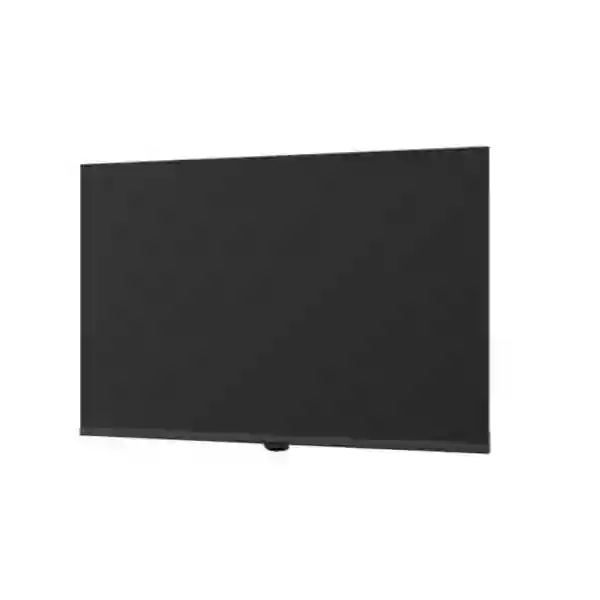
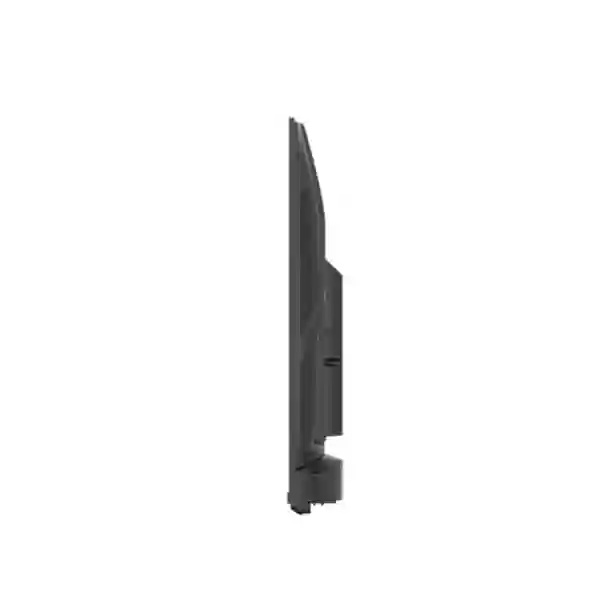
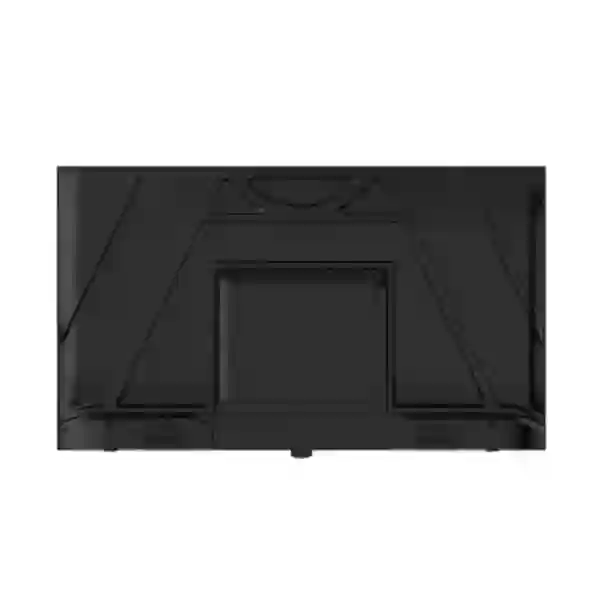
Professional video monitoring display
Hanwha Vision SMT-4345 43-inch 4K UHD Monitor
The Hanwha SMT-4345 combines a 43-inch UHD display, two HDMI inputs, DisplayPort and two-window PIP/PBP for professionally planned CCTV viewing positions. It is designed and tested for 24/7 operation. Select it when your recorder or workstation can supply the video layout you need, and verify the installation environment, connections and mounting before ordering.
For Tanzania projects: request a model-specific quotation with source compatibility, accessories and commercial terms confirmed.
Key specifications at a glance
These are manufacturer-published characteristics. The video source, installation and purchase package must be evaluated separately.
The quick buying answer
Choose the Hanwha SMT-4345 if you need a large UHD monitor to show video from an appropriately equipped NVR or computer, with the option to view two external sources through PIP or PBP. Do not choose it on the assumption that it records cameras, directly decodes IP streams or combines three independent video inputs at once. Check the source output, room conditions, mounting and exact quotation before committing.
What the SMT-4345 is designed to do
The Hanwha SMT-4345 is a professional 43-inch UHD LED display intended for situations where people need to see a large amount of visual information clearly. A security team may want to view an NVR camera grid, an incident detail view or the output of a video management workstation. A facilities operator may need a dedicated screen that stays in service across shifts. This model addresses the display side of those workflows: it receives video from connected equipment and makes the pictures visible to operators.
Its role is important to define before procurement. The monitor is not itself an IP camera, network video recorder, storage appliance or video management software licence. It does not replace camera recording, access controls or alarm workflows. The connected system determines which cameras appear, how layouts are arranged, which events are shown and what the operator is permitted to control. Choose the screen together with the output capabilities of that system rather than assuming that a large UHD panel automatically creates a complete surveillance solution.
The benefit of 43 inches and 4K UHD
A 43-inch diagonal gives security personnel a larger viewing surface than a typical desk monitor, which can be valuable when several camera tiles must remain visible at once. The maximum 3840 × 2160 pixel resolution is commonly called 4K UHD. It can show more image detail than a 1920 × 1080 display when the source genuinely outputs UHD content. That distinction matters: increasing the screen resolution cannot restore detail absent from a compressed, low-resolution or distant camera image.
For a practical comparison, consider both the number of cameras shown and the distance from the viewer to the screen. A sixteen-camera grid may use the area very differently from a four-camera grid plus a large incident feed. Tiny labels, timestamps and map elements still need to be readable at the intended viewing position. During design, test a representative layout with real footage, not only an attractive full-screen promotional image. Resolution is a resource to allocate, not a guarantee that every operator will see every event more clearly.
Understanding the 60Hz display capability
The manufacturer’s specifications list operation up to 3840 × 2160 at 60Hz on supported HDMI and DisplayPort formats. For an operator, this means the monitor can accept an appropriate UHD signal at a refresh rate of up to 60 frames per second. Actual motion appearance depends on the originating camera frame rate, recorder configuration, codec, decoding performance and selected output format. A camera sending fewer frames does not become a 60fps camera because the connected screen supports 60Hz.
When specifying a new recorder or workstation, check its exact external-display resolution rather than only its camera recording resolution. Some systems record 4K footage yet provide a lower-resolution live output, restrict a secondary output, or reduce the number of camera streams shown simultaneously. The setup should be tested end to end with the planned camera count. If labels look soft or the picture is cropped, inspect the output timing, operating system scaling and display settings before concluding that the monitor is defective.
Two-window PIP and PBP: useful, with a clear limit
The SMT-4345 provides two-window picture-in-picture and picture-by-picture functions. Picture-in-picture, or PIP, places a secondary source within the main image. Picture-by-picture, or PBP, places sources in adjacent windows. These modes can help when an operator needs a main camera overview alongside another recorder output, a workstation feed or a separate video source. The visual arrangement should support a real task, such as keeping a priority area visible while reviewing a broader site view.
Two-window support is not the same as displaying an unlimited number of independent physical inputs at once. A large multi-camera grid is generally created upstream by an NVR or software system; the monitor then displays that system’s video output. Before purchasing for a two-source workflow, confirm which source combinations, timings and PIP/PBP controls are supported in the intended setup. Run a short live test covering source selection, image proportions and switching between full-screen and divided views. This prevents a common mistake: counting the available connectors as if each one were an independently visible screen region.
HDMI and DisplayPort integration
The published input configuration is two HDMI connectors plus one DisplayPort connector. This gives flexibility when the equipment room contains a combination of NVRs, desktop computers or other video-output devices. An HDMI connection may be convenient for many recorders, while DisplayPort can be useful from a computer graphics output. The presence of a connector alone does not prove that a particular recorder, cable route, adapter or intermediate switch will negotiate every video mode correctly.
Create a connection schedule before installation. Identify each source, the port being used, the target resolution and refresh rate, cable length, cable type and any switch, extender or converter along the path. For long runs, assess the chosen transmission solution separately; the monitor specification does not establish a guaranteed distance for an arbitrary cable. If a source uses a different connector, verify the adapter’s direction and supported signal. Avoid buying an adapter merely because the plugs fit. After connecting, confirm image stability, readable text and the desired source-selection behaviour.
Pairing the display with an NVR
A common use case is connecting the HDMI output of a network video recorder to the SMT-4345. The recorder performs the actual camera management work: receiving streams, decoding live views, displaying camera layouts and, where configured, storing recordings. The monitor is the viewing endpoint. An NVR with a suitable UHD output can use the screen’s native resolution, subject to the recorder’s own capabilities and limits. A lower-resolution output can still appear on the panel, but it will not deliver native 4K detail.
For a procurement check, record the NVR model, available display connector, documented external output modes and expected live-view layout. Ask how many simultaneous decoded camera streams the NVR can manage, especially when cameras use higher resolutions. Verify the unit’s output setting in the installed system, then test live video and playback. Also check whether the recording interface, configuration menus and camera labels are comfortable to operate at the planned distance. A successful design matches display capability to recorder capability instead of treating them as interchangeable specifications.
Working with a VMS or security workstation
A workstation running video management software can be another practical video source. It may render camera tiles, event panels, maps or playback windows and send the resulting desktop image over HDMI or DisplayPort. This can work well in a security operations room where a supervisor wants one larger view in addition to smaller desktop monitors. The application, computer graphics hardware, operating system and user permissions will determine what content is actually available on screen.
Before allocating this display to a VMS desk, consider whether the operator needs direct keyboard and mouse control, how many layouts must be switched, and whether a full desktop at 4K makes text too small. Test operating system scaling and application zoom. Make sure the computer can sustain its intended video decoding load; four times as many display pixels do not automatically mean four times as many decodable cameras. If the screen is across the room, a curated monitoring layout may be better than showing a dense software interface with tiny controls.
Planning viewing distance and camera tiles
Successful monitoring is about recognition and response rather than the largest possible number of rectangles. At a close desk position, smaller camera tiles may remain useful. From a reception counter or shared wall position, operators generally need larger imagery and fewer simultaneous views to identify events quickly. There is no universal camera-count rule for this model because the answer depends on the original camera footage, room geometry, visual acuity, lighting and the information that matters to the operator.
Start with two or three actual tasks. For example, a guard may need to identify arrivals, notice an obstruction and read an alert source. Build a layout around those tasks and check it from every normal viewing position. Time how quickly operators can locate the important feed, not just whether every feed technically fits. Consider a larger priority image with a smaller contextual grid if critical activity might otherwise disappear into small tiles. Change the source layout when necessary; the monitor’s picture adjustment cannot replace thoughtful camera placement or incident procedures.
Brightness, contrast and room lighting
Hanwha lists brightness of 300 cd/m² and a 1200:1 contrast ratio for the SMT-4345. These are useful comparison figures, but installation lighting determines how comfortable the screen feels in practice. Bright windows, overhead luminaires and reflective surfaces can make a correctly specified display harder to read. A control room that is too dark may create a different problem: excessive visual contrast between the screen and its surroundings can contribute to viewing discomfort across long shifts.
Assess the wall or desk location while the room is used normally, including daytime lighting and overnight operating conditions. Try to avoid a position facing strong reflections. Ensure the monitor’s on-screen settings can be adjusted for the location without losing important shadow or highlight detail in camera footage. Do not assume the published brightness figure certifies outdoor, sun-facing or daylight-readable use. Where the environment has strong direct sunlight, evaluate a purpose-built alternative rather than expecting this indoor-oriented operating range to solve an unsuitable placement.
Wide viewing angles and shared operation
The specified horizontal and vertical viewing angles are 178° and 178°. This can be helpful when two operators sit on opposite sides of a desk or when several people gather to review footage. However, a numerical viewing-angle specification does not guarantee identical colour, contrast or visibility at every seat. Extremely oblique positions, mounting height, reflected light and the physical surroundings still affect what people can comfortably see and interpret.
In a shared control room, test the proposed mounting height with the tallest and shortest regular viewers. A screen mounted too high may force repeated neck movement; one mounted too low may be obstructed by other equipment. Where people must examine small timestamps or faces, place them closer to the display’s central viewing area and ensure the incident view can be enlarged. Designing for one ideal chair can make the display less useful to the rest of the shift team. A realistic seating mock-up is often more informative than a viewing-angle figure alone.
Continuous use and the panel-life specification
The manufacturer states that the monitor is designed and tested for 24/7 operation and lists a 30,000-hour panel life. These claims support considering it for staffed monitoring environments where the screen may remain on across shifts. They should not be interpreted as a guarantee that the display will operate continuously for a fixed number of years without maintenance or failure. Panel life is a manufacturer specification; it is not, by itself, a warranty period or an uptime commitment.
Operational planning should still include power quality, heat management, cleaning, appropriate image settings and a replacement strategy for critical screens. A permanently visible static layout may be useful for awareness, but teams should follow the manufacturer’s current operating guidance on image retention and preventative care. If loss of the display would prevent essential monitoring, consider how staff will access the same camera feeds on another approved device. A 24/7 design is an important selection factor, not a substitute for service continuity planning.
Mounting dimensions and physical fit
The SMT-4345 has a listed VESA mounting interface of 200 × 200mm. Its dimensions without stand are 954.9 × 570.3 × 79.8mm, and the published monitor weight is 5.8kg. These figures help an installer assess whether the selected wall mount, arm, enclosure or furniture arrangement has adequate space and load capacity. Mount hardware must be chosen and installed for the actual wall structure and site conditions, not simply on the basis of a matching hole pattern.
Before ordering, measure the available width, height and cable clearance, and consider the viewing angle after mounting. Leave access for connectors, ventilation, the power lead and future maintenance. Check the wall material, bracket rating, fixing method and any site-specific movement or vibration considerations. Confirm whether the mounting hardware or stand required for the project is included in the commercial offer; the manufacturer’s dimensions do not establish what a reseller will supply. For an installation above people or equipment, use qualified mounting practices and appropriate safety precautions.
Power planning and backup arrangements
The manufacturer’s listed electrical input is AC 100–240V at 50/60Hz, with 85W specified power consumption. For buyers in Tanzania, the practical step is to review the actual site supply, earthing and protection requirements with the installer. Check the plug, power cord and distribution arrangement supplied for the specific unit. The wide input-voltage specification does not remove the need for correct local electrical installation, appropriate protection or compliance with applicable site requirements.
A surveillance display may be connected to a recorder and network equipment that have different backup-power needs. If the monitor must remain available during an outage, assess its power requirement together with the NVR, workstation and network devices, then size any UPS using the complete system load and required runtime. Do not assume the quoted 85W represents an exact constant draw in every operating mode. Test shutdown, restoration and restart behaviour under the chosen power arrangement. Maintaining a screen alone is of little value if its recorder or networking equipment has lost power.
Heat, humidity and the intended environment
The published operating range is 0°C to +40°C and 10% to 80% relative humidity, non-condensing. These limits matter when a display is planned for a warm equipment space, poorly ventilated guard room or location affected by moisture. They do not establish outdoor weatherproofing. The monitor should not be treated as an environmental enclosure, water-resistant signage device or industrial high-temperature screen unless separate model-specific evidence supports that use.
Check the expected air temperature at the proposed mounting position, not only a reading elsewhere in the building. Wall recesses, tightly packed screens and nearby electronic equipment can alter local conditions. Allow appropriate airflow and avoid direct sources of heat or moisture. Consider whether the site experiences condensation during changes in temperature or air-conditioning operation. If project conditions may exceed the stated limits, address the environment or choose a more suitable display. This screening step can prevent installation problems that no amount of menu adjustment will fix.
Using the built-in audio facilities
Hanwha identifies an audio-out connector and built-in speakers specified as two 2W speakers at 6 ohms. These capabilities may be relevant for an operator desk where the originating system supplies an audible signal, but the end-to-end audio path must be checked. Video sources vary in whether they output audio, which formats they carry and how volume or muting is controlled. Do not assume that every camera’s microphone will automatically play through the display.
For security operations, establish whether audio is actually needed and authorised within the planned workflow. Determine which events require sound, which operator should hear them and what happens during shift changes. Test the source equipment, display settings and volume at the real operating position. If a room needs clear announcements or mission-critical alarms, consider whether dedicated audio equipment is more appropriate. The integrated speakers should be viewed as an available monitor feature, not a verified replacement for a site’s public-address or alarm system.
Where the monitor makes practical sense
In a small or medium security control room, the SMT-4345 can serve as a shared overview display driven by an NVR or monitoring workstation. At a guard desk, it may help staff keep entrances and perimeter views visible without continually switching between feeds. In a building operations room, it can show a curated surveillance layout while other systems are managed separately. Each scenario depends on the connected equipment’s output and on a sensible arrangement of cameras and operator controls.
It may also fit a review position where staff inspect recorded footage together or compare two video sources using PIP/PBP. The common requirement is clear, dependable presentation of an external video signal. It is less obviously suitable when the project requires built-in camera decoding, direct network control, outdoor installation, interactive touchscreen input or a multi-display video wall controller. Those functions should be specified as separate requirements. Selecting this monitor because it is the right endpoint is better than asking a monitor to perform jobs that belong to another component.
Choosing between this screen and a smaller monitor
A smaller professional monitor may be enough when an operator watches one or two close-up camera feeds from a desk. A 43-inch display earns its space when the viewing layout genuinely benefits from more pixels or a shared view. The larger size has consequences: it needs physical room, safe mounting, appropriate viewing distance and a deliberate camera layout. It may be uncomfortable as a close-range desktop screen if the entire interface must be scanned continuously.
Compare the actual workflow instead of making size the only purchasing criterion. Ask whether staff need simultaneous overviews, whether one large incident feed matters, and how frequently they interact with controls. Determine whether two PIP/PBP windows are enough for independently connected sources. If the requirement is to combine many physical video inputs, a separate multiviewer or appropriate video-wall architecture may be necessary. If space is tight, several smaller monitors with distinct tasks may offer a more usable work area than one large screen.
Comparing a dedicated security monitor with a consumer TV
Both a television and a surveillance monitor can display images from compatible sources, but their procurement criteria are not identical. For the SMT-4345, Hanwha explicitly states 24/7 design and testing, lists professional video input options, and publishes operating and mounting information. Those documented characteristics provide a basis for evaluating use in a monitoring environment. They do not establish that every television is unsuitable or that every surveillance application requires this exact model.
When comparing alternatives, ask for the intended operating duty, native resolution, accepted input formats, source switching, mounting pattern, thermal range and documented support arrangements. Consider how the display behaves after power is restored and whether staff can readily select the right input. Compare like-for-like offers with all required mounts, cabling and power accessories included. Prioritise functional suitability and the total installed solution rather than an isolated screen price. The best choice is the one whose published capabilities match the project’s actual operational requirements.
A practical pre-purchase compatibility checklist
Before requesting a quotation, prepare a brief technical schedule: source device models; preferred video ports; output resolution and refresh rate; expected number of camera tiles; use of picture-in-picture or picture-by-picture; and whether audio is required. Include how far the screen will be from operators, which surfaces can support the bracket, and the room’s typical temperature and humidity. These details give a supplier or integrator something concrete to verify and reduce the chance of receiving a quote for an incomplete system.
Separate verified product characteristics from items that depend on your site. The manufacturer confirms the panel size, maximum UHD capability, inputs, two-window modes, power specification and mounting interface. By contrast, cable reach, individual recorder compatibility, local accessory contents, required installation work, delivery, warranty terms and stock must be confirmed for the actual offer. Request a written statement for important assumptions and ask how technical differences will be resolved before dispatch. The goal is a working monitoring position rather than merely a box containing a large screen.
Suggested installation and commissioning sequence
A sensible implementation begins by confirming the operational layout and source equipment. Next, inspect the intended mounting position and electrical supply, agree on the bracket and cable route, and check the room conditions. Install the display securely according to the relevant instructions, leaving ventilation and service access. Connect one known-good video source first, set its supported output mode and establish a stable full-screen image before adding switches, extenders or extra source paths.
Then introduce the second source if PIP or PBP will be used. Confirm each source can be selected and that the divided view remains usable. Test live camera grids, playback, timestamps, menus and operator distance in ordinary lighting. If the display is critical to operations, exercise the intended power-backup and recovery process. Finish with a handover record covering connected devices, input assignments, settings, cable identification, maintenance access and escalation contacts. Record the actual result of each test rather than assuming that successful power-on completes commissioning.
Acceptance tests for a real monitoring room
Acceptance should be based on the way people will use the screen. Ask the operator to find a specified camera, enlarge an event feed, read the time and location information and return to the normal overview. Check whether two-source mode meets the use case and whether any image is stretched or unexpectedly cropped. Confirm that the intended resolution appears in the source’s video settings and that picture quality remains stable over a realistic operating period.
Repeat these checks from normal seats and under typical daylight and evening conditions. Verify that input selection is understandable for staff who may not be technical specialists. Where an incident process depends on the display, simulate a source interruption and confirm that operators know the alternate viewing procedure. Sign-off should cover safety, function and usability, not just a demonstration image. If text is too small or feeds are hard to distinguish, fix the layout or physical position before the equipment is accepted.
Troubleshooting a blank, unstable or low-detail picture
If the display shows no image, first check power, source selection and whether the connected device is actually sending a signal. Test with a short known-good cable and one direct source where practical. If the image flickers or drops out at higher resolutions, inspect the selected timing, cable quality and any signal-conversion components. Avoid changing many settings at once; isolate the issue so that the cause is identifiable and repeatable.
If video appears but looks poor, confirm the resolution from the NVR or workstation and examine the originating camera feed. A low-quality stream, excessive compression or small tile can look soft even when the monitor works correctly. If picture-in-picture does not behave as expected, verify the selected inputs and supported source combinations rather than assuming the third connector should create a third window. Document symptoms and the exact equipment chain when requesting technical support. A concise record of tests is often more useful than a general report that the screen is faulty.
Long-term care and operational continuity
Plan routine visual checks for dust accumulation, blocked ventilation and signs of cable strain. Keep the screen in the manufacturer’s specified environment and use appropriate cleaning practices from the official documentation. Do not apply aggressive cleaning products or open the enclosure as a routine maintenance step. A critical display should also have its configuration and source connections recorded so that another technician can restore the intended viewing arrangement if equipment is replaced.
Review the monitoring layout when camera counts, security risks or staffing patterns change. An arrangement that was clear with eight feeds may be less usable after several more cameras are added. Keep a fallback method for accessing essential live and recorded footage if the primary screen becomes unavailable. For budget and replacement planning, use the stated panel-life figure only as one reference, and rely on the exact purchase terms for warranty and support arrangements. A maintained end-to-end viewing workflow delivers more value than treating the display as an isolated purchase.
What to include when asking for a Tanzania quotation
A productive enquiry identifies the product as Hanwha Vision SMT-4345 and describes the project rather than requesting an unspecified 43-inch screen. Include the quantity, intended location type, connected NVR or computer models, video-output requirements, mounting arrangement and any preference for dual-window operation. Say whether the project includes a suitable bracket, cables, signal extenders, surge protection or UPS equipment. Those items may form part of the broader installation even though they are not all monitor features.
Ask the supplier to confirm the precise offered configuration, current availability, delivery conditions, applicable warranty documentation, accessories and total quotation. Where installation or commissioning is wanted, request that labour and testing scope be itemised. If purchasing for a control room that operates around the clock, explain the criticality of the viewing position and how continuity will be handled. This makes it easier to compare quotes fairly without assuming that a price for a display alone covers every piece needed for a working security system.
Verified technical specification table
The following figures refer to the SMT-4345 manufacturer listing. Specifications can change, so verify the revision relevant to the proposed purchase. The table is a selection aid, not a substitute for the current installation instructions.
| Item | Manufacturer specification |
|---|---|
| Product | Hanwha Vision SMT-4345 |
| Display type | LED monitor |
| Screen size | 43 inches |
| Maximum resolution | 3840 × 2160 at 60Hz |
| Aspect ratio | 16:9 |
| Brightness | 300 cd/m² |
| Contrast | 1200:1 |
| Viewing angles | 178° horizontal / 178° vertical |
| Response time | 8ms |
| Display colour | 1.07 billion colours |
| Inputs | 2 × HDMI, 1 × DisplayPort |
| Window modes | Two-window PIP / PBP |
| Audio | Audio out; two 2W speakers |
| Panel life | 30,000 hours (manufacturer specification) |
| Duty design | Designed and tested for 24/7 operation |
| Voltage and consumption | AC 100–240V, 50/60Hz; 85W |
| Operating temperature | 0 to +40°C |
| Operating humidity | 10–80% RH, non-condensing |
| Dimensions without stand | 954.9 × 570.3 × 79.8mm |
| Weight | 5.8kg |
| VESA interface | 200 × 200mm |
Frequently asked questions
Does the Hanwha SMT-4345 show 4K video?
Yes. The published maximum resolution is 3840 × 2160 at up to 60Hz. To see native UHD detail, the connected NVR or workstation must supply an appropriate signal. Camera resolution and decoding settings also affect the visible result. A 4K screen cannot create additional detail from a lower-resolution video feed. Check the video output of your exact source device before relying on UHD performance.
Can I connect two HDMI devices?
The published specification lists two HDMI input connectors. You can plan for two physical HDMI connections, subject to compatibility with the respective sources and cables. The monitor also provides a DisplayPort input. Confirm how you intend to switch between devices and whether the desired two-source arrangement is supported before installation. Connector count and simultaneous on-screen window count describe different things.
Does PIP/PBP show three different inputs simultaneously?
No such three-window capability is specified. Hanwha advertises two-window picture-in-picture and picture-by-picture functions. Although the hardware has two HDMI inputs and one DisplayPort input, do not infer that all three can appear independently at once. If the requirement is a three-way or larger physical-input multiview, check a separate multiviewer or a different documented display solution.
Can it connect directly to IP cameras without an NVR?
It should be specified as a display fed by equipment with a compatible video output, such as a recorder or workstation. The manufacturer’s interface listing includes HDMI and DisplayPort video inputs and does not establish a built-in IP camera decoding function. For a camera system, plan an appropriate NVR, VMS computer or other verified video-output source. Confirm any particular camera workflow at system level.
Is it suitable for round-the-clock CCTV monitoring?
Hanwha states that the SMT-4345 is designed and tested for 24/7 operation. This makes continuous monitoring a relevant intended application. Still observe the 0–40°C operating-temperature range, 10–80% non-condensing humidity specification and installation requirements. Do not interpret 24/7 design as a guarantee of zero failures or as an automatic warranty term. Plan a fallback display route for essential operations.
Can this display be wall mounted?
The specified mounting interface is VESA 200 × 200mm. The display measures approximately 954.9 × 570.3 × 79.8mm without its stand and weighs 5.8kg according to the manufacturer. Choose a bracket with the appropriate interface, sufficient load rating and suitable fixings for the wall. Verify bracket and stand inclusion in the actual supplier offer instead of assuming either is included.
What power does it need?
Hanwha lists AC 100–240V, 50/60Hz input and power consumption of 85W. The site installation still requires suitable local electrical practices, correct connection and protection. For uninterrupted viewing, evaluate the screen alongside the NVR, network equipment and any workstation when choosing backup power. Ask an appropriately qualified installer to verify the complete arrangement rather than sizing a UPS from the display alone.
Does the 30,000-hour panel life mean a 30,000-hour warranty?
No. The published 30,000-hour figure describes panel life and should not be treated as a guarantee of uninterrupted service, a replacement commitment or a warranty period. The applicable warranty, local service process and commercial exclusions must be obtained from the actual seller or authorised documentation for the offer. Operational continuity should be planned independently of that figure.
Will it display sixteen CCTV camera feeds?
A sixteen-camera layout could be sent from a suitably capable NVR or VMS workstation, but the monitor does not itself decode and arrange those camera streams. Whether the result is useful depends on recorder decoding limits, source output, feed quality, chosen tile size and viewing distance. Test the real grid with actual footage. The correct number of simultaneous feeds is the number operators can use effectively, not simply the maximum that fits.
Can it be installed outdoors or in a hot enclosure?
The manufacturer publishes an operating-temperature range of 0–40°C and relative humidity of 10–80%, non-condensing. Those specifications do not by themselves certify outdoor or weatherproof operation. Before putting the screen into an outdoor-facing booth, exposed reception area or tight enclosure, check the conditions at the mounting point. Select a properly rated environmental solution if the site exceeds the stated limits.
Does it have speakers?
The published specifications identify two 2W speakers and an audio-out connector. Whether sound plays from a particular NVR, workstation or camera depends on that source’s audio configuration and output. Test the complete path and decide whether the built-in speakers are adequate for the intended task. Do not assume they replace a dedicated alarm or announcement system in critical environments.
How do I request the correct model for a project in Tanzania?
Specify Hanwha Vision SMT-4345, the required quantity, source equipment and intended use. State whether you need help with mounting, video cables, two-window viewing, power protection or commissioning. Request confirmation of the offered unit, stock position, shipping and warranty terms in writing. No local price, delivery promise or product availability is asserted by this description; those details must be confirmed in the actual quotation.
Request a Hanwha SMT-4345 quotation for your project
Share the number of monitors, your recorder or workstation model, the planned video output, mounting position and whether you need two-source PIP/PBP. Also mention cables, power backup and installation assistance if these are part of the requirement. Request confirmation of the offered unit, applicable specifications, accessories, pricing, stock, delivery and warranty terms before proceeding. A complete quote should describe the working viewing solution, not just the display.
No product availability, installation coverage, price or delivery period is promised here; these must be verified for your enquiry.




Reviews
There are no reviews yet.